
More Tutorials from the Community
More Tutorials from the Community
POS (Point of Sale) Collections are now possible through this option. Tap 2 Pay offers a checkout experience like no other with its swift and secure way to collect payments.
Covered in this article:
- What makes it a good payment collection option?
- How to Use Tap to Pay
- Supported Devices
- Join the Beta Program to activate Tap 2 Pay
Please Note:
This feature is currently available ONLY for US locations. It will only be available once you join the BETA program (For other countries outside the US). Check the links at the end of the article to join the Beta Program.
What makes it a good payment collection option?
1. Seamless Transactions - Completing transactions via POS has never been smoother with Tap to Pay. It works with compatible contactless payment options.
2. Speed and Convenience - Tap your customers' compatible card or smartphone using the App, and you're done! No swiping, no PINS, and no signatures. It's that easy!
3. Enhanced Security - Rest assured, your and your customers' financial information is always protected. Tap to Pay uses cutting-edge encryption technology to safeguard your transactions.
4. Wide Compatibility - Whether your customers prefer using contactless credit cards or mobile wallet apps like Apple Pay or Google Pay, Tap to Pay supports them all.
How to Use Tap to Pay
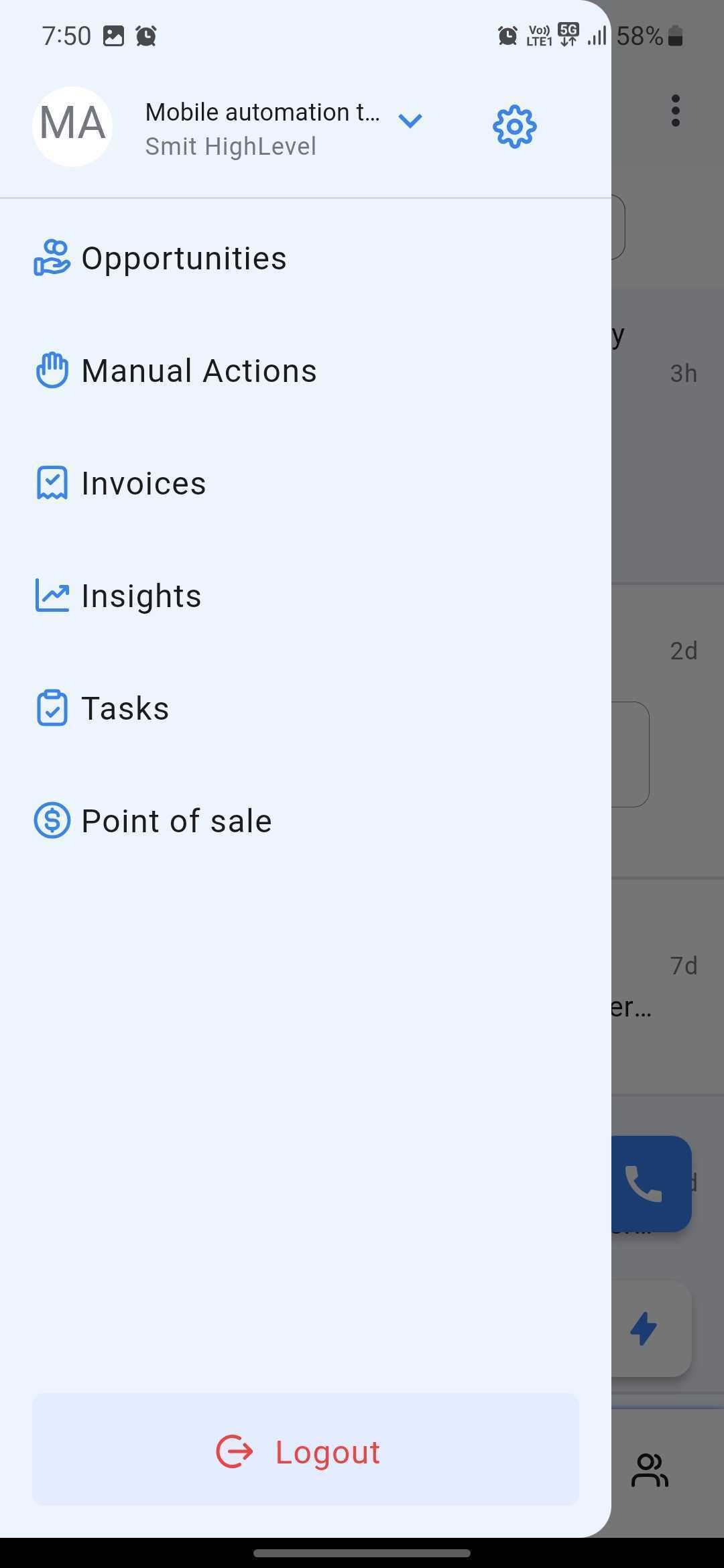
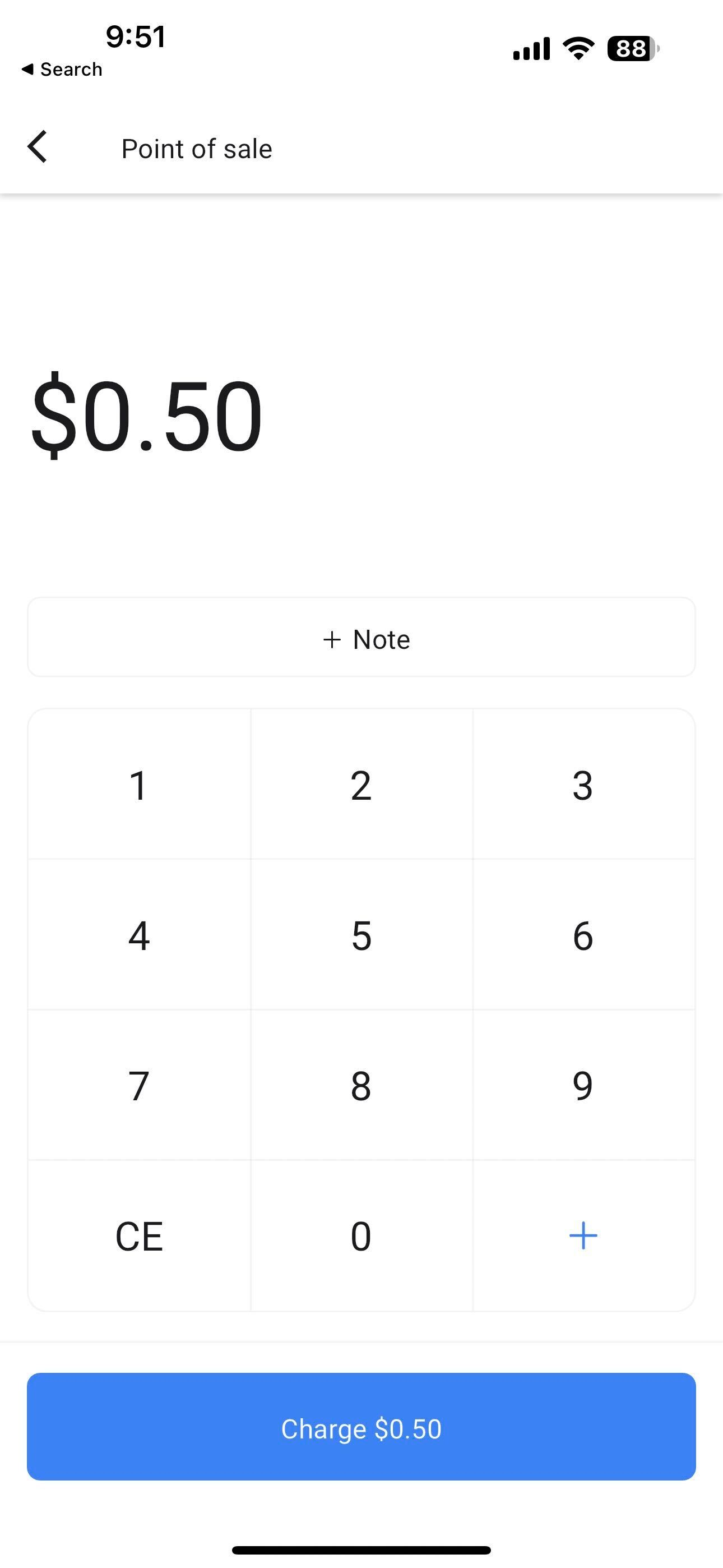
- On the Mobile App, choose Point of Sale.
Please Note:
Make sure that your Stripe account is connected/integrated on the Web app prior to accessing Tap 2 Pay on the mobile app. If you see a message saying "Stripe not connected" then that means you need to integrate it on the web app first.
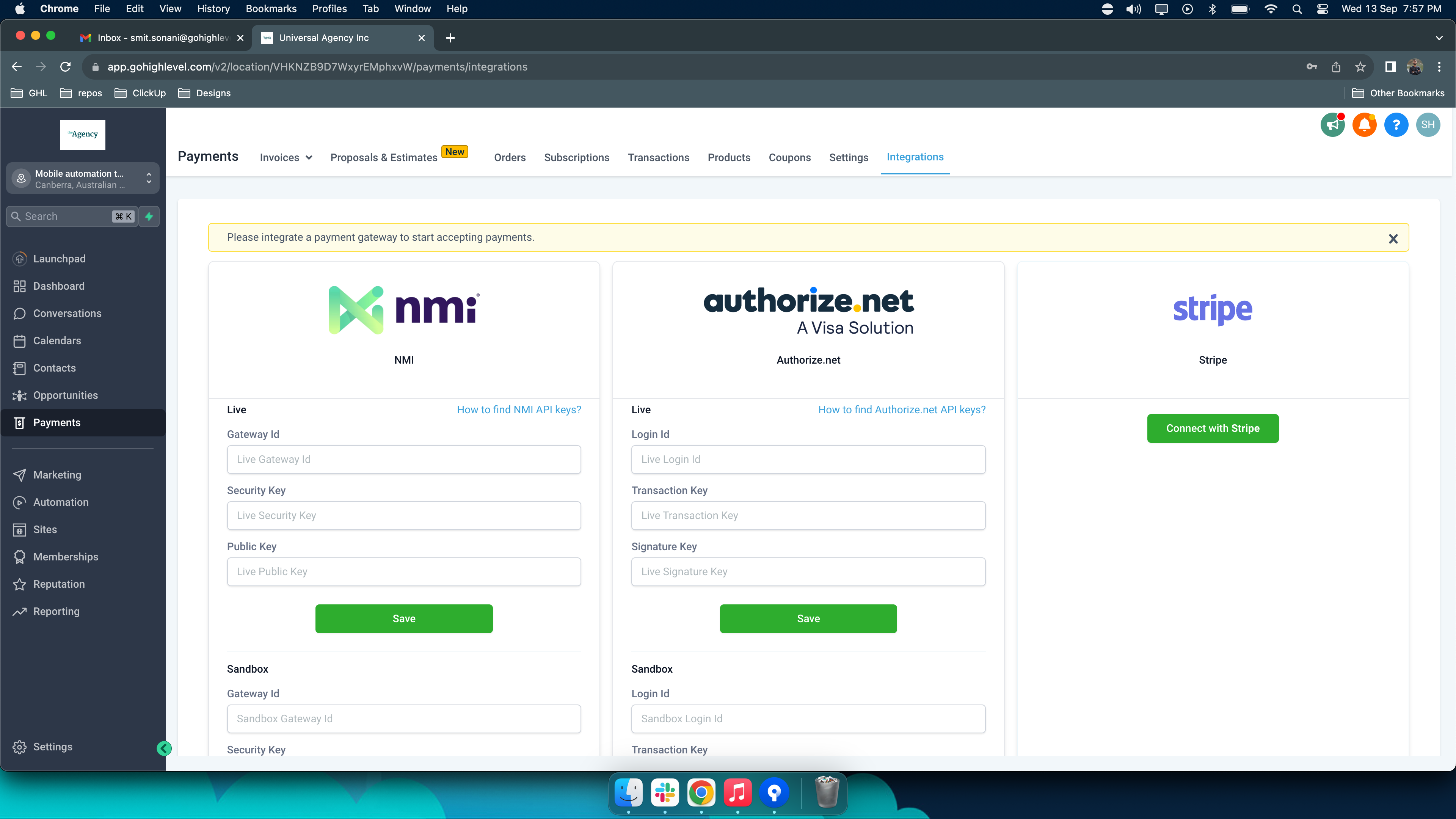
You can integrate your Stripe account by going to Payments > Integrations > Connect with Stripe
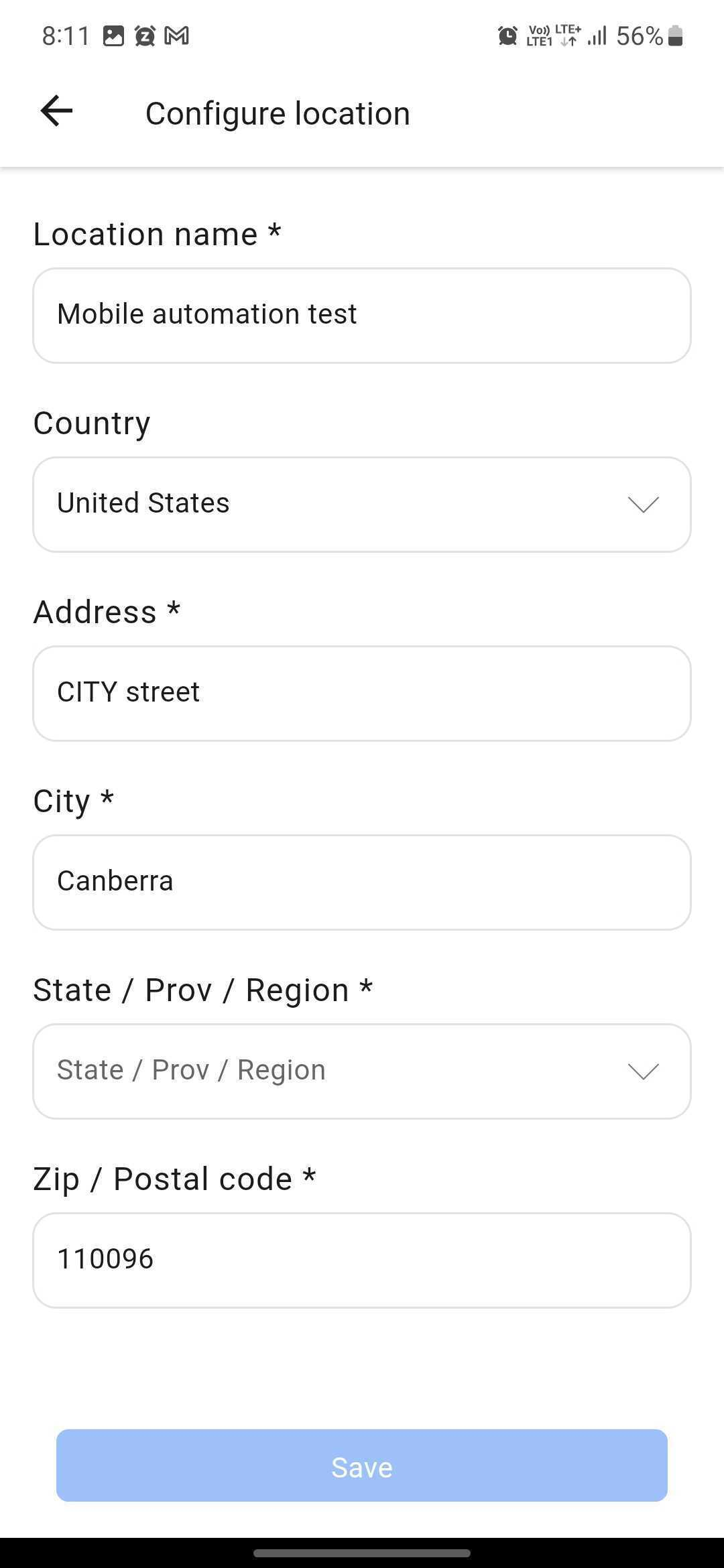
- Ensure the location on the mobile app is configured correctly, as Tap 2 Pay only works for specific locations (Currently US only).
- Once everything has been configured and set, you can now use Tap 2 Pay. After putting in the amount and note, click on Charge (Amount)
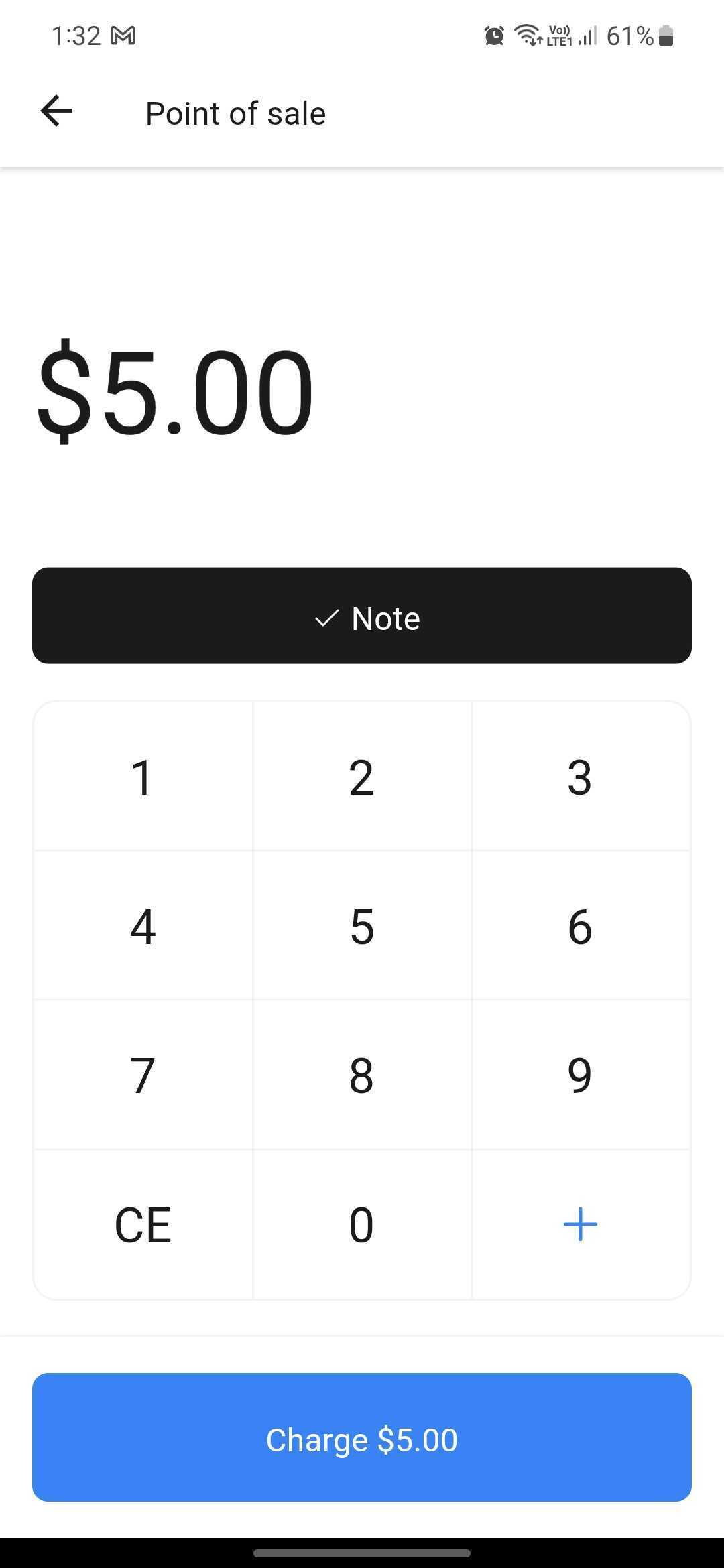
- Wait for it to load and connect to the reader.

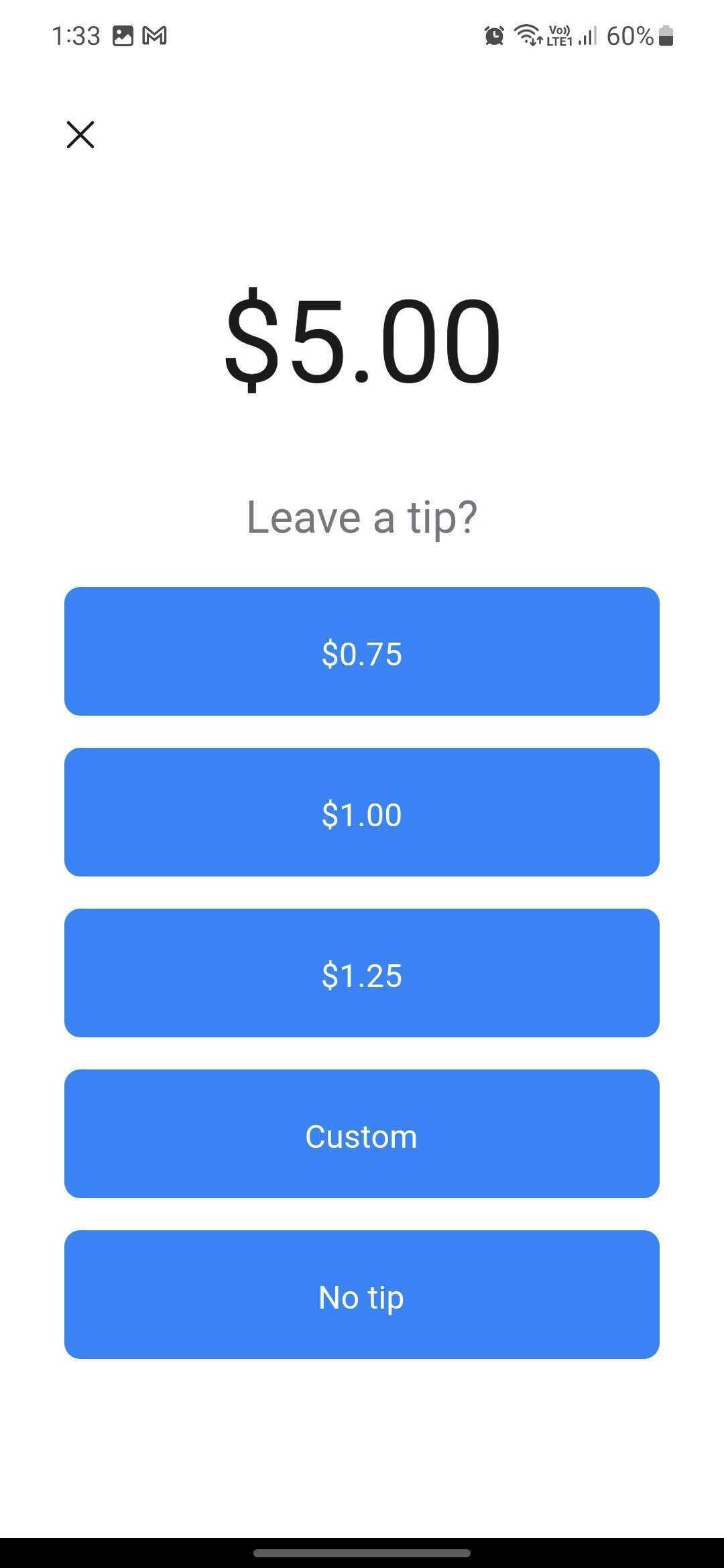
- Add a tip on top of the amount if necessary. You can also customize the amount for the tip by clicking "Custom." If not, then just proceed with "No tip."
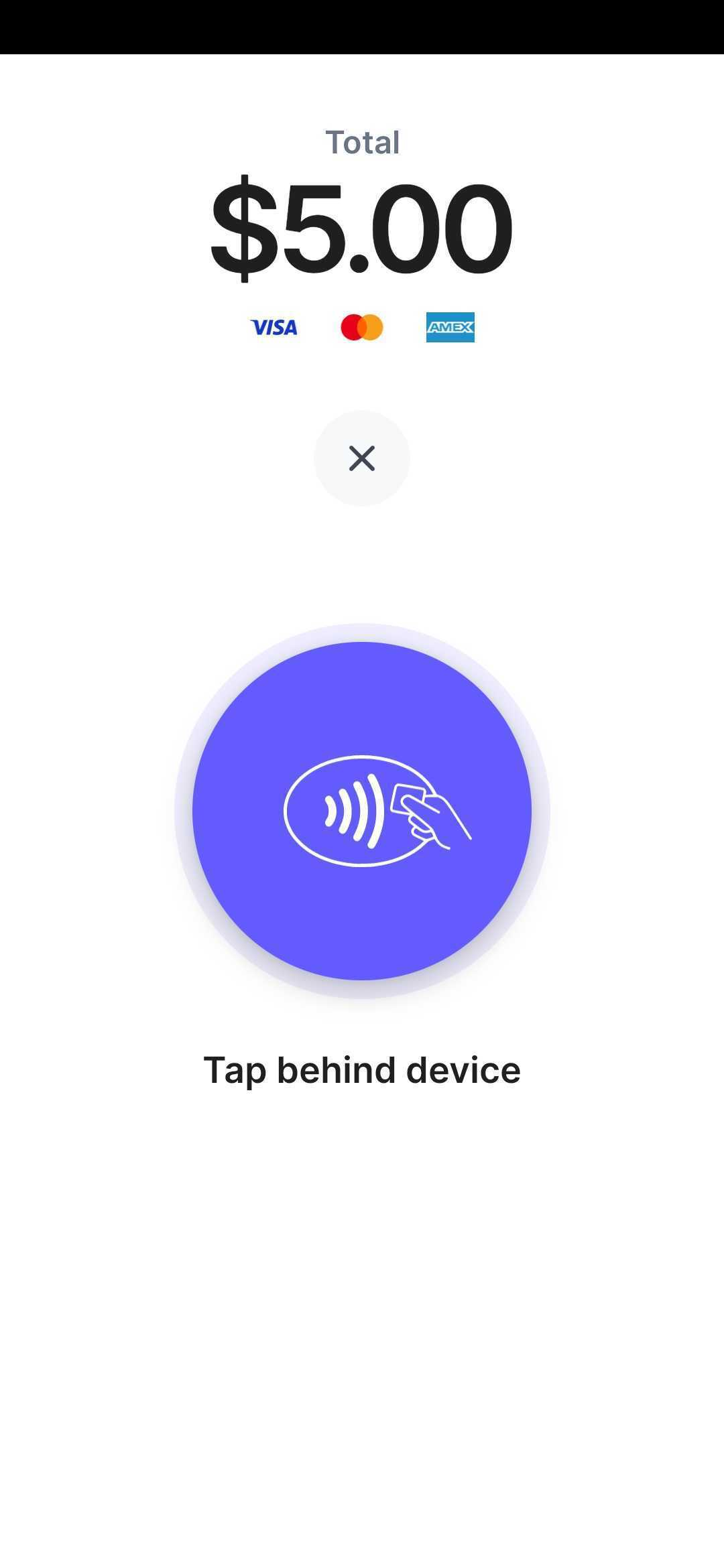
- Ask your customer to tap their contactless payment method (e.g., Credit card, Apple Pay, etc.) to the App for the app to collect the payment to your Stripe account.
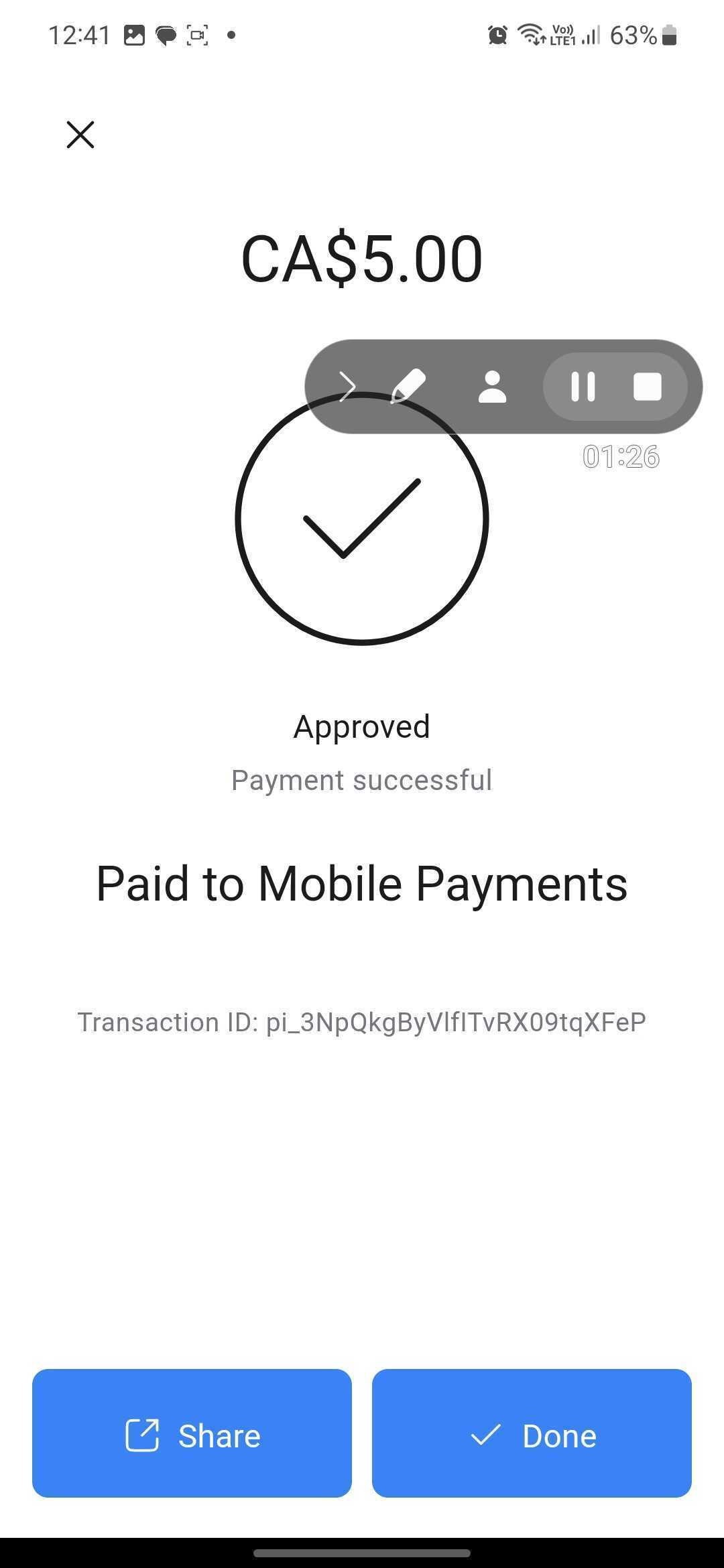
- Once it goes through, you'll see "Approved, Payment Successful" on the screen, the name of the business and also a transaction ID.
Supported Devices
1. All Android devices (with NFC capability) running on Android 8 OS or later.
2. For iPhone Users:
- An iPhone XS or later running on iOS 16 or later (US)
Please Note:
Tap to Pay won't work on the Beta releases of iOS. We also highly recommend to update to the latest OS for the best experience.
Join the Beta Program to activate Tap 2 Pay
(Tap to Pay is currently in Beta in most countries except for the US)
Click the links below according to the app you're using
1. Android:
2. For iPhone Users: