
Engaging with your community members on the platform has just become easier! With our new tagging feature, users can mention specific members in both posts and comments. This not only fosters better engagement but also helps keep conversations organized.
Here's how to effectively utilize this feature:
1. Tagging in Posts:
- Start a Tag: While drafting a post, simply type the "@" symbol followed by the initial characters of the member's name.
- Selecting a Member: As you type, a list of relevant members will be displayed, narrowed down based on the characters you've entered. Navigate to the desired name and click on it or use arrow keys to highlight it. When you hover over a name, it will appear highlighted in blue.
- Inserting the Tag: Once a member's name is selected, it will appear in your post content as a highlighted tag.
- Publishing: After crafting the post, hit publish. The members you've tagged will receive a notification, informing them of their mention in the post.

2. Tagging in Comments:
- Start a Tag: When composing a comment, initiate the tag by typing the "@" symbol followed by a portion of the member's name.
- Selecting a Member: A dropdown will present relevant members based on your input. Hovering over a member's name will show it highlighted in blue. Click to select the desired member.
- Inserting the Tag: The chosen member's name will be embedded in your comment content as a highlighted tag.
- Publishing: Once you're satisfied with your comment, proceed to publish it. Tagged members will receive notifications of their mentions.
- Tagging in Comment Replies: The tagging feature isn't restricted to new comments; you can also tag members in replies to existing comments.
3. Email Notifications for Tags:
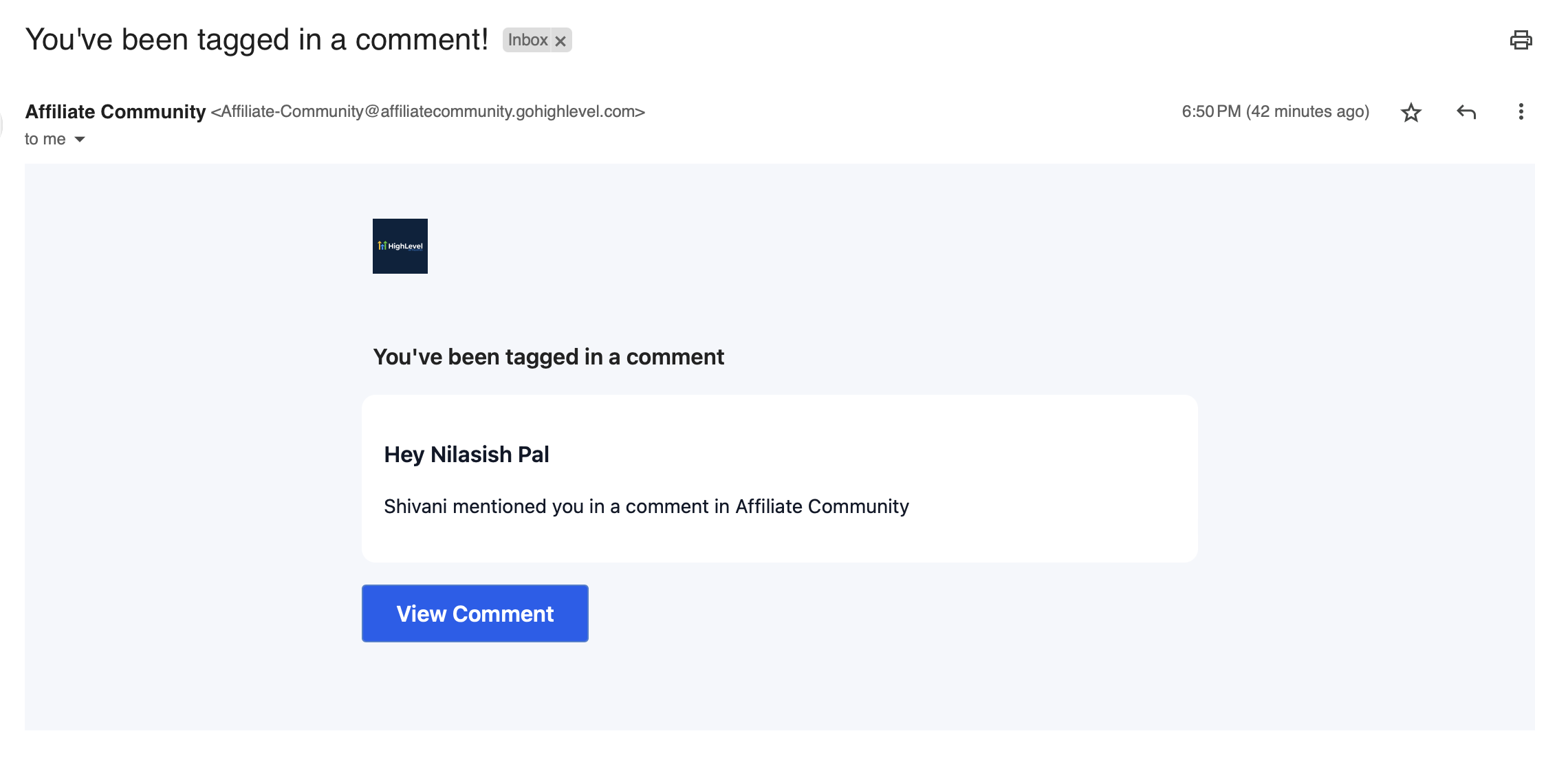
- Receiving Notifications: If someone tags in a post or comment, SourCherry will send an email notification to alert you.
- Direct Navigation: Within this notification, you'll find a direct link to the post or comment where you've been tagged, ensuring you can seamlessly jump into the conversation.
Note : You can tag multiple members in a single comment, making it easy to involve several community members in a discussion.
FAQ:
Q: What is the tagging feature in Communities?
A:The tagging feature allows users to mention specific members in posts and comments, enhancing engagement and organization of conversations.
Q: How do I tag someone in a post?
A: While creating a post, type the "@" symbol followed by the initial characters of the member's name. A list of relevant members will appear. Click on the desired name to tag them.
Q: Can I tag members in comments as well?
A: Yes, the tagging feature works both in new comments and in replies to existing comments. Simply use the "@" symbol followed by the member's name.
Q: How will I know if someone has tagged me?
A: When you are tagged in a post or comment, you will receive an email notification. This email will also include a direct link to the content where you've been mentioned.
Q: What happens when I hover over a member's name while tagging?
A: When you hover over a member's name from the suggested list, the name will be highlighted in blue, indicating it's selectable.
Q: Can I tag multiple members in a single comment or post?
A: Absolutely! You can tag as many members as you like in a single comment or post, making it easier to involve multiple community members in a discussion.
Q: How is the tagging feature beneficial for my community engagement?
A:Tagging enables more direct and personalized interactions within the community. By tagging members, you can ensure they see relevant content, contribute to discussions, and stay engaged with the community.
Q: Will the tagged member's name appear differently in the content?
A: Yes, after selecting a member's name, it will be displayed in the content highlighted as a tag, making it distinguishable from the rest of the text.
Q: Who can I contact if I face issues with the tagging feature?
A: If you experience any challenges or have further questions about the tagging feature, please reach out to support team for assistance.