
You no longer need to write custom code or spend time creating social bars. This feature offers support for popular social media icons, including Facebook, Instagram, LinkedIn, YouTube, TikTok, and more. You can choose from various themes for their social bar, making it easy to configure responsiveness and design.
TABLE OF CONTENTS
- What is the Social Icons Element?
- Key Benefits of Social Icons
- How to Add Social Icons
- Customizing Social Icons
- Which social media icons are supported?
- Frequently Asked Questions
- Related Articles
What is the Social Icons Element?
The Social Icons element allows you to embed platform-specific social media icons directly into your website pages. These icons link to your brand’s social accounts, helping increase visibility and engagement with your audience. You can add icons for platforms like Facebook, Instagram, YouTube, X (Twitter), and TikTok.
Key Benefits of Social Icons
- Increased Engagement: Easily direct users to your social profiles.
- Professional Branding: Maintain a unified brand presence across platforms.
- Drag-and-Drop Simplicity: Add icons without any code.
- Flexible Layouts: Choose icon-only, text-only, or a combo display.
How to Add Social Icons
Learn how to insert the Social Icons widget into your website layout using the builder.
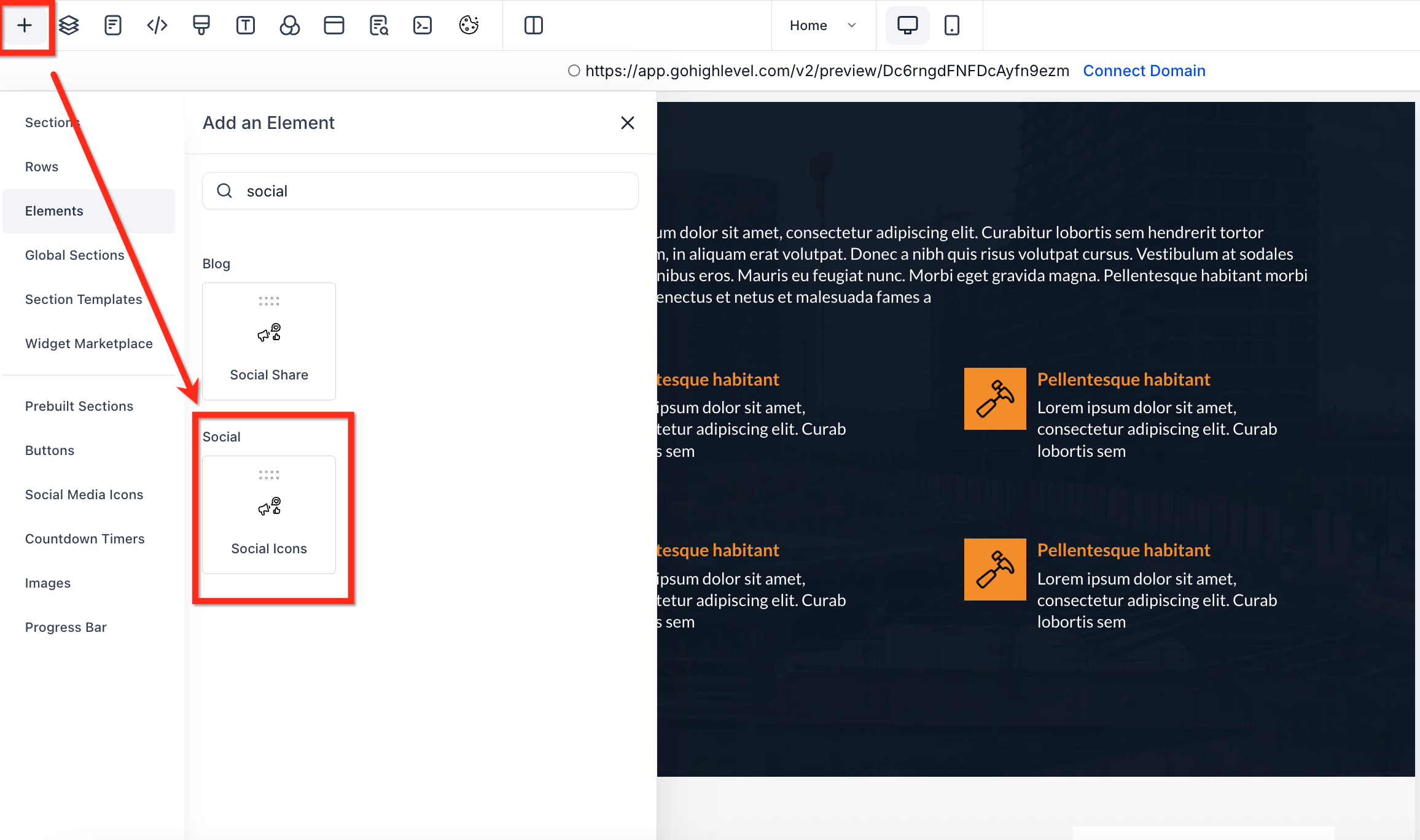
In the Website Builder, click + Add Element.
Locate the Social Icons element (under the “Social” category).
Drag it into the desired section
Customizing Social Icons
You can fully customize how your social media icons appear and behave on your site. Below are the things you can change:
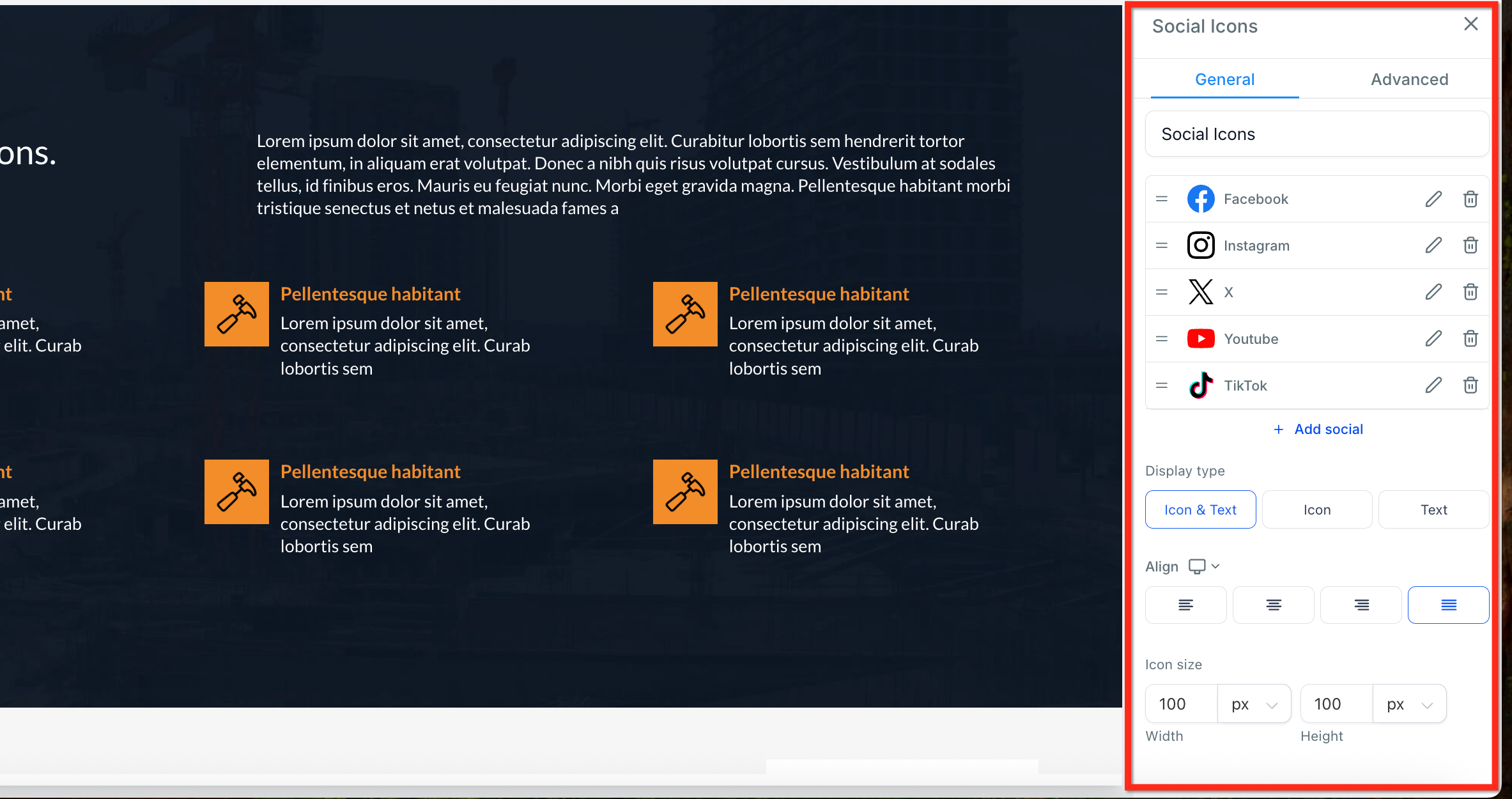
Rearrange Icons: Drag and drop icons using the "3 Lines" icon to adjust their order.
Edit Links: Click the "pencil" icon to change the URL for each icon (e.g., link to your Facebook or Instagram profile).
Delete Icons: Use the "trash" icon to remove any icon you don’t need.
Add More Icons: Click "+ Add Social" to add icons for more platforms or restore ones you’ve deleted.
Change Display Type: Choose how each icon is shown (Icon Only, Text Only, or Icon & Text)
Adjust Alignment: Align your icons to the left, center or right
Set Icon Size: Customize the width and height of the icons in pixels to best fit your layout.
Which social media icons are supported?
The new social icons elements comes with the following social media icons support:
- X
- Youtube
- TikTok
- Google Plus
- Website
Frequently Asked Questions
Q: Do the icons adjust for mobile?
Yes. Icons are responsive and you can use size and alignment settings to optimize display for mobile views.
Q: Are the social media icons automatically linked to my profiles?
No. The icons are not pre-linked to your social media accounts. You need to manually add your profile URLs by clicking the pencil icon next to each icon and entering the correct link.