
Pipelines in SourCherry help you organize and automate your sales or service workflows by visually tracking opportunities through defined stages. This article explains how to access pipelines, create a new pipeline, add and manage stages, and configure dashboard visibility using the updated Pipelines experience.
TABLE OF CONTENTS
- Overview
- How to Create and Manage Pipelines
- Step 1: Access the Pipelines Section
- Step 2: Create a New Pipeline
- Step 3: Add and Manage Pipeline Stages
- Step 4: Delete a Pipeline Stage
- Step 5: Configure Pipeline Dashboard Visibility
- FAQs
- Q: Do I need to create Won and Lost stages manually?
- Q: What happens to opportunities if I delete a stage?
- Q: Can I rename a pipeline after creating it?
- Q: Does the updated Pipelines experience change functionality?
- Related Articles
Overview
Pipelines allow you to map each step of a customer journey—from lead capture to closing or onboarding. They power automation, reporting, and opportunity dashboards across the platform.
Updated Pipelines Experience (Labs)
The Pipelines page now uses the HighRise design system for a faster and more intuitive experience.
You can enable this update from Sub-account → Labs.
How to Create and Manage Pipelines
Step 1: Access the Pipelines Section
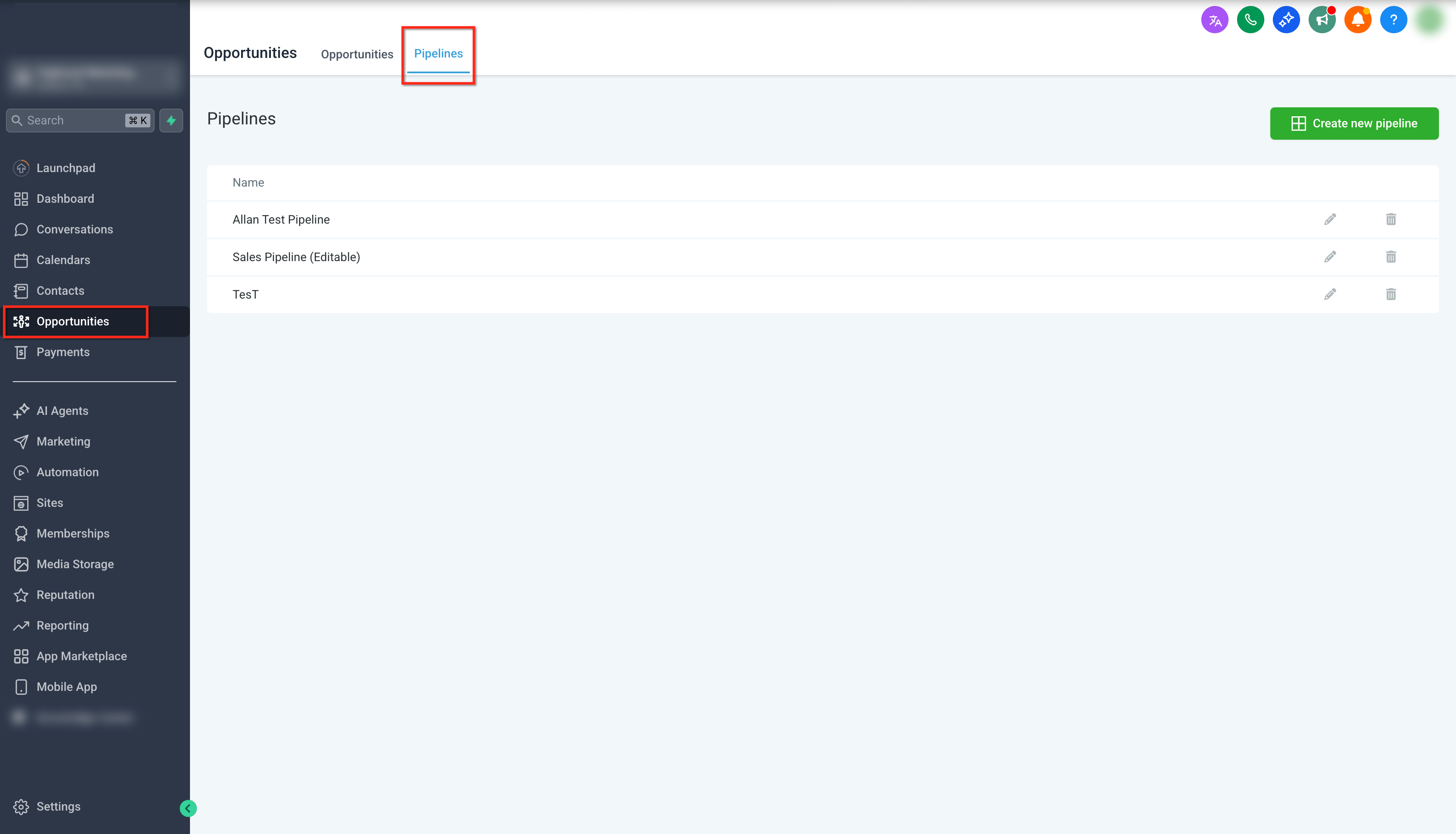
To access pipelines in your sub-account:
Go to your Sub-account
Click Opportunities from the left-hand sidebar
Select Pipelines from the top navigation menu
Step 2: Create a New Pipeline
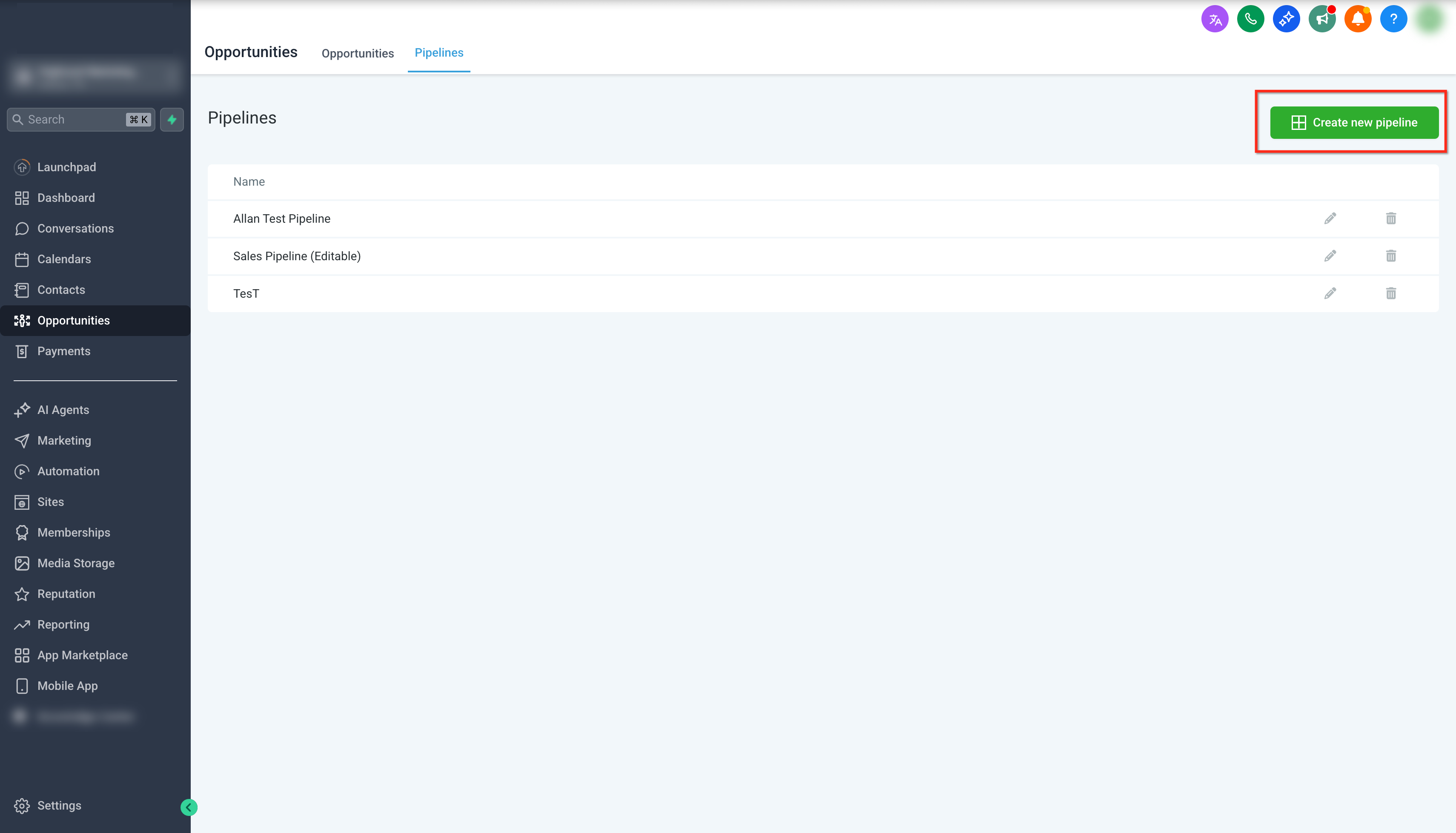
Once you are on the Pipelines page:
Click Create new pipeline in the top-right corner
Enter a descriptive Pipeline Name
Click Save
Note:
Pipeline names must be unique. You cannot create or update a pipeline using a name that already exists in the same sub-account.
Step 3: Add and Manage Pipeline Stages
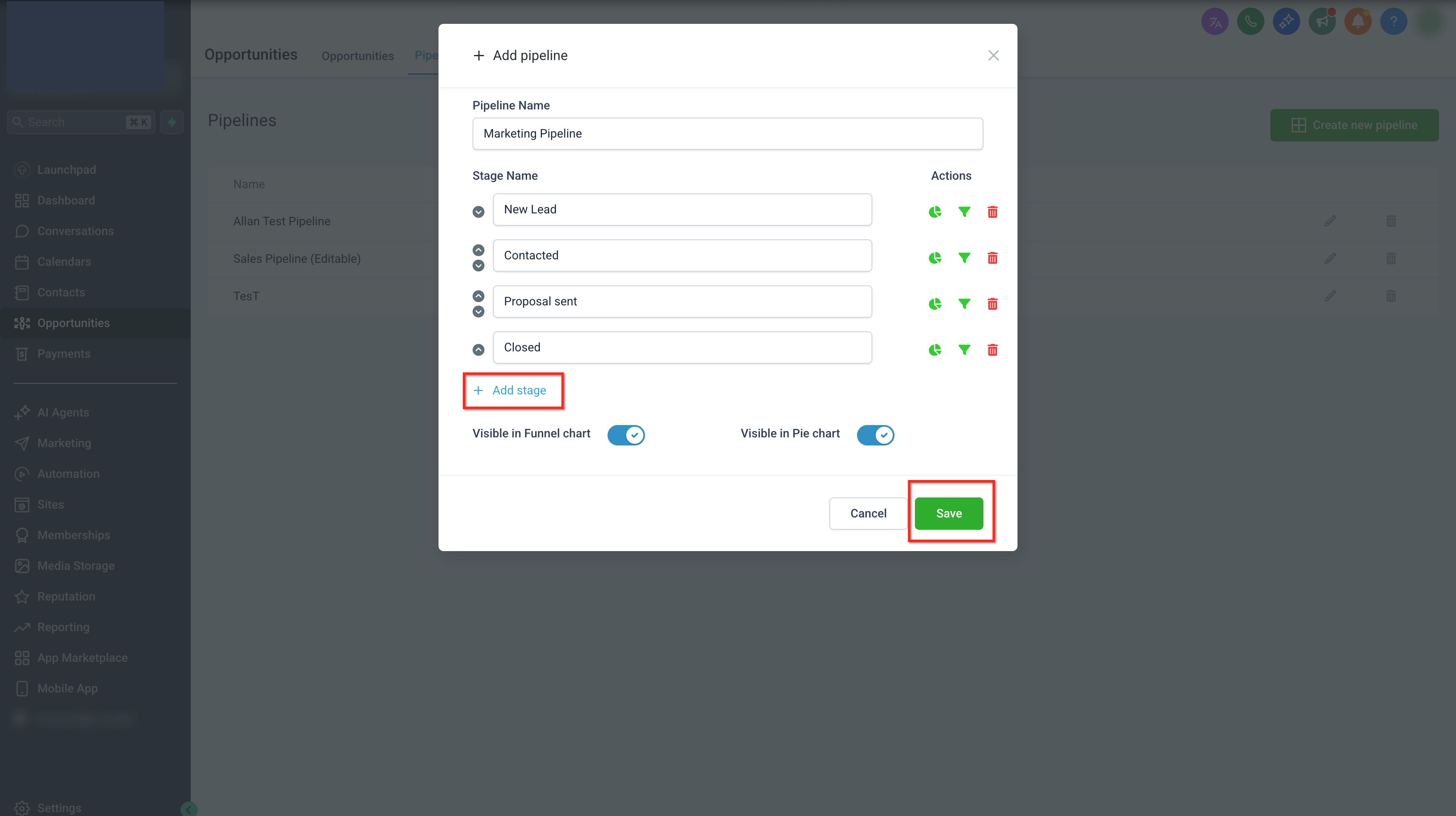
After creating a pipeline, you can define the stages that make up your workflow.
To add stages:
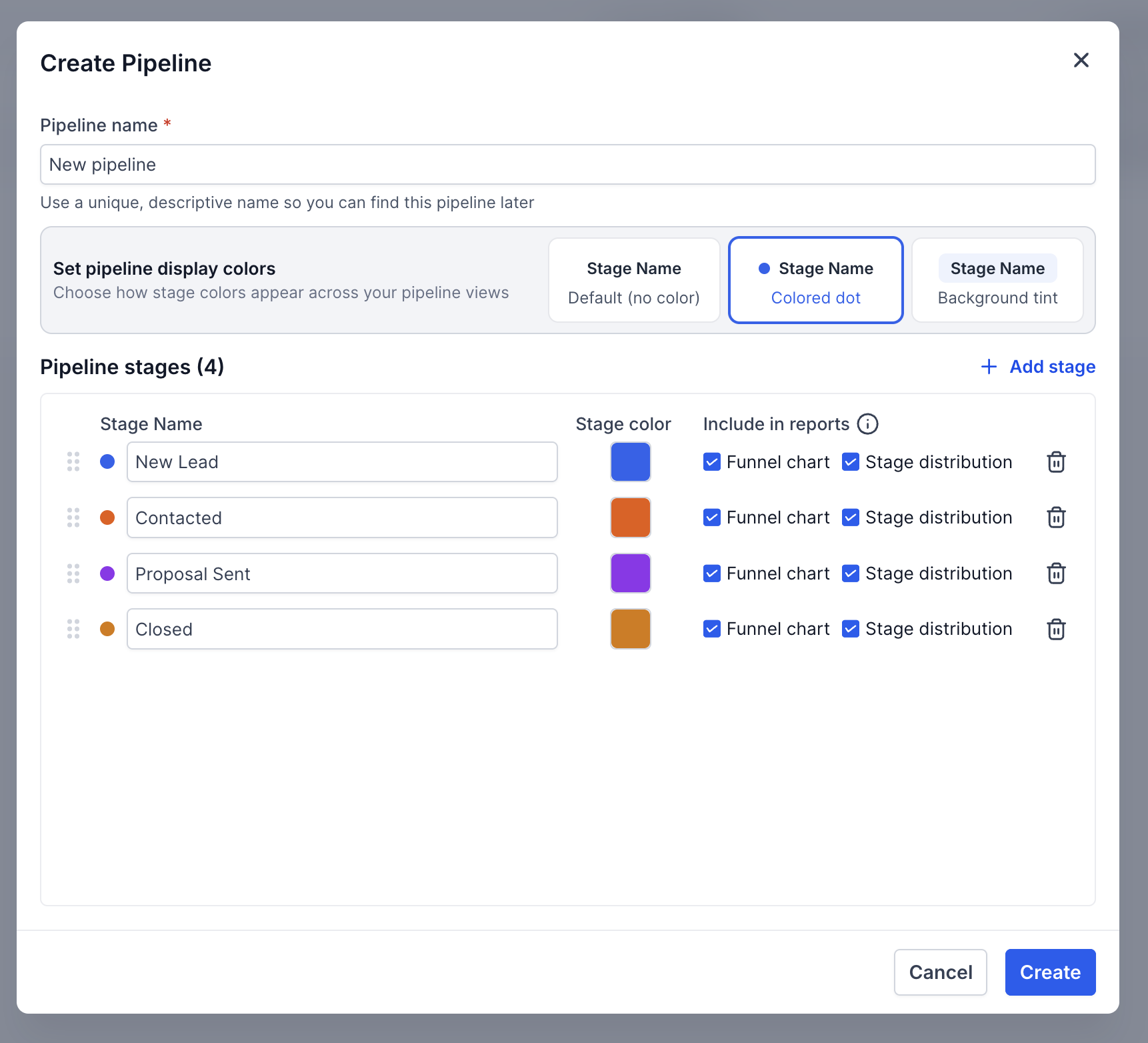
Enter a Stage Name
Click Add stage to create additional stages
Repeat as needed to define the full flow
To manage stages:
Reorder stages using the up and down arrows
Control reporting visibility using the funnel and pie chart icons
Delete stages using the trash icon
Important:
Stage names must be unique within the pipeline
Won and Lost stages are created automatically and do not need to be added manually
Step 4: Customize Stage Colors
You can assign colors to each stage to improve visibility across your pipeline.
To set stage colors:
Open a pipeline
Go to the Stages tab
Select a color for each stage
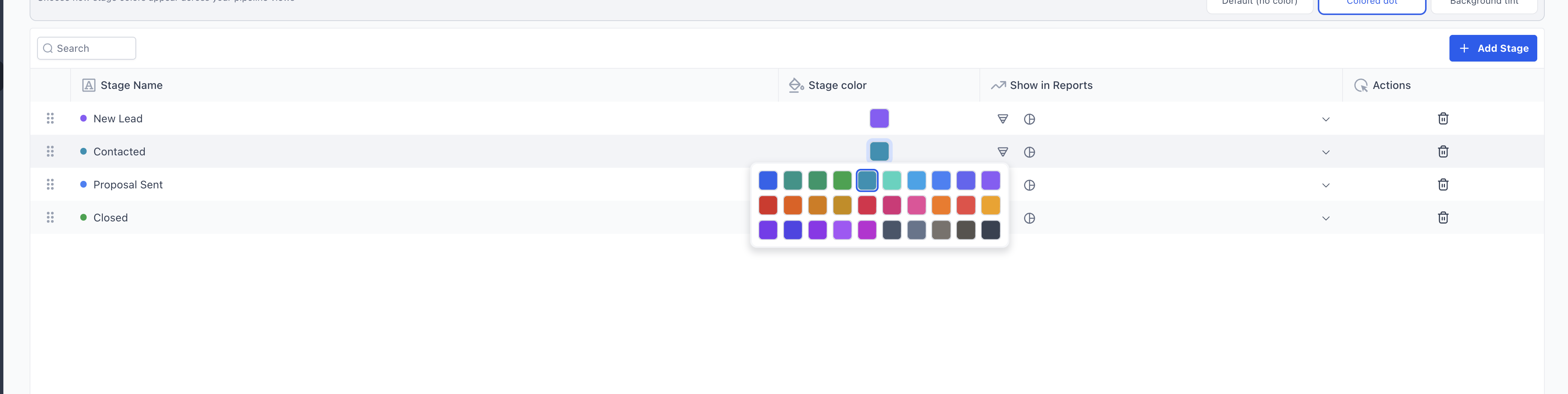
Choose how colors appear:
Default (no color)
Colored dot
Background tint
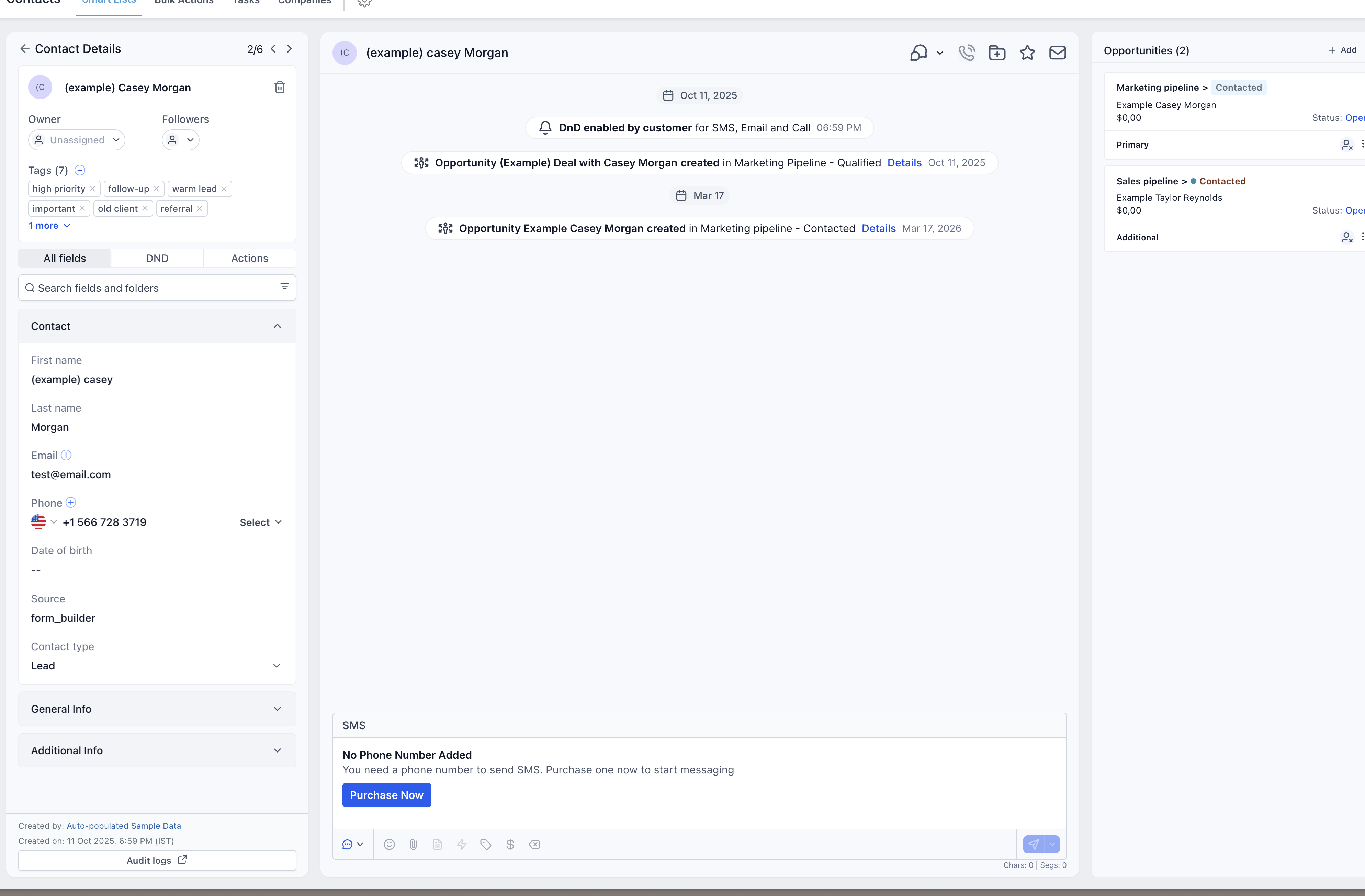
Stage colors are reflected across:
Kanban and List views
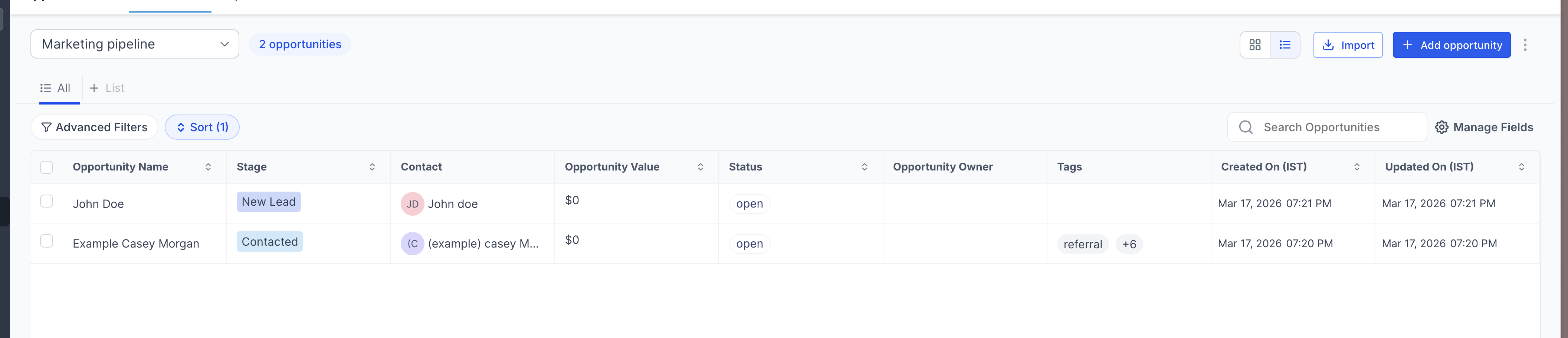
Opportunity cards
Contact details view
Step 4: Delete a Pipeline Stage
When deleting a pipeline stage, you can now move existing opportunities instead of losing them.
To delete a stage:
Open the pipeline you want to edit
Click the delete icon next to the stage
Select a destination stage for existing opportunities
Confirm the deletion
All opportunities from the deleted stage are automatically moved to the selected stage.
Step 5: Configure Pipeline Dashboard Visibility
You can control whether pipelines and stages appear in dashboards and reports.
Enable or disable pipeline visibility in:
Funnel charts
Pie charts
Configure stage-level visibility using the icons next to each stage
These settings determine how pipeline data appears in opportunity dashboards.
FAQs
Q: Do I need to create Won and Lost stages manually?
No. SourCherry automatically adds Won and Lost stages to every pipeline.
Q: What happens to opportunities if I delete a stage?
You can move all existing opportunities to another stage during deletion, preventing data loss.
Q: Can I rename a pipeline after creating it?
Yes, as long as the updated name is unique within the sub-account.
Q: Does the updated Pipelines experience change functionality?
No. Core functionality remains the same. The update focuses on UI improvements and safer stage management.