
This article talks about migration from Legacy membership to Client Portal
Start the Migration from Courses Settings
Migrating from Legacy Memberships to Client Portal gives you access to a more unified setup experience for courses and memberships. The updated settings UI also makes migration prompts easier to find and follow.
To start the migration:
1. Go to Memberships.
2. Open Courses.
3. Navigate to the settings area for your site.
4. Review the migration message shown in the settings interface.
5. Follow the on-screen steps to move to Client Portal settings.
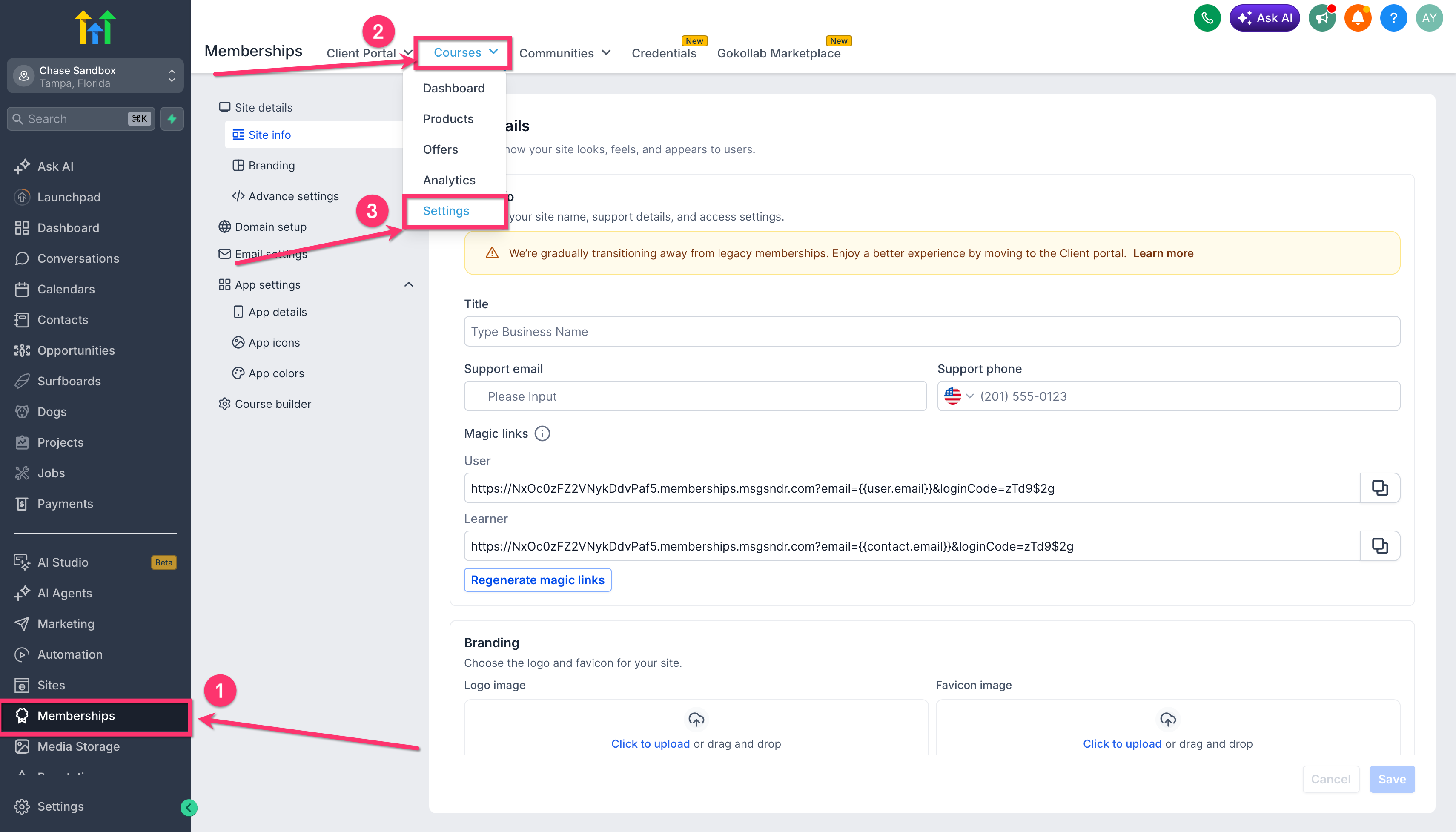
Note: Review your branding, domain, email settings, and app settings after migration to confirm everything matches your current setup.
Client Portal FAQs
- What are the benefits of using client portal?
The client portal provides access to a wide range of features, including courses, communities, affiliates, and more, all within a single platform and using the same login credentials
- Will my users need to create a new account if I transition to the client portal?
The user can continue to use legacy membership credentials even inside the new client portal.
- Are all the features from the legacy memberships available in the new client portal?
Users can access all the features of legacy memberships in new client portal, additionally they will also have enhanced experience with new features like notifications, A mobile App, Subscription Management and many more coming
Legacy Membership FAQs
- What is Legacy membership?
The traditional method of managing membership courses, known as legacy membership, provides learners with a platform to log in and access course materials. In contrast, the client portal offers a broader range of functionalities, including access to courses, communities, subscription management, and more
- Will my Membership PWA work with new client portal ?
While the old PWA won't be compatible with the new client portal, we are excited to announce that a brand-new native mobile app is currently in development and will be fully supported within the client portal. Additionally, this mobile app will offer white-labeling options for each sub-account.
To Migrate from Legacy Membership to client Portal Go to Memberships -> Settings -> Site Settings.
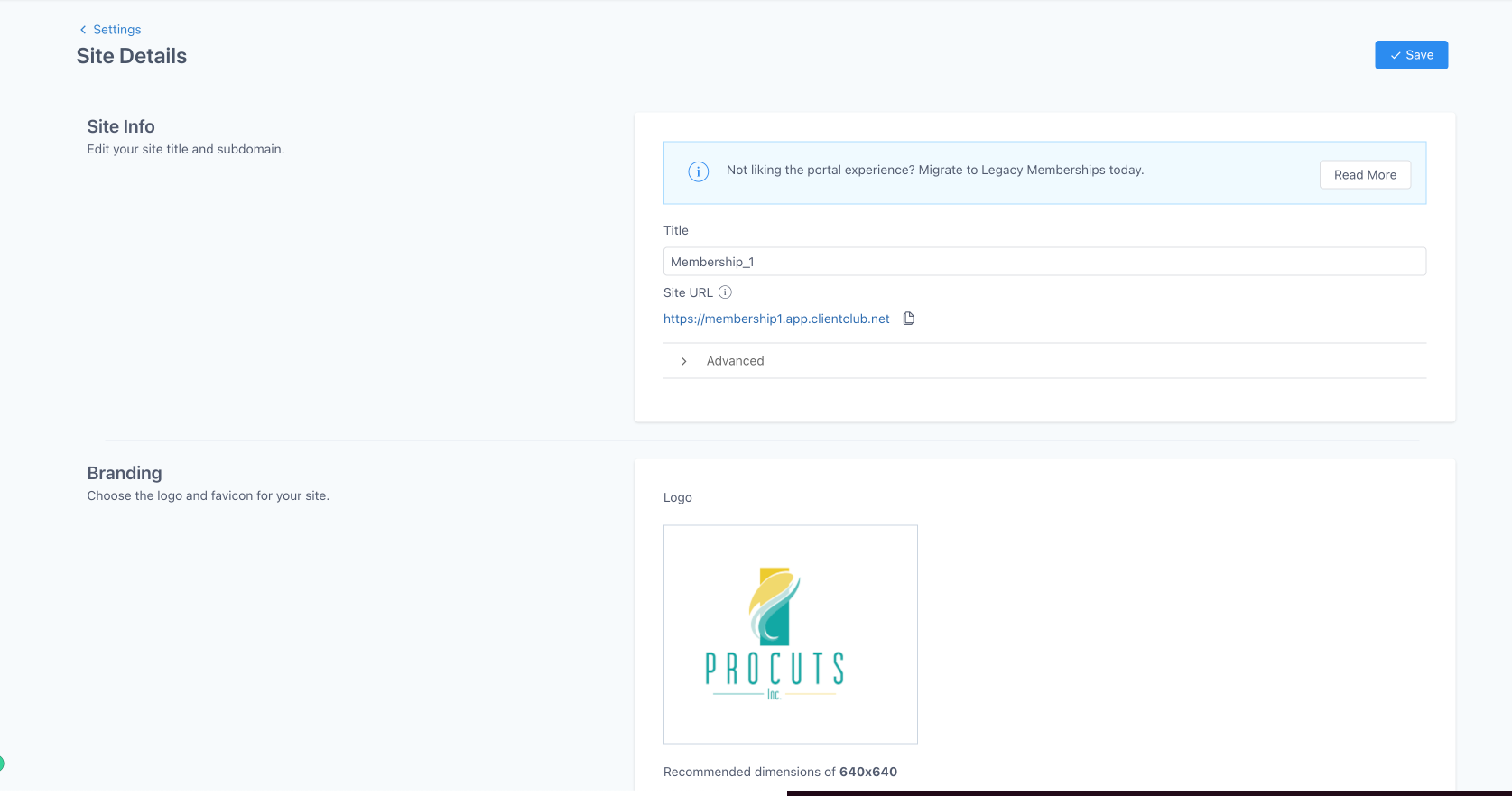
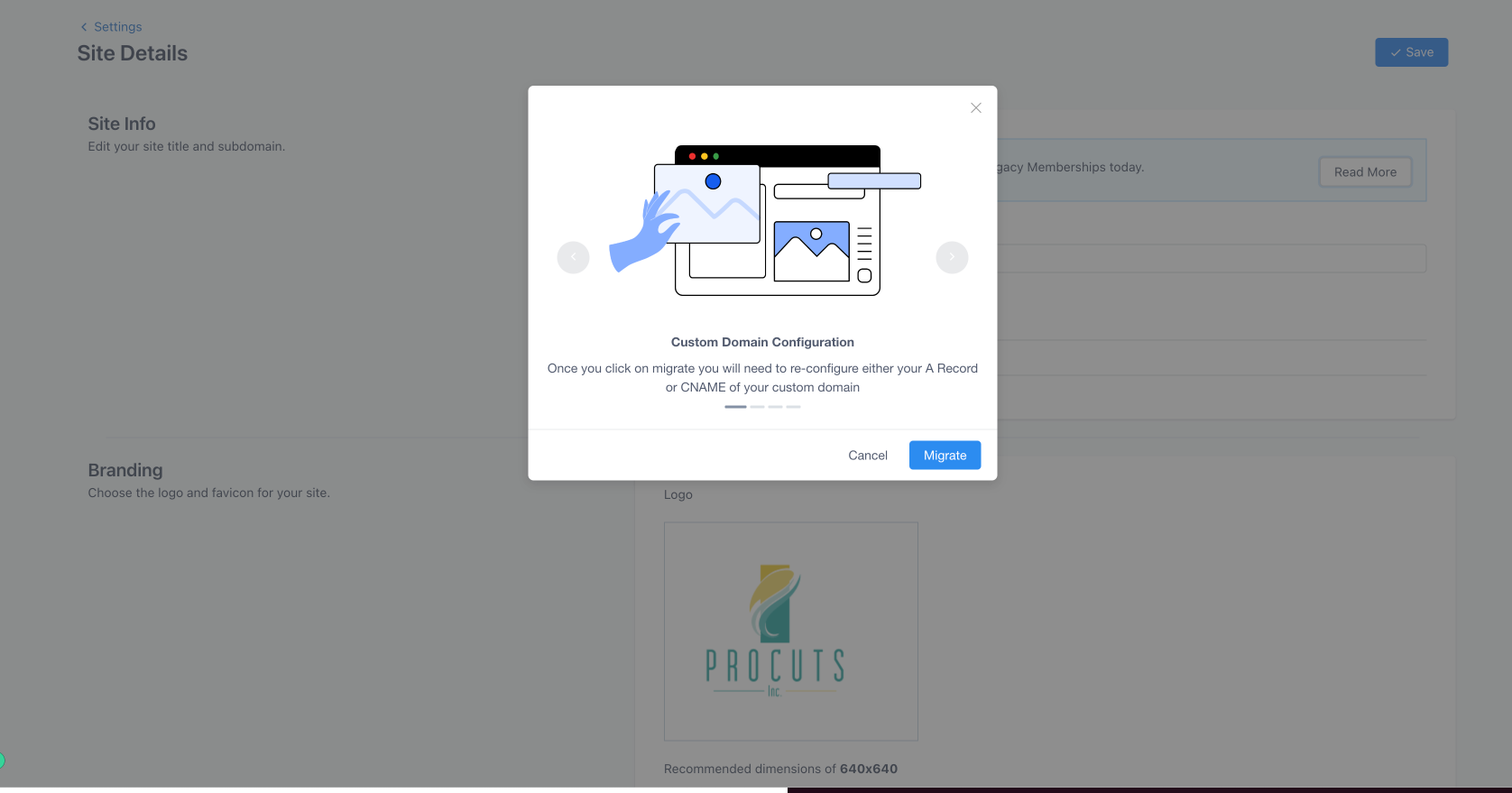
Please follow the onscreen instructions carefully before migrating to ensure smooth transition