
Overview
Our newest functionality enables course creators to define a fixed access period for members from the moment they sign up. This feature allows for the provision of access to members for defined durations — including 6 months, 2 months, 1 week, or even a single day, commencing on the registration date. Once this timeframe concludes, access is automatically withdrawn, simplifying the management of memberships and providing a straightforward, time-limited access approach. Additionally, creators have the option to specify a start date for access, ensuring that offer activation aligns with a predetermined date.
Setting Up Access Duration
Step 1: Define Offer Access Validity Duration
- Navigate to the Offer Setup: Start by selecting the offer you wish to modify or create a new offer.
- Access Duration Settings: Within the offer details page, look for the section labeled "Offer Access", select the checkbox with "Restrict access to specific amount of days"
- Specify Validity Duration: Enter the desired validity period in days. For example, for a 6-month access, enter
180(based on a 30-day month), for 2 months enter60, for 1 week enter7, and for 1 day, simply enter1.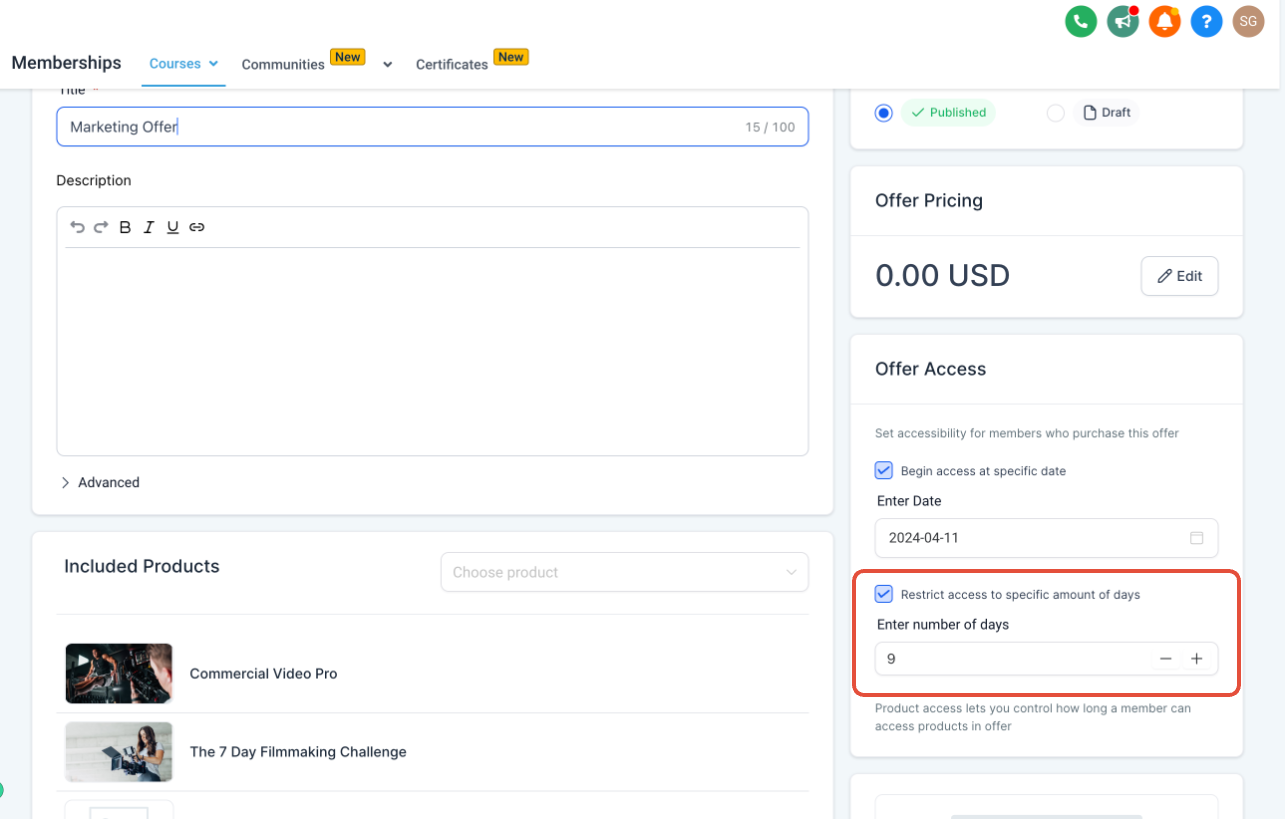
Step 2: Save and Apply
- Confirm Settings: Review the access duration you've set to ensure accuracy.
- Save Changes: Once satisfied, save your changes. This duration will now be applied to the offer, starting from a member's sign-up date. Once saved, make sure to publish your offer.
How It Works - Automatic Revocation: Upon the expiry of the predefined expiry date, the system will automatically revoke the member's access to the content of the course.
Specify a start date for access
Step 1: Define Offer Start Date
- Navigate to the Offer Setup: Start by selecting the offer you wish to modify or create a new offer.
- Offer access begin date: Within the offer details page, look for the section labeled "Offer Access", select the checkbox with "Begin access at specific date".
- Enter Date: Enter the desired date. The offer will begin at this specified date.
Granting members access to your content on a pre-determined date is perfect for product launches and pre-sales.
How It Works - Pre-Start Visibility: If an offer begins on a specific date and a user signs up before this date, they will be directed to the course page but will not be able to start the course or access any lessons or content. They will only see the overview page.
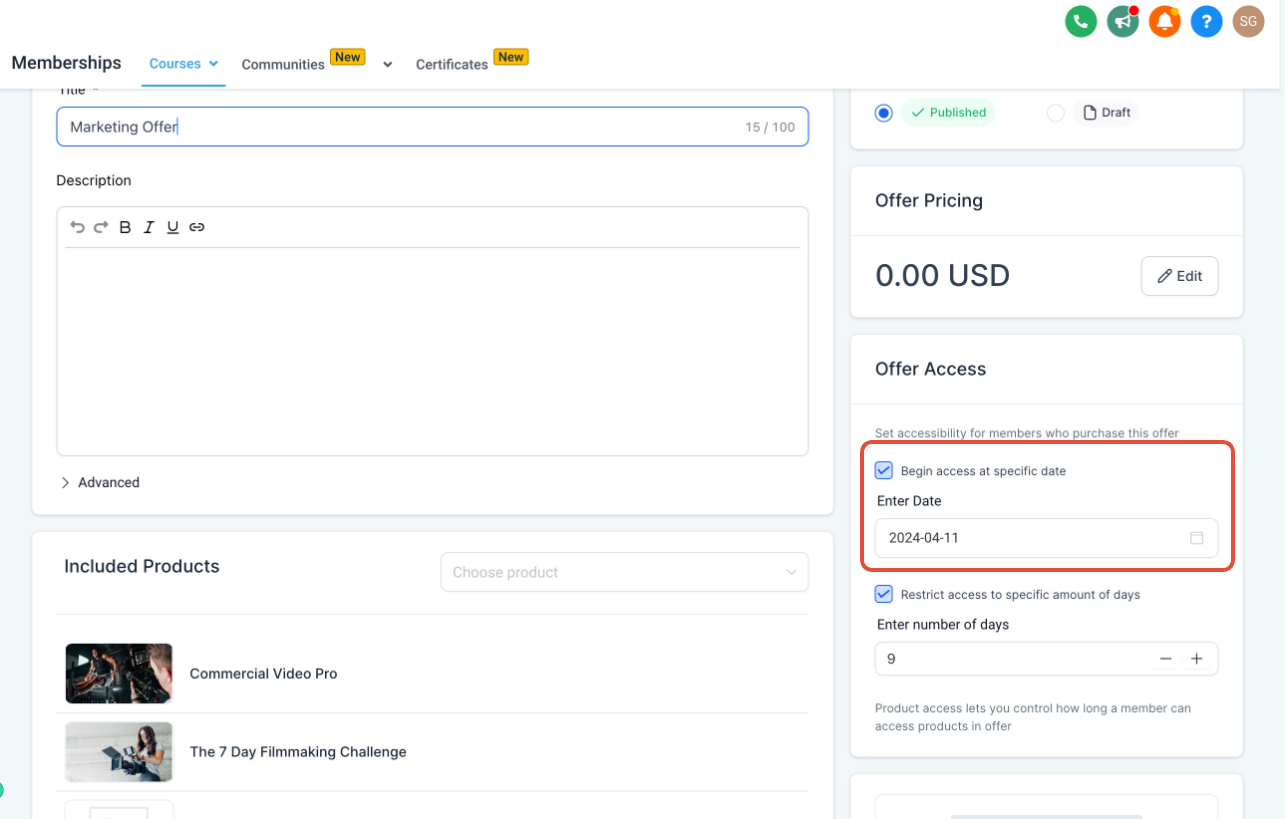
NOTE: Course Creators can choose either Begin access date or expiry date, or even add both together.
FAQs
Q1: What happens if a learner already has an active subscription or purchases an additional offer for the same course?
The system will automatically integrate the new offer's validity period with their existing access. This ensures uninterrupted access based on the most recent purchase.
Q2: What happens when a member decides to upgrade or change to another offer for the same course
Their access to the course will be extended based on the new offer's validity period. The validity of the new offer takes precedence, ensuring members benefit from the most advantageous access terms.