
More Tutorials from the Community
This step-by-step guide will walk you through everything from downloading and setting up the app to exploring its many features, ensuring you're ready to fully enjoy all that Kollab has to offer.
1. Get the App:
For iPhone users, go to the Apple App Store and search for Kollab by SourCherry, and tap "Download." or Click Here to Download
For Android users, go to the Google Play Store search for Kollab by SourCherry, and tap "Download." or Click Here to Download
2. How to Sign-in to the app:
- Make sure you are signed up with a Community group, Course or Client Portal.
- Use the same credentials to sign-in i.e. same email ID and password.
- If you have forgotten your password, Sign in with OTP
- If you are a part of multiple domains, you'll receive the option to choose which domain to enter into (scroll to choose relevant domain). Choose the one to sign-in.
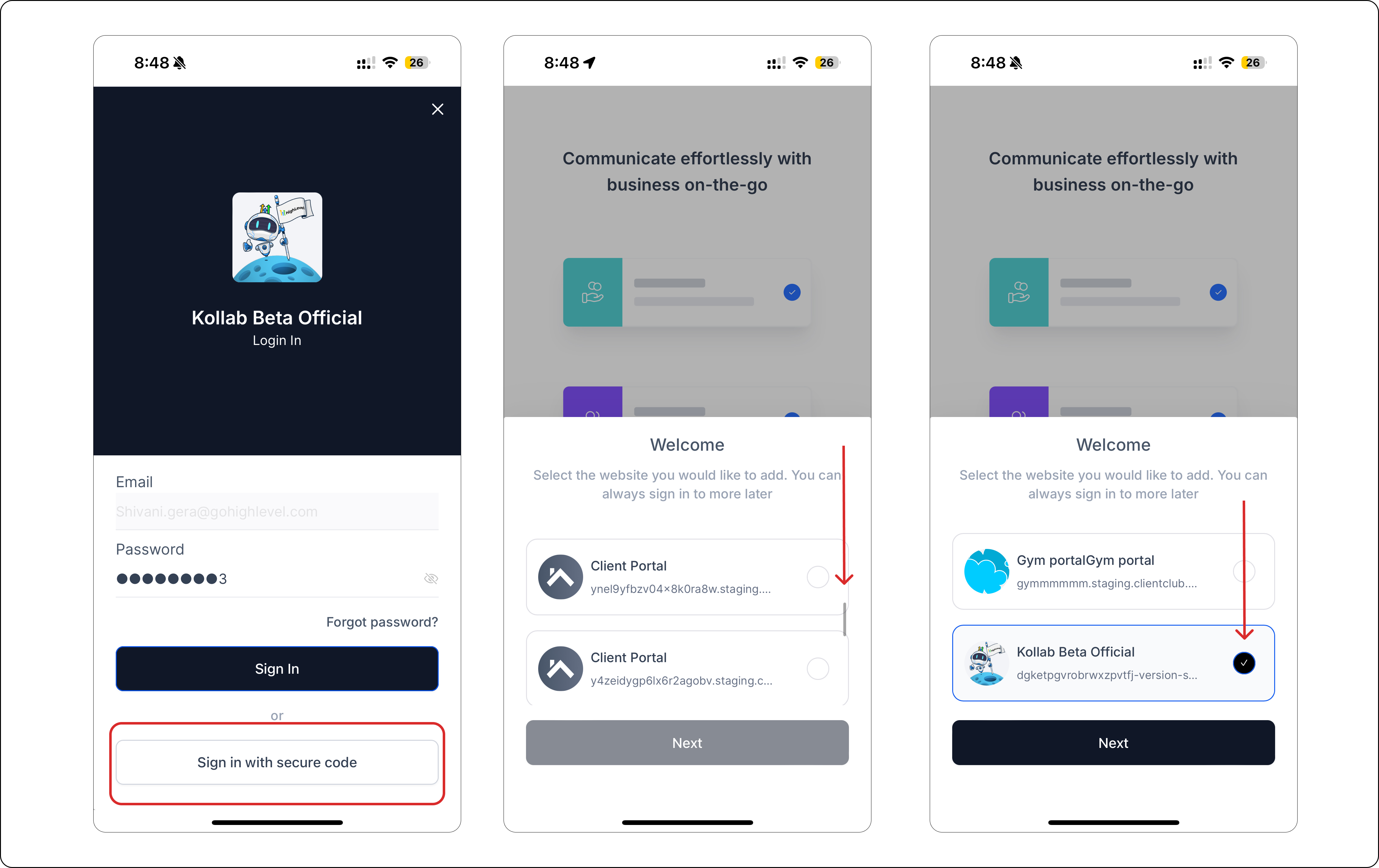
Once you are signed-in, enjoy your courses, groups all on the go!
FAQs:
- How to switch between different groups?
Members can switch between different groups if the groups are set up inside the same sub-account.