
A clear understanding of SourCherry blog and blog post statuses helps you control what appears on your site and when. This article defines each status and clarifies how it affects visibility and publishing so teams avoid surprises and keep content organized.
TABLE OF CONTENTS
- What are Blog and Blog Post Statuses?
- Key Benefits of Blog and Blog Post Statuses
- Blog Statuses (site-level)
- Blog Post Statuses (post-level)
- Frequently Asked Questions
- Related Articles
What are Blog and Blog Post Statuses?
Blog and Blog Post statuses in SourCherry indicate visibility and publishing state at two levels: the blog (site-level container) and individual blog posts. Knowing these states prevents accidental publication and helps you manage content through drafting, publishing, scheduling, archiving, and deleting.
Key Benefits of Blog and Blog Post Statuses
Clarity: plain-language labels for current state of the blog or post.
Control: simple actions to move content between draft, published, scheduled, archived, or deleted.
Timing: built-in scheduling keeps content release aligned with your calendar.
Organization: archive or draft to keep work-in-progress separate from live content.
Blog Statuses (site-level)
Blog statuses determine whether the entire blog is visible to visitors. This is separate from individual post statuses.
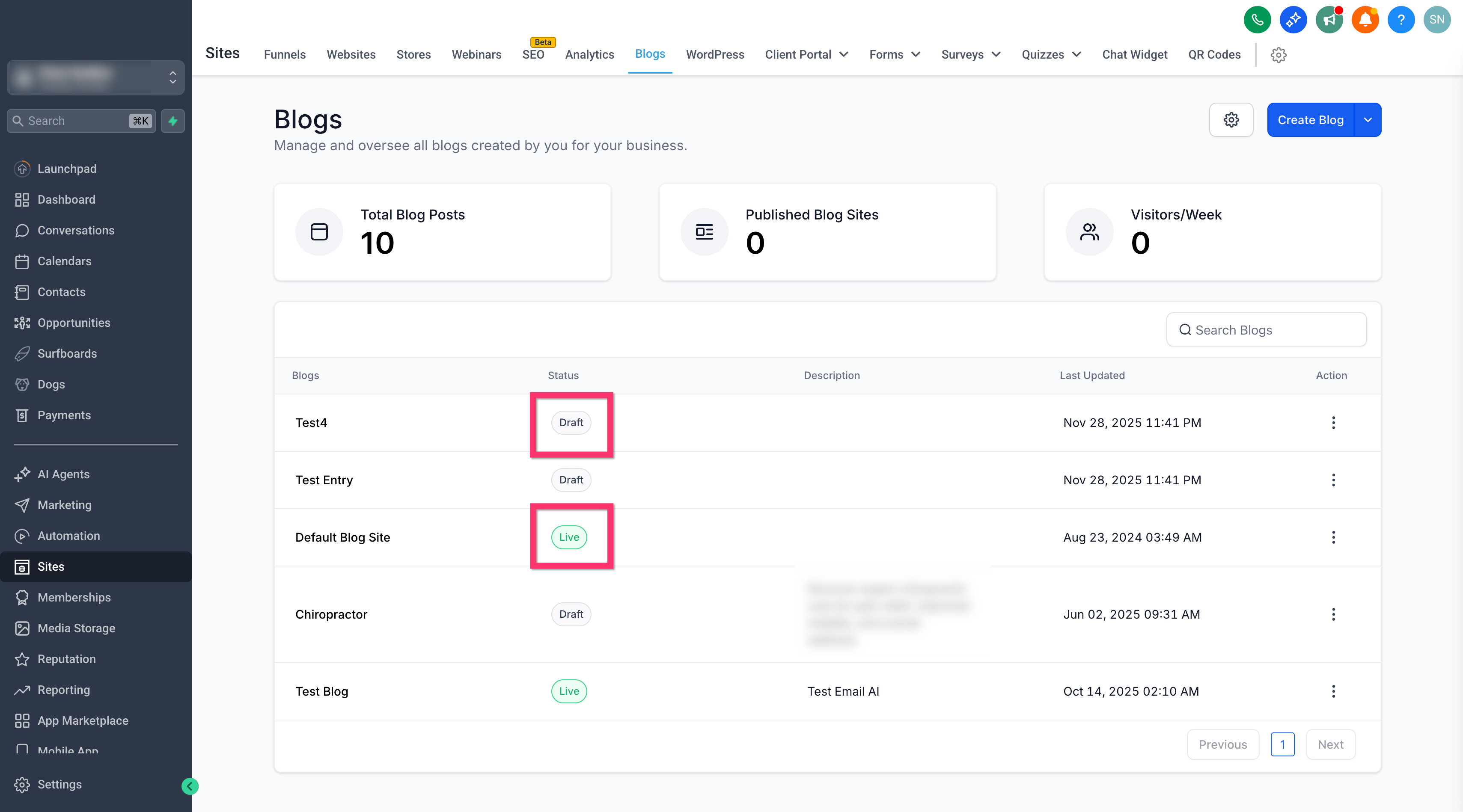
Draft: The blog exists but is not publicly visible. Use this while setting up structure, design, and settings.
Live: The blog is publicly visible. Any published posts within it can be accessed according to their own status.
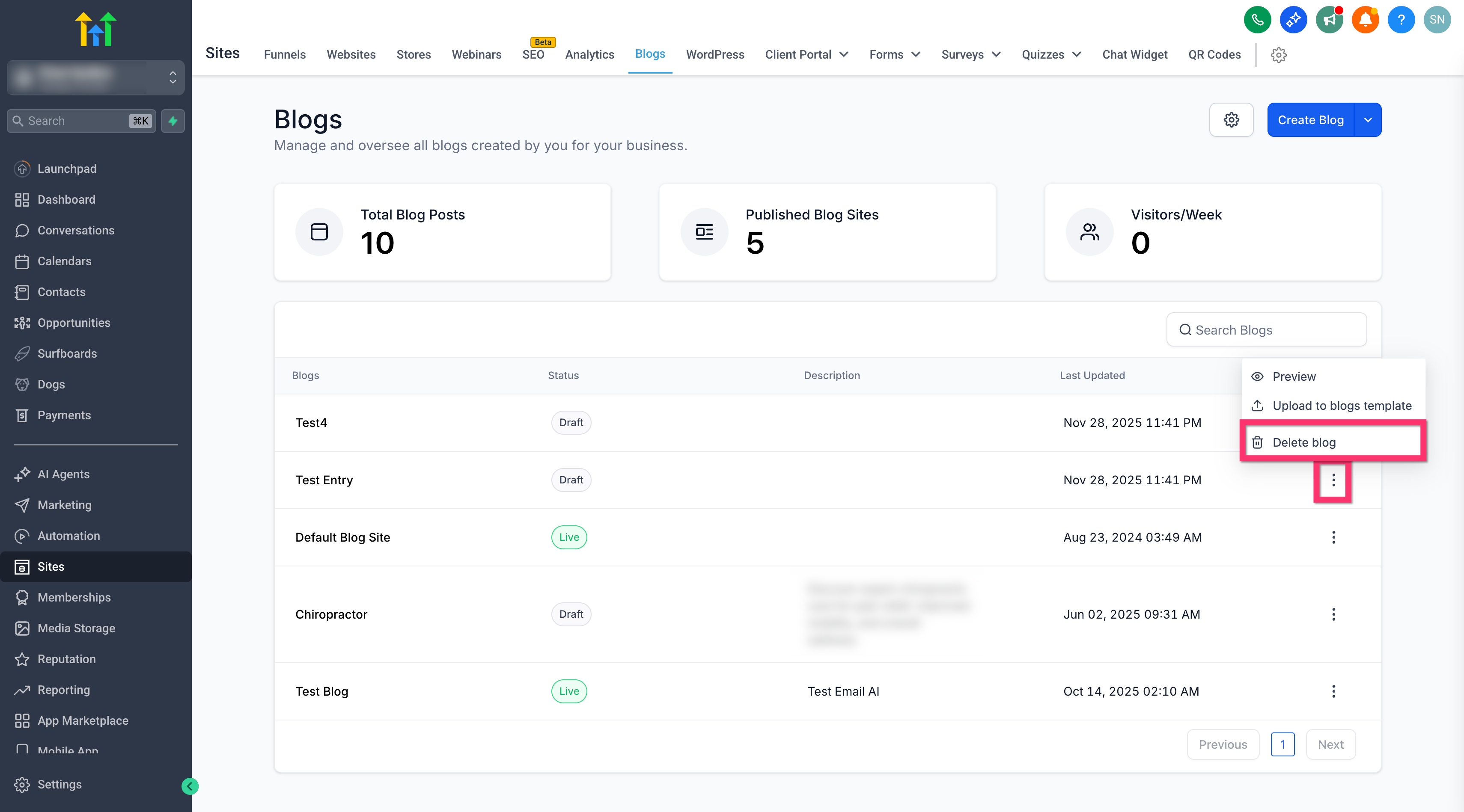
Delete: The blog is permanently removed. Use with caution when the content is no longer needed.
Blog Post Statuses (post-level)
Post statuses control the visibility and timing of individual articles. These apply even when the parent blog is Published.
Draft: The post is saved but not public. Use this to continue writing and editing without exposing the post on the live site.
Scheduled (Queued): The post is set to publish automatically at a specified date and time. This keeps content releases on a planned calendar.
Published: The post is live and visible to visitors. Use Update Post when making changes to an already published
post.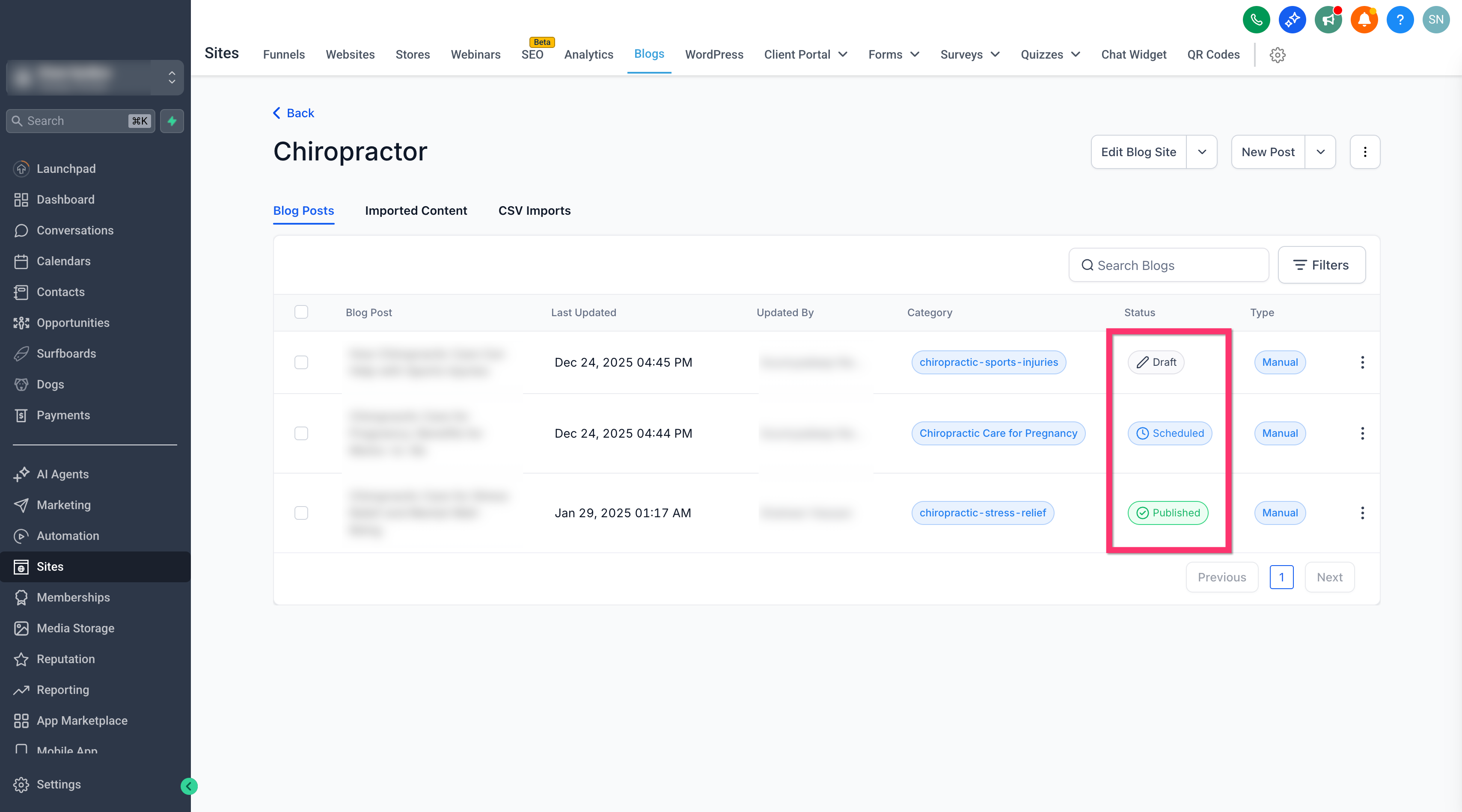
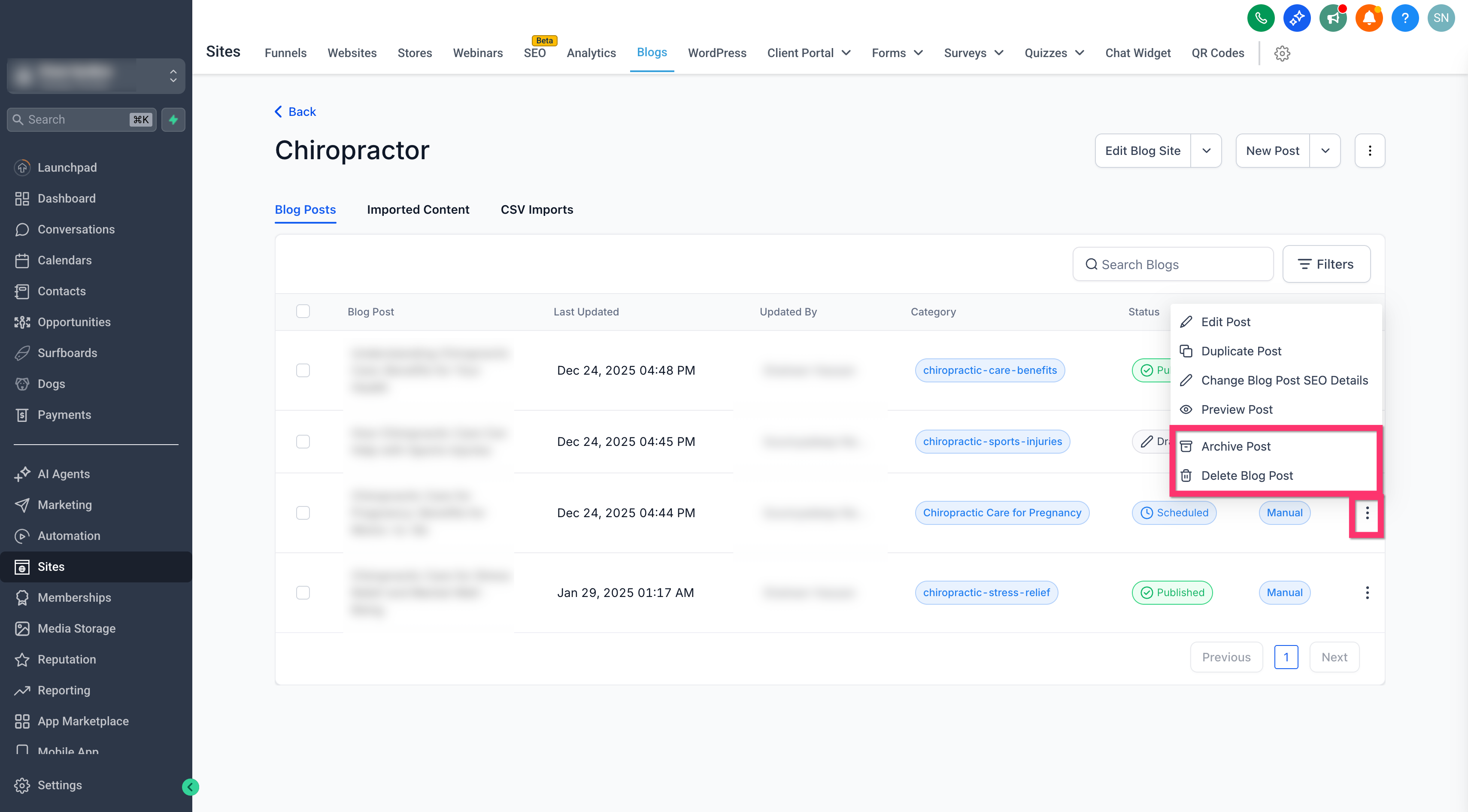
Archive: The post is removed from lists and navigation but not deleted. The content remains accessible at its live URL.
Delete: The post is permanently removed. Use with caution when the content is no longer needed.
Frequently Asked Questions
Q: Can I keep working on a post without making it live?
Yes. Save the post as Draft until it’s ready.
Q: What happens when I archive a post?
The post is hidden from lists and navigation but still available at its live URL.
Q: How do I time a post to go live later?
Schedule the blog for a future date and time.
Q: What if I need to edit a live post?
Edit the post and choose Update Post to apply changes to a Published post.
Q: When should I delete a post?
Only when the content is no longer needed. Deleted posts are permanently removed.