TABLE OF CONTENTS
Overview
The Multiple Meeting Location Selector feature allows you to add multiple meeting locations to your calendar settings. These locations are then displayed on the booking widget, giving bookers the flexibility to choose their preferred meeting location. This feature is particularly useful when you want to provide your bookers with the choice of meeting locations.
How to Set Multiple Meeting Locations
Limitations
Before we begin, please note the following limitations:
- Multiple meeting locations can only be configured for Event Calendar and Round Robin & Service calendars with one team member.
- This feature is supported only for Neo widget.
Configuration Steps
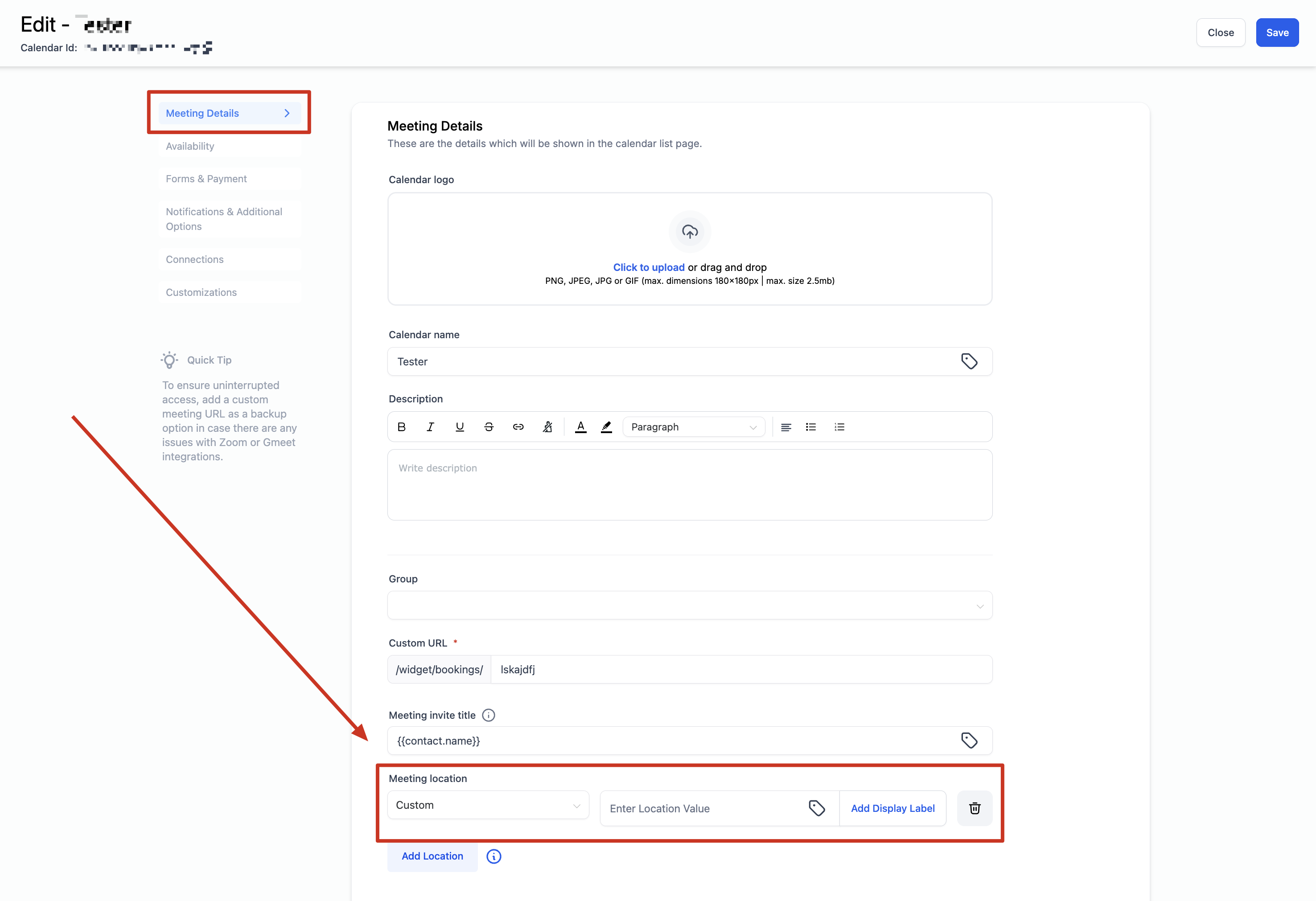
- Navigate to your calendar settings and select the calendar you wish to configure.
- For Event Calendar: Scroll down to the meeting location section.
- For Round Robin / Service Calendar: Scroll down to the team members section.
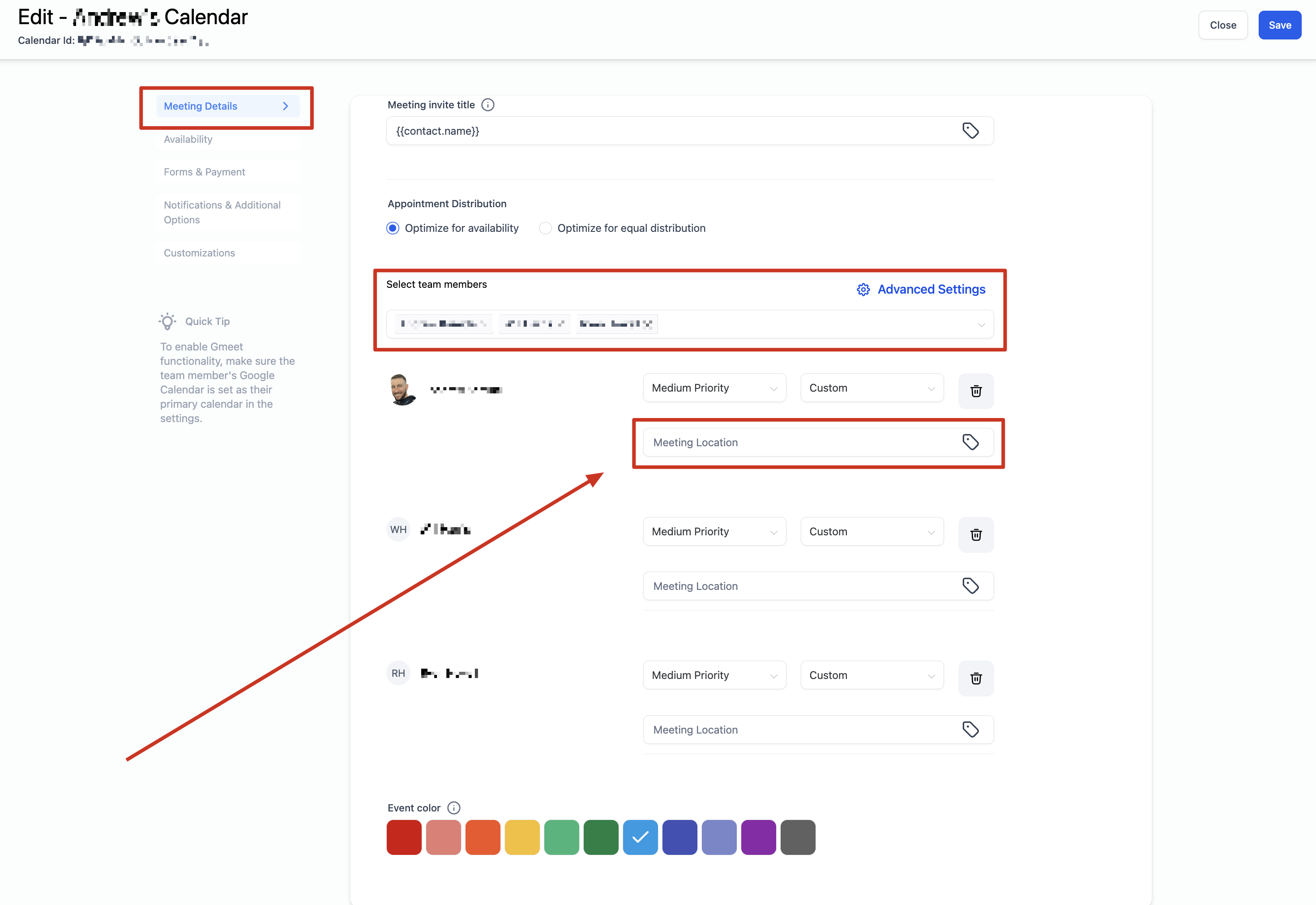
- Click on the "+Add Location" button.
- Choose and configure your desired locations.
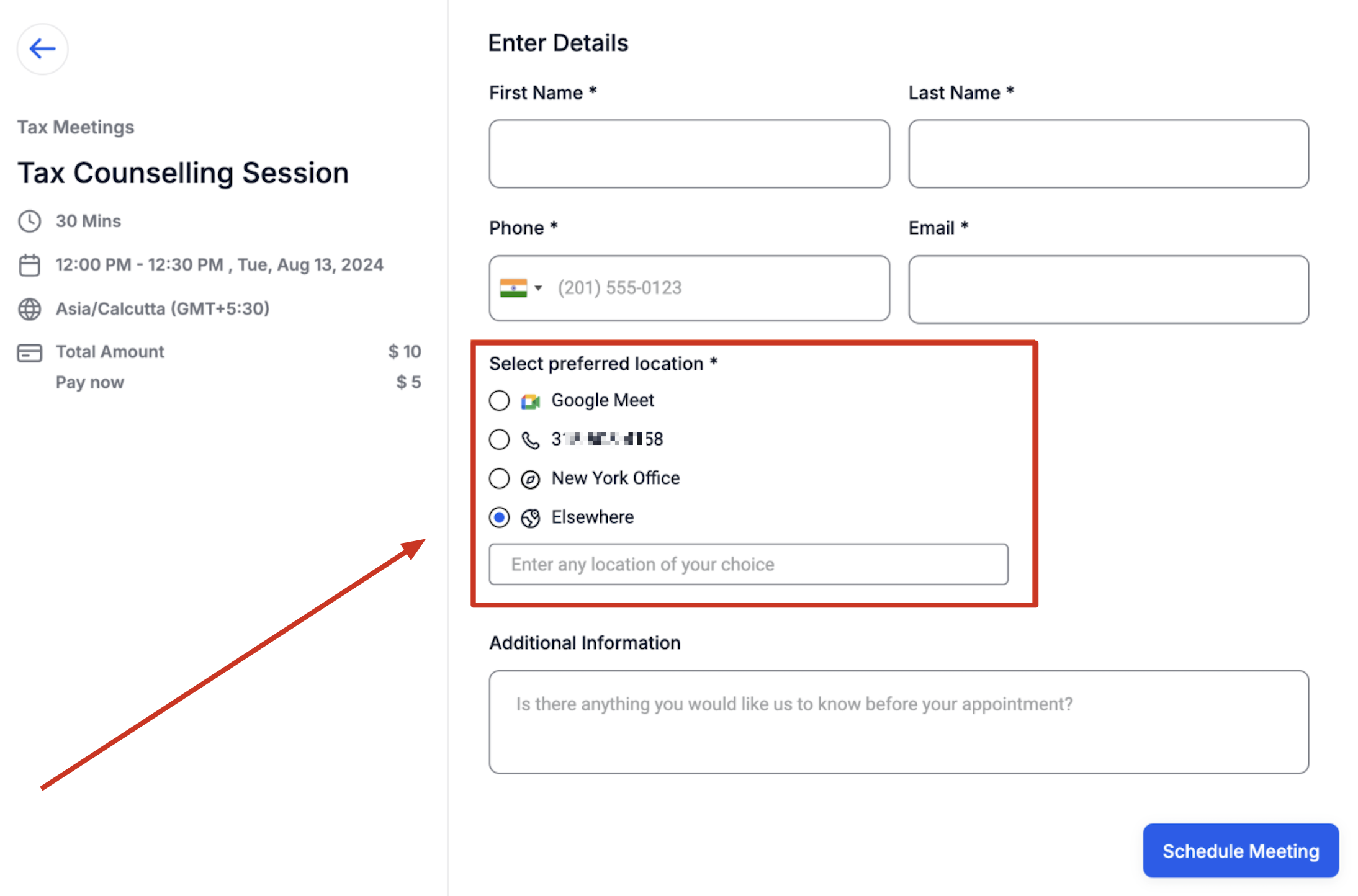
- If you select 'Custom,' you can add a display label. For example, if your meeting location is your office address but you don't want to show it before booking, enter the address in the location input box and use a label like "New York Office." The booking widget will display "New York Office" until the booking is made, after which the actual address will be shown and sent to the booker.
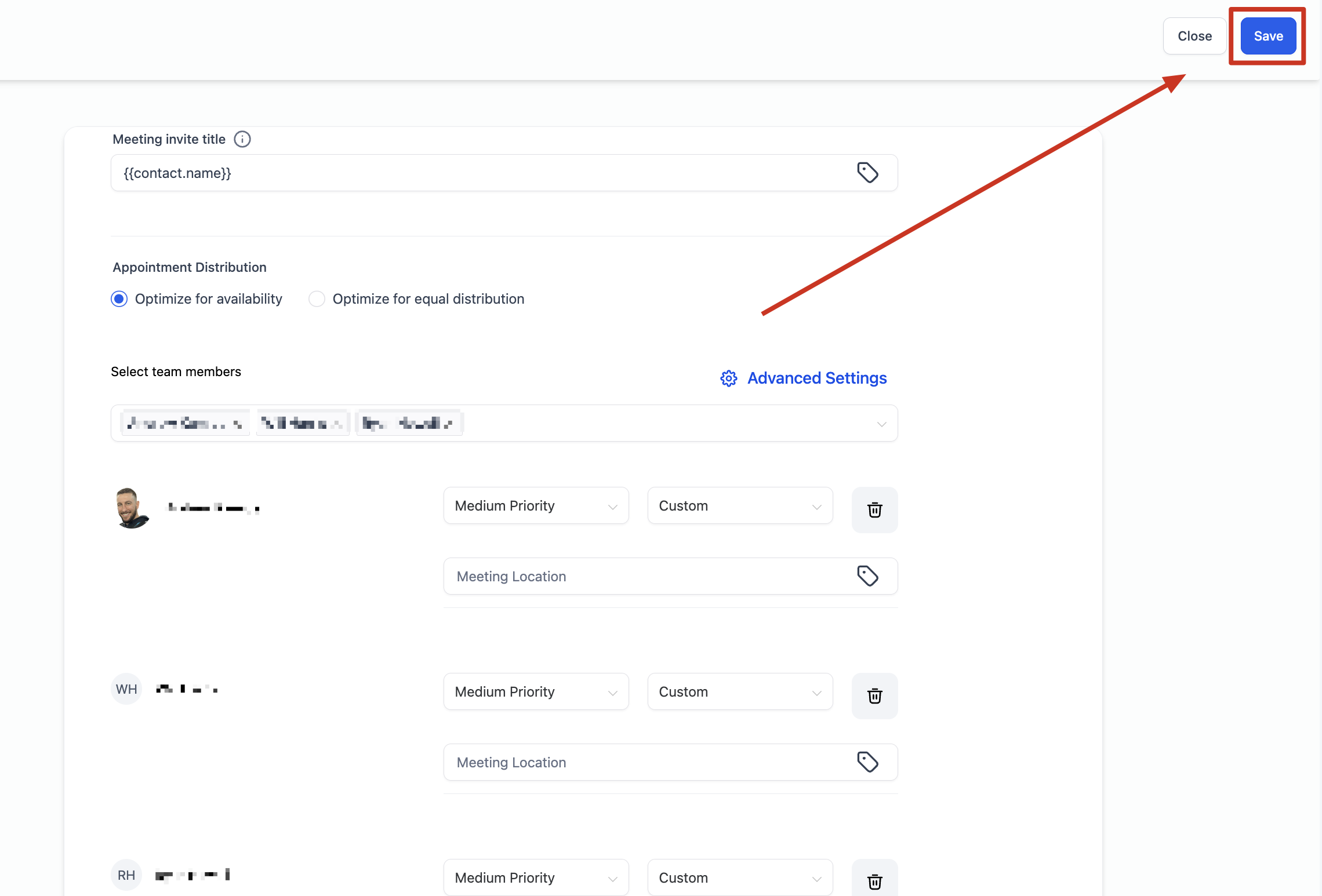
- Once you have added your meeting locations, click on "Save."
Available Meeting Locations
Event Calendar:
- Phone: The default value populated will be the subaccount's phone number, but you can edit it to any phone number of your choice.
- Address: The default value populated will be the subaccount's business address, but you can edit it to any address if needed.
- Custom: Use this to enter any custom value, such as your store address, a message for clients, or a static Zoom link. Note that Event Calendar does not support dynamic Zoom / Google Meet link generation.
- Ask the booker: Request the booker to input their preferred meeting location, which will be used for all future references. If more than one location has been added, the label 'Elsewhere' will appear on the booking widget to denote the ask the booker functionality.
Round Robin & Service Calendar:
- Phone: Similar to Event Calendar, you can edit the default phone number.
- Address: Similar to Event Calendar, you can edit the default address.
- Custom: Similar to Event Calendar, you can enter any value here.
- Zoom: Unique Zoom links will be generated if Zoom is successfully integrated. Ensure Zoom is integrated in 'My Profile' > Calendar Settings > Video Conferencing.
- Google Meet: Unique Google Meet links will be generated if Google is successfully integrated and Google Calendar is selected as the linked calendar in the 'My Profile > Calendar Settings' section.
- Ask the booker: Request the booker to input their preferred meeting location, which will be used for all future references. If more than one location has been added, the label 'Elsewhere' will appear on the booking widget to denote the ask the booker functionality.
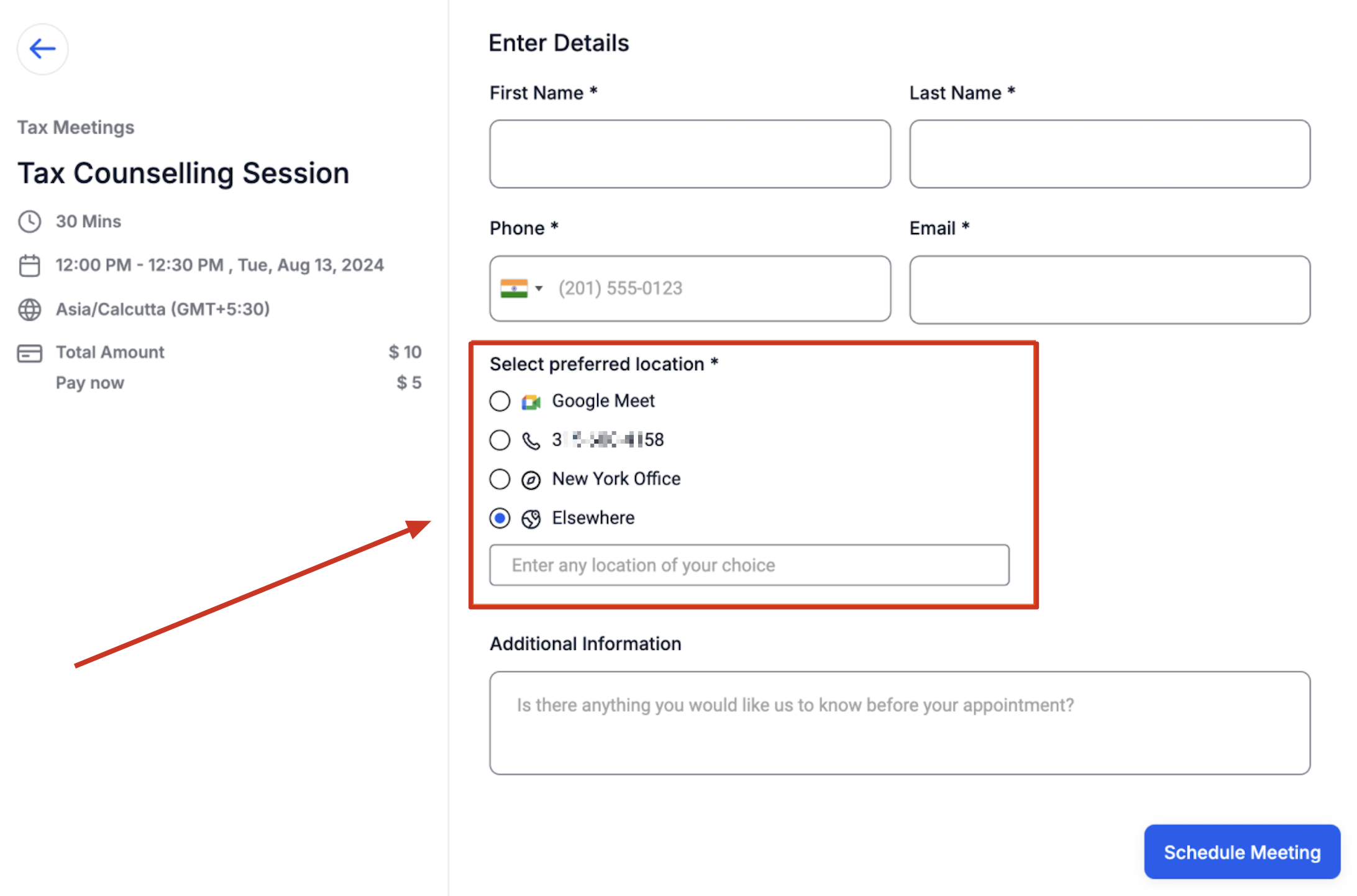
Booking Widget - How do bookers choose the location?
All the configured options in the calendar settings will be displayed on the booking widget. The booker can select their preferred location, which will then be used as the meeting location for the appointment. This selected location will be shown on the confirmation page, included in the confirmation email, used in workflows, displayed in the in-app appointment modal, and anywhere else where the meeting location is displayed.