
For most customized reports, please refer to our custom dashboards where you can add and modify custom widget to display metrics from key areas of SourCherry. More information on this feature is available in Custom Widgets help document.
The Appointment Report page offers a comprehensive view of your appointment data, allowing you to easily track and analyze various metrics. You can access this report through the left-hand menu under "Reporting" > "Appointment Report" (top menu).
Here’s a breakdown of the key features and insights you can access:
Numeric Charts for Different Statuses: Quickly see the count of appointments categorized by status, including booked, confirmed, cancelled, new, and more.
Appointment Sources and Channels: Get a detailed split of appointments based on different channels and sources, including funnels and users.
Top Performing Calendars: Identify your top-performing calendars by the number of bookings, helping you understand which calendars are most popular.
Top 5 Users by Number of Appointments: Discover which users are securing the most appointments, allowing you to recognize and reward high performers.
Most Popular Days: Find out which days of the week receive the most appointments, so you can optimize your scheduling and resource allocation.
Top 5 Calendars with Cancellations: Track the calendars with the highest number of cancellations to identify potential issues and improve retention
Top 5 Calendars with Reschedules : Track the top calendars with the highest number of reschedules
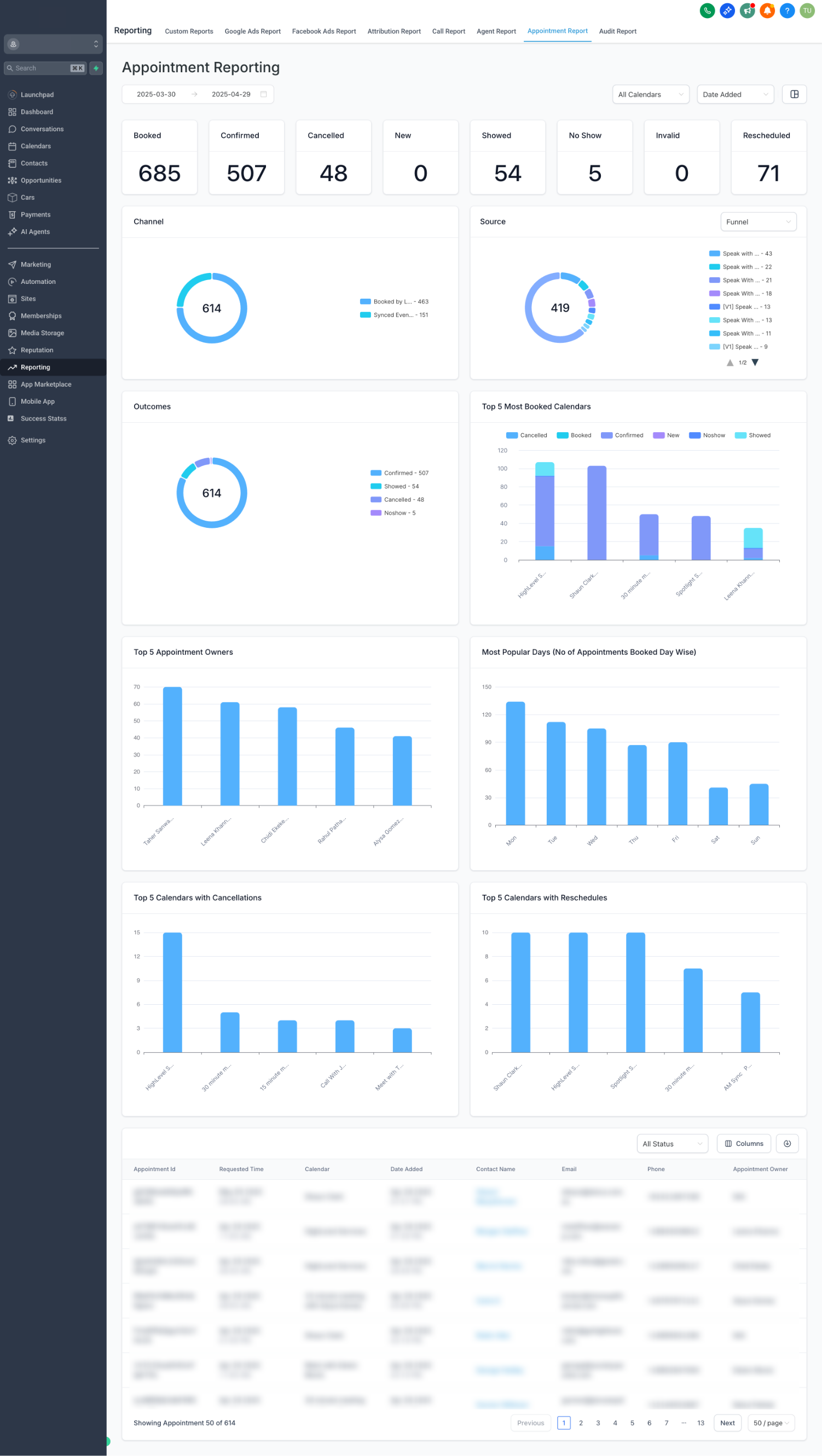
In the Channel donut chart, Event Sync appointments are events with atleast 1 attendee when synced from a third party calendar(google, outlook, icloud, calendly) into our system