
About
Store owners can now offer manual payment methods, such as Cash on Delivery (COD) or Custom Payment Methods, allowing buyers to pay using any mode of payment at the time of pickup or delivery. This feature enables more flexible payment options for store transactions.
How to Use
Manual Payment Method Setup:
- Navigate to Manual Payment Methods: Go to Payment > Integrations > Manual Payment Methods.
- Choose a Payment Method: You can either select Cash on Delivery or create a Custom Payment Method.
- Configure Payment Method: After adding a payment method, configure optional fields such as Payment Instructions and Messages.
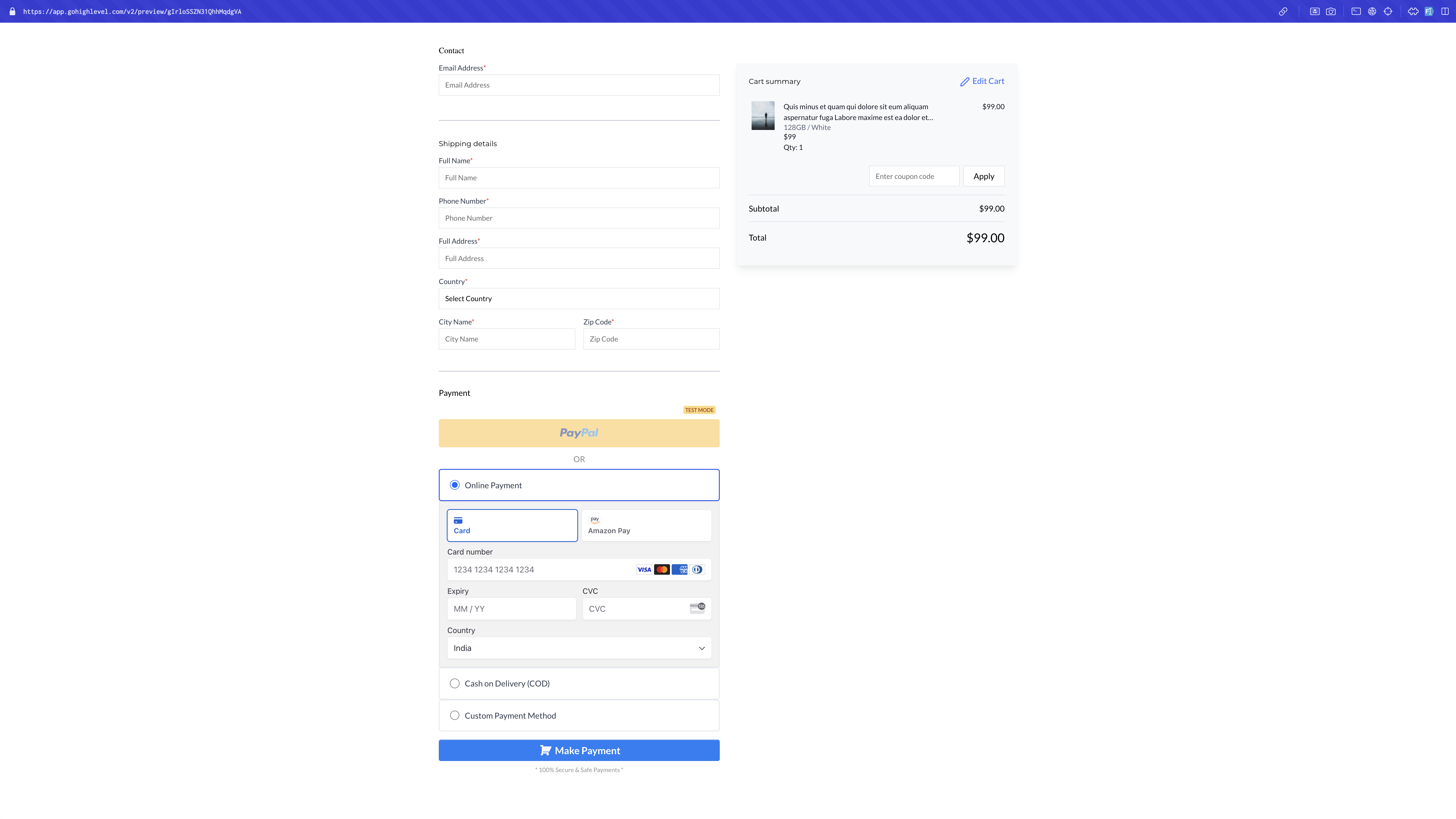
- Enable Payment Methods: Choose whether to enable the manual payment method for Order Forms or E-commerce Stores. These options will appear at checkout only if enabled.
- Save Changes: Click Save to apply your changes.
Setting Up Manual Payment (either Cash On Delivery or Custom Payment Method):
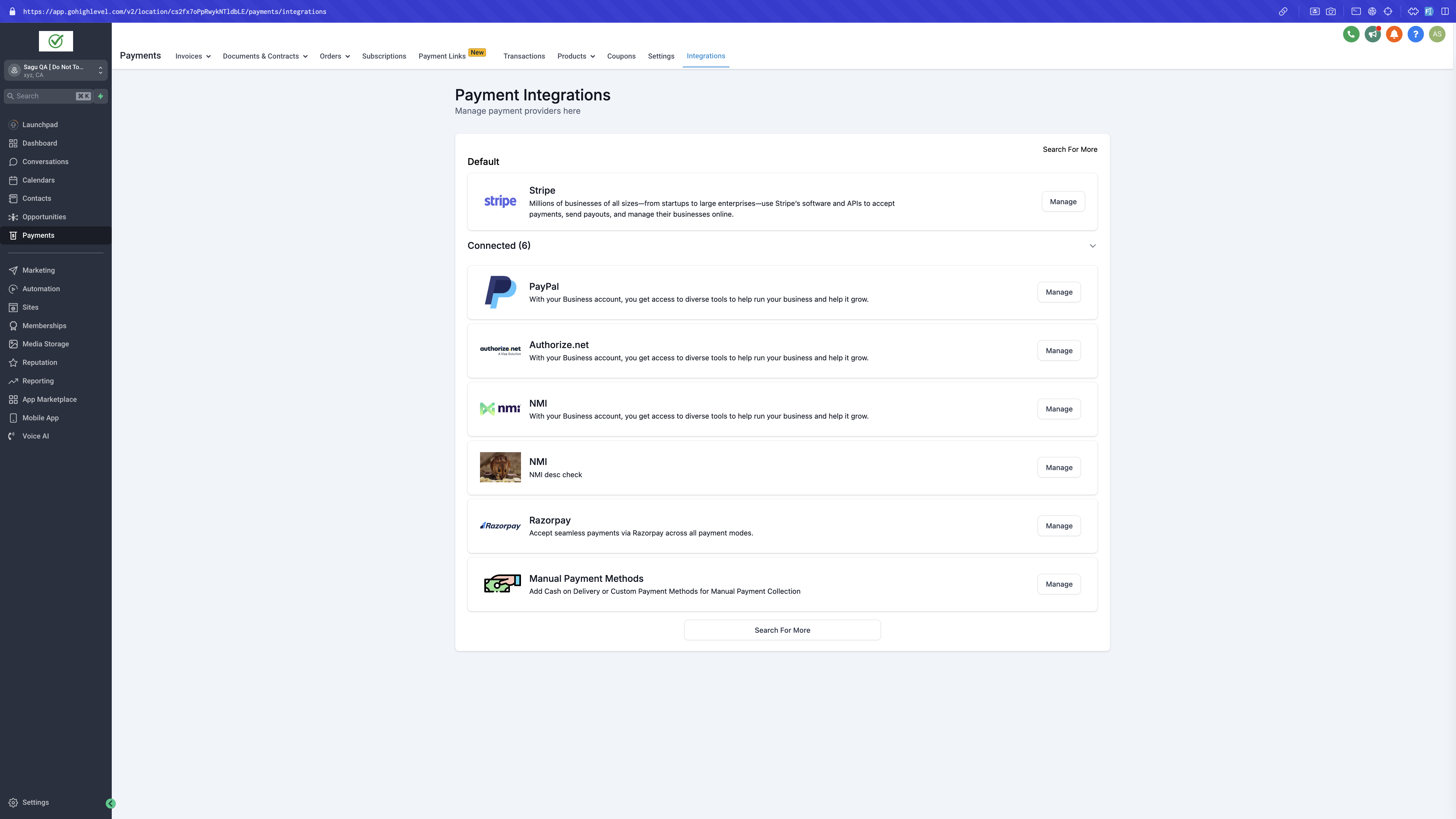
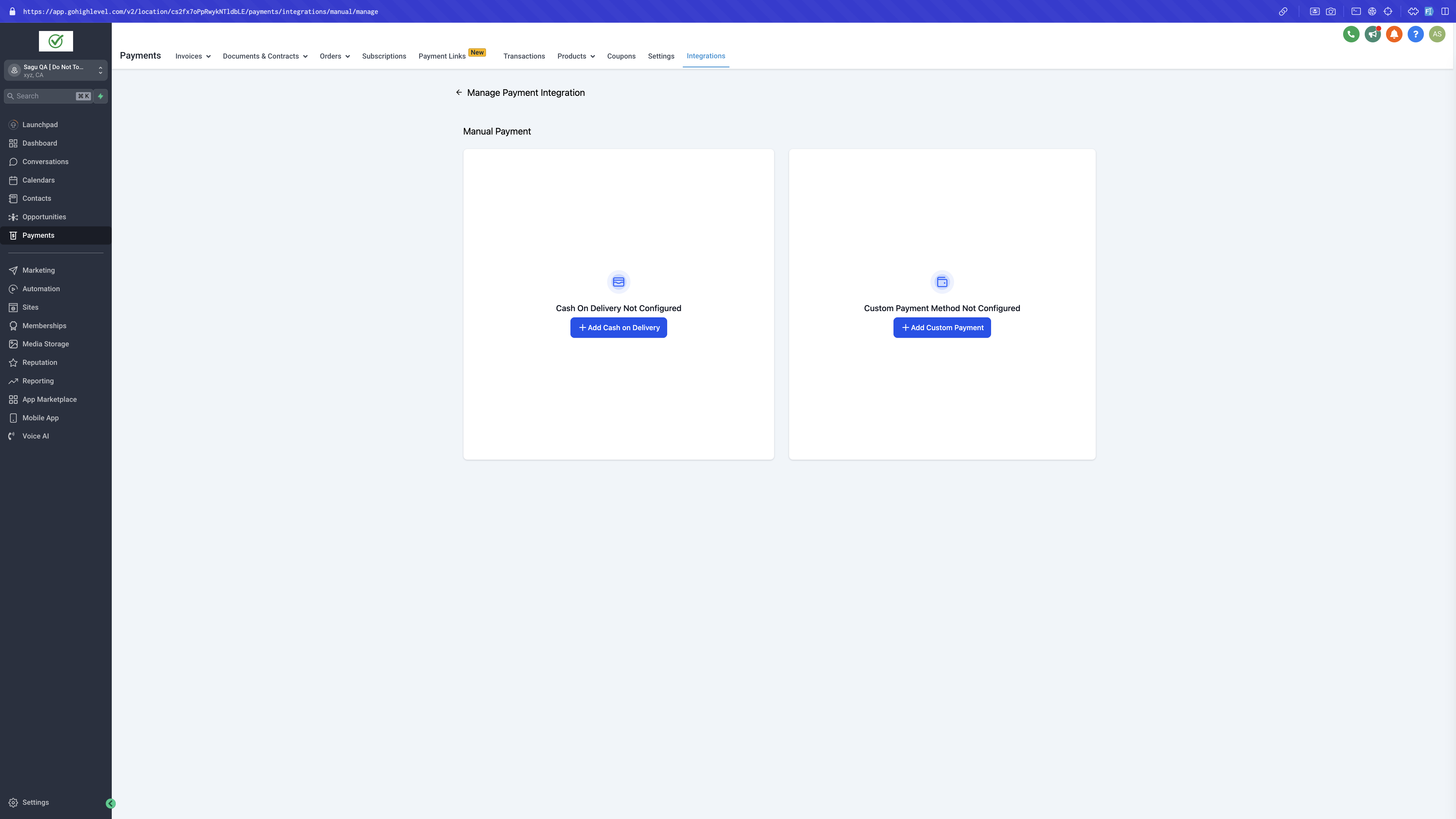
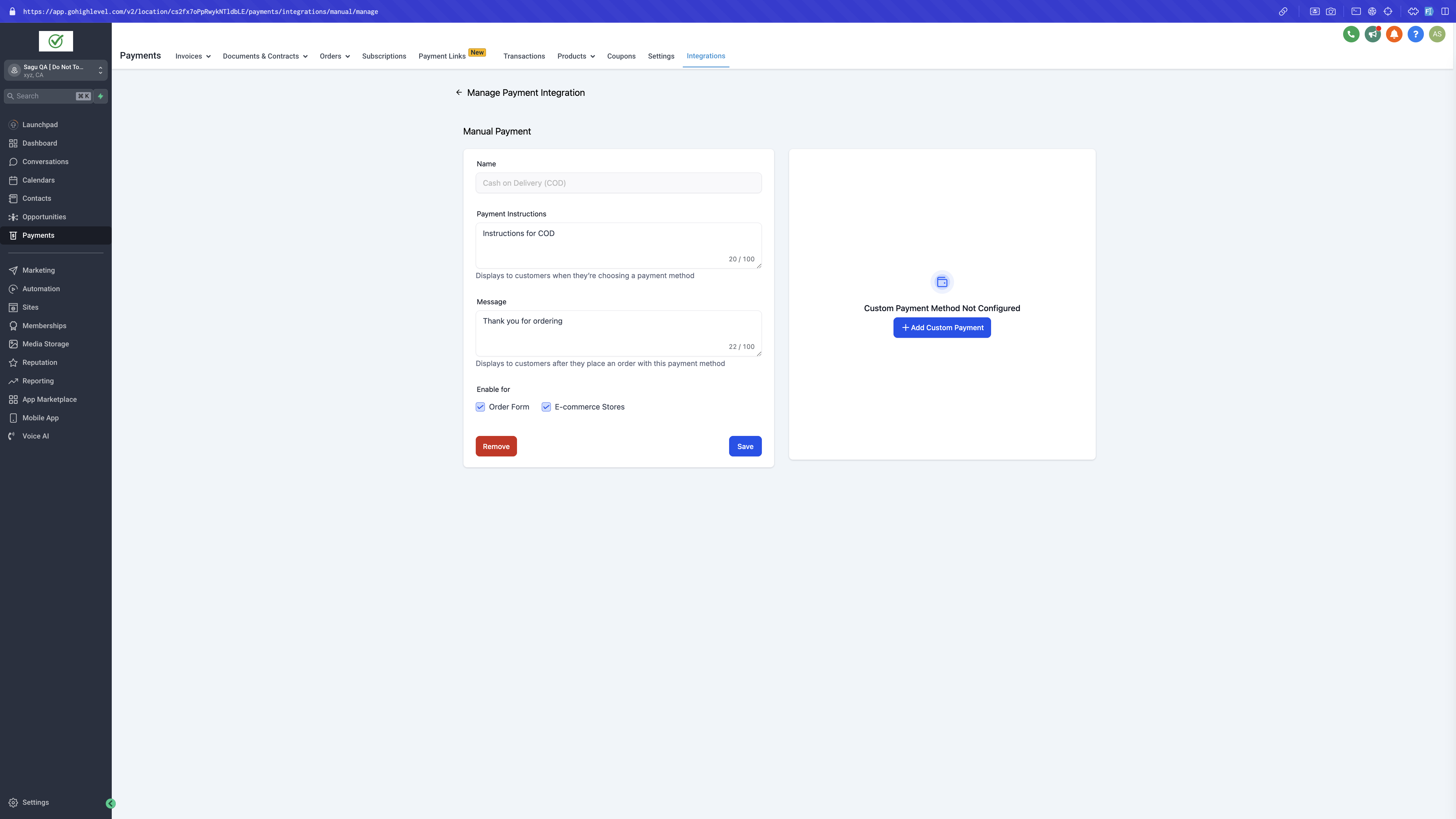
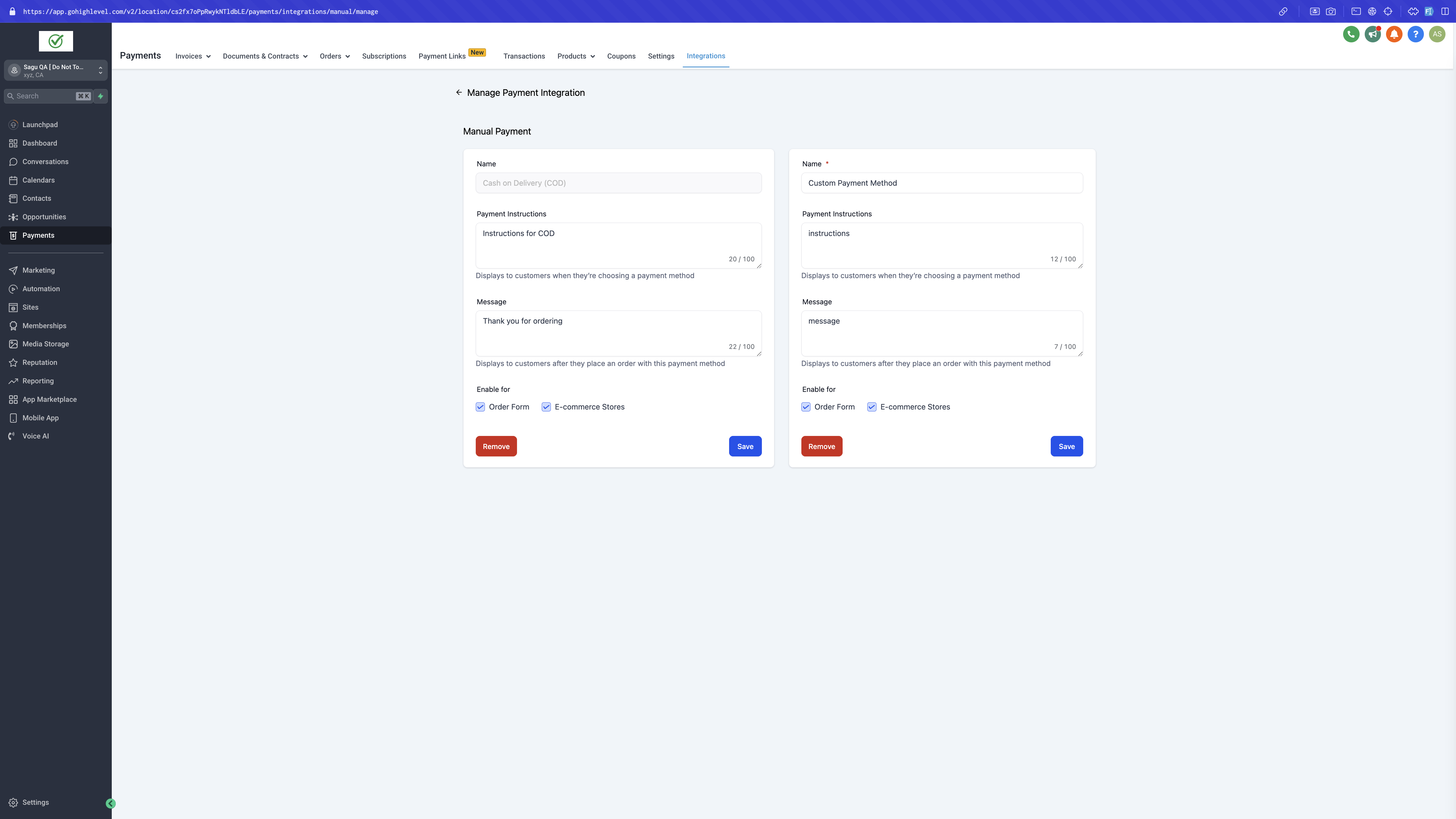
Checkout flow preview:
Collect Payment Flow (for Manual Payment Method Orders):
- Record Collected Payment:
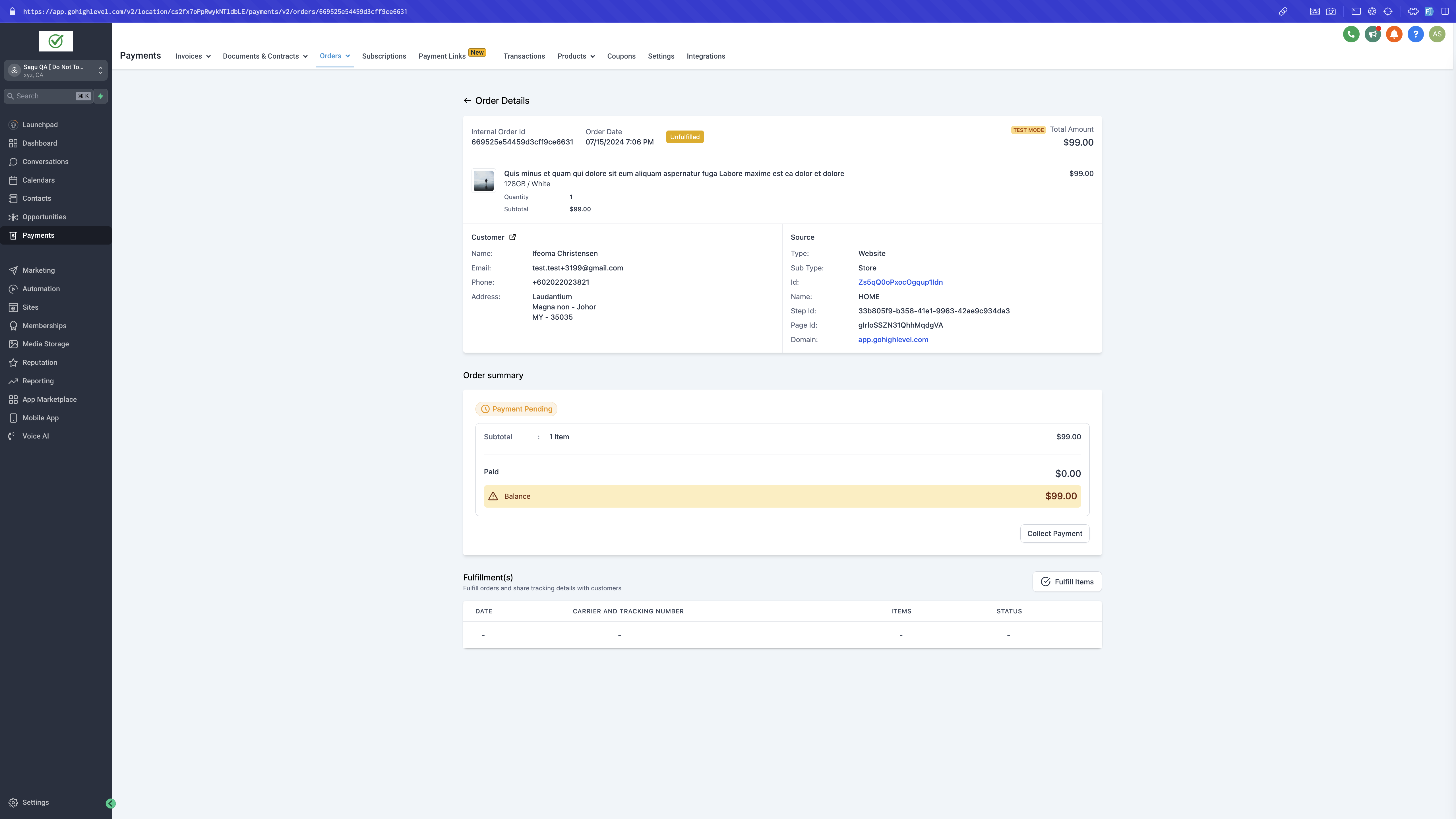
- After receiving an order, go to Payment > Orders.
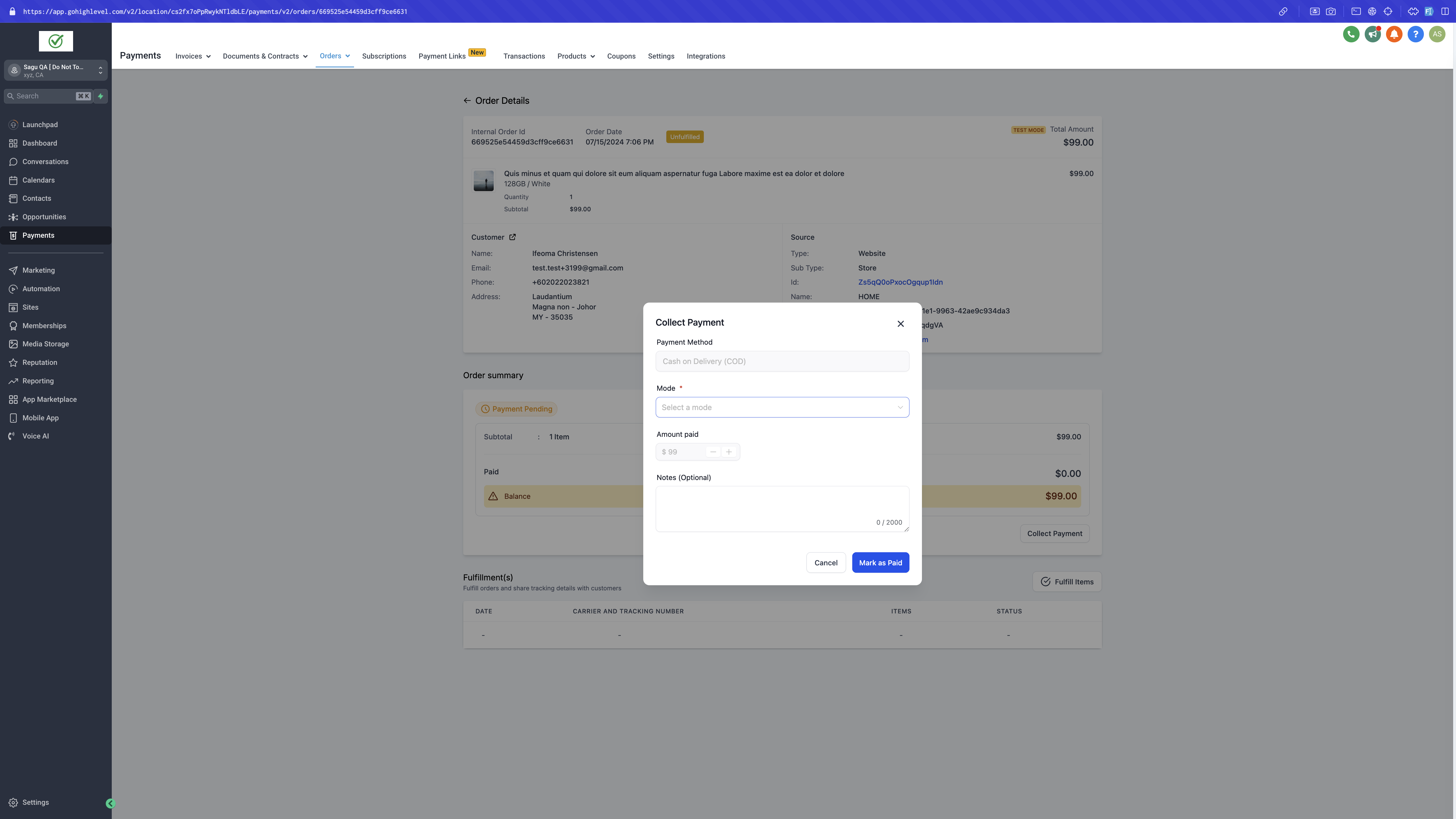
- Select the relevant order and click the **"Collect Payment"** button.
- Define Payment Details:
- Choose the Payment Mode from the dropdown menu.
- Optionally, add notes about the payment.
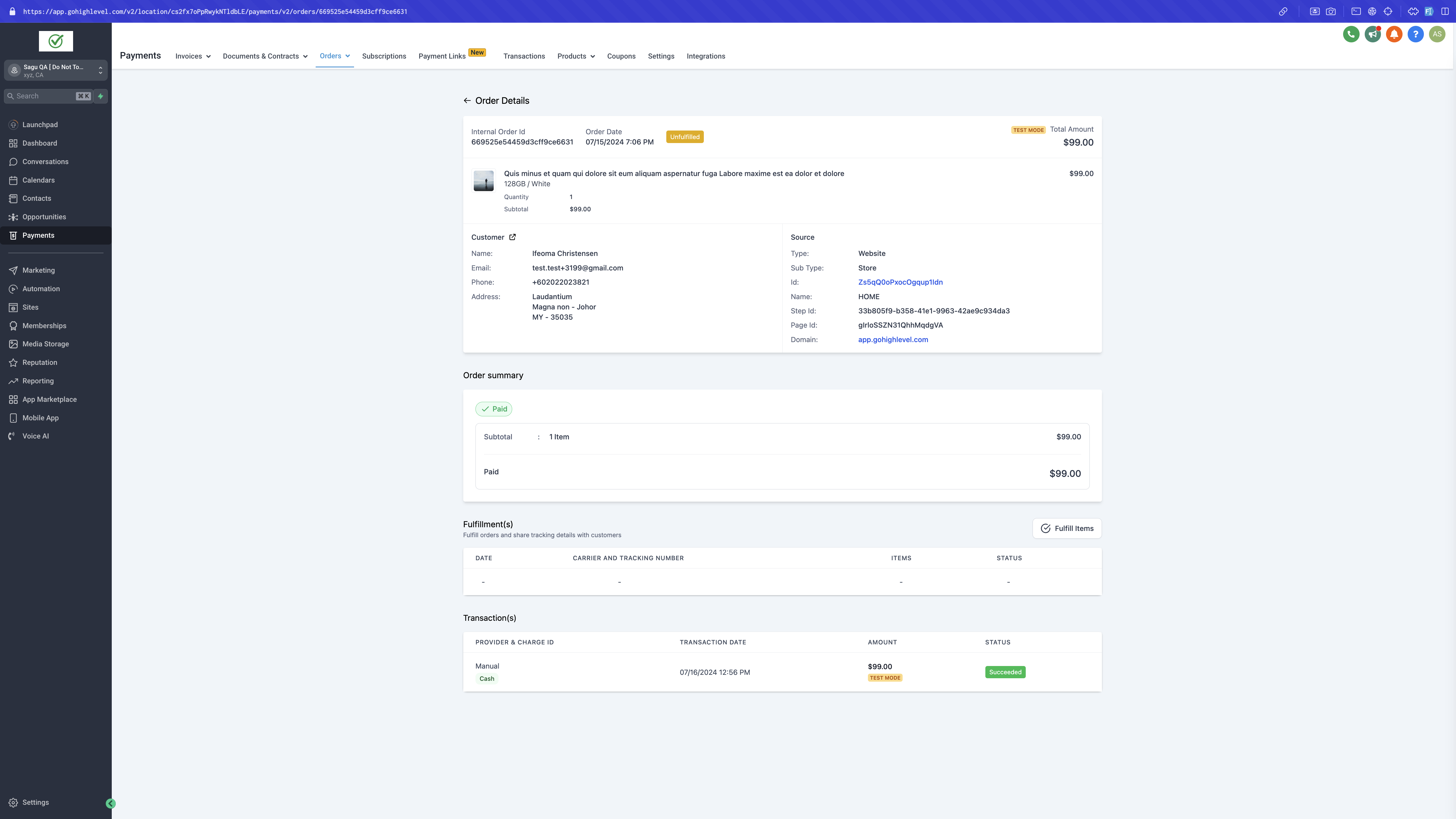
- Update Transaction Status: Mark the order as paid. The transaction status will be updated to reflect the mode of payment.
Notes
- Integration setup: Manual payment methods can be set up independently from any other Online Payment method.
- Recurring Products: Manual payment methods will not appear at checkout if a recurring product is part of the order.
- Payment Collection: The collect order flow is applicable only for manual payment method orders. Once an order is marked as paid, this status cannot be reverted.
- Visibility of Payment Methods: If the payment method is not enabled for either E-commerce Stores or Order Forms, it will not be visible at checkout.
- Simultaneous Setup: Both Cash on Delivery and Custom Payment Methods can be set up simultaneously.