
We are excited to announce capability to add Payment plans to invoices
- Users can now split their invoices into a payment plan installments
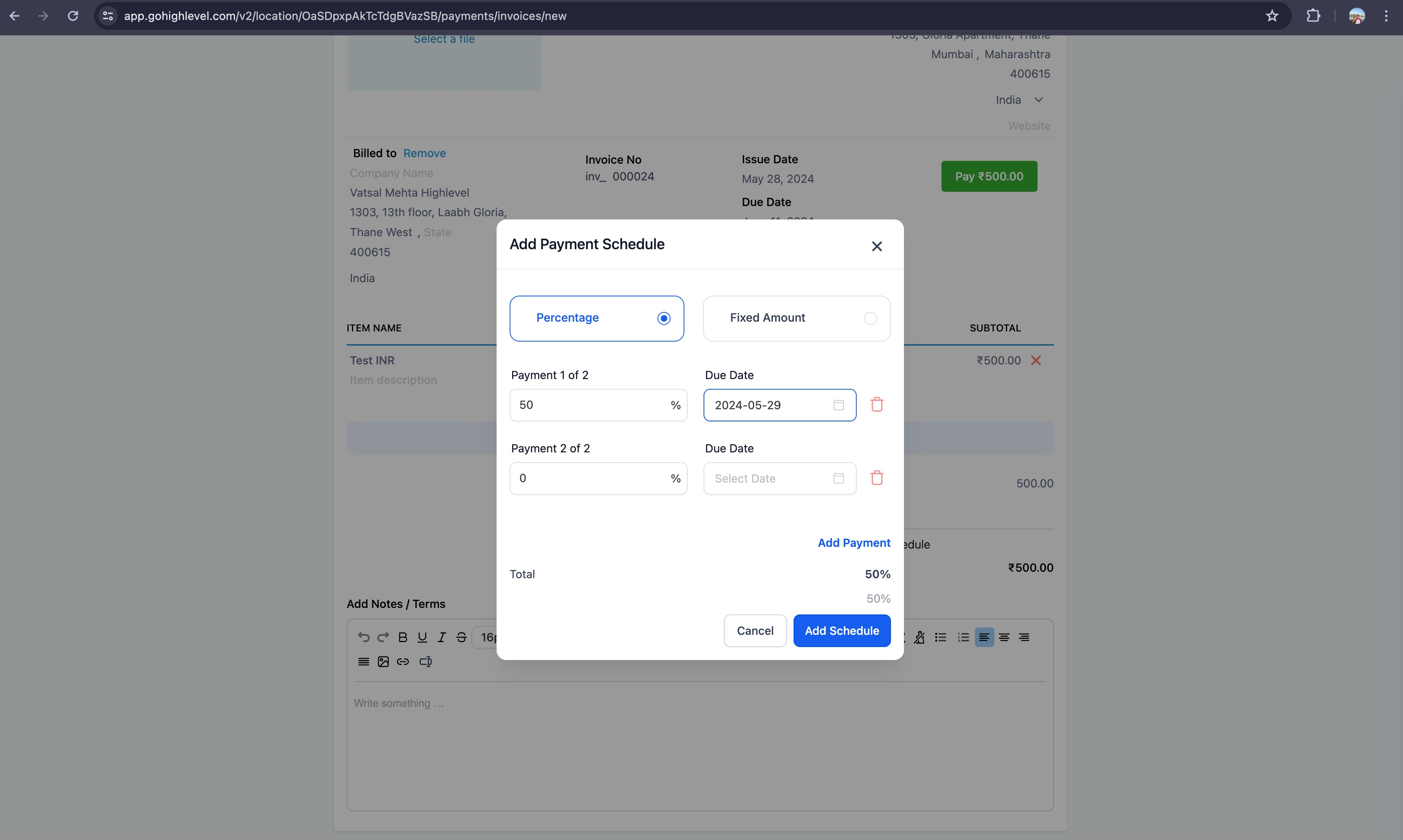
- A split can be made both on Percentage basis as well as amount basis
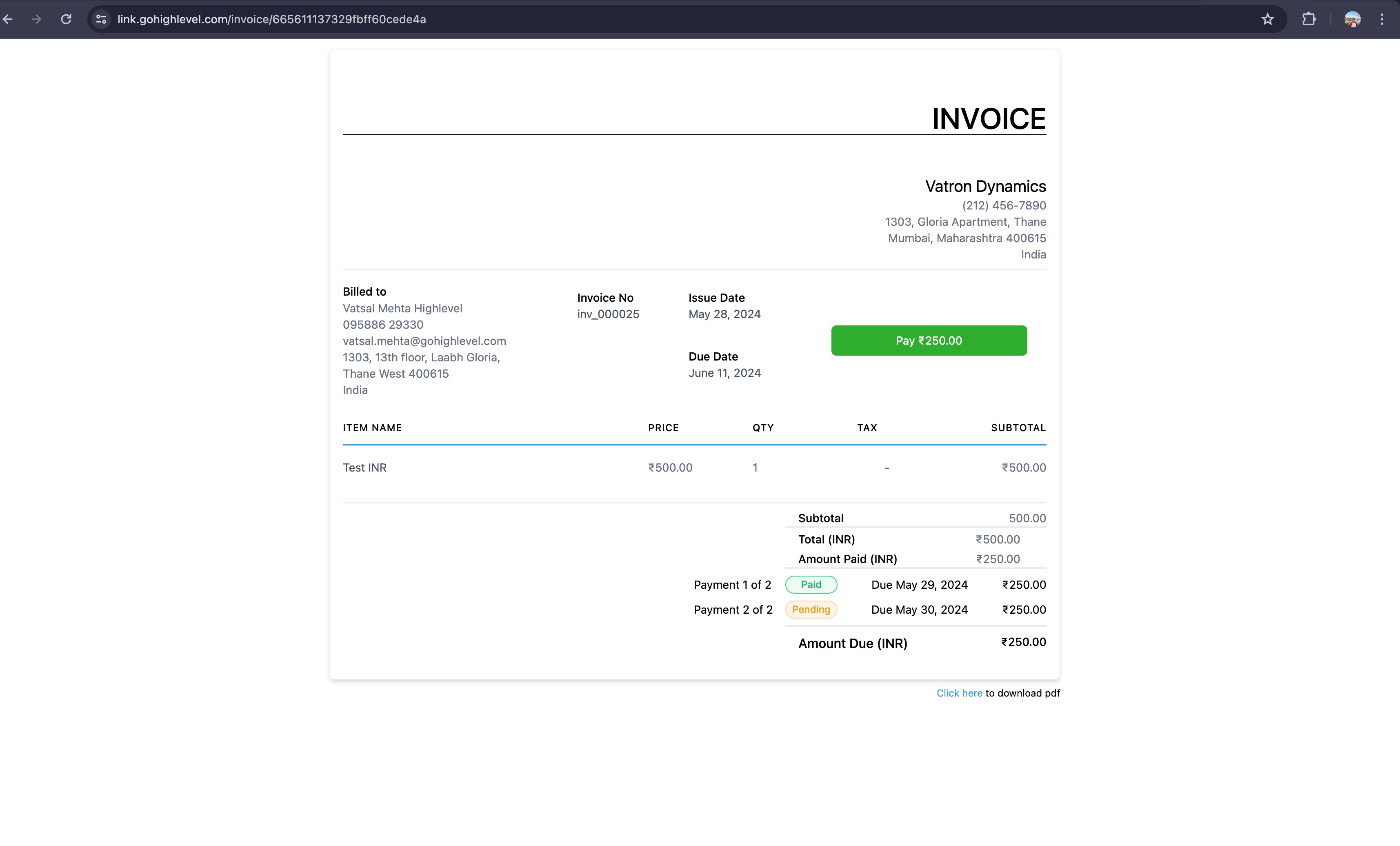
- Each split carries with it a Due Date and Payment Status of that split. Notifications will go on split's due date reminding user to Pay their installment (if not paid already)
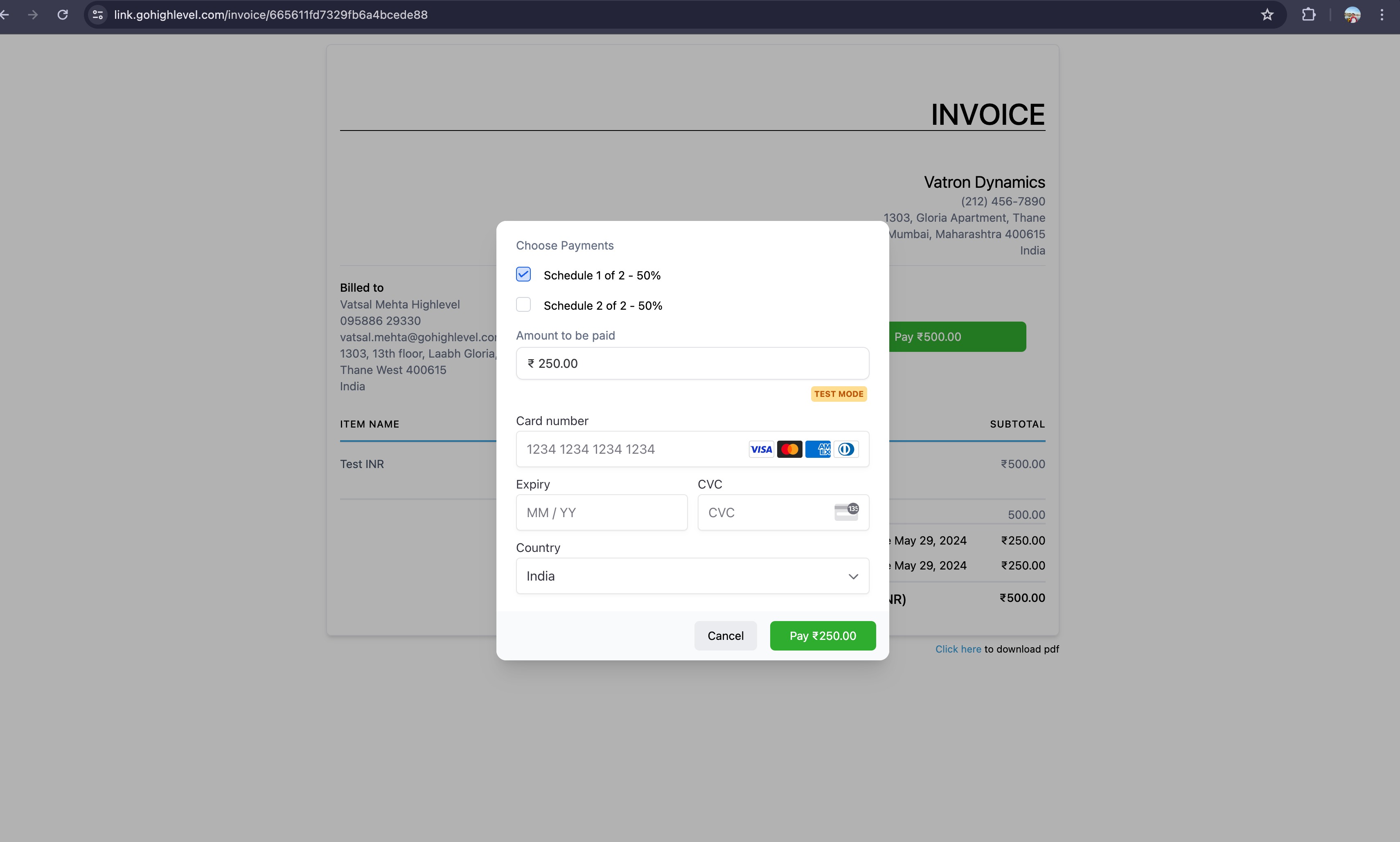
- Payments can be done only in predefined split and user can choose to pay one or more installment at a go. An Invoice will get paid once all installment are paid.
How to Use?
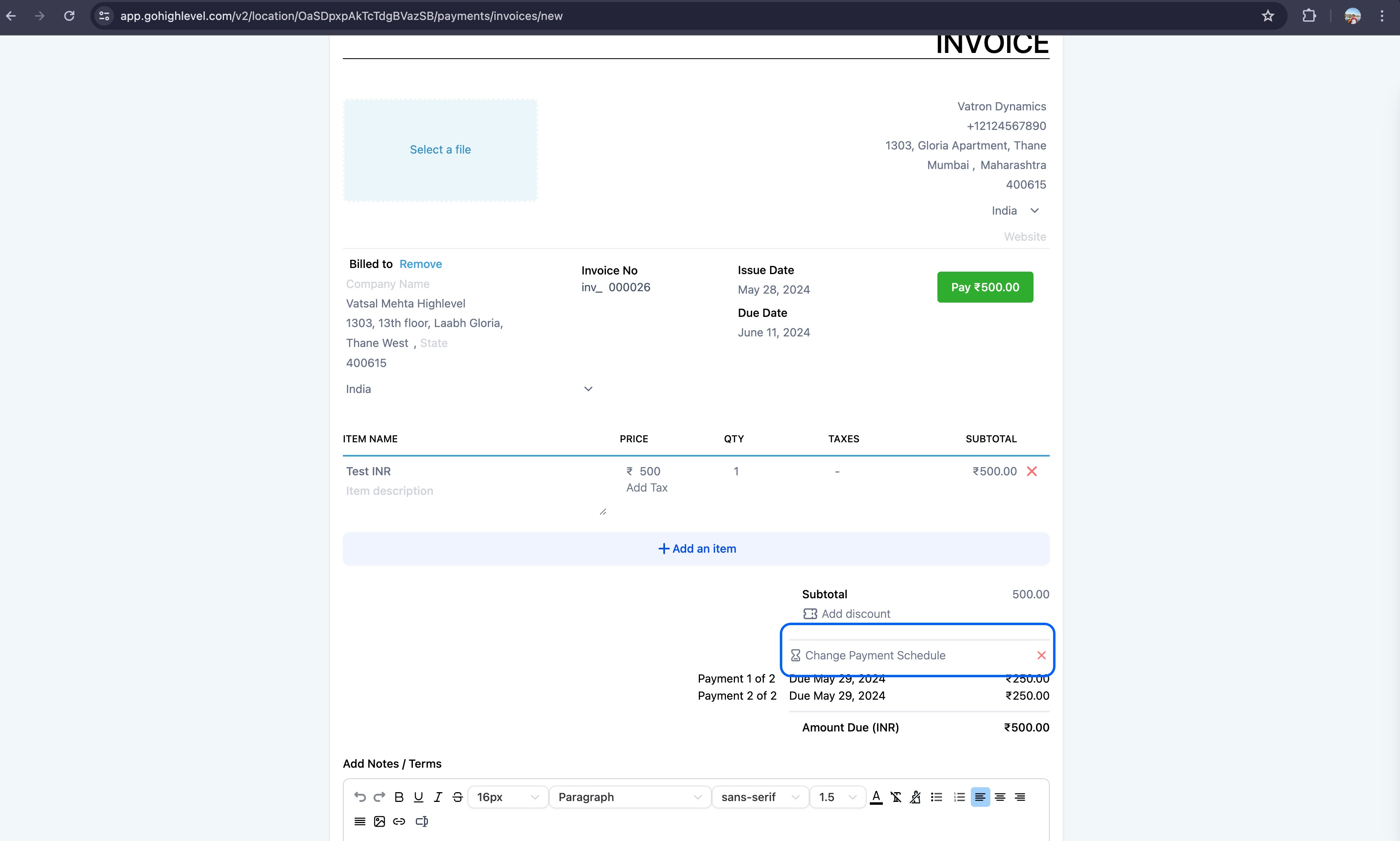
- Click on add payment schedule in an invoice
- Set up the payment terms with a percentage or fixed amount and send it
- User will view the invoice with ability to view the plan on the invoice
- User will then pay the invoice and have an option to either select that payment schedule value or add other schedules as well by clicking on a checkbox
Why this feature?
We are solving one major use case here: For medium to large ticket invoices, we have often gotten a requirement that user wants to pay their invoices in installments. While we already have Partial payment, that gives control to payer of invoice to control what amount to be paid when, With this feature, we are giving control in hands of Payee of invoice of the installment size in which Invoice should get paid.
Frequently Asked Questions
Q: Can I customize the reminder emails sent for scheduled invoice installments?
Yes. You can now customize, enable, or disable the Payment Schedule Received notification for invoices that include a payment schedule.
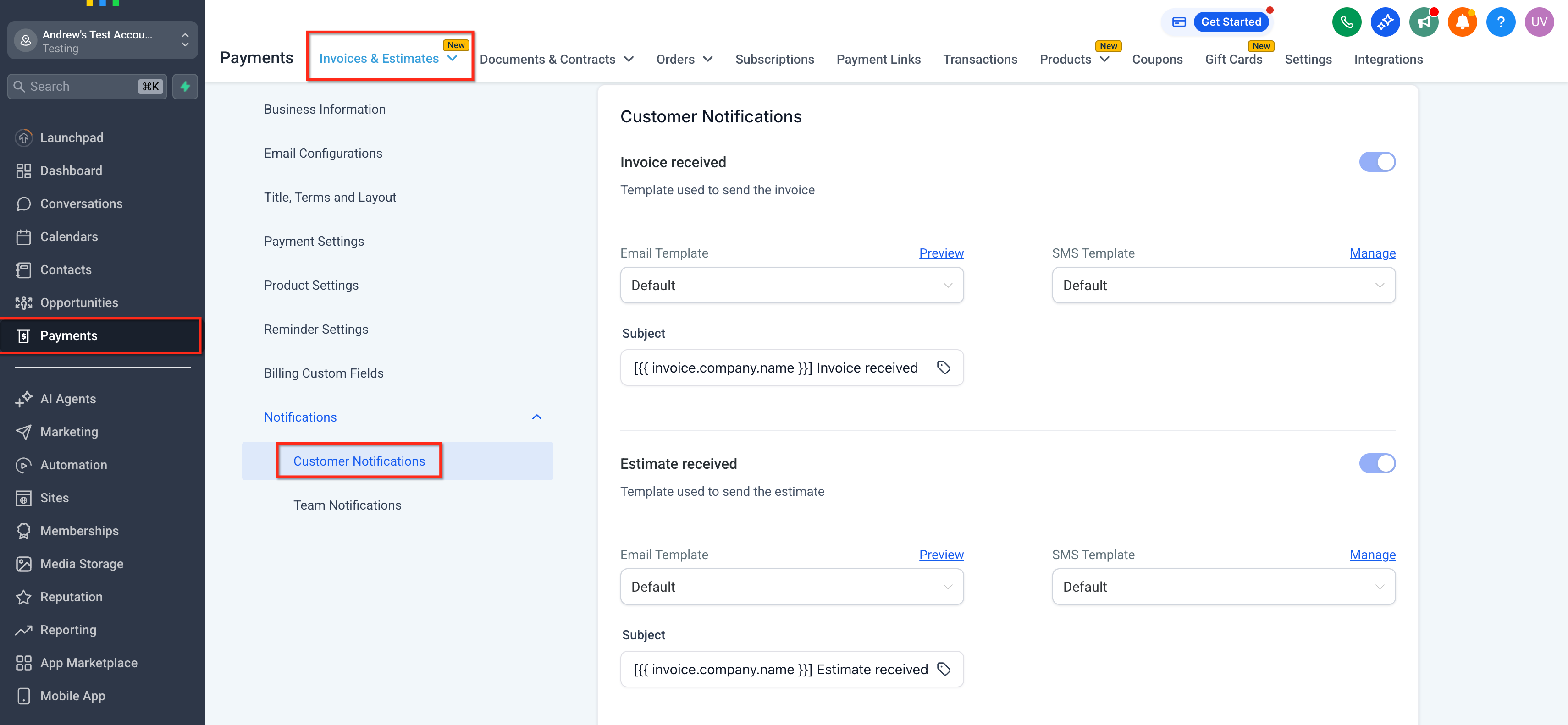
Go to Payments → Invoices & Estimates → Settings → Notifications → Customer Notifications, then locate Payment Schedule Received and edit the Email/SMS template (or toggle it off).
Note: Payment schedule merge fields render empty if the invoice does not include a payment schedule.