
- Set up multiple reminders by Adding New reminders and simply enabling/disabling it using a toggle
- Delete a reminder if needed
- Set number of reminders, custom emails and change when to send it based on Invoice due date or sent date
- Go to Settings within Invoices
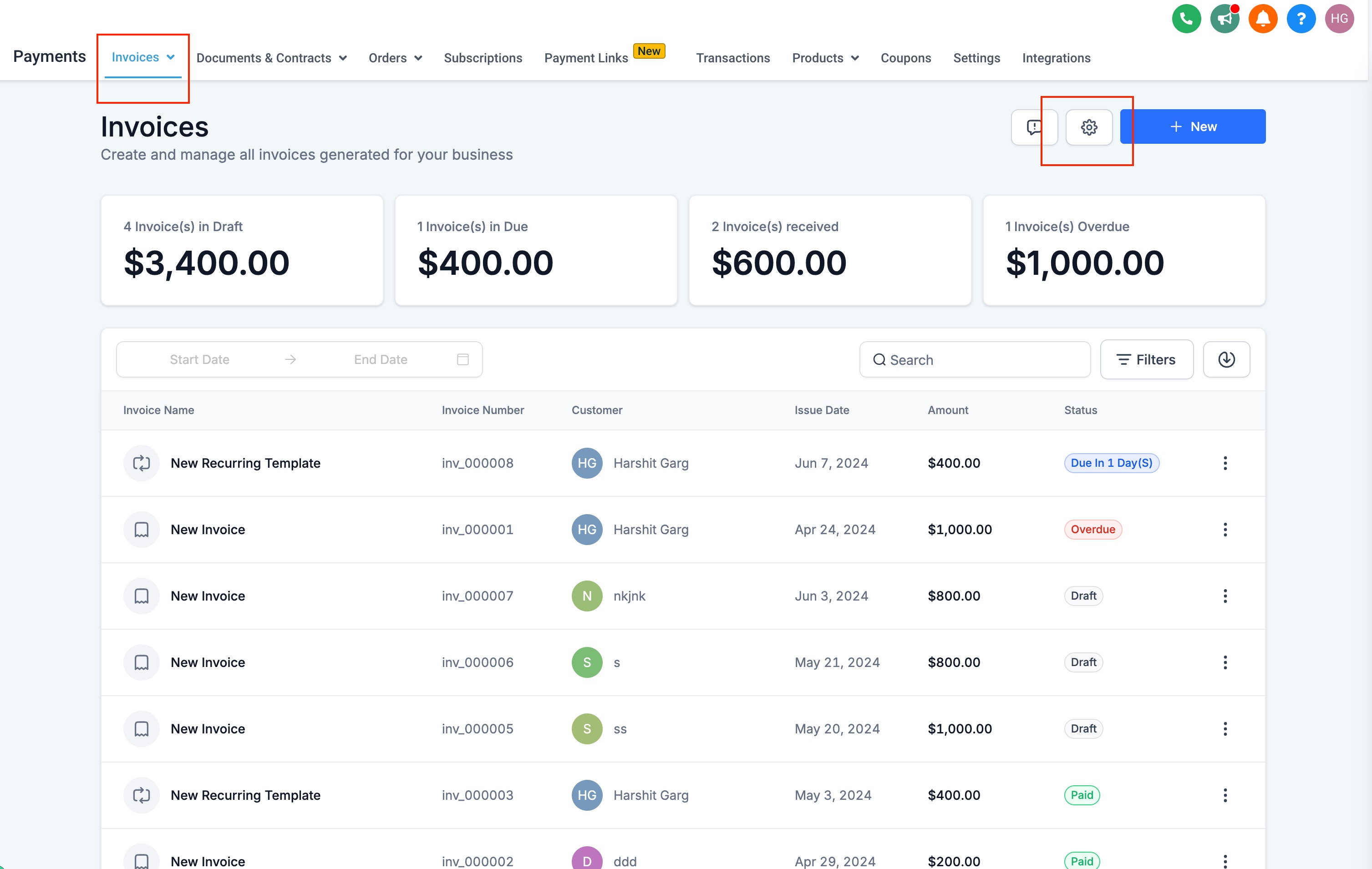
- Click on Reminder Settings
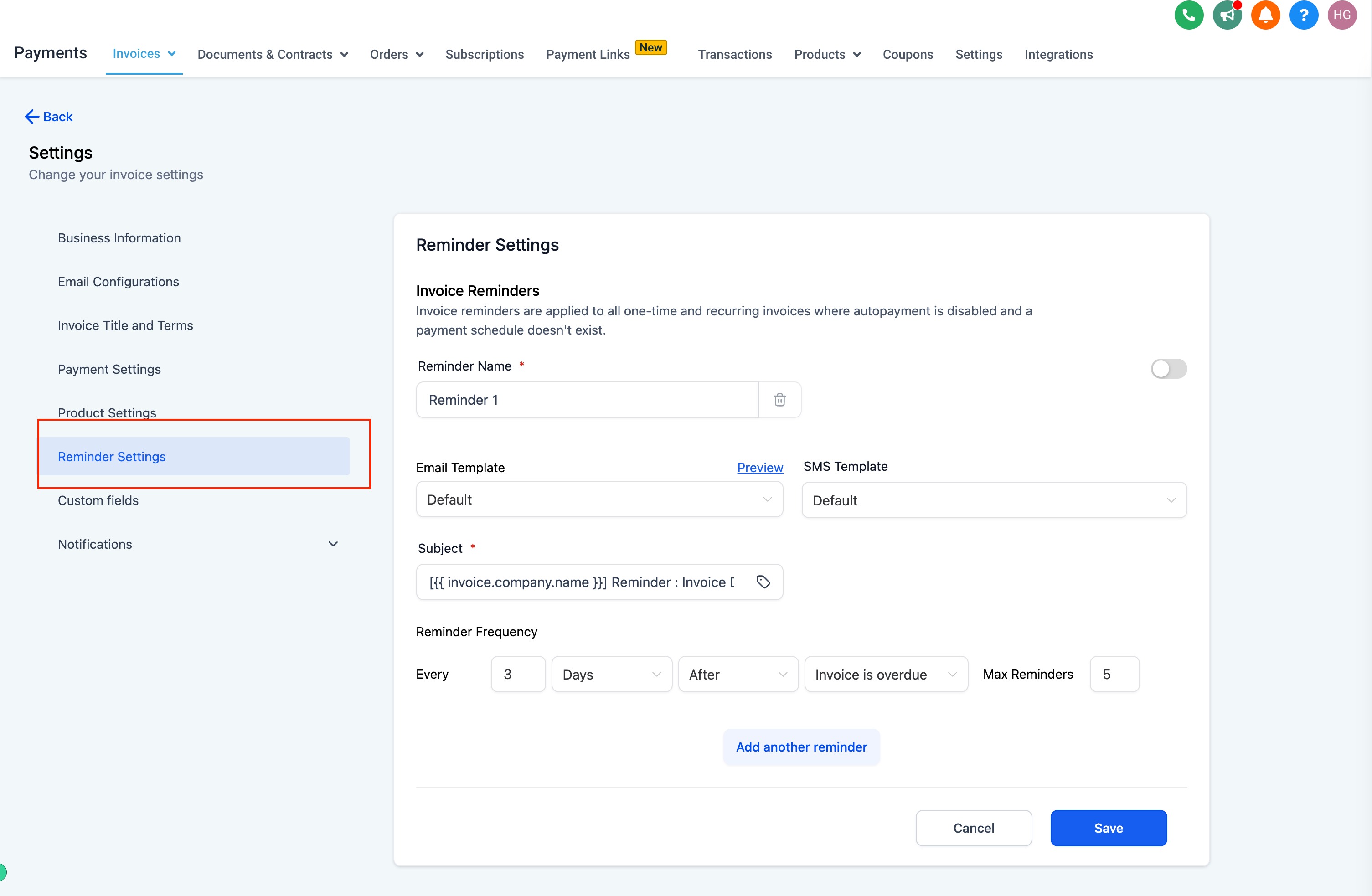
- Configure below details for every reminder:
- Reminder Name
- Reminder Template for Email and SMS - Use existing or edit an existing template and create a new one on the go!
- Edit the Subject of your email
- Set reminder frequency: Every [X] [Days/Months/Hours..] [After/Before] [Invoice Due date/Invoice sent date]
- Set Maximum reminders to limit when the reminder will stop to go
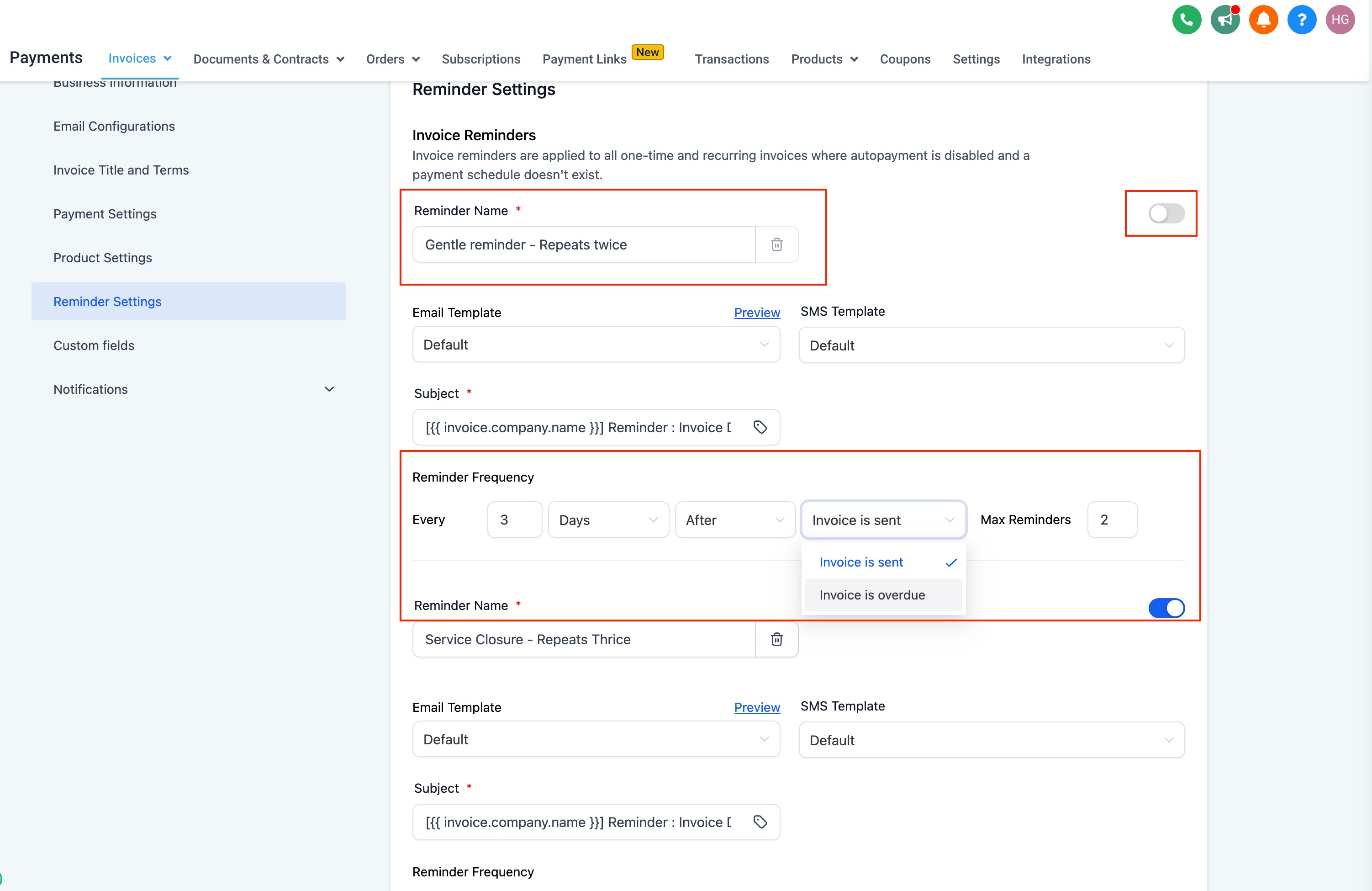
- Click on Add New Reminder to add another reminder
- Delete a reminder if needed or just turn it off using a toggle
Invoice Reminder Behavior & Manual Reminder Handling
1. Invoice Reminder Template Behavior
The previewed reminder template shown in the Invoice Settings is the correct template used for automated reminders.
Multiple reminders can be configured (e.g., Reminder 1, Reminder 2), each with its own timing.
Reminder automations only trigger after they have been enabled.
2. Behavior for Existing Overdue Invoices
Automated reminders do not apply to invoices that were already overdue before the reminder feature was enabled.
The system only sends reminders for invoices created after enabling the configuration.
Previously overdue invoices must be handled manually.
3. Manual Reminder Sending
Users may manually send a reminder to customers with overdue invoices.
When sending manually:
Selecting the contact will populate only the contact information.
Dynamic invoice fields (invoice amount, due date, invoice number) do not auto-populate when sending via manual message composer.
Manual reminder messaging is recommended only when necessary to avoid template mismatch concerns.
4. Invoice Due Date Configuration
Updating Invoice Due After (days) in Payment Settings impacts future invoices only.
Existing invoices—including recurring invoices already generated—are not updated retroactively.
Any changes apply solely to invoices generated after the update.
5. Key Operational Notes
Manual action is required for any invoice reminders related to invoices created prior to enabling reminder automation.
Staff should clarify expectations with users about dynamic field behavior in manual reminder emails.
Changing due-date settings is not retroactive and should be communicated clearly to users setting up recurring billing.