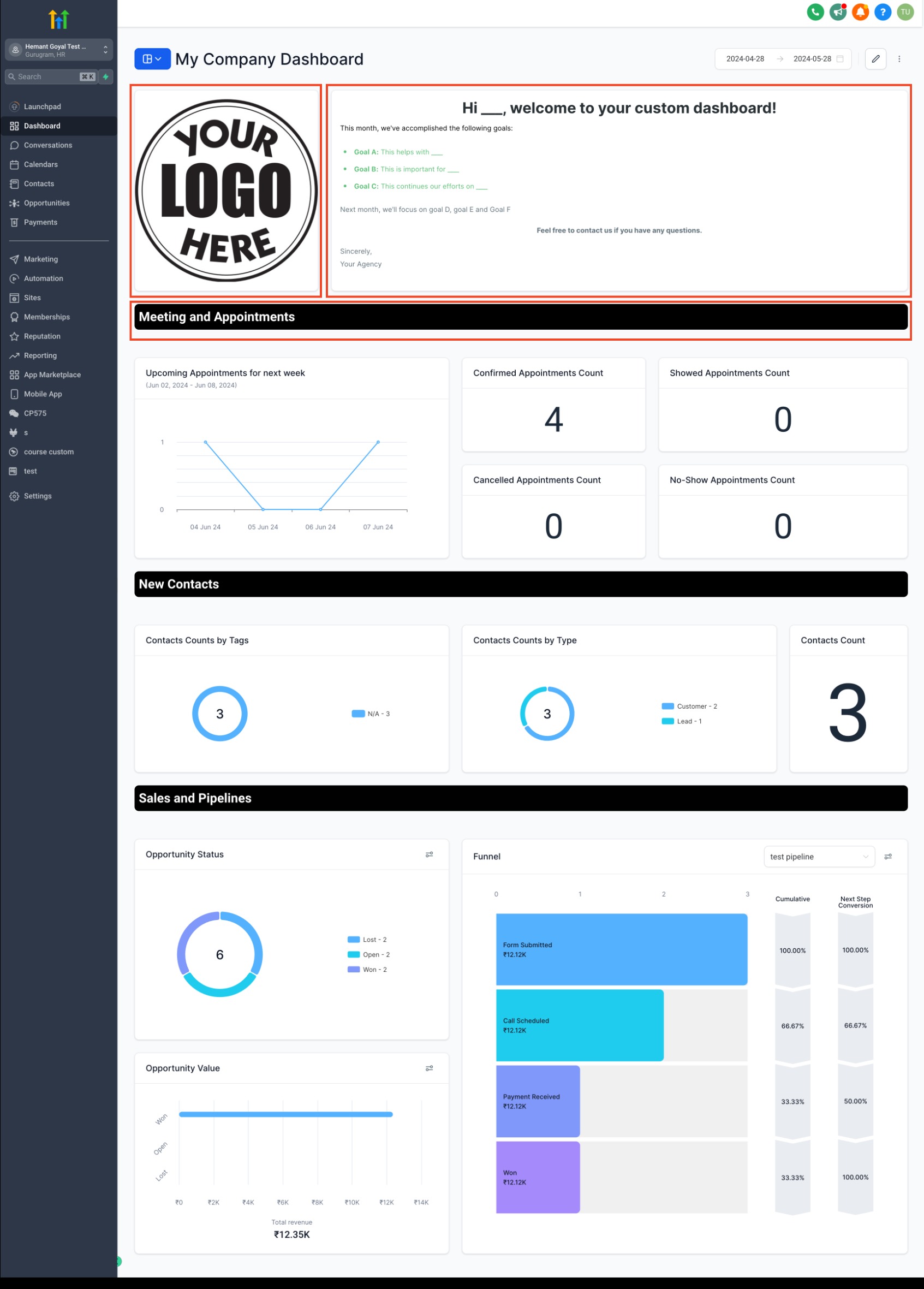
We're thrilled to introduce three new elements to enhance your custom dashboards: Titles, Textboxes, and Images!
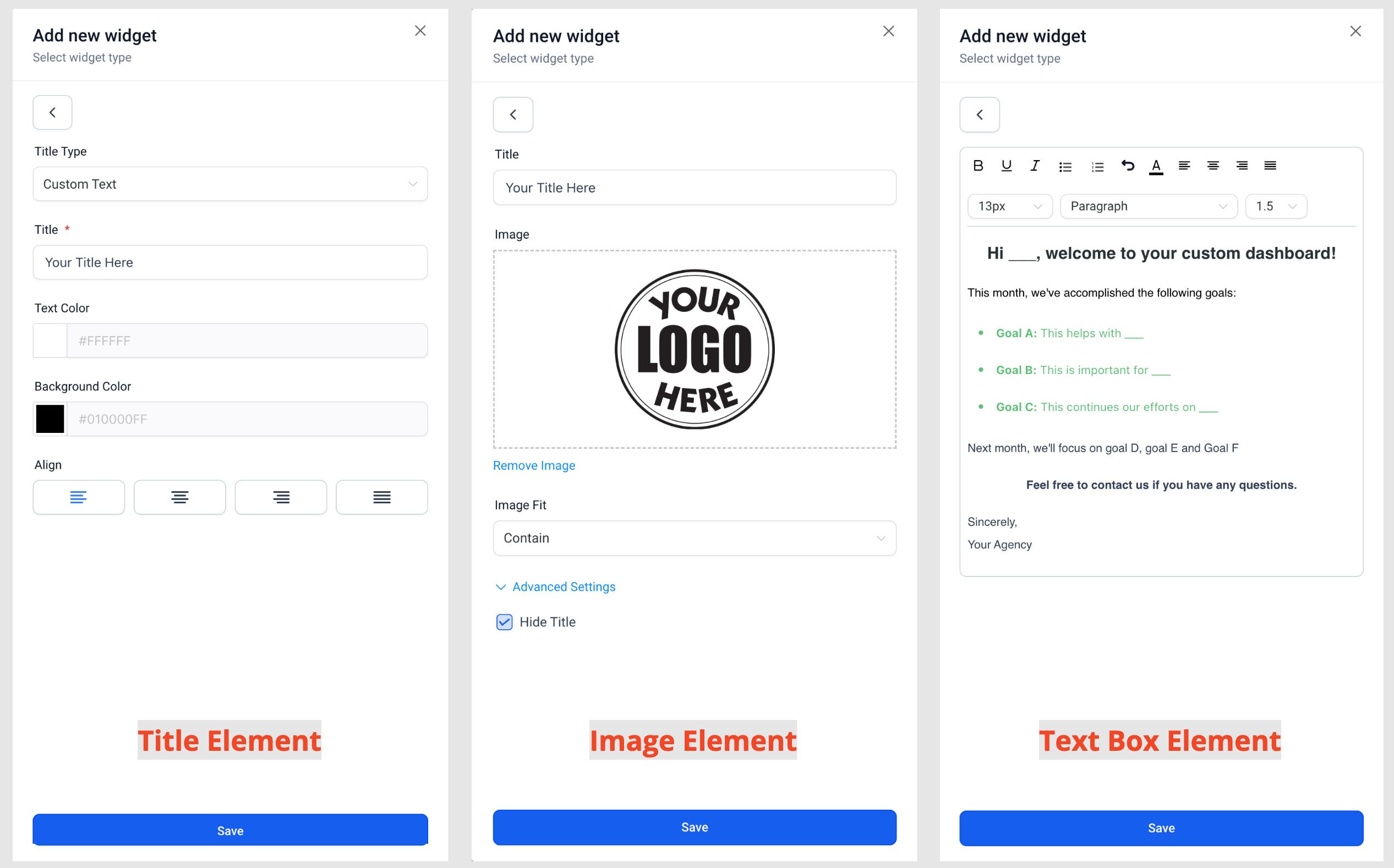
- Title:Easily add titles or headings to your dashboard to create organized sections and group widgets based on themes or categories.
- Textboxes:Provide valuable information or to-do lists for your team members directly on the dashboard. Whether it's instructions on how to interpret widget data or reminders for important tasks, textboxes help streamline communication and boost efficiency.
- Images:Enhance the visual appeal of your dashboard by uploading and embedding images. Whether it's logos, charts, or infographics, images provide additional context and make your dashboard more visually engaging.
How It Works:
- Enter Edit mode on your Dashboard.
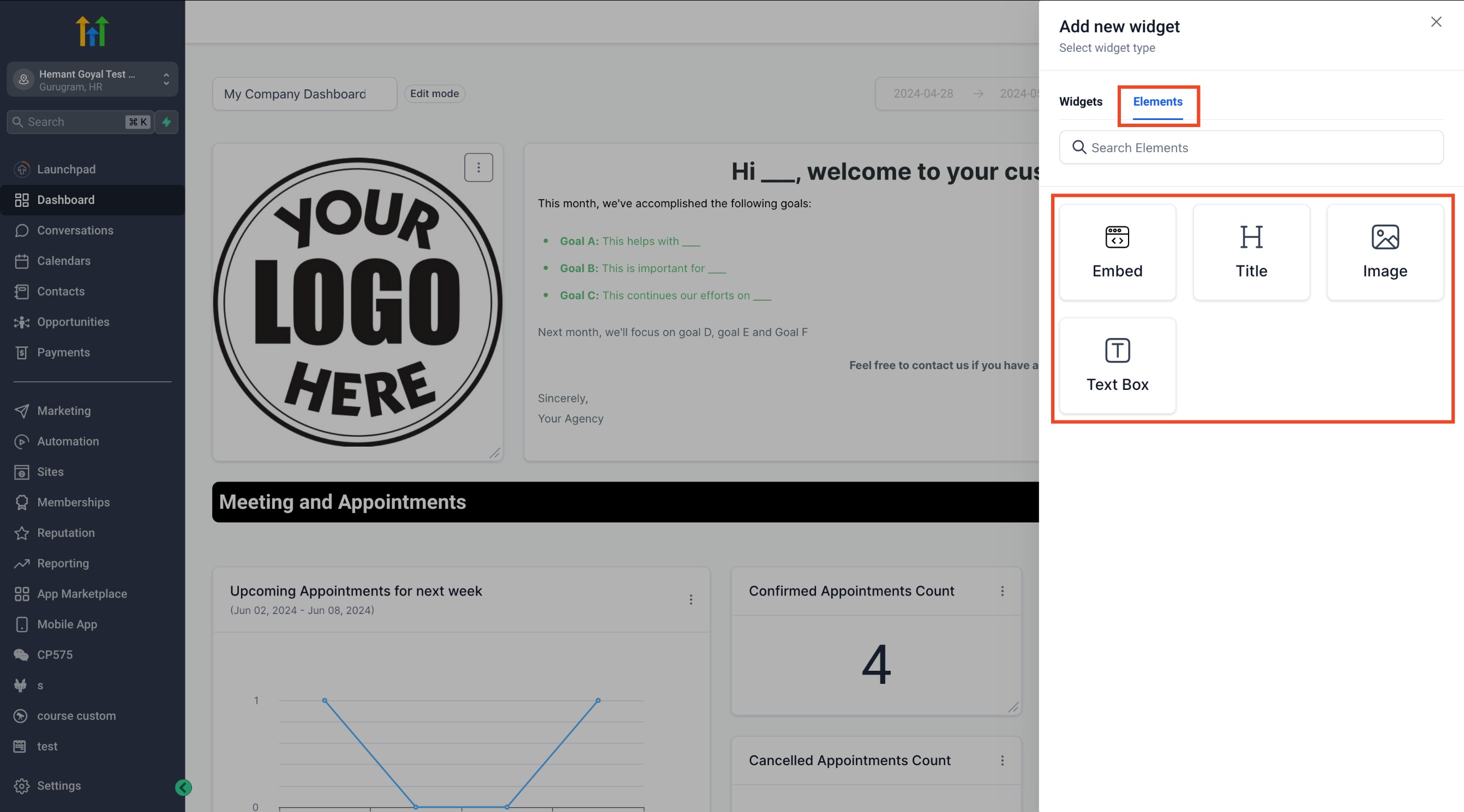
- Click on Add widget.
- Switch to the Elements tab.
- Choose from Titles, Textboxes, or Images.
- Configure the element to suit your needs.
- Save your changes.
Why it Matters:
- Improved Organization:Titles allow you to create clear sections on your dashboard, making it easier for team members to navigate and understand the layout.
- Enhanced Communication:Textboxes enable you to convey important information directly on the dashboard, reducing the need for separate communication channels and ensuring everyone stays informed.
- Visual Appeal:Images add visual interest to your dashboard, making it more engaging and impactful. Whether it's branding elements or visual representations of data, images help convey information more effectively.
These new elements empower you to create more informative, visually appealing dashboards that enhance collaboration and productivity within your team.