
Brand boards are a great way to keep your email marketing on point with your brand’s look and feel. They ensure that your emails are consistent with your brand’s visual identity by making key design elements like fonts and colors easily accessible. Here’s why and how you should use brand boards in your email campaigns.
Why Use Brand Boards in Emails?
1. Easy Access to Design Parameters
With a brand board, you have all your brand’s fonts and colors right at your fingertips. This means you don’t need to remember or manually enter color codes or font names every time you design an email. It’s all neatly organized and ready for use.
2. No Custom Values or Code Blocks Needed
Brand boards simplify the process by providing pre-set colors and fonts directly in your email editor. You don’t need to deal with custom values or complicated code blocks—just select from the options available.
3. Ensure Brand Consistency
Using brand boards in your emails helps maintain consistency across all your communications. Your emails will always reflect your brand’s style, which strengthens your brand identity and makes your messages instantly recognizable.
Basic Things to Know About Brand Boards
1. Visible Fonts and Colors
Only the fonts and colors from the default brand board will be visible in the color and font pickers within your email editor.
2. Access to Logos
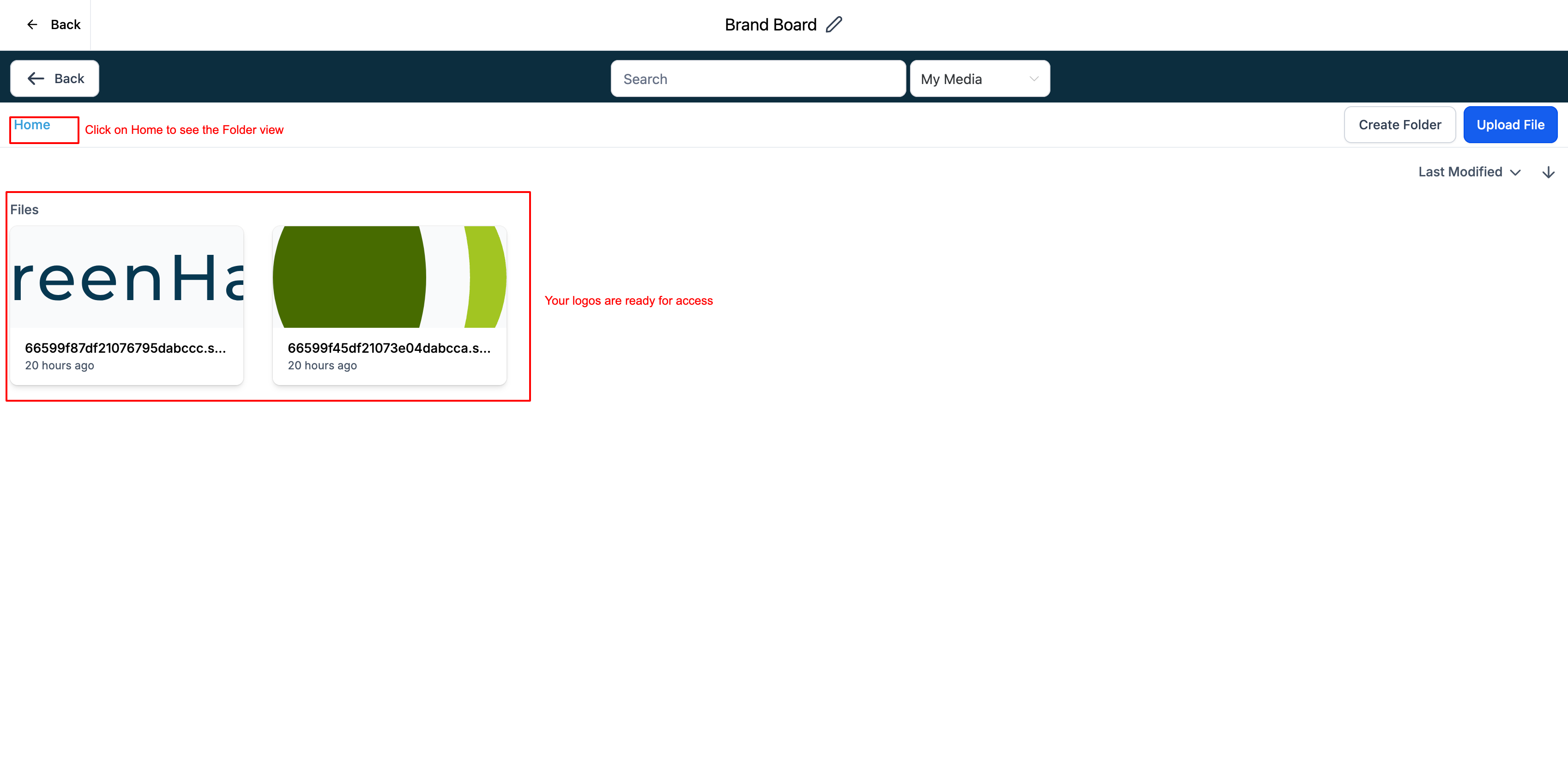
In the media library, you can view and use logos from all your brand boards. This makes it easy to incorporate your branding elements into your emails.
3. Changing Default Brand Boards
You can change the default brand board to see the color palette and fonts from different brand boards. However, remember that there can only be one default brand board at a time.
Steps to Use Brand Boards in Emails
1. Navigate to Marketing
- Go to the
Marketingsection in your platform’s dashboard.
2. Open Email Campaign or Template
- Click on
Email Marketingand open any existing campaign or template you want to edit.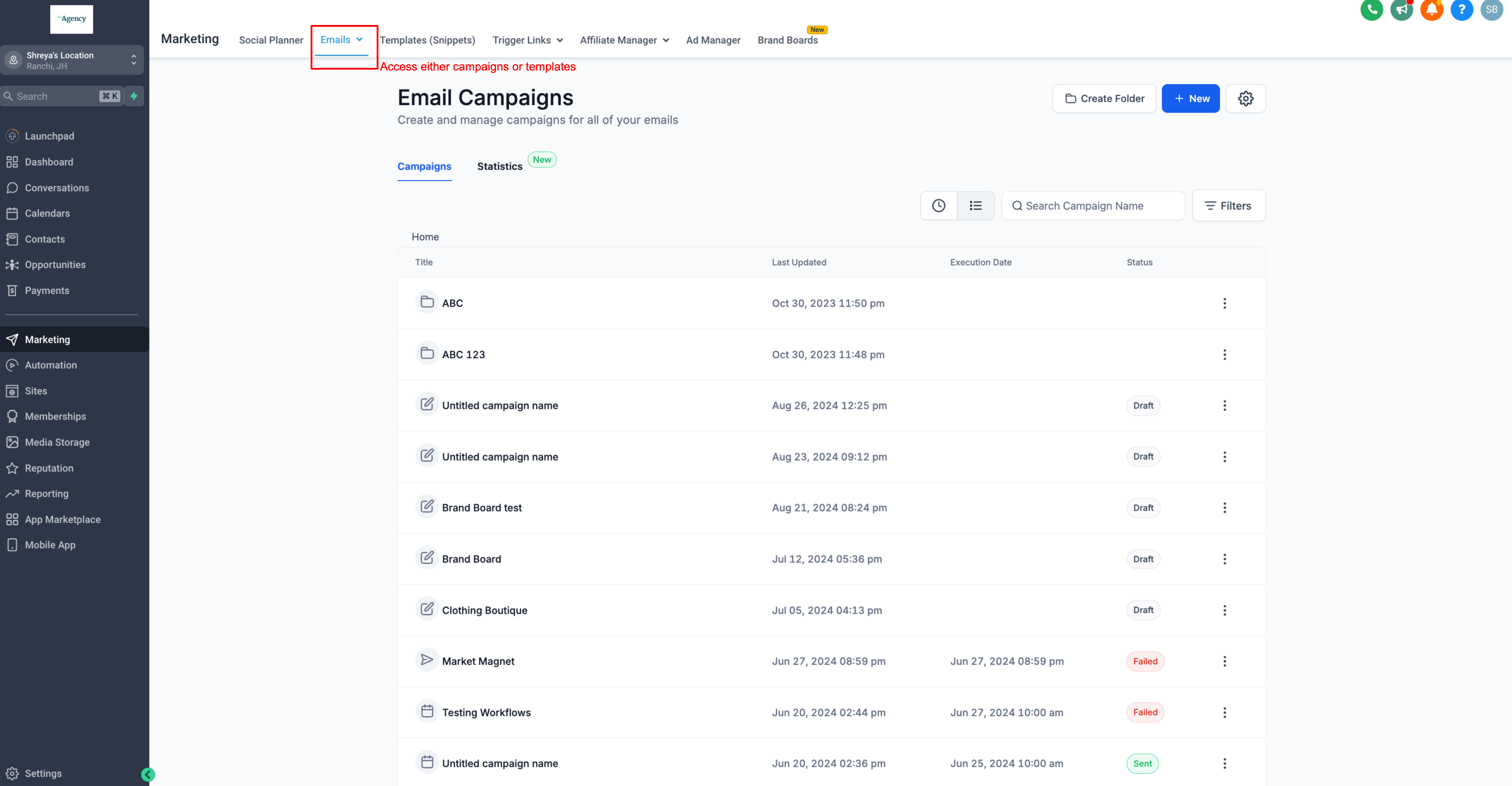
3. Using the Color Picker
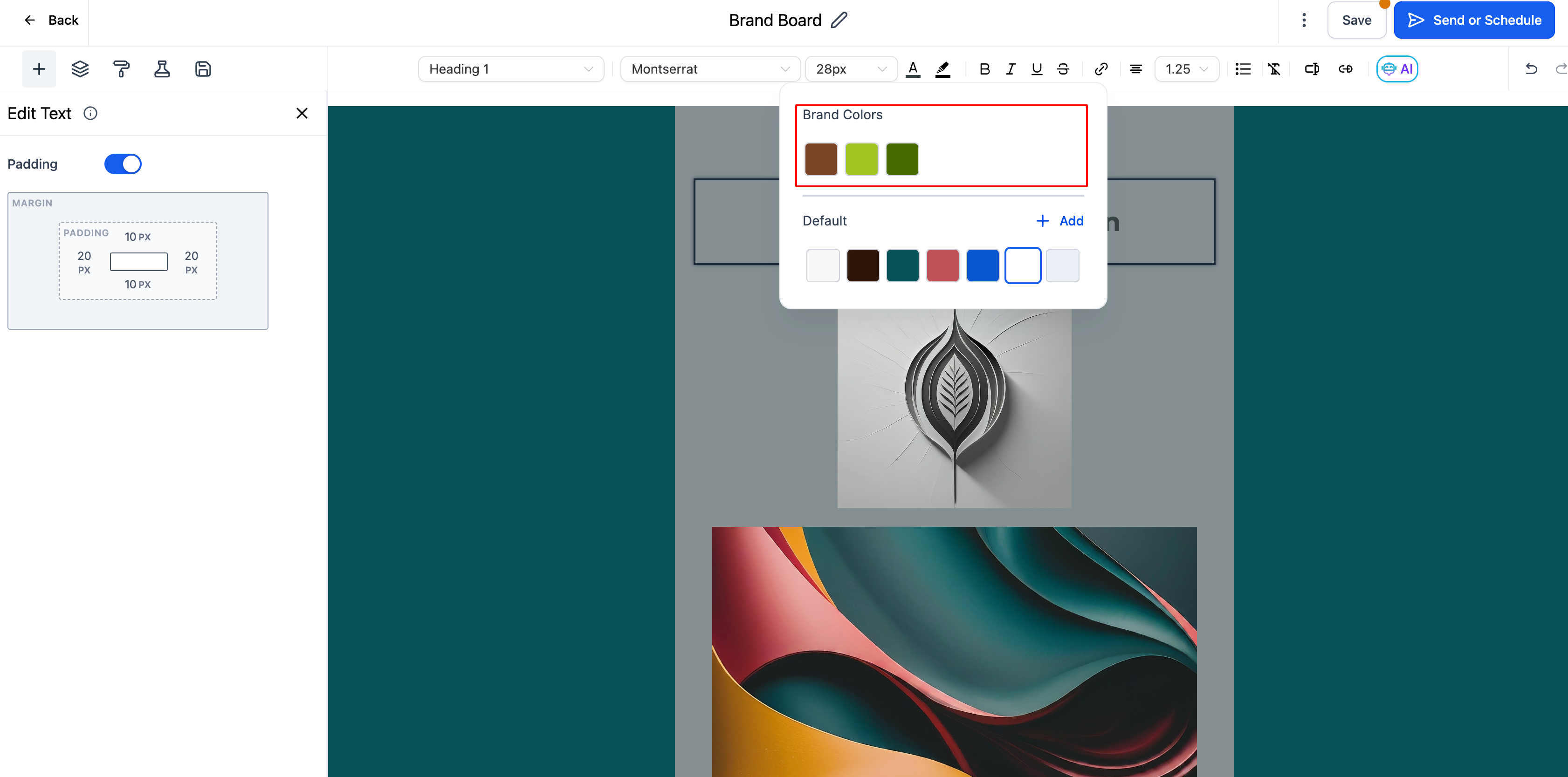
- To access your brand colors, start by editing a text block, changing colors in the appearance settings, or adjusting button colors.
- When you open the color picker, you’ll see your brand colors displayed at the top of the palette.
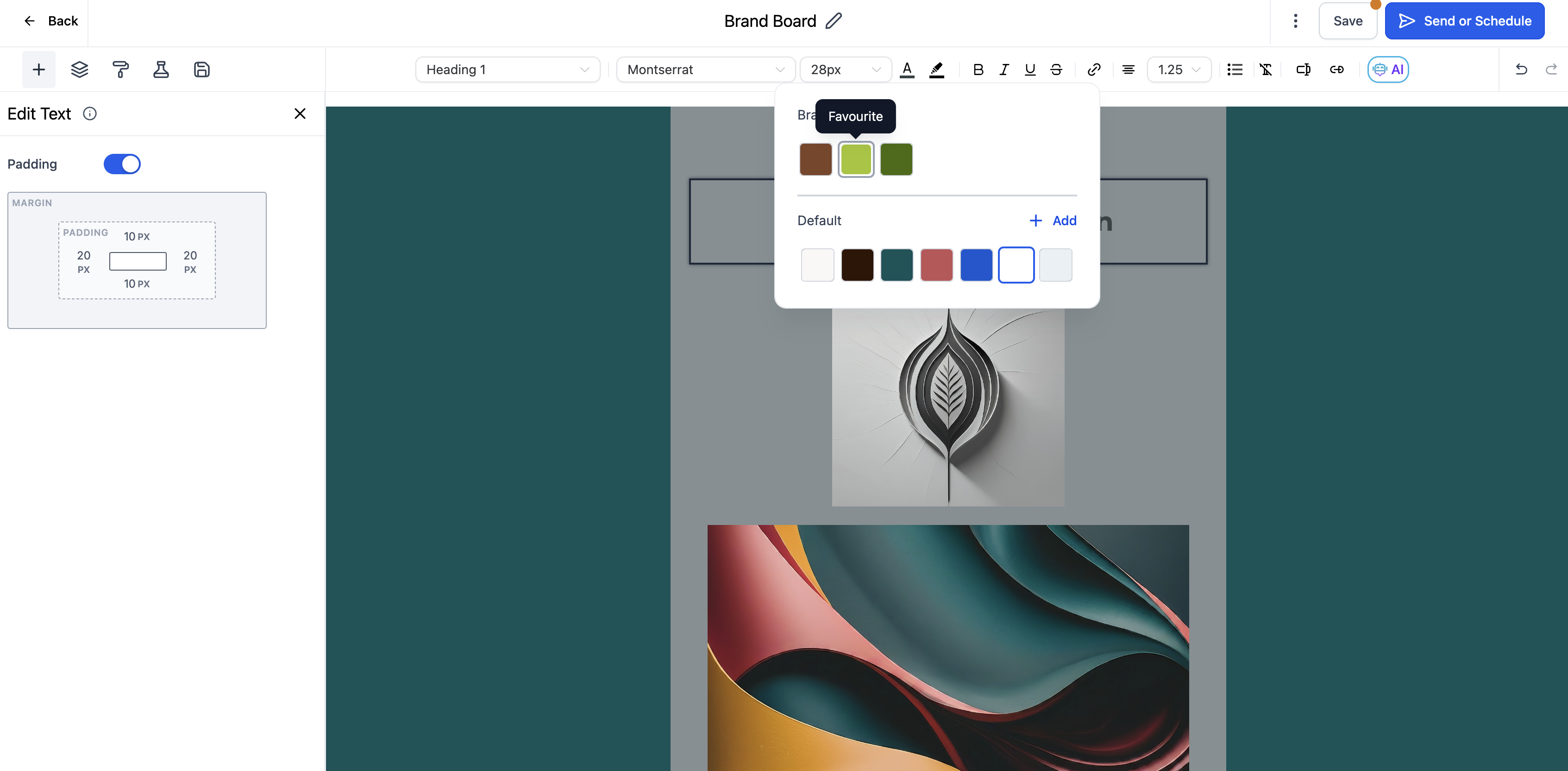
- The name of the color is as set in the brand board. Hover over the color to confirm the same.
4. Using the Font Picker
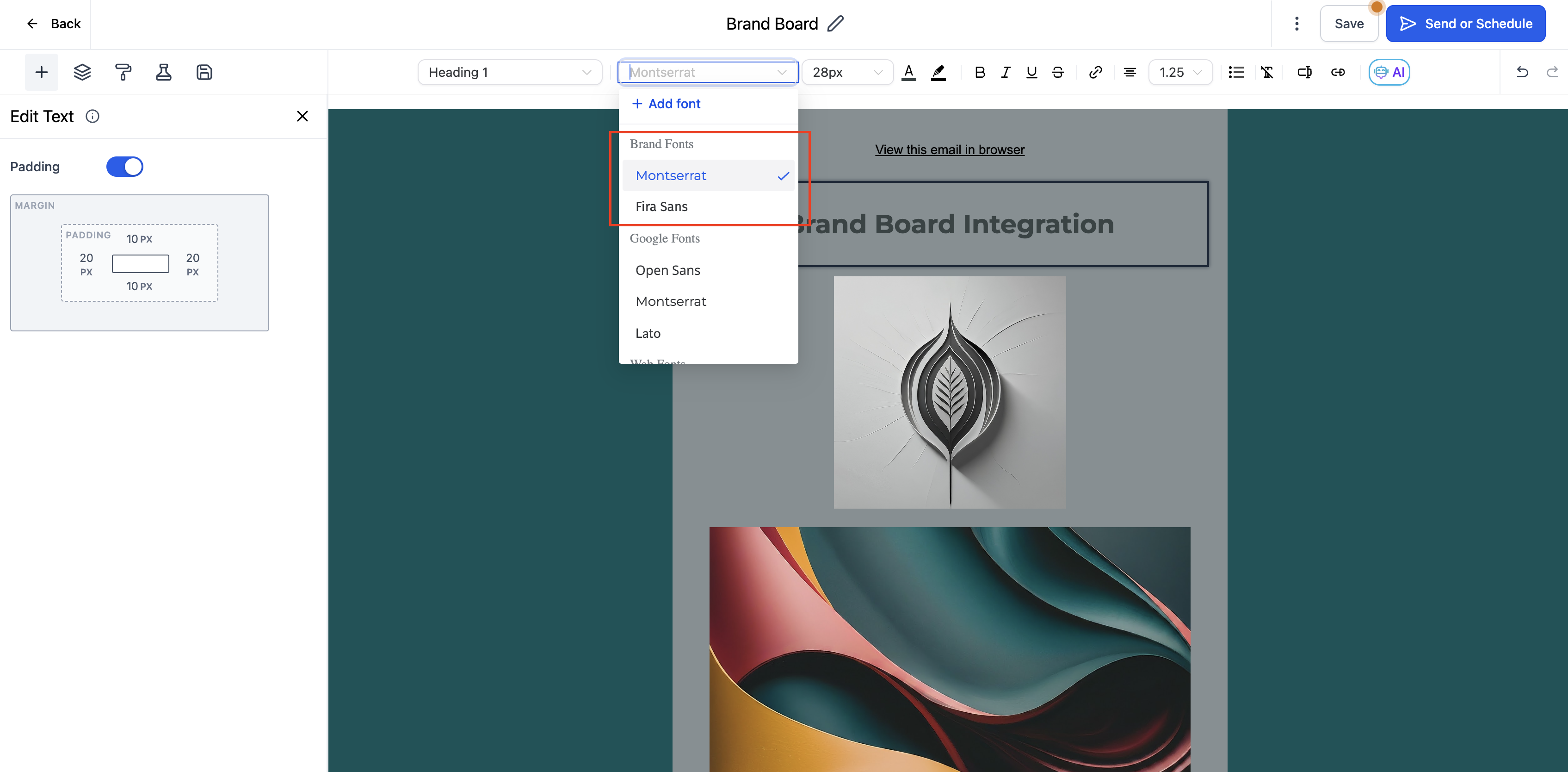
- Similarly, when you need to select a font, open the font picker section.
- Your brand fonts will appear at the top of the list, making it easy to choose the right one.
5. Accessing Logos
- To add a logo, open the media library either by adding an image or logo.
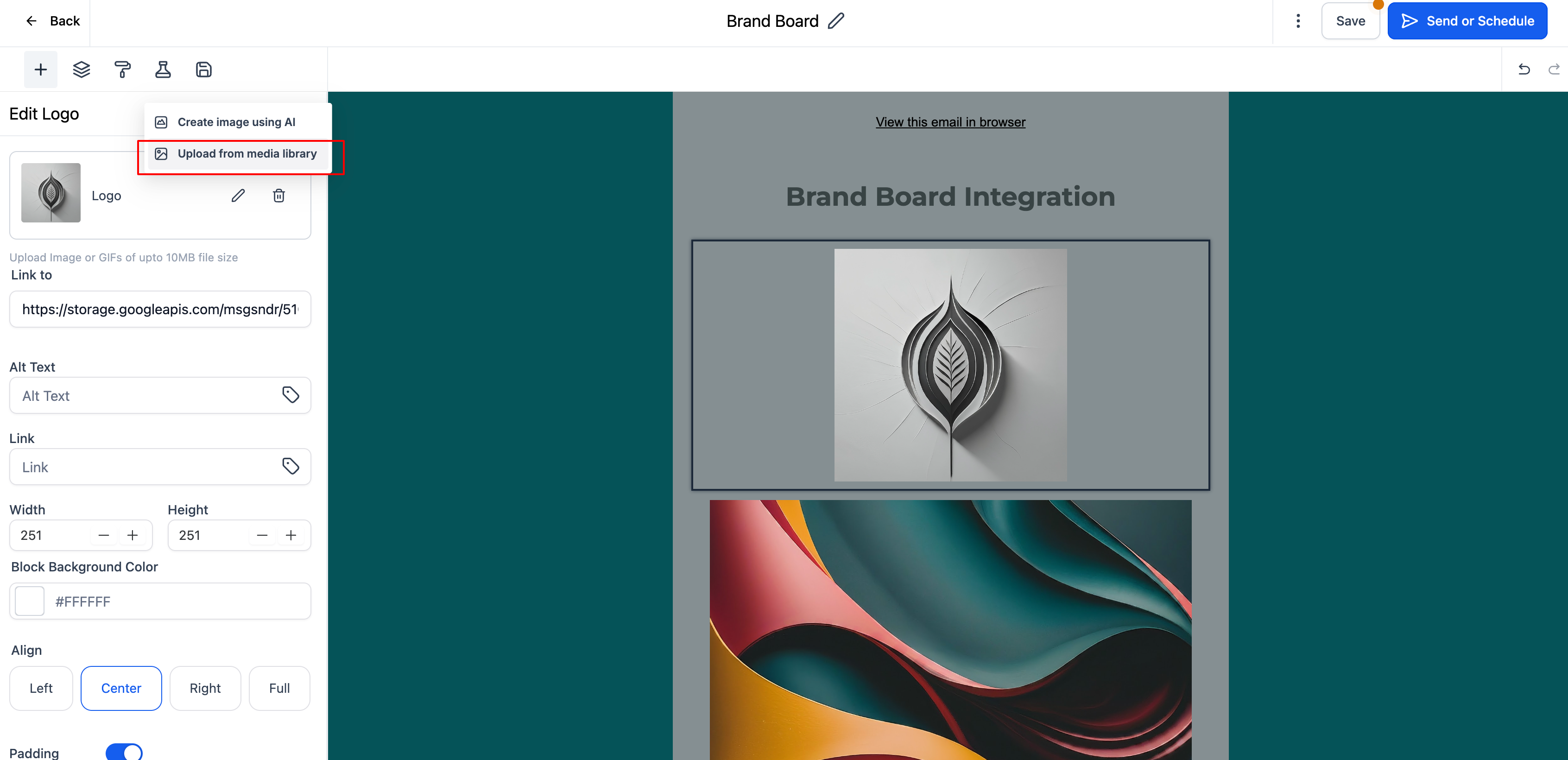
- You’ll be able to see all logos that have been added to your brand boards, allowing you to easily insert the correct logo into your email.
- Click on "Home" to navigate into a different folder
Using brand boards in your emails streamlines your workflow and helps ensure that all your communications stay true to your brand’s identity. By keeping your design elements organized and easily accessible, you’ll make your email marketing efforts more efficient and consistent.
Quick Links:
1. How to use Brand Boards in Funnels and Websites?
2. How to change default Brand Board?
3. How to edit a Brand Board?