
Your default brand board is a key part of managing your brand’s visual identity, especially in emails and funnels. It determines which set of colors and fonts will appear in the color and font pickers, ensuring that your branding elements are easily accessible. Here’s a quick guide to understanding and changing your default brand board.
TABLE OF CONTENTS
What is a Default Brand Board?
A Brand Board stores your core visual identity (colors, fonts, and logos) so you can apply consistent styling across SourCherry. Marking one board as the Default tells editors and pickers which branding guidelines to show within the editors, speeding up design and reducing mistakes. By default, the first brand board you create is set as the default.
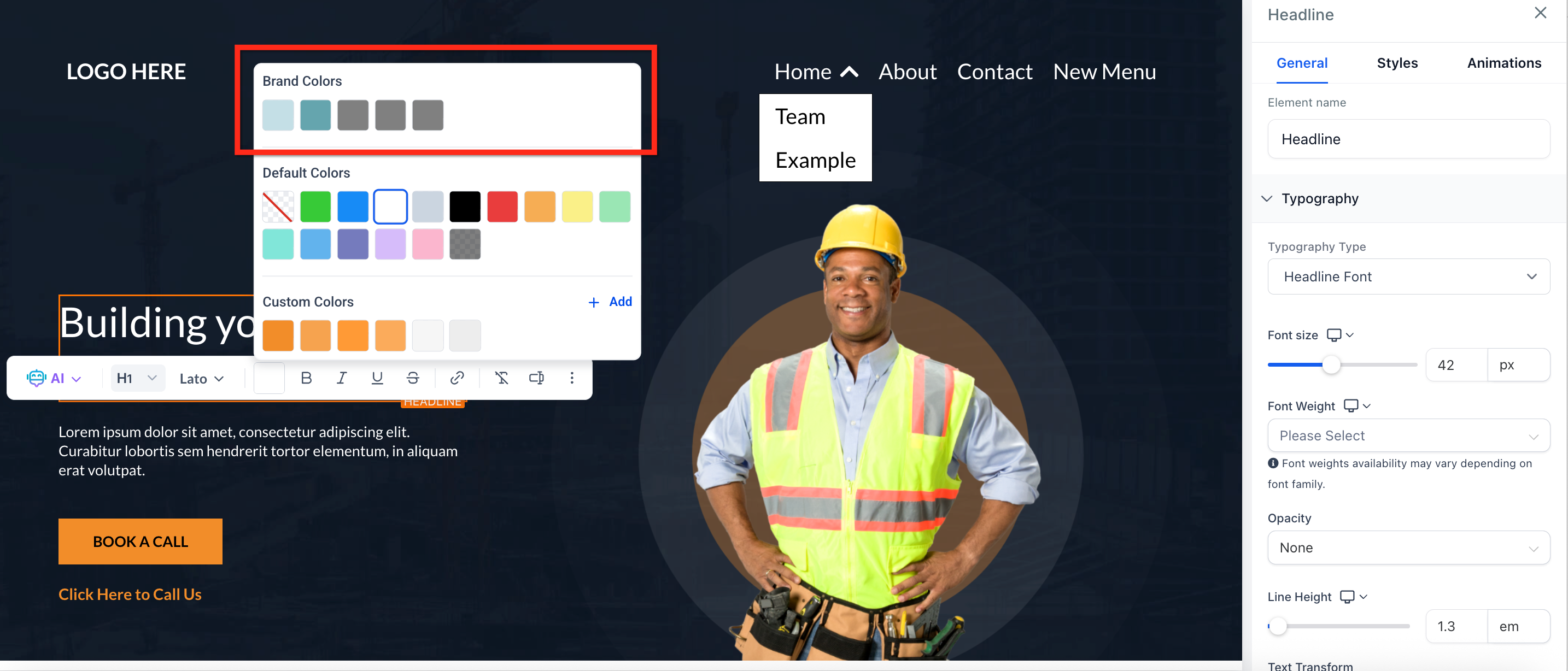
Below is an example of the default brand board colors displayed within the site editor, making it easy to keep your site design in line with your brand guidelines.
Key Benefits of Settings a Default Brand Board
Choosing a default improves day-to-day design speed and standardization.
Consistency: Keeps colors, fonts, and logos aligned across editors
Speed: Surfaces the right swatches and typefaces first in pickers.
Simplicity: Easy to switch between multiple brand guidelines during seasonal promotions.
Onboarding: New team members quickly apply the correct styling.
Reusability: Encourages a single source of truth for brand element.
When to Change the Default Brand Board?
- Updated Guidelines: Change the default board when there are significant updates to your brand guidelines, such as new colors, logos, or other key elements. This ensures that all materials and communications align with your latest branding.
- Specific Occasions: Change the default board for special occasions or themes, like a red theme for Christmas, if you want to reflect seasonal or event-specific branding. However, it might be more effective to create a separate theme or template for these occasions rather than altering the default board, so you can easily switch between the default and themed boards as needed.
How to Change the Default Brand Board
Changing the default brand board is simple:
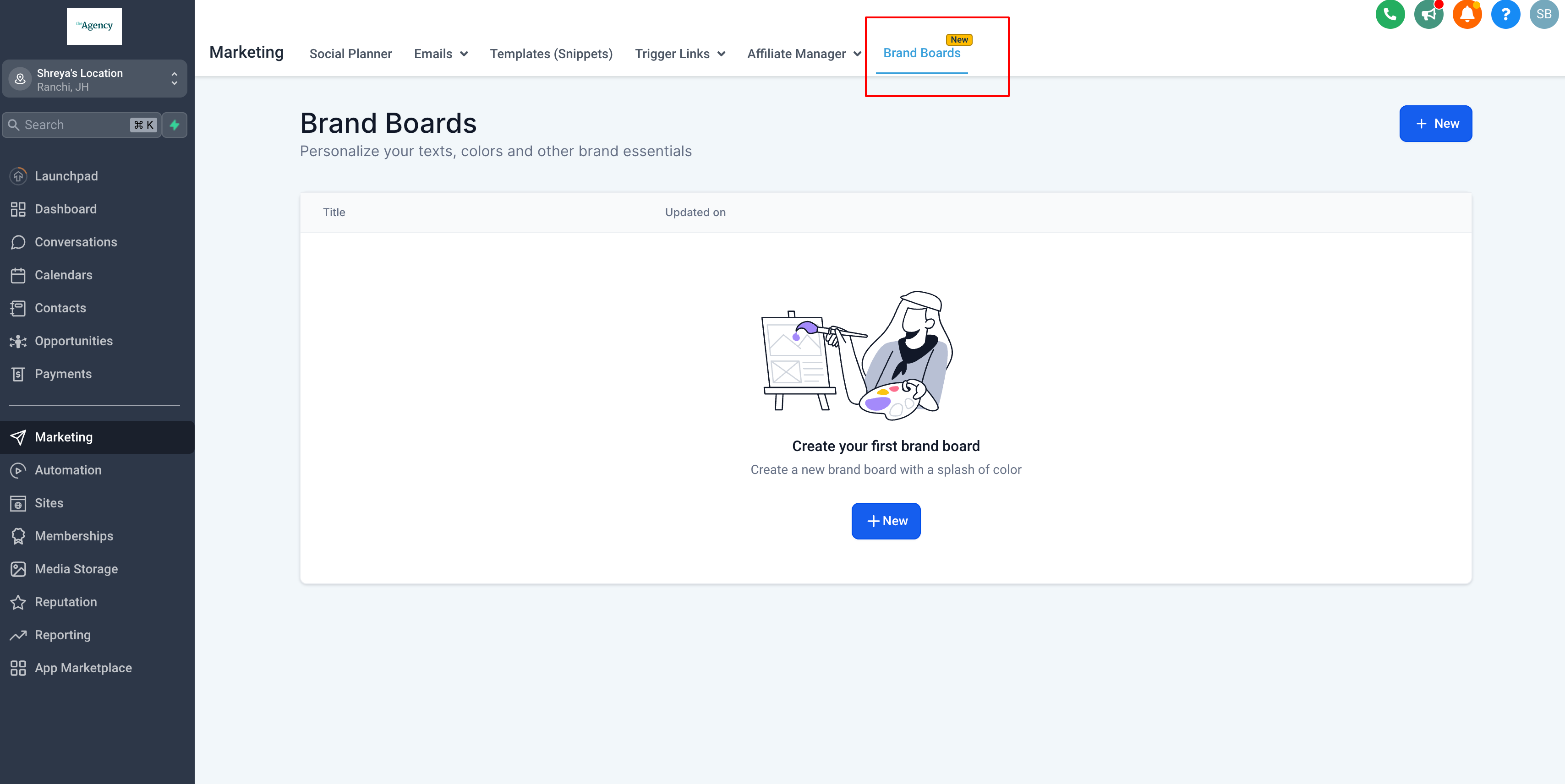
Step 1: Go to Brand Boards
- Go to Marketing in the main navigation bar
- On the top navigation ribbon, select the Brand Boards tab
- Or access Brand Boards through Settings > Brand Boards
Step 2: Set Your Board as Default
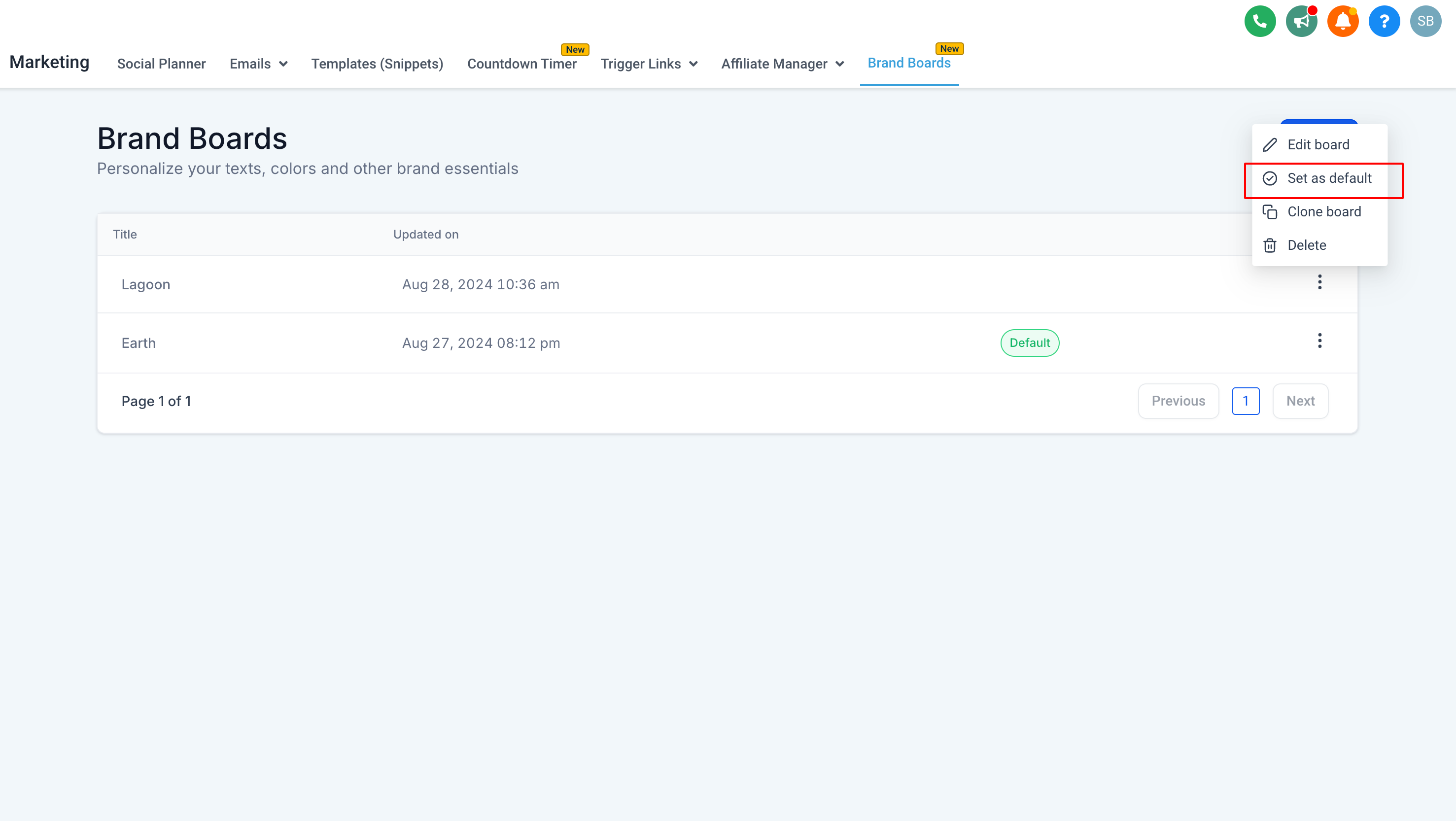
- Find the brand board you want to set as default
- Click the three dots icon next to the desired brand board
- Select Set as Default
Step 3: Edit Mode
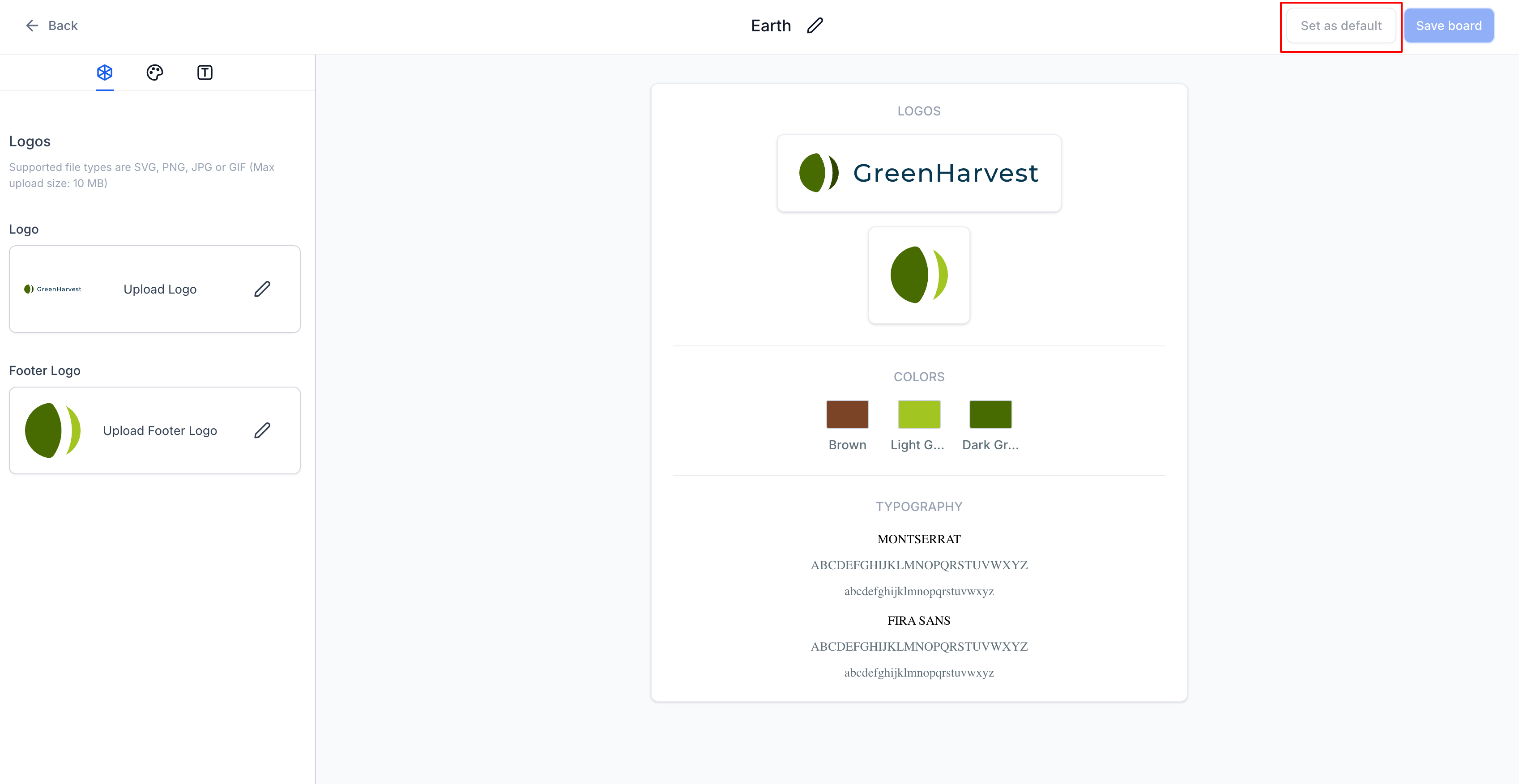
Alternatively, you can set the brand board you wish to make as default while editing the Brand Board:
- Click on the desired Brand Board to open the editor
- In the upper right corner, click on the Set as Default button
Step 4: Check Default Board
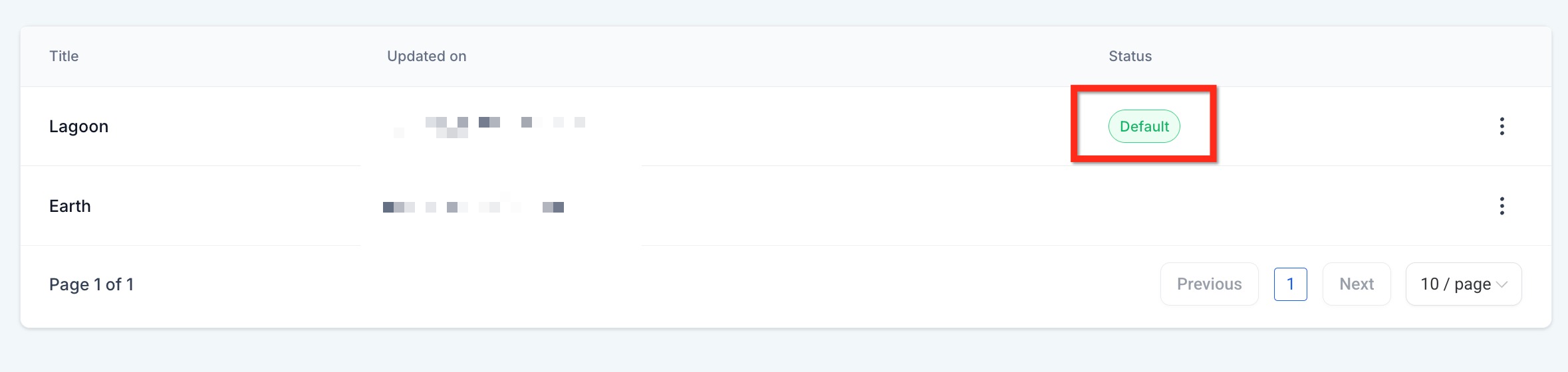
- The Brand Board set as default will have Default show as the status
- You can also open an editor to confirm the selected brand colors appear
Frequently Asked Questions
Q: Can I switch the default again later?
Yes. Repeat the same steps on another Brand Board and set that one as default. Keep in mind that only one Brand Board can be set as default at any time.
Q: What if I don’t have any Brand Boards yet?
Create one first and it will automatically be set as the default Brand Board. To learn how to create a brand board, see: How to Create a Brand Board
Q: Does changing the default update existing emails and pages automatically?
No. It updates what appears first in pickers for new or future edits. Existing assets keep their current styling until you manually edit them. Changing the default Brand Board does not make any changes to your assets.