The "Only Assigned Data" setting in Roles and Permissions is a powerful tool designed to enhance data security and streamline user experiences. This setting ensures that team members only see data specifically assigned to them, minimizing confusion and maintaining data integrity.
TABLE OF CONTENTS
Why and How to Use "Only Assigned Data" with Dashboards
Use Cases and Benefits:
- Enhanced Security: By limiting data visibility, sensitive information is protected from unauthorized access, ensuring that only relevant team members can view specific data.
- Improved Efficiency: This feature automatically filters dashboard widgets to display data pertinent to the user without the need for manual filtering. This reduces setup time and allows users to focus on their tasks.
- Simplified Workflow: The system automatically restricts widget data, preventing users from seeing information that isn’t relevant to their role. This results in a more organized and user-friendly dashboard experience
Examples of Use:
Sales Teams: Sales managers can ensure that sales representatives only see their own leads and opportunities, preventing data overlap and enhancing focus.
Customer Success: Team members can be restricted to viewing only their assigned customers, calls, or appointments, leading to faster response times.
Step 1: Navigate to Settings:
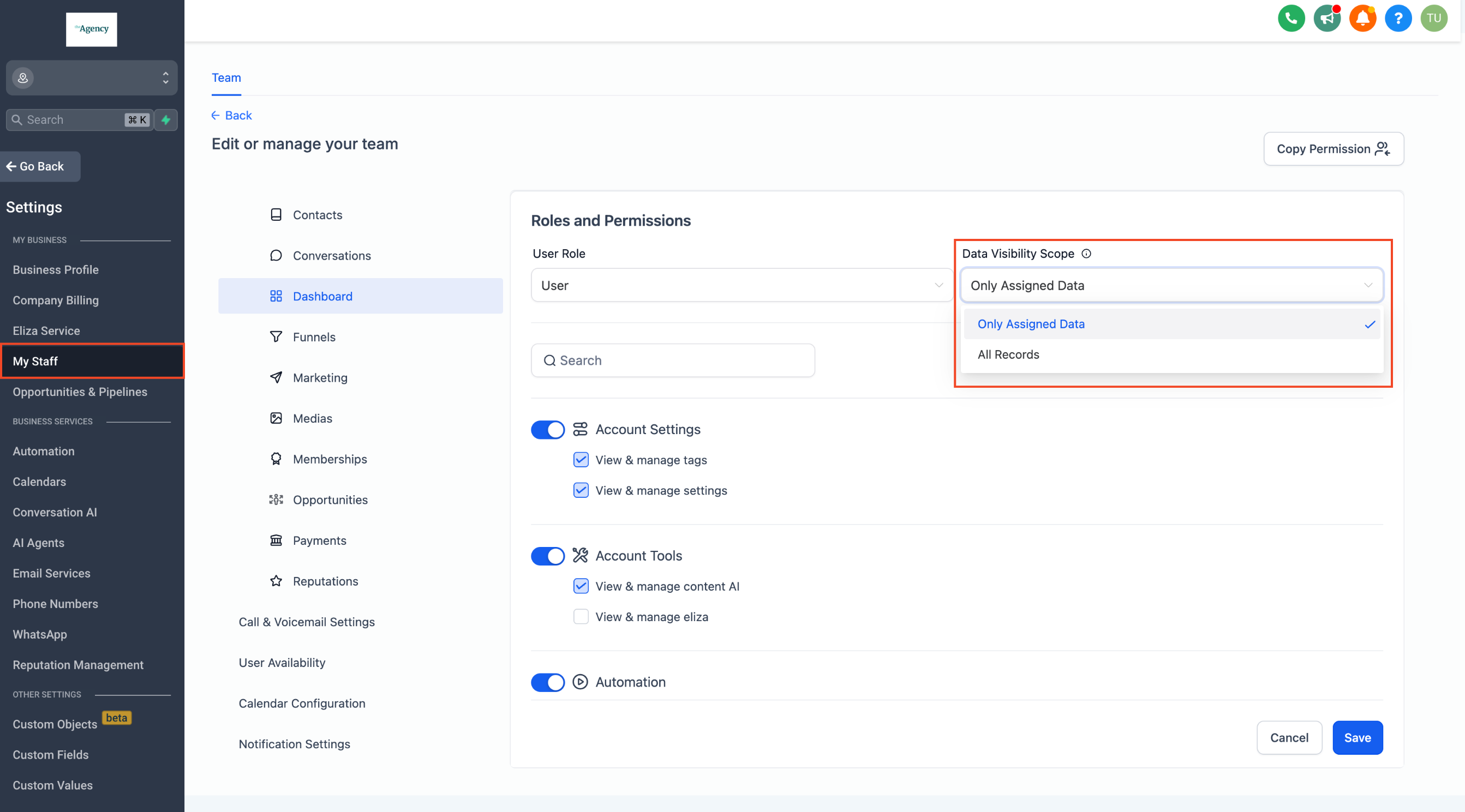
- Click on Settings -> My Staff
- Search for the specific team member whose data visibility you want to configure. Click on the
Editaction next to their name.
Step 2: Enable "Only Assigned Data":
In the Roles and Permissions section of the profile, find the Data Visibility Scope option.
Select Only Assigned Data from the dropdown menu.
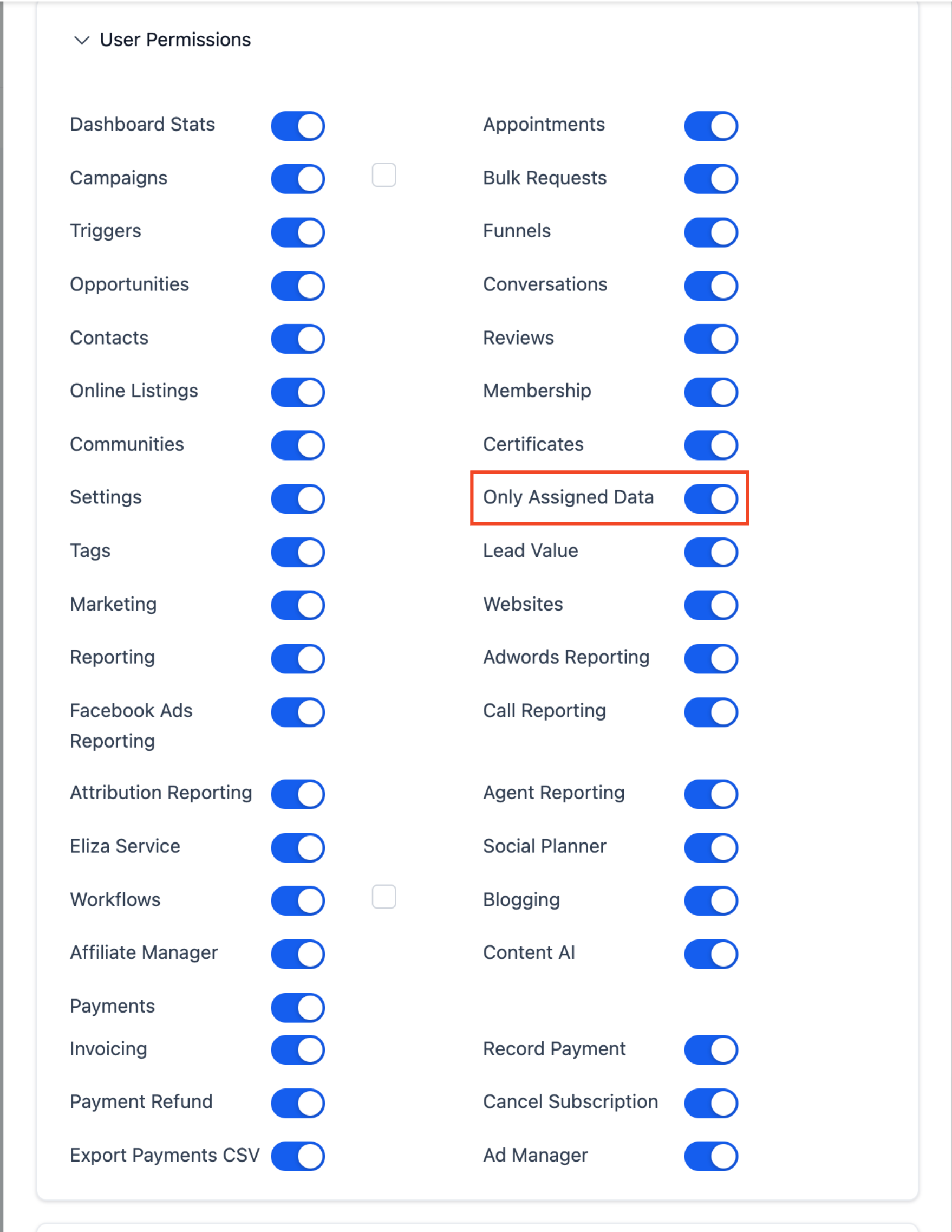
As per the older User Permission screens.
Step 3: Save
Please Note:
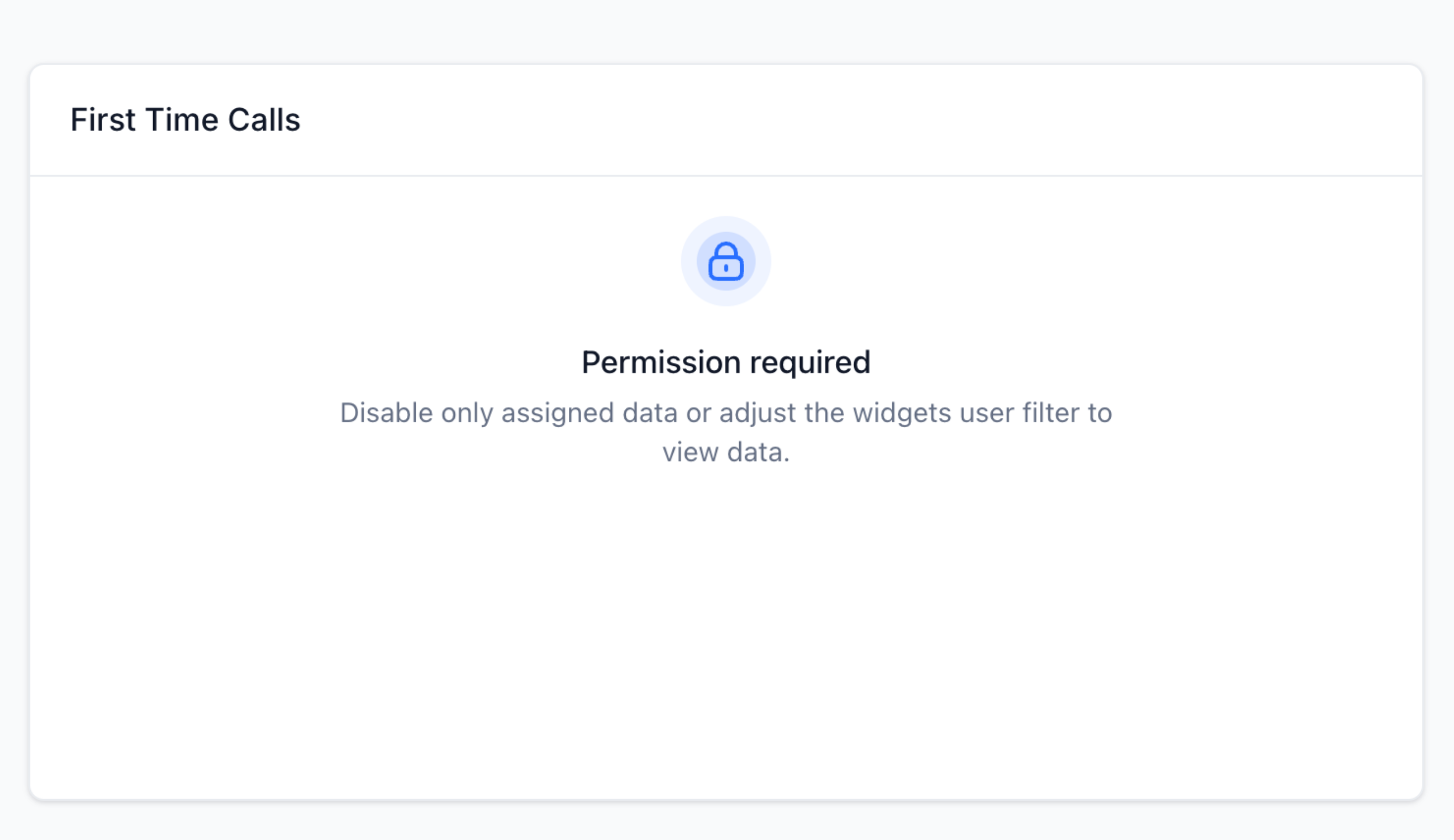
If a widget has a hardcoded filter for another team member, users with "Only Assigned Data" enabled will see a permission-required message.