
Instagram DM - Action:
The workflow action Instagram DM allows you to send an Instagram DM to the contact (contact needs to have previously messaged a connected Instagram page no more than 24 hours before arriving at this event in order for the message to successfully deliver)
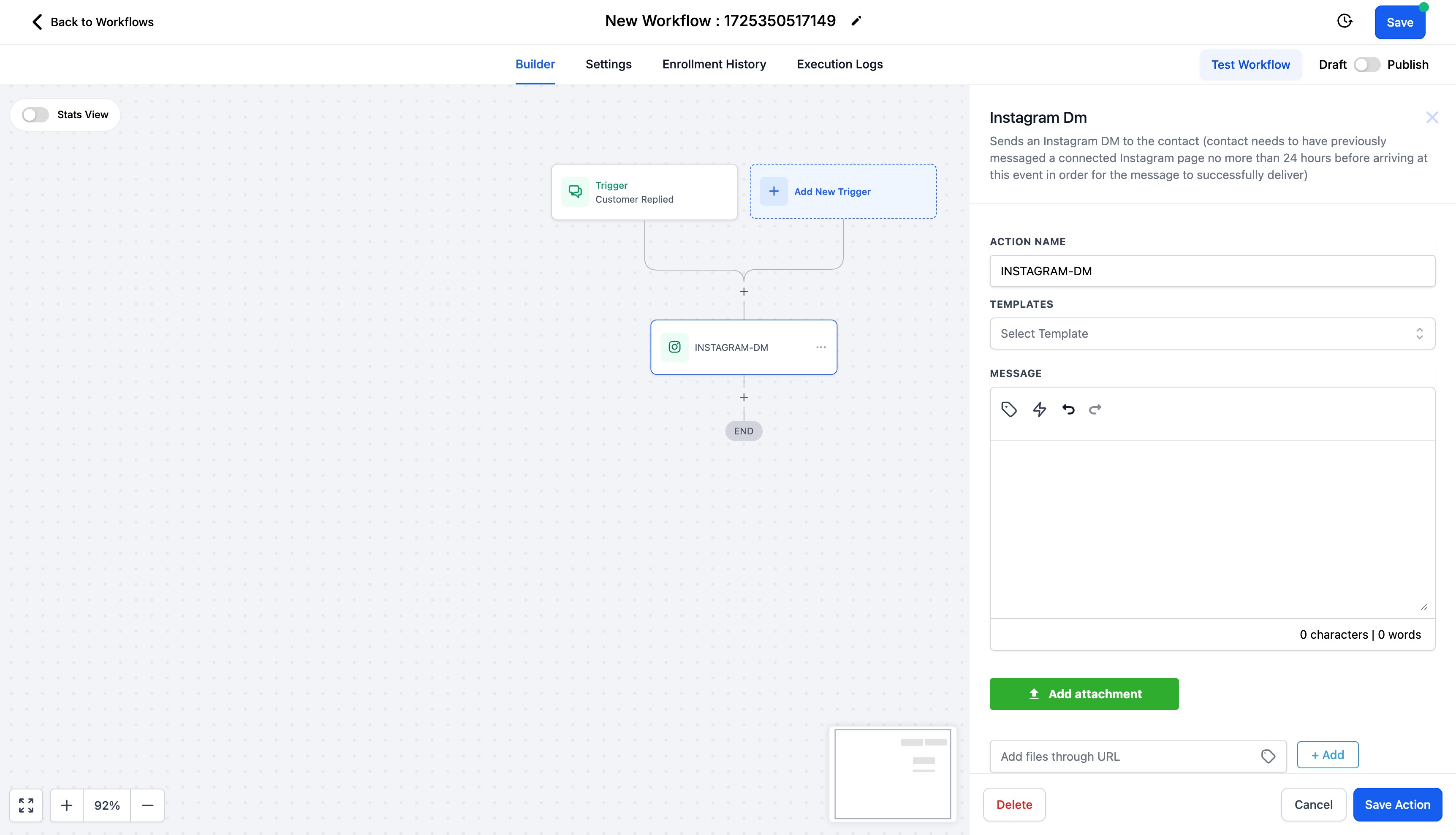
You can select from pre existing templates or even right your own message.You also have the ability to attach files. Click on "Add attachment" and select an attachment from your drive or enter the URL to add the files.
Use this action with the Trigger - "Customer Replied" and reply channel is "Instagram DM".
Please Note:
- This action should be used to send DMs to contacts only if the contact has sent a DM in last 24 hours.
- If this action is used with "Instagram Comment(s) on Post" workflow trigger,
- DM will be sent as a Reply to Comment if there is any recent comment on your Instagram post.
- DM will be sent as a Direct DM if there is no recent comment, provided the contact has sent a DM to your business within the last 24 hours.
Recommendation:
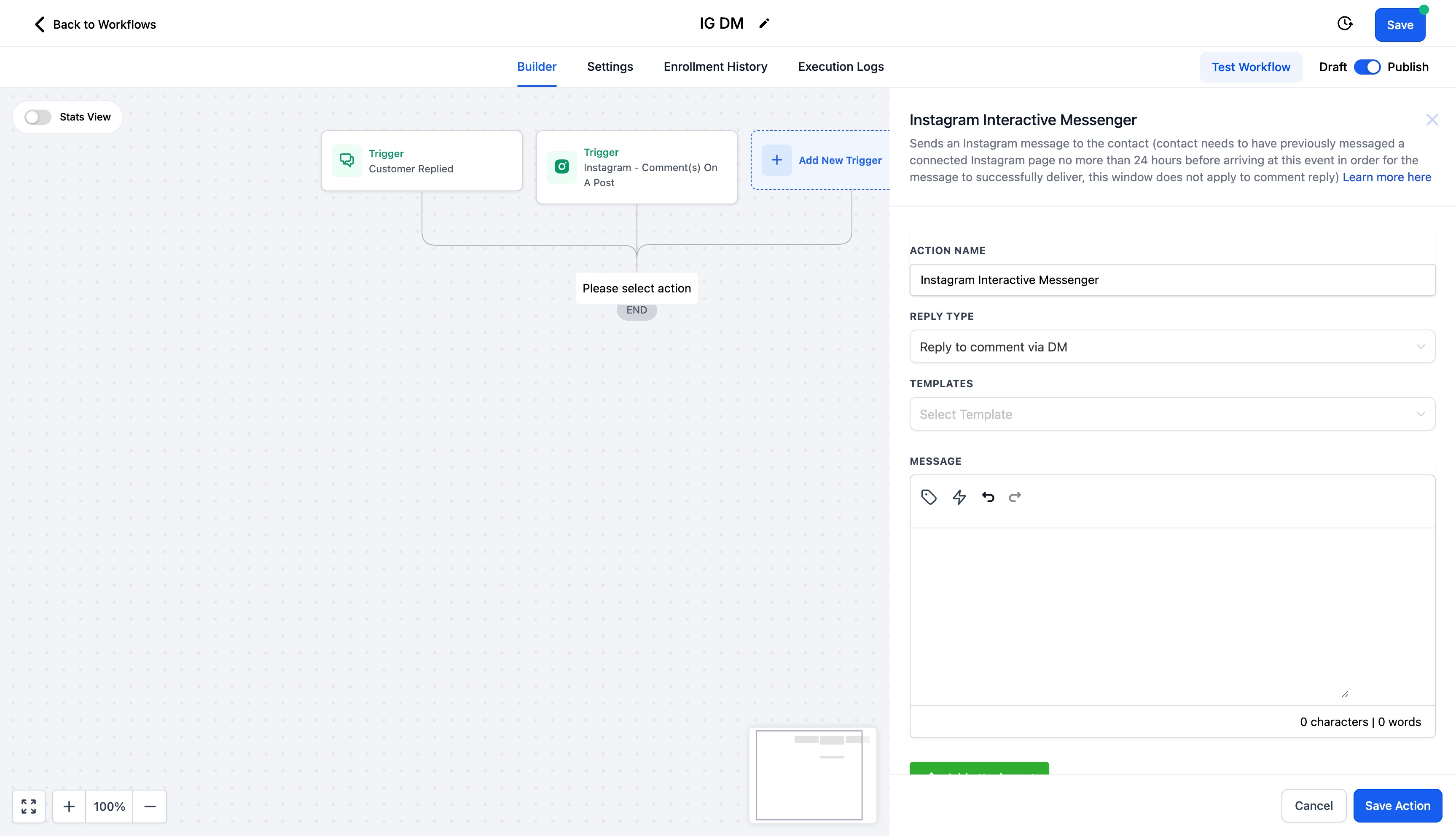
Use the "Instagram Interactive Messenger" action, to send Instagram DMs to contacts.
- If you are replying to a comment, set the Reply Type as Reply to Comment via DM
- If you are sending a direct DM, set the Reply Type as "Reply to DM"
You can view more details on "Instagram Interactive Messenger" Action - Here.
Note:
Previously, until August 31, 2024, you were able to send a direct message to any contact who commented on your Instagram post via the "Instagram DM" workflow action, regardless of whether they had sent a DM to your business within the last 24 hours. This was due to a bug on Meta's end, which has now been resolved.