
We are thrilled to announce a game-changing feature: the ability to sell Snapshots in the App Marketplace! This exciting release empowers agencies to monetize their expertise by offering Snapshots to other agencies, while also simplifying app creation for Snapshot creators.
TABLE OF CONTENTS
- What is the App Marketplace for Snapshots?
- Why Sell Snapshots on SourCherry?
- How to Sell Snapshots in the App Marketplace
- Protecting Your Intellectual Property (IP)
- Frequently Asked Questions
What is the App Marketplace for Snapshots?
The App Marketplace allows agency admins to to monetize their CRM expertise and package their configurations into a scalable product!
- Sell their Snapshots to other SourCherry agencies.
- Use a variety of pricing models, including one-time, monthly, or yearly subscriptions.
- Protect their Snapshot assets from unauthorized reselling with IP Protection.
Why Sell Snapshots on SourCherry?
- Monetize Your Expertise: Transform your CRM configurations into a product that other agencies can buy.
- Broaden Your Reach: SourCherry’s App Marketplace provides a platform to showcase your Snapshot to a wide customer base.
- Secure Your Assets: IP Protection ensures your intellectual property is safeguarded from unauthorized use.
How to Sell Snapshots in the App Marketplace
Streamlined Snapshot Listing Flow (Sell on Marketplace)

When you select “Sell on Marketplace” from Agency View → Account Snapshots, SourCherry starts the Snapshot listing journey immediately and routes you directly into the Snapshot listing module in the Developer Portal.

In this module, you can review the assets included in the Snapshot early in the flow before you continue. SourCherry also uses a Snapshot-only listing path to reduce unnecessary steps and screens.
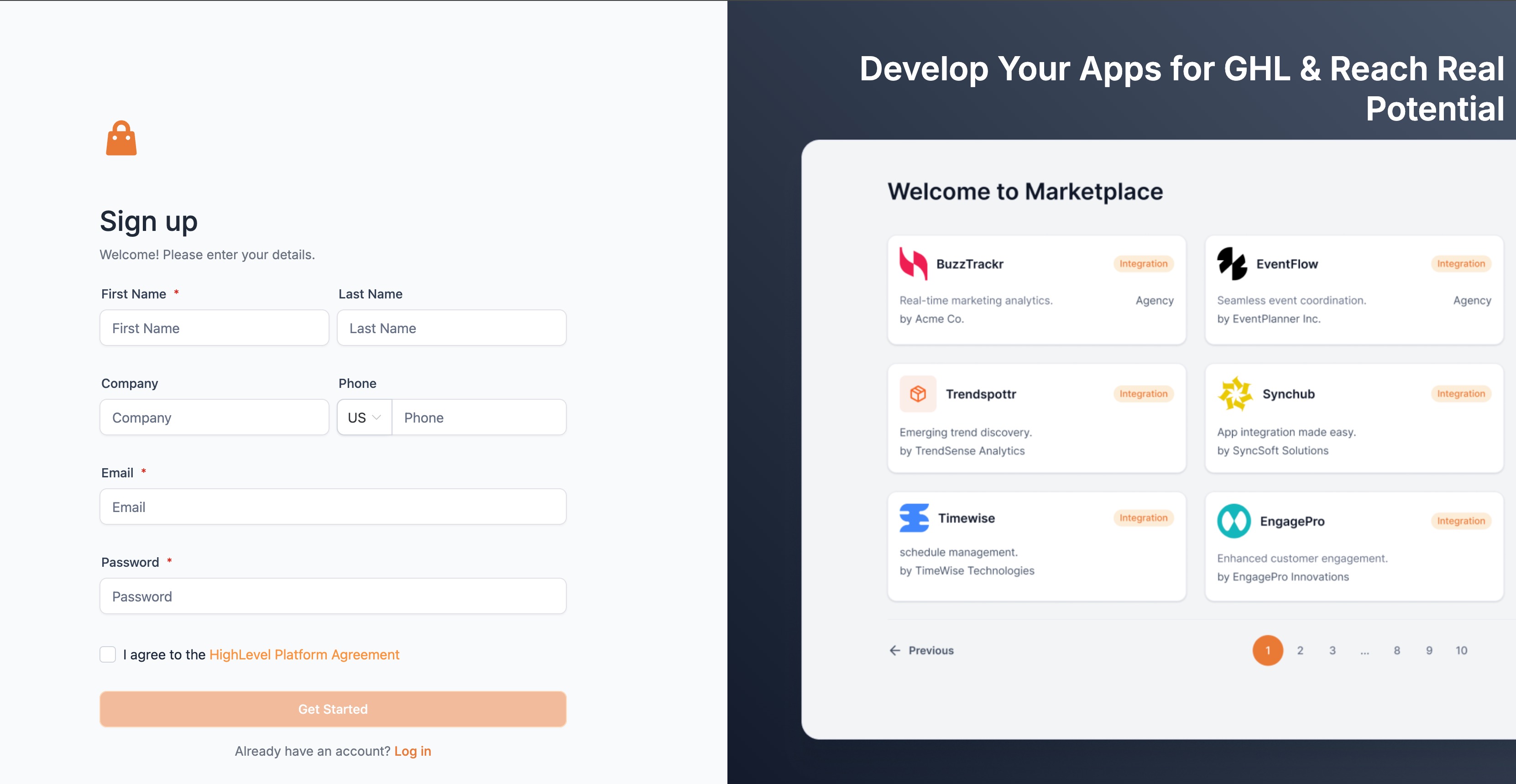
Step 1: Sign Up for the Developer Portal
- Visit https://marketplace.SourCherry.com
- Sign up and complete the registration form.
- Verify your email to gain access to the Developer Portal.
If you are new to the Developer Portal, complete the setup steps above when prompted during listing. Returning sellers may be routed directly into the Snapshot listing module after selecting “Sell on Marketplace.”
Step 2: Create Your App
- Log in to the Developer Portal and navigate to My Apps.
- Click on Create an App.
- Configure your app:
- Name: Provide a clear and descriptive name for your app.
- App Type: Set the type to Public.
- Distribution Type: Choose between:
- Agency: Charge agencies directly.
- Sub-Account: Charge sub-accounts each time the Snapshot is pushed.
- Listing Type: Select either Standard or White-Label (recommended for broader reach).
- Name: Provide a clear and descriptive name for your app.
Step 3: Provide App Details
- Add a logo, tagline, and description for your app.
- Specify your company name and website to build trust with potential buyers.
- Upload preview images or a demo video to enhance your app’s value proposition.
- Include customer support details to ensure buyers can reach you if needed.
Step 4: Configure Pricing
- Decide whether your app will be a free or paid app:
- Free: No cost to the buyer.
- Freemium: Free with premium features available for a fee.
- Paid: Charge a one-time fee, monthly, or yearly subscription.
- Free: No cost to the buyer.
- Define the pricing plan, name, and what’s included.
Step 5: Add Your Snapshot
- In your SourCherry Agency account, select the Snapshot you want to sell.
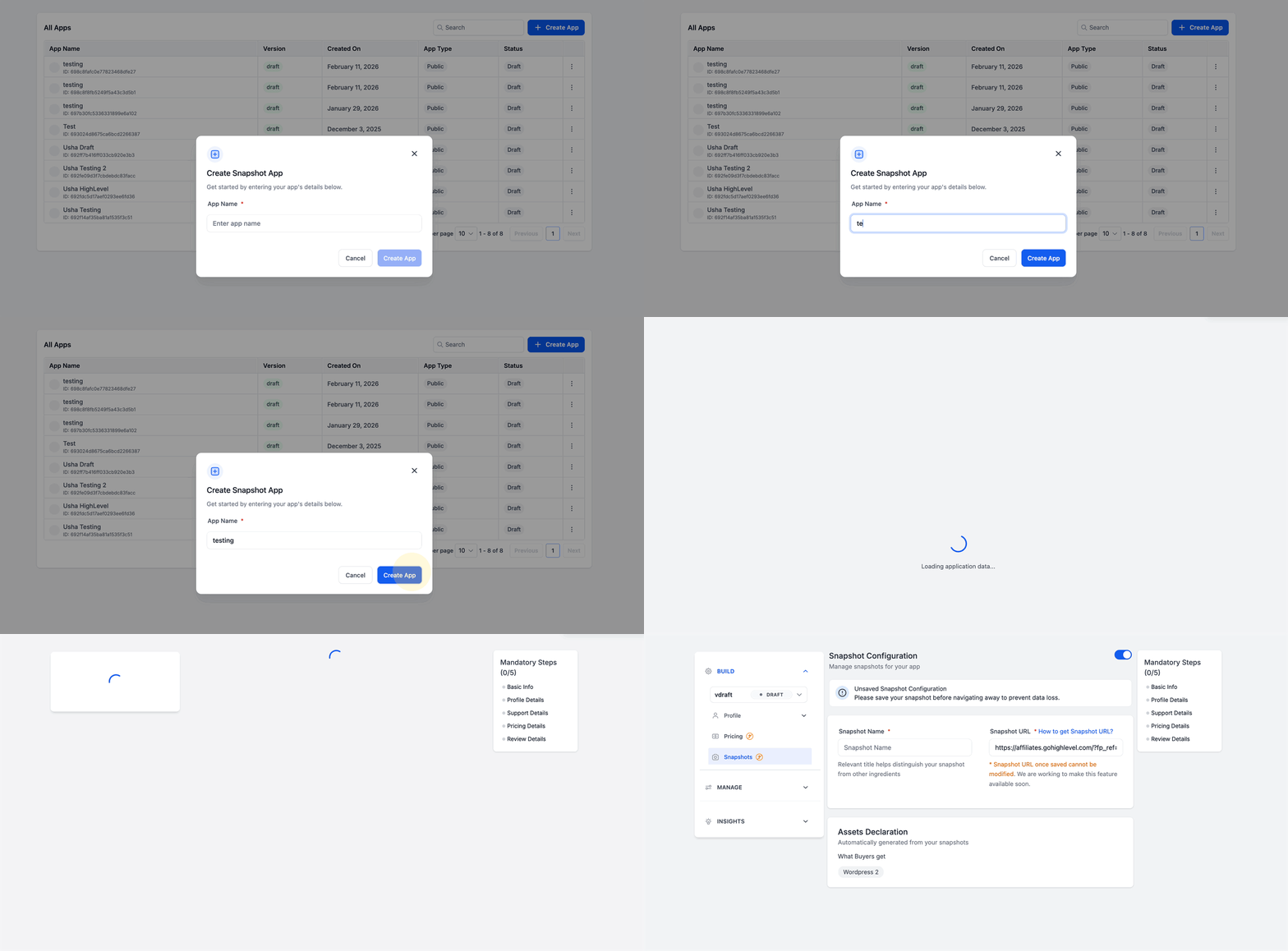
In the guided modal, enter your App Name.
Review the pre-filled Snapshot listing settings (auto-configured for Snapshots).
Copy the Marketplace link shown in the modal and use it to share your listing right away.
If you select “Sell on Marketplace,” you will land in the Snapshot listing module in the Developer Portal.
Review the assets packaged in the Snapshot early in the flow so you can confirm what buyers will receive.
Continue through the Snapshot-only listing steps to publish with fewer screens and less navigation.
Step 6: Submit for Review
- Return to the Basic Info page in the Developer Portal.
- Ensure all necessary configurations are complete.
- Click Submit for Review. The SourCherry team will review your app for white-label compatibility within 7-10 days.
Protecting Your Intellectual Property (IP)
When you enable Get Marketplace Share Link, IP Protection is automatically applied. This ensures:
- Buyers CANNOT repackage or resell your Snapshot assets.
- Your Snapshot remains exclusive to its original creator.
Frequently Asked Questions
Q: Can I list multiple Snapshots in one app?
Currently, you can only include one Snapshot in an app. Ensure that the Snapshot's assets align with your app’s value proposition.
Q: What is the difference between white-label and standard listing types?
- White-Label: Removes branding, increasing the app’s appeal across various SourCherry customers.
- Standard: Retains visible branding, which may limit its reach.
Q: What happens if my app submission is rejected?
If your app is not approved, you’ll receive feedback from the SourCherry team detailing necessary changes. Update your app accordingly and resubmit.
Q: Can I update my app after it’s been published?
No, currently, you cannot modify your Snapshot link once your app. The update app feature is coming soon in Q1'25.
Q: Is there a limit to how many apps I can create?
No, there is no limit to the number of apps you can create and sell in the App Marketplace.
Q: How do buyers use my Snapshot after purchasing it?
Once purchased, buyers can push the Snapshot directly to their locations through their SourCherry dashboard.
Q: Can I set different pricing models for different Snapshots?
Currently, pricing models are configured per app. To offer different pricing for individual Snapshots, you’ll need to create separate apps.