
TABLE OF CONTENTS
- Overview
- All-New Sidebar
- Workflow-Level Notes
- Action-Level Notes (Formerly Known as Comments)
- Sticky Notes:
- Use Cases
Overview
The Workflow Notes, Action Notes, and Sticky Notes features in SourCherry provide users with a convenient way to add context, comments, or key information directly within workflows. These tools enhance collaboration, streamline communication, and allow users to easily reference critical details when managing workflows.
All-New Sidebar
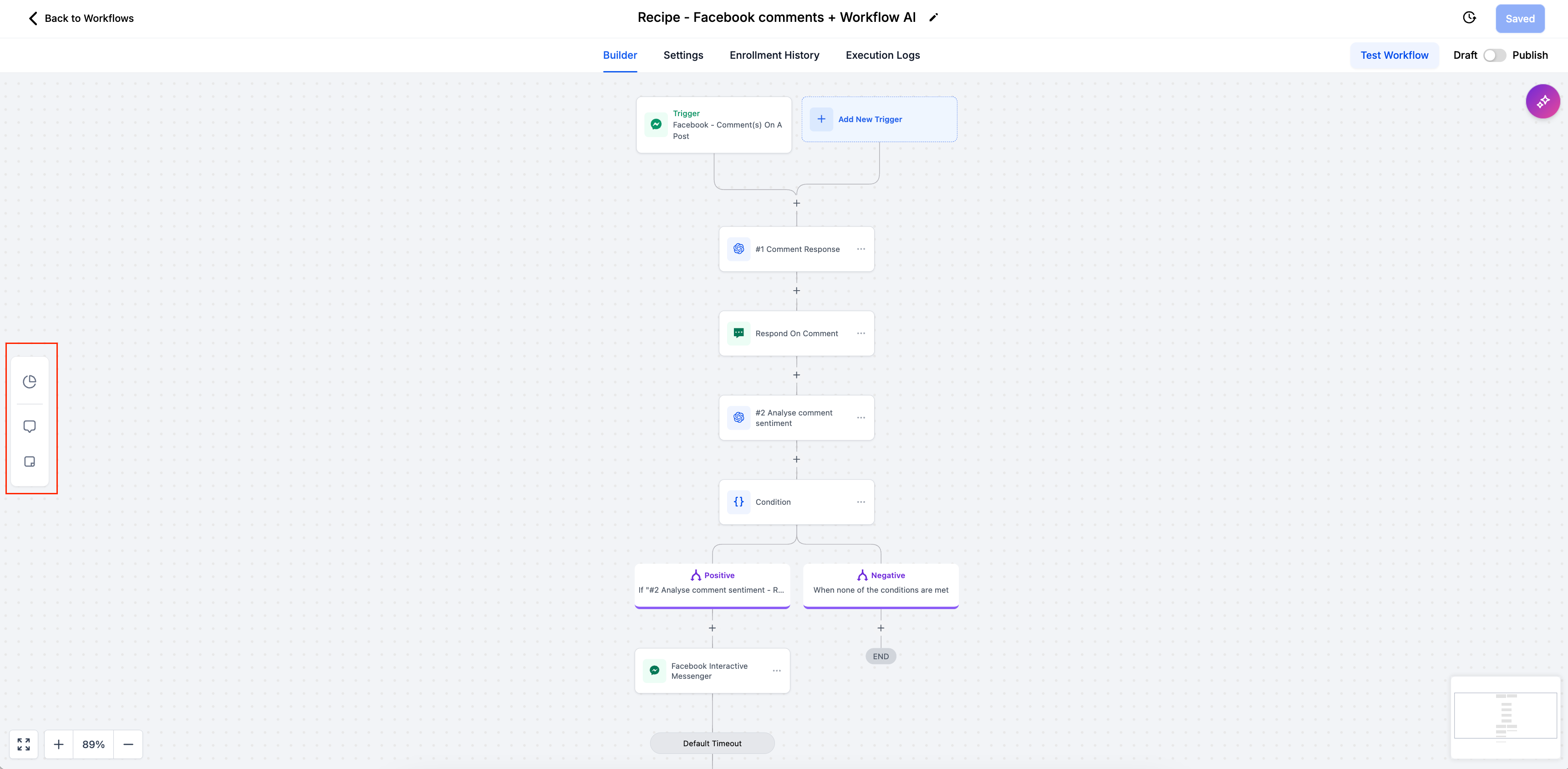
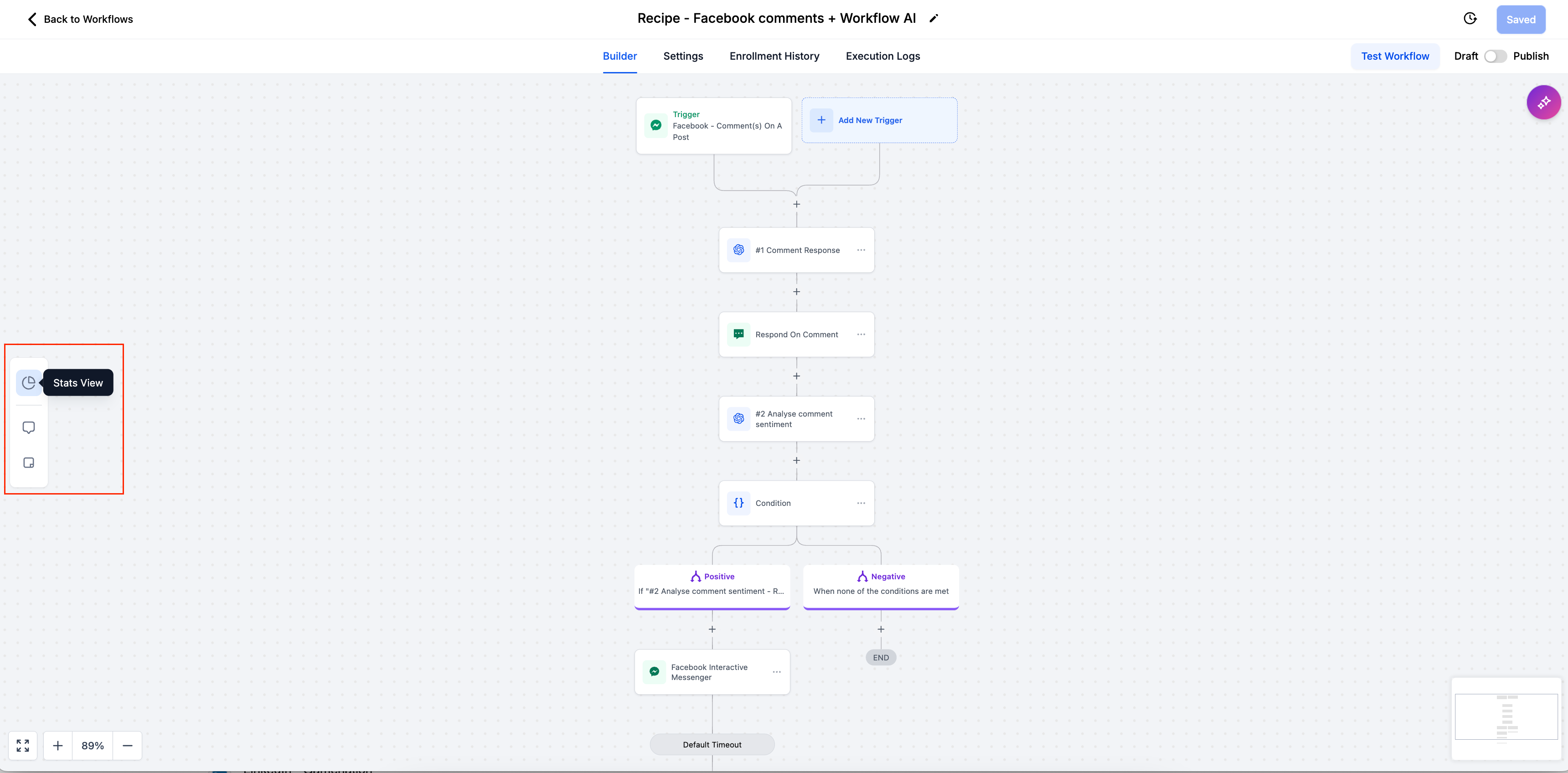
- Easier Navigation: The Stats View has moved to the sidebar, making it easier to navigate alongside the new Notes and Sticky Notes options.
- Toggle Capability: Click the Stats View icon to enable or disable this view. When active, the icon is highlighted, giving you a visual cue that it’s turned on.
Workflow-Level Notes
Overview
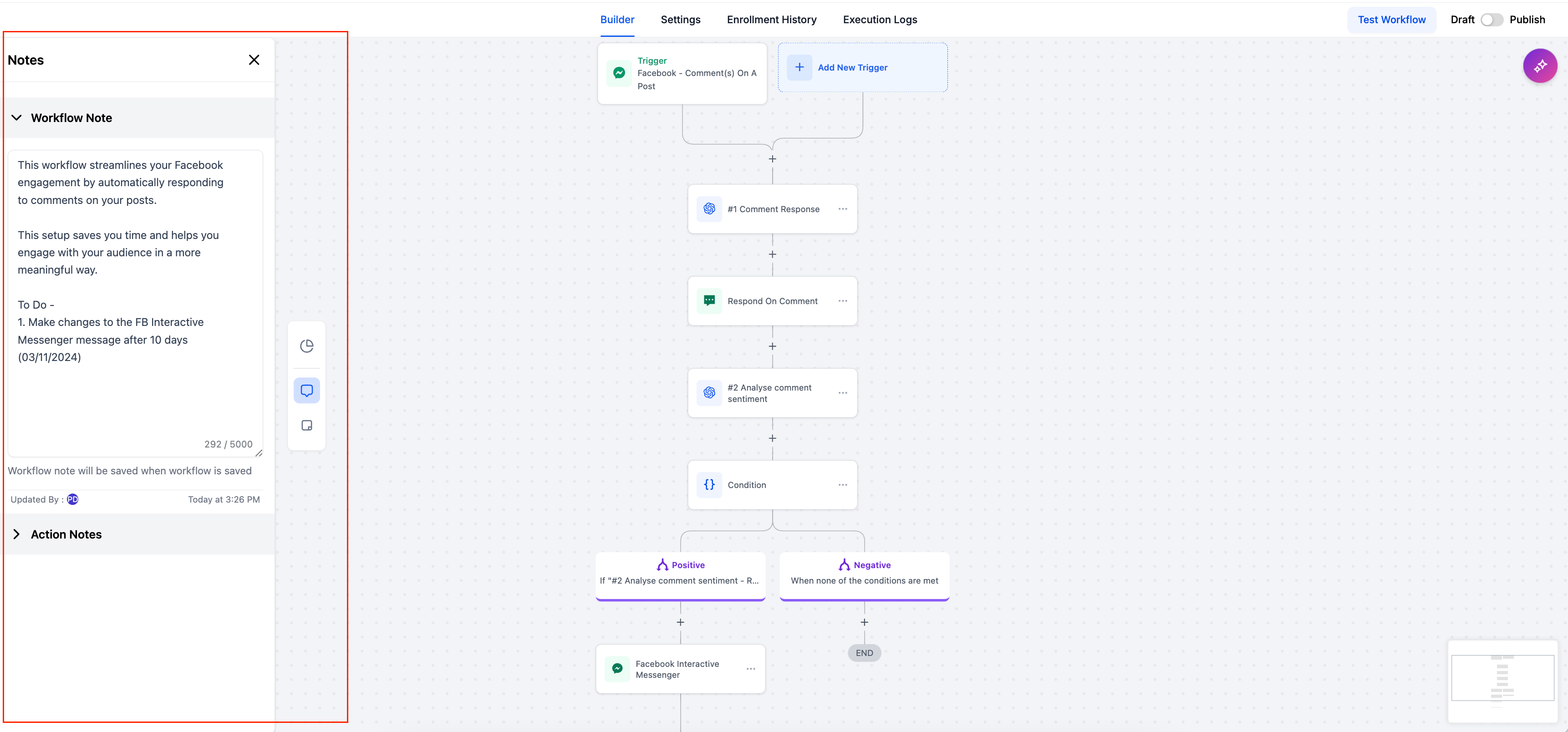
- These notes are visible to all users, ensuring everyone involved in the workflow has the same understanding. Workflow Notes allow users to add comments or descriptions at the workflow level, providing context or additional instructions for team members. This is particularly useful when sharing workflows across teams or automating complex processes where clarity is important.
Who Can Add Notes:
- Admins can now add notes specific to each workflow.
How to Use:
- Click the "Notes" icon from the sidebar while inside a workflow to open the notes panel.
- Add your notes to provide descriptions, context, or instructions relevant to the entire workflow.
Saving the Notes:
- The notes will be saved automatically when the workflow is saved, ensuring that no information is lost.
Tracking:
- Each note will display Created by, Edited by, Created on, and Edited on information, allowing for full transparency about who added or changed the notes and when.
Action-Level Notes (Formerly Known as Comments)
Overview
- Action Notes allow users to attach notes to individual actions within a workflow, offering more detailed commentary on specific steps. This is useful when there’s a need to explain the purpose or special conditions of an action, ensuring everyone on the team understands the intent behind it.
Who Can Add Notes:
- Every user has the capability to add action "Action Notes".
How to use:
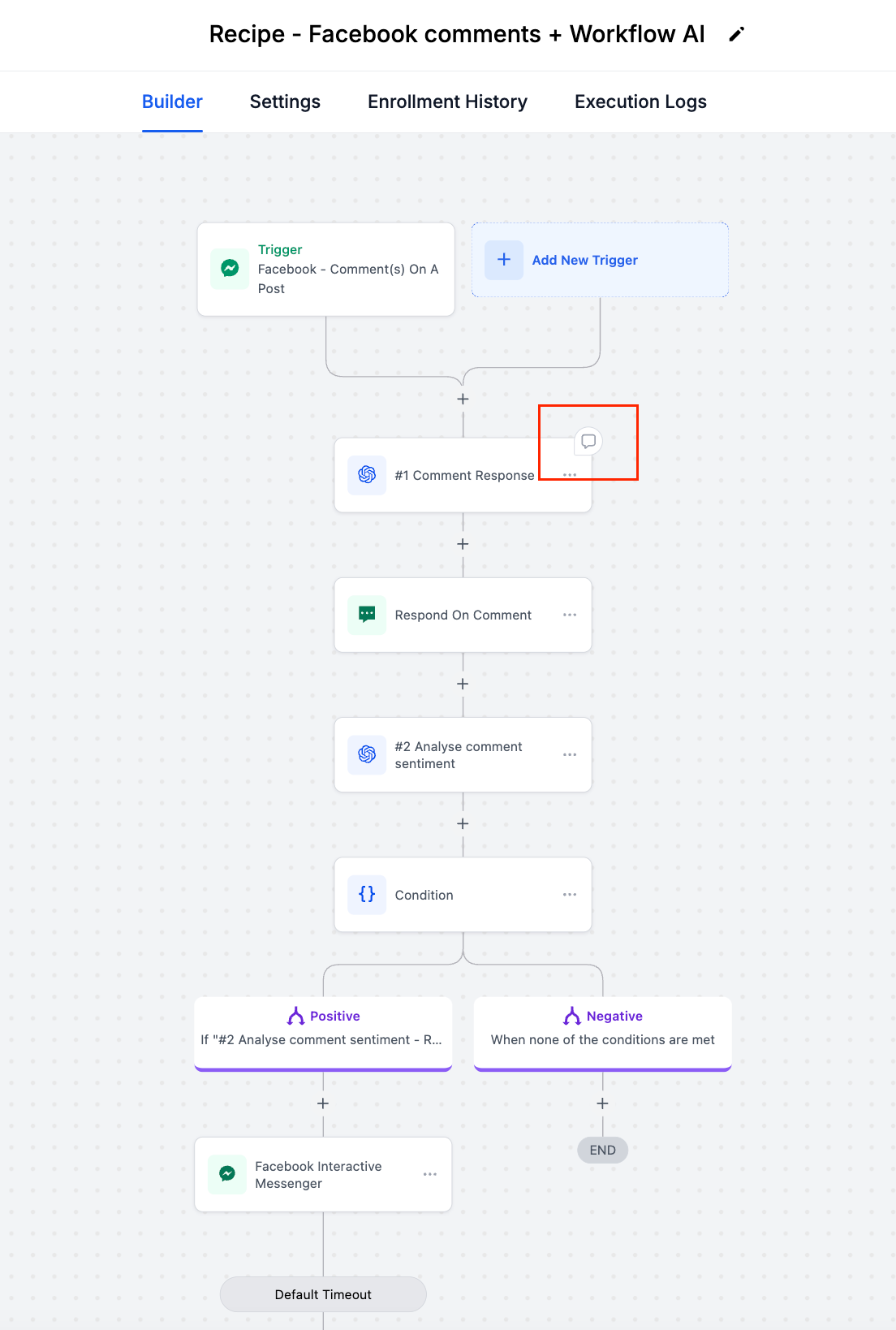
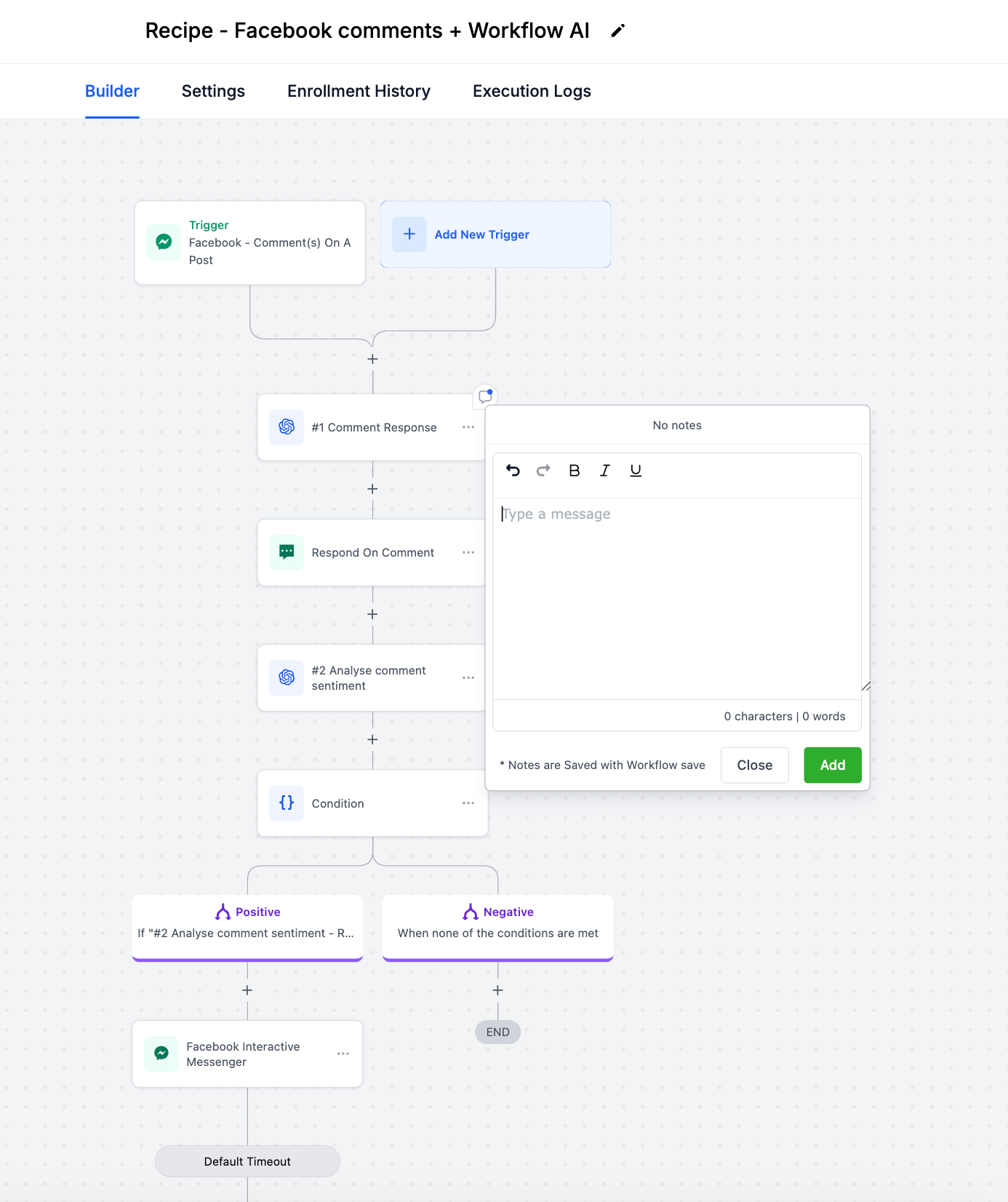
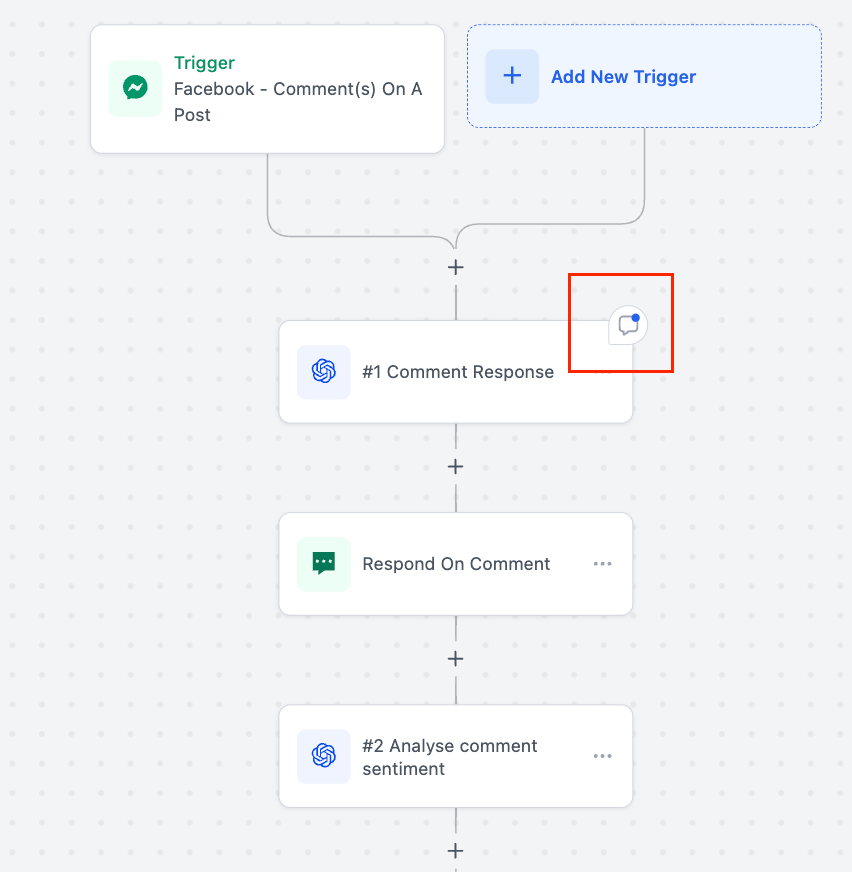
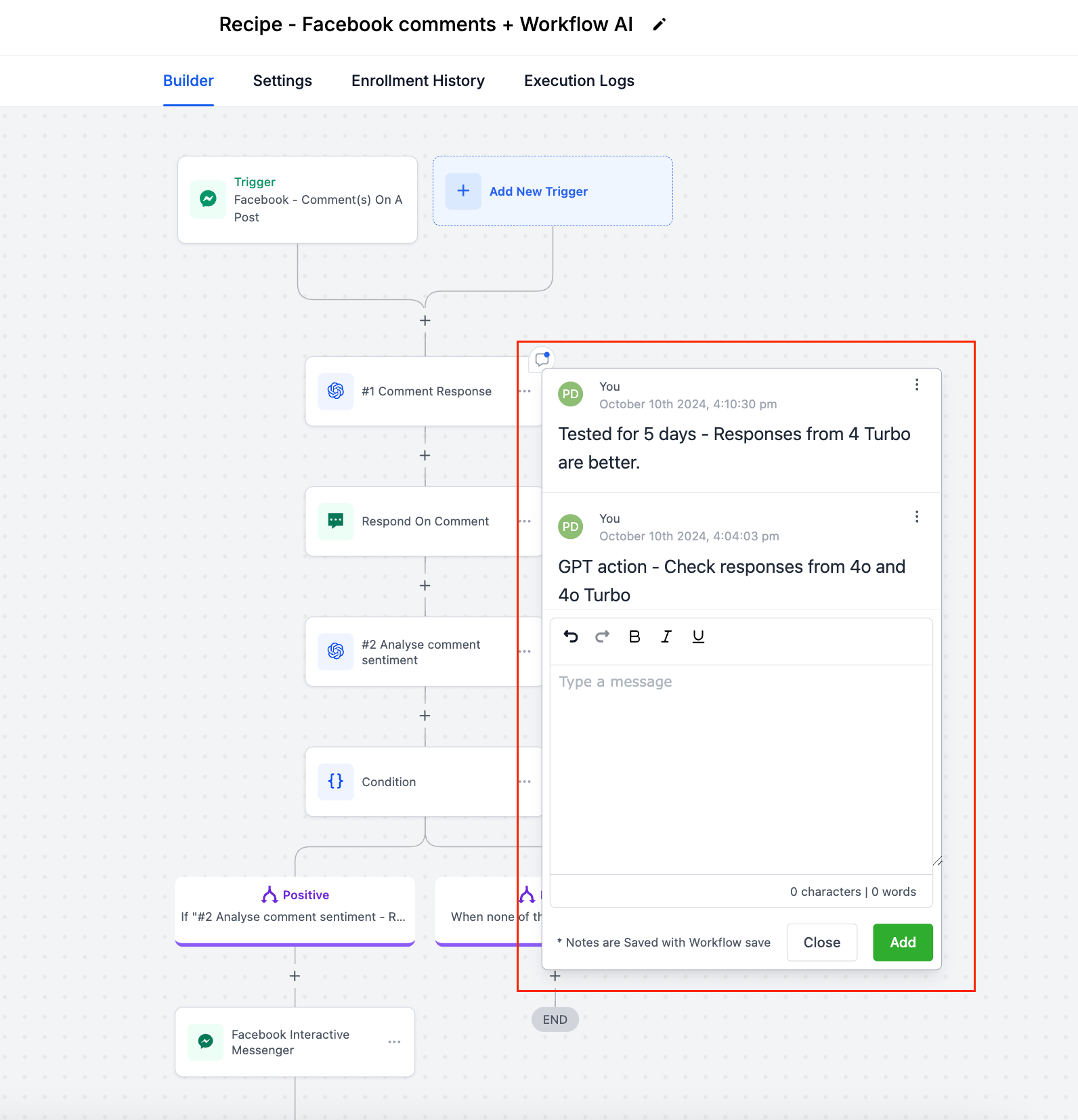
- When hovering over any action in a workflow, users will see a notes icon in the top-right corner of the action. Clicking it allows them to add action-specific notes.
Visibility:
- Once a note is added to an action, the notes icon remains permanently visible, signaling that additional context or instructions are associated with that action.
History Tracking:
- Each note keeps a history of additions, allowing teams to track discussions, updates, and feedback specific to that action.
Centralized Notes View:
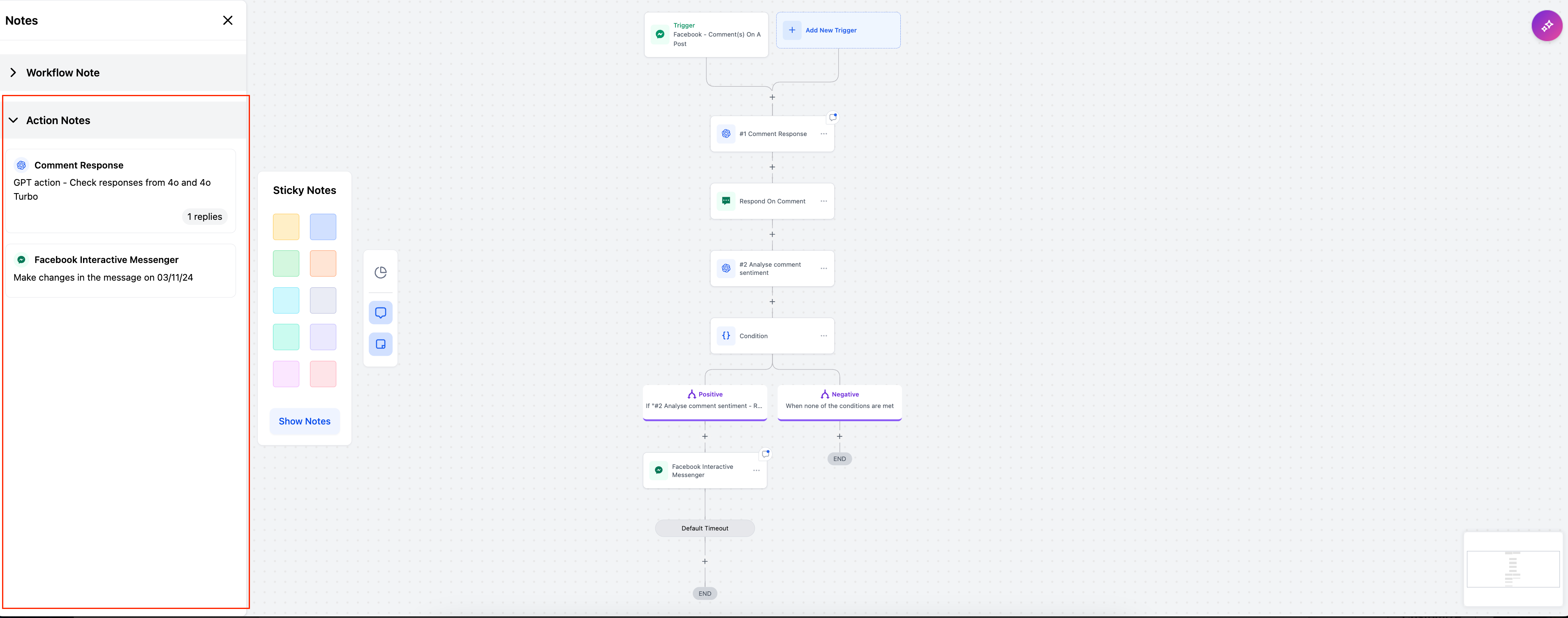
- All action-level notes can also be viewed and searched within the main Notes section. This creates a central location for tracking all notes associated with a workflow, making it easy to review and manage them.
Sticky Notes:
Overview:
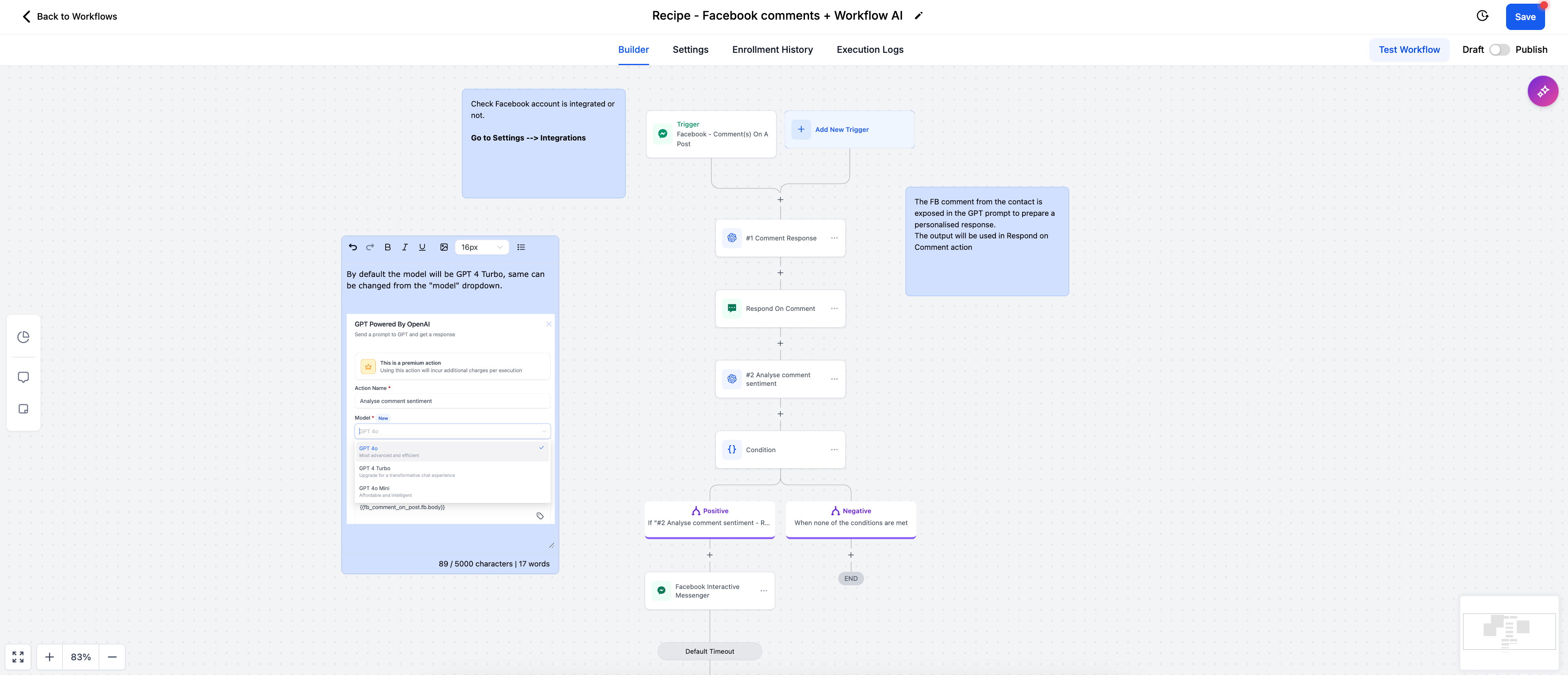
- Sticky Notes allow users to add highly visible notes to the workflow builder, providing quick access to important information. These notes stay pinned to the builder, making them useful for communicating critical information or reminders across teams working with the same contact.
How to use:
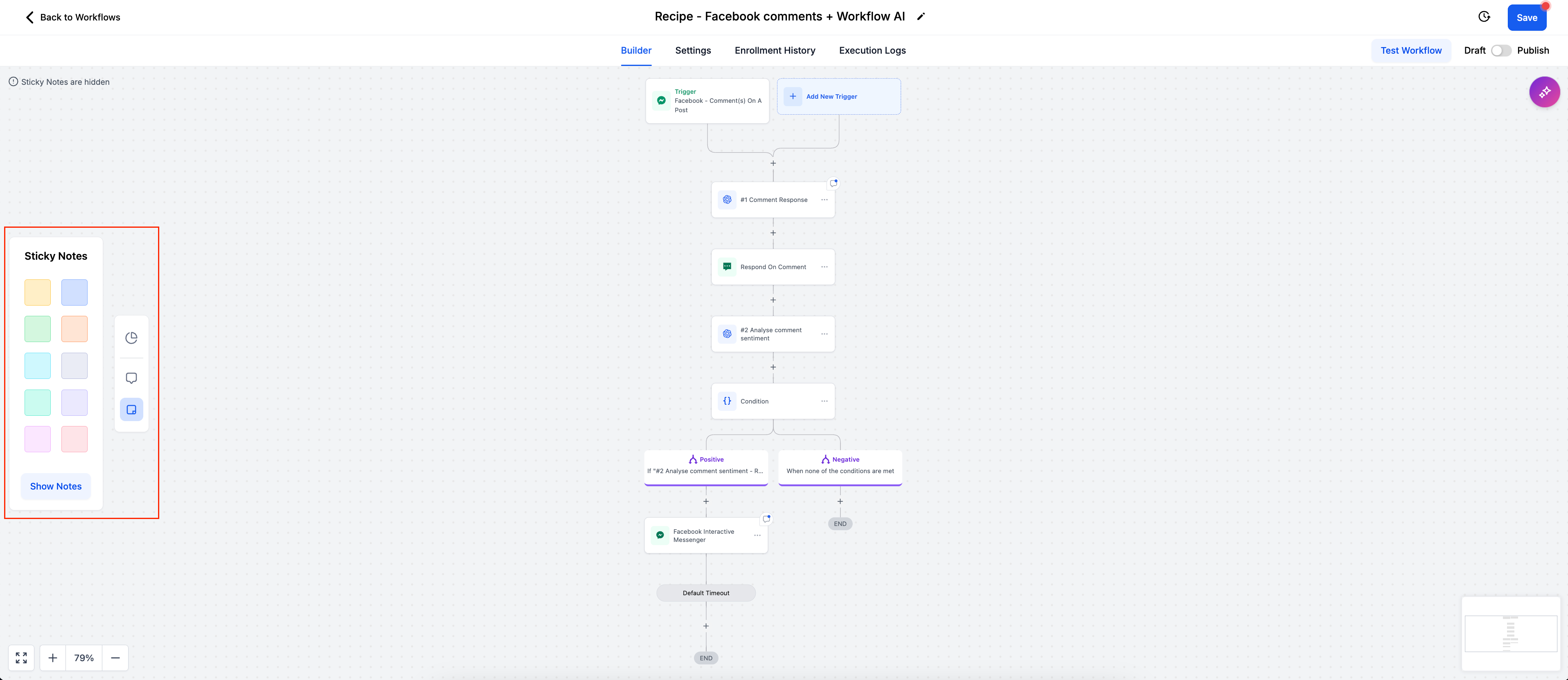
- Click on the "Sticky Notes" icon in the sidebar and select the colour of the note. The sticky note will populate in the builder.
Customization Options:
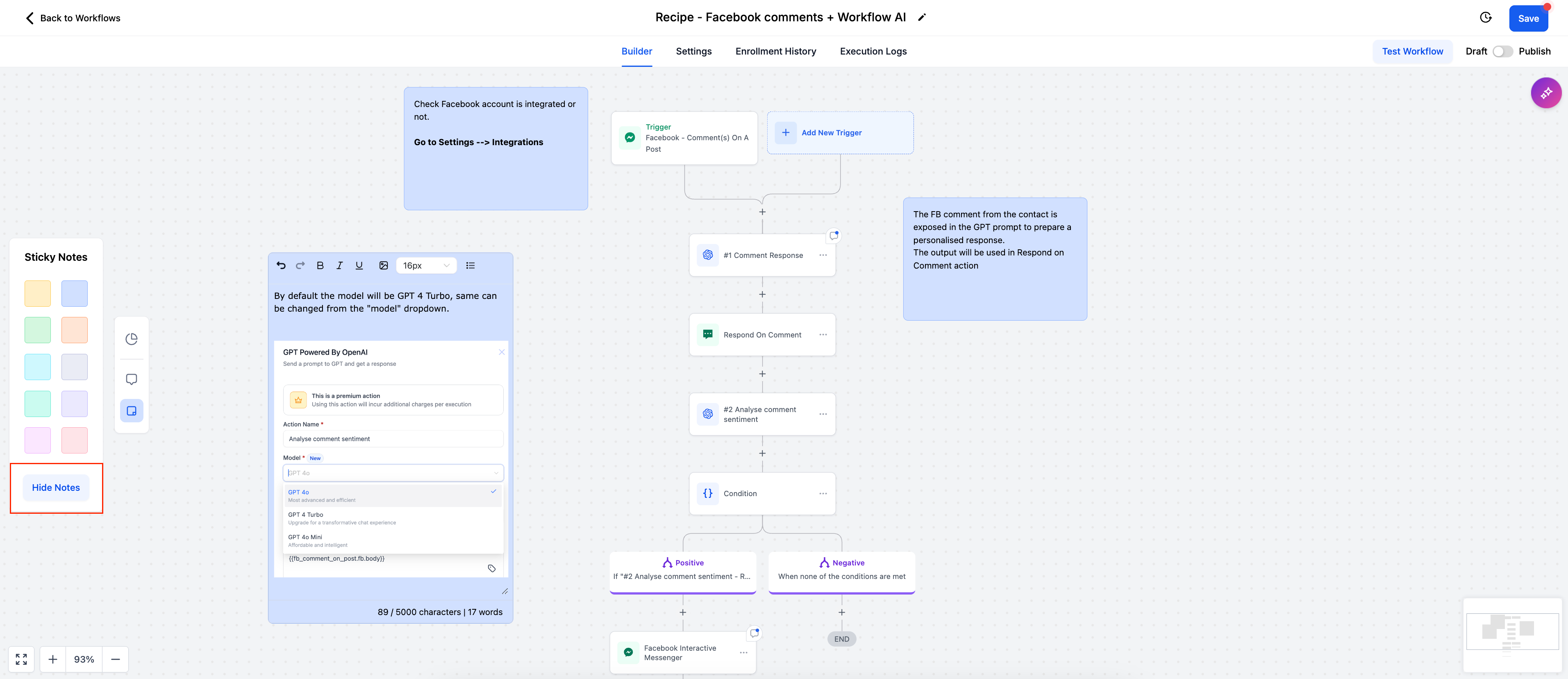
- Sticky Notes are highly customizable. Users can click the Sticky Notes icon to create notes with different colors, helping differentiate between various categories or types of tasks.
Rich Text Editor:
- A rich text editor is available for formatting text, making it easier to emphasize key points or structure your notes.
Attach Images:
- You can also attach images to Sticky Notes, making them more visually informative or detailed.
Visibility Controls:
- You can toggle the visibility of sticky notes by clicking the "Hide Notes" button. This allows users to decide if they want notes to be visible at all times or only when needed.
Use Cases
- Workflow-Level Notes: Ideal for adding high-level descriptions, objectives, and context to ensure everyone understands the workflow’s overall purpose.
- Sticky Notes: Use color-coded sticky notes to create task lists and visual reminders for your team, making it easy to track progress. They are also perfect for onboarding new users or guiding sub-account users through each action step-by-step.
- Action-Level Notes: Attach notes directly to actions to provide specific instructions, feedback, or background information. This ensures clarity and supports collaboration when different team members are involved in workflow management.