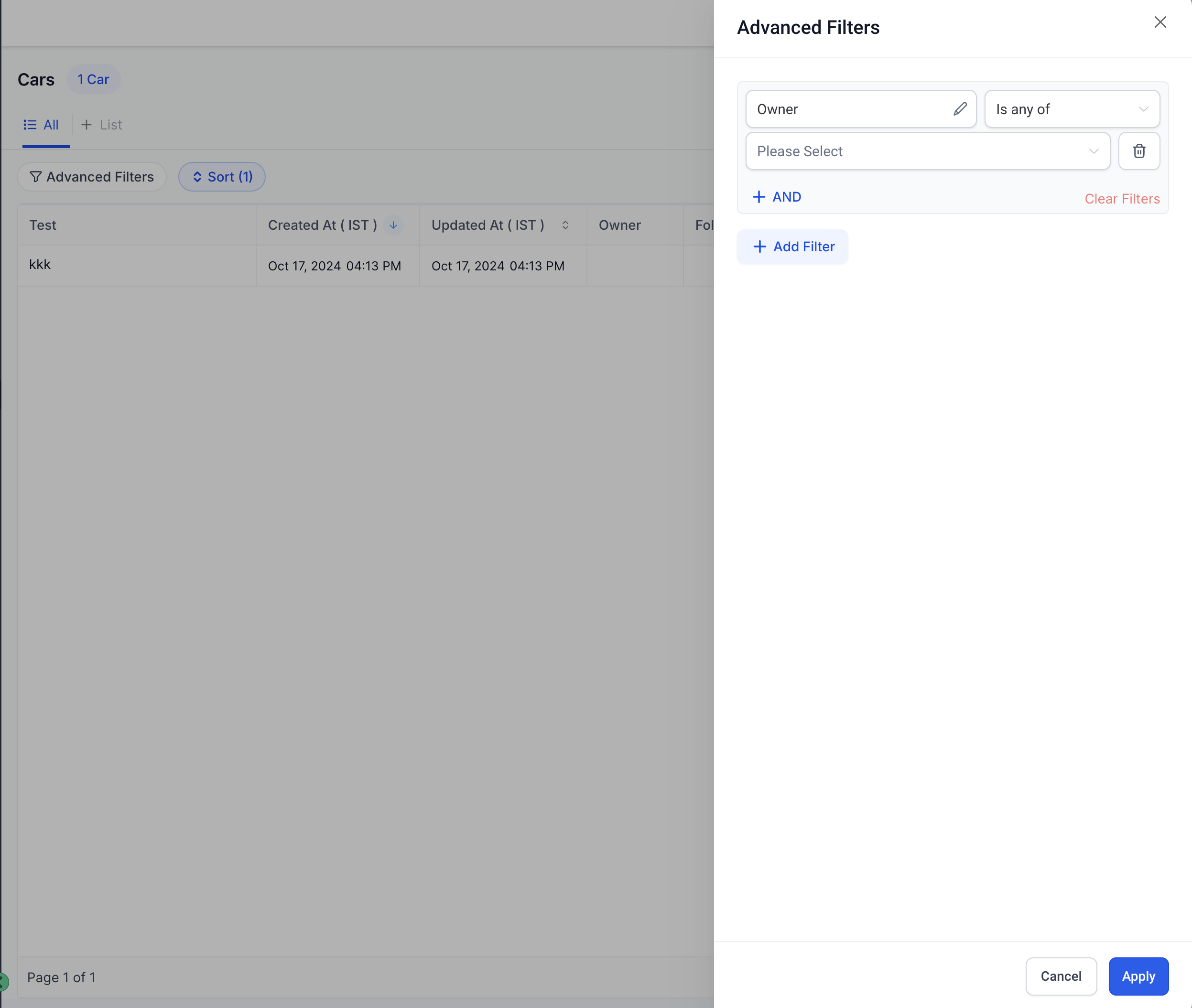
The following document provides a comprehensive guide on how to use the Advanced Filters feature for custom objects. This feature allows users to apply detailed filters across various fields, including custom attributes, to refine data searches. The guide outlines step-by-step instructions on how to access and use these advanced filters, making it easier for users to locate specific data efficiently.
Guide on how to use advanced filters for custom objects
- Step 1: Access the template list view
- Step 2: Populate the content in the template
- Step 3: Use the template in your article
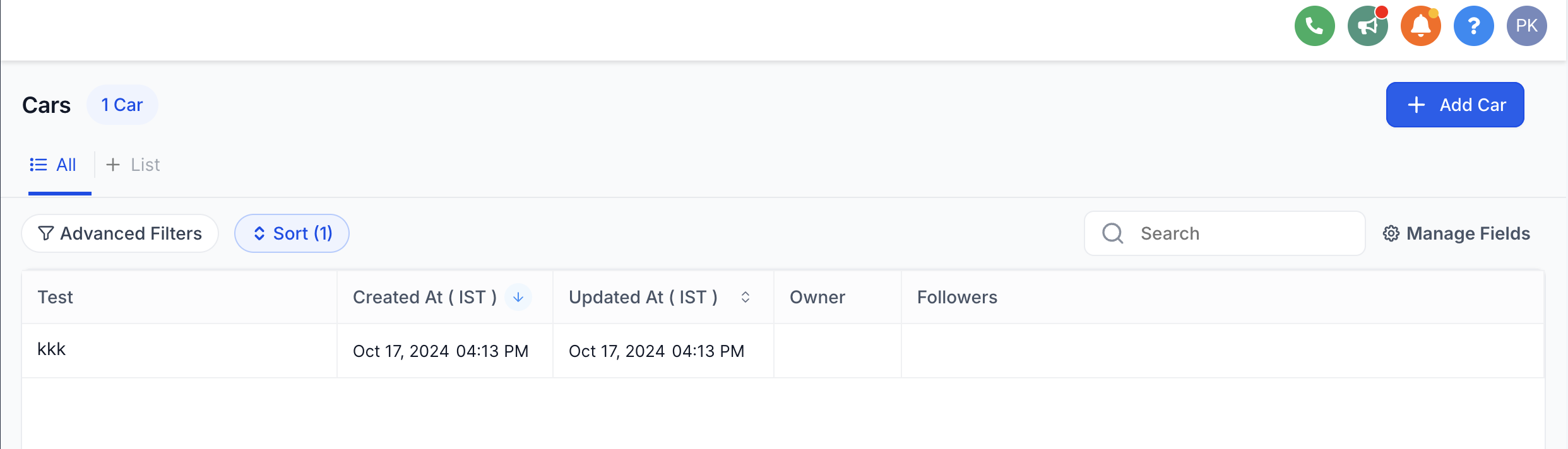
Step 1: Access the Advanced Filters Panel
- Find the option to apply "Advanced Filters" on the top right of the Custom Objects page
Step 2: Populate the Filters
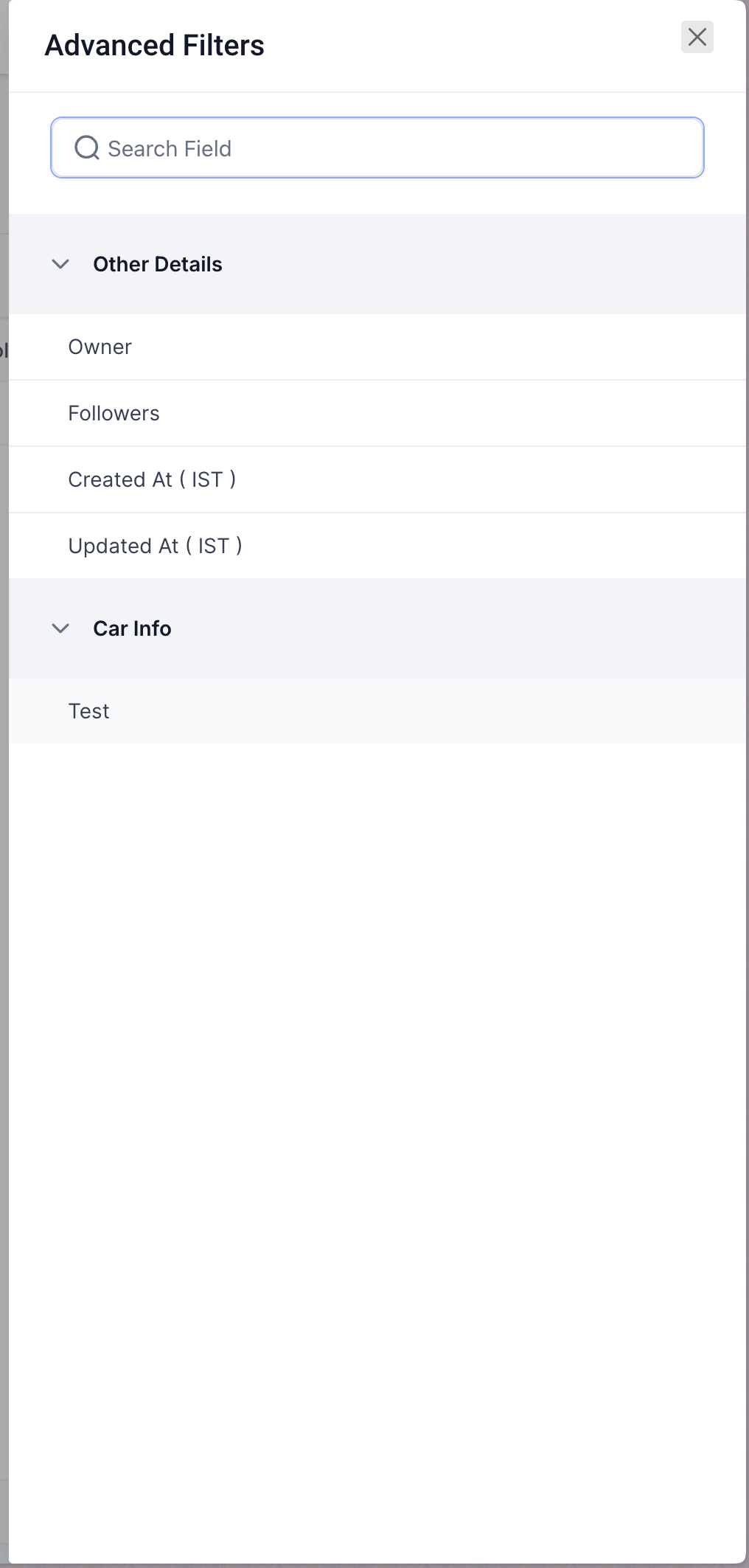
In the Advanced Filters panel, search or select fields that you want to filter by. You can apply filter conditions using AND/OR logic to refine your search further.
- Use the search bar to quickly locate a field.
- Expand categories like Other Details, Car Info, and Price to choose fields.
- You can filter based on both default and custom object field
 Step 3: Apply the Filters
- Group multiple filters using the "And" / "OR" logics to apply more complex filter logics
- You can manage the filter order in the panel for better clarity.
- To remove filters, simply deselect them or click the reset button.