
What’s New?
- Linked Text and Date Fields: We have added the ability to link text and date fields to contact custom values in Documents and Contracts.
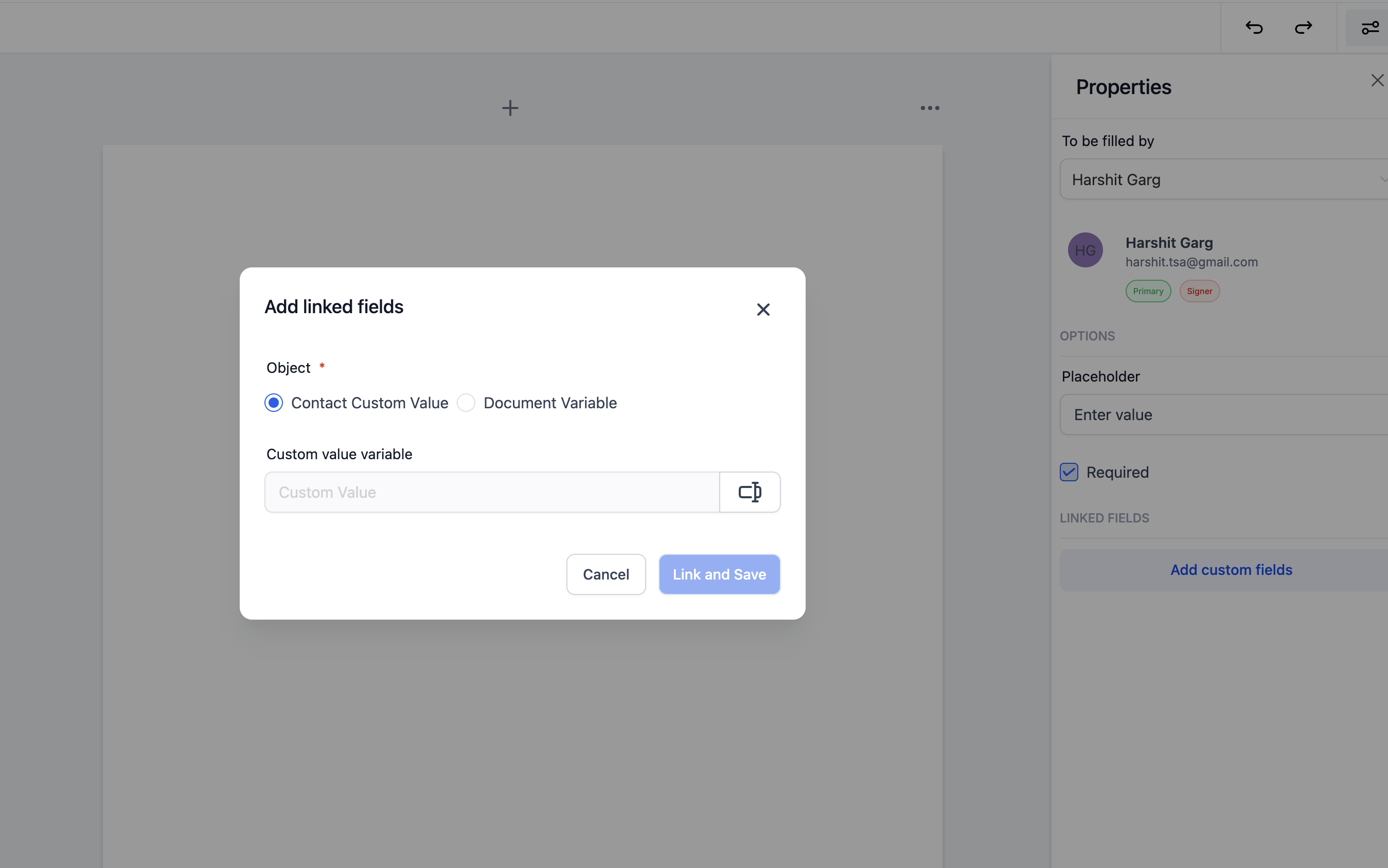
- Flexible Linking: Users can now link fields in a document to custom values, either for contacts or for the document itself.
- Automatic Updates: Once a document is signed, the linked fields are automatically updated in the contact or document records.
- CSV Download: Users can download a CSV of all the filled fields from the dashboard for easier tracking and data management.
How to Use
Link Fields to Custom Values:
- In the Documents and Contracts section, open the editor and create a new document and drag a text or date field wherever needed.
- In the Documents and Contracts section, open the editor and create a new document and drag a text or date field wherever needed.
Add a Recipient and Link Fields:
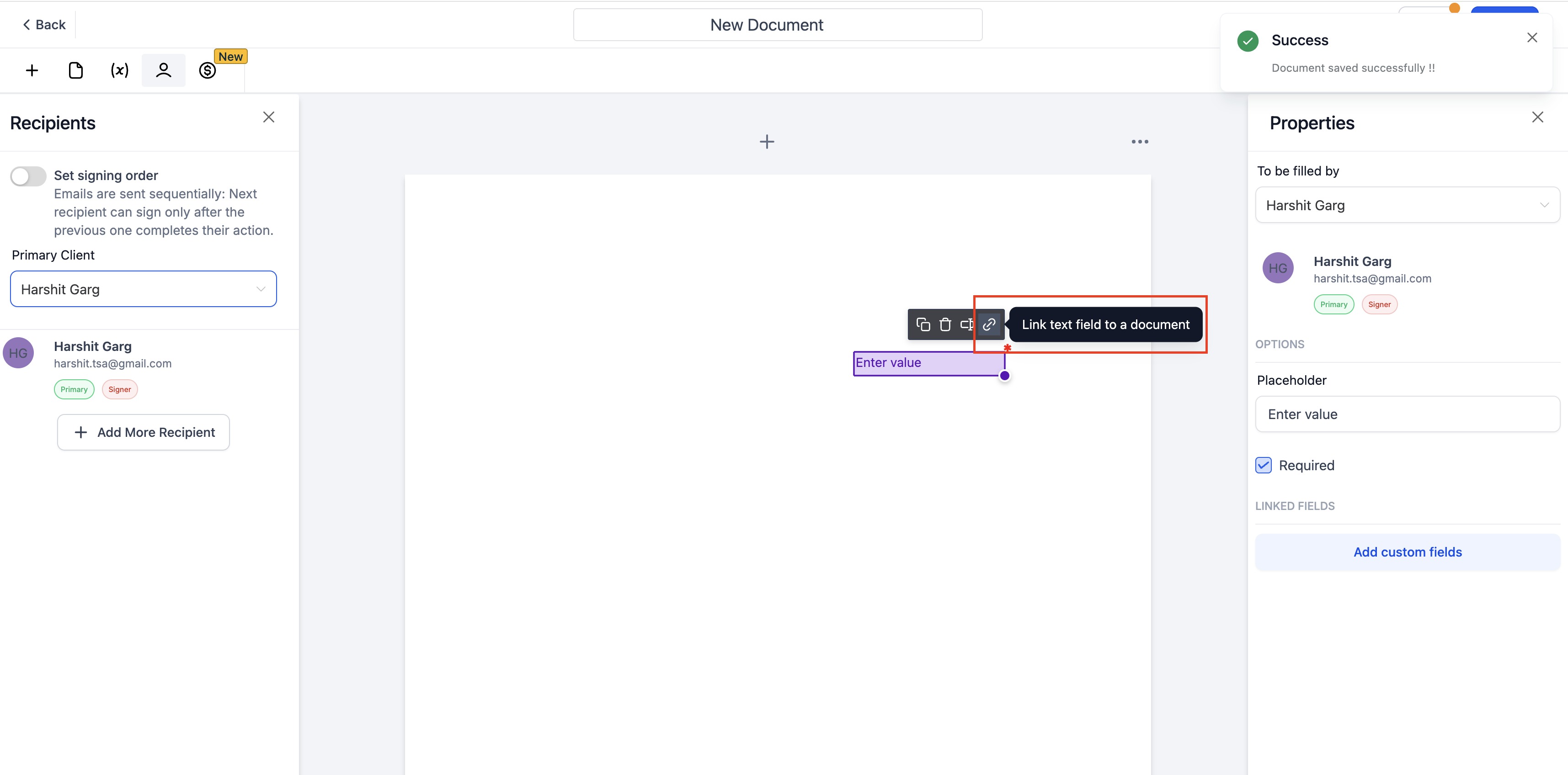
- Add a recipient, and select the link button on top of text and date fields.
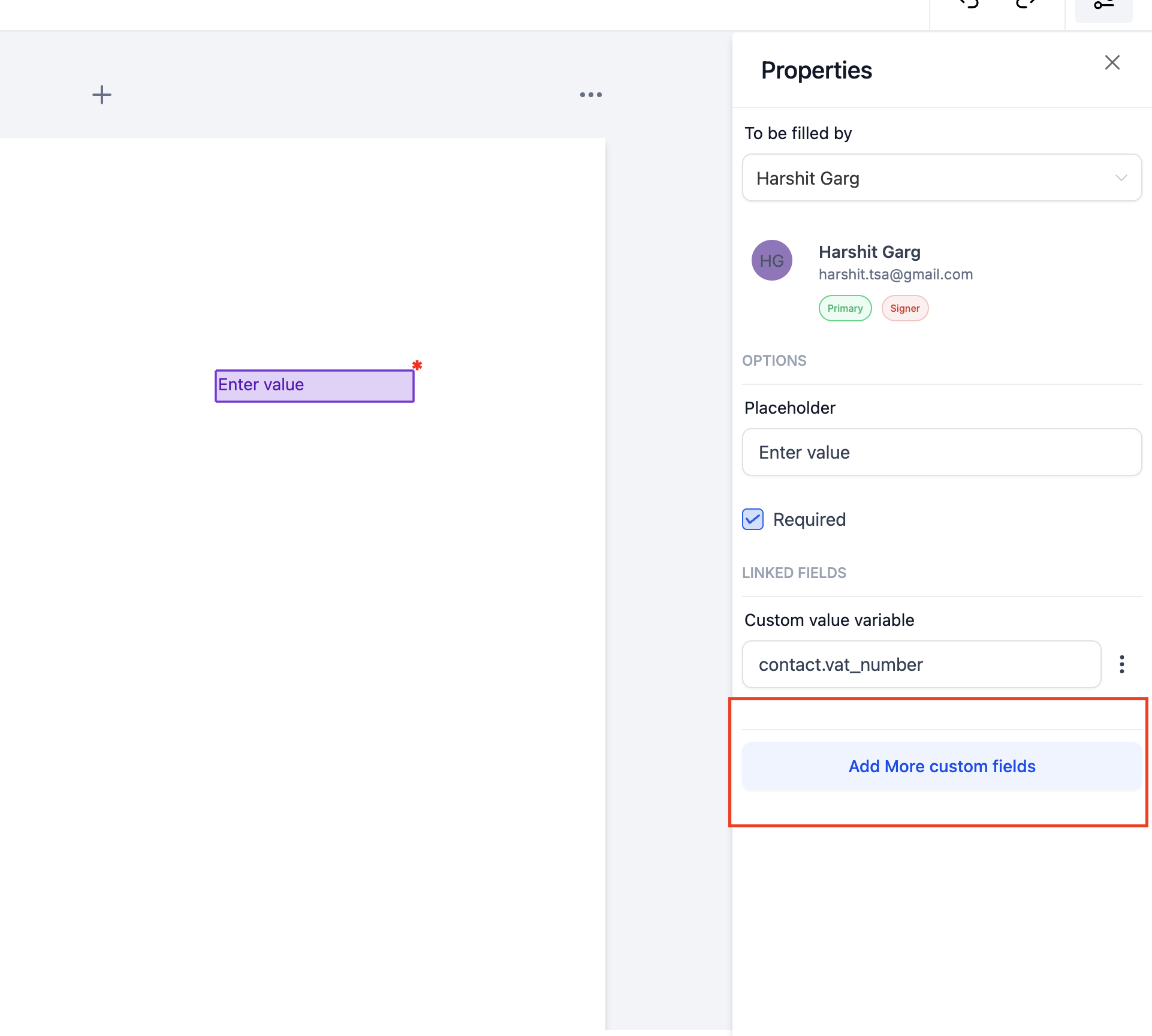
- Link a single field to multiple custom values if needed.
Automatic Updates Upon Signing:
- Once the recipient signs the document, the linked fields will automatically update in the corresponding record (contact or document).
Download Filled Fields Data:
- To view all the filled fields in a document, simply go to the dashboard and download a CSV with the relevant data.
Why We Built It
- Reduced Manual Updates: Linking text and date fields to custom values reduces the need for manual updates after documents are signed, allowing for automated data syncing to contacts.
- Convenient Data Management: The option to download a CSV gives users a convenient way to manage and analyze data from filled fields, streamlining their document processes.
What’s Next?
- Support for Opportunity Custom Values: We are working on extending support to include opportunity custom values.