About:
Store owners can now enhance their store's credibility and increase customer engagement with the new Reviews and Ratings feature. This feature allows customers to submit reviews and rate products, which can be published after approval by the store owner. Reviews and ratings can be displayed on product list page and the product details page, offering valuable feedback to future buyers and boosting overall trust of the products in the store.
How to use:
- Enabling Reviews and Ratings:
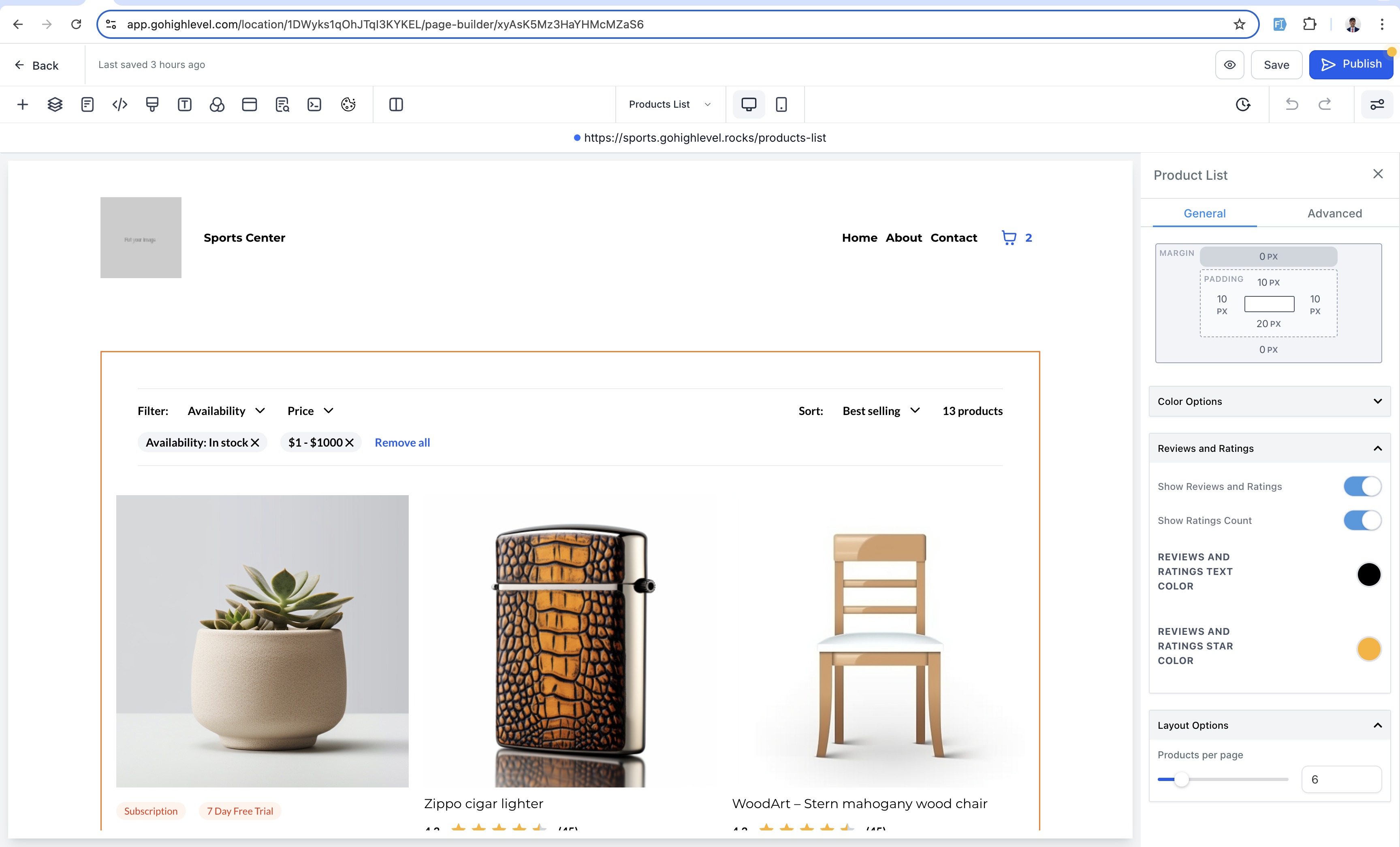
- Store owners can enable the Product Reviews and Ratings in both Product details pageandProduct List page. Store owners need to enable "Show Reviews and Ratings" toggle to show ratings along with the count of ratings in the builder preview.
- Ratings count can be enabled/ disabled on both the Product Details pageand theProduct List pageusing the "Show Ratings Count" toggle.
- Submitting Reviews and Ratings as a Customer:
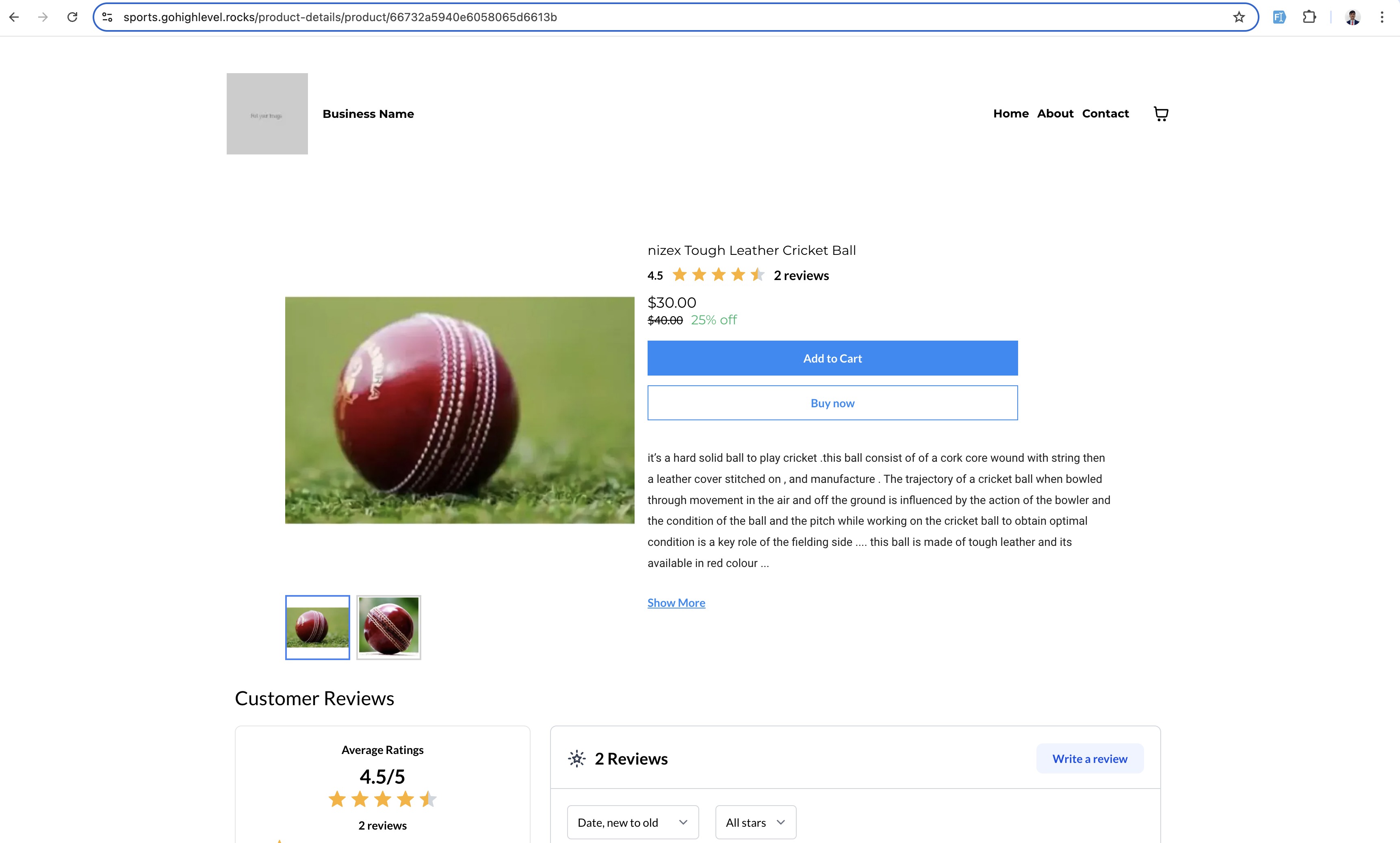
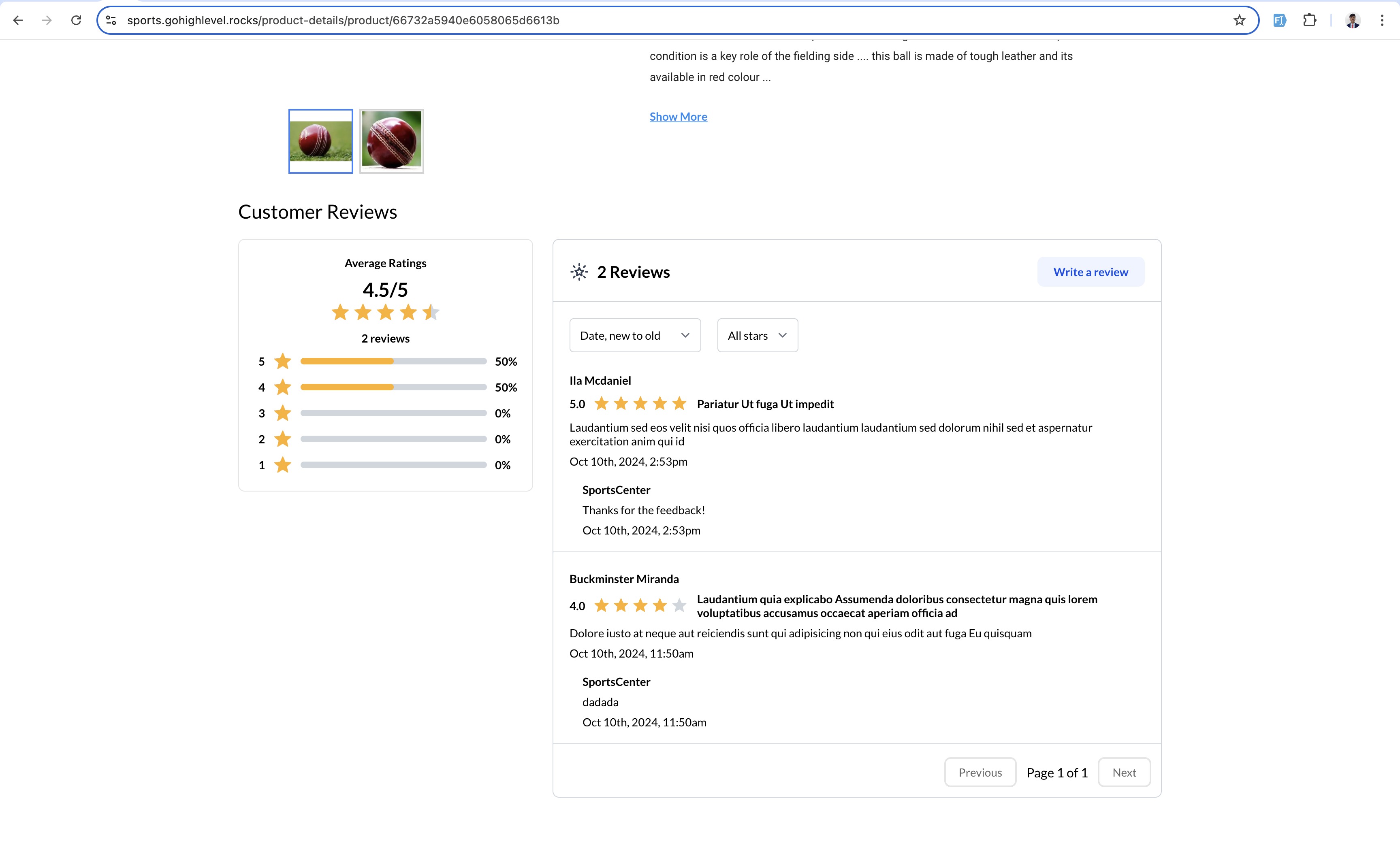
- Customers can find the Reviews and Ratings section at the bottom of the Product Details page of any product.
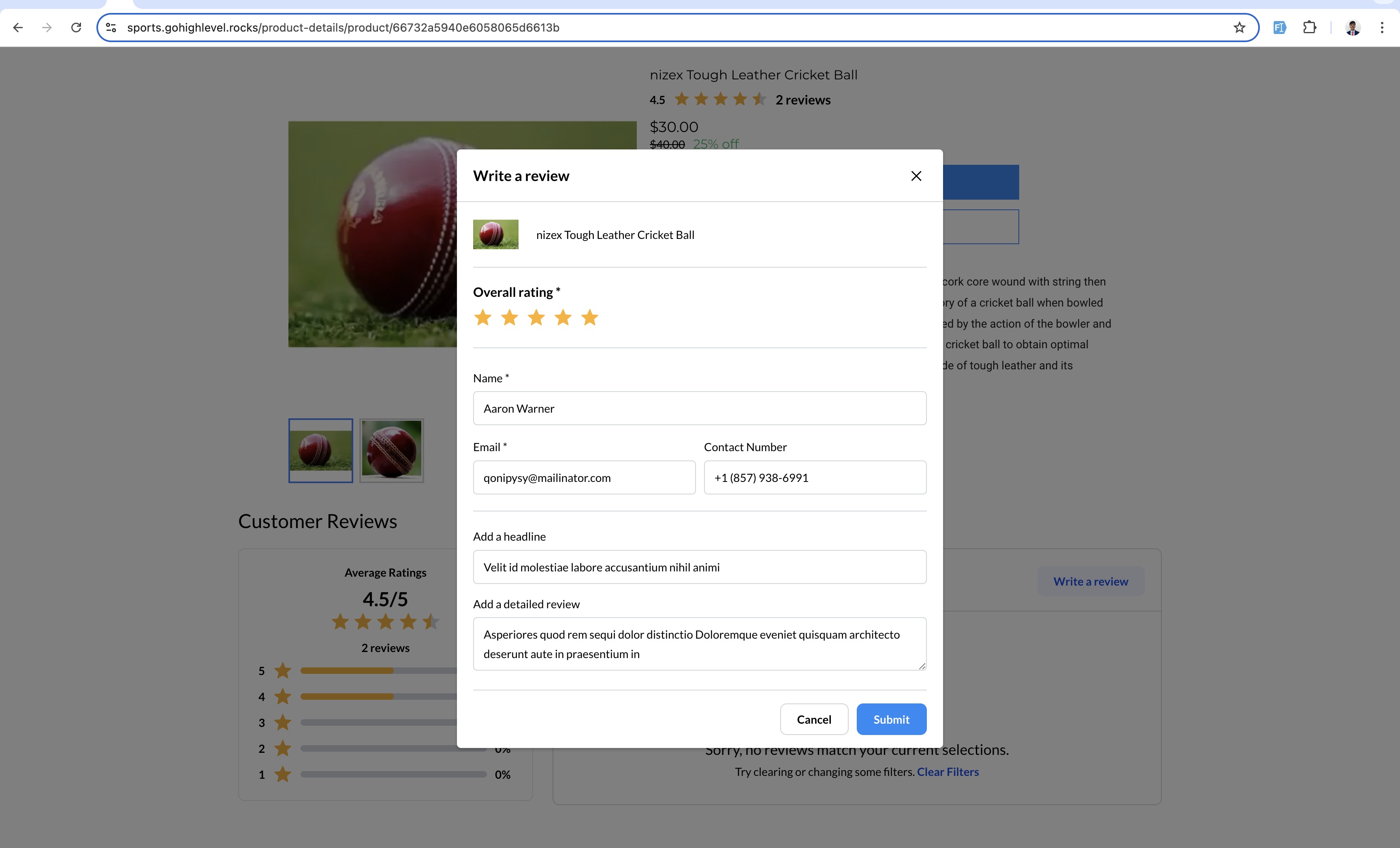
- Clicking the "Write a Review" button will open a form where customers can submit their review. The required fields for submission include: Name, Email. Optional fields are:Contact Number, Headline,andDescription.
- Once a review is submitted, it will be published only after the store owner approves it. Customers will see a confirmation message on the page after successfully submitting the review.
- Publishing and Moderating Reviews and Ratings as a Store Owner:
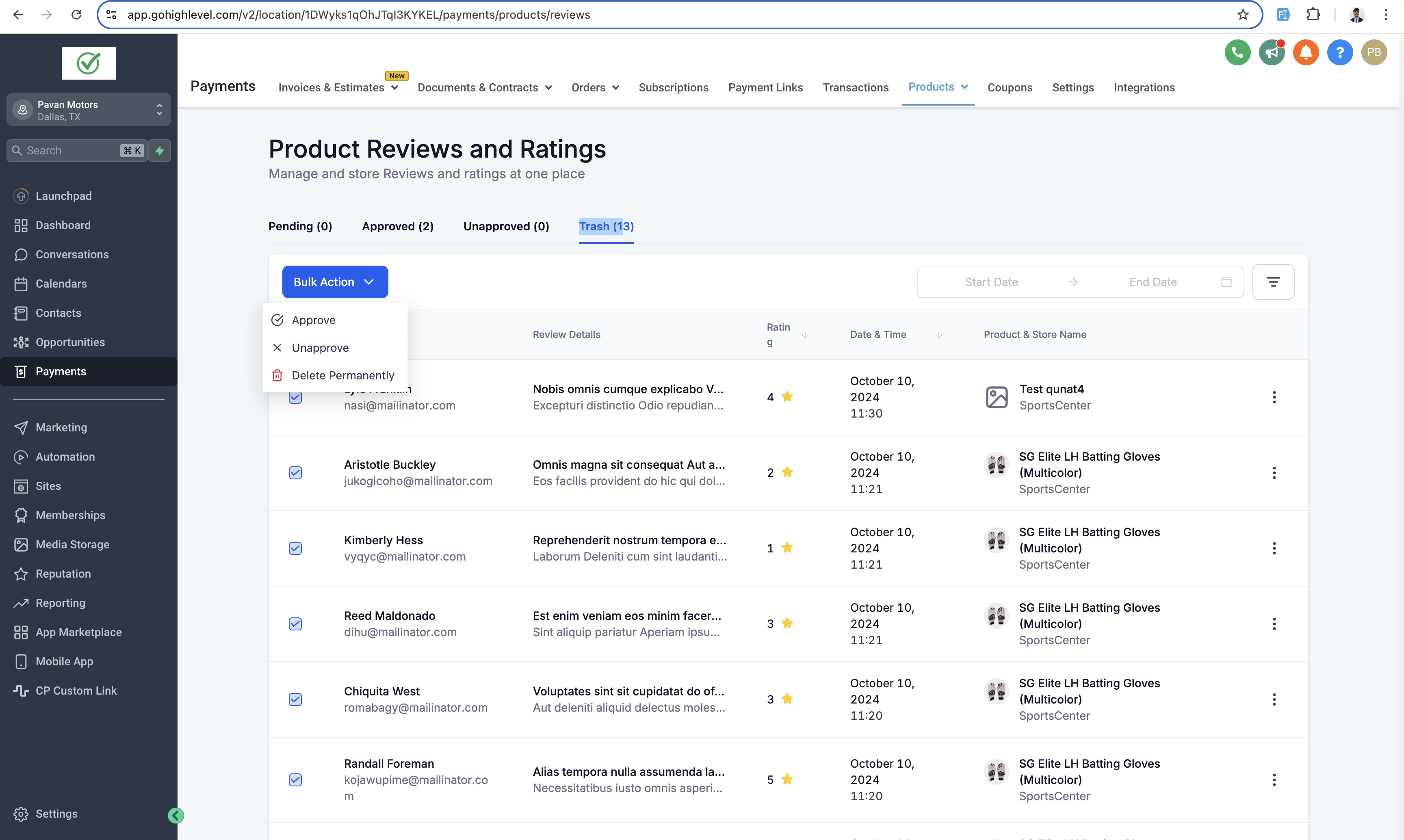
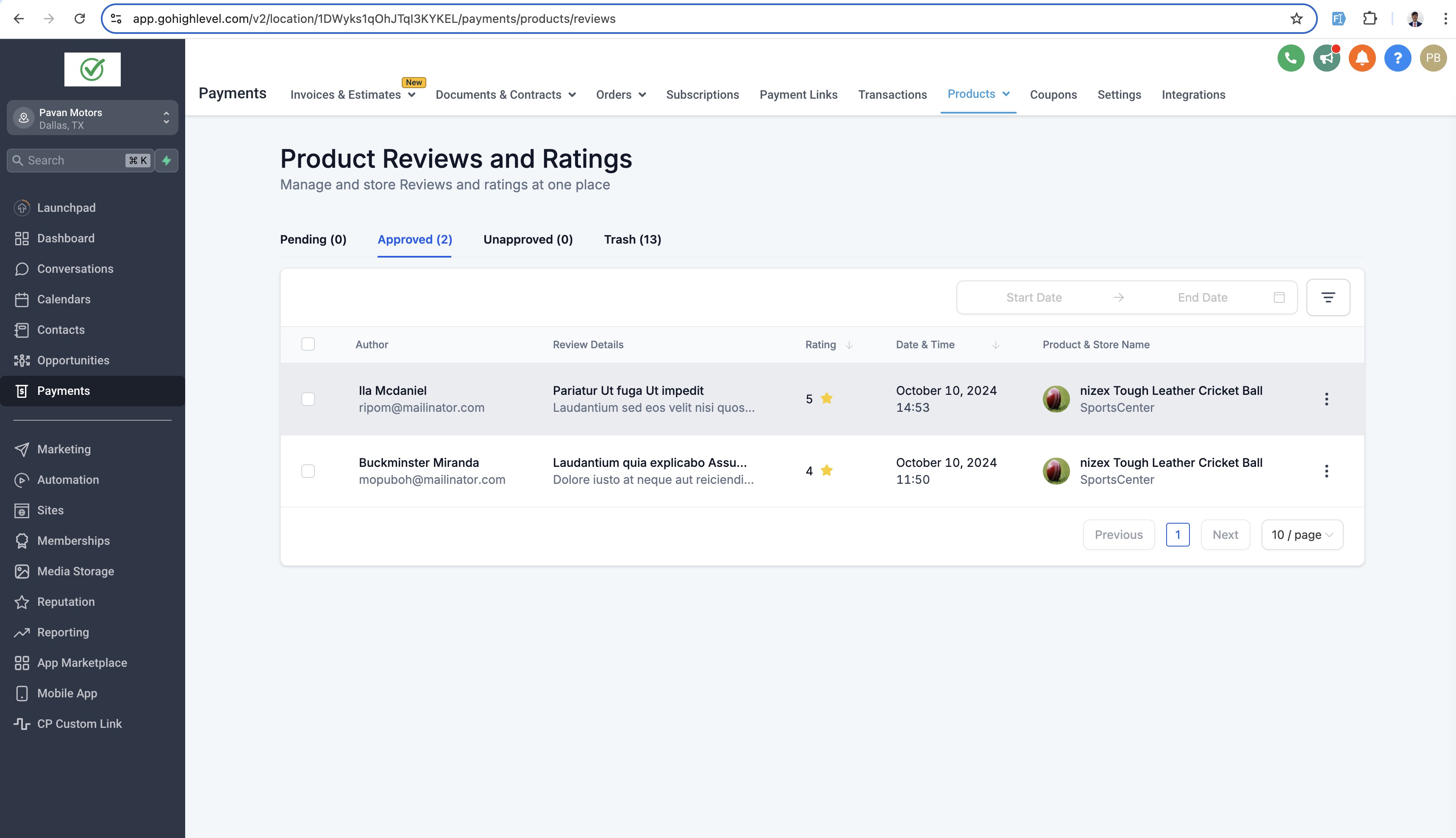
- To publish or moderate reviews and ratings, navigate to: Payments > Products dropdown > Reviews.
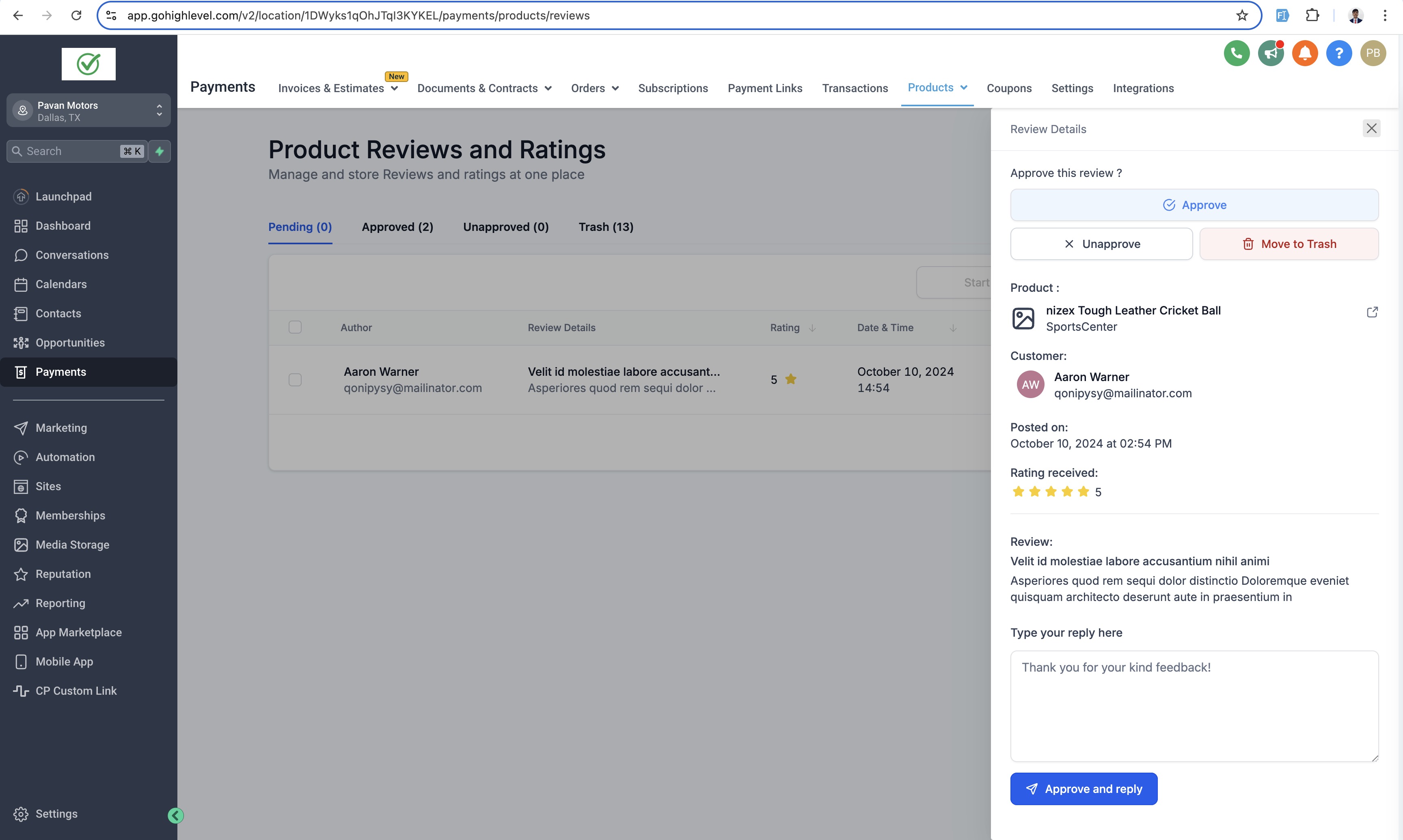
- When a review is submitted by a customer, it will appear in the Pending section of the Reviews dashboard. Store owners can take the following actions (or perform bulk actions): Approve, Unapprove, or Move to Trash.
- Approved reviews are automatically published on the store. Store owners can reply to individual reviews via the side menu by selecting the review.
- Reviews can be filtered by Time Frame, Ratings, Product Name, and Store Namefor easier management.
Notes:
- Store owners can customize the star colors and fonts directly in the builder preview.
- Font style configuration for reviews and ratings in the builder preview:
- Font size is fixed due to multiple content hierarchies.
- Font family will match the content fonts used on the page.
- Font color will be consistent across all reviews and ratings.
- Reviews can only be permanently deleted from the Trash section in the Admin Preview.
Images:
- Builder Preview:
- Submitting Review:
- Reviews in Product Details Page:
Sort and Filter reviews:
- Moderation of Reviews and Ratings:
- Reply to the reviews from Store Owner:
- Bulk actions and deleting reviews: