
SSO: Easy WP Admin Access
The “WP Admin” button makes it super easy to log into your WordPress admin panel with just one click from your WordPress dashboard. Thanks to Single Sign-On (SSO), you don’t need to type in usernames or passwords — it’s fast and secure!
Key Features
• One-Click Login: Open the WP Admin panel instantly by clicking a button from the WordPress dashboard.
• Single Sign-On (SSO): SSO lets you log in securely without showing your password.
• Seamless Integration: This feature works smoothly with WordPress and doesn’t need any extra plugins.
Why This Helps You
This feature makes it easy to manage WordPress sites, especially if you work with many different websites.
• Easy for Agencies: If you’re an agency handling multiple clients’ websites, you can quickly open each WP Admin without remembering lots of passwords.
• Helpful for Site Owners: If you manage your own site, just one click takes you to WP Admin without needing to log in.
How It Works
1. Go to Dashboard:
Log into SourCherry and open the WordPress dashboard.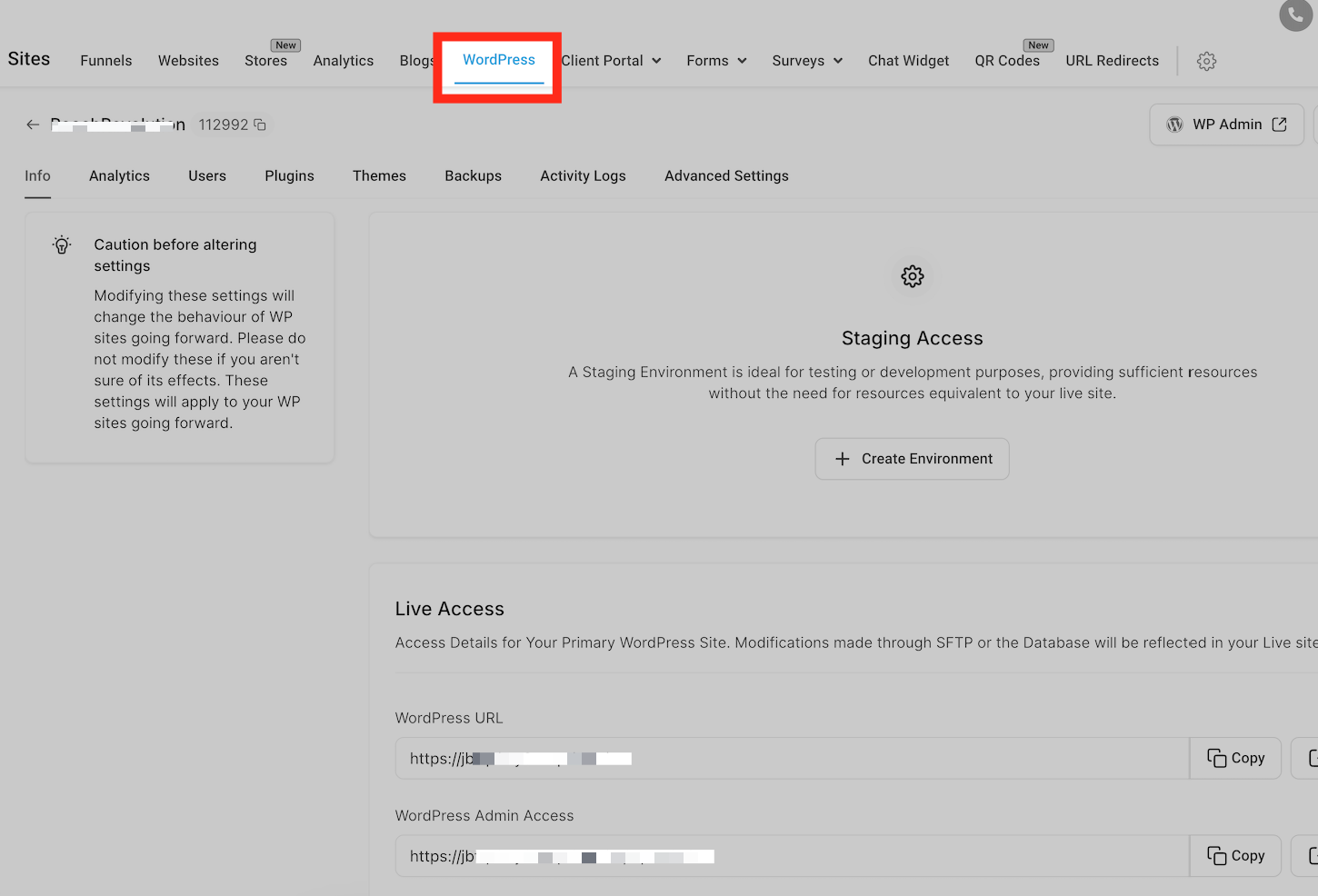
2. Find the Button:
You’ll see a “WP Admin” button next to each site.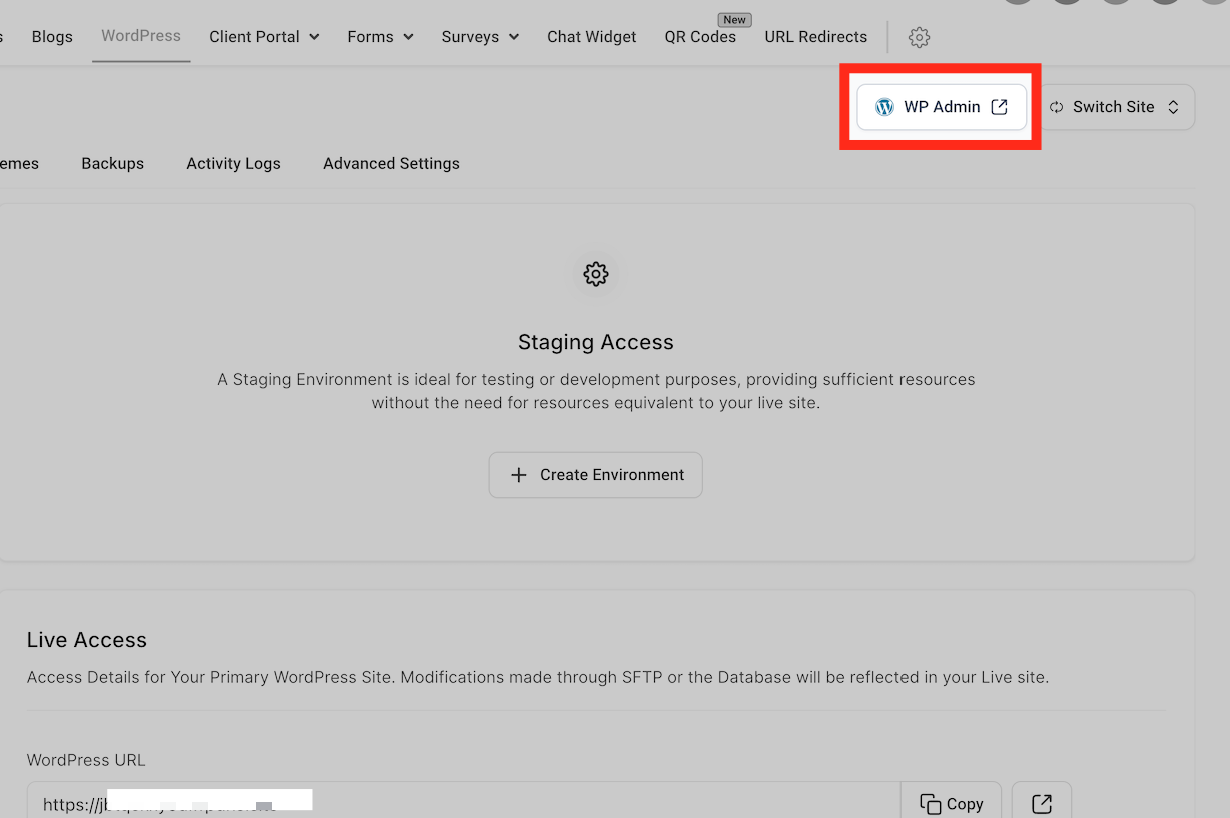
3. Click to Log In:
Press the button, and you’ll go straight to WP Admin.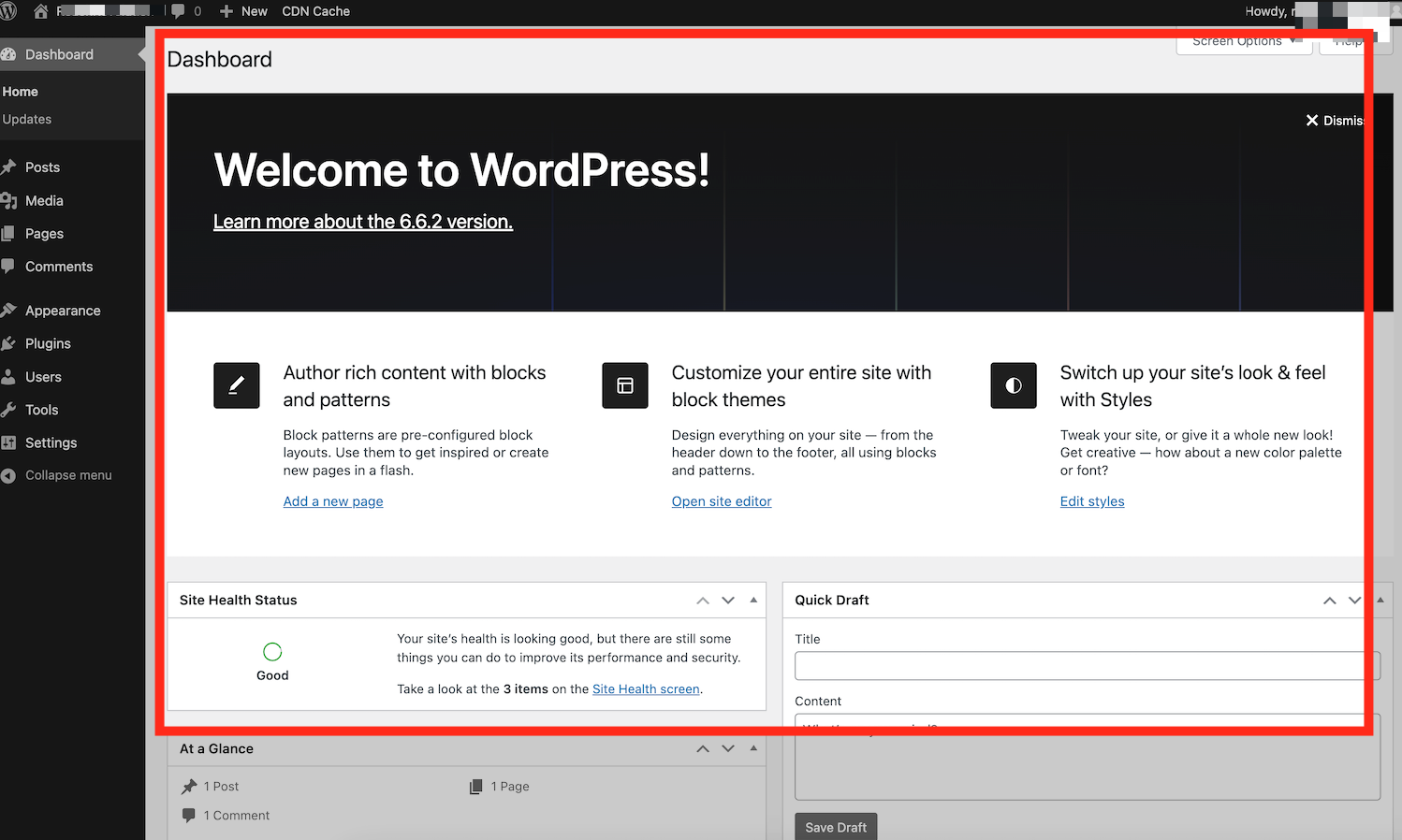
Now you can easily manage your WordPress site from the admin panel with a simple, secure click! Single Sign On keeps your login safe, without needing a password.