
You can capture and store contact information progressively as respondents move through the survey, ensuring that even partially completed surveys can generate useful contact data.
- Partial Contact Creation: You can automatically save contact information during survey completion, even if the respondent exits the survey before finishing all the slides. This allows you to capture leads or contact data as soon as partial responses are recorded.
- Slide Logic Compatibility: The feature integrates with slide logic, ensuring contact creation still occurs when respondents skip to different slides based on their responses (with some limitations).
- Easy Setup: Enabling partial contact creation is simple and can be done directly within the survey builder’s options menu. This feature enhances your ability to collect and maintain important contact information throughout the survey process.
How to Enable and Use Partial Completion
| Navigate to Sites > Survey > Builder > Add Survey | 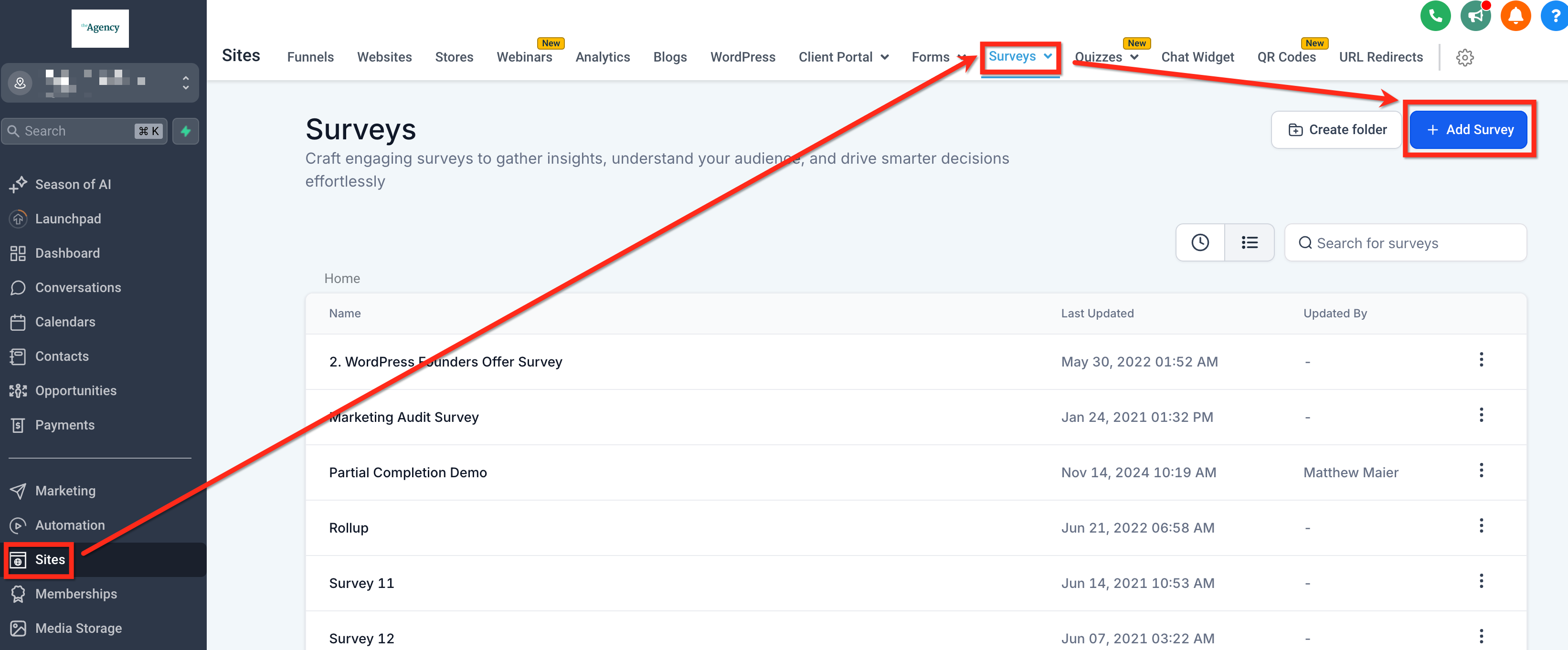 |
| In the Survey Builder, open Options and toggle on "Create Contact on Partial Submission". Put contact information on the first slide so that there is something to create the contact record with. | 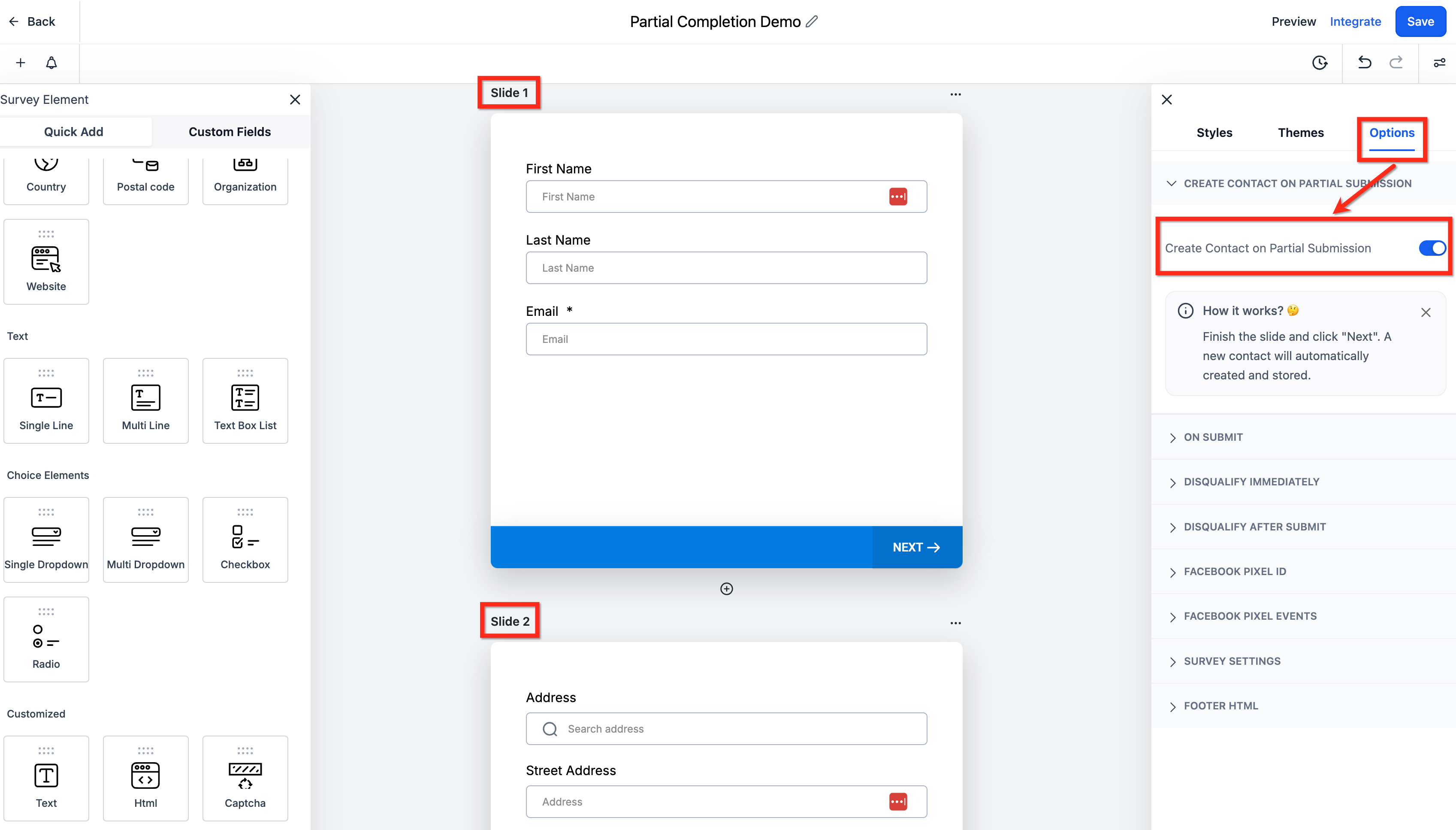 |
| The survey respondent will fill out the first slide and click Next. | 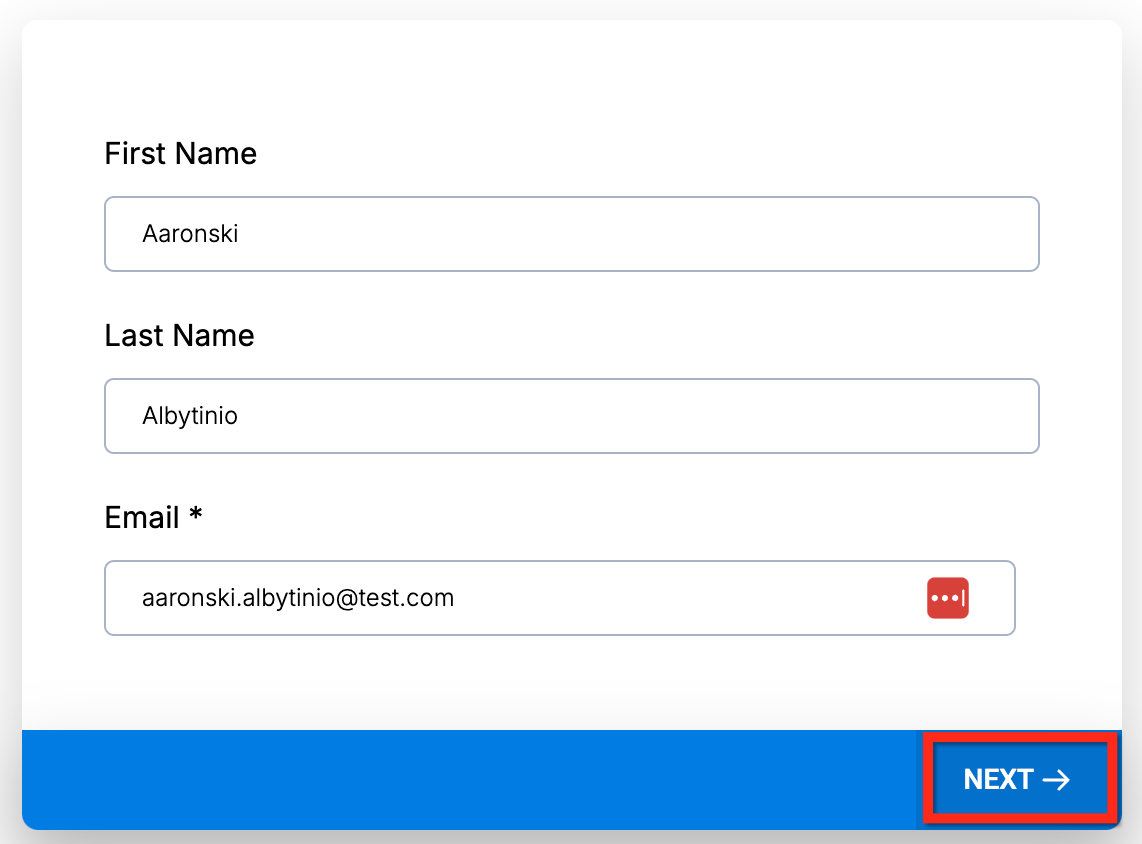 |
| The contact is created, before the rest of the survey is completed and submitted. | 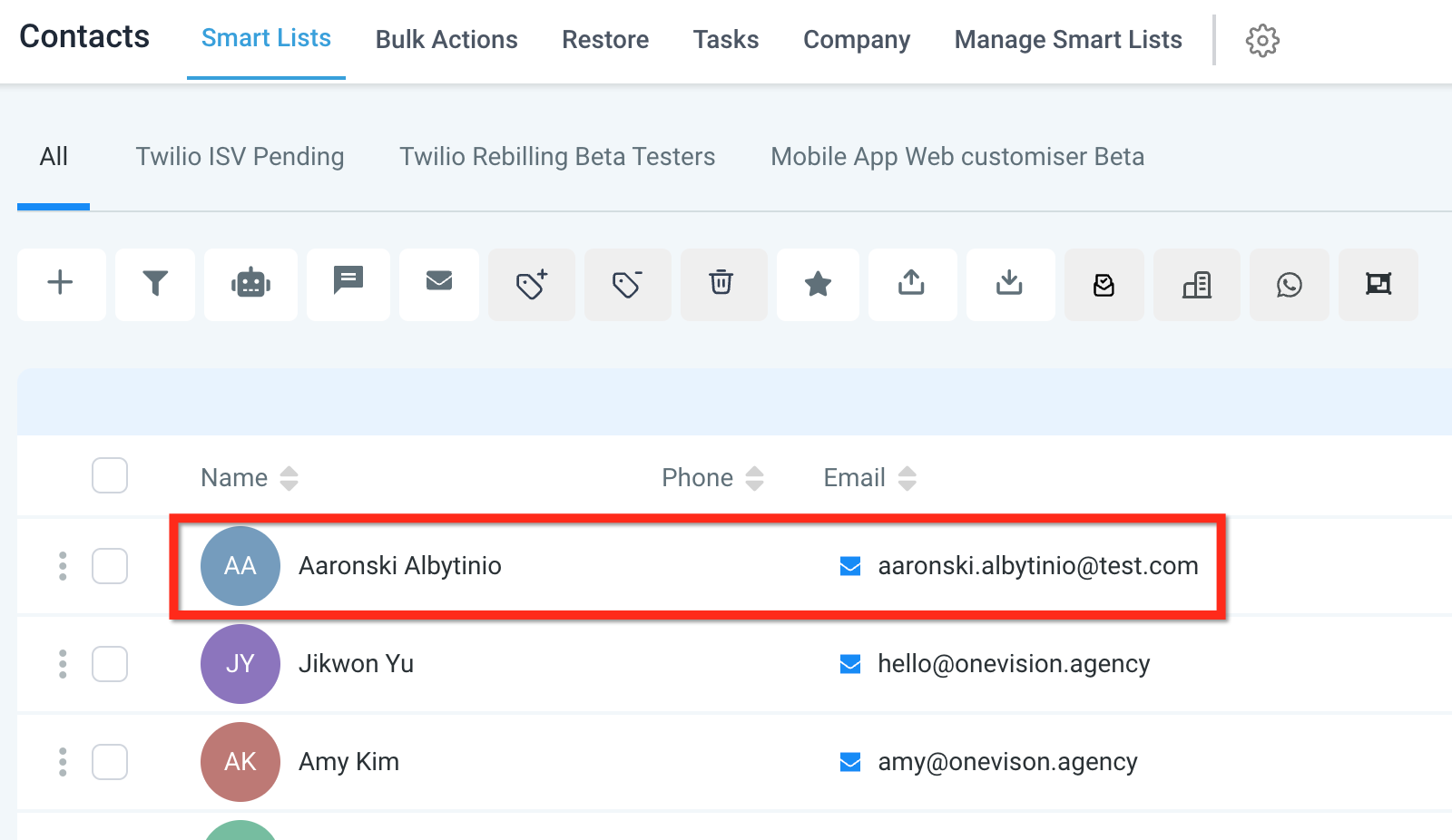 |
Known Limitations of Partial Completion
As of Nov 2024 there are limitations to how Partial Completion interacts with complex slide logic. Best practice is to put some basic contact information fields at the front of the survey. Don't immediately skip to the last or second to last slide.
- Partial Contact Not Supported if skipped to Last Slide: If slide logic skips directly to the last slide, partial contact creation will not be supported. The system treats the last slide as a final submission, and the partial submit functionality will not trigger.
- Contact Not Updated on Second-to-Last Slide: When skipping to the second-to-last slide (just before the final slide), contact information is not updated. The contact is only finalized and updated during the final submission.