
Custom Objects are now live in workflows! This new feature empowers users to create object-specific workflows. Now seamlessly trigger workflows based on custom object-related triggers and define a series of actions to automate your processes.
TABLE OF CONTENTS
What's New?
- Custom Object Workflows: Create workflows specific to your custom objects (e.g., Home, Cars, Pets, etc.).
- Trigger Workflows with Custom Object Events: Automate processes using powerful triggers specific to your custom objects.
- Perform Targeted Actions: Define object-specific actions, like creating, updating, or clearing custom object records, and integrate them with other tools.
How it Works?
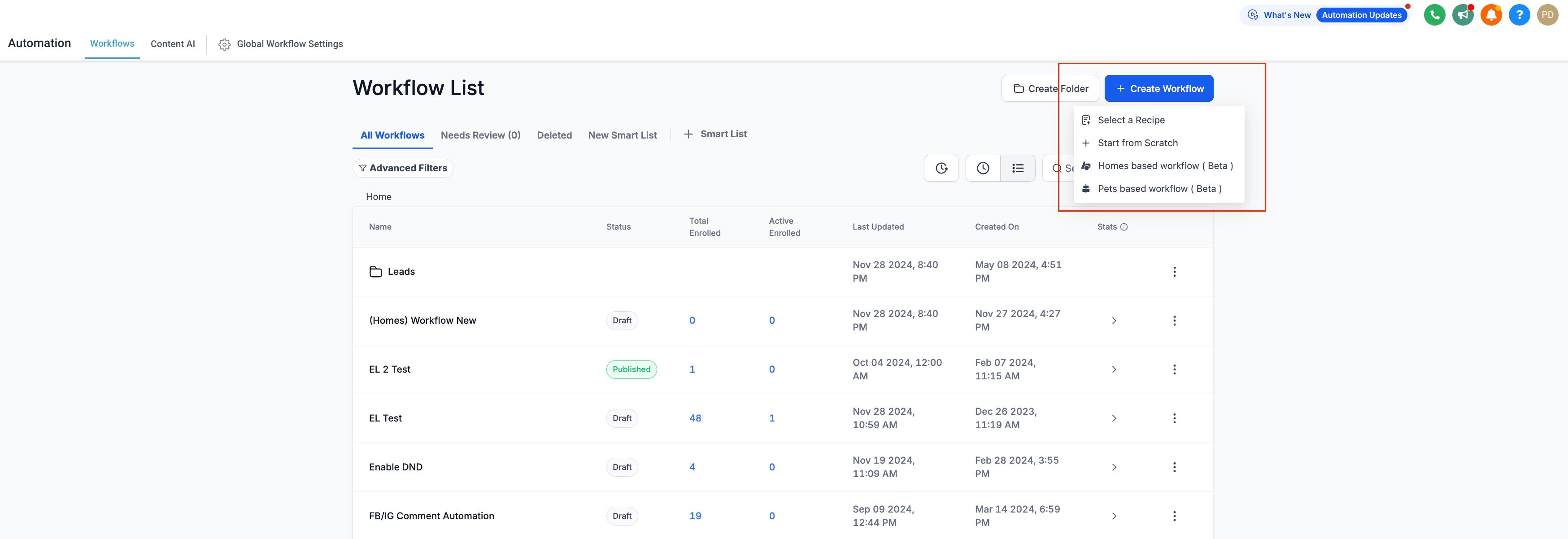
- Go to the Workflow Landing Page and click Create Workflow.
- Select the Object-based Workflow you wish to configure.
- Customize your workflow with the following triggers and actions.
Actions and Triggers
The below-mentioned actions and Triggers are present in the Custom Object Workflows:
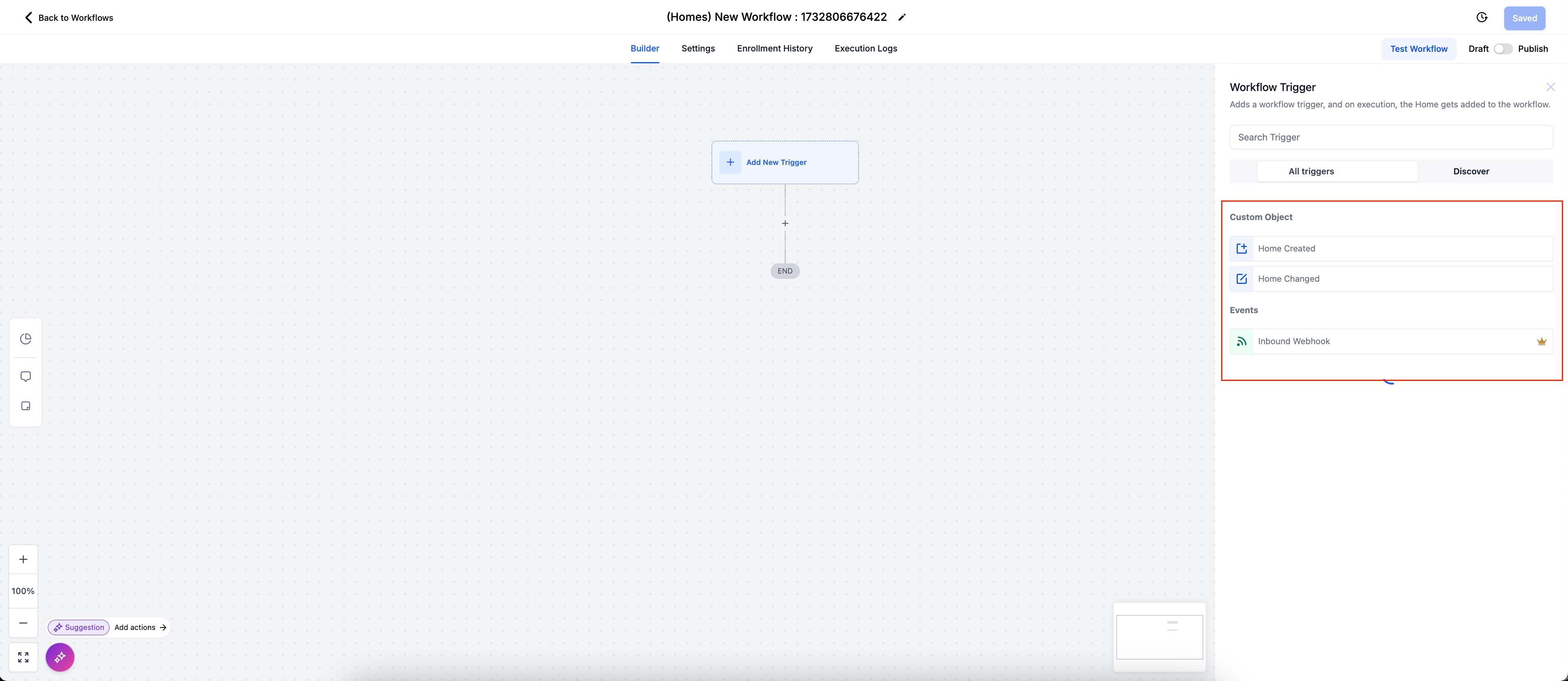
Triggers
Custom Object
- Home Created
- Home Changed
Events
- Inbound Webhook
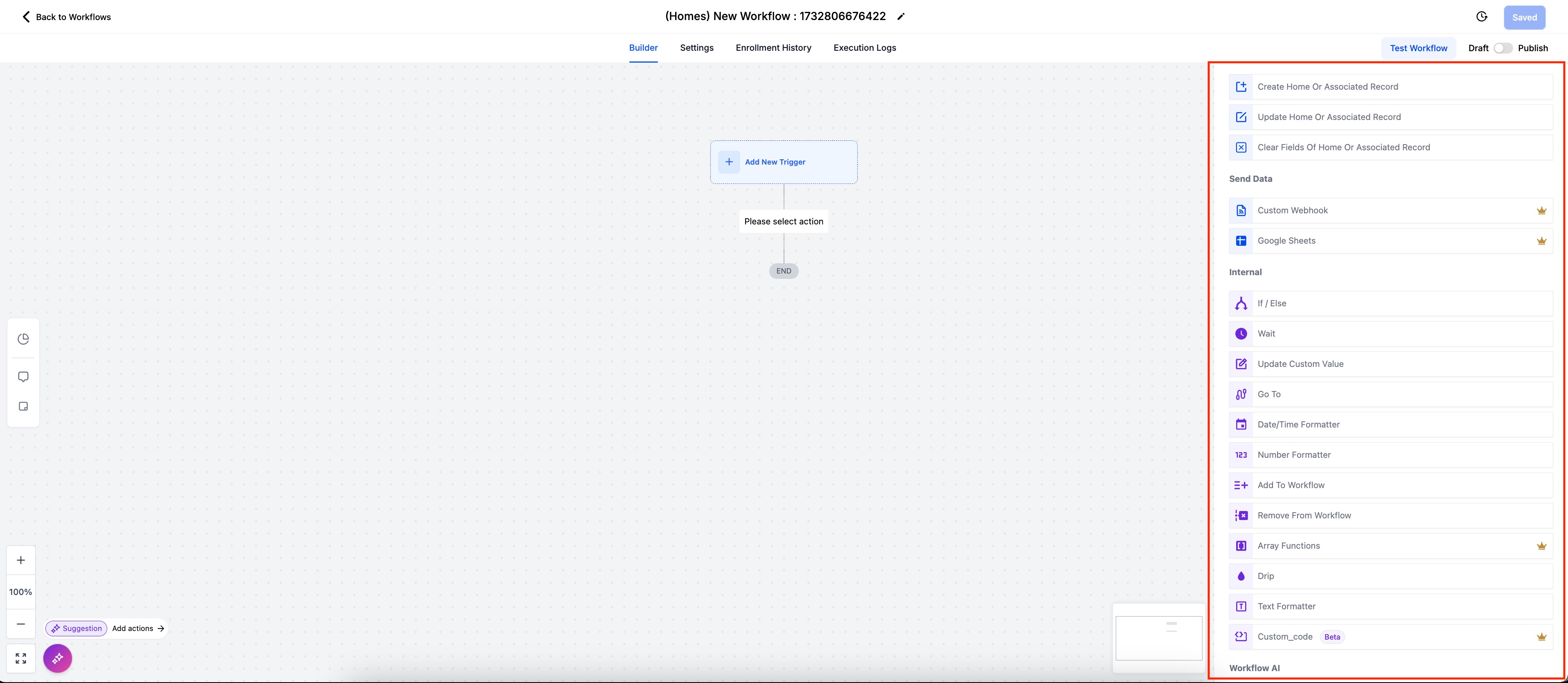
Actions
Custom Objects
- Create Home or Associated Record
- Update Home or Associated Record
- Clear fields of Home or Associated Record
- Add to Note (Notes): Add a note to the enrolled custom object record
Send Data
- Custom Webhook
- Google Sheets
Internal
- If / Else
- Wait
- Update Custom Value
- Go To
- Date/Time Formatter
- Number Formatter
- Add To Workflow
- Remove From Workflow
- Array Functions
- Drip
- Text Formatter
- Custom Code
Workflow AI
- GPT powered by OpenAI
Use Case
A real estate agency uses a custom object called "Home" to track home listings. When the Home Status field is marked as "Closed" (indicating the property is sold), they want to automate the next steps, including updating records and logging sales data.
Trigger:
- Object Changed: Trigger the workflow when the Home Status field in the "Home" object changes to "Closed".
Workflow Actions:
- Update Associated Object: Update an associated object (e.g., "Agent") linked to the sold property.
- Add a Row to Google Sheets: Use the Google Sheets Integration to log the sale in a centralized document for tracking and reporting.
- Clear a Field in the Object or Associated Object: Clear the temporary Notes and Internal Comment custom fields that are no longer needed.
Frequently Asked Questions
Q: Can I use a Custom Object workflow to send data to other platforms?
Yes. You can use actions like Webhooks to push data from Custom Object records to third-party tools. This is especially helpful for reporting, syncing with inventory systems, or triggering external services based on Custom Object events.
Q: Do I need to create a Custom Object before using it in a workflow?
Yes. You must create the Custom Object and define its fields before it can be used in any workflow trigger or action.