
This article explains merge fields and custom variables. You’ll learn about different types of fields, such as custom fields, custom values, custom objects, and custom links (trigger links and payment links), and how to use them to personalize communication and automate workflows.
TABLE OF CONTENTS
- What are Merge Fields and Custom Variables?
- Key Benefits of Using Merge Fields and Custom Variables
- Standard Fields
- Custom Fields
- Custom Values
- Custom Objects
- Trigger Links
- Payment Links
- Frequently Asked Questions
- Related Articles
What are Merge Fields and Custom Variables?
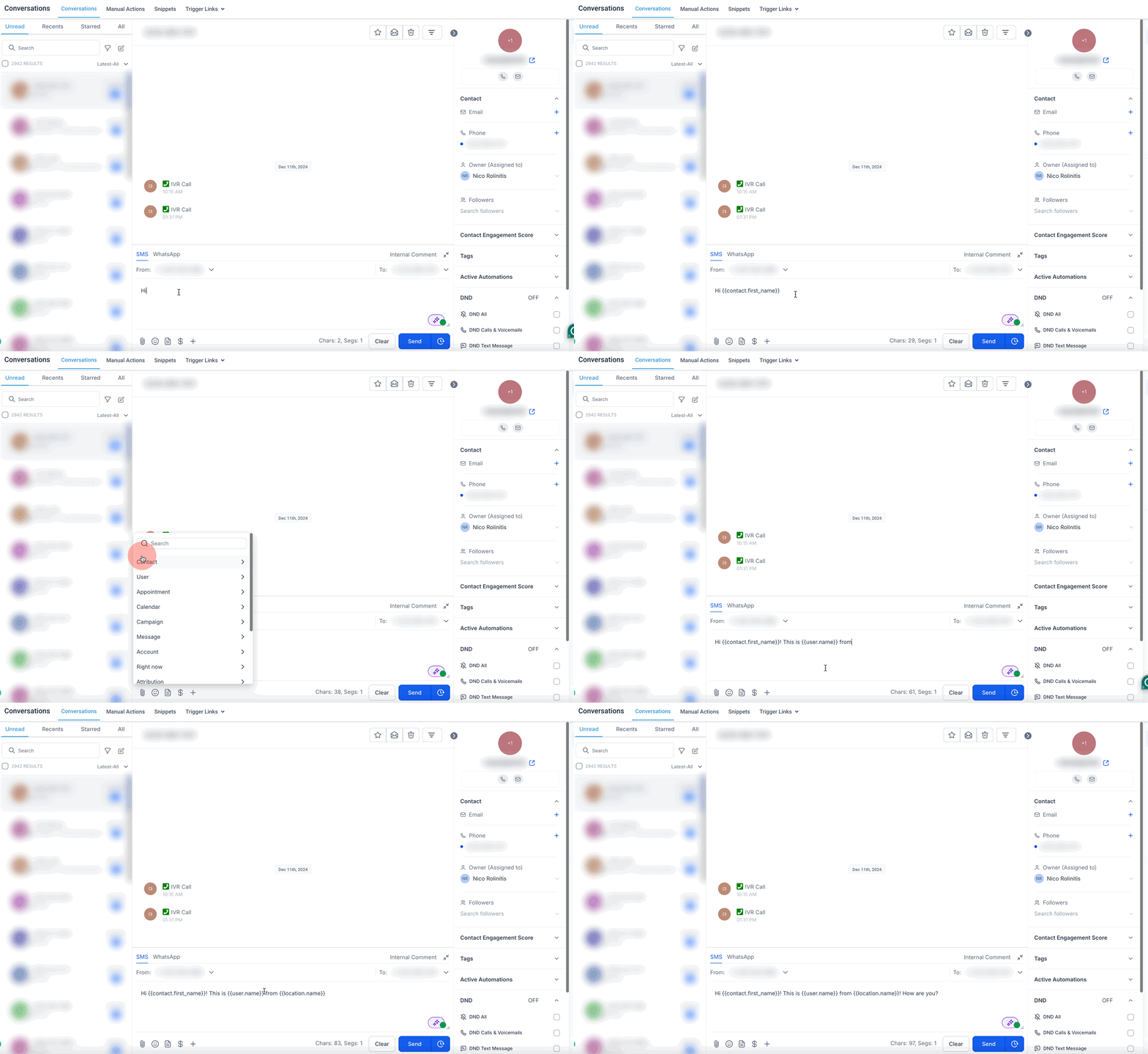
Merge fields and custom variables are placeholders you can use to dynamically insert personalized information. A merge field looks like this {{something.here}}. These fields help automate and personalize communication by pulling data from your CRM or other modules to replace the merge field.
When you build a contact-based workflow, you can select Company fields in the variable picker alongside contact fields. If the contact is associated with a Company record, workflow steps and conditions can pull company details (for example, company name, phone, email, website, and address). If the contact is not associated with a Company, company values resolve to blank.
The types of merge fields and custom variables include:
- Standard Fields: Built-in, non-customizable fields like contact names, appointment times, and user details.
- Custom Fields: User-defined fields for contacts and opportunities.
- Custom Values: Reusable values that can be used in templates and workflows.
- Custom Objects: User-created data structures for advanced data management.
- Trigger Links: Special links that, when clicked, can trigger automated actions in workflows and campaigns.
- Payment Links: Links that allow customers to make payments for products or services directly.
Key Benefits of Using Merge Fields and Custom Variables
- Personalize Communication: Automatically insert contact names, dates, and other details in emails and SMS messages.
- Automate Processes: Use merge fields in workflows to save time and reduce manual work.
- Improve Data Consistency: Ensure accurate and up-to-date information across communications.
- Simplify Repetitive Tasks: Reuse custom values and trigger links for efficiency.
Default or Fallback Values for Empty Fields
At this time there is no support for fallback or default values to fill in when a variable is empty. The merge field will just be replaced with a blank.
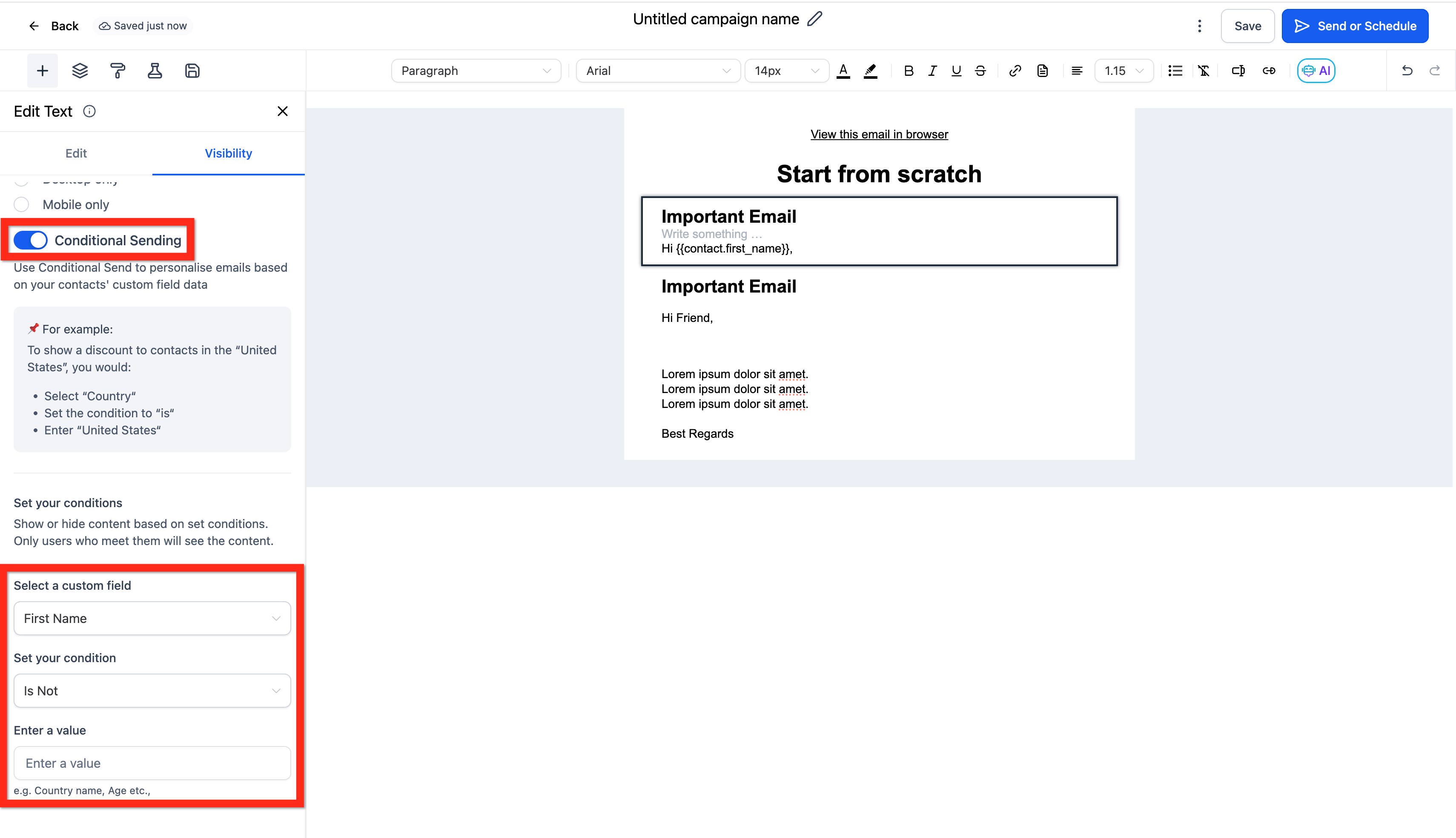
As an alternative, you might be able to show/hide a block of content.
For example, in the email builder you can use Conditional Send to show a block of content only when certain conditions are met. If you have one block with the first_name merge field (Hi {{contact.first_name}},) set to send when the first_name is not empty, and a second block without the merge field (a default value like "Hi Friend,") set to send when the first_name field is empty, then you get a similar effect.
Standard Fields
Standard Fields are predefined merge fields that are available by default in every account. These fields cover essential data points such as contact names, email addresses, phone numbers, appointment details (e.g., time and date), and more. Unlike Custom Fields, these fields are built-in and cannot be modified or deleted. Below are some use cases for standard fields:
- Contact First Name: The first name of the contact.
- Contact Email: The contact's email address.
- Appointment Date and Time: The scheduled date and time of an appointment.
- User Full Name: The full name of the assigned user.
- Company Name: The name of your business or organization.
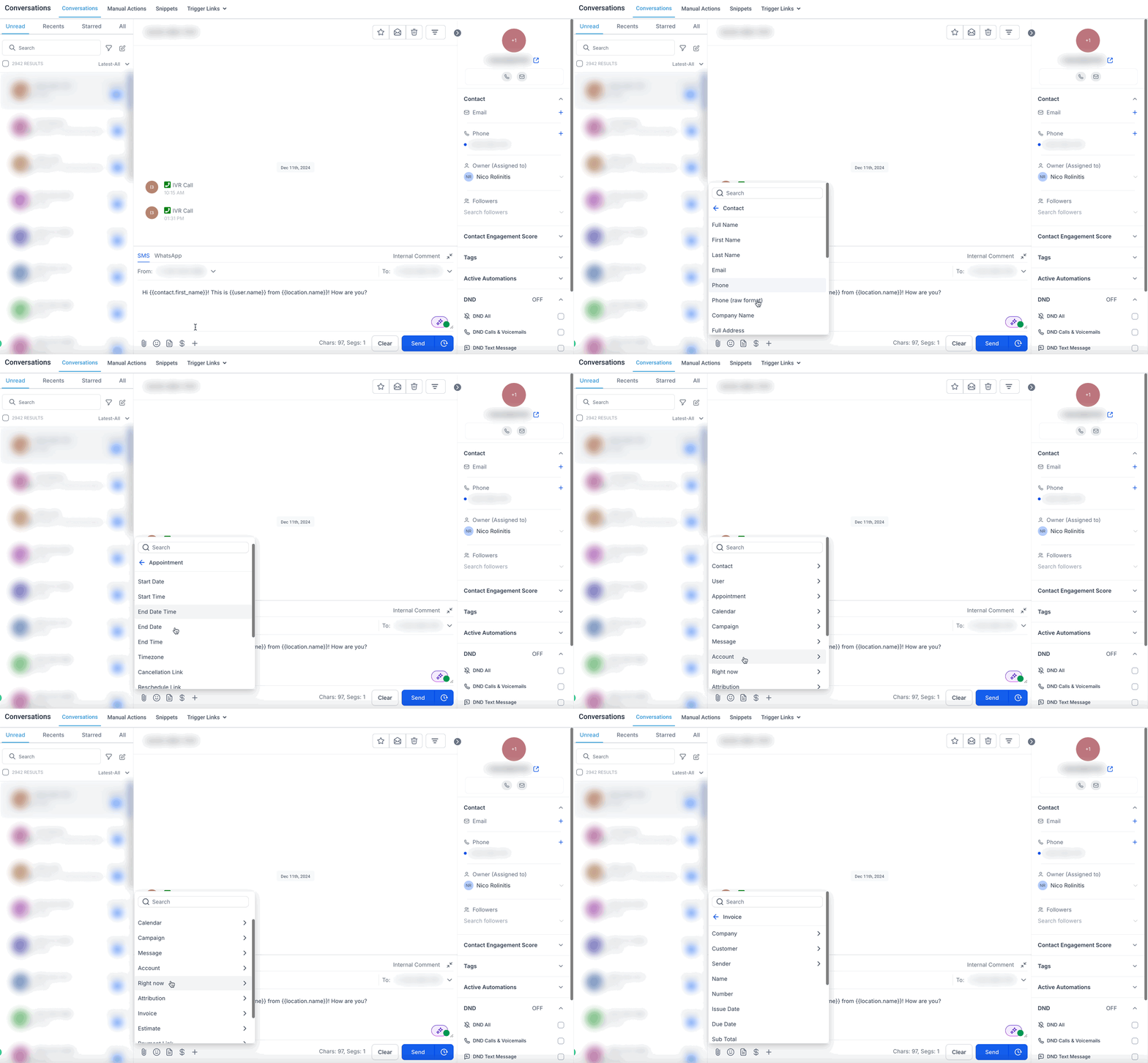
Click here if you'd like to see a list of the Standard Merge Fields.

⚠️ Please be aware that some fields may be missing from the list ⚠️
Custom Fields
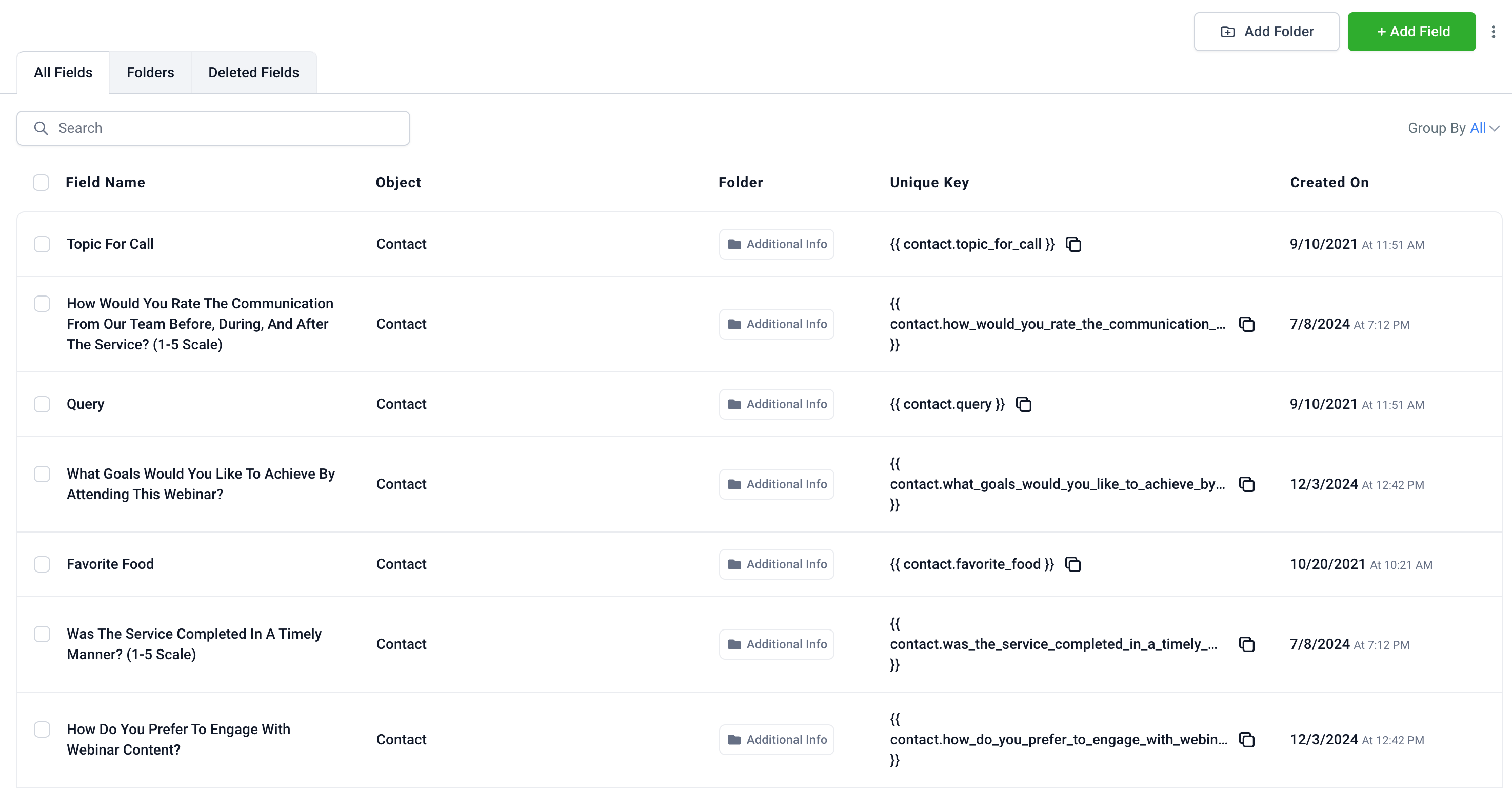
User-defined data points unique to each contact or opportunity, used to store personalized information like birthdays or preferences for detailed segmentation and communication. Below are some use cases for custom fields:
- Customer Preferences: Track specific customer interests, such as preferred communication method (email, SMS, phone call).
- Membership Details: Store membership levels (e.g., Gold, Silver, Platinum) to offer tier-specific promotions.
- Product Interest: Add fields to track which products or services a customer is interested in for targeted follow-ups.
- Event Attendance: Log event registration or attendance details to personalize invitations or follow-up messages.
- Account Manager Assignment: Store the name of the account manager handling a specific contact.
- Contract Renewal Dates: Track contract expiration or renewal dates for timely reminders.
- Lead Source: Record where a lead came from (e.g., Facebook, Google Ads, Referral) for tracking marketing performance.
Additional Workflow Fields in the Picker
Merge fields and custom values in workflows can include built-in system fields in addition to your saved custom values. SourCherry now supports more workflow-ready fields in the picker for merge fields and If/Else conditions.
These fields include:
- Contact Engagement Score
- Contact → Attribution Medium ID
- Note created by (Name)
- Task ID
These fields help you build more specific automations based on engagement, attribution, note activity, and task context.
Important:

Some fields only appear when the workflow includes the correct context. For example, Task ID appears in task-related workflows, and Note created by (Name) appears in note-related workflows. Contact Engagement Score is available when Engagement Scoring is enabled in the sub-account.
Custom Values
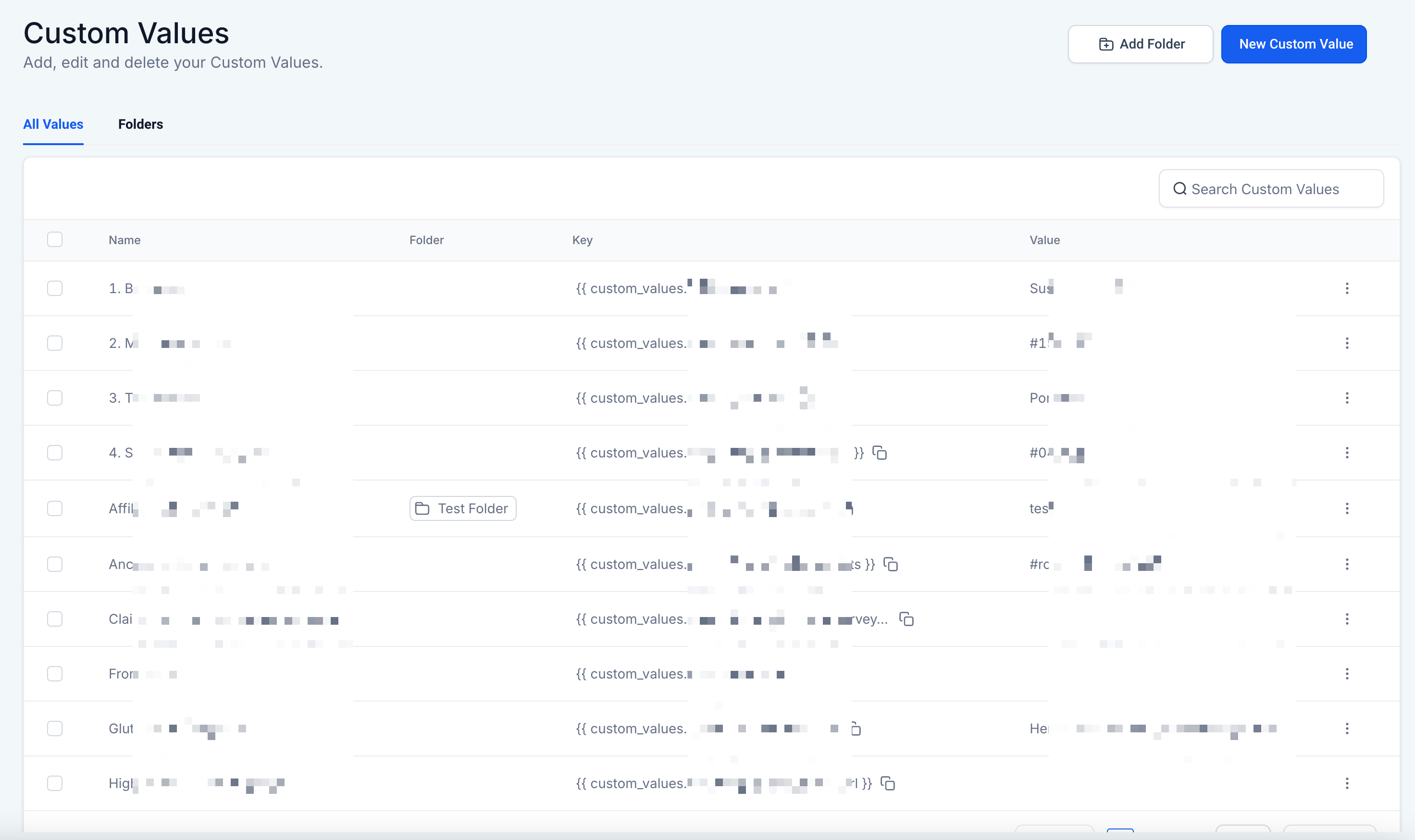
Reusable placeholders for static information (e.g., company details) that ensure consistency and simplify updates across multiple areas of your CRM including email templates, websites, funnels, workflows, and more! Below are some use cases for custom values:
- Company Contact Information: Use a custom value to insert your company’s phone number, email, and address in email footers.
- Standard Closings: Add a custom value for a standard sign-off phrase, like "Best Regards, [Company Name]."
- Website Links: Use a custom value for frequently used URLs, such as your website or customer support page.
- Compliance Statements: Insert legal disclaimers or compliance statements consistently across all templates.
- Brand Taglines: Add a company slogan or tagline to marketing materials and campaigns.
- Holiday Greetings: Create reusable seasonal greetings to insert in newsletters or promotional messages.
Custom Objects
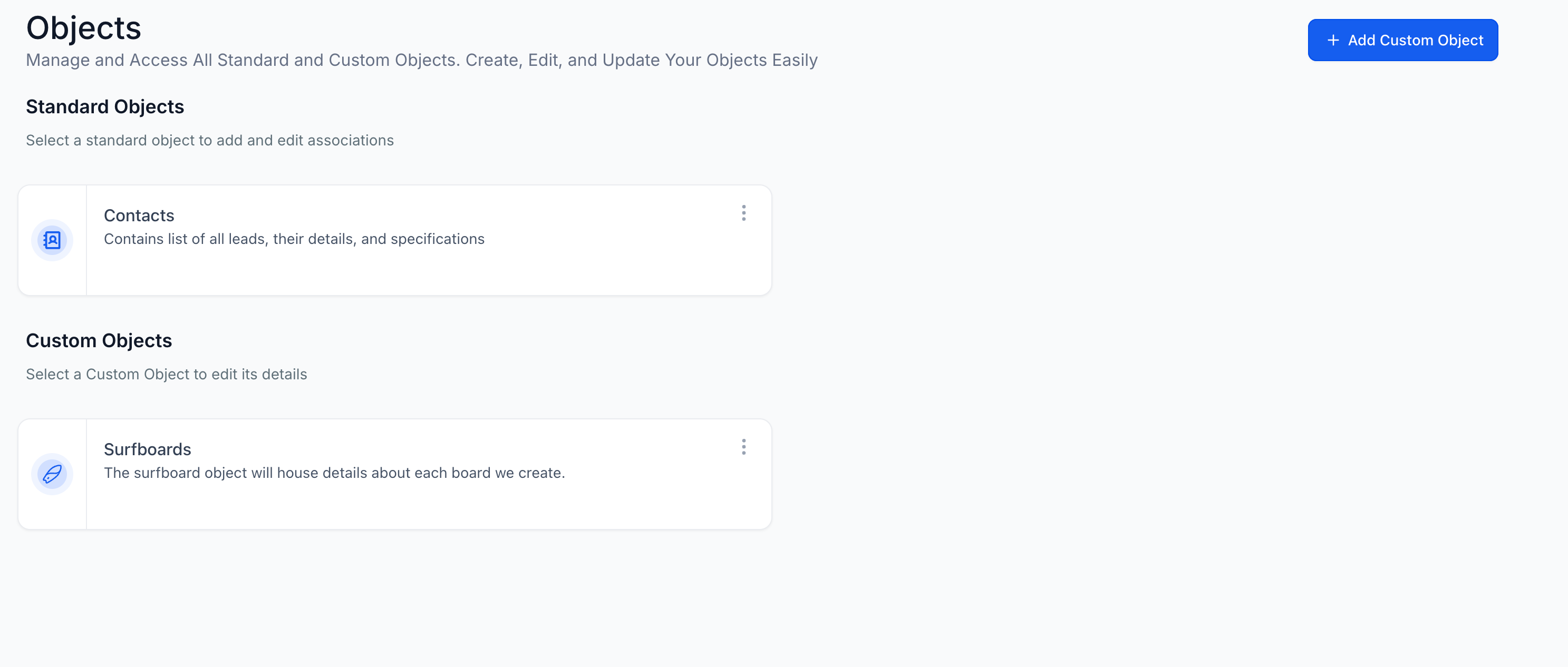
Custom objects allow you to create unique data structures beyond the standard fields offered. Below are some use cases for custom objects:
- Subscription Plans: Track subscription details like plan type, renewal date, and billing frequency.
- Inventory Management: Create objects to manage product inventory, including SKU numbers, quantities, and supplier details.
- Property Listings: For real estate businesses, store details of property listings, including location, price, and features.
- Vendor Details: Manage vendor information, including contracts, contact persons, and payment terms.
- Appointment Details: Log advanced appointment details like service type, location, and assigned staff.
Trigger Links
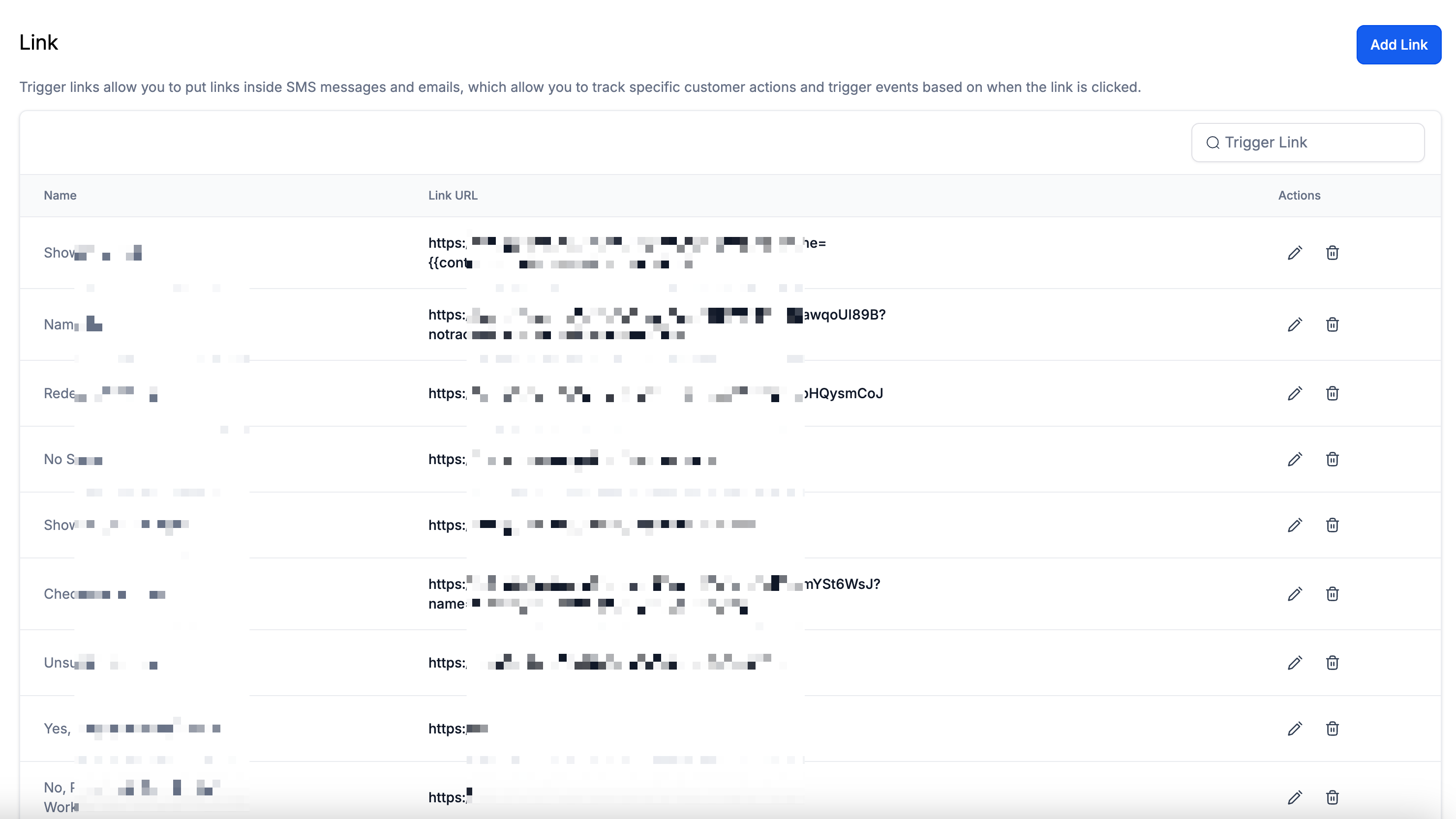
Trigger links are special links that, when clicked, can trigger specific actions in workflows and campaigns. Below are some use cases for trigger links:
- Webinar Registration: Send a link to register for a webinar and trigger a confirmation email when clicked.
- Survey Follow-Ups: Track who clicks a survey link and send a thank-you message automatically.
- Content Downloads: Provide links to download resources like eBooks or whitepapers and track engagement.
- Upsell Opportunities: Offer a link to an upgraded service and trigger follow-up emails for those who click.
- Event Invitations: Track RSVPs for events by sending an invitation link and automating follow-up based on clicks.
- Special Offers: Send a link to a limited-time offer and trigger a reminder email if the link isn’t clicked.
Payment Links
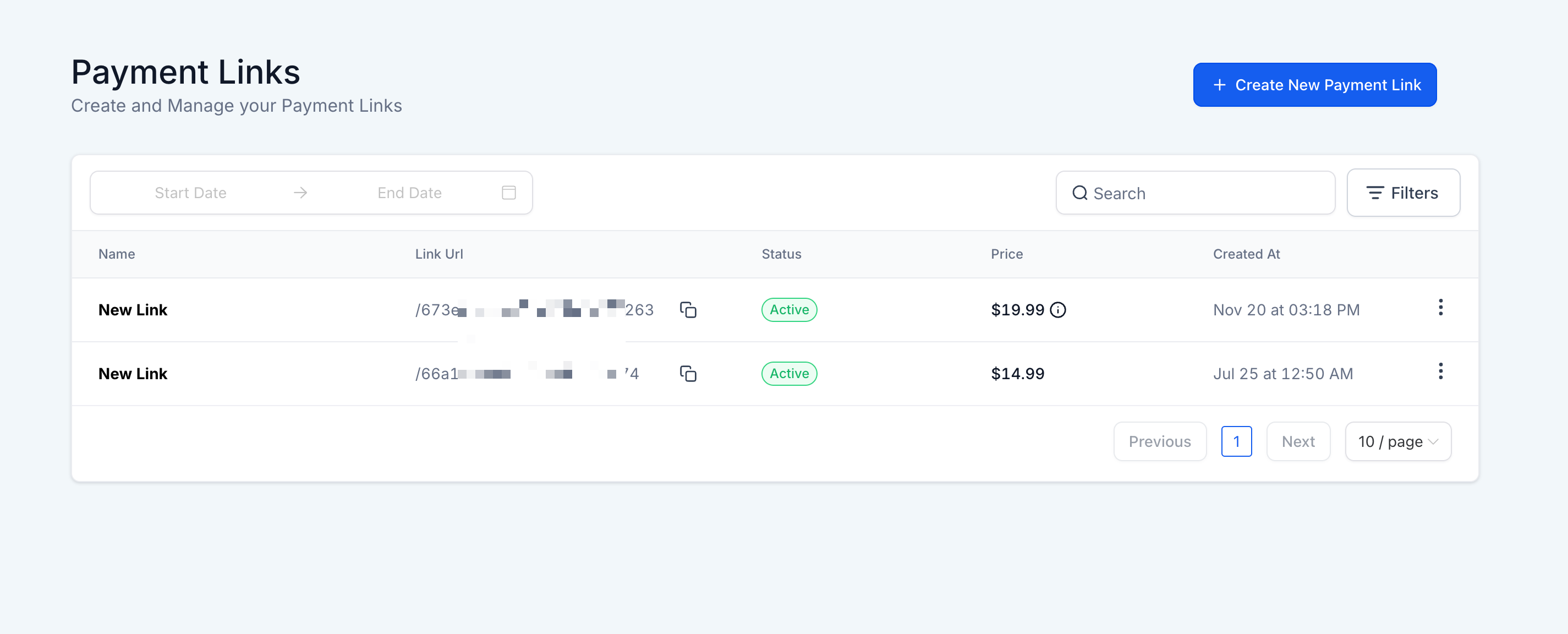
Payment links allow you to sell products or services by generating a link for customers to make payments. Below are some use cases for payment links:
- Event Tickets: Collect payments for event tickets, like workshops or conferences.
- Subscription Plans: Generate links for recurring subscriptions or memberships.
- Product Sales: Create payment links for physical or digital products (e.g., books, courses).
- Deposit Collection: Collect deposits for bookings or reservations.
- Donations: Generate a payment link for charitable donations or fundraising campaigns.
Frequently Asked Questions
Q: What is the difference between Custom Fields and Custom Values?
Custom Fields are specific to individual contacts or opportunities, storing unique data like birthdays or preferences. Custom Values are reusable placeholders for consistent information across communications, such as company details or standard messages.
Q: Why is my merge field not working or displaying correctly?
This could be due to a missing or incorrect merge field format. Ensure you’re using the correct syntax (e.g., {{contact.email}}). Also, verify that the data for that field exists in the contact or user record.
Q: Are merge fields case-sensitive?
Yes, merge fields are case-sensitive. For example, {{contact.name}} will work, but {{Contact.Name}} will not.
Q: How can I test if my merge fields are working correctly?
To test merge fields, send a test email or SMS to yourself or preview the communication within the template editor. This helps ensure the merge fields are pulling the correct data.
Q: What happens if a merge field doesn’t have any data available?
If a merge field doesn’t have corresponding data, it may display as blank. Always ensure your contact or user data is complete for the best results.
Q: Can I update a Custom Value, and will it reflect across all templates?
Yes, updating a Custom Value in the settings will automatically update all templates and workflows where that value is used, ensuring consistency.
Q: How are Standard Fields different from Custom Fields?
Standard Fields are predefined and built-in to the CRM, while Custom Fields are user-defined and can be created to store unique data for contacts and opportunities.
Q: How do Custom Objects differ from Custom Fields and Custom Values?
Custom Objects are advanced data structures that allow for more complex relationships and data management beyond the capabilities of Custom Fields and Values.
Q: Are there limitations to the number of Custom Fields or Custom Values I can create?
No, there is no strict limit to the amount you can create, but it's advisable to manage them effectively to maintain clarity and organization within your account.
Q: Can I use Custom Values within websites and funnels?
Yes, Custom Values can be utilized to dynamically display consistent information across your websites and funnels, enhancing personalization.
Q: How do I organize Custom Values for better management?
You can organize Custom Values into folders, making it easier to manage and locate them as your list grows.
Q: Is it possible to bulk create or upload Custom Fields/Values?
Currently, we do not support bulk creation or uploading of Custom Fields/Values, so they need to be added individually.
Q: Can I edit or delete Standard Fields?
No, Standard Fields are built-in and cannot be modified or deleted, but you can choose whether or not to use them in your templates and workflows.