
Overview
The Product Selection per Store feature enables store owners to control which products are visible in specific stores within a sub-account. This enhancement provides better inventory management, allowing businesses to tailor their product offerings for different stores.
Feature Breakdown
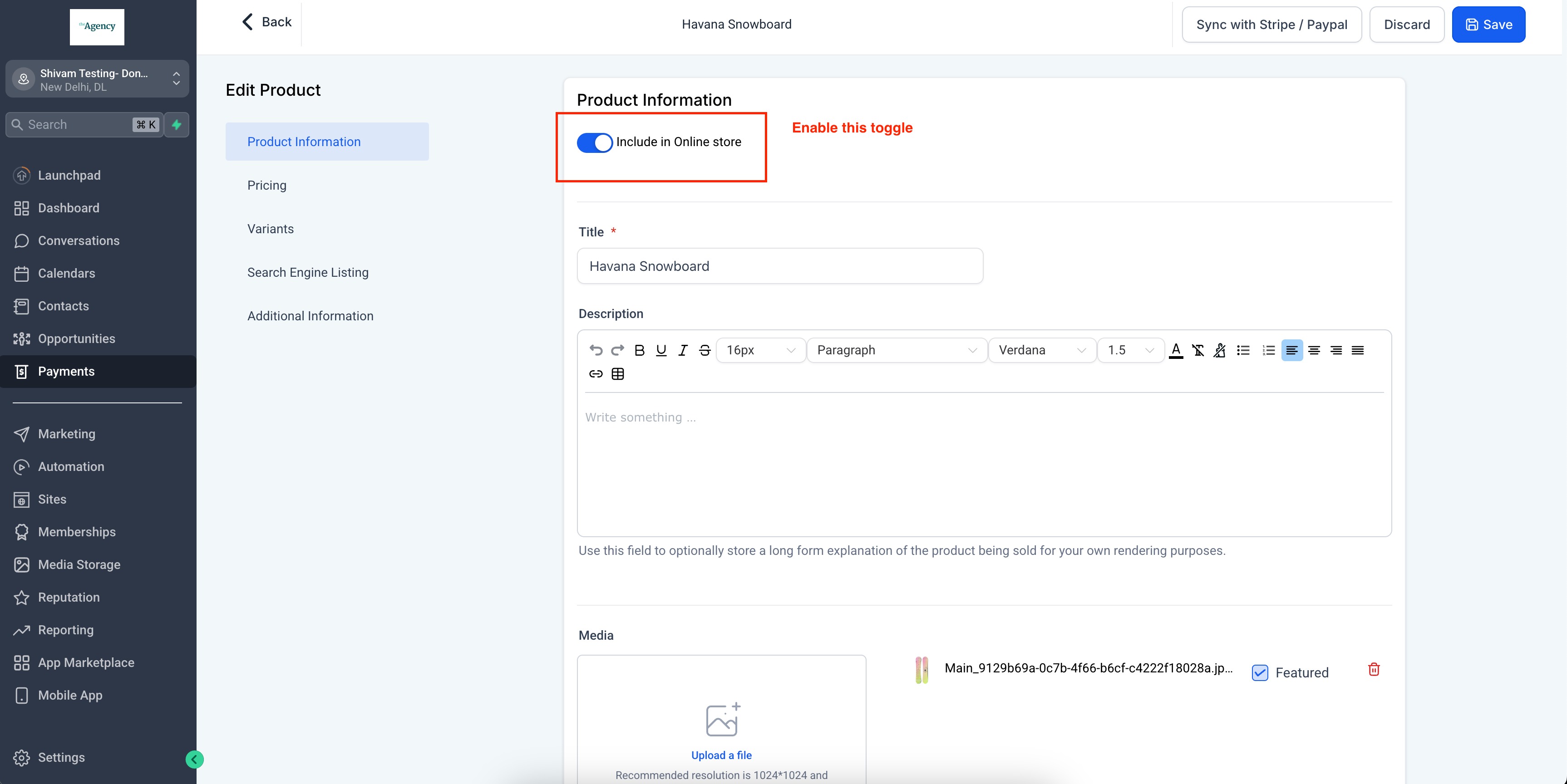
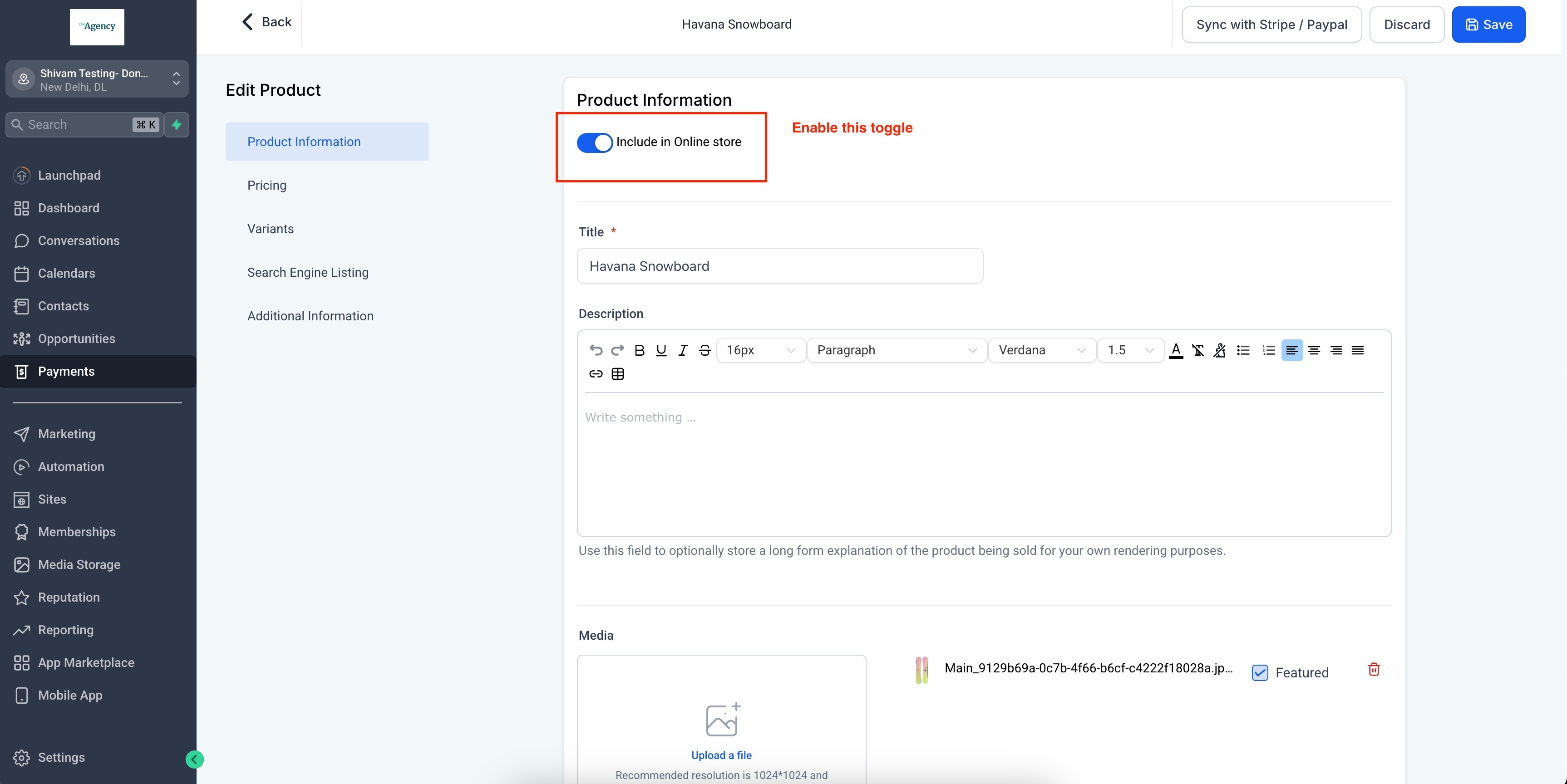
1. "Include in Online Store" Toggle for Products
This toggle determines whether a product is available for store selection.
- Enabled: The product will be available for inclusion or exclusion in the Products section across all stores.
- Disabled: The product will not appear in the Stores → Products section for any store.
2. Product Listing Behavior
- When a new store is created, all products with the "Include in Online Store" toggle enabled will be automatically listed.
- Newly created products will be listed in all stores by default if the toggle is enabled.
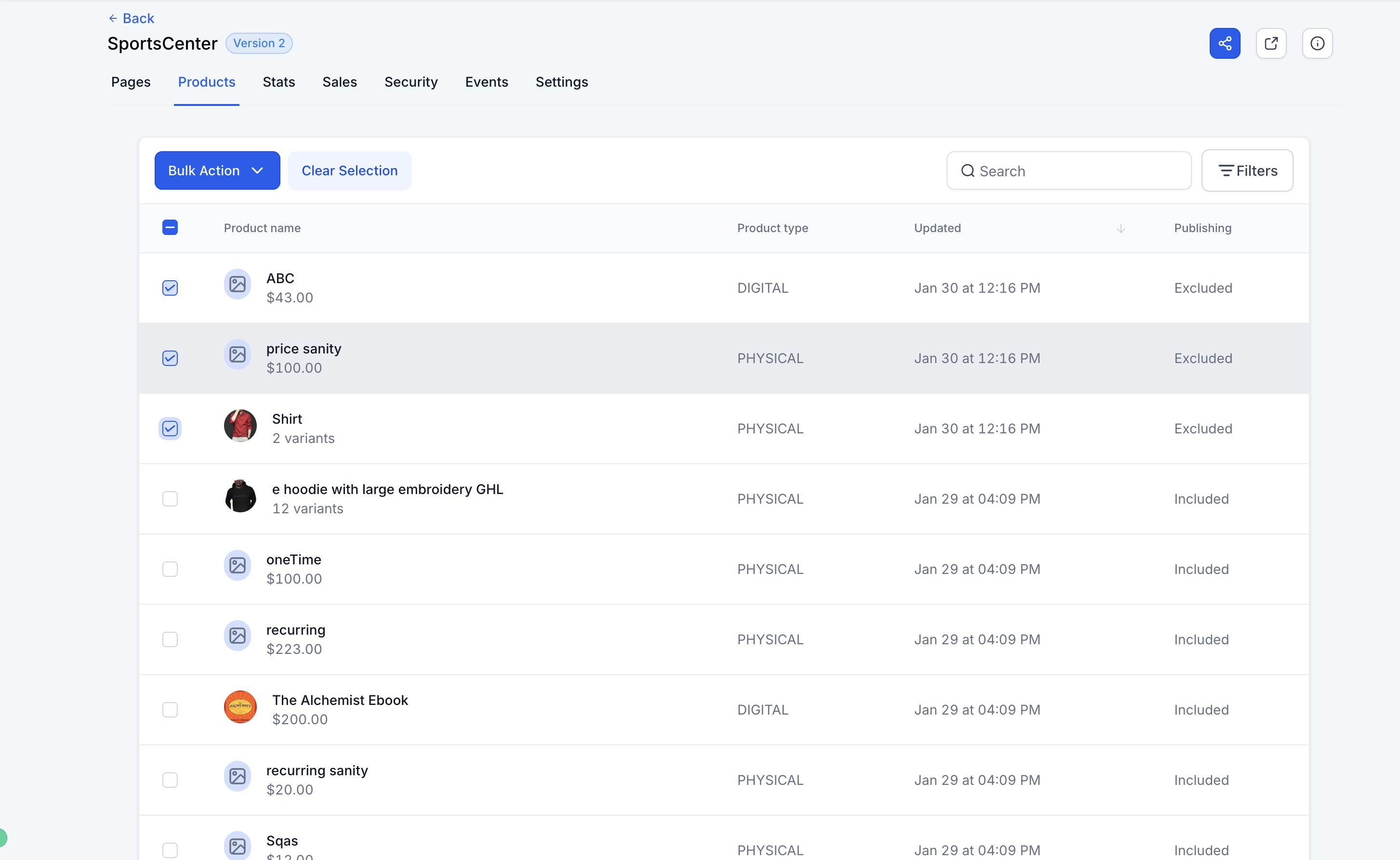
3. Bulk Actions for Product Visibility
- Store owners can select multiple products and apply bulk inclusion or exclusion across stores.
- If a bulk action is performed, it only applies to products that do not already match the selected state.
4. Search & Filter Options
To enhance product management, users can:
- Search products by Product Name.
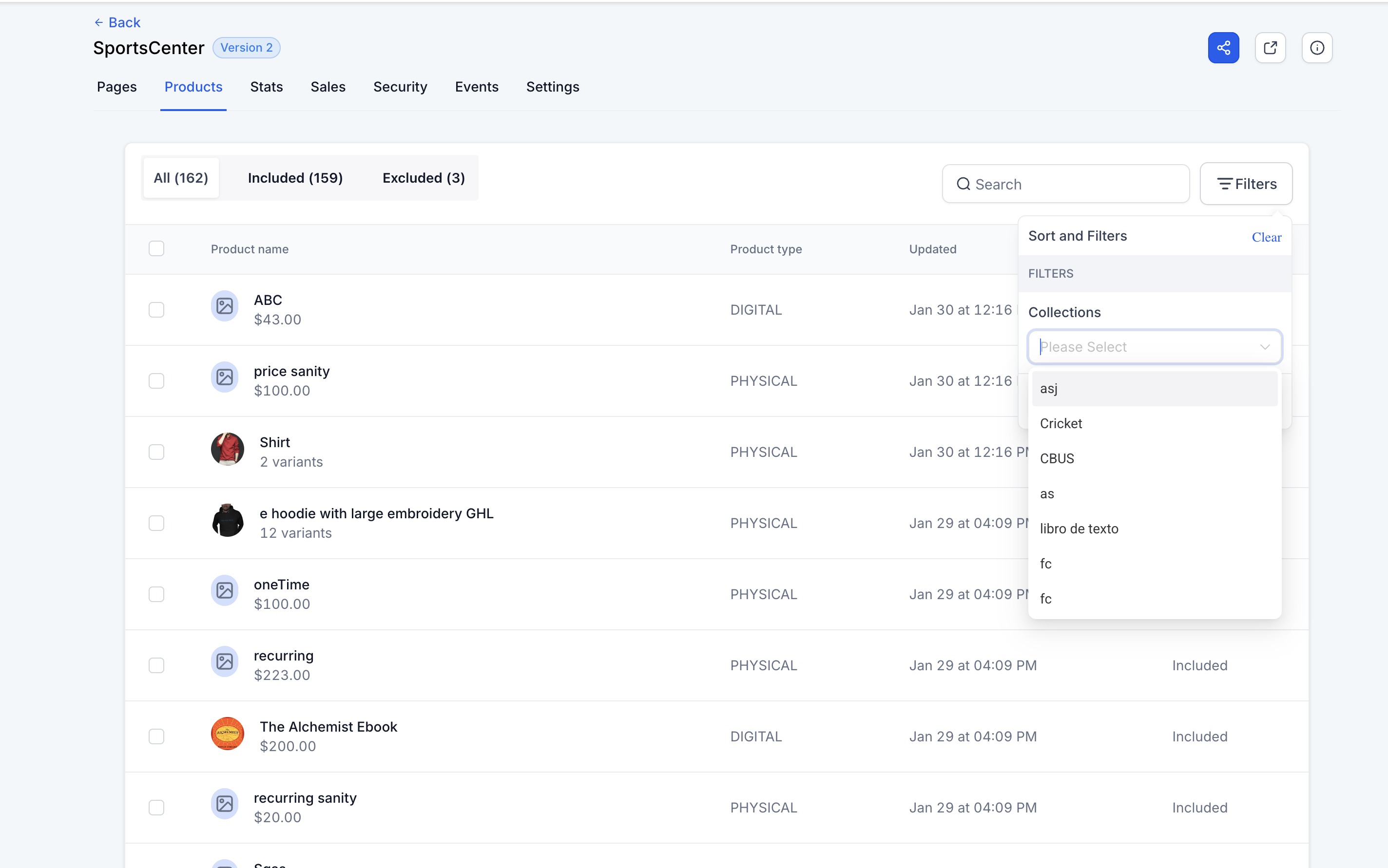
- Filter products by Collections to quickly find relevant items.
How to Use the Feature
- Navigate to Stores > Select Store > Products section.
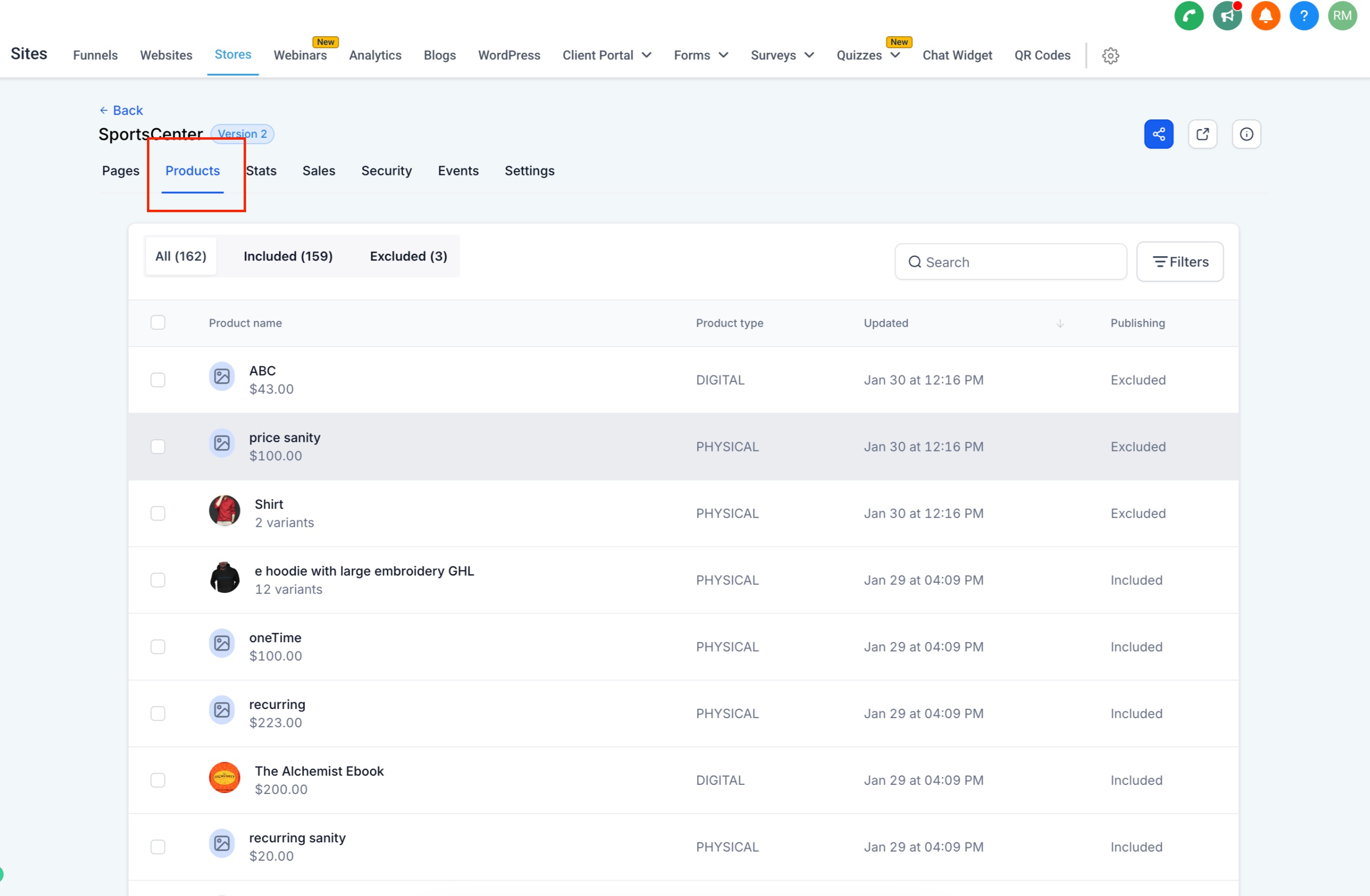
- Use the Include in Online Store toggle to determine product availability.
- Apply bulk actions to include or exclude multiple products at once.
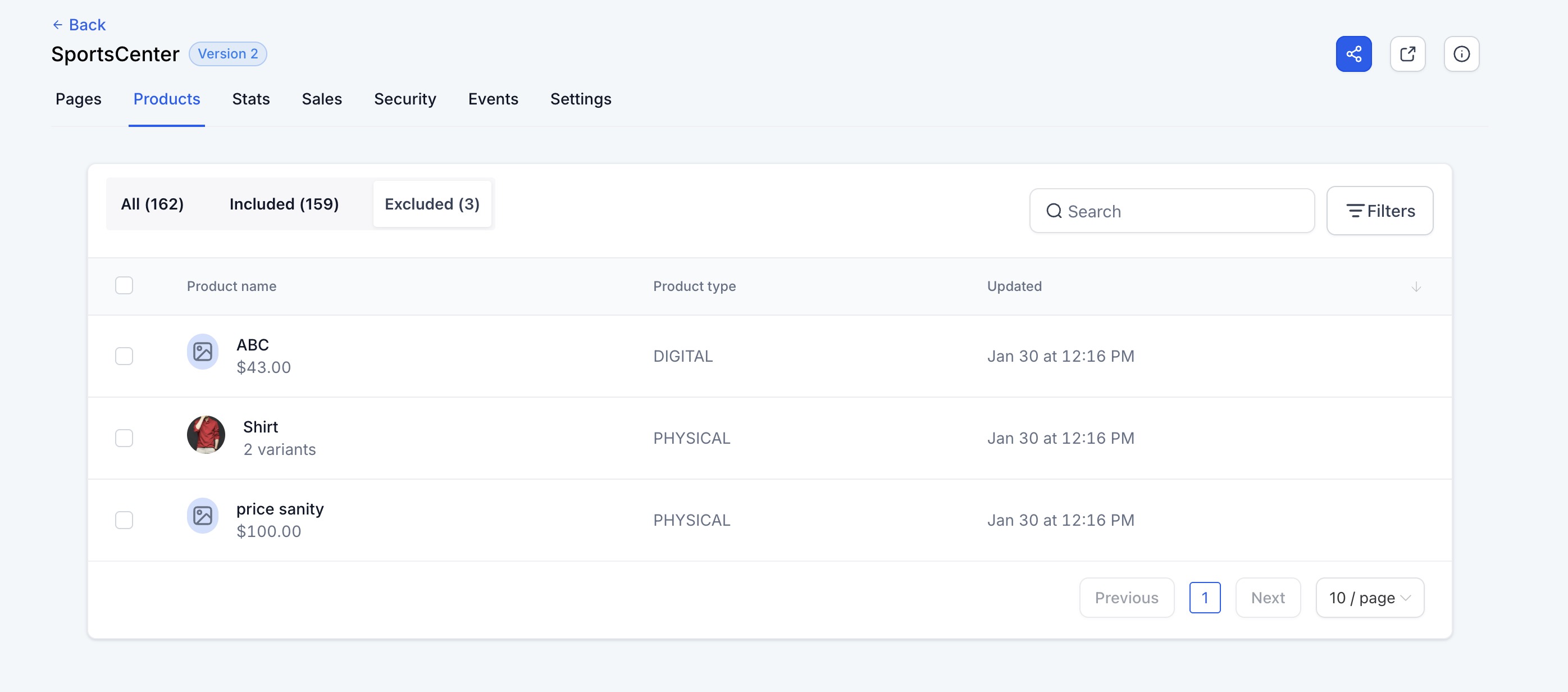
- Utilize the search and filter options to refine product visibility.
- Changes are automatically saved without needing additional confirmation.
Key Considerations
- Products with the "Include in Online Store" toggle disabled will not be available for store selection.
- When a new store is created, only products with "Include in Online Store" enabled will be available.
- Newly created stores inherit product visibility based on the Include in Online Store setting.
- Store owners can edit product details directly by selecting a product from the Products section.