
TABLE OF CONTENTS
Overview
We’ve introduced a new feature in workflows—T&C Filter, allowing accounts to filter users based on whether they agreed to the Terms and Conditions (T&C) or not. This enhancement helps streamline user targeting and ensures workflow steps are aligned with compliance requirements.
Feature Benefits
Improved User Segmentation: Filter users based on their T&C agreement status.
Enhanced Compliance: Ensure only users who have agreed to specific terms and conditions proceed in workflows.
Customizable Workflow Paths: Create targeted user journeys by setting conditions for users who agreed or did not agree to the T&C.
How It Works
1. Adding the T&C Filter to Your Workflow
Navigate to the Workflows section.
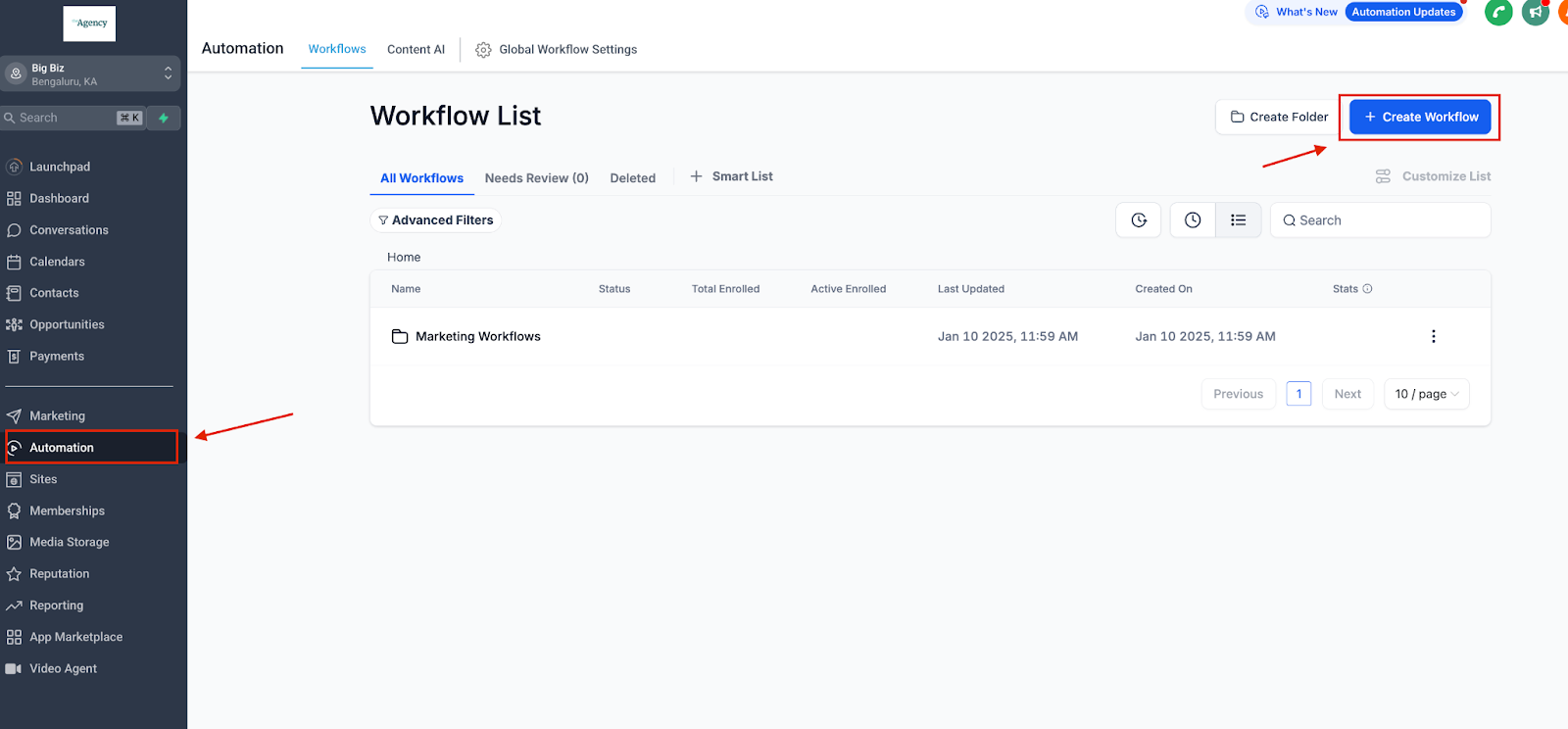
Select the workflow you want to modify or create a new one.
Select workflow trigger - ‘Form Submitted’, ‘Quiz Submitted’ or 'Survey Submitted'
Click Add Filters.
Choose the T&C Filter option.
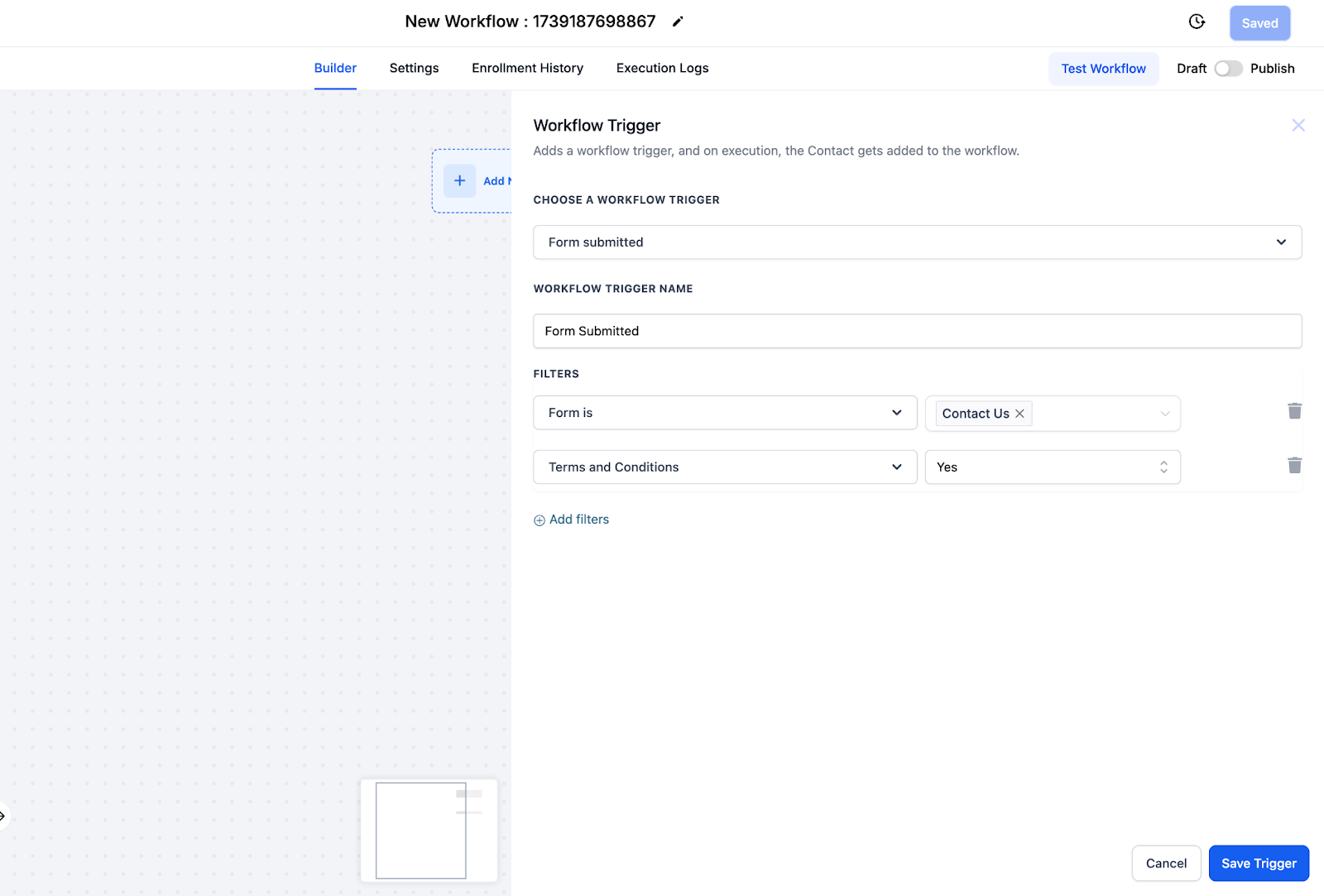
2. Configuring the Filter
Condition Options:
Users who have agreed to the T&C.
Users who have not agreed to the T&C.
Apply the filter to the relevant step in your workflow.
3. Save and Test
Save your workflow changes.
Run a test to verify that the filter behaves as expected.
Use Cases
Promotional Offers: Exclude users who haven’t agreed to updated terms from receiving specific offers.
Feature Access: Restrict access to premium features based on T&C agreement.
Compliance Management: Ensure only compliant users participate in regulated workflows.
FAQs
1. Can I combine the T&C filter with other filters?
Yes, the T&C filter can be used alongside other workflow filters for more advanced segmentation.
2. What happens to users who haven't interacted with the T&C?
They will be categorized as “Not Agreed,” ensuring clarity in your workflow decisions.
Need Help?
If you have questions or need assistance, contact support.