
We’re thrilled to announce the release of Notification Preferences for Courses in the Client Portal! Expanding on the functionality introduced in previous updates, this feature empowers client portal owners to manage and customise notifications specifically for course-related events, enhancing user engagement and delivering a more tailored communication experience.
TABLE OF CONTENTS
- What is Notification Preferences for Courses in the Client Portal?
- Key Benefits of Notification Preferences for Courses
- How to Set Notification Preferences for Courses in the Client Portal
- Why This Feature?
- Related Articles
What is Notification Preferences for Courses in the Client Portal?
With this release, client portal owners can now enable, disable, and customise notifications for course-related events. This feature provides fine-grained control over how users are informed about critical updates, ensuring timely and relevant communication.
Key Benefits of Notification Preferences for Courses
Enable/Disable Notifications: Client portal owners can manage notifications for course-specific events, giving users control over which updates they receive.
Customisable Email Templates: Tailor email notifications for course-related events using the Email Builder to create user-specific, engaging, and actionable communications.
Centralised Notification Management: The Client Portal now serves as a unified hub for managing notifications across all child apps, simplifying access and increasing adoption by offering an all-in-one solution for notification preferences.
How to Set Notification Preferences for Courses in the Client Portal
Login to your sub-account.
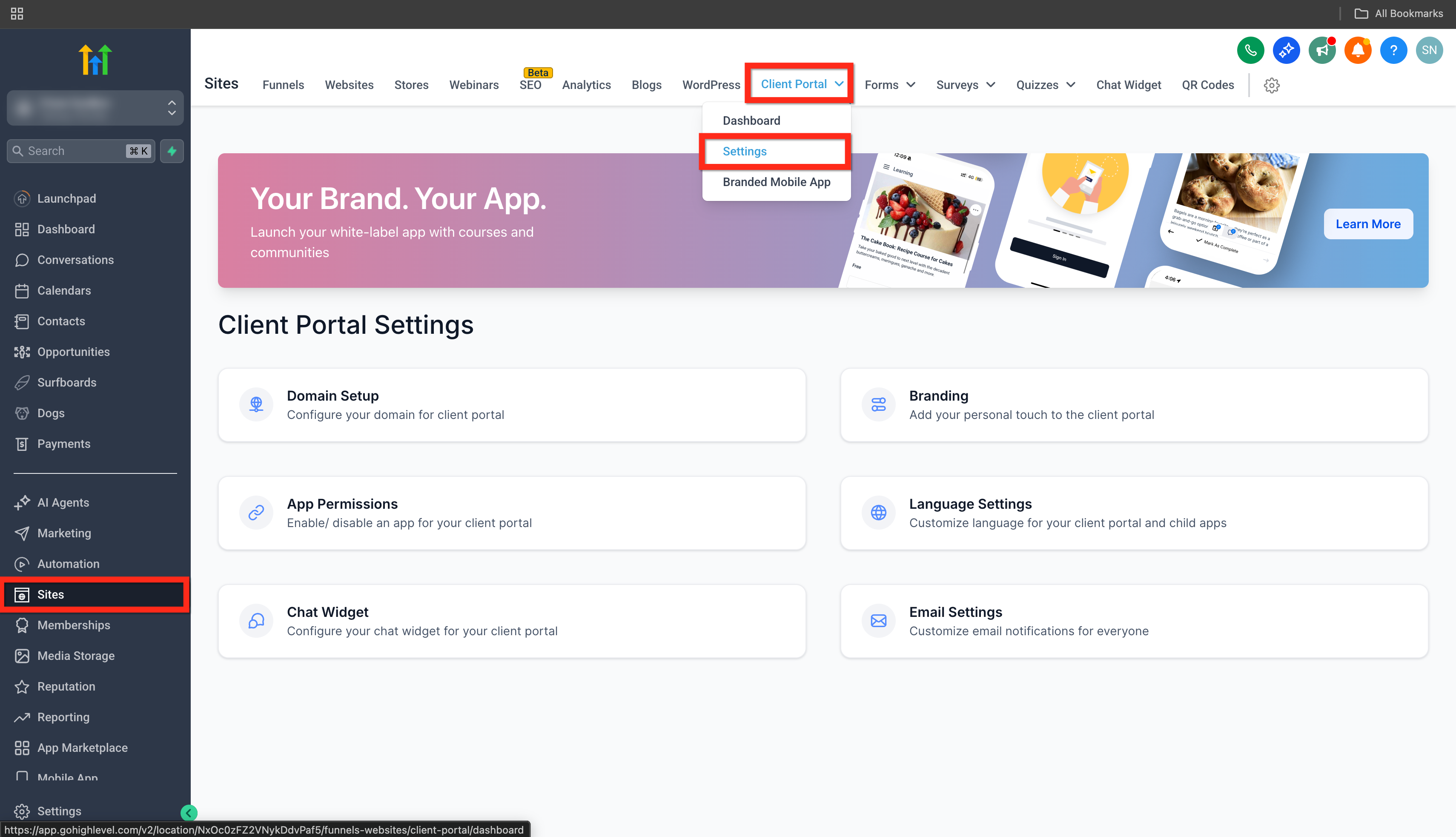
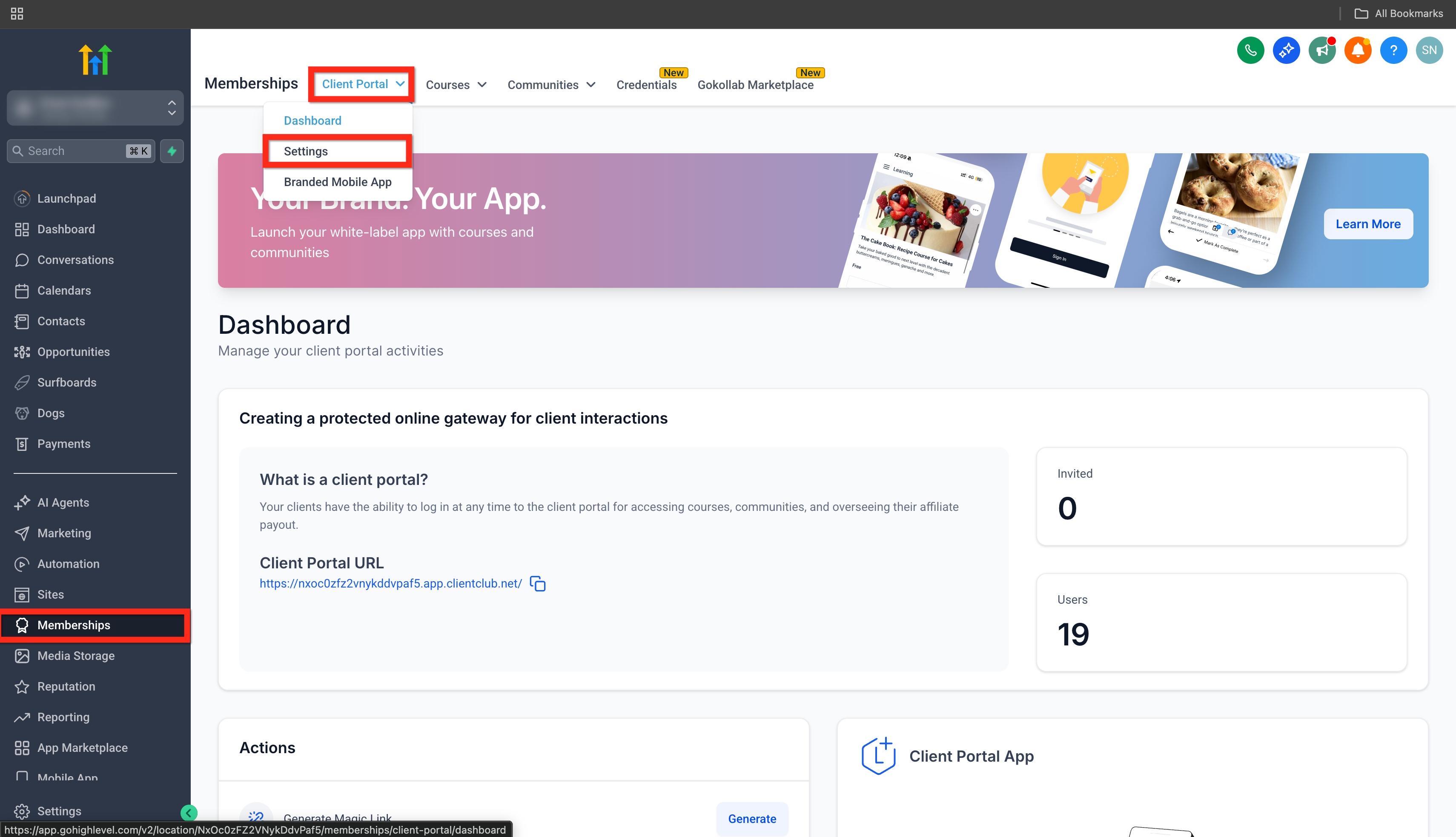
Got to Sites > Client Portal > Settings.
or Memberships > Client Portal > Settings.
Go to Email Settings > Courses.
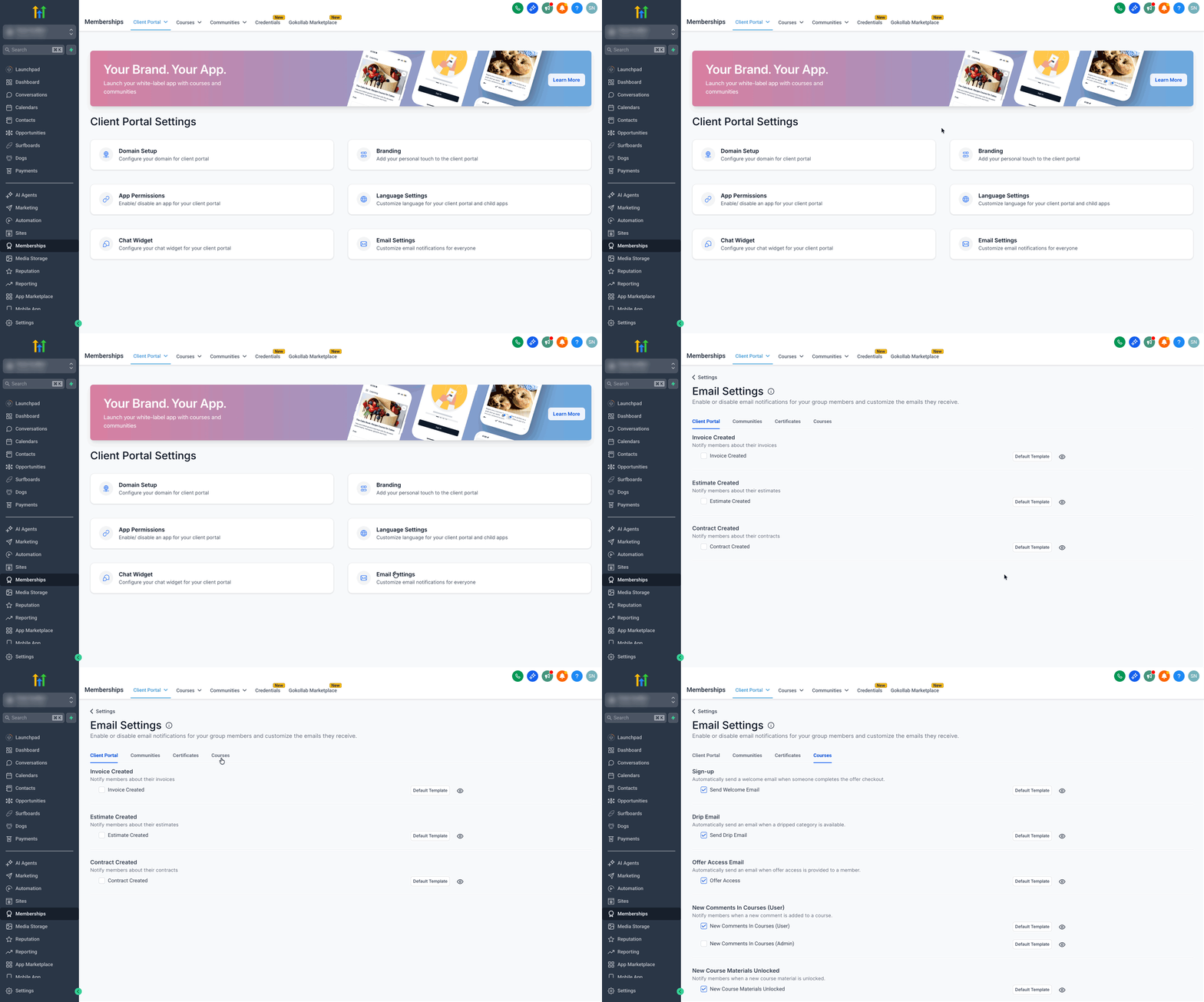
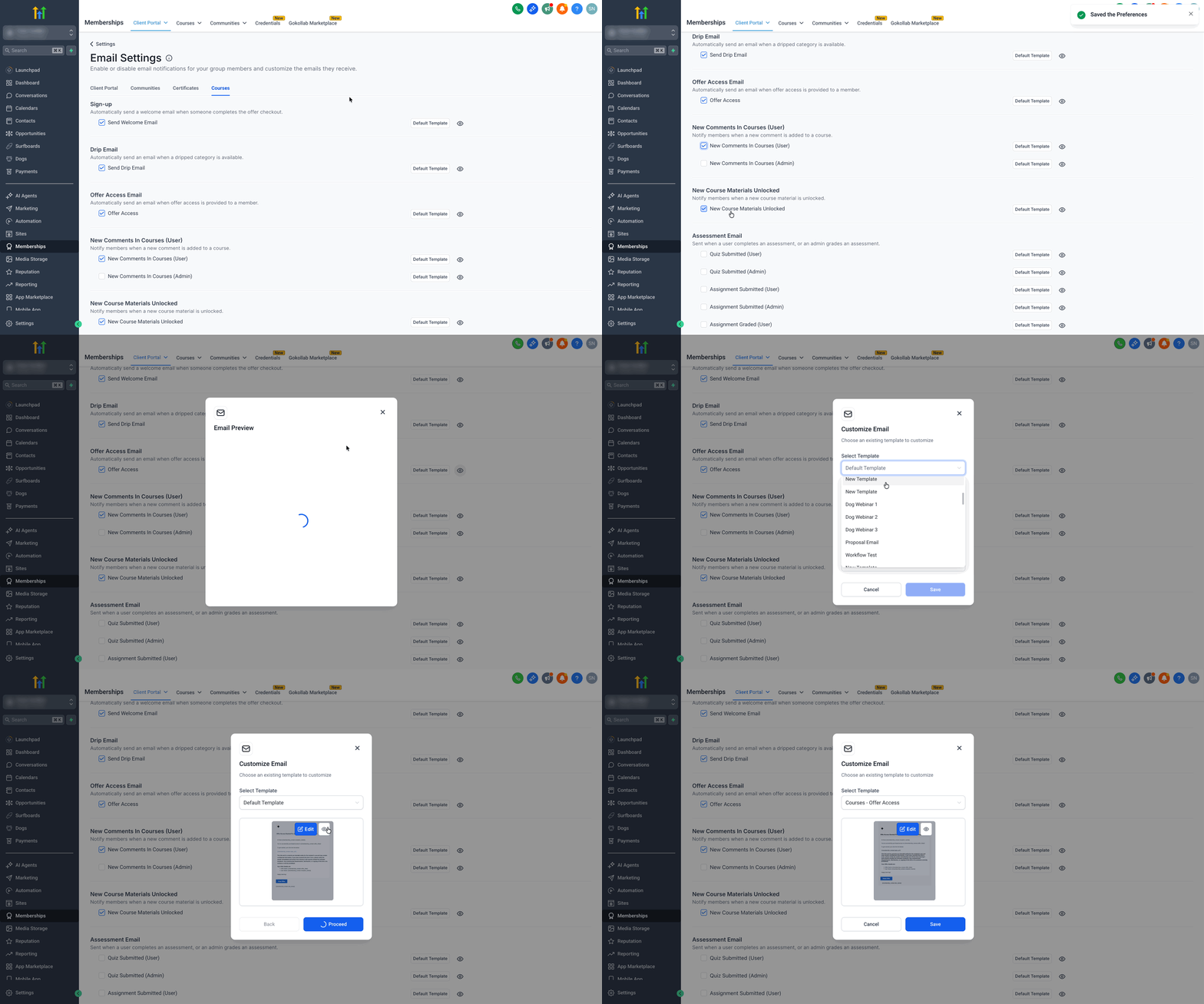
Use the Check Boxes to Enable/Disable different types of email notifications for courses.
Click on the Eye Icon to preview the selected Email Template
Click on the Default Template button to select a new template or edit the default template. Checkout our article on - Client Portal - Edit Default Email Templates
Why This Feature?
Enhanced User Engagement: Tailored notifications for course-related events help users stay informed and engaged, ensuring they never miss important updates or opportunities.
Streamlined Communication: By enabling course-specific notification preferences, client portal owners can ensure that users receive timely, relevant information without being overwhelmed by unnecessary messages.
Improved User Experience: Customisable email templates provide a personalised experience, making recipients feel valued and increasing their interaction with the platform.
Increased Client Portal Adoption: By centralising the notification management for all child apps within the Client Portal, this feature simplifies workflows and encourages greater adoption of the Client Portal as a comprehensive solution for managing notifications.