
Overview
We’ve introduced a flexible course unlocking system, allowing community admins to customize how members access courses. You can now set up access rules based on your community’s engagement model and monetization strategy.
TABLE OF CONTENTS
Course Unlock Options
You can choose from the following course access options:
1. All Members
Open access for all community members.
No restrictions; anyone in the community can enroll.
2. Level Unlock
Members must reach a specific leaderboard level before accessing the course.
This option encourages engagement and participation in the community.
Admins can define the required leaderboard level.
3. Buy Now
Offer courses as one-time purchases or subscriptions.
Members can instantly access the course after completing the purchase.
Admins can set pricing, payment options, and subscription details.
4. Time Unlock
Courses become available after a set duration from a member’s joining date.
Ideal for structured learning paths or drip content strategies.
Admins can define the number of days before access is granted.
How to Set Up Course Access
Follow these steps to configure course unlock options:
Go to the Course Settings
Navigate to the community admin panel
Select the course you want to configure.
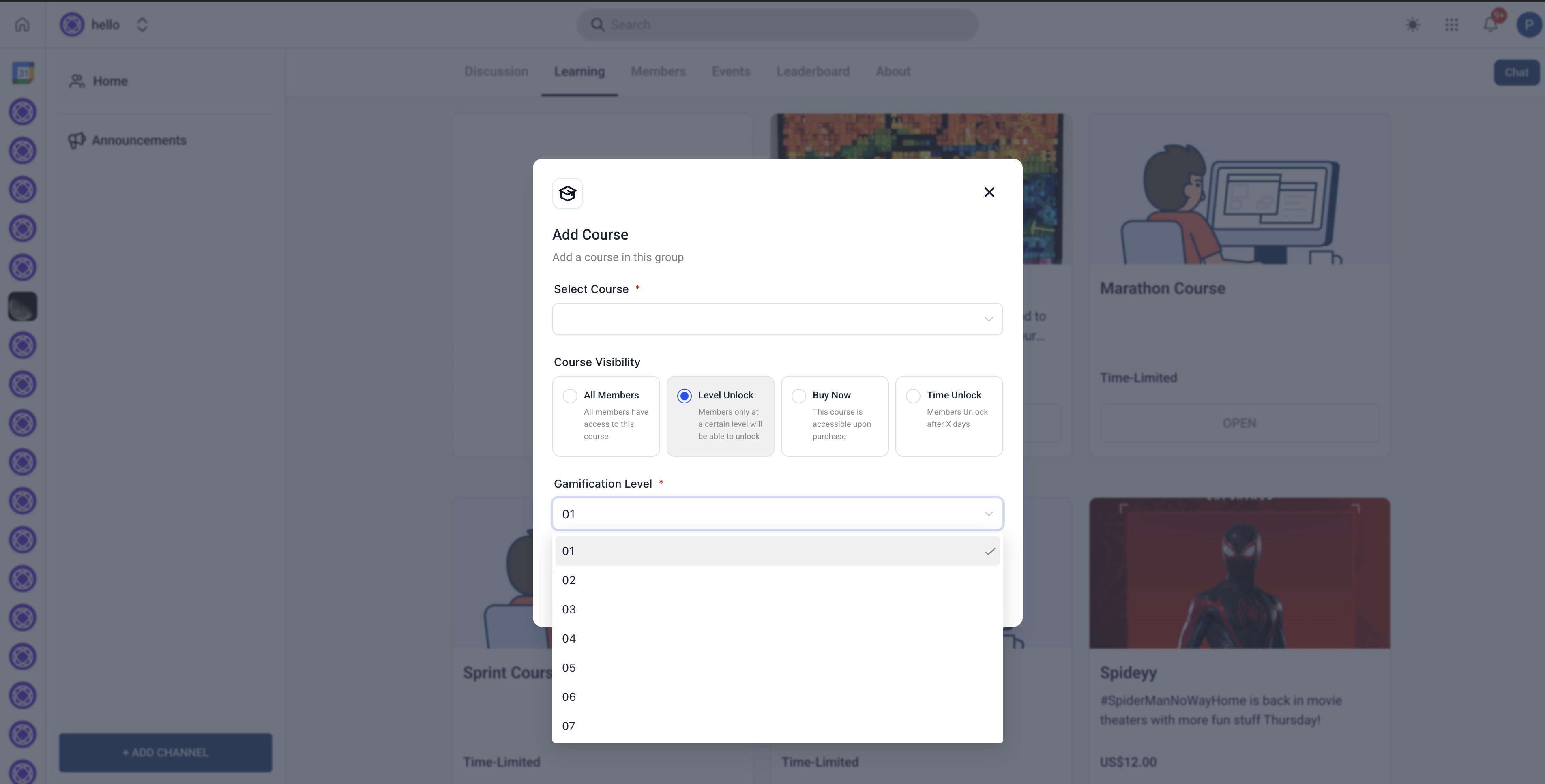
Choose an Unlock Option
Under Access Settings, select one of the four unlock options:
All Members: No additional settings required.
Level Unlock: Enter the required leaderboard level.
Buy Now: Set a price and select payment options.
Time Unlock: Define the number of days after joining.
Save Changes
Click Save to apply the settings.
Members will now see access restrictions based on the selected option.
Frequently Asked Questions (FAQs)
Q: Can I apply multiple unlock options to the same course?
A: No, you must select one unlock method per course.
Q: Can I change the unlock settings after launching a course?
A: Yes, but changes will affect new enrolments only. Existing members will retain their current access.