
Overview
Internal Chat allows users to communicate privately with their sub-account users within the Conversations module. This streamlines discussions and enhances internal collaboration. Unlike contact conversations, internal chats are visible only to participants, ensuring conversations remain private.
What's Covered in This Document
- Inbox Overview
- How to Start an Internal Chat
- How to Add Users to an Existing Internal Chat
- How to Get Notified About Internal Chats
- Who Has Access to Internal Chats
Inbox Overview
Once you enable Internal Chat from Labs, a new Inbox panel appears on the left side of the Conversations interface. This panel includes two key inboxes that help organize and streamline communication:
1. Team Inbox
The Team Inbox displays conversations in the sub-account, based on your access level.
Users with "Only Assigned Data" (e.g., Sub-account users) access will see all the conversations where they are either the contact owner or a follower.
Users with "All Access" (e.g., Admins) will see all conversations in the sub-account.
This ensures that users only view conversations relevant to them, while admins maintain complete oversight.
2. My Inbox
My Inbox is a personalized space focused on conversations directly involving you. It contains the below folders:
Assigned to Me: Lists all conversations where you are the contact owner, providing a clear view of interactions you are responsible for.
Internal Chat: Shows internal-only conversation threads where you are a participant. These chats are private and designed for team collaboration, separate from customer-facing conversations.
How to Start an Internal Chat
- Open Conversations and click on New. Select the Internal Chat option.
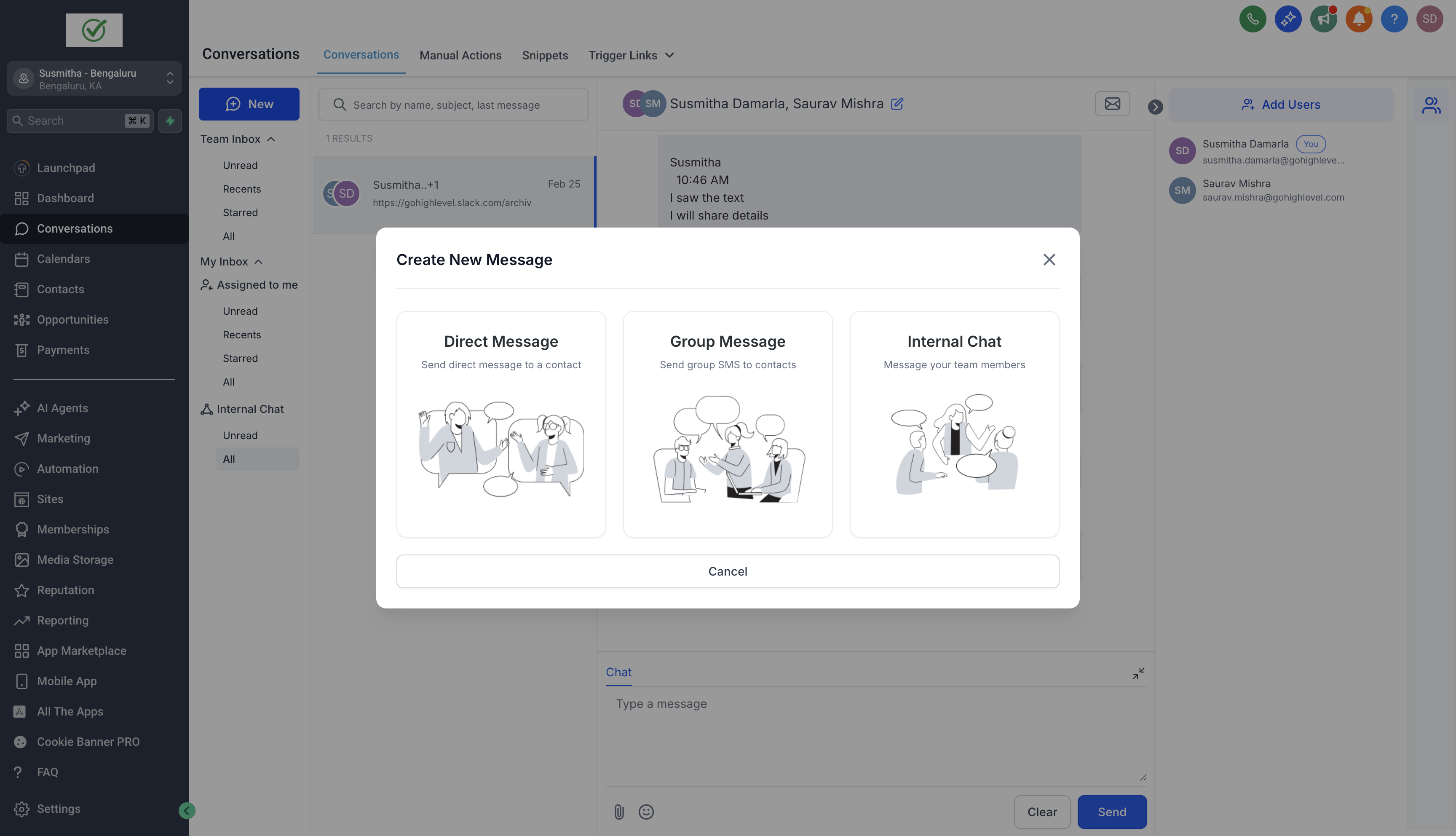
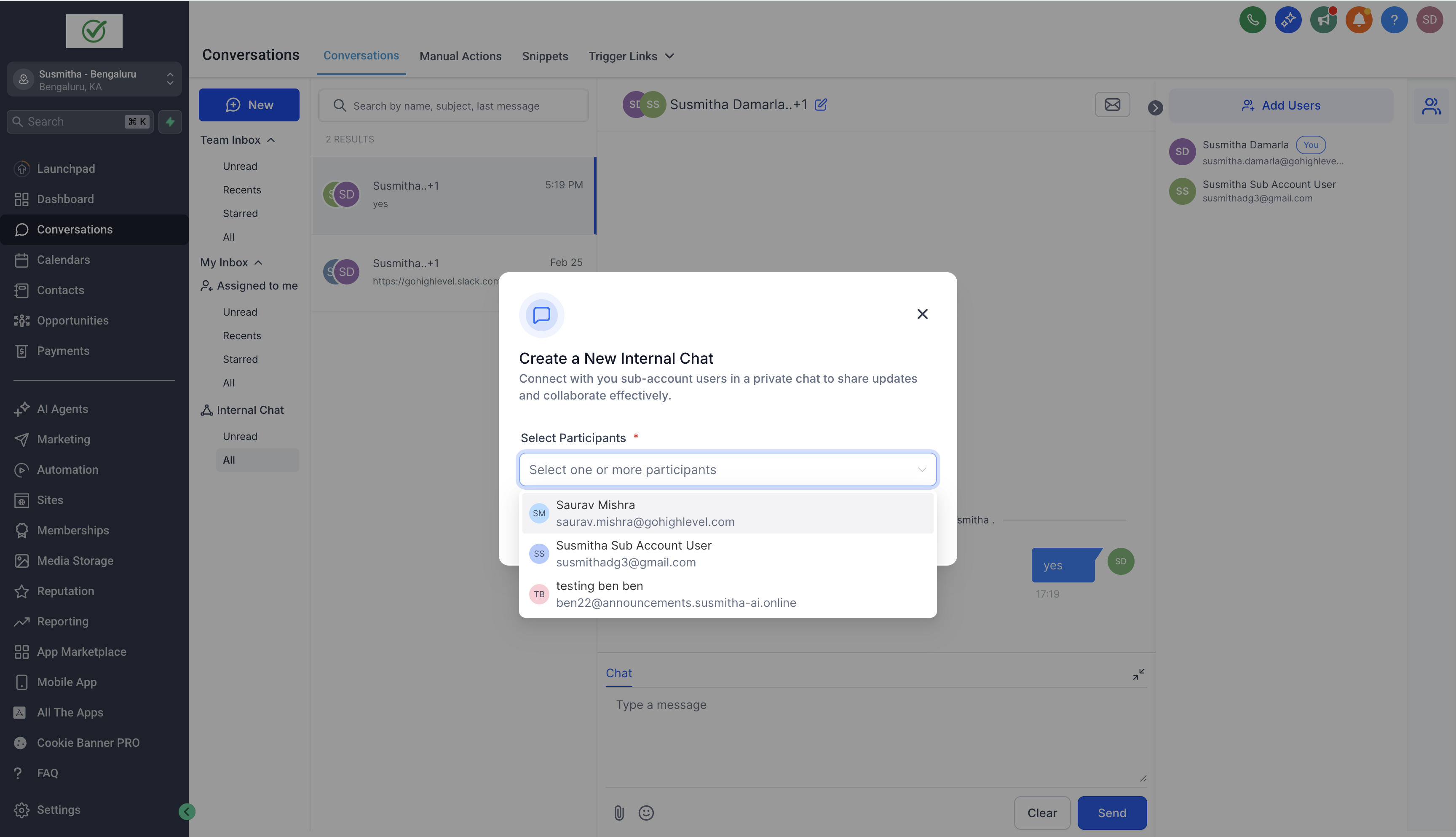
- Choose the users you want to add to the chat and click Start Chat to initiate the conversation
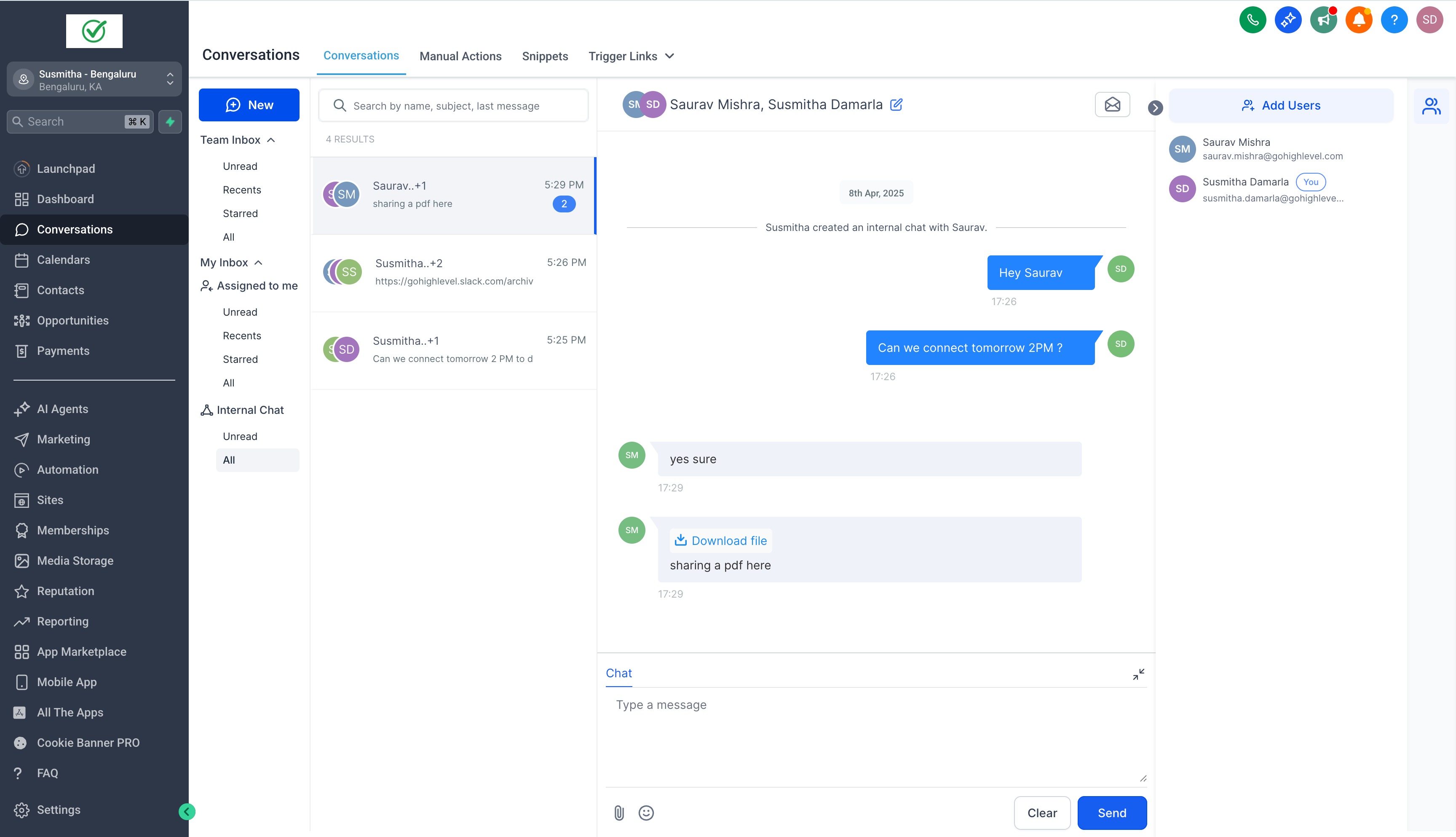
- You can send text messages, emojis, and attachments in internal chats.
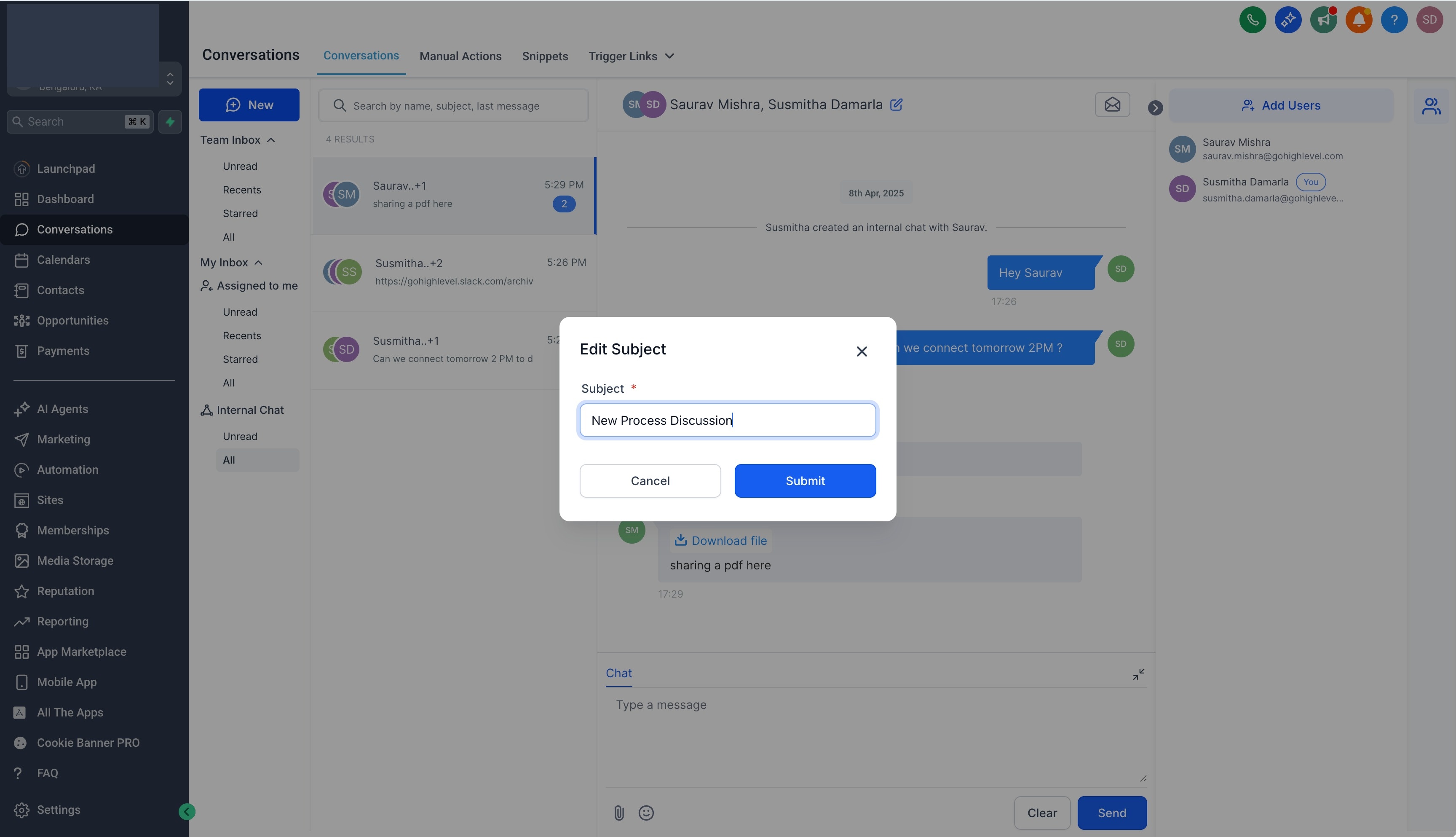
- To organize conversations better, you can add a subject by clicking the edit icon the top center panel. Once a subject is added, you can search for internal chats by subject, participant names, or the last message sent.
Adding Users to an Existing Internal Chat:
Open the internal chat and click Add Users in the right panel.
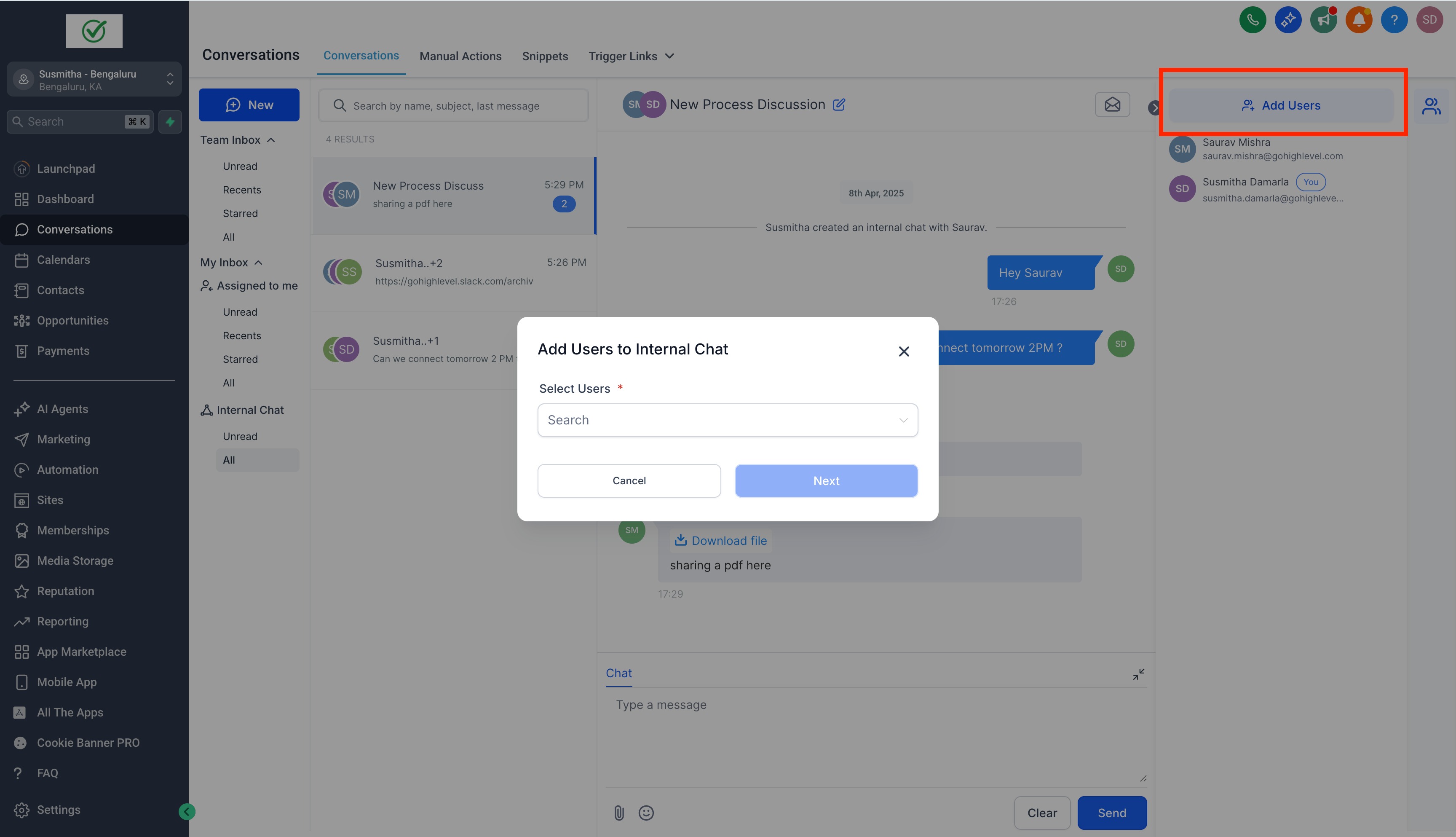
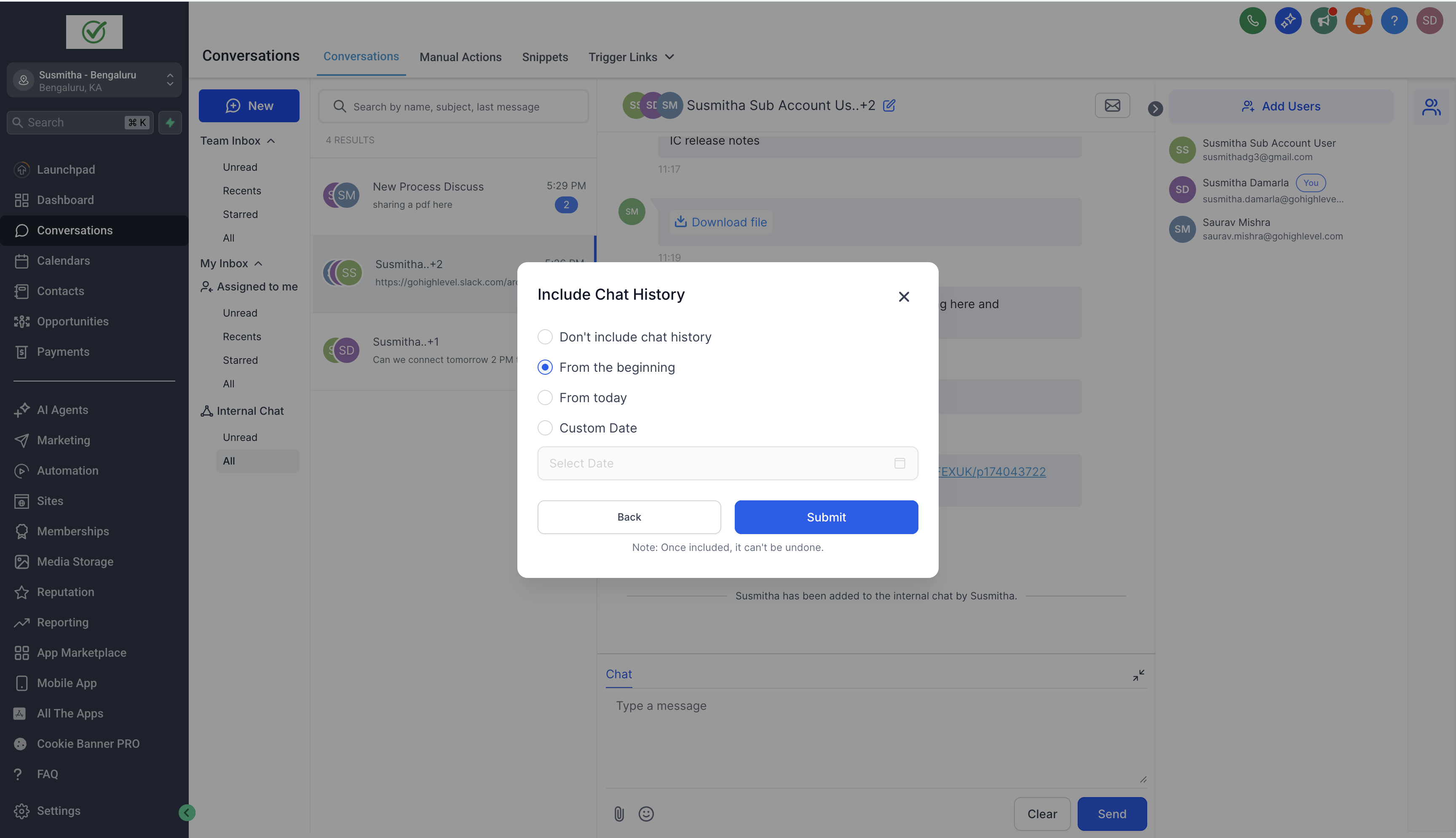
Select the team members to add and click Next. Choose whether they should have access to previous chat history. Click Confirm—once added, users cannot be removed from the chat.
Getting Notified About Internal Chats:
Go to Settings > My Profile > Notifications to manage notifications. Users can choose to receive:
- Notifications for every message in internal chats you are part of.
- Notifications only when added to a new internal chat.
Access & Permissions
Create Access:
- Any user with access to Conversations can create internal chats.
- Agency Admins/Users can create internal chats even if they are not part of a sub-account.
Participant Access:
- Only sub-account users can be added to internal chats.
View Access:
- Only users added to the internal chat can see the conversation.
- Other team members cannot view internal chats unless explicitly added.
How This Helps?
- All Communication in One Place: No need to use external apps like Slack or email for internal discussions everything stays within the CRM, keeping conversations organized and accessible.
- Seamless Collaboration: Teams can communicate instantly without leaving the Conversations module, ensuring quick decision-making and better coordination.
- Improved Context & Visibility: Internal Chats remain attached to the CRM, so team members have full context when discussing leads, deals, or support cases.
- Efficient Teamwork: Share updates, ask questions, and strategize—all within the same platform where customer interactions happen.
- Stay Notified & Responsive: Get notifications for new internal messages, ensuring no critical updates are missed while managing external conversations.
Note:
1. Internal chat is native to the platform and will not incur any cost.
2. If you "Login As" another user, you will not be able view internal chats, to ensure these remain private.