
TABLE OF CONTENTS
- What is Failed Payment Retry Configuration?
- Key Benefits of Failed Payment Retry Configuration
- How to Configure Failed Payment Retries
- Example Scenario
- Supported Payment Providers
- Frequently Asked Questions
What is Failed Payment Retry Configuration?
With the latest update, businesses can now configure automatic payment retries in case of a payment failure for subscriptions. This feature allows greater flexibility in managing payment failures and ensures a smoother subscription renewal process.
Key Benefits of Failed Payment Retry Configuration
Configuring failed payment retries provides several advantages:
Customizable Retry Attempts – Define up to 3 retries based on business needs, with configurable gaps of 1, 3, 5, or 7 days between each retry.
Default Retry Setup – By default, the system is configured to attempt 3 retries with a gap of 1 day each, but this can be modified as needed.
Impact on Existing and New Subscriptions – Changes in retry settings will apply to both new and existing subscriptions, ensuring uniformity across all transactions.
Subscription Handling on Failure – If all retries fail, users have the option to either keep the subscription in an ‘Unpaid’ state or automatically move it to a ‘Cancelled’ state by selecting a checkbox in the settings.
How to Configure Failed Payment Retries
Configuring payment retries is simple and can be done in a few steps:
Navigate to Subscription Settings – Go to
Payments > Settings > Subscriptionin your account.Define Retry Attempts – Select the number of retries (up to 3) based on your business requirements.
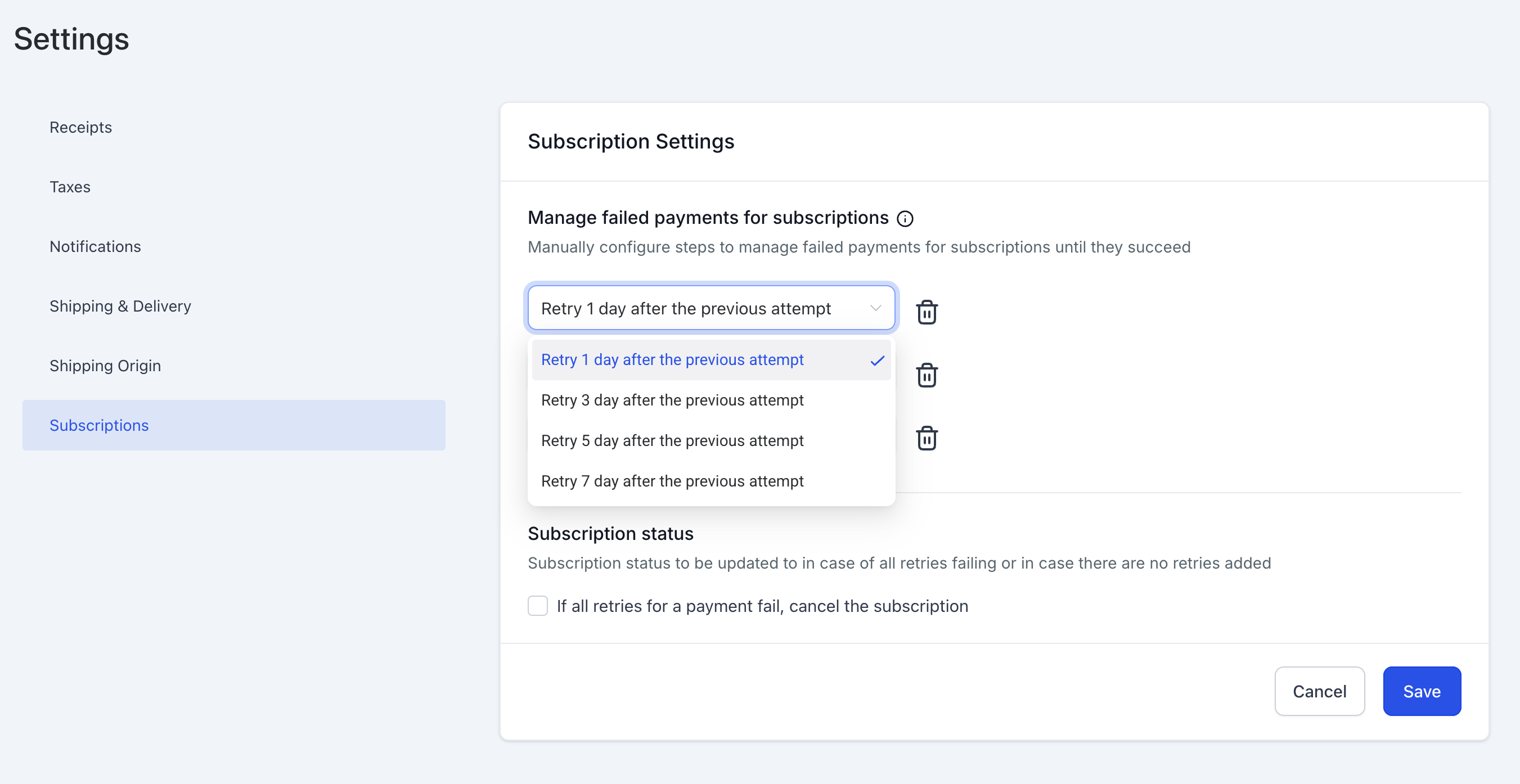
Set Retry Gaps – Choose the gap duration between retries (1, 3, 5, or 7 days).
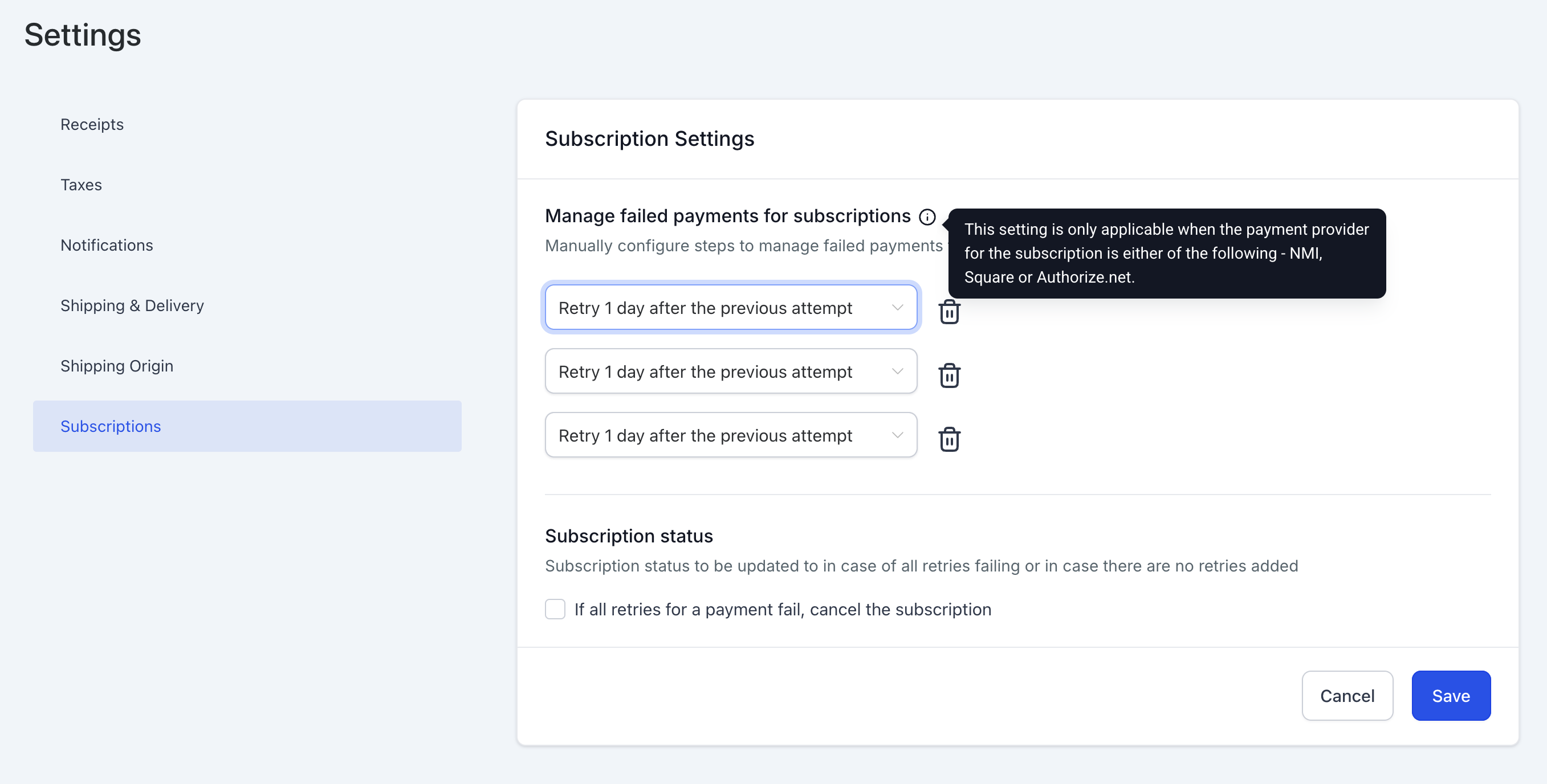
Modify Existing Configurations – Any changes to retry settings will be applied to both new and ongoing subscription retries.
Manage Subscription Status on Final Failure – Enable or disable the option to move failed subscriptions to the ‘Cancelled’ state automatically.
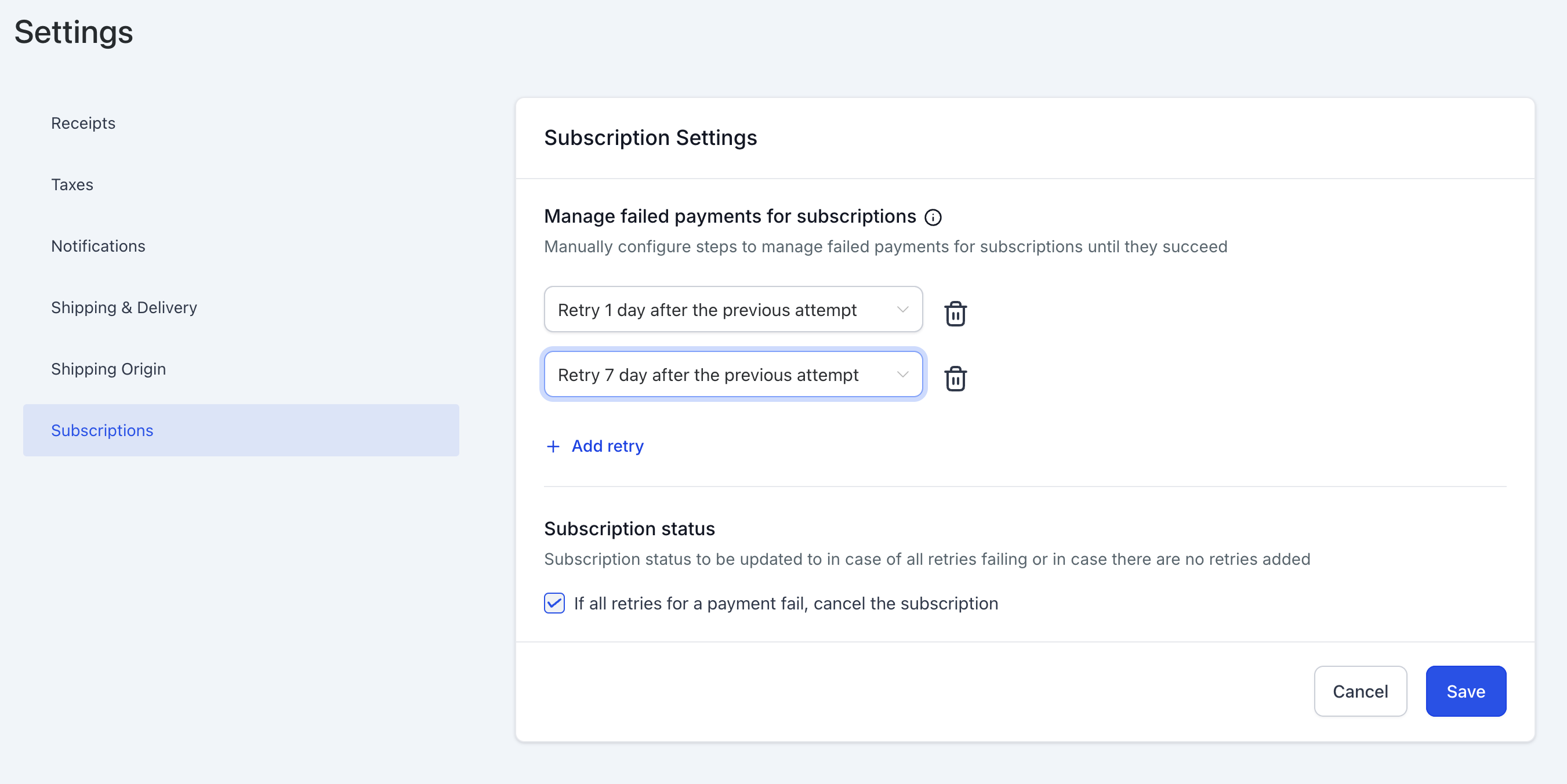
Save Settings – Once configured, save your settings to apply changes immediately.
Example Scenario
If a subscription is set to ‘3 retries with a gap of 3 days for each retry’ and one retry has already been attempted, but before the second retry, the settings are updated to ‘2 retries with a gap of 3 and 5 days respectively,’ then:
The second retry will occur after 5 days instead of 3.
No third retry will take place.
Supported Payment Providers
This feature is available for the following payment providers:
NMI
Authorize.net
Square
Frequently Asked Questions
Q: How many retries can I configure for a failed payment?
A: You can configure up to 3 retries, with gaps of 1, 3, 5, or 7 days between each retry.
Q: Will changes in retry settings apply to existing subscriptions?
A: Yes, changes will be applied to both new and ongoing subscriptions, including those already in the retry process.
Q: What happens if all retries fail?
A: You can choose to either keep the subscription in the ‘Unpaid’ state or automatically move it to the ‘Cancelled’ state by selecting the appropriate option in settings.
Q: Where can I configure failed payment retries?
A: Navigate to Payments > Settings > Subscription to access the retry configuration options.
Q: Which payment providers support this feature?
A: Currently, this feature is supported by NMI, Authorize.net, and Square.
Q: Why was my customer not charged for their monthly subscription?
A: This usually occurs when the product linked to the subscription is renamed or modified in Payments > Products, which can break the sync with Stripe.
Go to Payments > Subscriptions.
Locate the subscription, click the three dots, and select Update Subscription.
Add the updated product and remove the old one.
Save to restore future billing.
Note:
Missed payments are not charged automatically. To collect them, send a manual invoice or a one-time payment link.
Related Articles
Next Steps
Ensure your failed payment retries are configured correctly to maintain seamless subscription payments. Navigate to Payments > Settings > Subscription and customize the retry settings based on your business needs today!