
Overview
The Calendar module now supports granular user permissions, allowing you to control who can view and manage different aspects of the calendar system. This helps ensure that users have access only to the data and functionalities relevant to their roles.
Types of Permissions
There are two main types of permissions:
View Permissions: Grants users the ability to see specific elements within the calendar module.
Manage Permissions: Grants users the ability to create, edit, and delete elements within the calendar module.
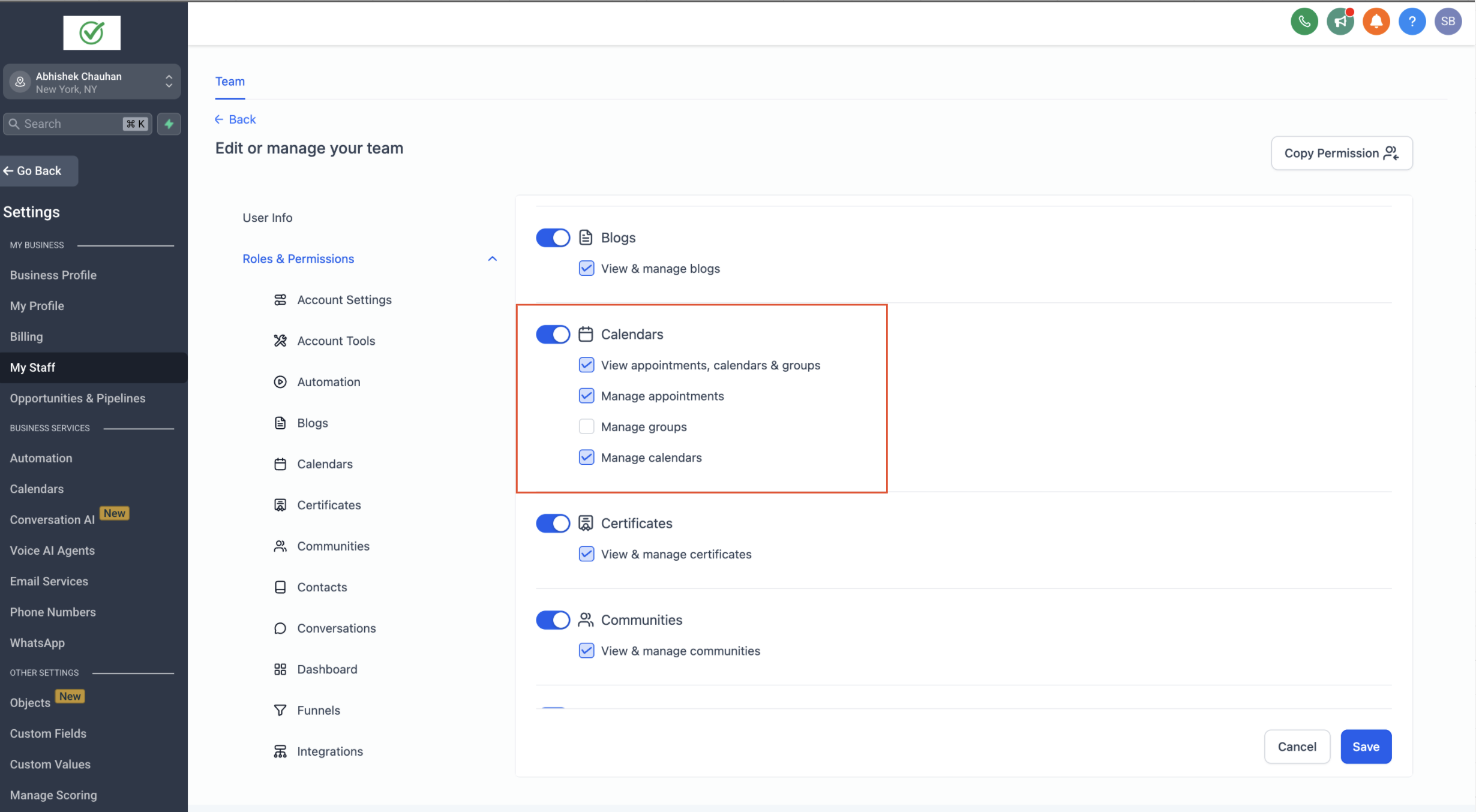
Assigned Data Access
In addition to general permissions, users can also have Assigned Data toggled on or off:
- If Assigned Data is enabled, the user can see appointments and calendars they are assigned to, and they can also view appointments for contacts they follow when they have the required calendar permissions.
- If Assigned Data is disabled, permissions apply based on the user’s granted access, regardless of assignment.
Granular Permission Options
You can now specify view and manage permissions at different levels:
View Permissions
Users can be granted view access for:
Calendars
Appointments
Groups
Enabling these permissions will allow the user to access the Calendar module.
Manage Permissions
Users can be given manage permissions for:
- Calendars
- Appointments
- Groups
With these granular controls, you can determine:
Which users have access to the Calendar module.
Which aspects of the calendar each user can manage.
Example Scenarios
A user with View access for Calendars but no Manage permissions
They can see all calendars but cannot create, edit, or delete them.
A user with Manage permissions for Appointments only
They can create, edit, and delete appointments but cannot modify calendars or groups.
A user with Assigned Data enabled and View permissions for Appointments
They can only see appointments they are assigned to.
A user with Assigned Data enabled who follows a contact
- If they have View appointments, calendars & groups, they can view appointments for contacts they follow in addition to appointments assigned to them.
- If they do not have Manage appointments, they can view but cannot edit or delete appointments.
- If they have Manage appointments, they can edit and manage appointments based on their calendar access.
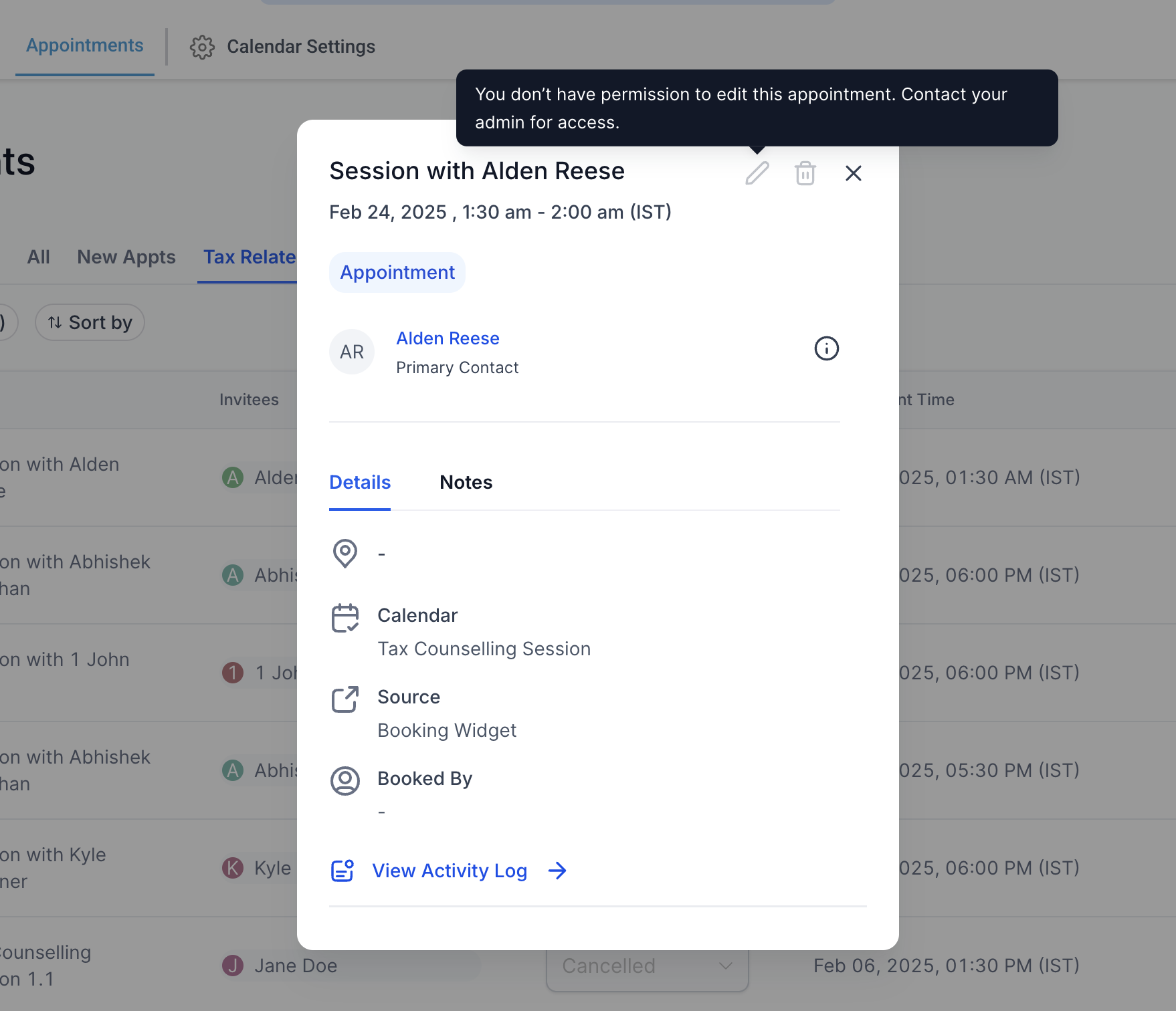
By configuring these permissions properly, you can control the level of access each user has, ensuring a more secure and organized scheduling experience.