
The “Other” option for radio buttons in SourCherry Forms & Surveys lets your audience submit custom answers instead of being limited to predefined choices. Enabling this option captures richer insights and preserves respondent intent, and funnels every unique response straight into your submissions dashboard for easy review.
TABLE OF CONTENTS
- What is the 'Other' Option in Forms & Surveys?
- Key Benefits of the 'Other' Option
- Where Custom Responses Are Stored
- How to Use the 'Other' Option in Forms and Surveys
- Frequently Asked Questions
- Related Articles
What is the 'Other' Option in Forms & Surveys?
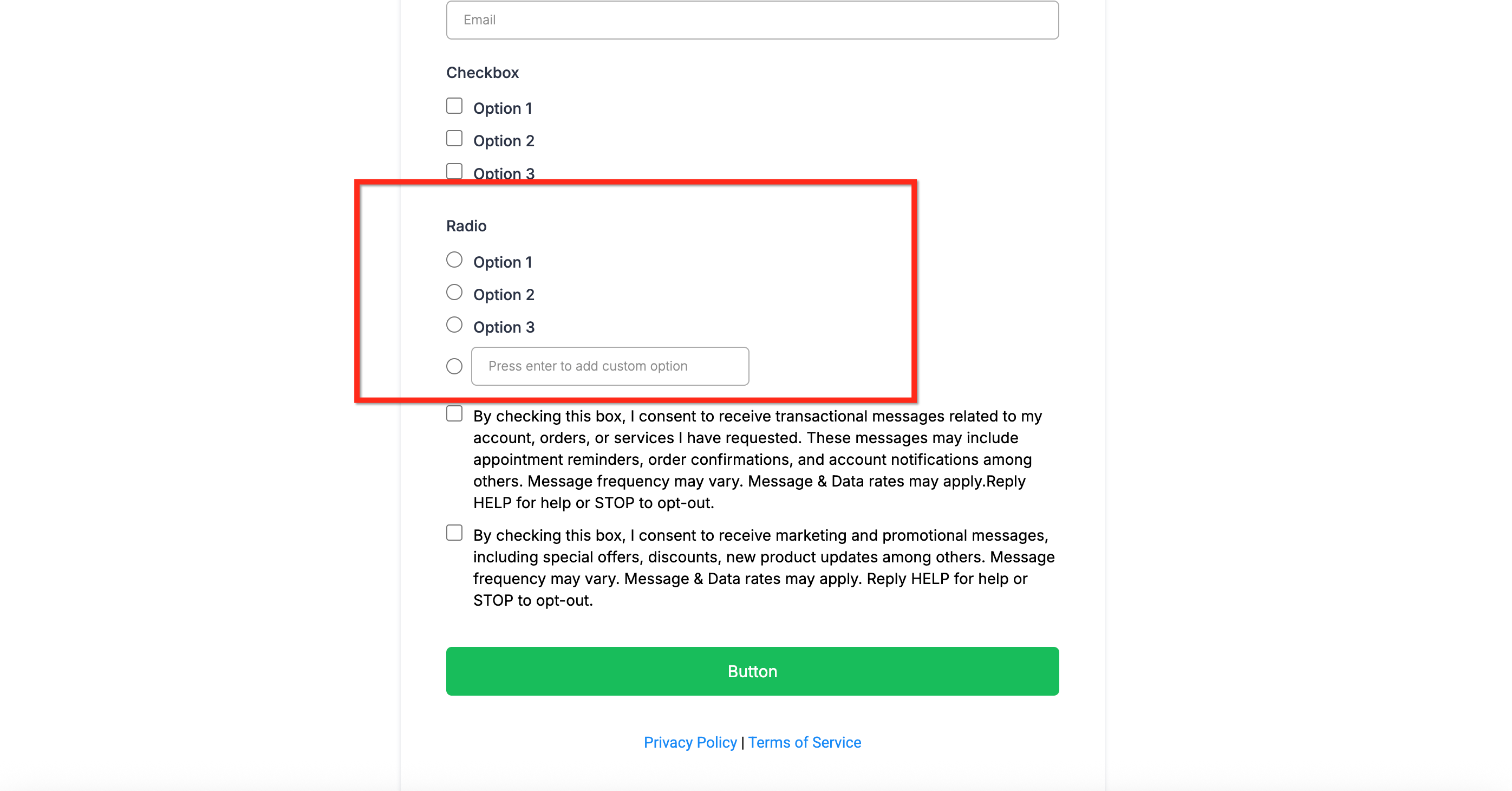
The “Other” option adds a write‑in field beneath any radio‑button question, empowering respondents to share an answer that isn’t listed. When enabled, their custom text is stored alongside regular choices in the form or survey submission. This feature enhances flexibility, ensuring you capture more personalized and insightful data from respondents.
Key Benefits of the 'Other' Option
Adding an “Other” choice isn’t just a nice‑to‑have; it directly improves the quality of feedback you collect.
- More Flexibility: Collect richer, more individualized responses that go beyond standard choices
- Better Data Insights: Capture unique perspectives and feedback that predefined options might miss
- Effortless Tracking: Custom responses are stored in submission reports for easy access and review
- User Experience: A visible text box signals that you value every voice, even out‑of‑the‑box ideas
Where Custom Responses Are Stored
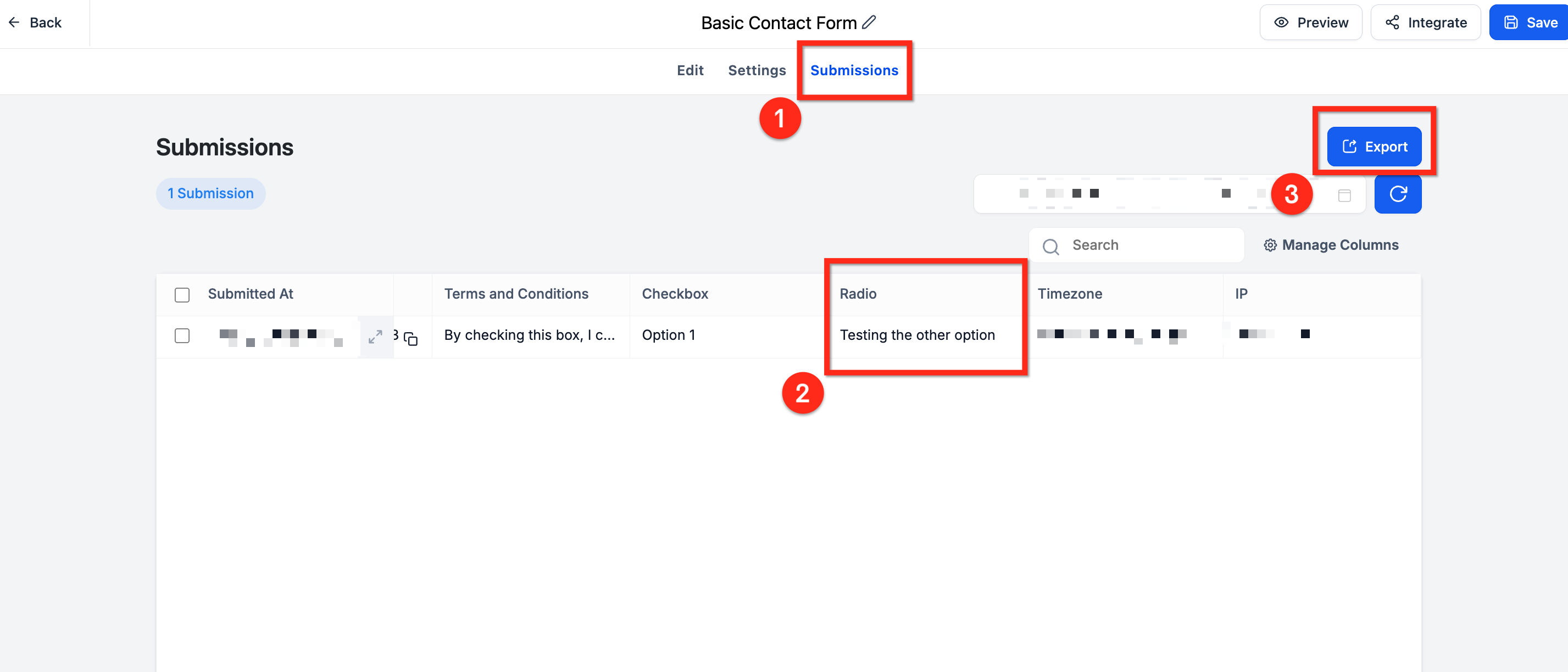
Navigate to Forms › Submissions (or Surveys › Submissions) for the asset you edited
The write‑in answer appears in the same column you named for the radio field
Exporting submissions to CSV will include the custom text
How to Use the 'Other' Option in Forms and Surveys
Unlocking the feature is a single‑toggle action built right into the form builder. Follow these steps to add this feature to your surveys and forms:
Step 1: Navigate to the Form or Survey
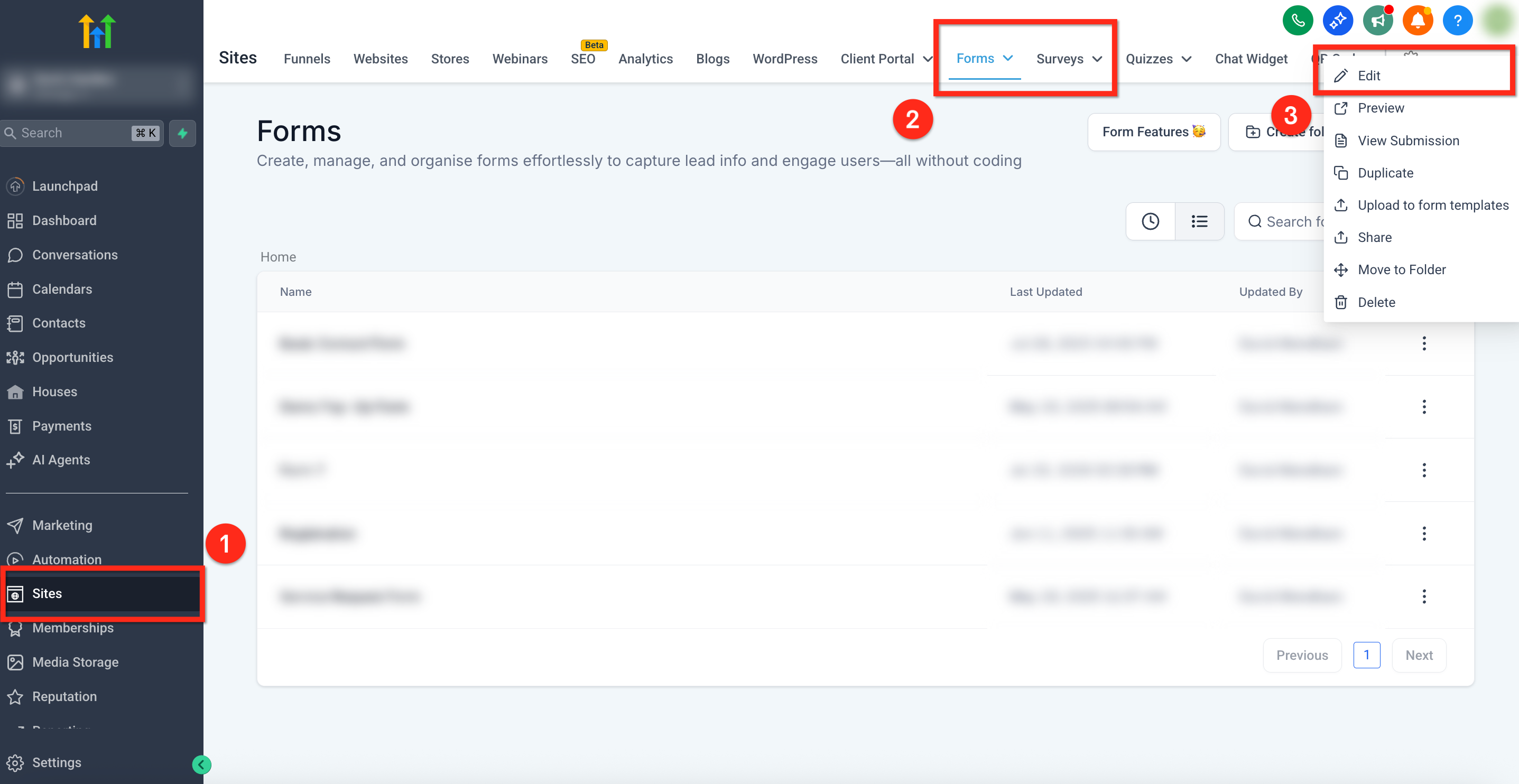
- Using the left-side navigation bar, select Sites
- Click Forms or Surveys in the top navigation ribbon
- Next to the desired form or survey, click the 3 dots icon then select Edit
Step 2: Add a Radio Button
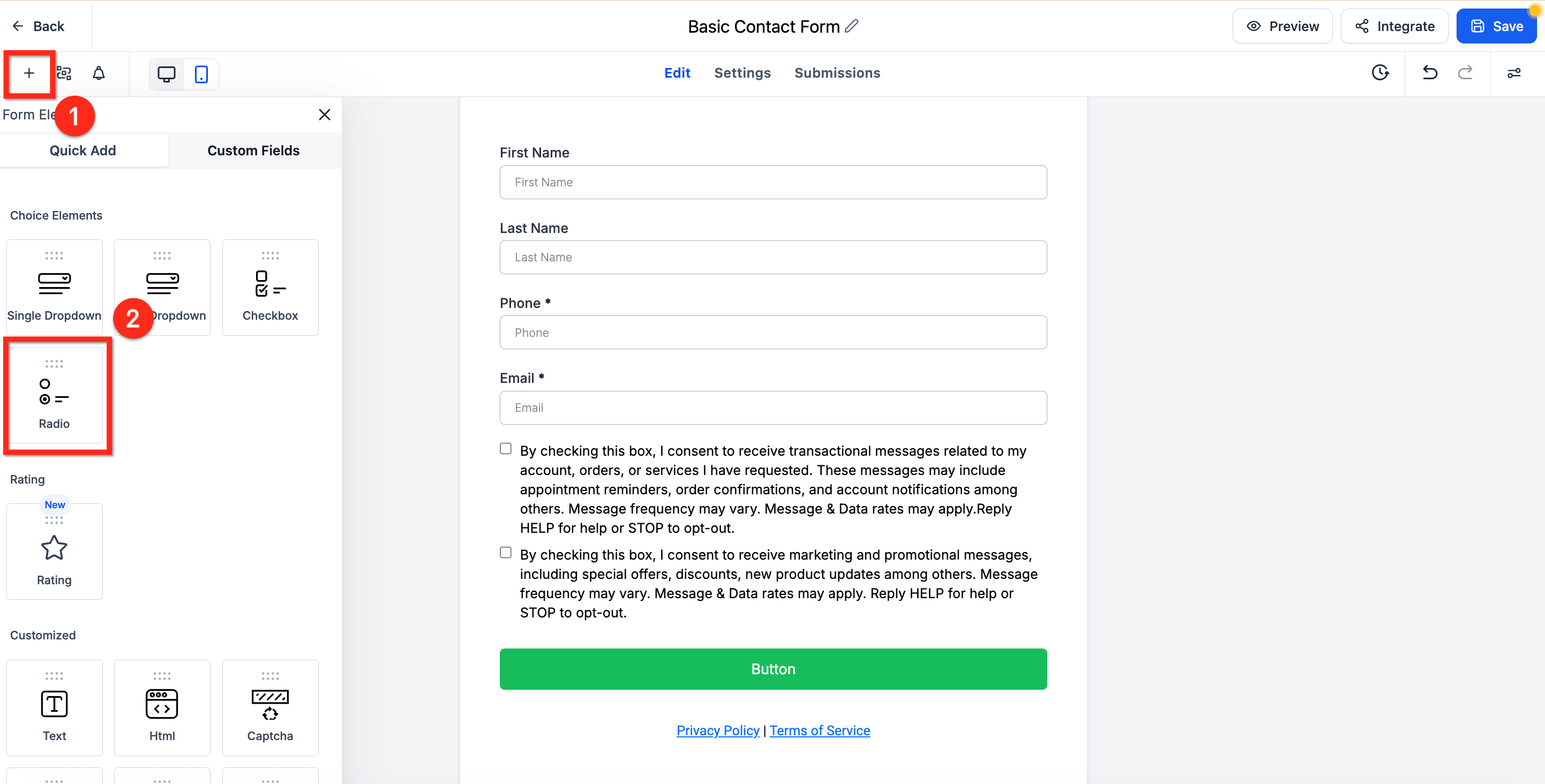
- Open the Element panel by clicking the plus (+) icon in the upper-right corner
- Scroll down to the Radio element
- Drag the Radio element into your form or survey
Step 3: Open Options
- Click on the Radio element and the settings panel will open on the right side of the screen
- Select the Options tab located at the top of this panel
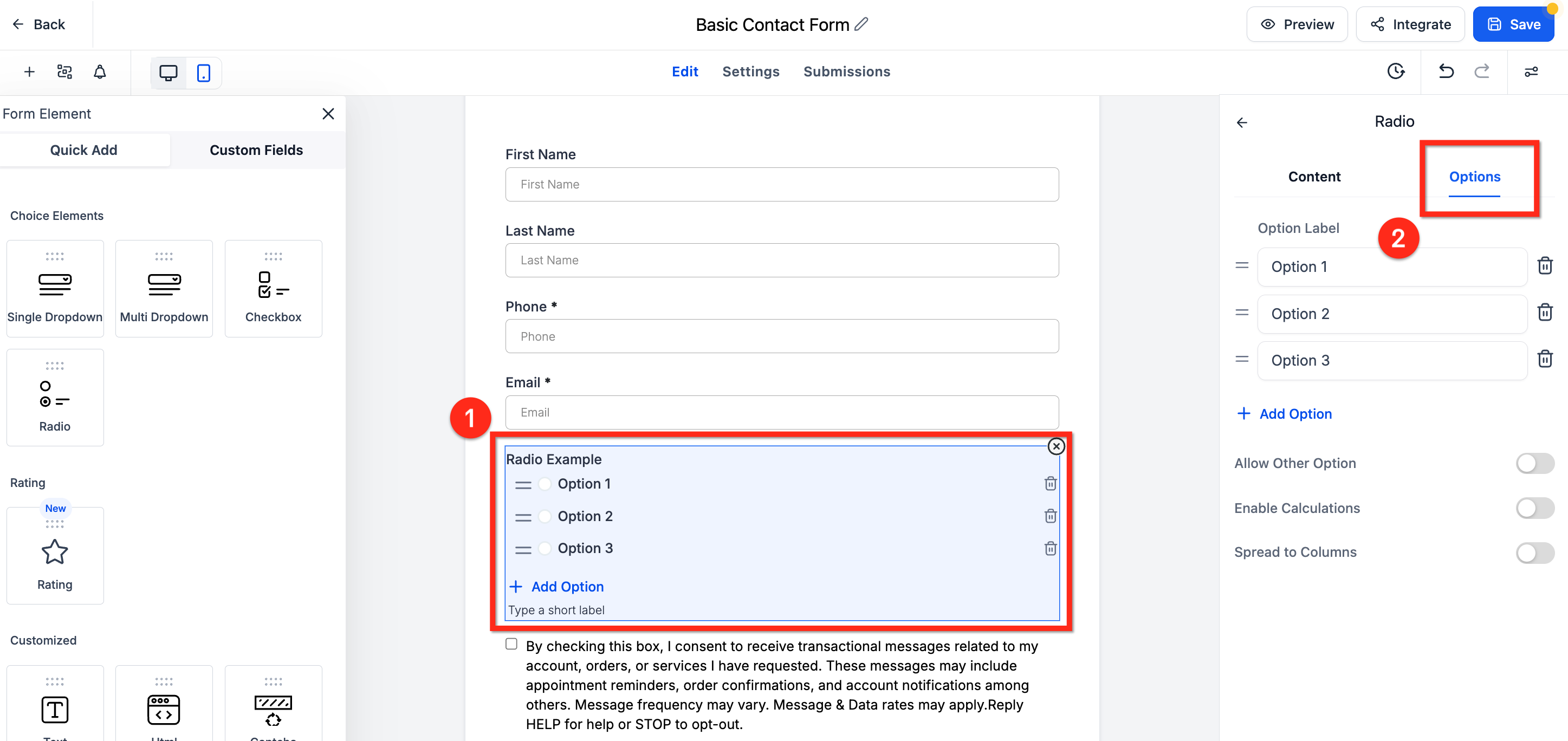
Step 4: Allow Other Options
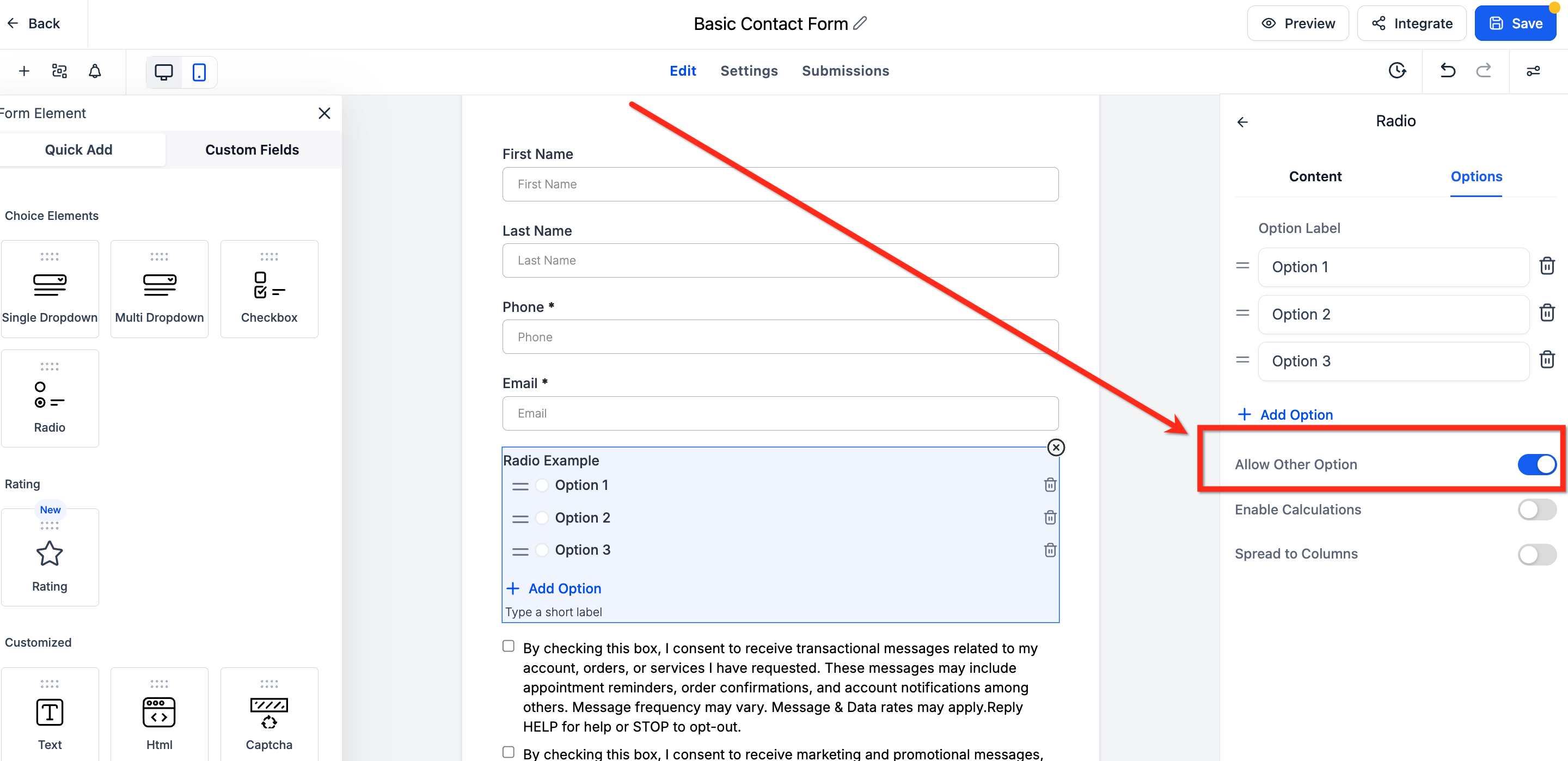
- Turn on the Allow Other Options toggle to active the 'other' answer option
- The 'Other' option will not show in the builder but will show in the preview
Frequently Asked Questions
Q: Can I enable the 'Other' option for dropdown for checkbox fields?
Currently, the 'Other' option is only available for radio button elements.
Q: Can I disable the 'Other' option after enabling it?
Yes, you can remove the 'Other' option by deselecting it in the form editor.
Q: Is there a character limit for custom responses?
No, there is no set character limit for custom responses.
Q: Does this work inside Funnels or Websites?
Yes, forms embedded in Funnels, Websites, or externally via the embed code are able to use the “Other” option.