
Introducing a new Brand Voice feature within Brand Boards, allowing you to define your brand's communication style and integrate it seamlessly with AI tools for consistent messaging across your marketing content.
TABLE OF CONTENTS
- What Is Brand Voice?
- Why Use Brand Voice?
- How to Create a Brand Voice
- Benefits of Defining Your Brand Voice
What Is Brand Voice?
Brand Voice is a communication guide that includes:
Business Information: Core details about your brand.
Brand Values: Key principles that define your brand's identity.
Tone and Style: Guidelines on how your brand communicates with its audience.
Intended CTAs: Understanding what down the brand want users to do
This feature ensures that your brand's messaging remains consistent and aligned with your values across all platforms.
Why Use Brand Voice?
Customisation: Tailor the platform to reflect your brand's unique voice.
AI Integration: Equip Content AI with your brand's communication style for more accurate and personalized content generation.
Consistency: Maintain a uniform tone and style across all communications, enhancing brand recognition and trust.
Brand voice helps us identify your organisation needs and ideals. This helps us further tailor the platform that resonates the most with the organisation
How to Create a Brand Voice
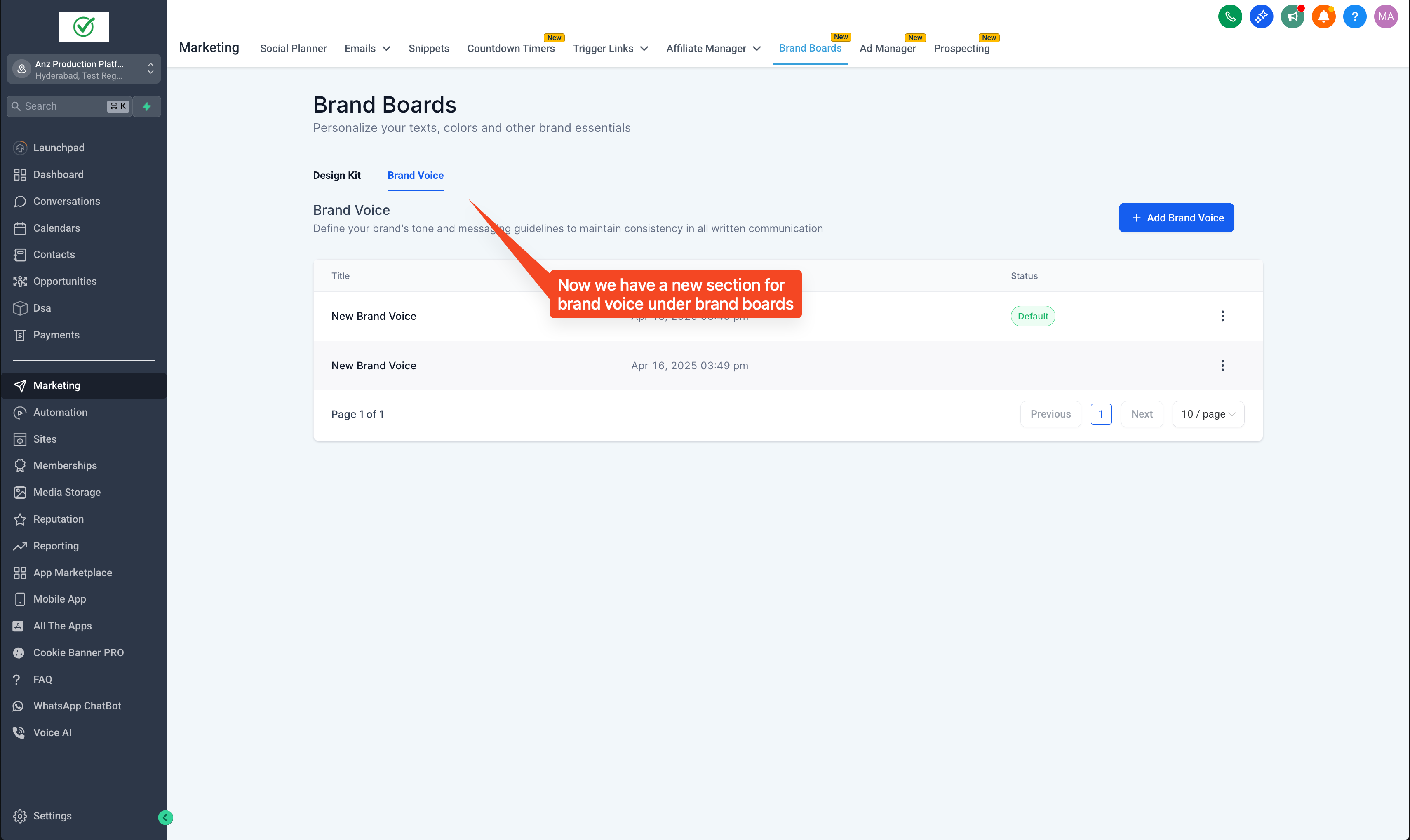
Navigate to Marketing → Brand Boards.
Click on Create New Brand Voice.
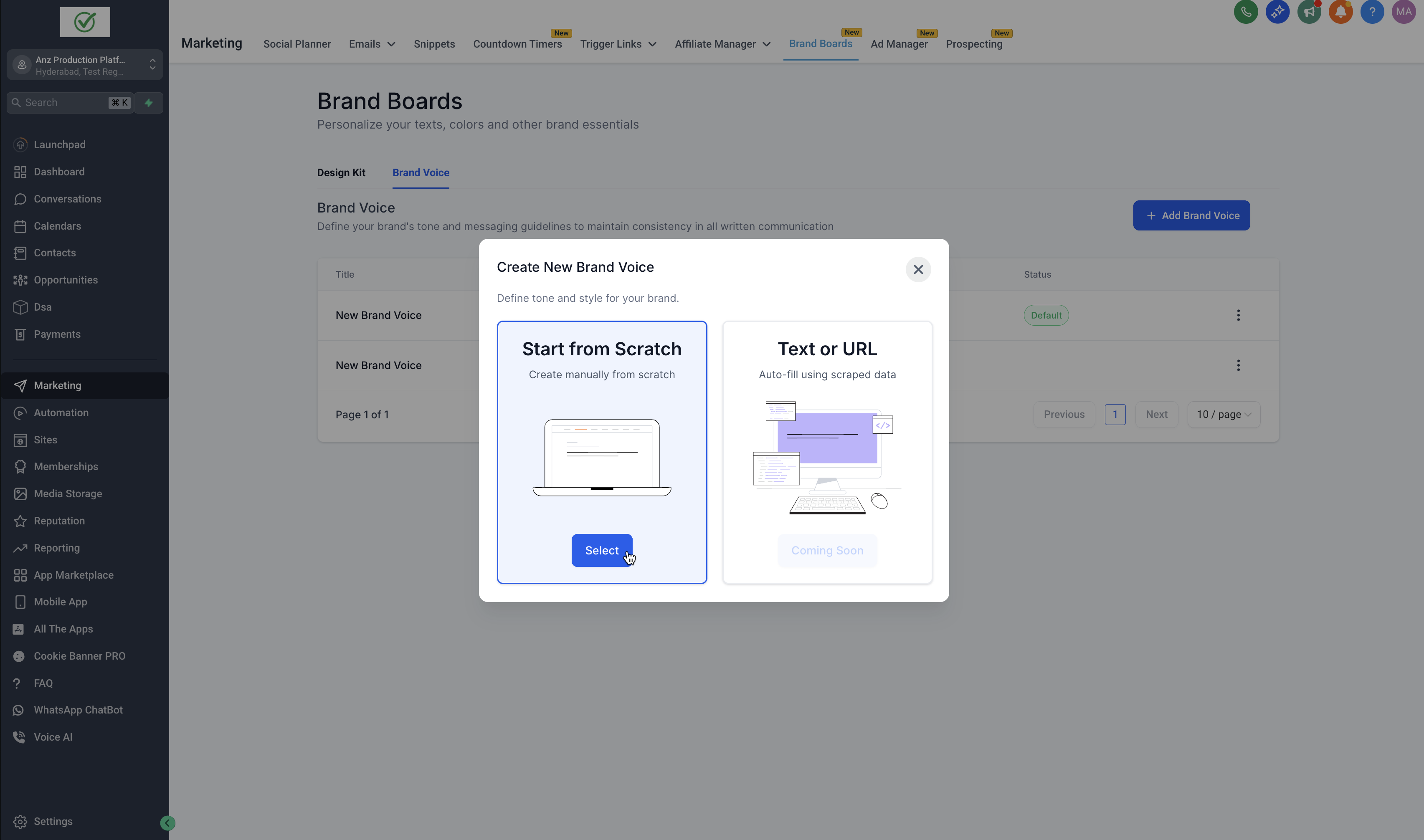
Choose the Start from Scratch to input your brand details.
Fill in the form with your brand's business information, values, tone, and style guidelines.
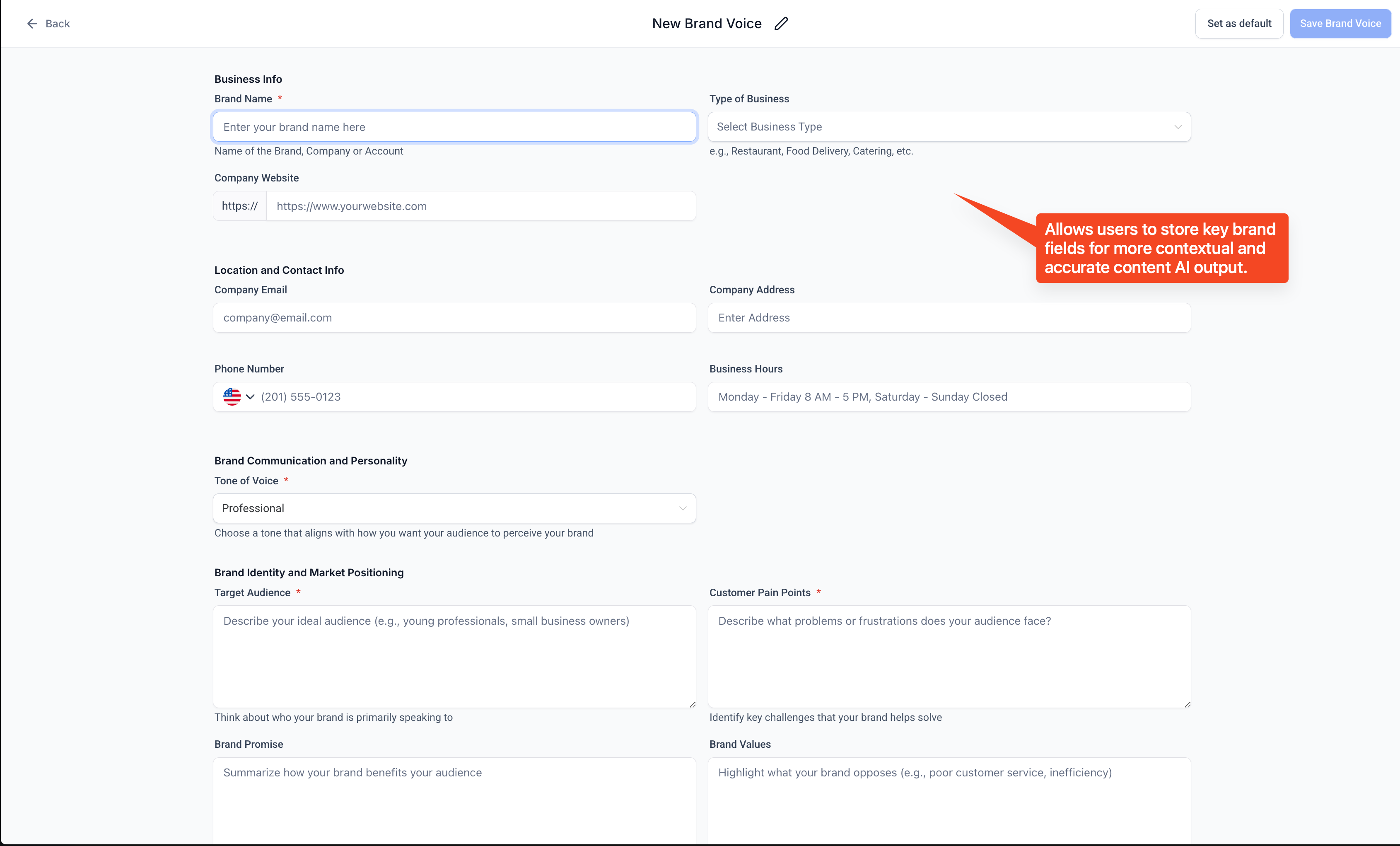
Click Save to store your Brand Voice.
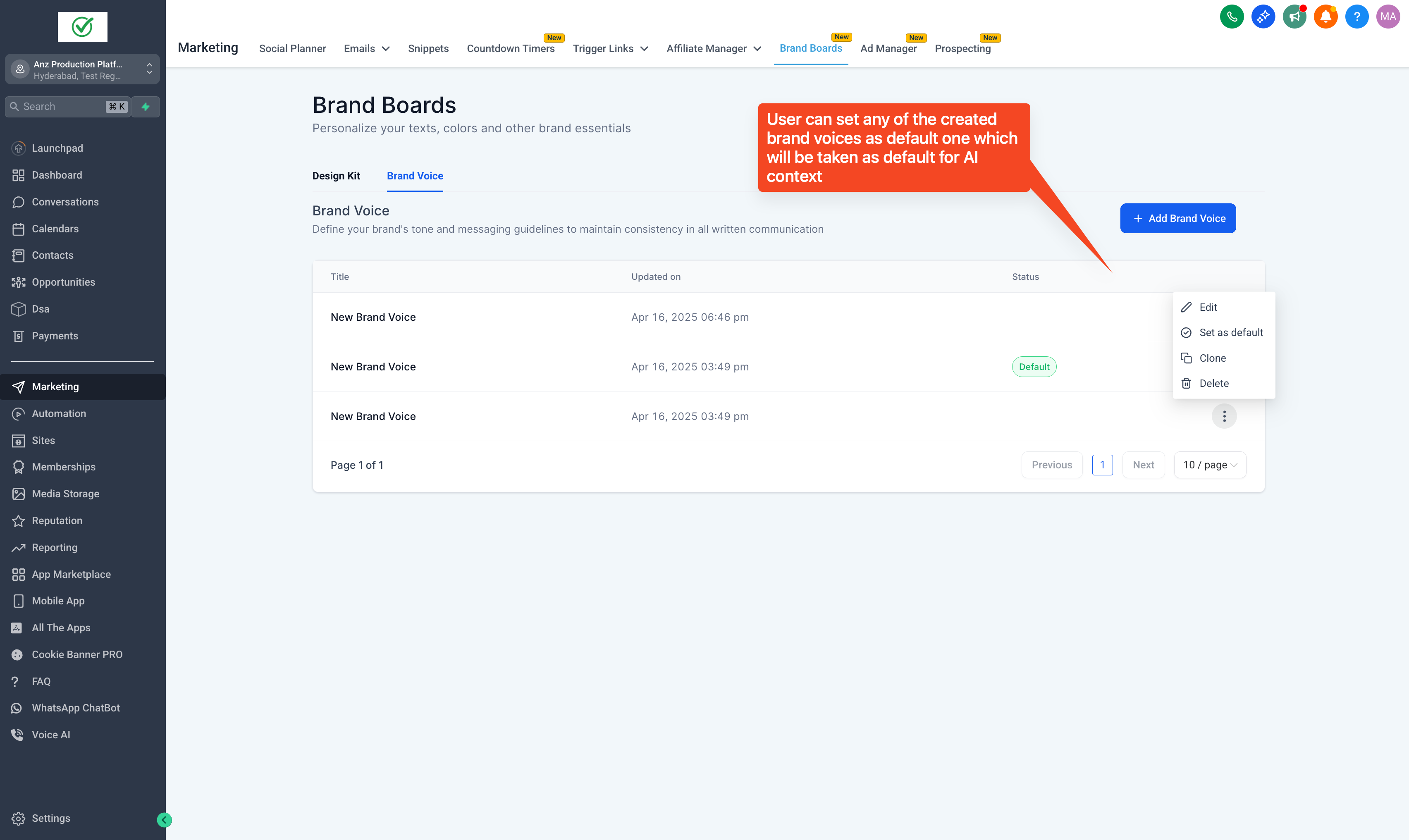
Click on three dots to make any Brand Voice your default Brand Voice
Benefits of Defining Your Brand Voice
Efficiency: Reduces the need to manually input tone guidelines for each piece of content.
Alignment: Ensures all content aligns with your brand's identity, fostering a cohesive brand image.
Enhanced AI Performance: Improves the accuracy and relevance of AI-generated content by providing clear communication guidelines.
As of now, you can see Brand Voice as a tone can be selected in the Content AI modal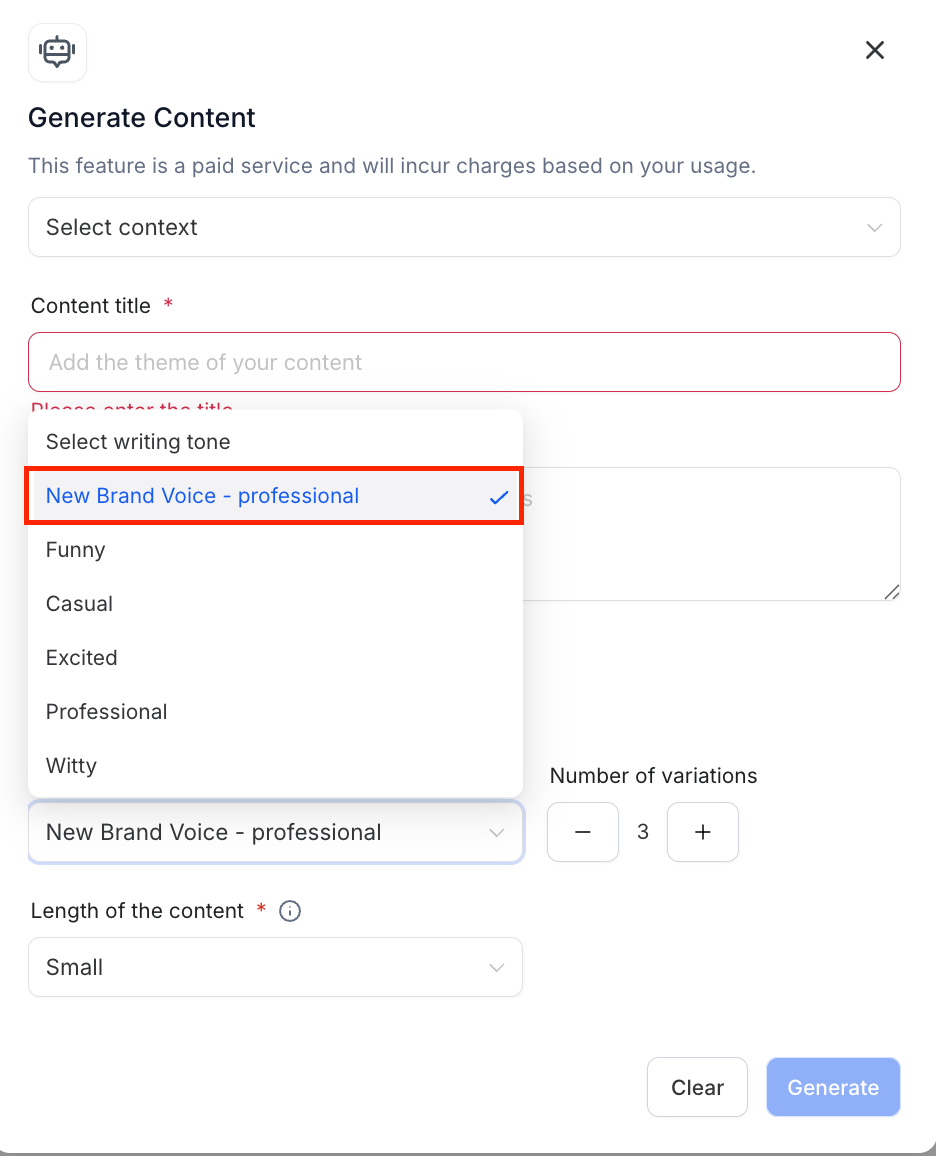
FAQs
Q: What happens to my existing design boards under brand boards?
All the Brand Boards initially designed is safe under Design Kit section of Brand Boards
Q: Can we have multiple Brand Voice?
Yes, in a location, a user can have multiple brand voices