
Connect your SourCherry sub-account to Zapier (via the SourCherry Zapier app) to automate lead capture, contact updates, and handoffs without code. This guide explains what the integration is, prerequisites, and how to connect/disconnect a sub-account.
TABLE OF CONTENTS
- What is Connecting a Sub-Account with Zapier?
- Key Benefits Connecting a Sub-Account with Zapier
- How To Connect a Sub-Account to Zapier
- How to Disconnect Leadconnector from Zapier
- Frequently Asked Questions
- Related Articles
What is Connecting a Sub-Account with Zapier?
Zapier lets SourCherry exchange data with thousands of apps. Using the SourCherry Zapier app, you authenticate with your SourCherry CRM login, then choose which sub-account to connect so Zaps can create/update contacts, move data, and trigger actions.
Key Benefits Connecting a Sub-Account with Zapier
These advantages help you decide when to connect Zapier for process automation.
Fast automation: Trigger actions across thousands of apps without custom code.
Sub-account scoped: Choose the specific sub-account to keep data clean and separated.
Simple auth: Use your SourCherry CRM login—no API keys required for this connection.
Easy maintenance: Manage or disconnect the SourCherry connection from Zapier’s App Connections page.
How To Connect a Sub-Account with Zapier
Follow these steps in Zapier to connect the right sub-account via SourCherry.
- Log in to your Zapier account.
- On the home screen, click Create > Zaps.
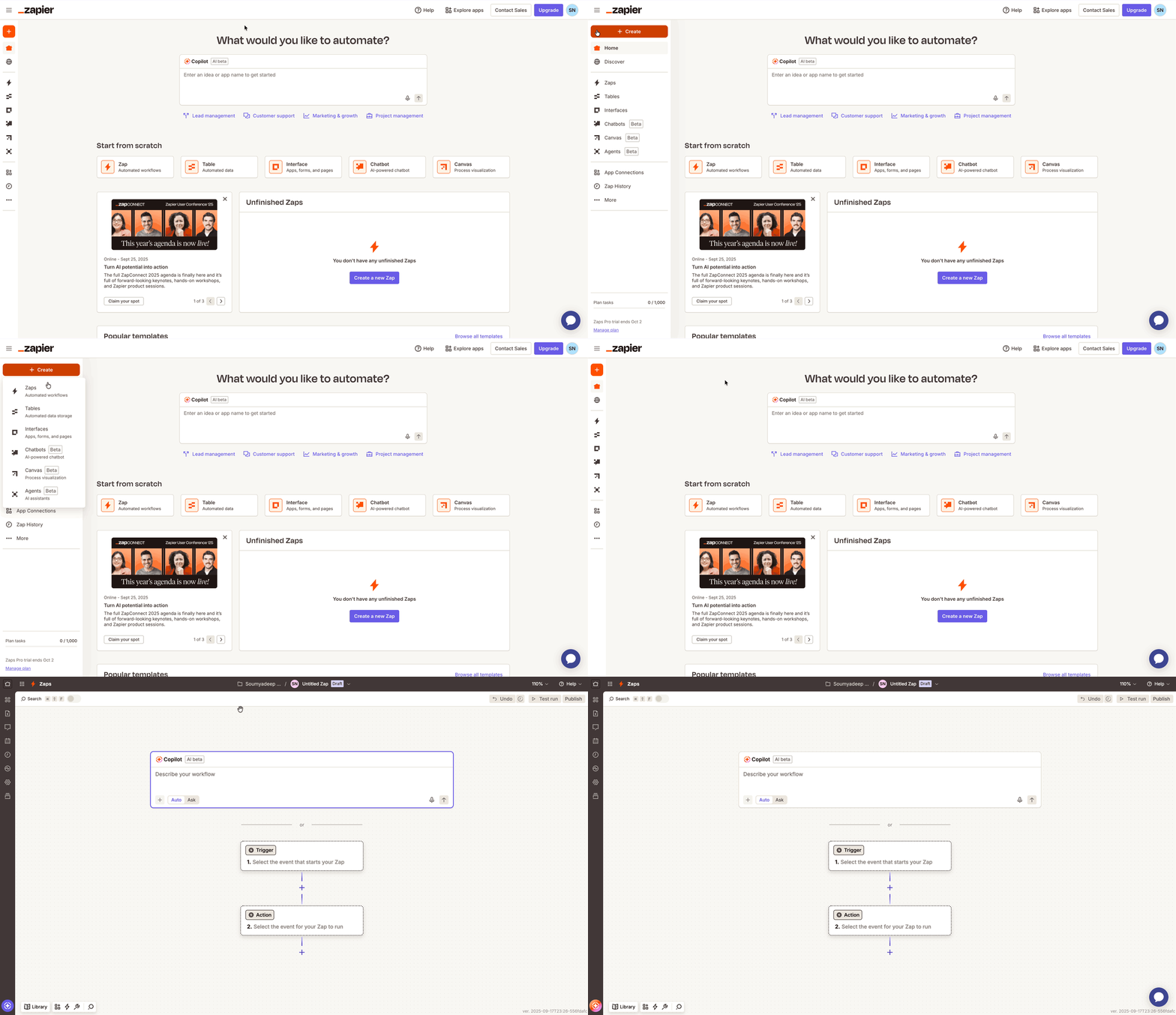
- In the Zap editor, click on the Trigger block and select SourCherry from the list of apps.
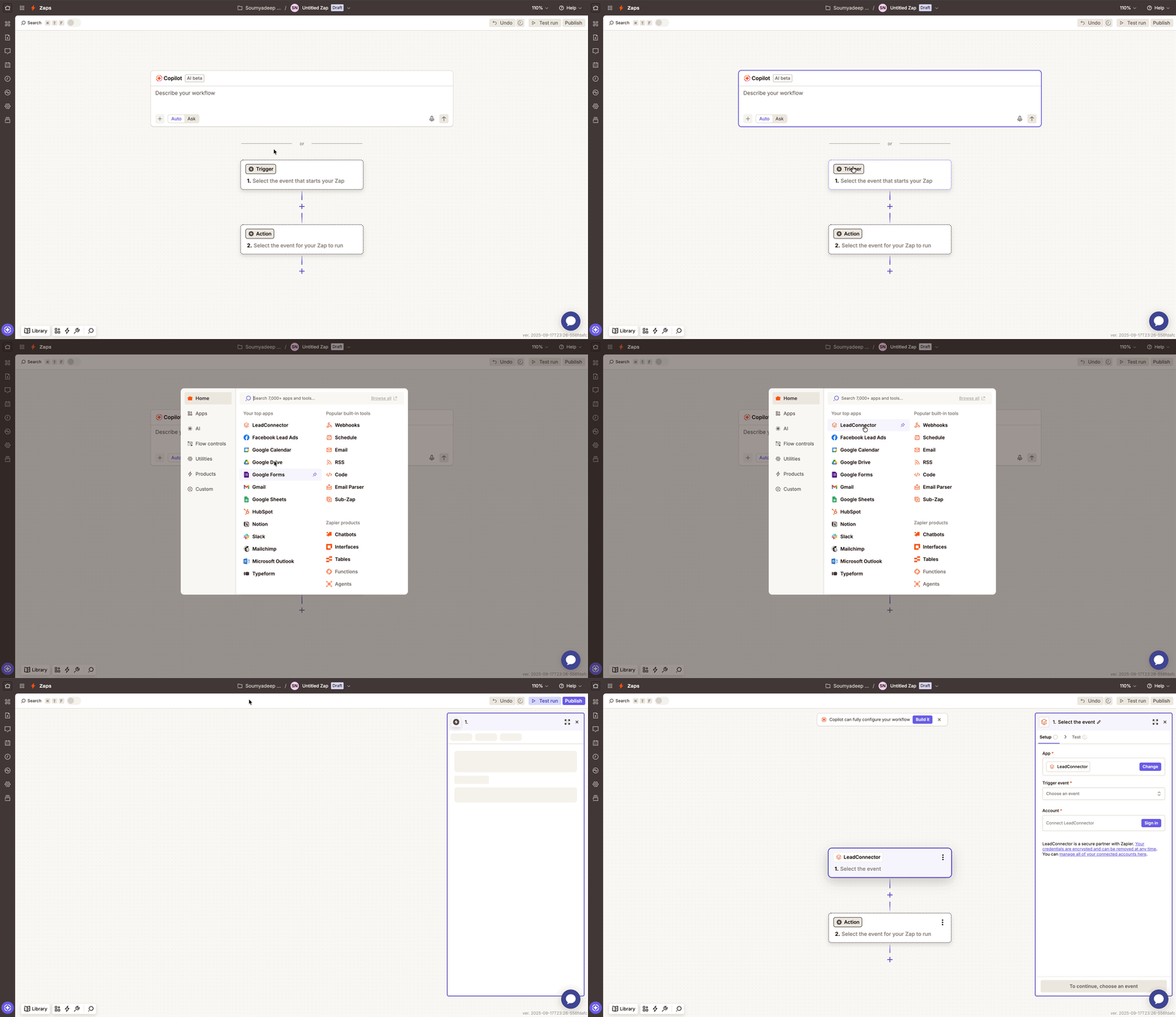
- Select a TriggerEvent like PipelineStageChanged.
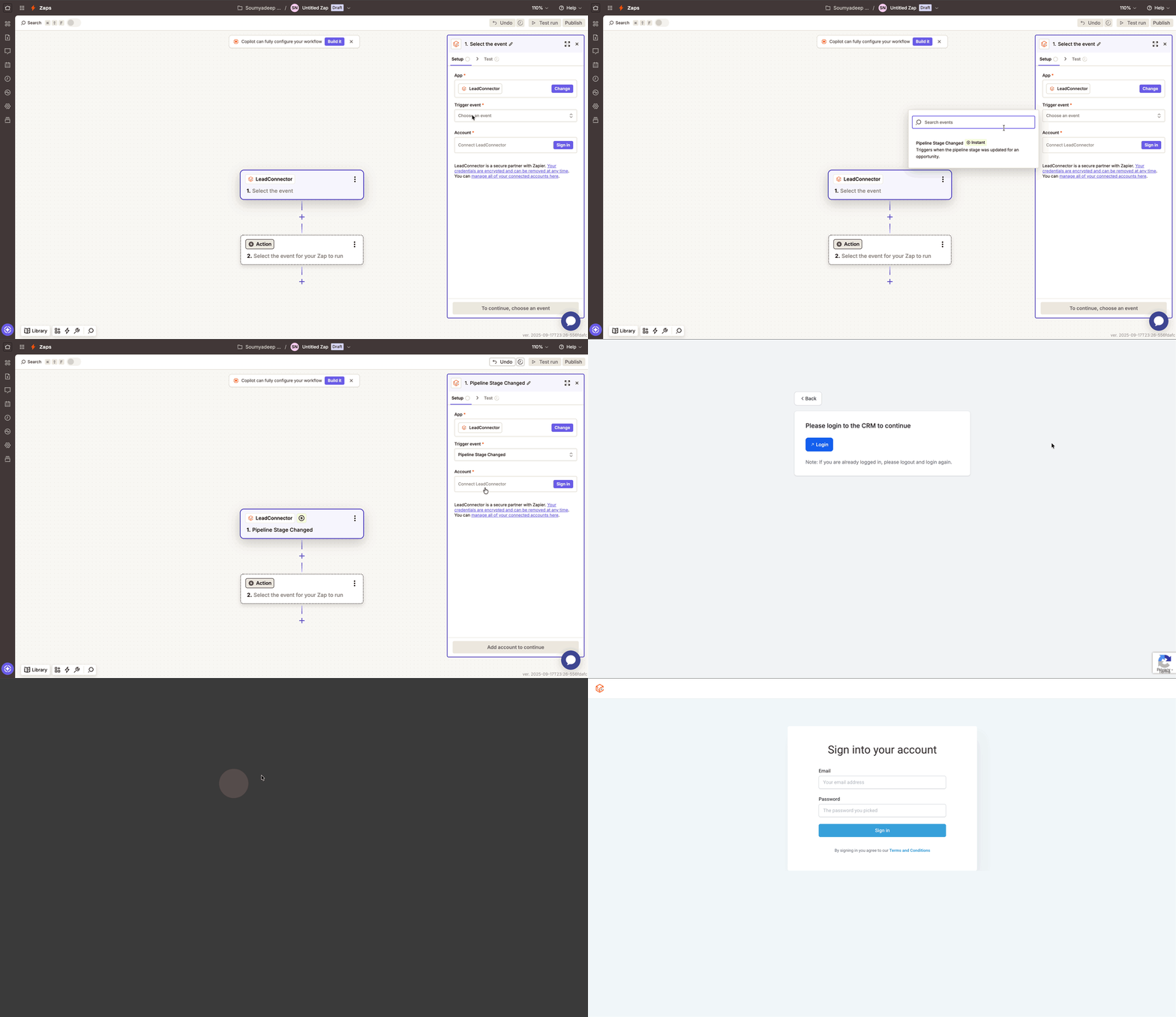
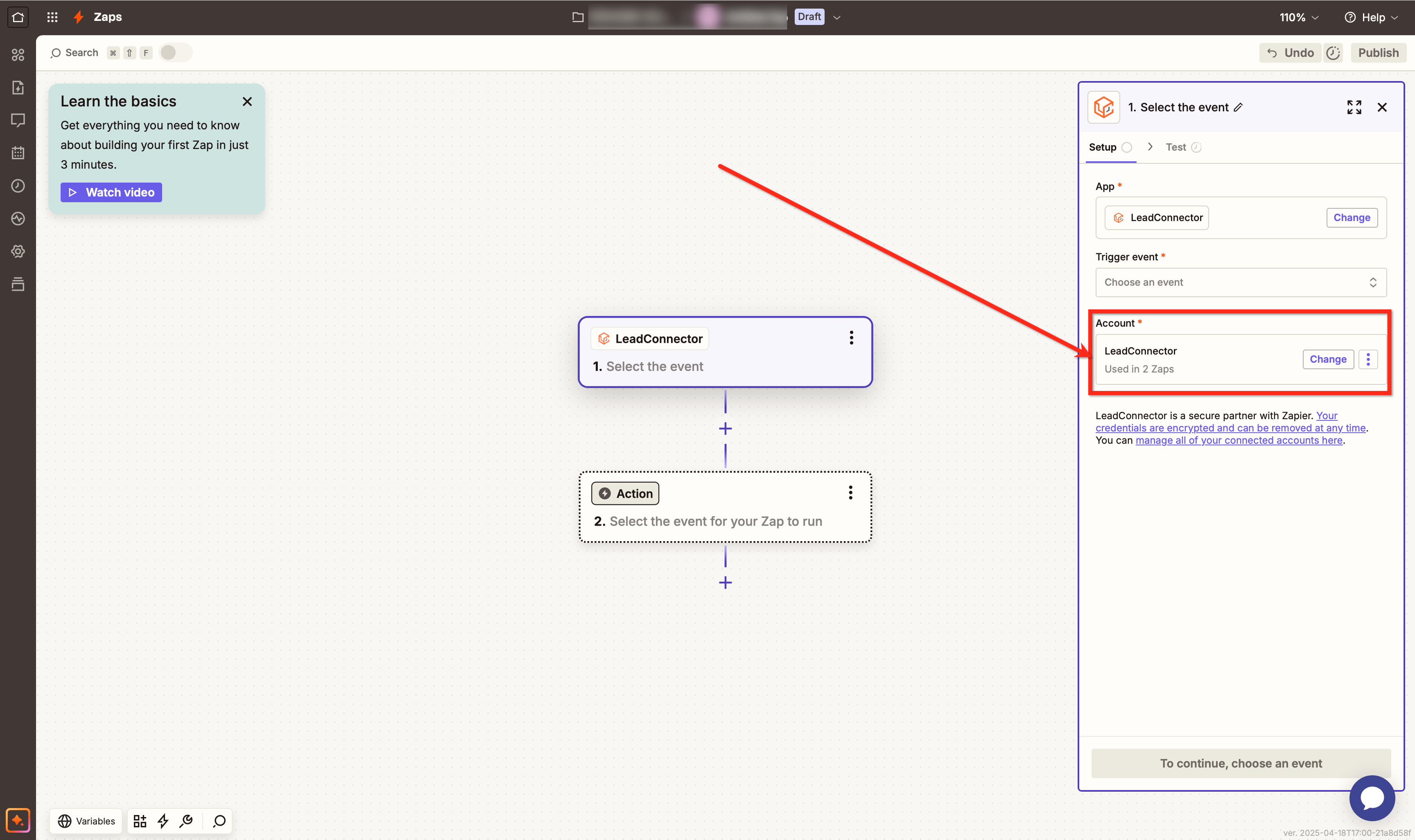
- Under the Account section of the trigger setup, click on the Sign In button.
- You will be redirected to the SourCherry login screen. Enter your email and password to proceed.
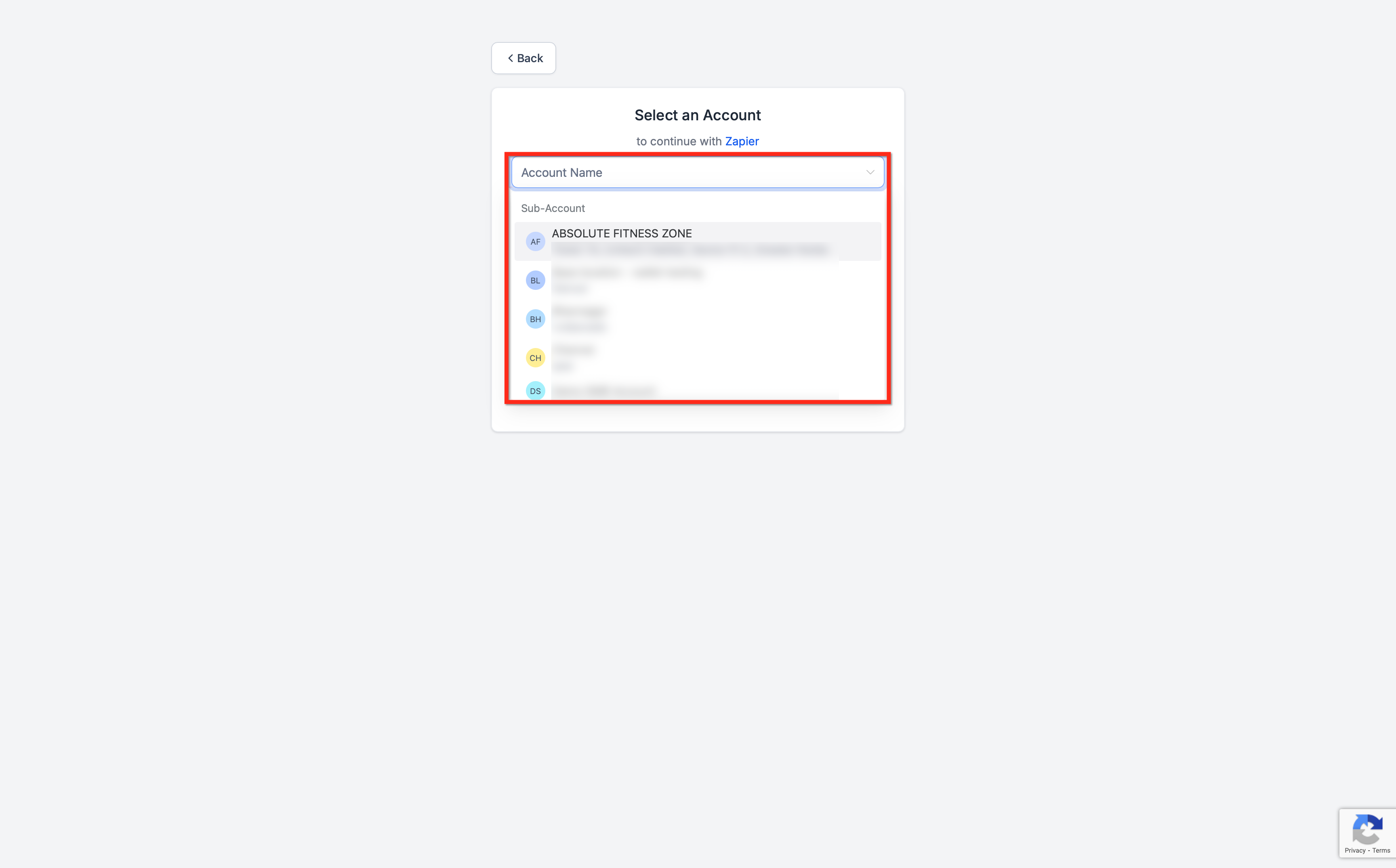
- After logging in, you’ll be prompted to select the sub-account you want to connect with Zapier.
- Once completed, your Zapier account will be successfully connected to the sub-account. You’ll see SourCherry listed under “Accounts” in your Zap setup, confirming the integration is active.
How to Disconnect Leadconnector from Zapier
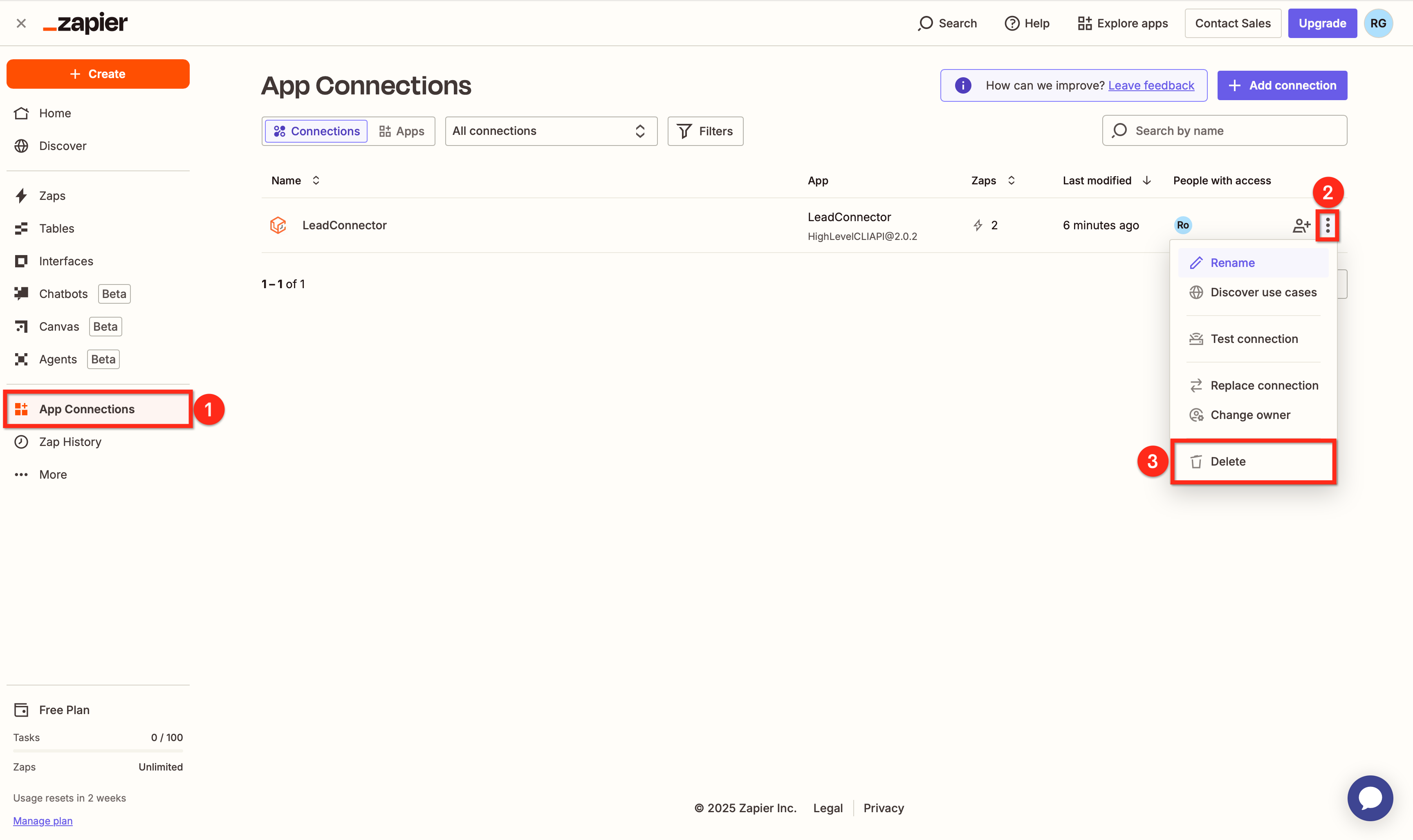
On the Zapier home page, click on App Connections in the left-hand menu.
Click the three-dot menu (•••) next to SourCherry.
Select Delete to remove the connection.
Frequently Asked Questions
Q: Is the Zapier app named “SourCherry”?
In Zapier, use SourCherry—it’s the official, whitelabeled SourCherry connection.
Q: Can I change the connected sub-account later?
Yes—add a new SourCherry account connection in Zapier and select the other sub-account, then switch the account used in your Zaps.
Q: How do I fully disconnect?
In Zapier → Apps → App Connections, locate SourCherry, open the ••• menu, and Delete the connection.
Q: Do I need API keys for this?
Not for the standard SourCherry connection flow; you sign in with your CRM credentials.