
Overview
Stay informed when your calendar or video conferencing integrations disconnect. You would be notified via Email, SMS, and Push notifications (Web & Mobile) so you can take quick action and minimize disruptions to your bookings and client communication.
Notifications are triggered for disconnections from the following integrations:
Google Calendar
Outlook Calendar
iCloud Calendar
Zoom
Microsoft Teams
These notifications help ensure that your daily tasks remain uninterrupted by providing disconnection alerts along with simple reconnection steps.
How to Use
1. Enable or Disable Notifications
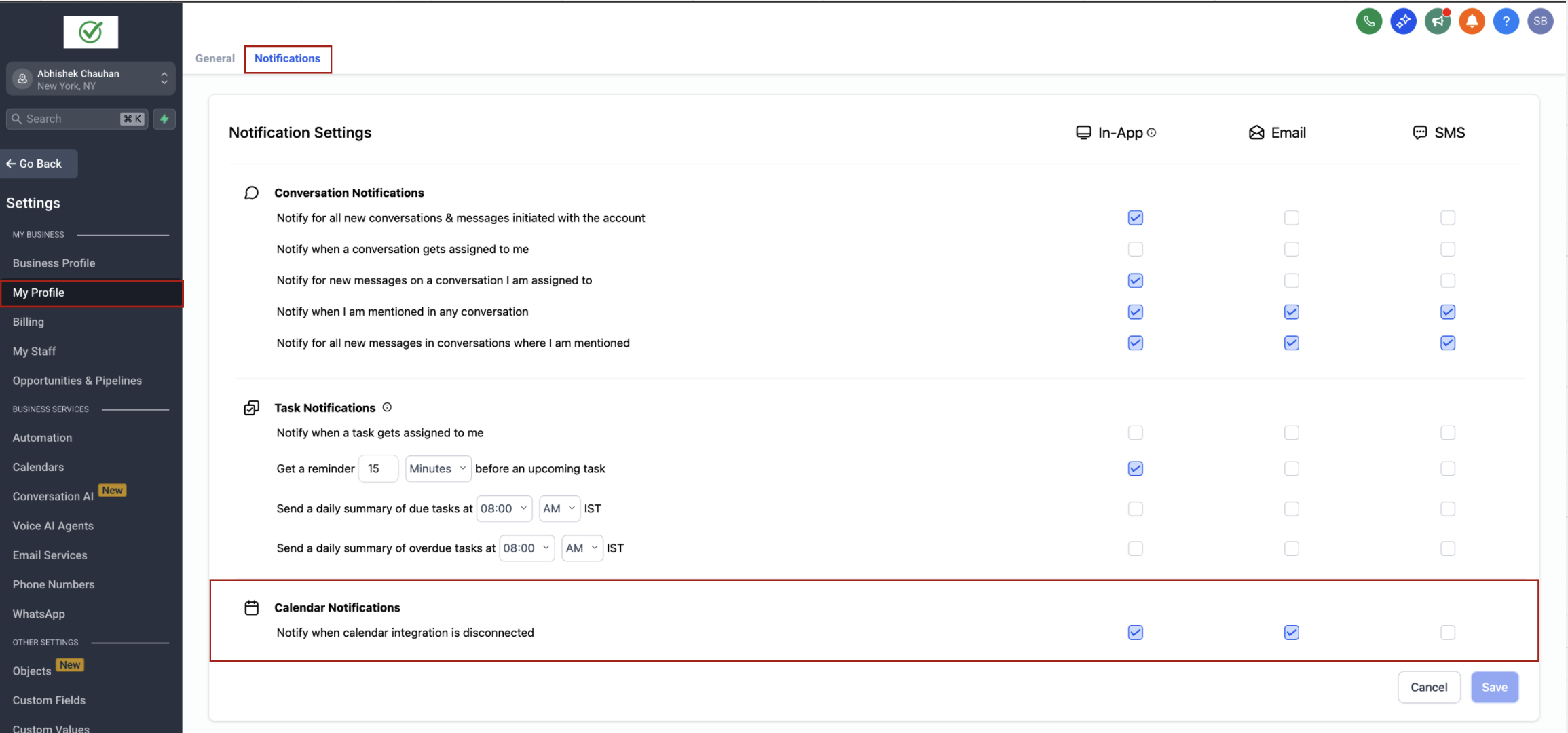
You can manage your notification preferences from your profile settings:
Navigate to My Profile > Notifications
Scroll to the Calendar section
Enable or disable each type of notification based on your preference:
✅ In-App
✅ Email
✅ SMS
Push notifications are supported on both the Web App and the Mobile App.
2. Receiving Notifications
Once enabled, you will receive notifications when any supported integration disconnects:
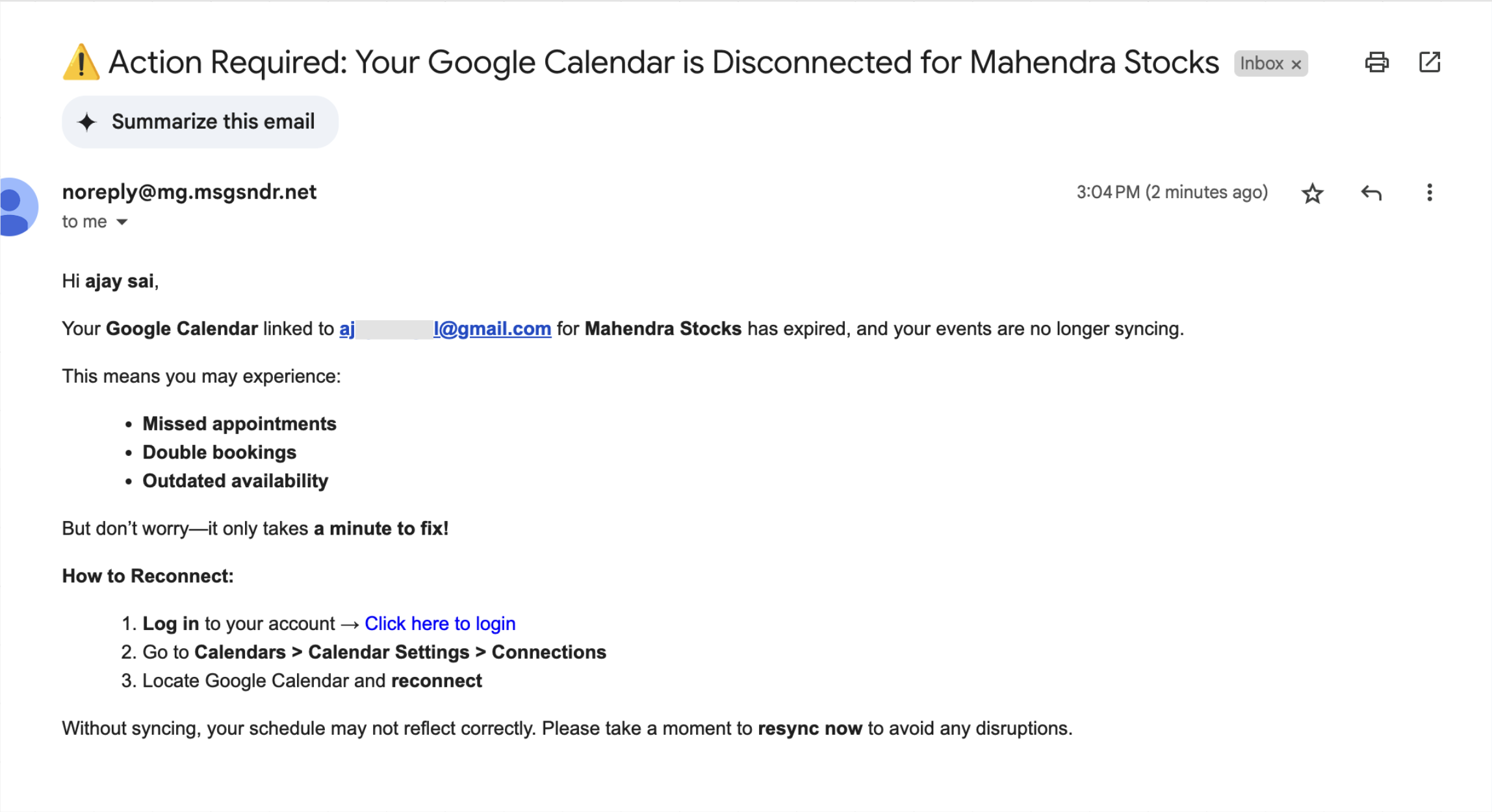
Email: Includes the integration name, consequences and reconnection steps.
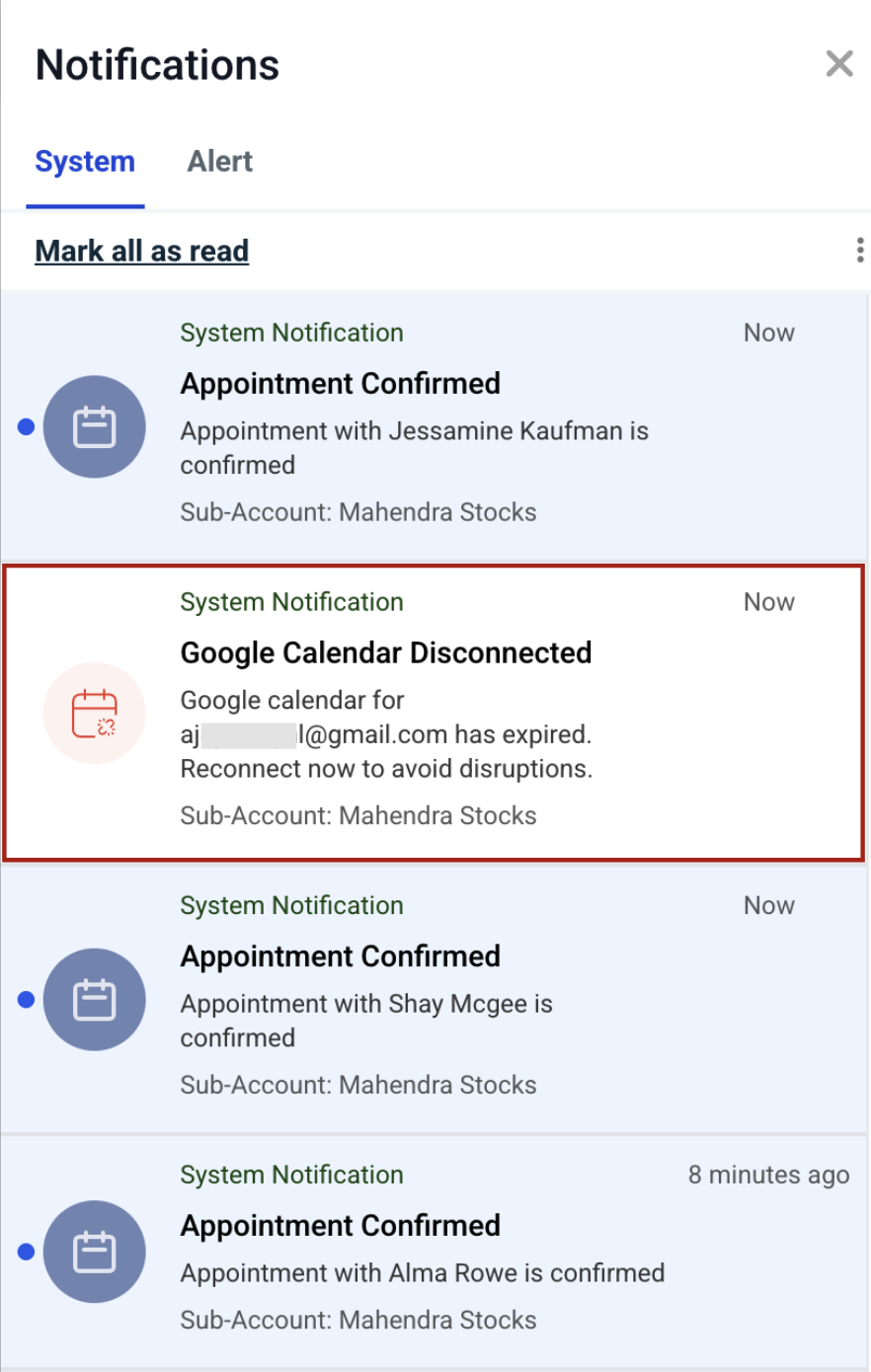
In App Notification: Shown on your web browser and mobile device.
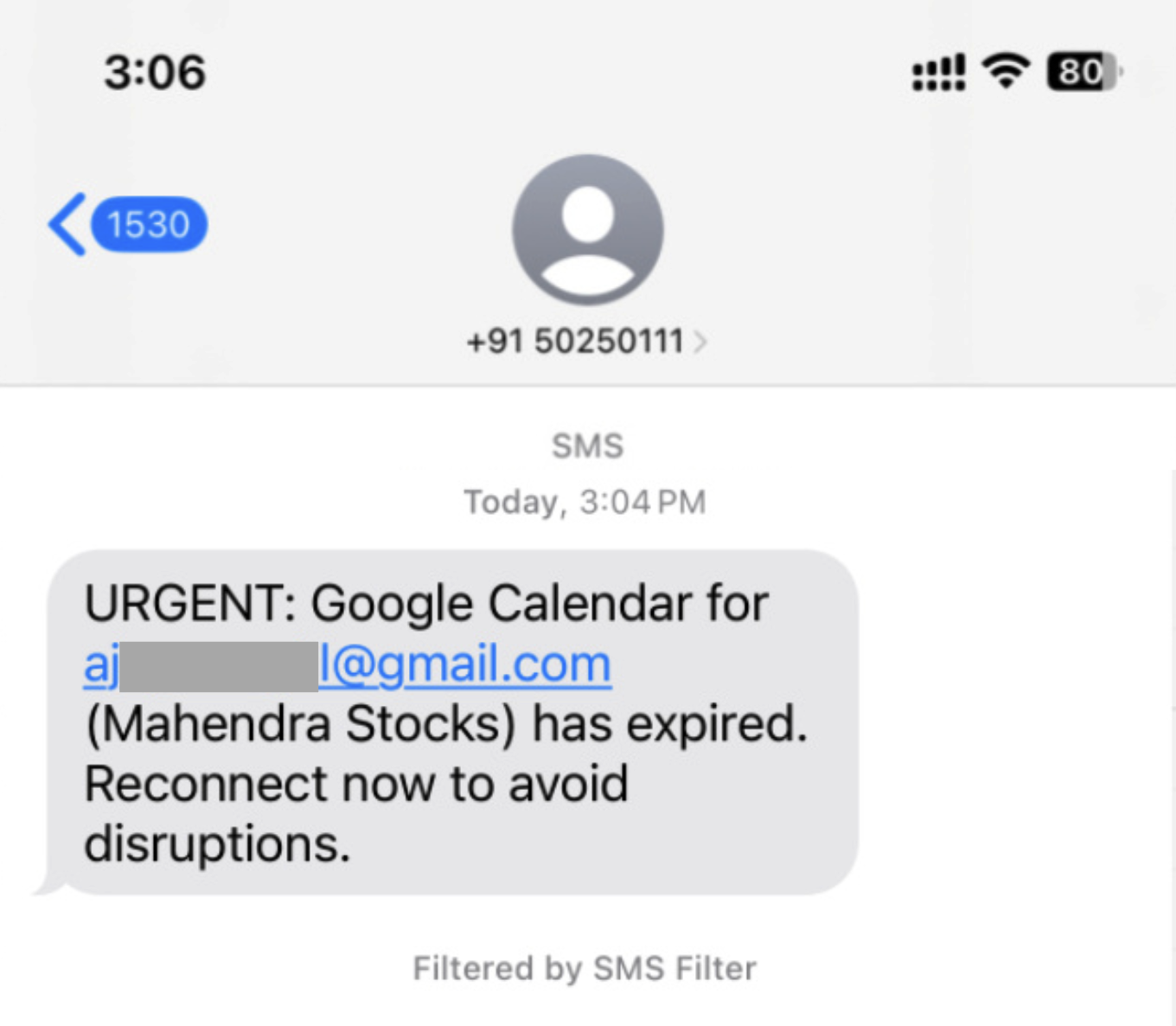
SMS: Sent directly to user's configured number, with integration and subaccount details.
EMAIL:
IN APP:
SMS:
Please Note:
Sync Disconnect Notifications are not sent to location or agency admins. Only the user will receive the notification.
- By default, Email and In-App notifications are enabled. You can update your preferences at any time by visiting My Profile > Notifications.
- Email and SMS notifications may incur charges depending on your account setup and configuration. Please review your communication settings to understand any applicable costs.
- SMS Delivery Rules:
- SMS will only be sent if a user phone number is configured at the sub-account level.
- If no number is set, SMS will not be sent.