
Getting Started with Reviews AI Agents
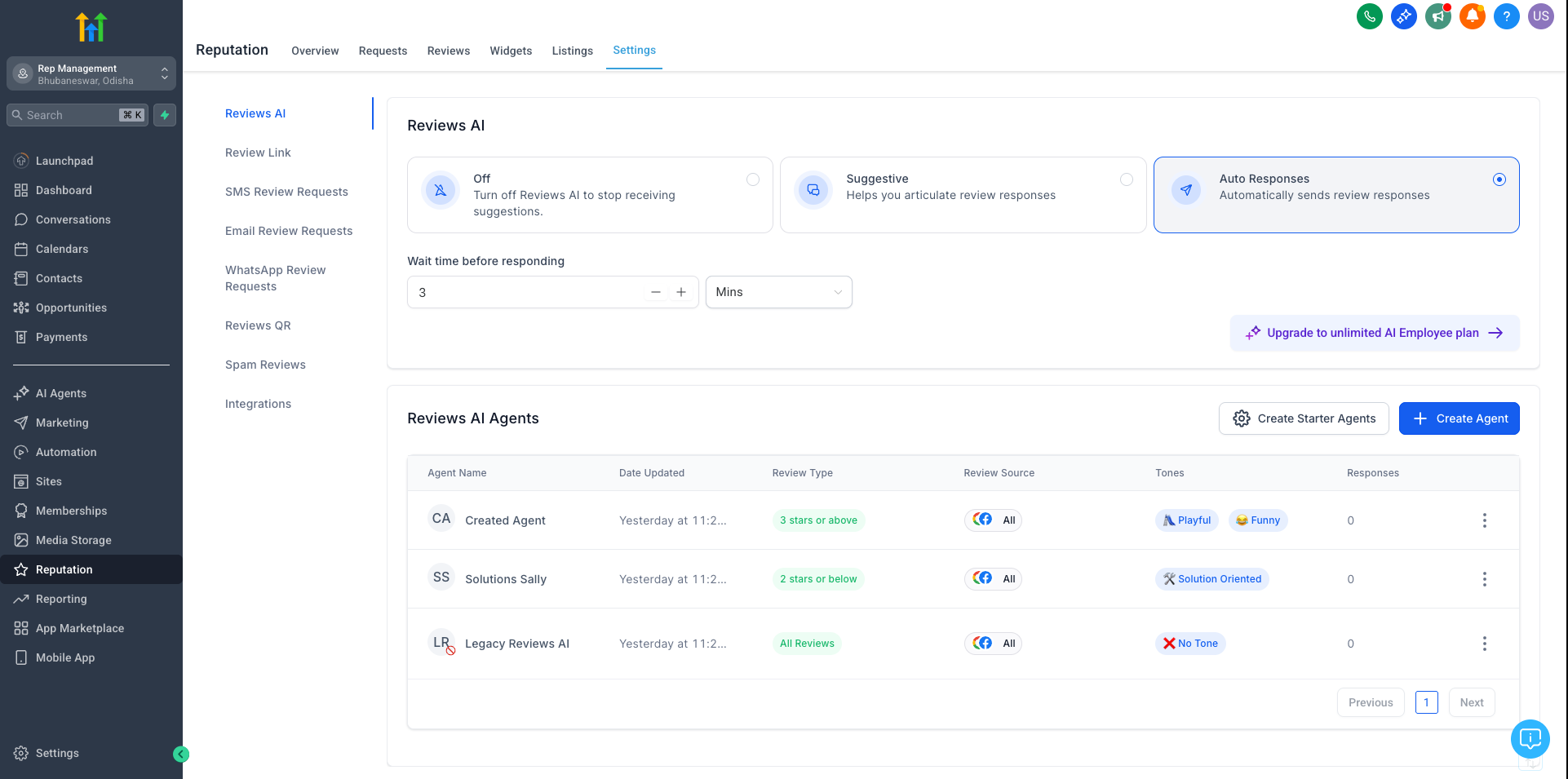
Step 1: Access the Reviews AI Settings
- Go to the Reputation Management module inside your account.
- Click on Settings.
- Navigate to the Reviews AI tab.
- Here you will find the section to create and manage your AI Agents.
Step 2: Create or Select an AI Agent
- Click Create Agent.
- You can either create from scratch by setting tone, style, and traits manually or use a ready-made template
- Available settings include:
Agent Name - Keep a friendly name to your agent. Helps you track performance/ review quality.
Tone - Friendly, Professional, Empathetic, etc.
Prompt - Give a concise prompt to your Agent
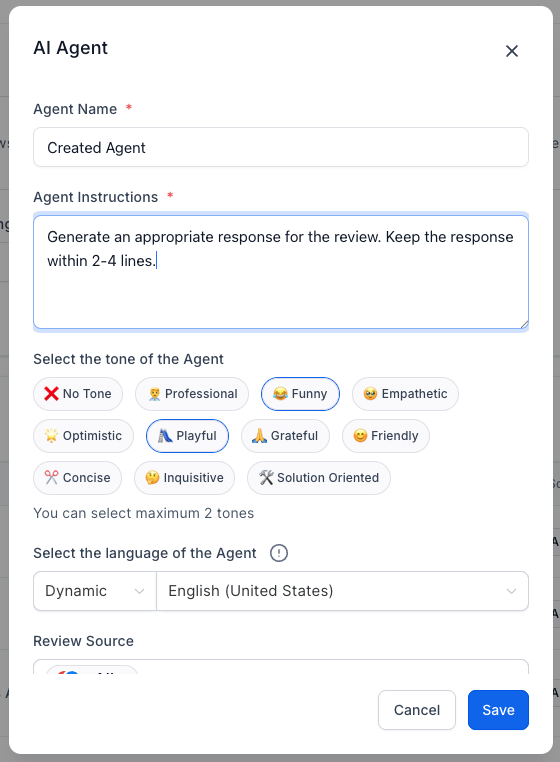
You can quickly enable all pre-built AI Agents by selecting "Create Starter Agents", allowing you to start using templated personalities without building them individually.Step 3: Set Assignment Rules for AI Agents
- Assign AI Agents based on Review Sentiment (Positive, Neutral, Negative).
- Enable Round Robin Assignment if you want different agents to rotate automatically for variety.
Step 4: Configure Language Detection
AI automatically detects the review’s language.
Set a Fallback Language in case the review language cannot be detected.
Step 5: Select Google Business Pages (Optional)
Assign AI Agents to specific Google Business Pages.
Useful for managing responses across multiple brands or locations
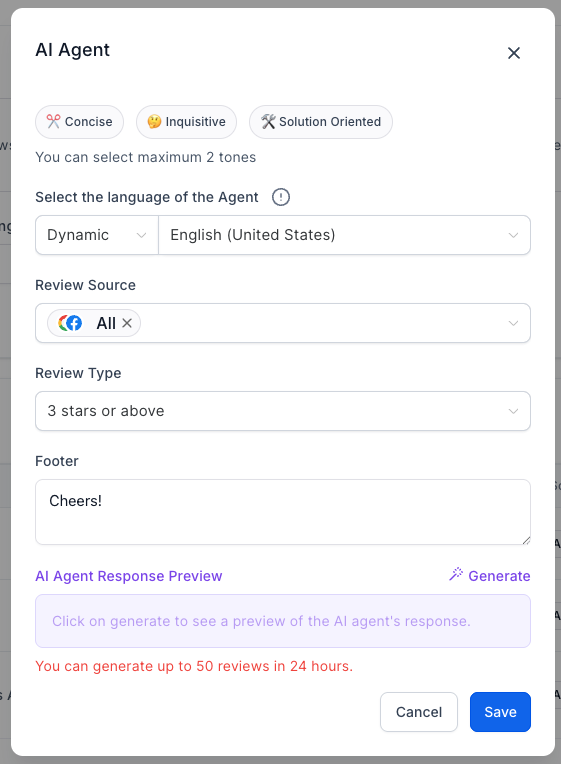
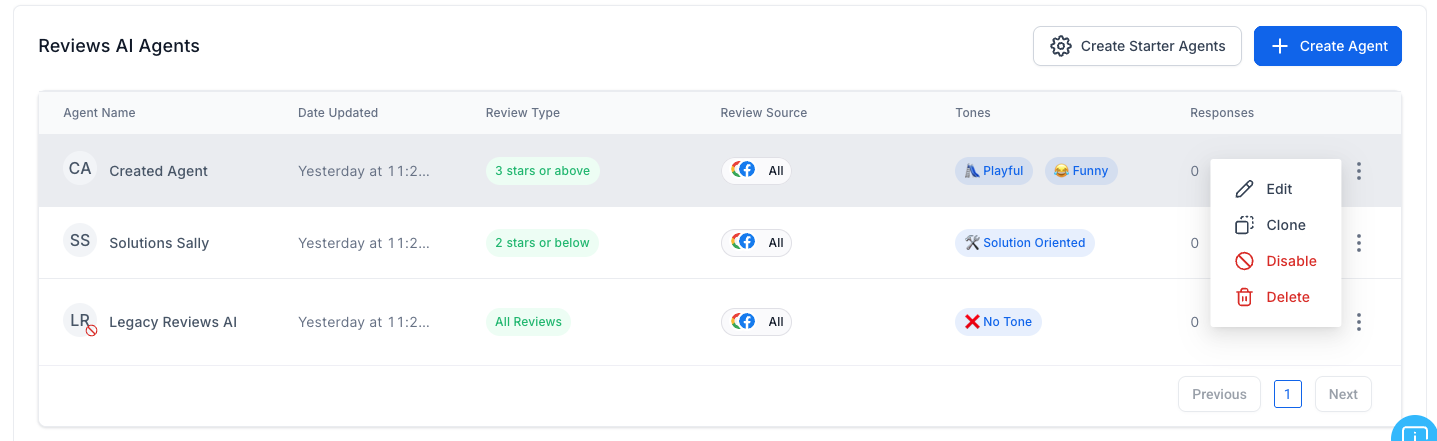
Step 6: Manage and Test AI Agents
You can Edit, Clone, or Delete AI Agents anytime.
Preview AI-generated responses before publishing.
Easily view which Agent crafted each review reply inside the Reputation Management view.
Best Practices for Using Reviews AI Agents
Set clear tone and style to match your brand voice.
Differentiate sentiment handling for positive, neutral, and negative reviews.
Keep response instructions simple and specific.
Personalize responses with business names or locations if applicable.
Preview responses regularly to ensure tone and content match expectations.
You’re now ready to create and manage your Reviews AI Agents for more personalized, consistent, and automated review responses.
Note: Reviews AI Agents are available based on user permissions. If you don’t see options to create or edit agents, ask an admin to enable the Manage Reviews AI Agents permission for your role.