
This article will show you how to use the new “Disable SEO Indexing” feature in SourCherry’s WordPress management! This tool allows you to quickly hide your websites from search engines without installing plugins or diving into WordPress settings.
TABLE OF CONTENTS
- What is Disable SEO Indexing for WordPress?
- Key Benefits of Disable SEO Indexing Feature
- How To Disable SEO Indexing for a WordPress Site
- Feature Details
- Frequently Asked Questions
- Related Articles
What is Disable SEO Indexing for WordPress?
The Disable SEO Indexing feature gives SourCherry users direct control over whether their WordPress sites are visible to search engines. It helps maintain privacy for development, staging, or private websites by automatically applying noindex and nofollow rules via the site’s robots.txt file and meta tags — all directly from the SourCherry dashboard.
Important: Only Admin-level users have permission to access and modify this setting.
Key Benefits of Disable SEO Indexing Feature
Preventing unauthorized site visibility is crucial for privacy, security, and SEO strategy. Here’s how this feature helps you stay in control:
Seamless SEO Management: Manage search engine visibility without needing extra plugins or accessing WordPress admin.
Enhanced Privacy: Keep development, staging, or internal projects hidden from search engines like Google or Bing.
User-Friendly: Designed for all skill levels—easily toggle SEO indexing with a single click.
Faster Development Cycles: Prevent incomplete websites from appearing in search results prematurely.
Instant Feedback: Get immediate success or failure notifications after saving changes.
How To Disable SEO Indexing for a WordPress Site
Easily Disable your WordPress site from being indexed by search engines by following these steps.
Log into your sub-account.
Navigate to Sites from the left-hand menu.
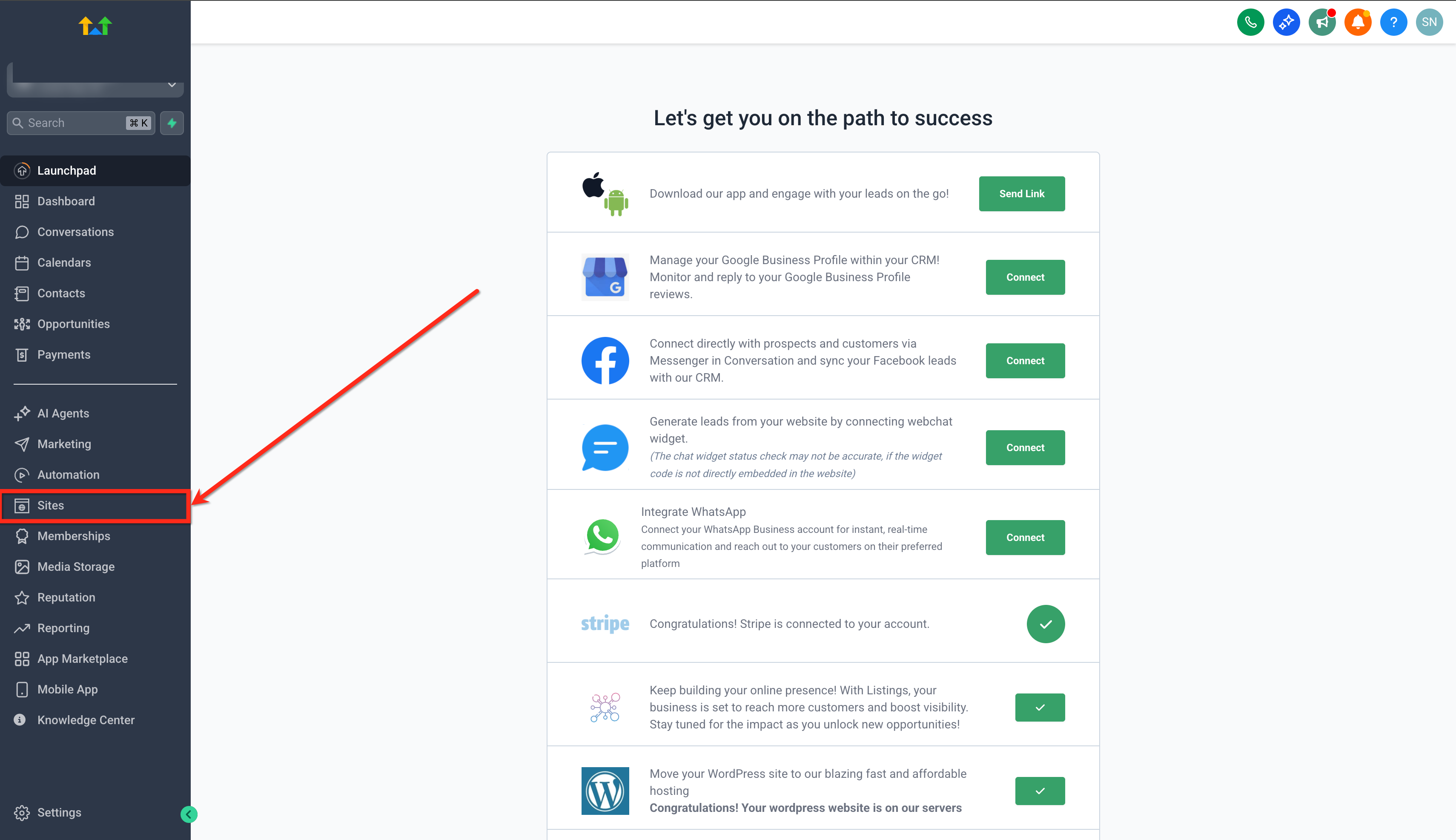
Click on the WordPress tab.
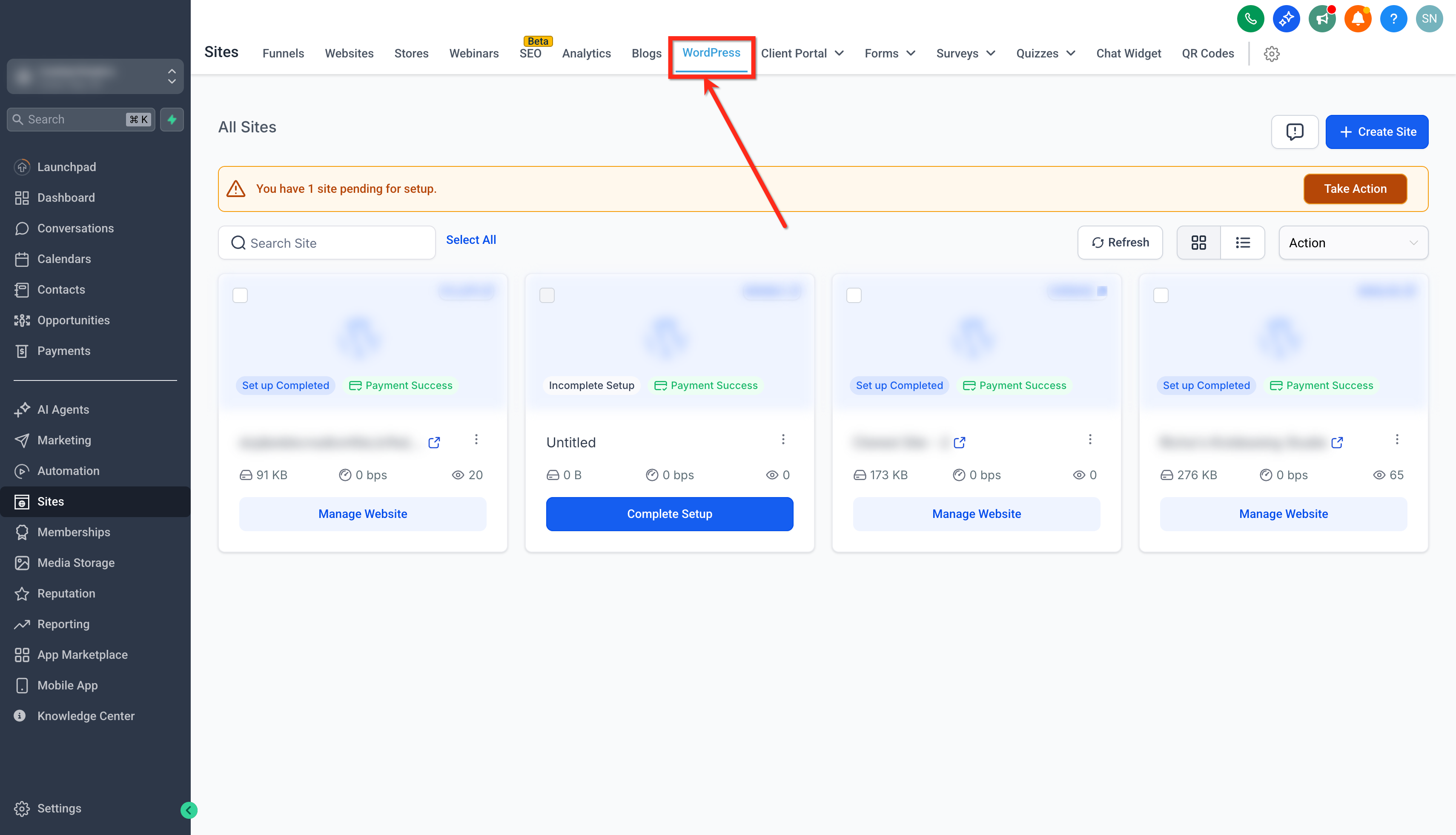
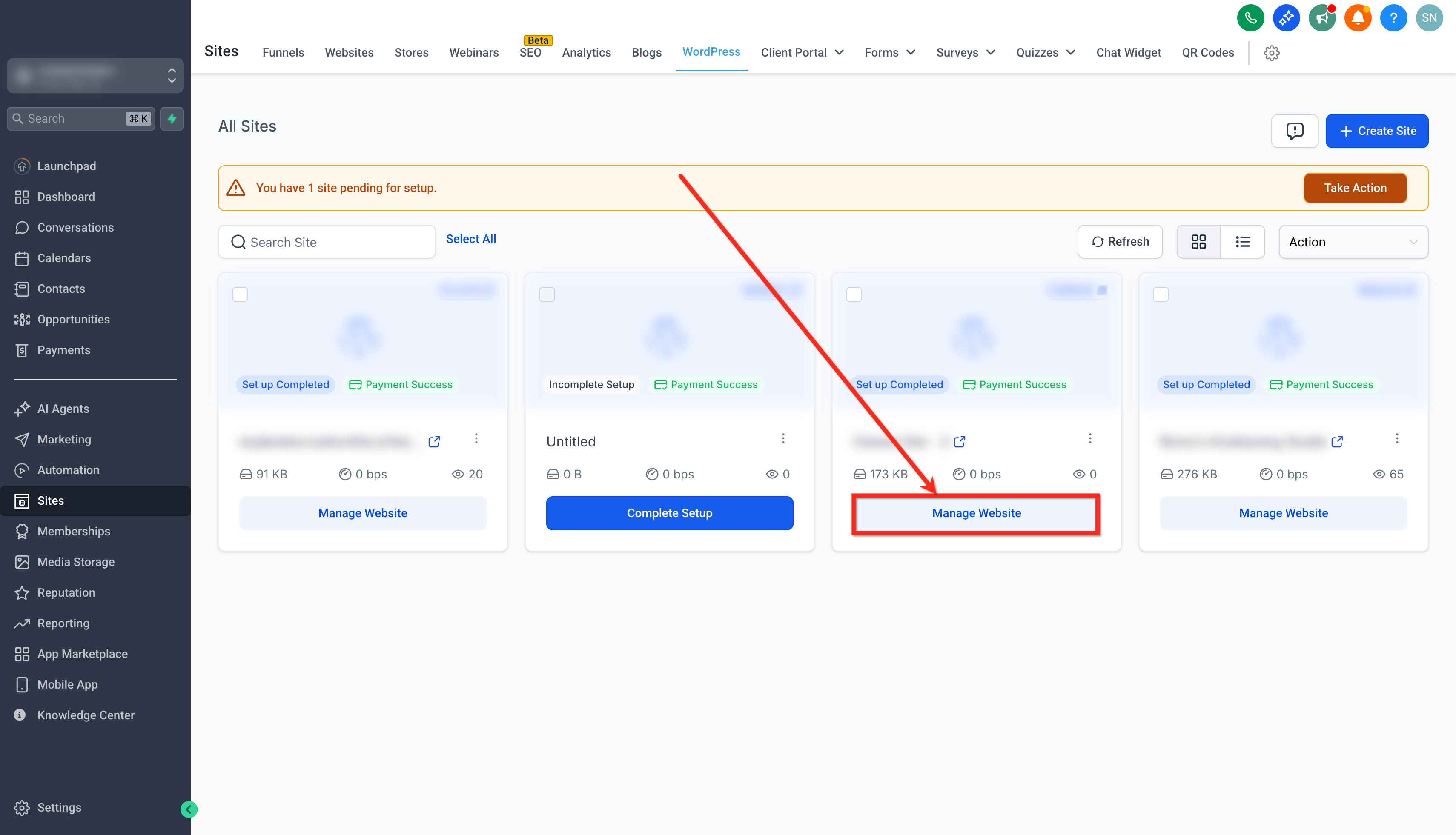
Click on the Manage Website button of the site you want to disable indexing for.
Click on the Advanced Settings tab.
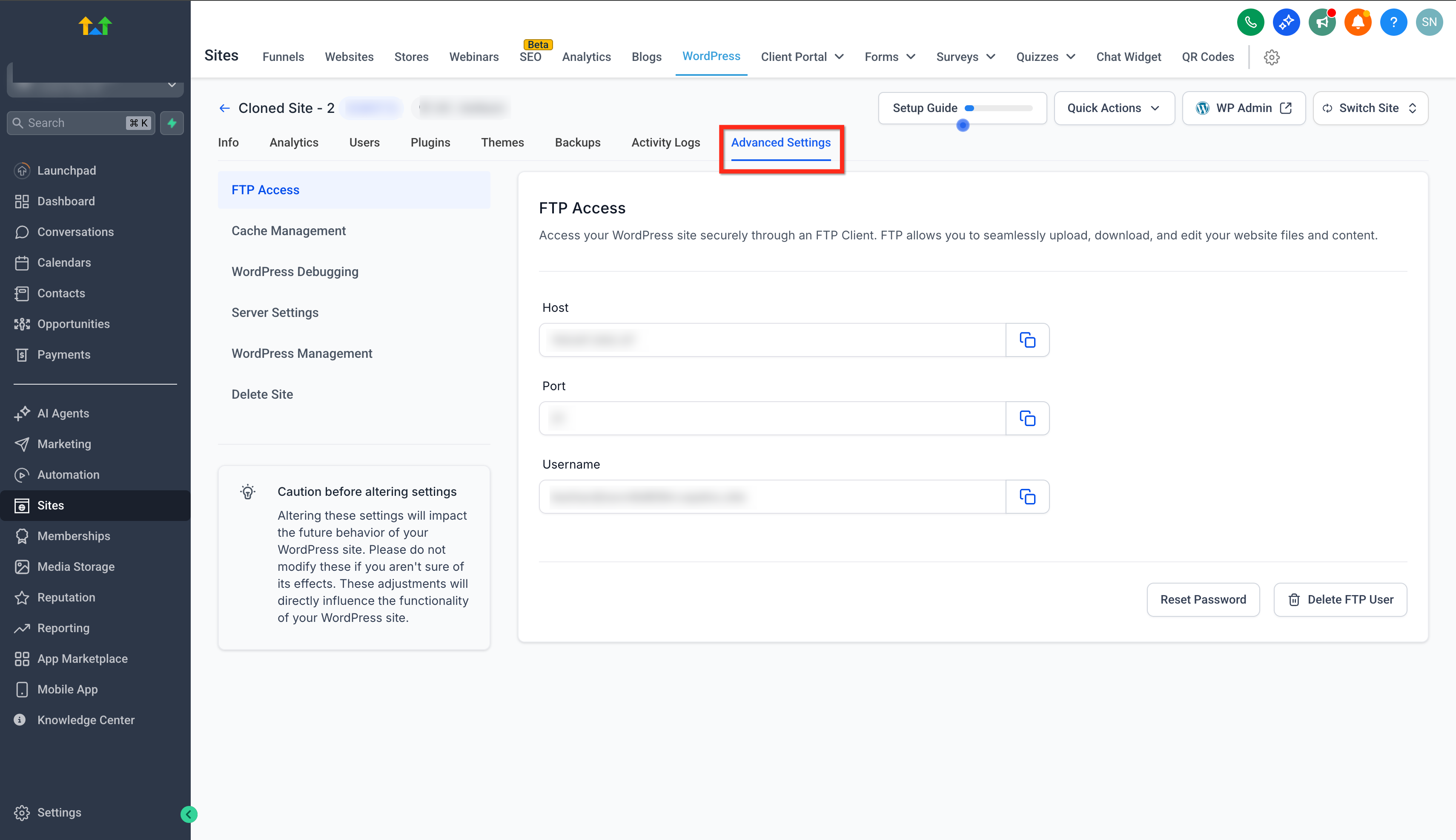
Click on the WordPress Management tab.
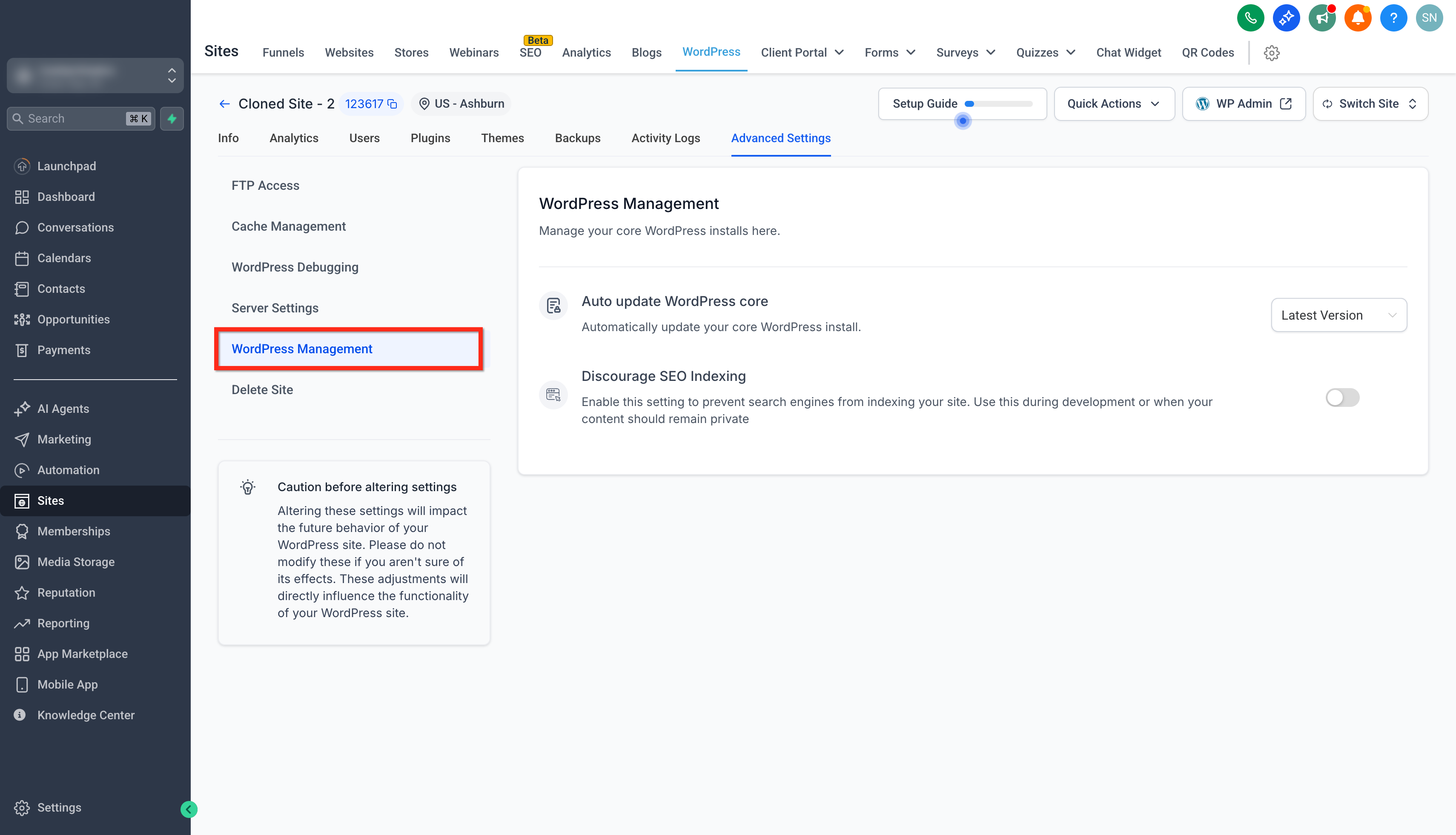
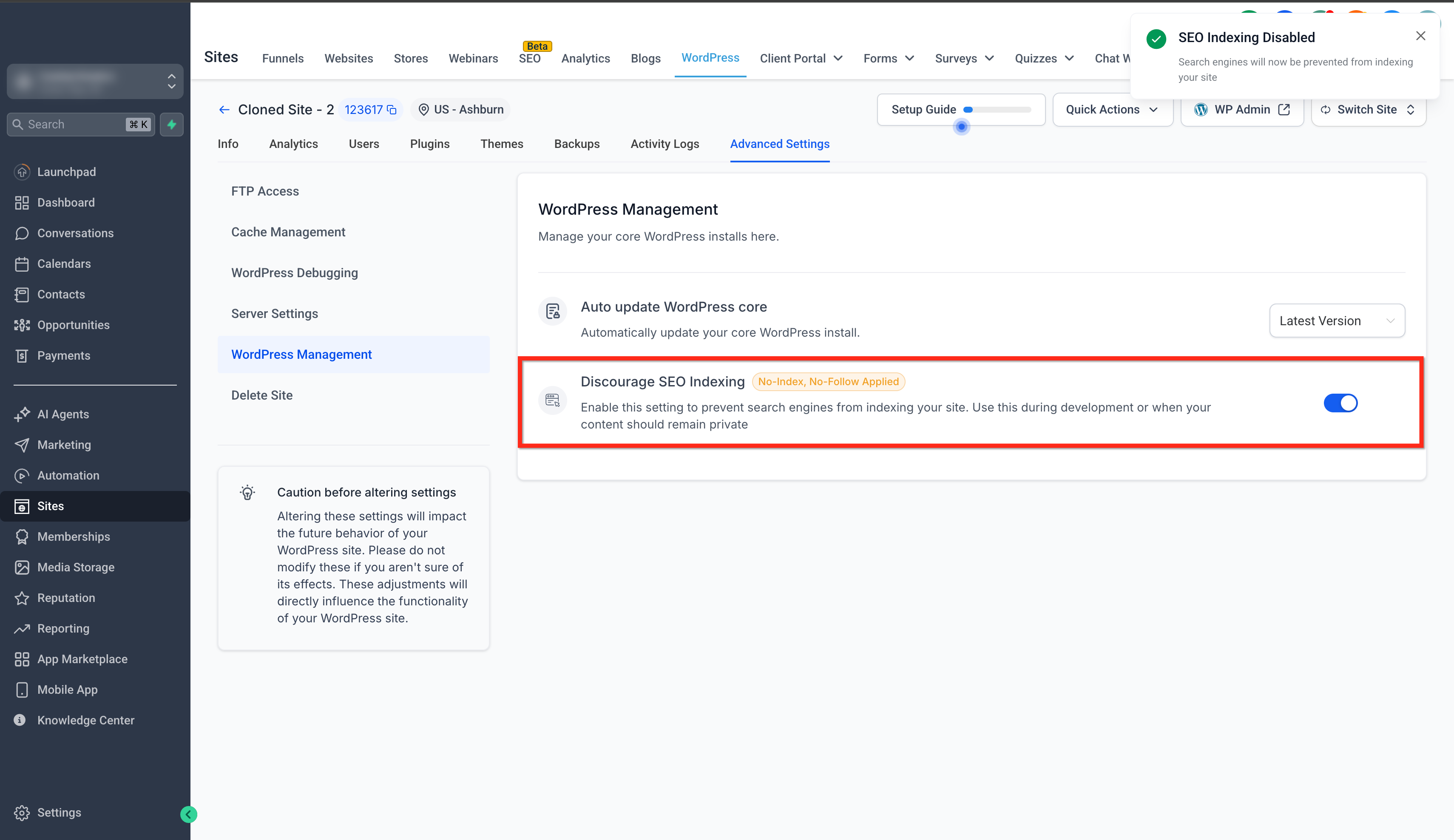
Toggle the Discourage SEO Indexing switch ON to prevent search engine indexing.
Feature Details
Learn about the technical aspects of how the Disable SEO Indexing feature protects your WordPress sites.
robots.txt Modification: Automatically adds noindex, nofollow rules to your site’s robots.txt file, instructing search engines not to crawl or index your pages.
Meta Tag Injection: A <meta name="robots" content="noindex, nofollow"> tag is embedded into your site’s HTML header to reinforce noindex instructions.
Admin-Only Access: Only users with Admin privileges can view or modify the SEO indexing setting.
Real-Time Updates: Setting changes are instantly applied—no need to manually update WordPress files or plugins.
Frequently Asked Questions
Q: Can I disable individual pages from being indexed by search engines?
No, the current feature is designed at the site level, meaning it disables the entire website from being indexedand does not allow for page-by-page exclusions.
Q: Does disabling SEO indexing affect my site’s visitors?
No, it only prevents search engines from indexing the site. It does not affect site performance or user accessibility.
Q: Can I still use SEO plugins like Yoast or RankMath?
Yes, but SourCherry’s SEO indexing setting will take priority over WordPress plugin settings regarding indexing.
Q: Does this block all types of bots?
No, it primarily affects compliant search engine bots. Non-compliant bots or scrapers might still attempt access.
Q: Will disabling SEO indexing stop Google Analytics tracking?
No, tracking and analytics remain functional even when SEO indexing is disabled.
Q: How can I verify that my site is not indexed?
Use Google Search Console’s “URL Inspection” tool, or inspect your site’s robots.txt and page HTML source to verify the noindex settings.
Q: Can non-admin users modify SEO indexing?
No, only Admin-level users can manage this setting for WordPress installations inside SourCherry.