
Welcome to the enhanced Content AI experience in SourCherry! With the new Brand Voice Integration, you can now generate content that’s deeply aligned with your brand’s unique identity, ensuring every piece feels authentic and consistent across Social Planner, Blogs, Email Builder, and Funnels & Websites.
TABLE OF CONTENTS
- What is Brand Voice Integration in Content AI?
- Key Benefits of Brand Voice Integration in Content AI
- How To Setup Brand Voice Integration in Content AI
- Frequently Asked Questions
- Related Articles
What is Brand Voice Integration in Content AI?
Brand Voice Integration in Content AI is a powerful feature that leverages your brand’s specific parameters—such as tone, target audience, brand purpose, unique selling proposition (USP), and pain points—to generate AI-powered content that truly reflects your business identity. By connecting your saved Brand Voice settings directly to Content AI, you can effortlessly produce personalized and on-brand content across multiple modules.
Key Benefits of Brand Voice Integration in Content AI
Brand Voice Integration offers several advantages that help you maintain a consistent and compelling brand presence:
- Ensures all AI-generated content matches your brand’s tone and messaging.
- Automatically applies your brand’s target audience, purpose, and values behind the scenes for more relevant content.
- Saves time with smart autofill and default selections based on your Brand Voice.
- Provides flexibility to override and customize tone or other parameters as needed.
- Encourages brand consistency across social posts, blogs, emails, and web pages.
- Offers helpful tooltips and previews to guide your choices and show how your brand parameters influence the output.
- Seamlessly integrates with Brand Boards, making it easy to set up or update your Brand Voice.
How To Setup Brand Voice Integration in Content AI
Setting up Brand Voice Integration ensures your content is always on-brand and tailored to your audience. Proper setup allows Content AI to use your brand’s unique parameters for every piece of content you generate.
Important: If you don't have a Brand Voice set up yet, refer to How to Set Up Brand Voice to create one before proceeding.Step 1: Open a Content AI-Supported Tool
- Navigate to any tool that supports Content AI, such as: Email, Blogs, Funnels, Websites, Social Planner.
- Using Emails as an example for this article.
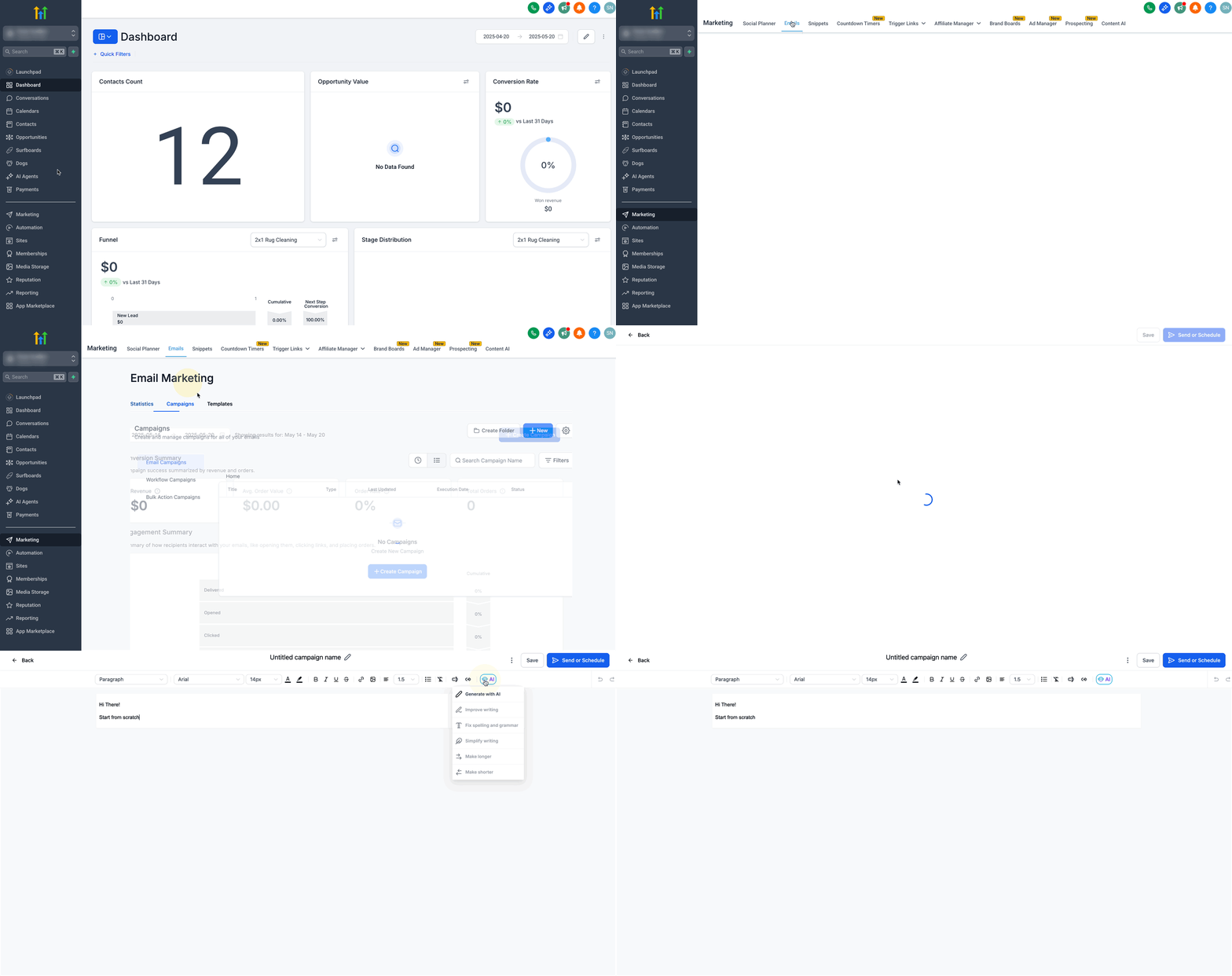
Step 2: Launch the AI Generator
- Open the Email Builder or content interface.
- Click on the AI button and then choose Generate with AI.
Step 3: Enable the “Use Brand Voice” Toggle
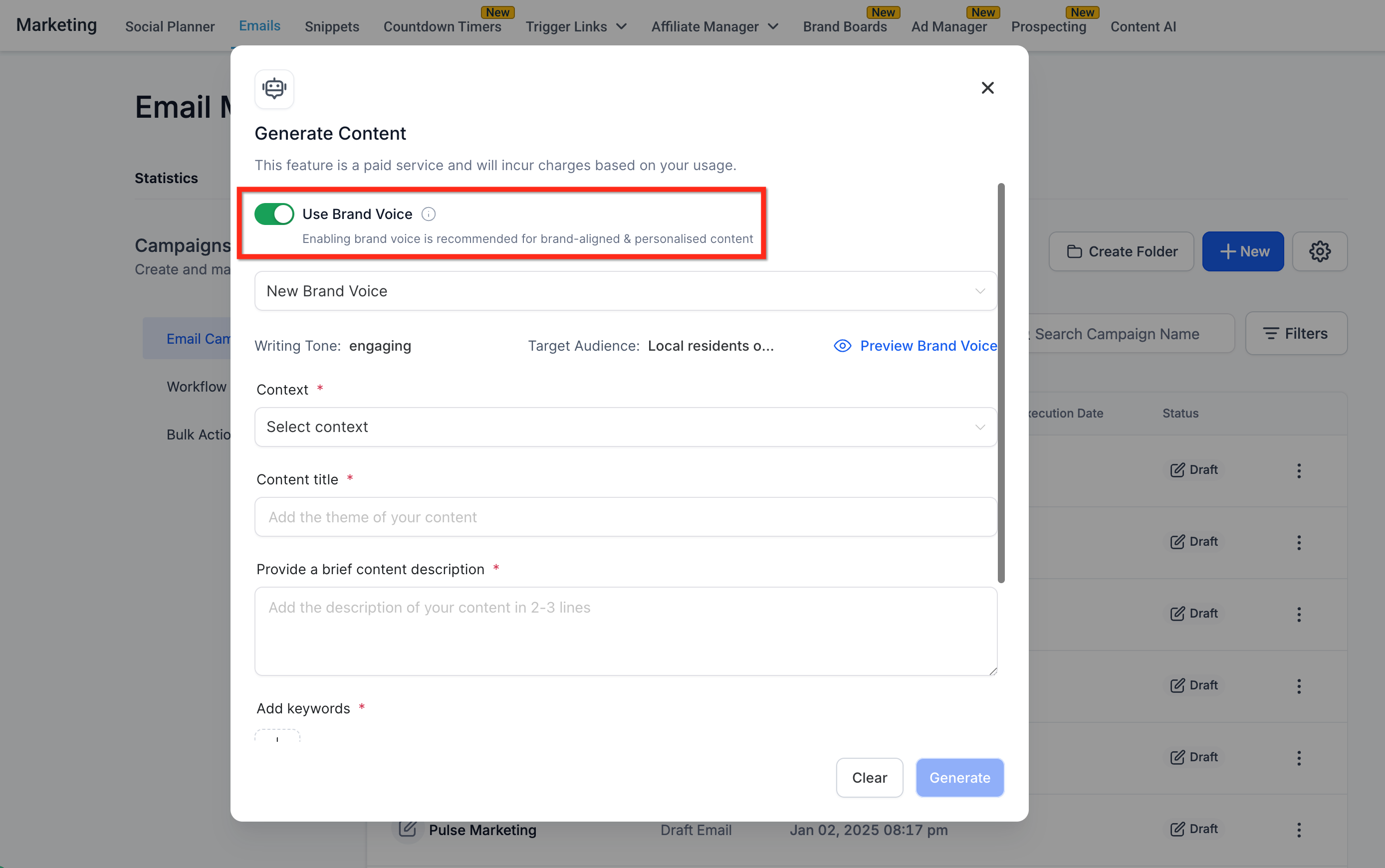
- Make sure the Use Brand Voice toggle is turned ON.
- When enabled, the AI automatically applies your brand’s saved parameters.
Step 4: Select Your Brand Voice
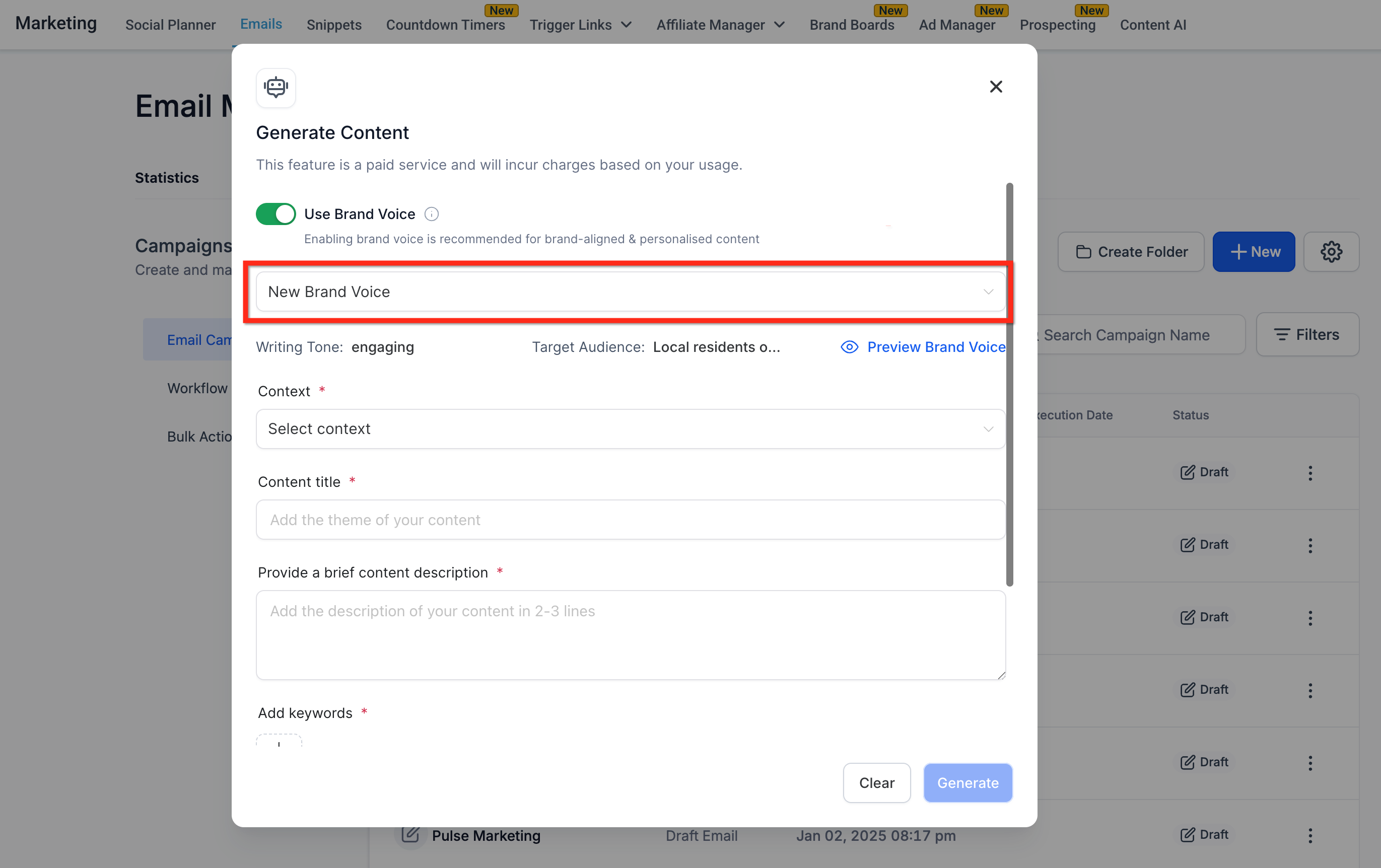
- Choose a previously saved Brand Voice from the dropdown.
Step 5: Preview Brand Voice Details
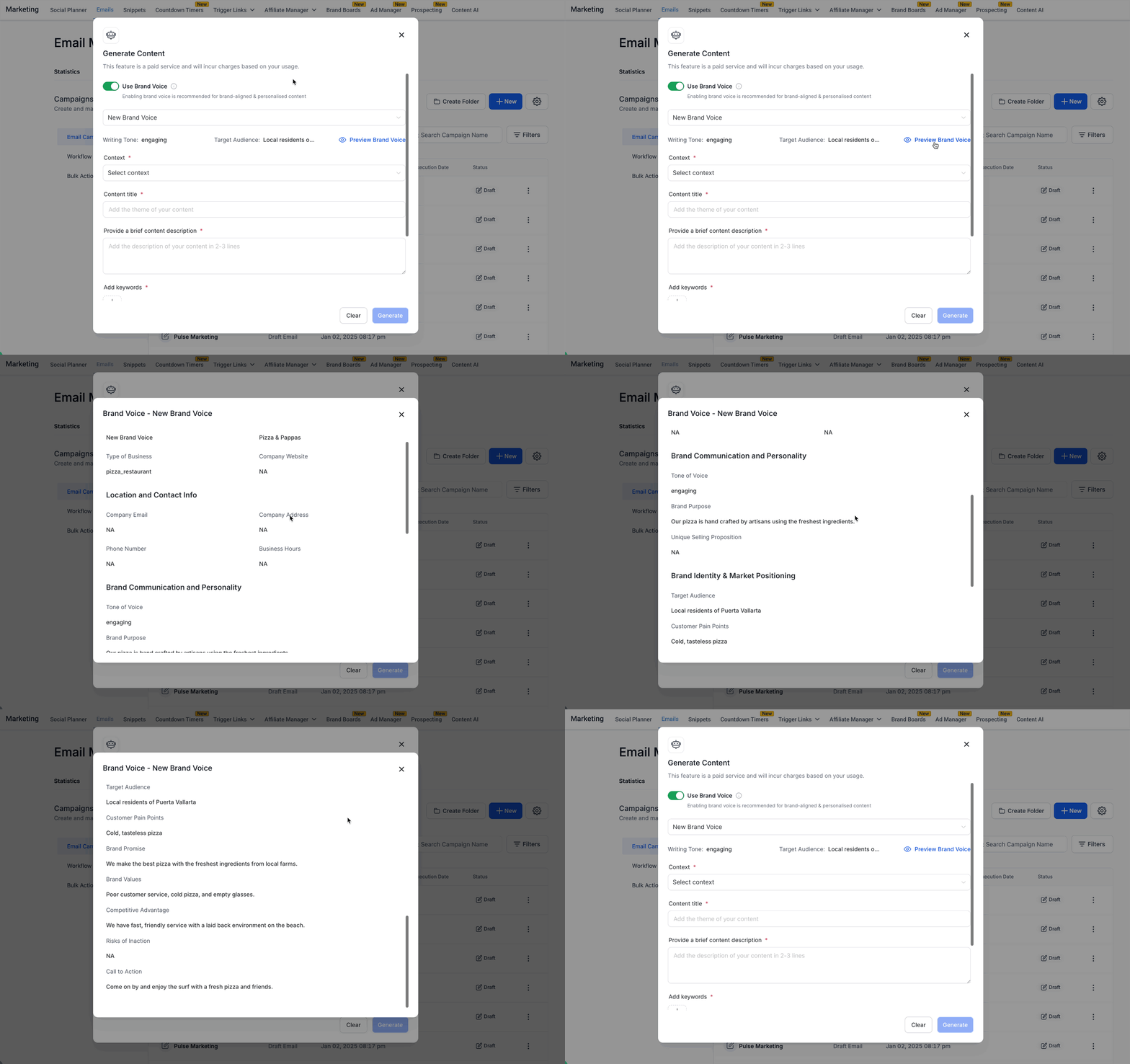
- Click Preview Brand Voice to see the metadata used in content generation.
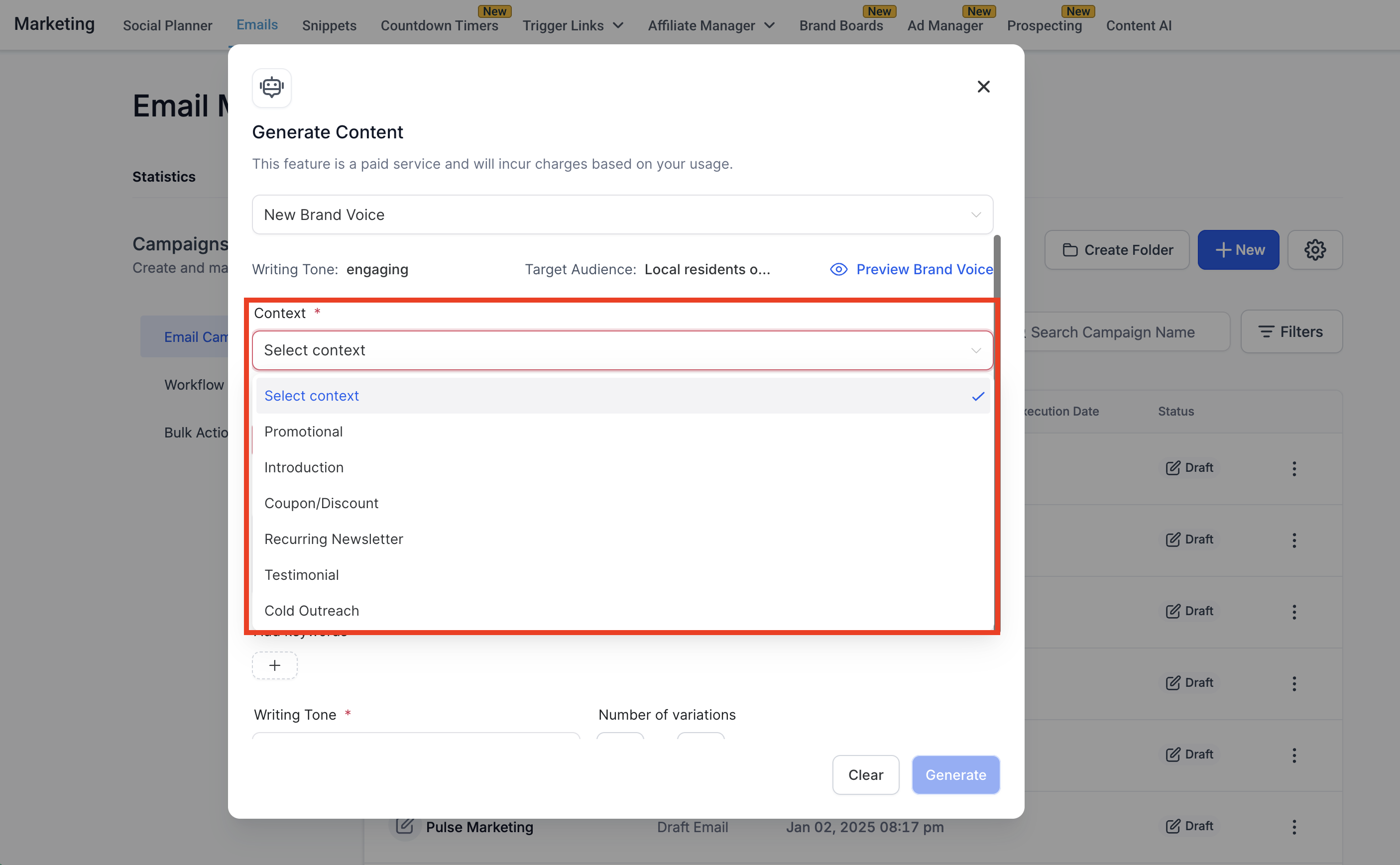
Step 6: Define the Context of Your Content
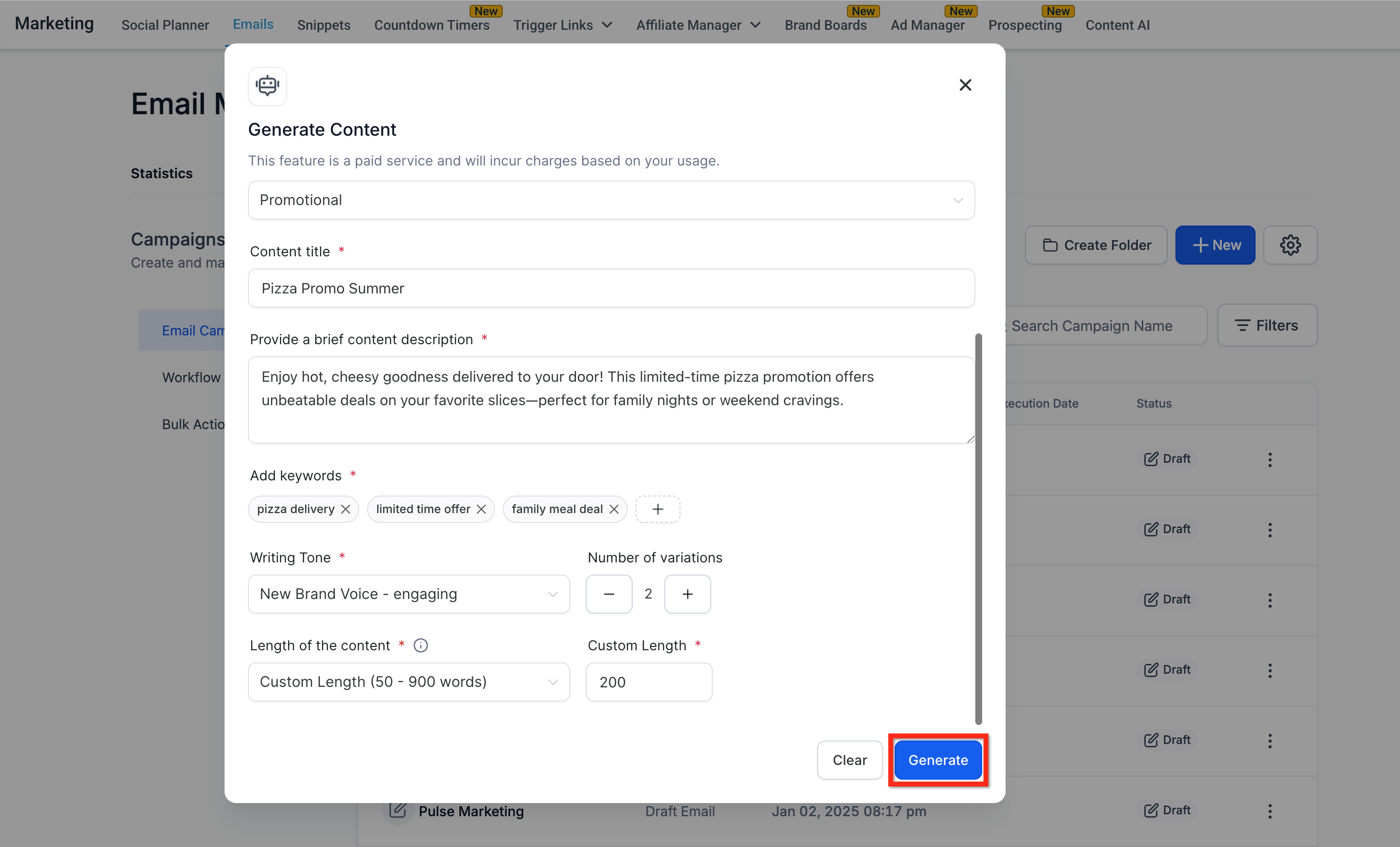
- Choose the content type (context), like Promotional, Introduction, Testimonial, Cold Outreach, etc.
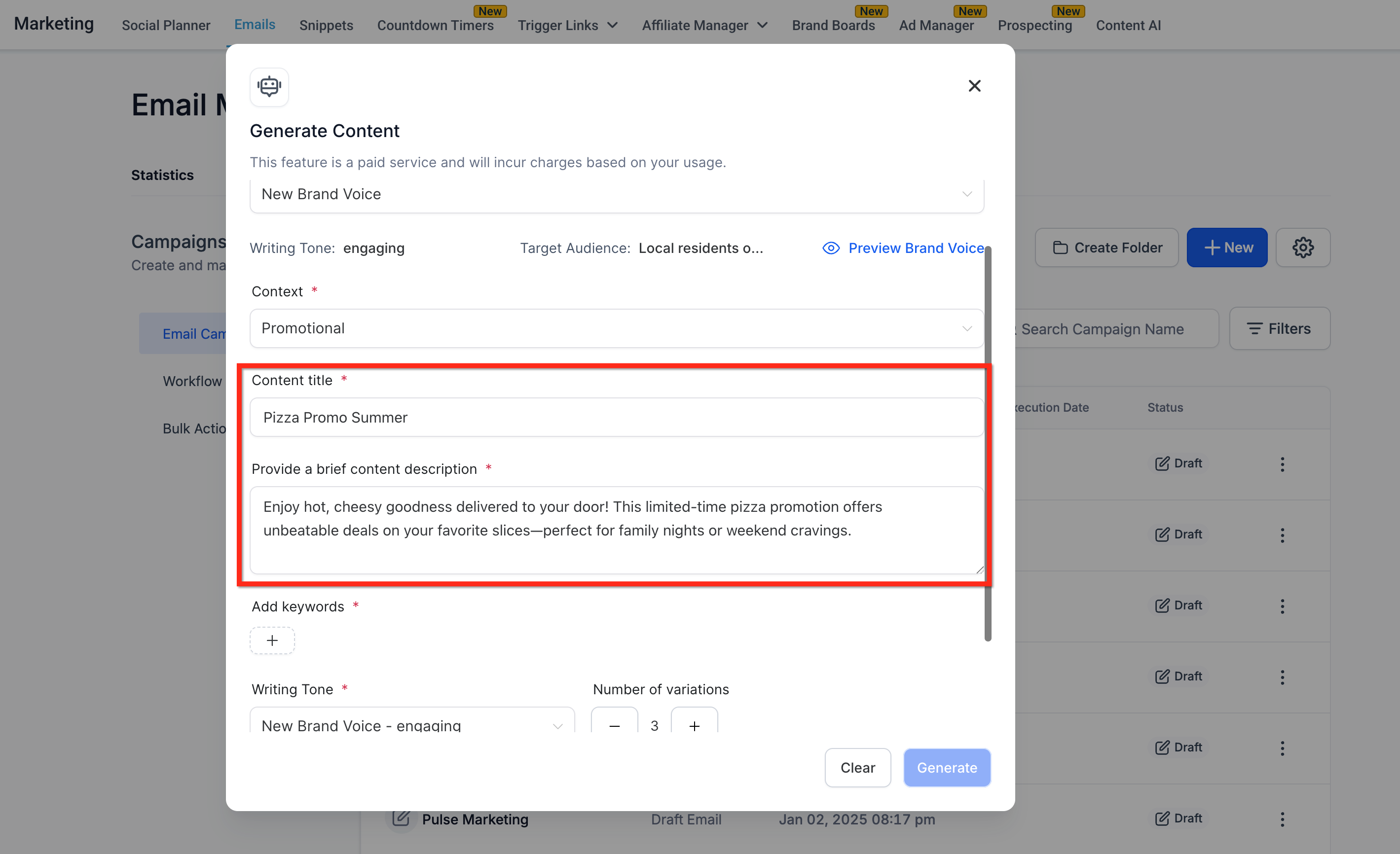
Step 7: Add a Content Title and Description
- Title: Add a short theme or campaign name (e.g., “Pizza Promo”).
- Description: Summarize the goal or key message in 2–3 lines.
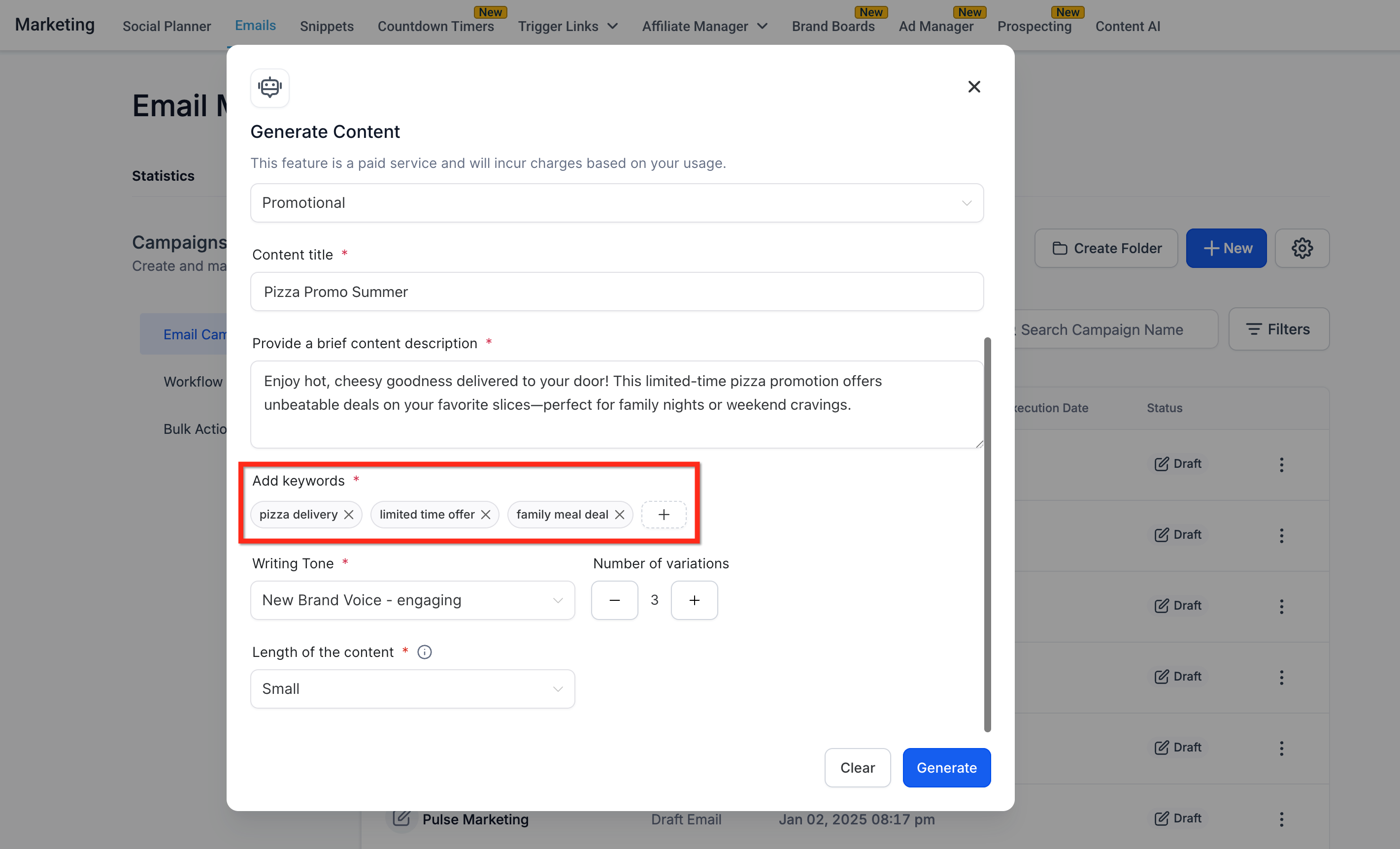
Step 8: Add Relevant Keywords
- Enter target keywords that should influence the AI-generated content.
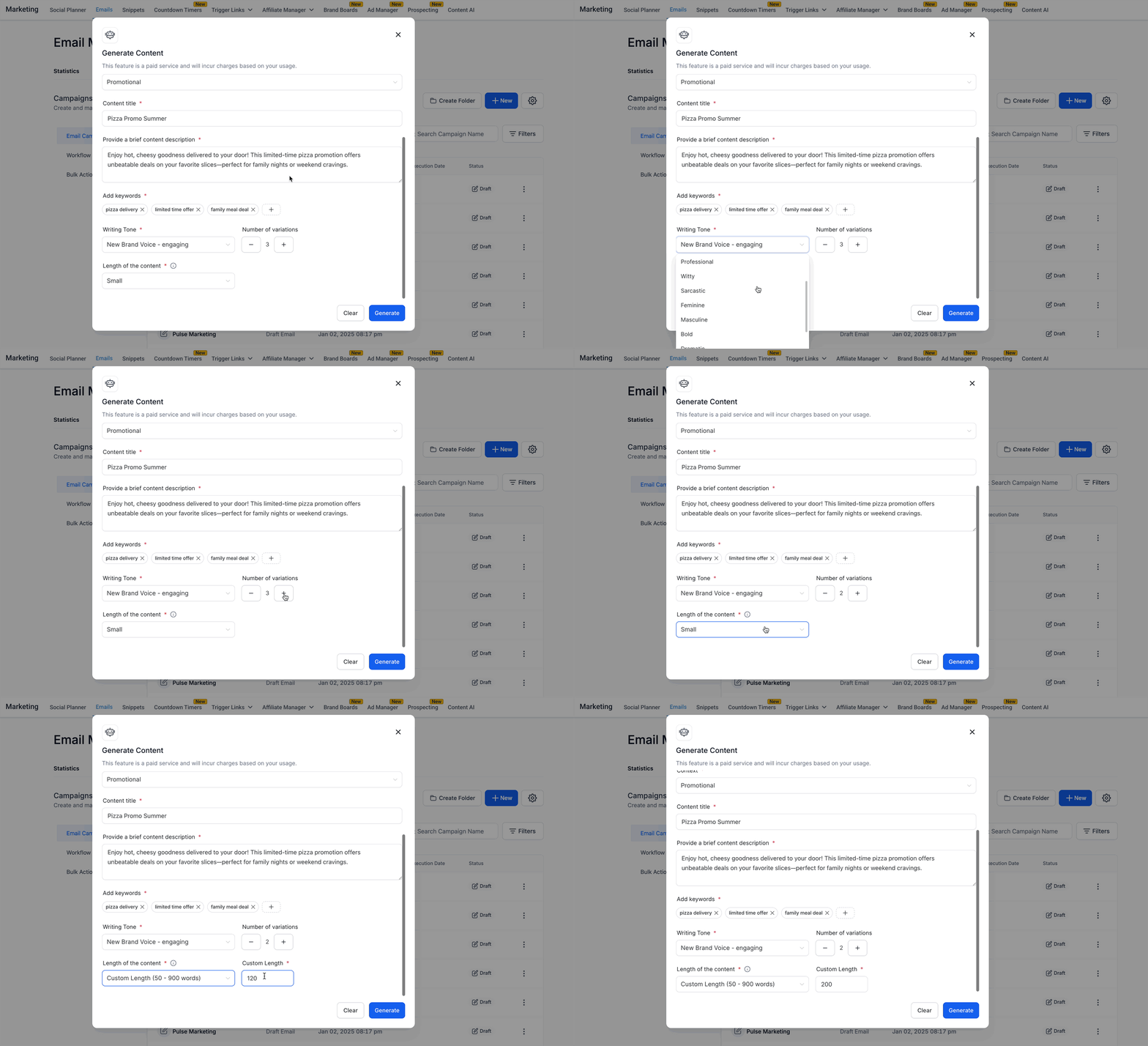
Step 9: Customize Tone and Content Settings
- If needed, override the brand tone with other styles like: Funny, Casual, Excited, etc.
- Select the Number of Variations (1 to 5).
- Choose the Length of Content (Small, Medium, Large, or Custom in word count).
Step 10: Generate Content
- Click Generate.
- The AI will now create personalized content using your Brand Voice inputs and selected settings.
Note: The more detailed and accurate your Brand Voice setup, the more relevant and high-quality your AI-generated content will be.Frequently Asked Questions
Q: Can I use Brand Voice Integration if I manage multiple brands?
Yes! You can save multiple Brand Voices and select the appropriate one for each content session using the Brand Voice Selector dropdown.
Q: What happens if I don’t have a Brand Voice set up?
If no Brand Voice exists, you’ll see a CTA prompting you to set one up via Brand Boards before using the integration.
Q: Can I override the autofilled tone or other parameters?
Absolutely. Any manual changes you make will take priority over the autofilled values.
Q: Does Brand Voice Integration work in all Content AI modules?
Yes, it’s available in Social Planner, Blogs, Email Builder, and Funnels & Websites.
Q: Are my Brand Voice settings applied to every piece of content?
Brand Voice is ON by default if a Brand Voice exists, but you can toggle it OFF for any session if you want generic content.
Q: Will the AI-generated content always match my brand exactly?
While Brand Voice Integration significantly increases alignment, always review content for accuracy and brand fit before publishing.
Q: How do I update my Brand Voice parameters?
Update your Brand Voice anytime via Brand Boards, and the changes will reflect in Content AI.
Q: Is there a limit to how many Brand Voices I can save?
There is no published limit; you can manage multiple Brand Voices for different brands or campaigns.