
This article will show you how to quickly set up live or on-demand webinars using Webinar Templates in SourCherry! Webinar Templates automatically insert your chosen video and form into a pre-designed webinar layout, so you can maintain brand consistency and reduce setup time.
TABLE OF CONTENTS
- What are Webinar Templates?
- Key Benefits of Using Webinar Templates
- How to Create a Webinar with a Template
- Managing Webinar Templates (for Agency Admins)
- Additional Benefits of Using Webinar Templates
- Frequently Asked Questions
- Related Articles
What are Webinar Templates?
Webinar Templates allow you to pre-design reusable layouts for webinars. When creating a webinar, your selected video and form will automatically replace the placeholders in the chosen template. This ensures fast setup and consistent branding across your webinars, whether they are live or on-demand.
Key Benefits of Using Webinar Templates
Webinar Templates speed up webinar setup and ensure a cohesive look and feel across multiple webinars. This helps you deliver a professional experience to your audience while saving valuable time.
- Faster Webinar Setup: Launch webinars in minutes by auto-filling templates with your selected video and form.
- Consistent Branding: Maintain a unified brand experience with reusable, customizable templates.
- Flexible Template Management: Agency admins can upload, manage, and control template visibility for different subaccounts.
- Easy Customization: Start from a template or a blank slate, and personalize content as needed.
- Reduced Manual Work: Placeholders are automatically replaced, minimizing repetitive tasks.
How to Create a Webinar with a Template
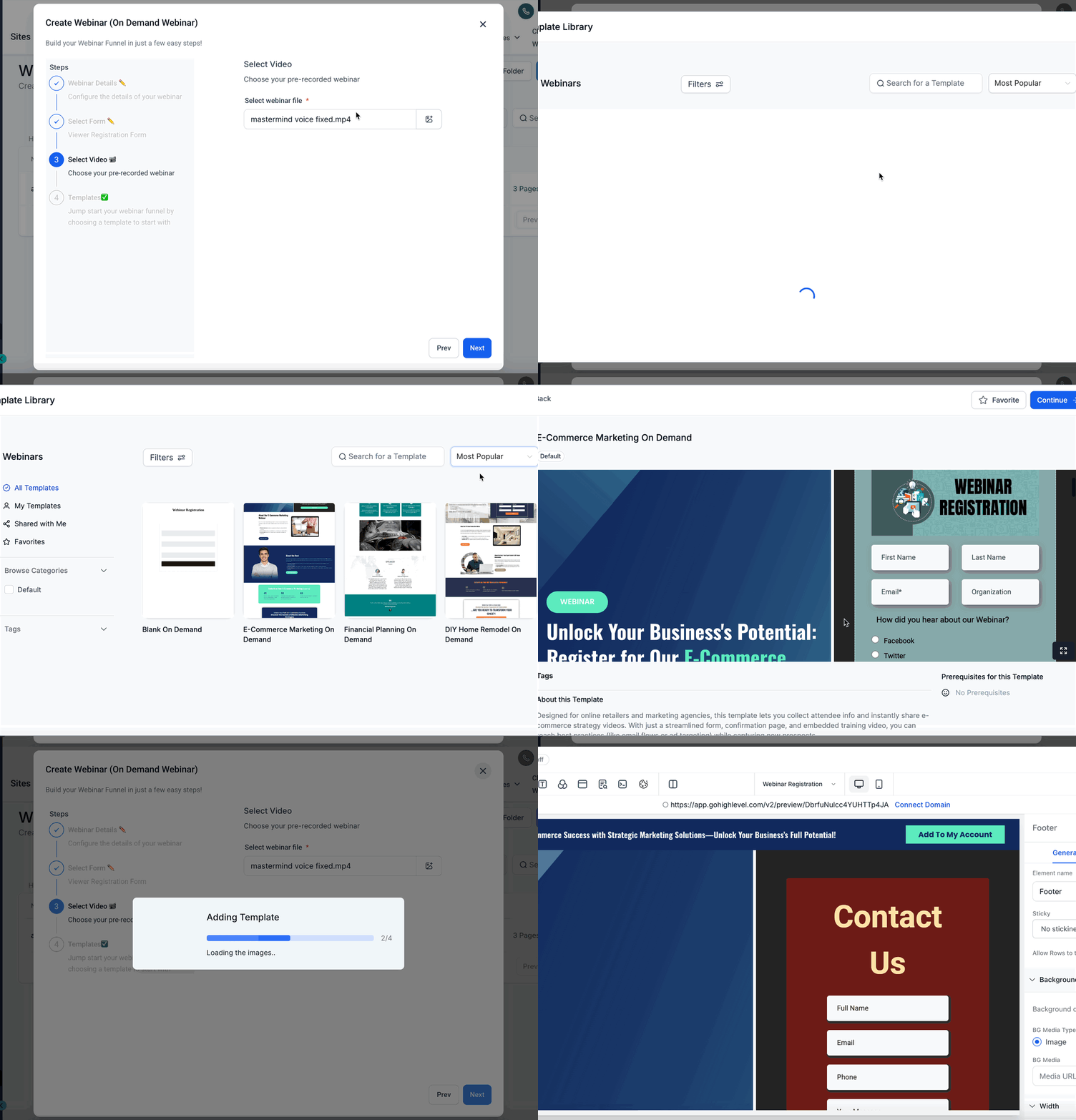
Creating a webinar using a template is simple. You can quickly apply a consistent design without manual formatting, so you can focus on your content and audience engagement.
Navigate to Webinars and click Create Webinar (choose Live or On-Demand).
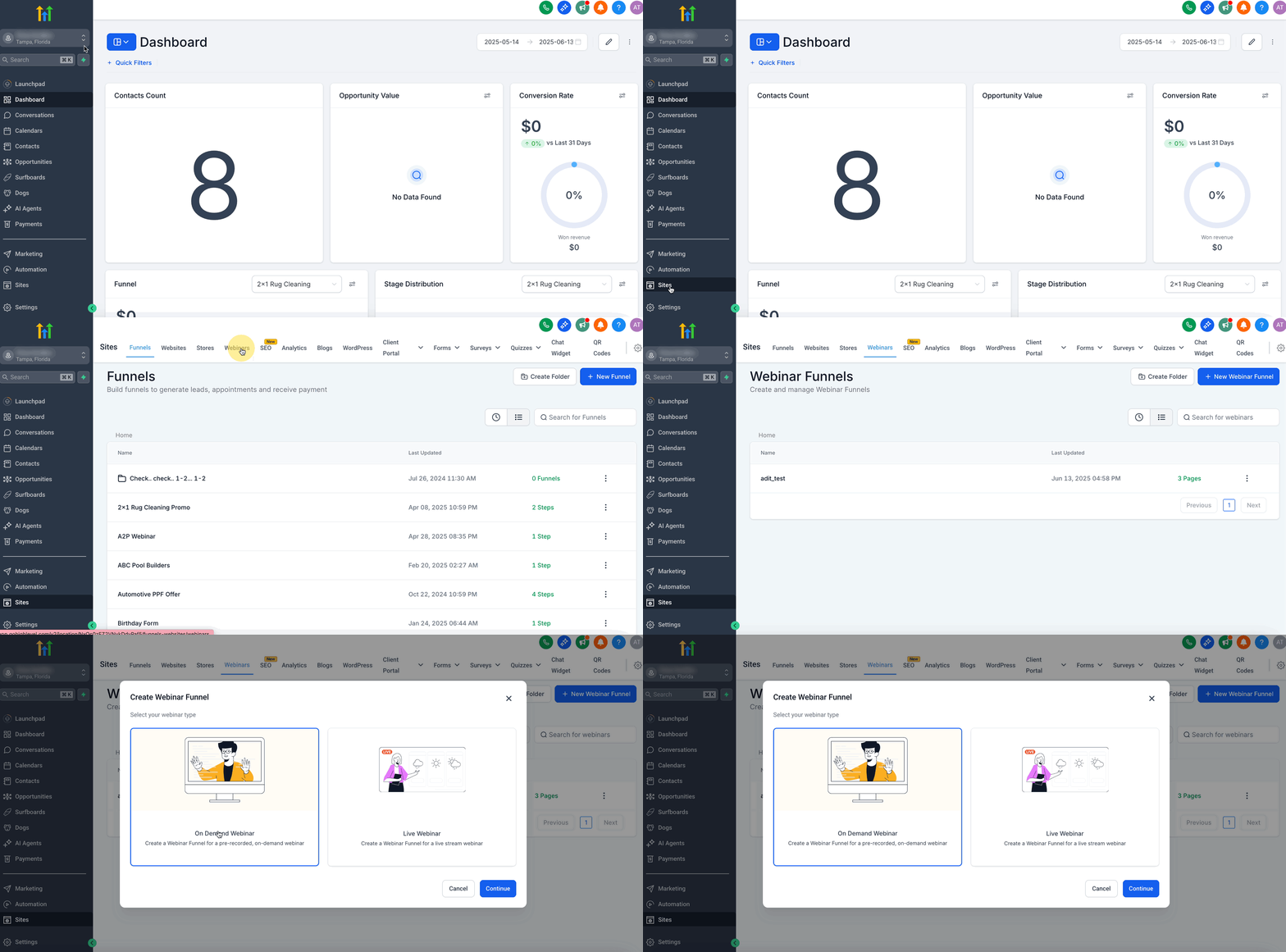
Enter Webinar Details: Give your Webinar a name.
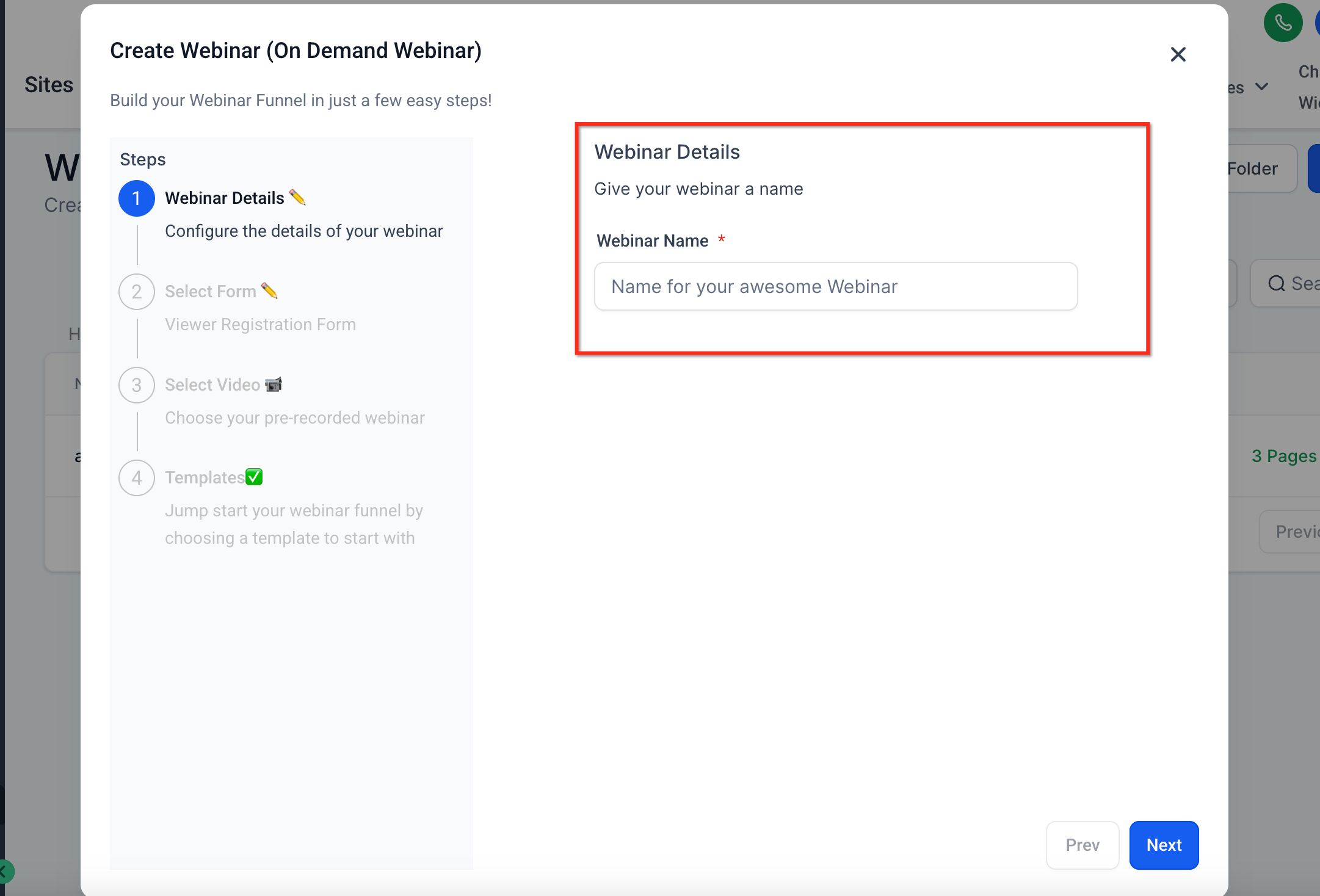
Select your Form: Select a form for webinar registration.
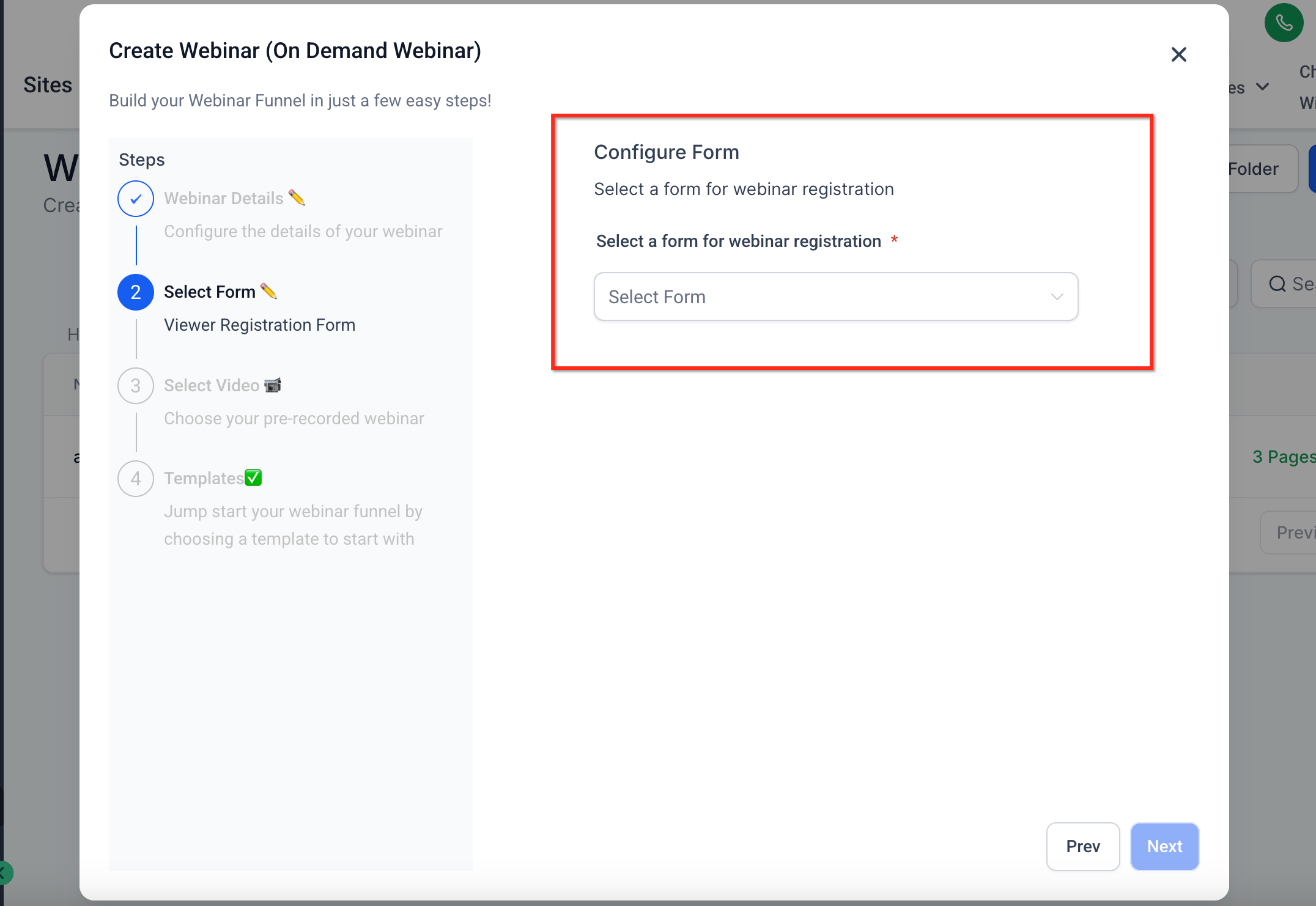
Select Video: Choose your pre-recorded webinar
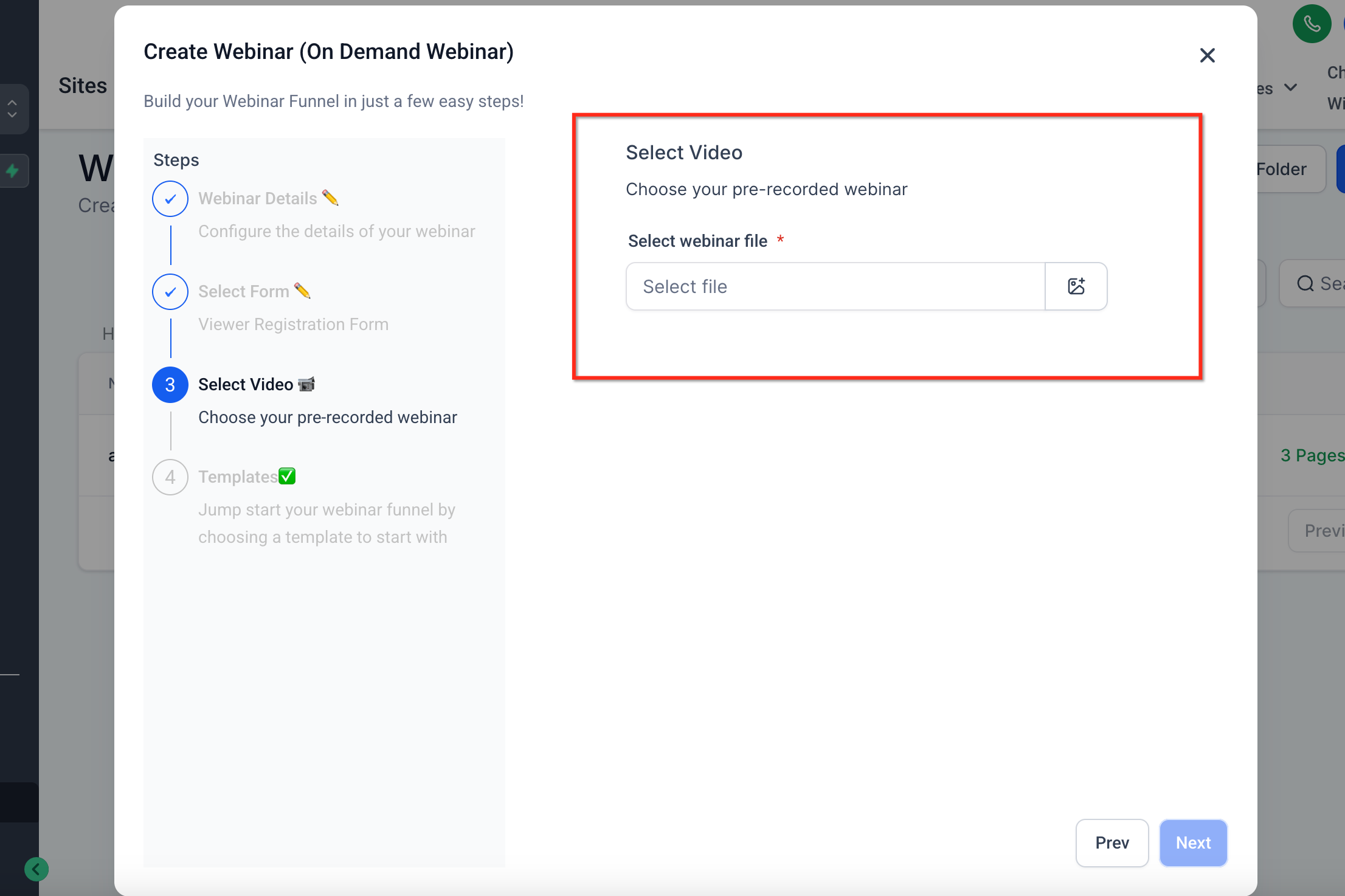
Choose a Webinar Template from the list, or start from a blank template. Click Proceed. Your selected video and form will automatically replace placeholders in the template.
Managing Webinar Templates (for Agency Admins)
Agency admins have additional controls for managing Webinar Templates. This helps ensure that subaccounts only see templates that match their branding and requirements.
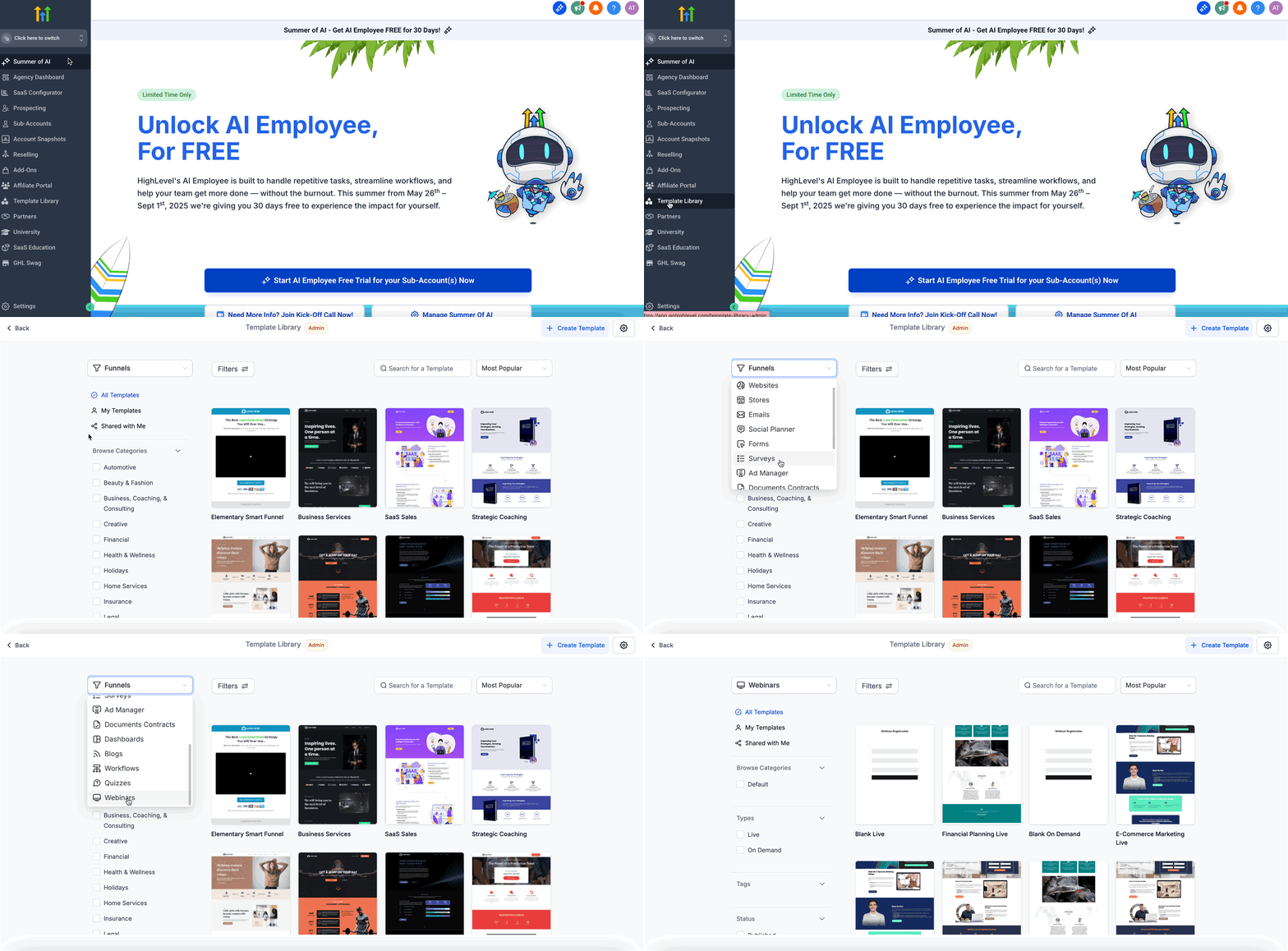
Navigate to Template Library → Select the Webinar category.
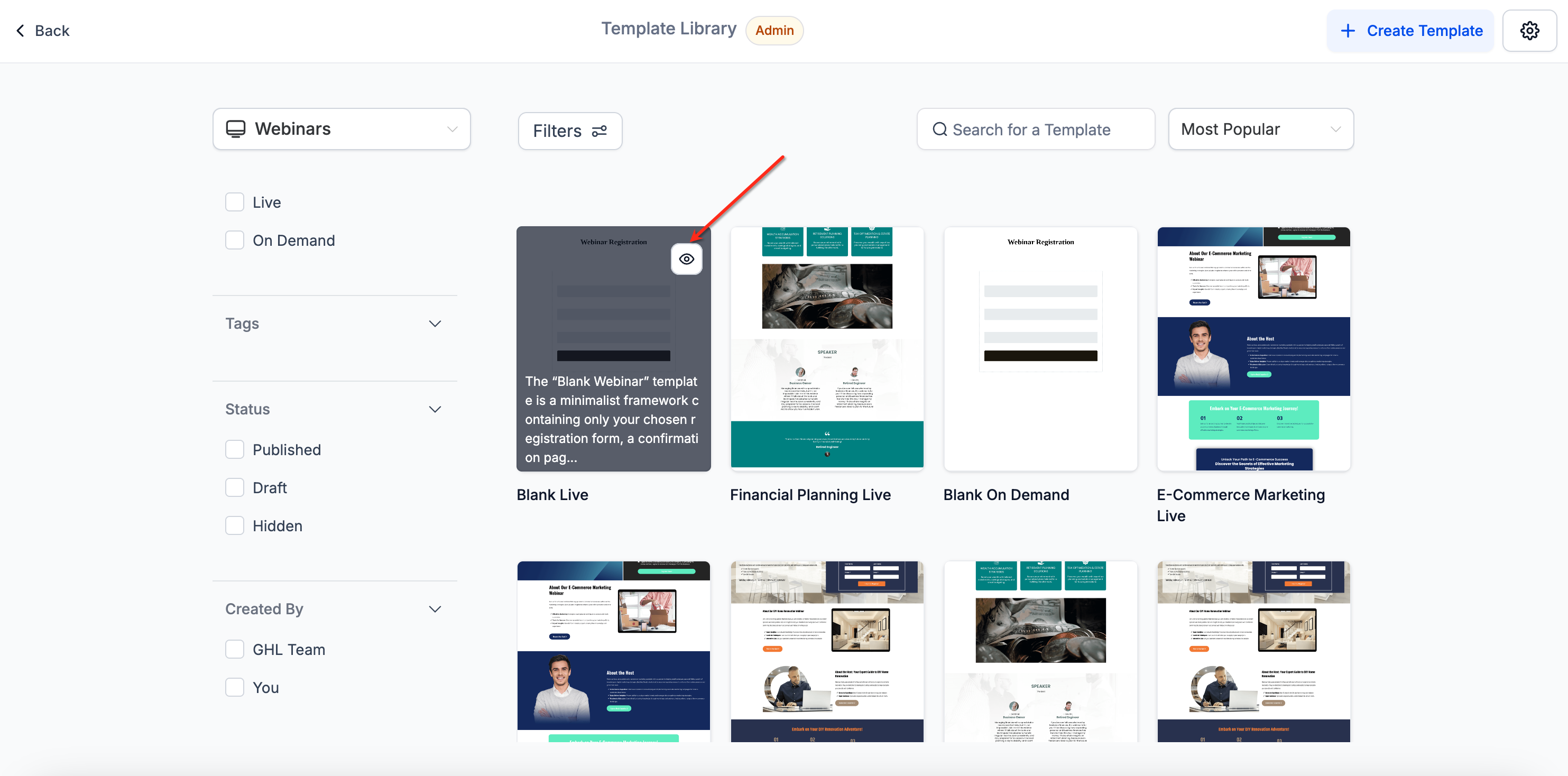
To hide/show templates for subaccounts, click the visibility toggle next to each template.
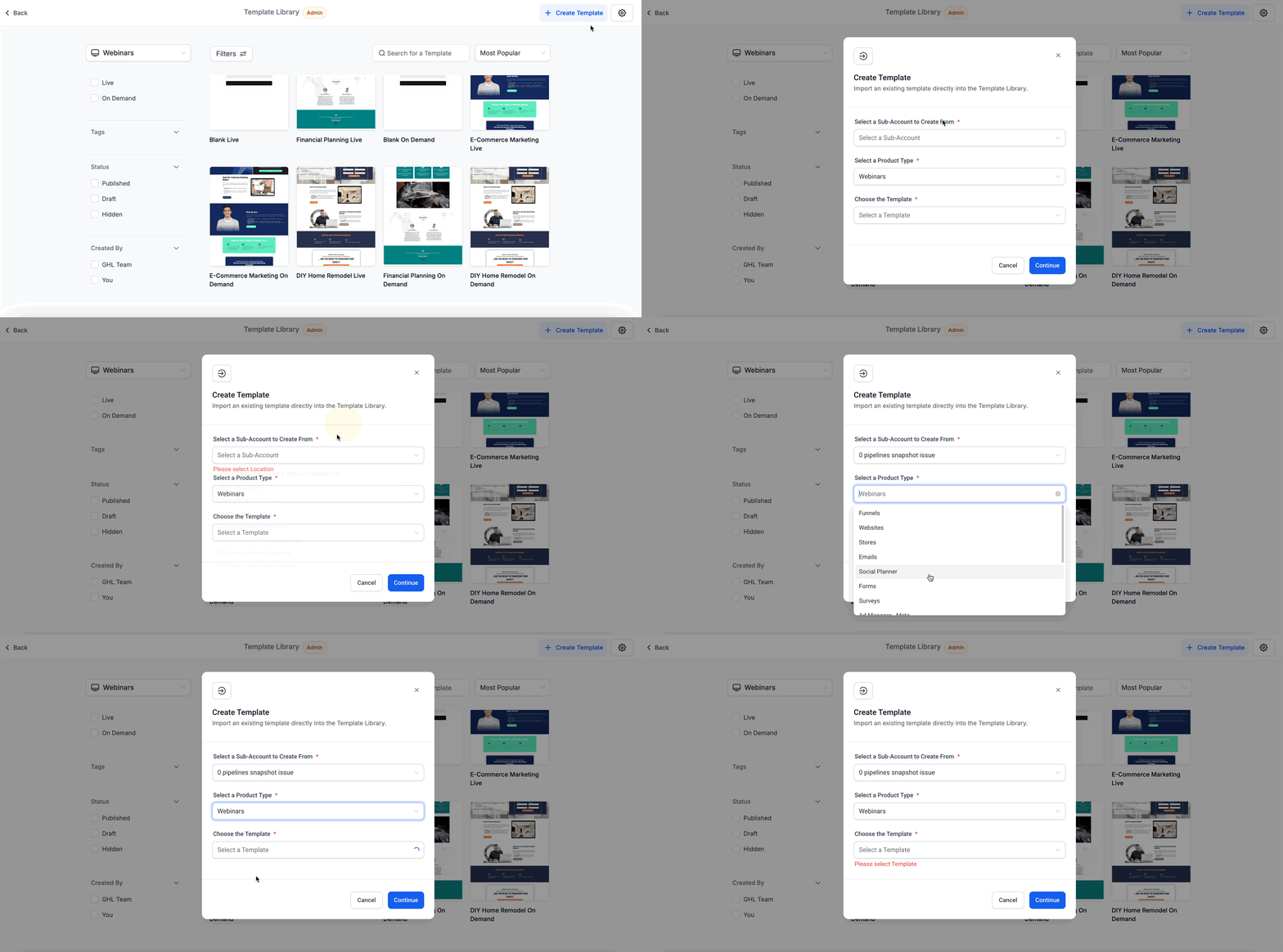
To upload new templates, click Create → Upload a new Webinar Template. To customize the experience, manage which templates each subaccount can access and use.
Please Note: The Default/blank templates cannot be hidden.
Additional Benefits of Using Webinar Templates
Understanding how Webinar Templates work helps you take full advantage of their capabilities. These features are designed to save time and ensure high-quality webinars across your business.
Automatic placeholder replacement: Your selected video and form will replace the placeholders in the chosen template.
Reusable design: Templates can be used across multiple webinars to maintain consistent branding and layout.
Visibility control: Agency admins can manage which templates subaccounts can access and use.
Template Library integration: Webinar Templates live in your centralized Template Library, making them easy to find and manage.
Frequently Asked Questions
Q: Can I create my own Webinar Templates?
Yes! Agency admins can upload new Webinar Templates via the Template Library.
Q: Can I change the video or form after applying a template?
Yes, you can edit the video or form in the webinar settings after applying a template.
Q: Can I hide default/blank templates?
No. Default/blank templates are always visible.
Q: Do templates support custom styling?
Yes, your custom template design will be preserved. Only the video and form placeholders are auto-replaced.
Q: Are Webinar Templates available to subaccounts by default?
Yes, unless an agency admin hides specific templates from subaccounts.
Q: Can I preview a template before using it?
Yes, templates can be previewed in the Template Library before selecting one.