
Discover how the Funnel Creation Agent in SourCherry’s Ask AI streamlines funnel creation with intelligent automation, brand personalization, and seamless integrations—helping you launch high-converting funnels faster than ever.
TABLE OF CONTENTS
- What is the Funnel Creation Agent in Ask AI?
- Key Benefits of Funnel Creation Agent
- How To Use Funnel Creation Agent in Ask AI
- Template Selection and Expansion
- Google Business Profile (GBP) Image Integration
- Brand Voice Personalization
- Native Integrations: Calendars, Forms, and Reviews
- Frequently Asked Questions
- Related Articles
What is the Funnel Creation Agent in Ask AI?
The Funnel Creation Agent is an AI-powered assistant within SourCherry’s Ask AI platform, designed to help users create professional, high-converting funnels with minimal effort. By leveraging smart automation, pre-built templates, and intelligent Q&A, the Funnel Agent guides you through the funnel-building process, allowing you to focus on your business goals rather than technical setup.
Key Benefits of Funnel Creation Agent
Unlock the advantages of using the Funnel Creation Agent to accelerate your marketing and sales workflows:
- Rapid Funnel Generation: Instantly create funnels by simply asking the AI to “Generate me a funnel.”
- Pre-Built Templates: Choose from ready-to-use templates tailored for common use cases.
- AI-Guided Setup: Benefit from context-aware, guided questions and intelligent suggestions to customize your funnel.
- Effortless Image Handling: Upload your own images or automatically pull assets from your connected Google Business Profile.
- Brand Personalization: Instantly match funnel colors to your brand and generate on-brand content using your Brand Voice.
- Native Integrations: Seamlessly connect calendars, static forms, and reviews API for a unified experience.
- Instant Builder & Preview Links: Receive direct links to your funnel builder and page previews for immediate review and launch.
How To Use Funnel Creation Agent in Ask AI
Setting up the Funnel Creation Agent is straightforward and ensures your funnel is tailored to your brand and business needs. Proper setup maximizes the effectiveness of AI-driven funnel creation and personalization.
Step 1: Launch the Funnel Generator in Ask AI
Log in to your SourCherry account.
Click the Ask AI button in the top-right navigation bar.
Choose one of the following:
Click Generate Funnel directly from the Ask AI interface.
Or type Generate a funnel into the Ask Anything input box.

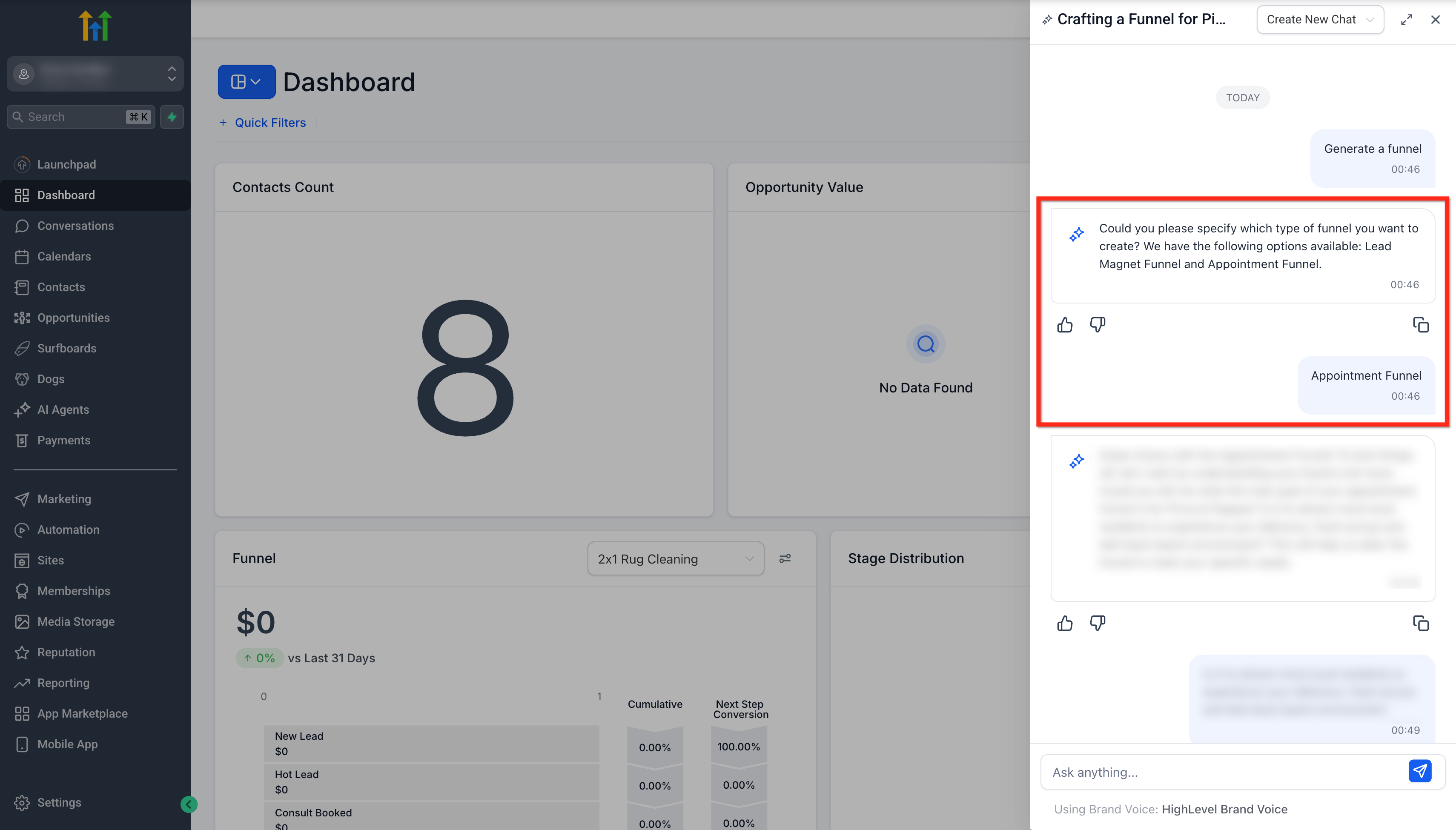
Step 2: Select a Funnel Type
Ask AI will present available funnel types that are currently available:
Lead Magnet Funnel
Appointment Funnel
Select the one that fits your needs.
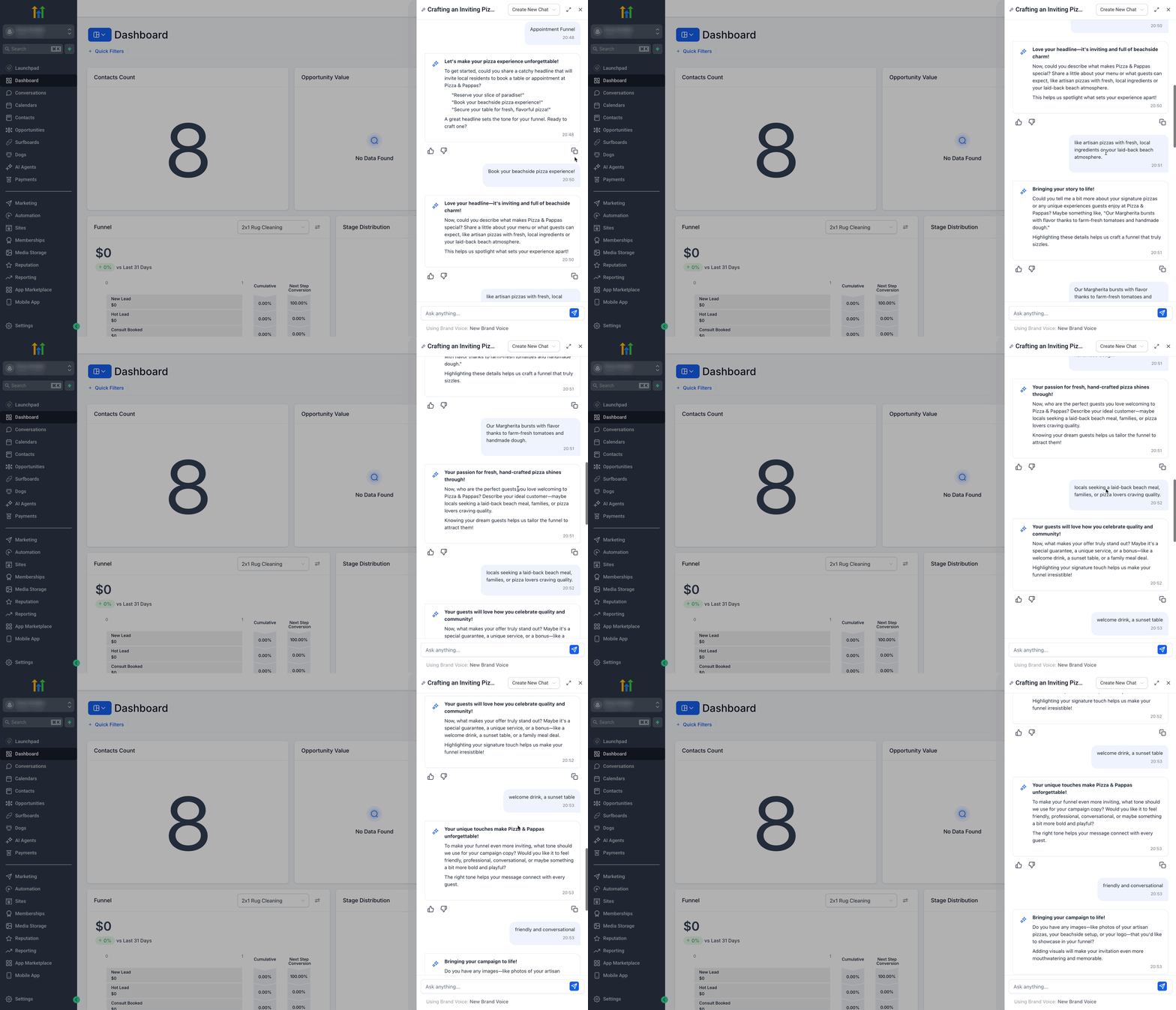
Step 3: Answer Smart Q&A
- Respond to the AI’s guided, context-aware questions to help personalize your funnel.
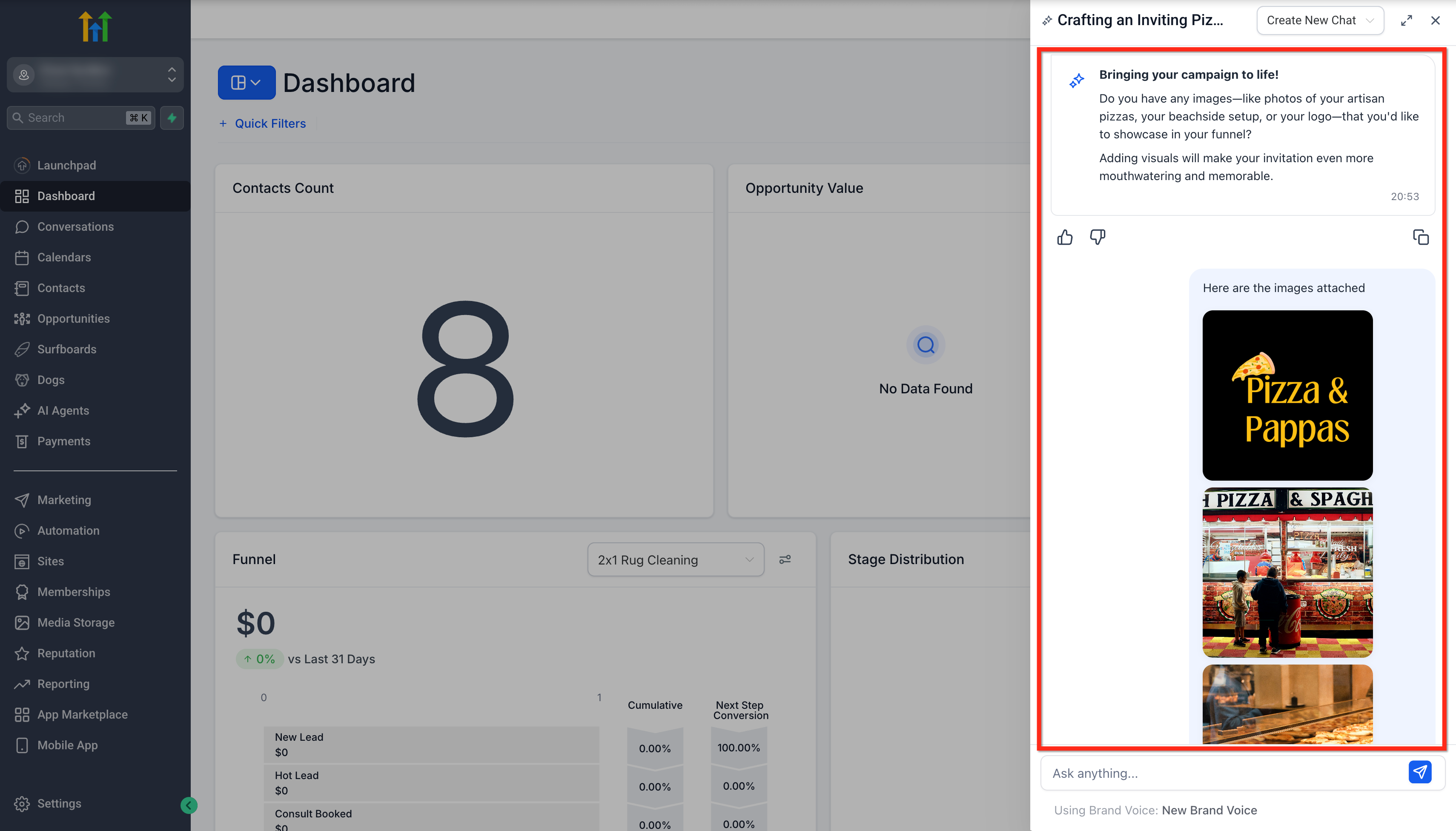
Step 4: Upload Images and Logo
Upload product images, brand assets, and logo.
If your Google My Business (GMB) profile is connected, images may be fetched automatically.
Ensure you use authentic brand visuals for the best results.
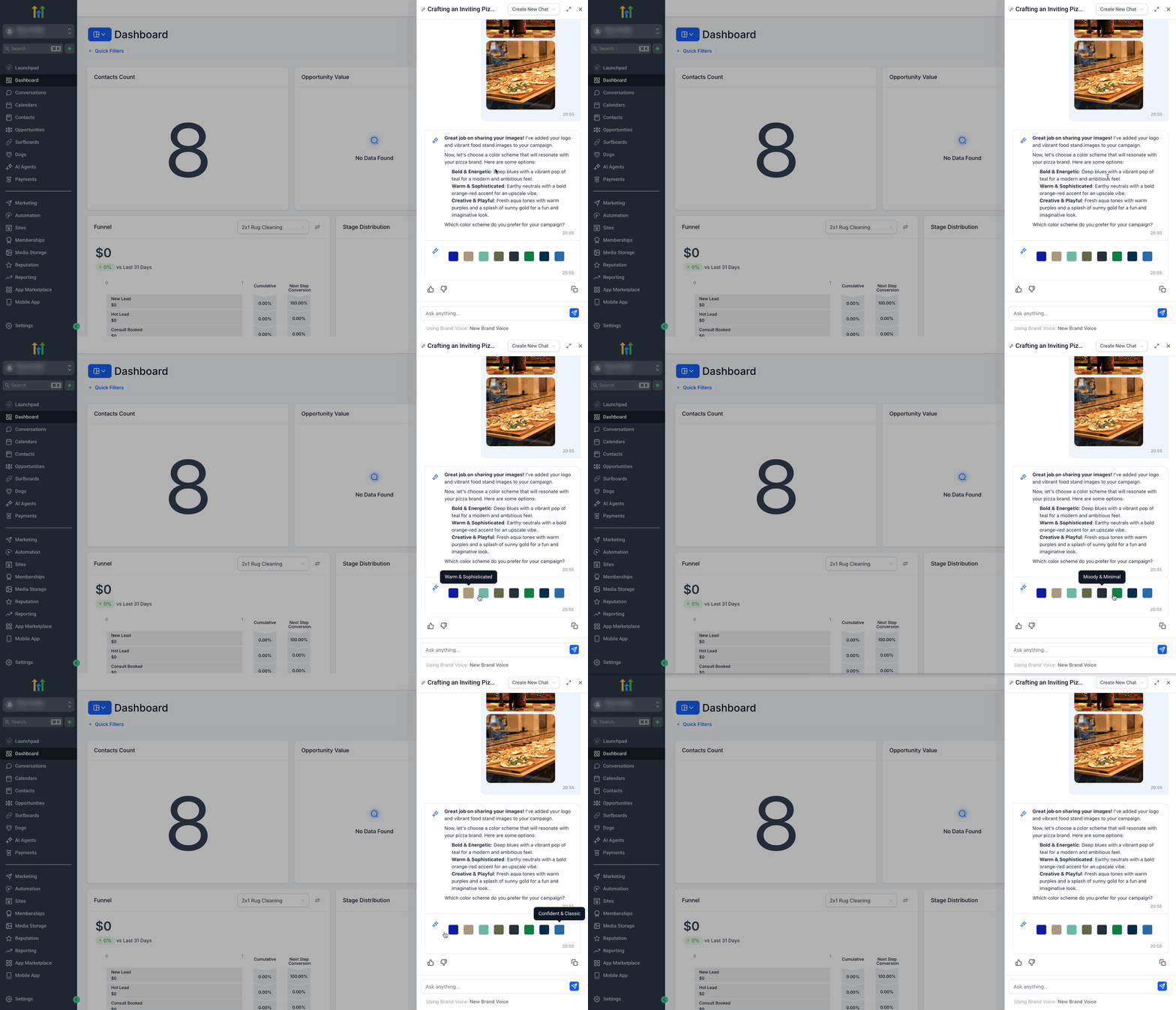
Step 5: Personalize Your Funnel
- Select a Color Theme to match your brand.
- If you have a Brand Voice set up, the AI will use it to generate consistent, on-brand content.
Step 6: Review and Access Your Funnel
Once inputs are completed:
Ask AI will generate a funnel as per the use case and conversation.
You’ll receive:
A Builder link (for direct editing).
Preview links for each funnel page.

Template Selection and Expansion
Selecting the right template is crucial for aligning your funnel with your campaign goals. The Funnel Agent currently offers two core templates, with more on the way.
- Browse available templates and preview layouts.
- Templates are designed for high conversion and easy customization.
- Stay tuned for future template releases to expand your options.
Google Business Profile (GBP) Image Integration
Connecting your Google Business Profile allows the AI to automatically pull your business images, saving time and ensuring brand consistency.
- Connect your GBP in SourCherry settings.
- The Funnel Agent will fetch available images for use in your funnel.
- Easily override with manual uploads if desired.
Brand Voice Personalization
Consistent messaging is key to effective funnels. The Funnel Agent leverages your Brand Voice (if set up) to ensure all generated content matches your brand’s tone and style.
- Set up your Brand Voice in SourCherry.
- The AI will use this profile to auto-generate headlines, descriptions, and calls-to-action.
Native Integrations: Calendars, Forms, and Reviews
Integrate essential tools directly into your funnel for a seamless customer journey.
- Add calendar booking widgets to capture appointments.
- Embed static forms for lead capture or feedback.
- Display reviews using the Reviews API to build trust.
Frequently Asked Questions
Q: Can I customize the funnel after it’s generated by the Funnel Agent?
Yes, you receive a Builder Link to further edit and fine-tune your funnel as needed.
Q: What if I don’t have a Google Business Profile connected?
You can manually upload your own images during the funnel setup process.
Q: How many templates are currently available?
The Funnel Agent currently offers two core templates.
Q: How does the AI use my Brand Voice?
If you have a Brand Voice profile set up in SourCherry, the AI will generate funnel content that matches your brand’s tone and messaging.
Q: Can I use the Funnel Agent for multiple businesses or brands?
Yes, simply initiate the funnel creation process for each business or brand profile within your SourCherry account.