
This article provides a comprehensive list of error codes and warnings you may encounter while using the LC Phone System. It breaks down each code with clear explanations, common causes, and possible solutions to help you resolve delivery issues quickly and keep your communications running smoothly.
TABLE OF CONTENTS
- What is the LC Phone System Error Code and Warning Dictionary?
- 21211: Invalid 'To' Phone Number
- 21408: Your account is not allowed to send SMS to this country or region
- 21614: 'To' number is not a valid mobile number
- 21635: The "To" number is a landline and cannot receive SMS
- 21661: 'From' number is not SMS-capable
- 30002: Message failed: your account is currently suspended.
- 30003: Number unreachable or out of service
- 30004: Recipient has opted out or has DND enabled
- 30005: The recipient’s number is inactive or does not exist
- 30006: Landline or unreachable carrier
- 30007: Message filtered
- 30008: Unknown error
- 30011: MMS not supported by the receiving phone number in this region
- 30023: Daily Message Cap Reached
- 30032: Toll-Free Number Has Not Been Verified
- 21610: Attempt to send to unsubscribed recipient
- 30033: US A2P 10DLC - Campaign Suspended
- 30037: Outbound Messaging Disabled
- 21612: Message cannot be sent with the current combination of "To" and/or "From" parameters
- 30034: Number not fully registered for A2P messaging. Please wait up to 24 hours after approval.
- 21606: The 'From' phone number provided is not a valid message-capable phone number for this destination/account
- Related Articles
What is the Error Code and Warning Dictionary?
The LC Phone System generates specific error codes and warnings when messaging actions fail. These codes help identify the root causes of delivery issues. By understanding and using this dictionary, you can diagnose problems accurately, reduce support wait times, and maintain effective communication with your contacts.
Below is a complete list of LC Phone System error codes along with their meanings, common causes, and actionable solutions to help you troubleshoot messaging issues efficiently.
21211: Invalid 'To' Phone Number
You attempted to initiate an outbound phone call or send a message, but the To phone number you supplied was not a valid phone number or was incorrectly formatted. Platform accepts phone numbers in E164 format: [+] [country code] [subscriber number including area code].
Possible Causes
The formatting of the To number you supplied was invalid.
- You attempted to send a message or place a call from a SourCherry number to itself (i.e. putting the same SourCherry number in the To and From parameters).
- You attempted to send a message to Short Code.
- You attempted to send a message to an Alphanumeric Sender ID.
- You attempted to send a message to a To number with an invalid prefix using a Messaging Service.
Possible Solutions
- Ensure you have formatted your phone numbers in E164 format: [+] [country code] [subscriber number including area code].Click here for more info on E164 format.
- Ensure you have used the correct country calling code for the phone number you are calling.
- Ensure you are not attempting to call or message from a SourCherry number to itself.
- Ensure you are not attempting to send messages to Short Codes or Alphanumeric Sender IDs. These sender types cannot receive messages from SourCherry numbers.
- Review the 'To' number for any typos or incorrect input methods.
- When sending messages using a Messaging Service, instead of formatting a 'To' number with an invalid prefix, remove the prefix and send directly to the To number using E164 format: [+] [country code] [subscriber number including area code]. If the To number is able to accept RCS messages and there is an RCS Agent available in the Messaging Service Sender Pool, it will be selected to send to the given To number.
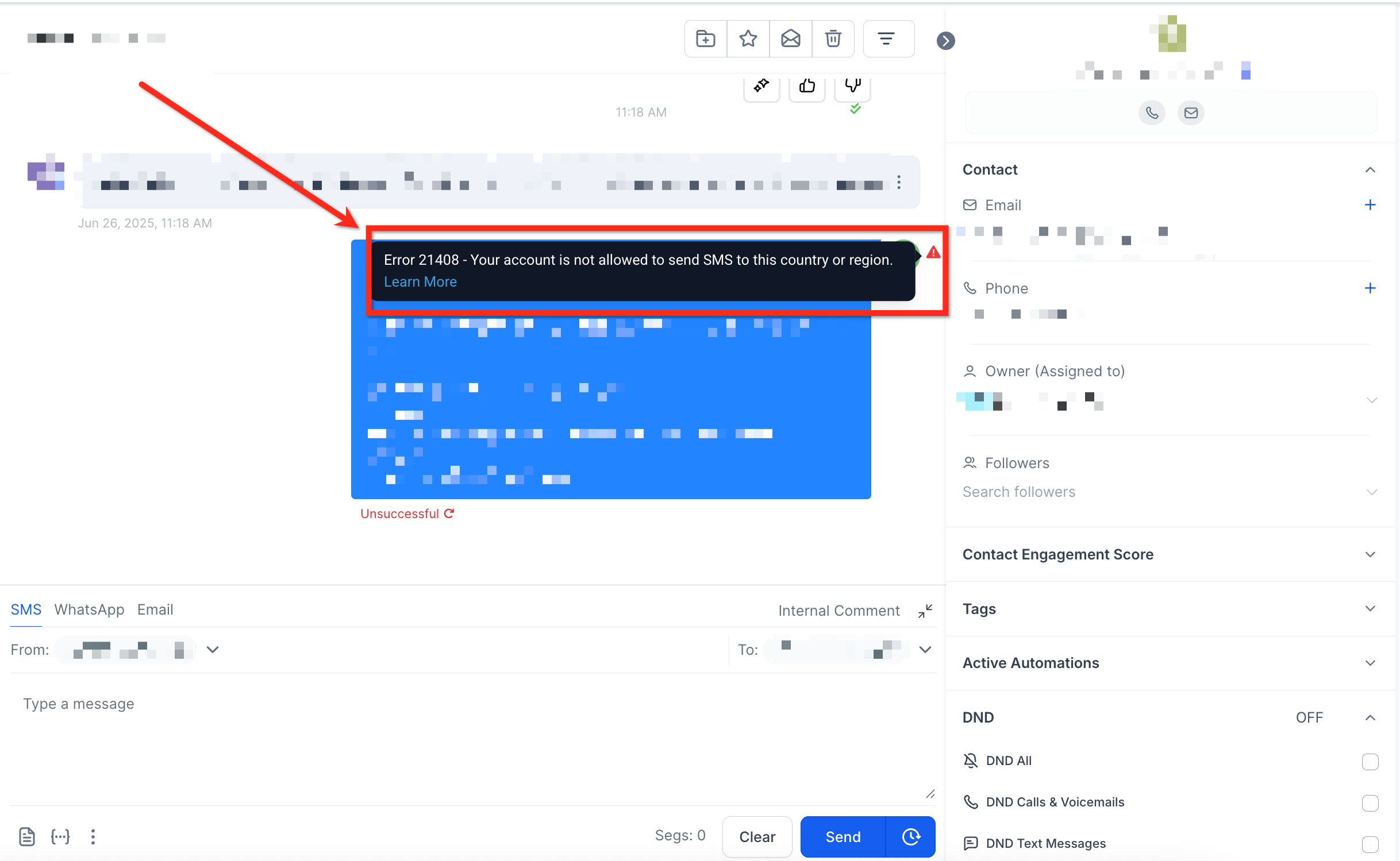
21408: Your account is not allowed to send SMS to this country or region
You have attempted to send an SMS or MMS to a region that has not been enabled in your account. These settings exist to help you ensure you only send SMS or MMS to the countries or regions you operate in, and avoid unexpected charges.
Possible Causes
- You have attempted to send an SMS or MMS to a region that has not been enabled in your account. These settings exist to help you ensure you only send SMS or MMS to the countries or regions you operate in, and avoid unexpected charges.
- You have attempted to send a message to a region not supported by LC Phone System, such as traffic to recipients in Iran. For WhatsApp and RCS this includes all 'To' numbers that begin with the +98 prefix.
Possible Solution
If you wish to send messages to this region, please contact Support.
Note: To align with evolving regulatory requirements, LC Phone System has stopped delivering voice, messaging, and email traffic to recipients in Iran starting March 15, 2025.21614: 'To' number is not a valid mobile number
You have attempted to send a SMS with a 'To' number that is not a valid mobile number. It is likely that the number that you have specified is a landline number or is an invalid number.
Possible Causes
- The number you provided may be a landline number.
- The number you provided may be invalid or formatted incorrectly.
- If you are attempting to send SMS to Internet of Things (IoT) or machine-to-machine (M2M) numbers, the numbers may use a non-standard format that SourCherry has not added to our number validation system yet.
Possible Solutions
- Confirm that the number you are sending to is not a landline, using the Lookup API.
- Please verify you have provided a valid mobile number in proper E.164 format. Click here for more info on E164 format.
- If you are attempting to send SMS to an IoT or M2M number, check whether the number format is different from the standard mobile numbers in that country or locality. Often, these numbers have additional digits or unusual formats which do not pass SourCherry's number validation. If you believe this is the issue, please contact Support for assistance.
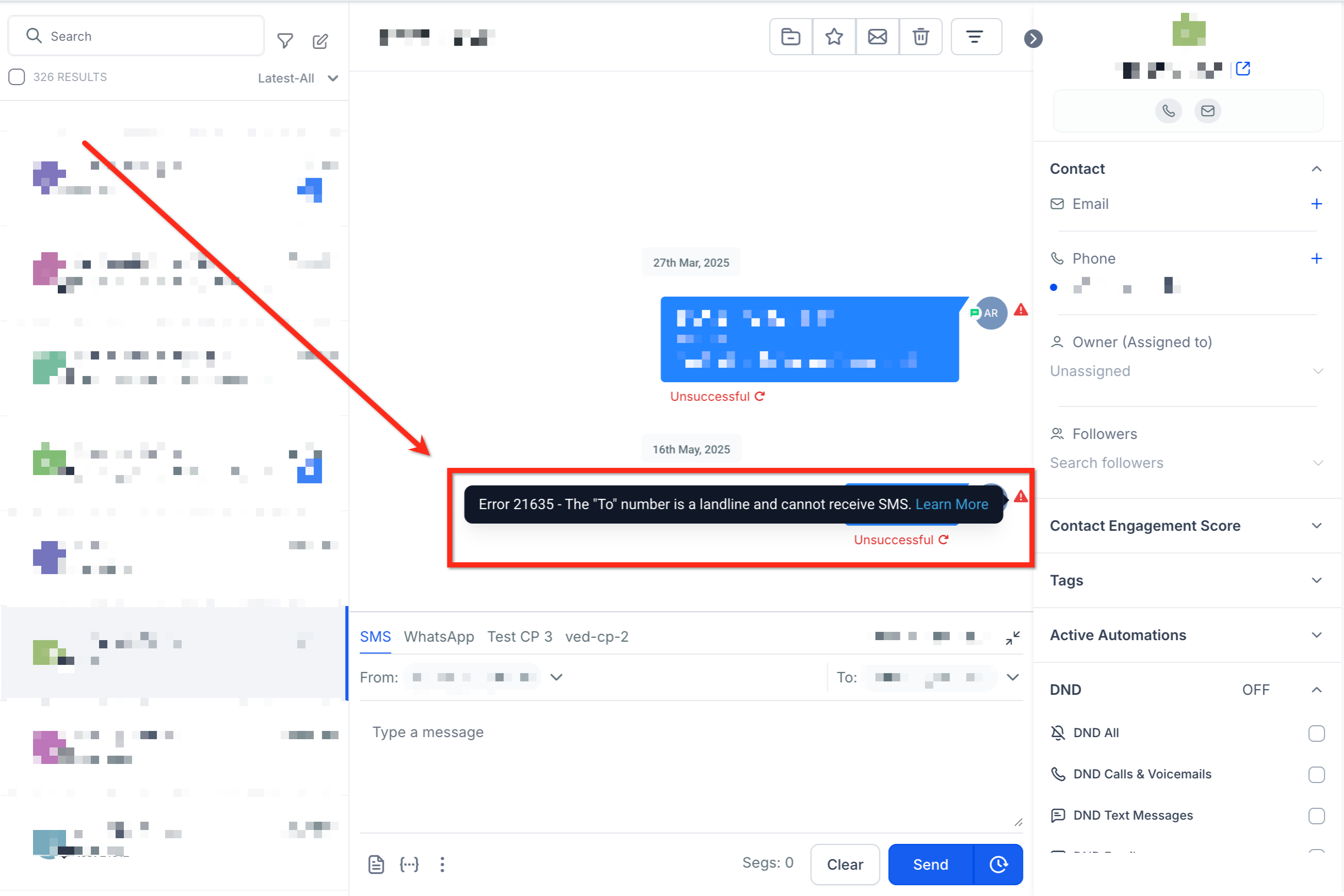
21635: The "To" number is a landline and cannot receive SMS
You have attempted to send an SMS with a To number that is a landline.
Possible Cause
The To number you provided is a landline number.
Possible Solution
Contact Support if number is known to not be a landline.
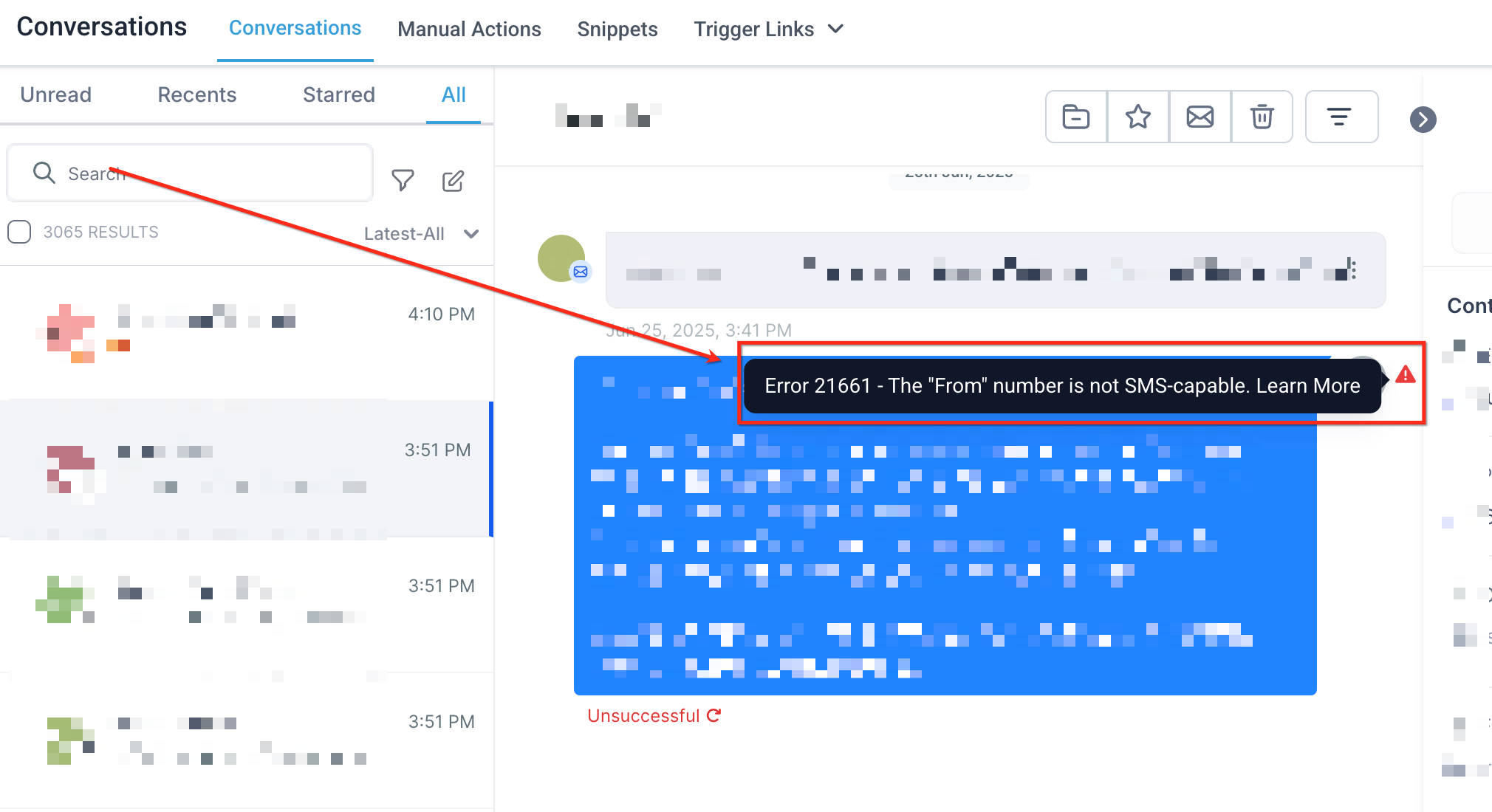
21661: 'From' number is not SMS-capable
Phone numbers must be SMS-capable. Visit the phone numbers page of your account to view a list of phone numbers that you own and to determine whether they are SMS-capable.
Possible Cause
The number you are using is not capable of sending messages.
Possible Solutions
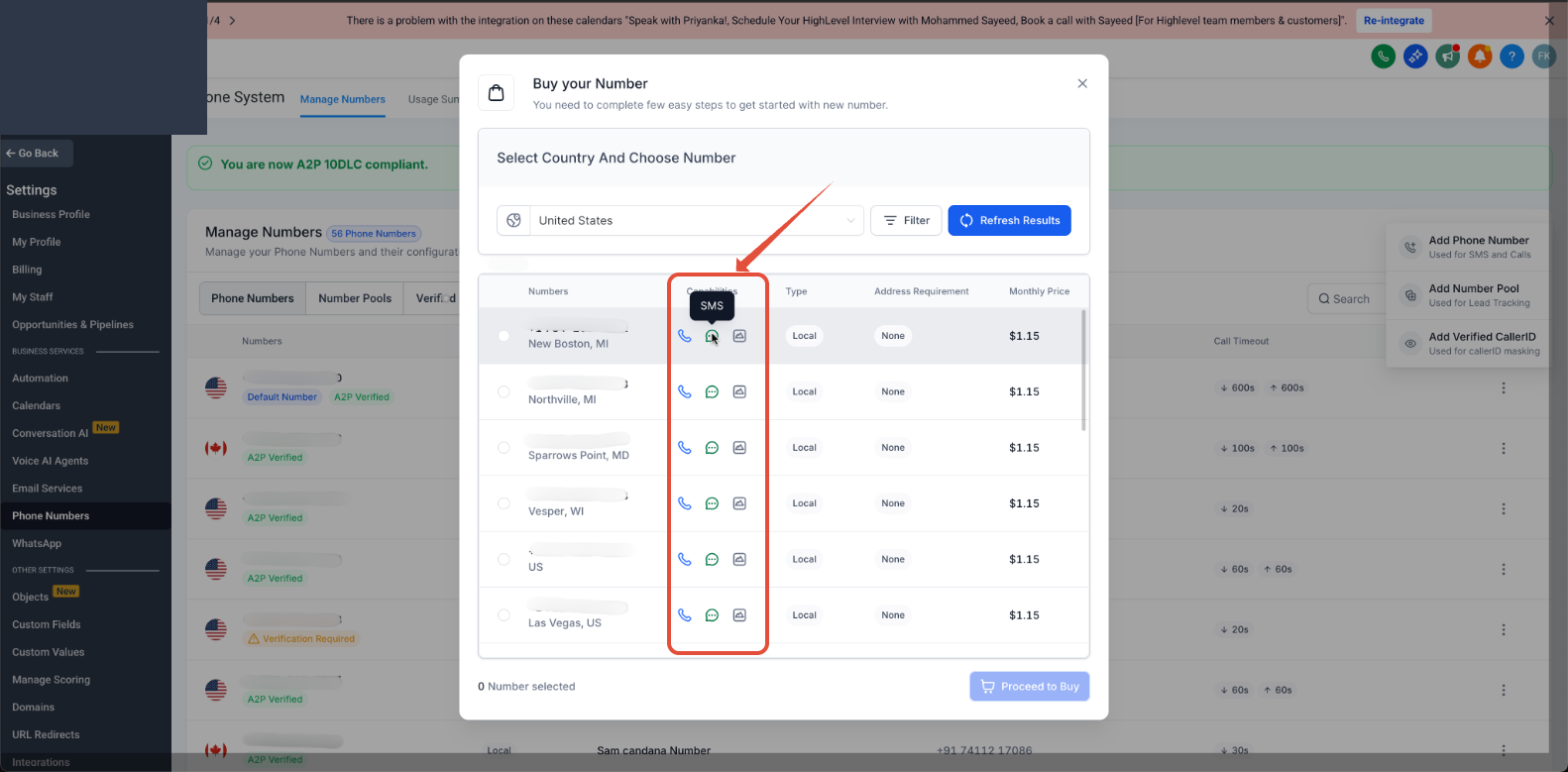
- Check that you are using a SourCherry phone number with SMS capabilities. You can see your purchased phone numbers and their capabilities in Settings > Phone Numbers > Manage Number > +Add Number.
- Purchase an SMS capable number from Settings > Phone Numbers > Manage Number > +Add Number.
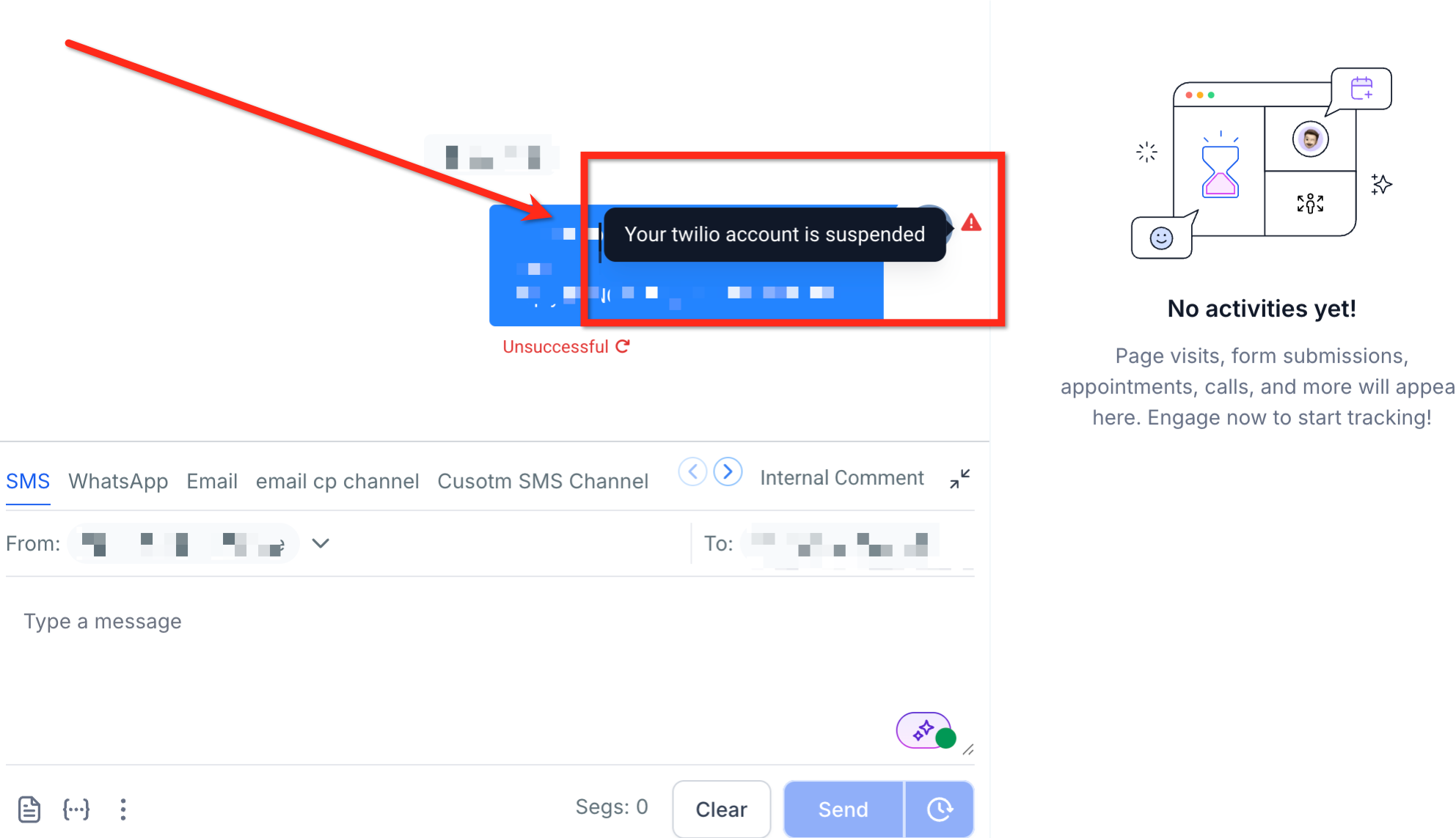
30002: Message failed: your account is currently suspended.
This message failed because your account was suspended after this message was queued but before it was sent by SourCherry.
Possible Causes
- Account was suspended for lack of funds after your message was queued but before it was sent by SourCherry.
- Account was suspended because SourCherry detected a violation of our Acceptable Use Policy.
Possible Solutions
- Please contact support.
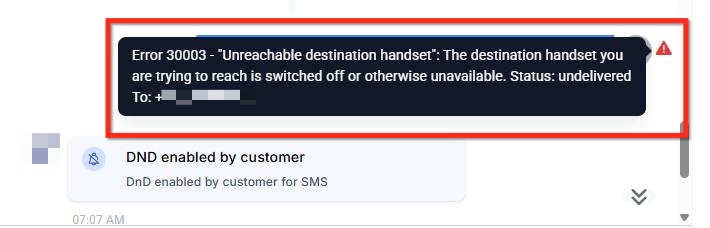
30003: Number unreachable or out of service
The destination handset you are trying to reach is switched off or otherwise unavailable.
Possible Causes
- The destination handset you are trying to reach is switched off or otherwise unavailable
- The device you are trying to reach does not have sufficient signal
- The device cannot receive SMS (for example, the phone number belongs to a landline)
- There is an issue with the mobile carrier
Possible Solutions
In some cases, a delivery error may occur once due to a transient issue downstream of SourCherry. Test whether the issue occurs again. If you see similar results, continue troubleshooting with the following checklist:
- Is the destination device powered on?
- Does the device have sufficient signal? If not power the device off, wait 30 seconds, and then power it back up.
- Is the device connected to the home carrier's network? We cannot guarantee message delivery on devices roaming off-network.
- Can the device receive non- LC SMS?
- Can the device receive messages from another SourCherry number (non-Alphanumeric Sender ID), or with a shorter one-segment (non-concatenated) body?
- Can other devices using the same mobile carrier receive your messages?
- If you can rule out all of the above issues, continue troubleshooting below.
Messages sent from long codes
Repeated Error 30003 results on undelivered messages sent from long codes (regular phone numbers) and Toll-Free numbers could be due to carrier filtering.
The rules for carrier filtering vary throughout the industry, making it difficult at times to pin down exactly why a message is being filtered out. For more details including potential workarounds, please see this Help Center article: How to Prevent SMS Filtering by Carriers
Continued Error 30003 issues
SourCherry's Support team can help investigate what went wrong with delivering your message. Please collect 3 or more message examples in your SMS logs from the last 24 hours that were flagged with Error 30003, and open a support request.
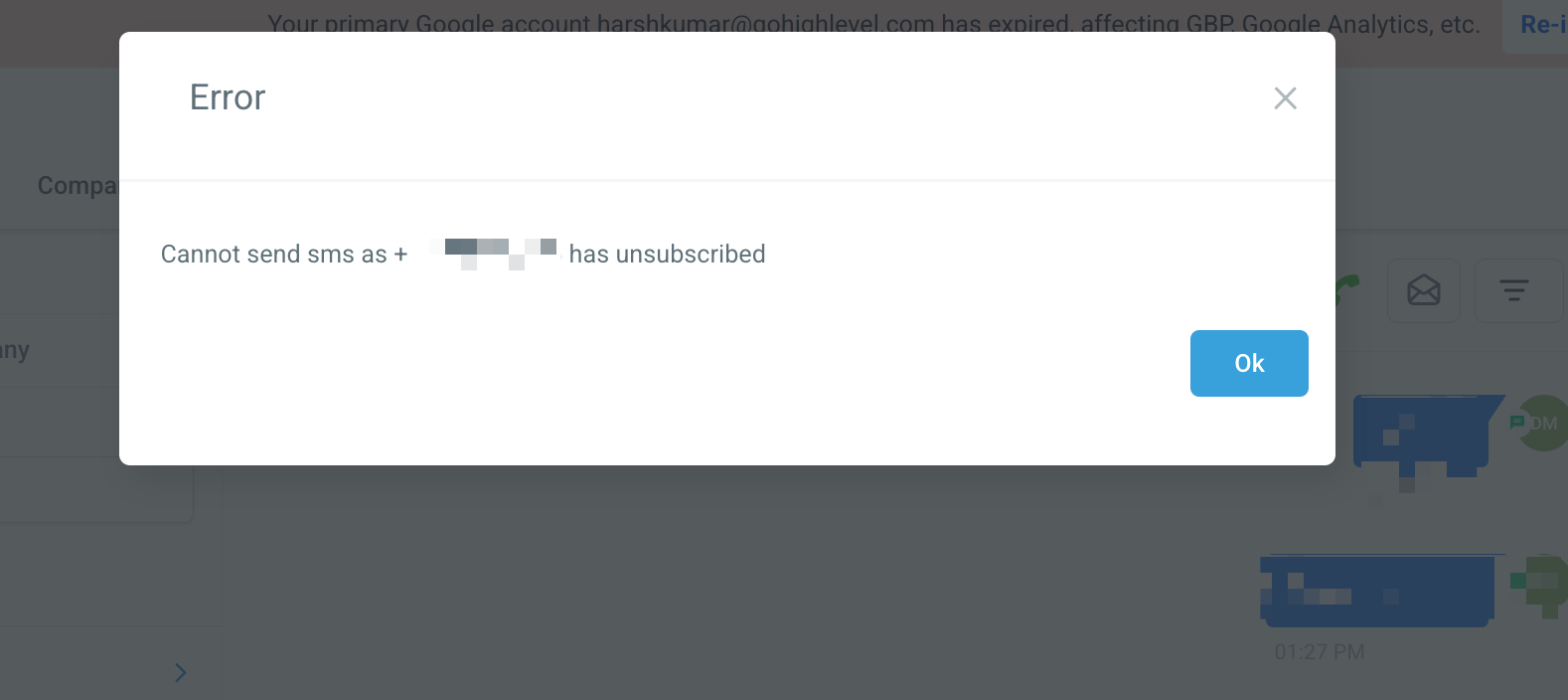
30004: Recipient has opted out or has DND enabled
Possible Causes
- The destination number you are trying to reach is blocked from receiving this message.
- The device you are trying to reach does not have sufficient signal.
- The device cannot receive SMS (for example, the phone number belongs to a landline).
- The destination number is on India's national Do Not Call registry.
- There is an issue with the mobile carrier.
- You have sent a message from a US/CA Toll-free number to an end user handset that has previously responded with "STOP" or another opt-out keyword.
Possible Solutions
"Undelivered" messages sent to India: Error 30004 results on undelivered messages sent to India could be due to the destination number being listed on the national Do Not Call (DNC) registry.
SourCherry support team can help investigate what went wrong with delivering your message. Please collect 3 or more message examples in your SMS logs from the last 24 hours that were flagged with Error 30004, and open a support request.
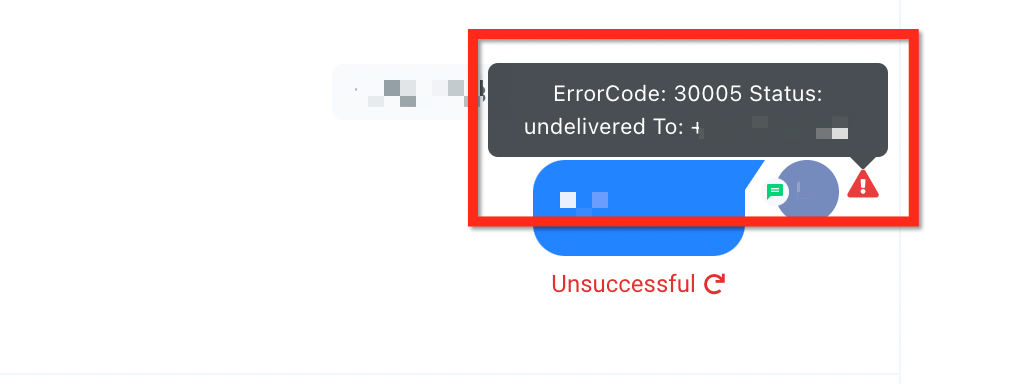
30005: The recipient’s number is inactive or does not exist
Possible Causes
- The destination number you are trying to reach is unknown and may no longer exist.
- The device you are trying to reach is not on or does not have sufficient signal.
- The device cannot receive SMS (for example, the phone number belongs to a landline).
- There is an issue with the mobile carrier.
Possible Solutions
- Pay close attention to your request and double check to verify you are attempting to send messages to the correct phone number in the correct E.164 format: [+] [country code] [subscriber number including area code]
- SourCherry Support team can help investigate what went wrong with delivering your message. Please collect 3 or more examples in your SMS logs from the last 24 hours that were flagged with Error 30005, and open a support request.
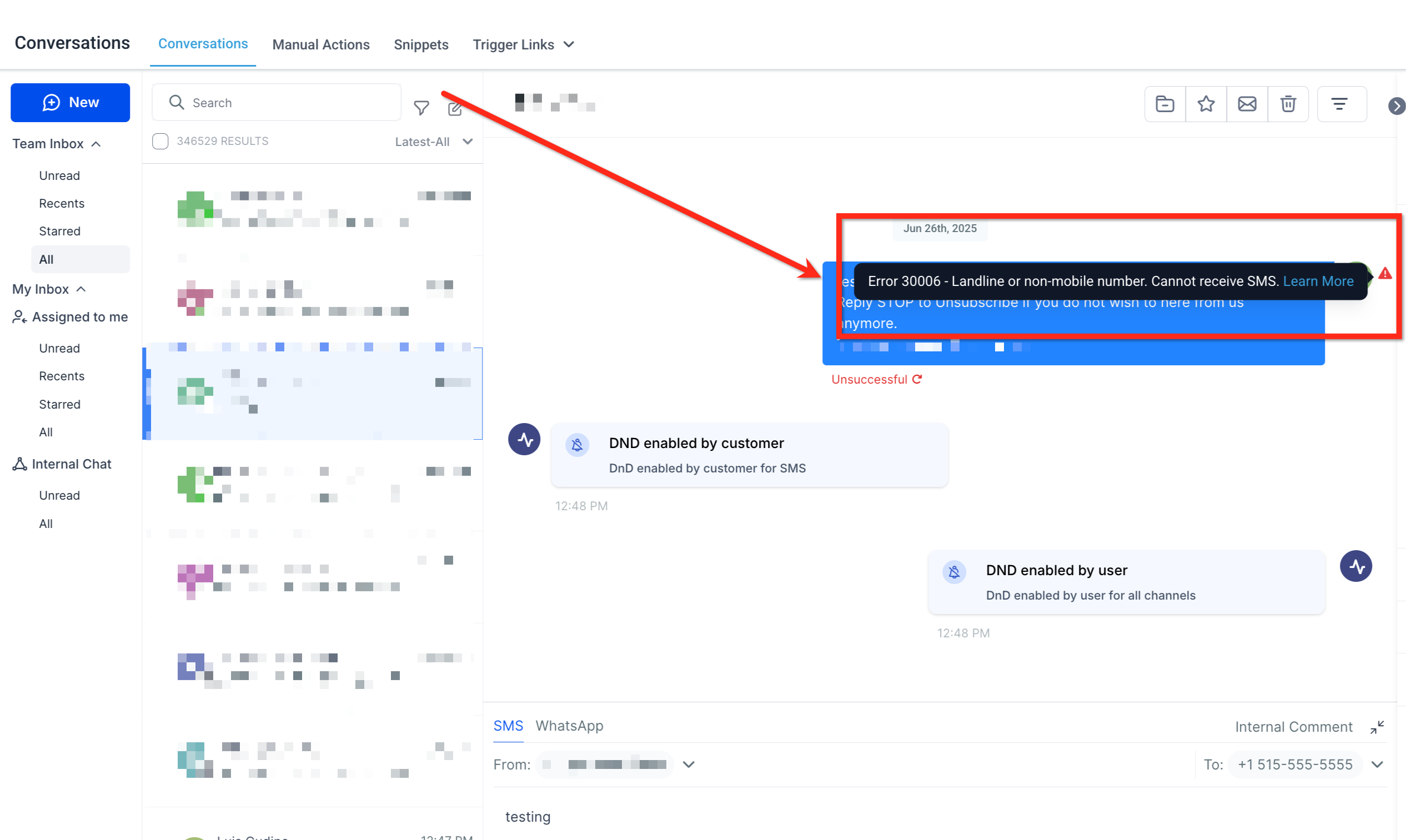
30006: Landline or unreachable carrier
Message Delivery - Landline or unreachable carrier
The destination number is unable to receive this message.
Possible Causes
- The destination number is unable to receive this message. Potential reasons could include trying to reach a landline or, in the case of short codes, an unreachable carrier.
- Your message was sent to a landline, or an unreachable carrier for this phone number type.
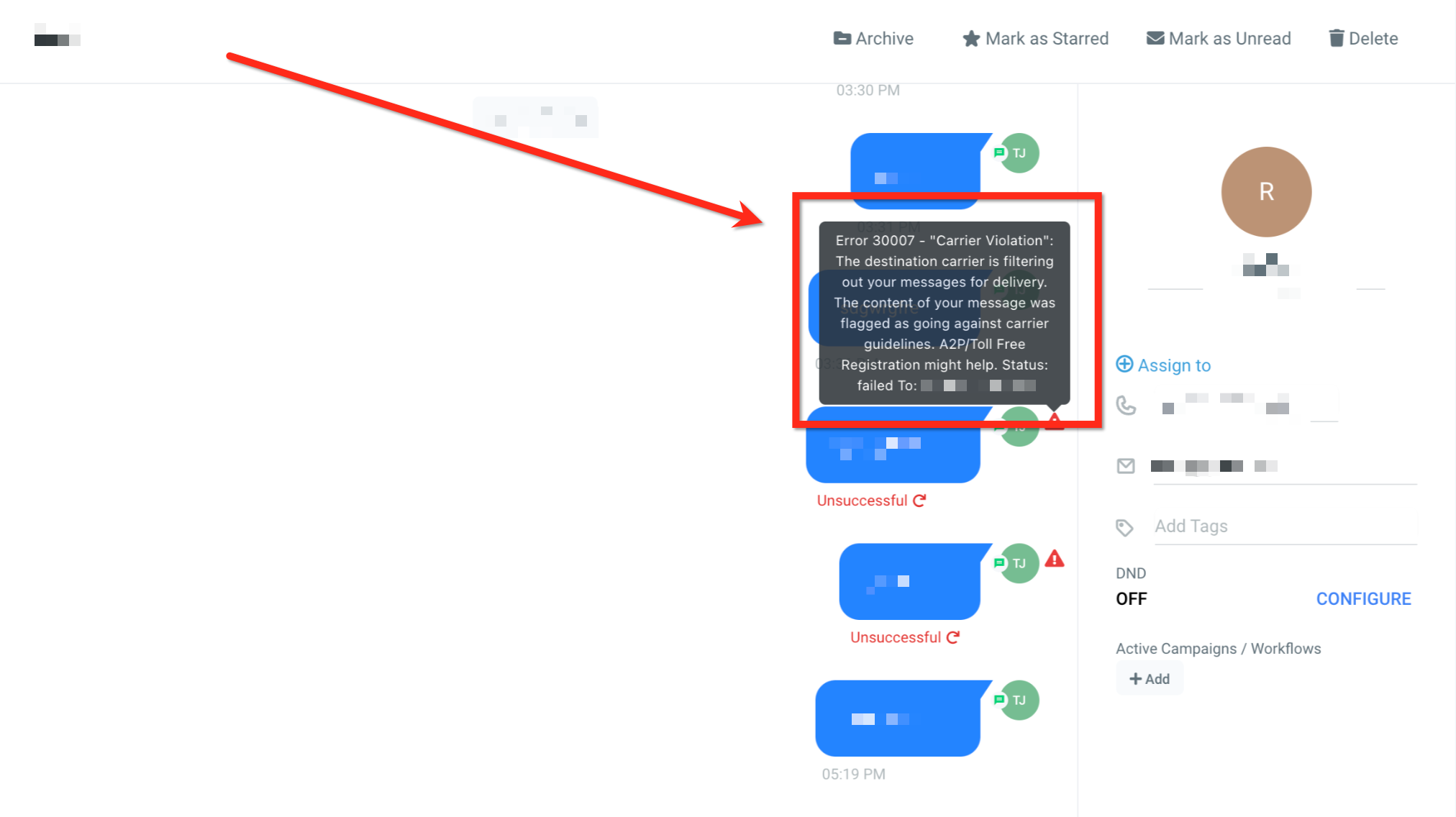
30007: Message filtered
Your message was filtered (blocked) by SourCherry or by the carrier. This may be done for violating SourCherry Messaging Policy, or by a wireless carrier for violating carrier rules or regulations.
Examples of messaging that would be blocked by SourCherry are spam, phishing, and fraud. SourCherry's filtering system is in place to protect mobile subscribers from spam or other forms of malicious or unwanted messages.
Wireless carriers have filtering systems in place as well. These carrier filters are used to block abusive traffic, as well as to enforce rules or regulations about what types of messaging are allowed to that country or mobile network.
Possible Causes
- Your message was identified as spam or unwanted messaging by SourCherry message filtering system
- Your message was flagged as objectionable and blocked by a wireless carrier
Possible Solutions
- Ensure your messaging use case complies with SourCherry's Messaging Policy
- If you believe your messages are compliant with SourCherry and carrier policies, please collect 3 or more examples of Message that have the "undelivered" status with error 30007, and then contact our Support team. We can help review your messaging and determine if an error was made.
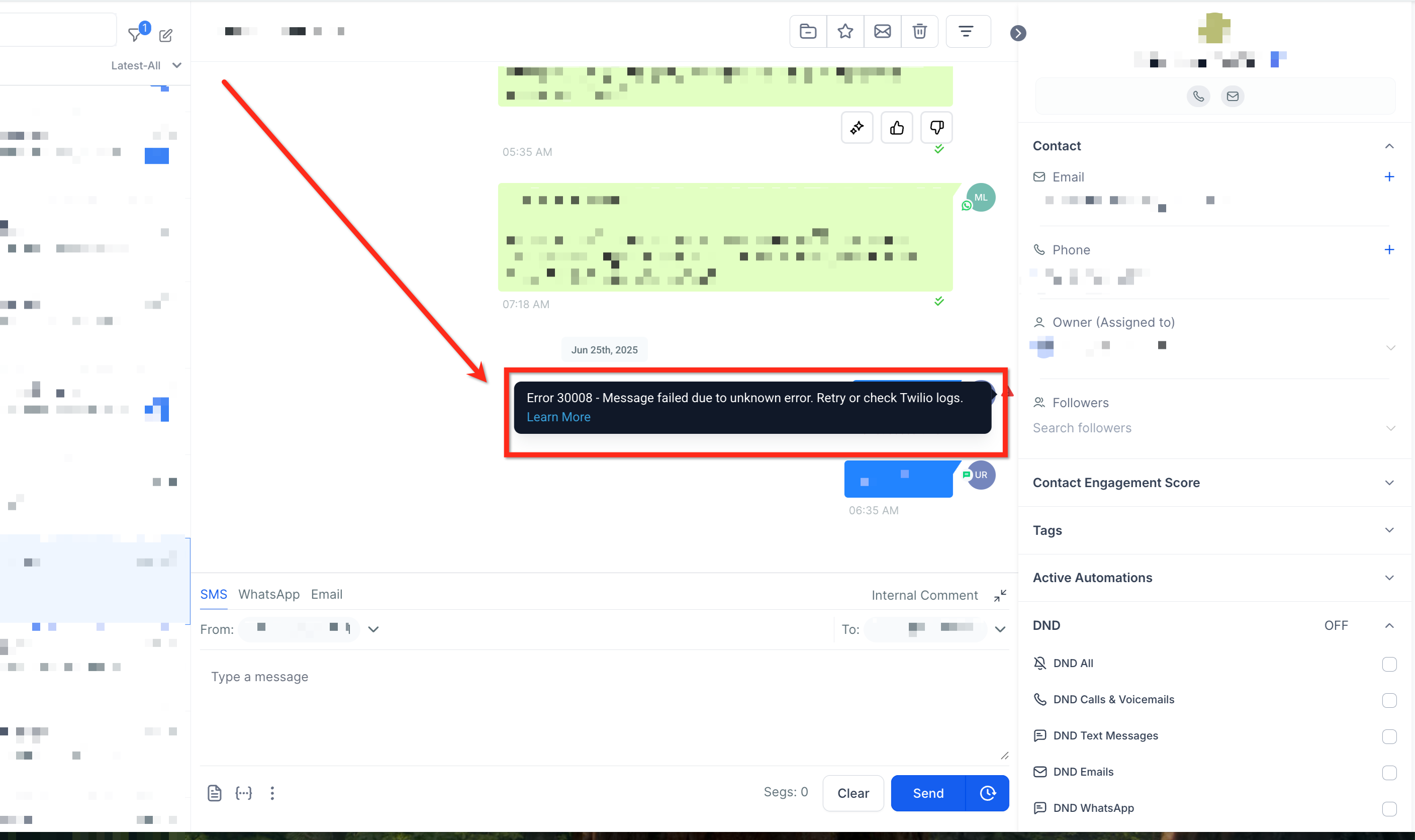
30008: Unknown error
Message Delivery - Unknown error
Possible Causes
If a message you sent is not delivered to the end device and returns a 30008 error code, this means that delivery of your message failed for unknown reasons.
When SourCherry receives a very generic error from our carrier partner that we have no further details about, we associate the message with the error code 30008, letting you know that SourCherry truly doesn't know what caused this error from the provider.
Possible Solutions
- Try sending a shorter message to the phone, with simple content that does not include any special characters. This would give our support team an idea as to whether the failure is related to concatenation or character encoding.
- SourCherry support can help investigate what went wrong with our carriers. Please open a support request and include a minimum of 3 or more message where a 30008 error was thrown. Per our carriers' requirements, these SIDs can be no older than 48 hours at most.
30011: MMS not supported by the receiving phone number in this region
MMS not supported by the receiving phone number
Possible Causes
If you received this error code on an inbound message, there was a failure attempting to receive an incoming MMS, as your LC - phone number was sent an MMS in a region where SourCherry does not support incoming MMS.
If you received this error code on an outbound message, the destination handset either doesn't support MMS, or MMS is not currently enabled on the device.
Possible Solutions
For Inbound, it is recommended that you respond to the user sending the MMS to let them know that you cannot receive MMS in this region.
30023: Daily Message Cap Reached
You have sent the maximum allowable daily messages for your Brand to the carrier.
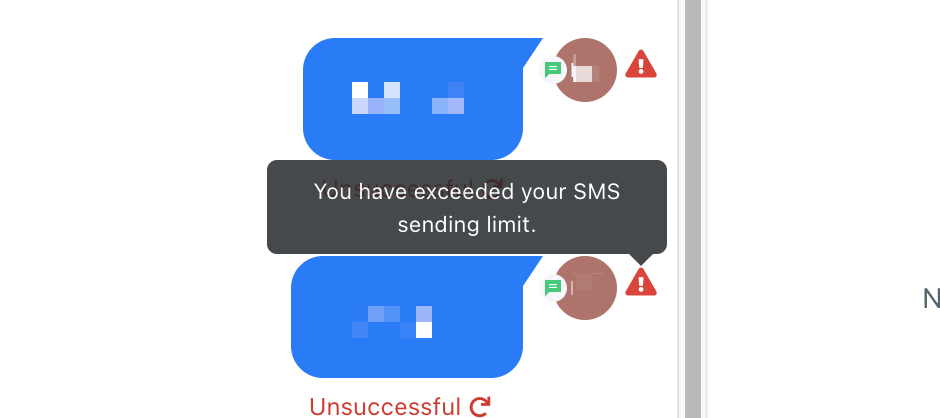
Note: That the daily limit applies to the Brand (per EIN) and is based on the total number of outbound SMS segments and MMS messages sent to T-Mobile (including Sprint and MetroPCS) across any messaging platform you have registered your Brand with.
Possible Solution
Contact Support.
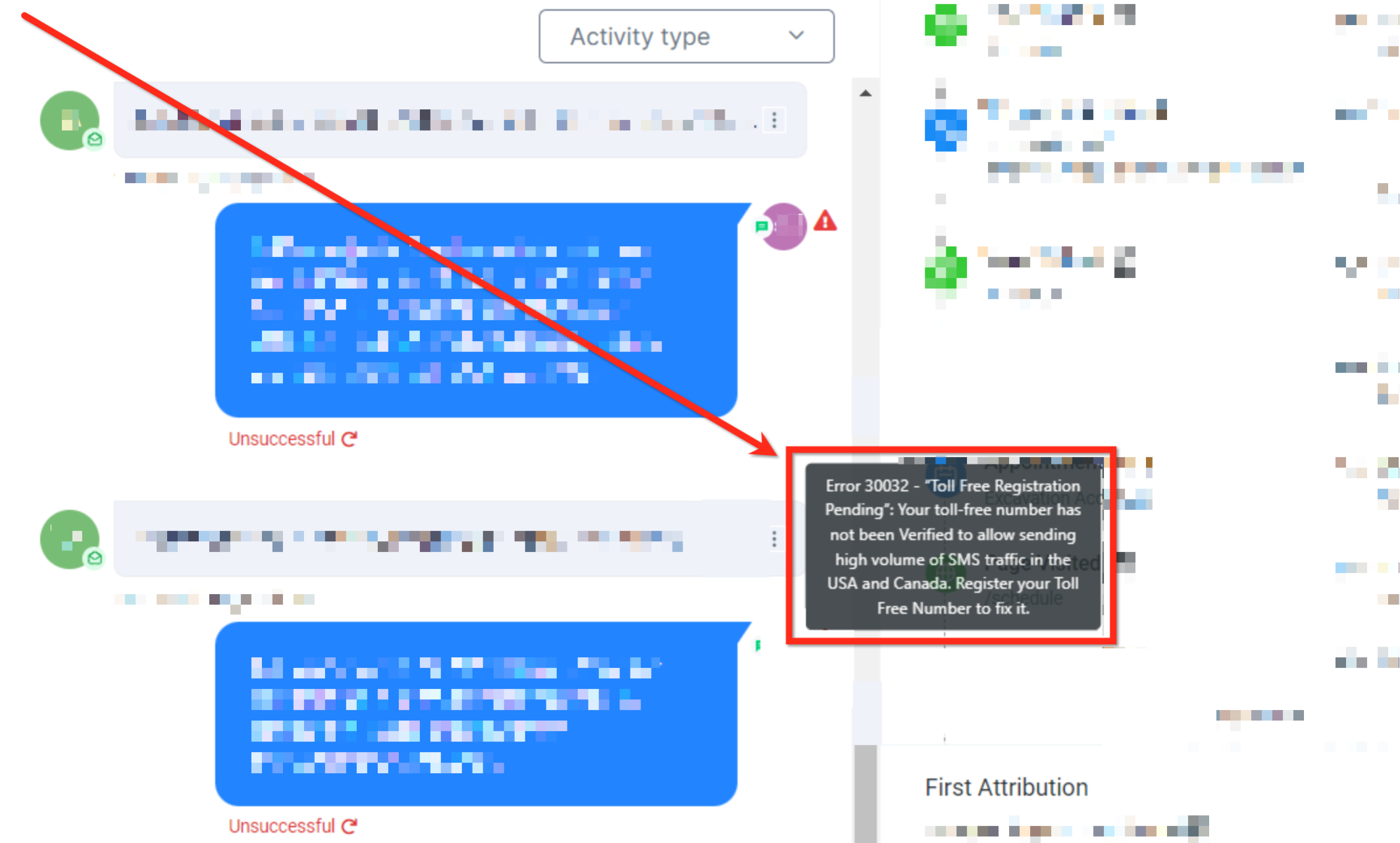
30032: Toll-Free Number Has Not Been Verified
You sent a message (message SID: SMXXXXX) from a Toll-Free number to a mobile subscriber in USA or Canada. SourCherry requires all Toll-Free numbers to go through a verification process. The Toll-Free number you sent from has not been verified through the required verification process.
Possible Causes
- Your toll-free number has not been Verified to allow sending of traffic in USA and Canada.
- Your toll-free verification submission was rejected.
Possible Solutions
Please refer to this Support Article for the process to get your Toll Free number verified.
Note: Effective Nov 8th, 2023, messages on restricted toll-free phone numbers are blocked. Effective Jan 31st, 2024, messages on pending toll-free phone numbers are blocked.
21610: Attempt to send to unsubscribed recipient
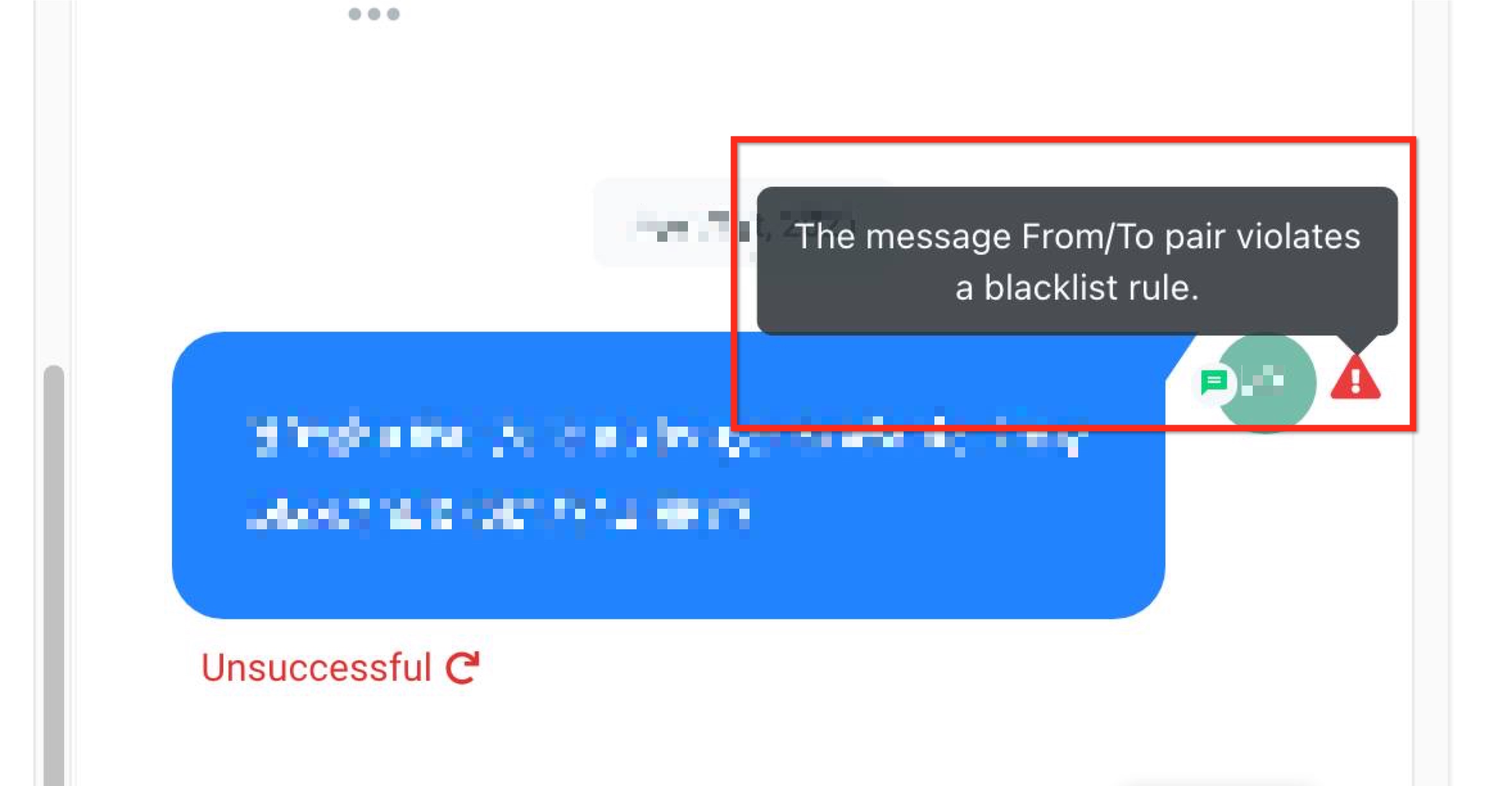
The person you are trying to message has opted out of receiving messages from your phone number, Channels sender, or Messaging Service or has Do Not Disturb (DND) status enabled in their contact profile
You have attempted to message a 'To' number that has replied with "STOP" to one of your previous messages. You will not be able to send to the phone number specified in the 'To' parameter until the subscriber identified by the phone number has responded with "START".
Possible Causes
- The end user handset has responded with "STOP" or another opt-out keyword.
- The phone number has been reassigned to a different end user recently.
- The contact has the DND toggle turned on for SMS, calls, or all communication types.
- The platform enforces message blocking to honor the contact's opt-out preferences and ensure regulatory compliance.
Possible Solutions
- Consider removing this phone number from your list of recipients.
- Request the recipient to resubscribe to your messages by texting in "START" or another opt-in keyword to your sender.
- Before sending messages to a recipient, ensure they have consented to receive messages from you.
30033: US A2P 10DLC - Campaign Suspended
Your message could not be sent because you are sending this message from a suspended US A2P 10DLC Campaign.
Possible Causes
Campaign Suspension
Possible Solutions
Please reach out to the Support team to receive more details around why your campaign has been suspended, and how to resolve the issue
30037: Outbound Messaging Disabled
Sending messages from this account has been disabled.
Possible Causes
This account is configured to not send outbound messages.
Possible Solutions
If you believe this configuration is in error you can contact support.
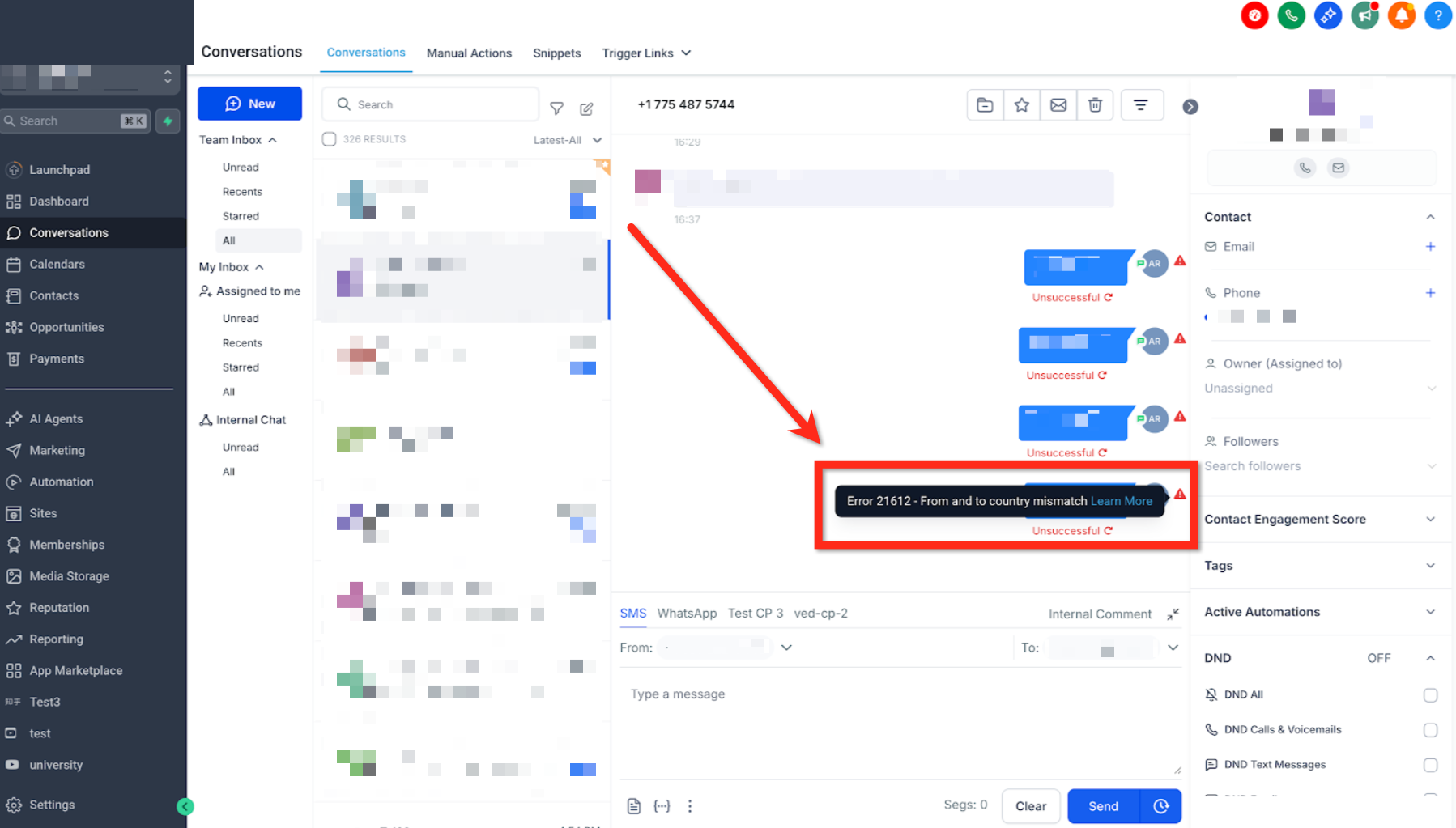
21612: Message cannot be sent with the current combination of "To" and/or "From" parameters
Message cannot be sent with the current combination of "To" and/or "From" parameters.
Possible Causes
- Number formatting: The format you used for the "To" or "From" number may not be formatted using the E.164 format. SourCherry standardises numbers using the E.164 format. If the "To" or "From" number of this message were altered by SourCherry in a way that you didn't expect, try re-submitting the message with E.164 formatted addresses.
- Destinations where SourCherry does not have connectivity: It is possible that SourCherry does not yet have service with the carrier you are trying to reach. Contact Support.
- Sender ID restrictions in the destination country: Many countries limit which numbers, short-codes, and/or alphanumeric senders can be used in that region. Consult the SMS guidelines for the destination region.
Possible Solutions
Consult the linked documentation for each cause. You can also try sending again with a different "To" and "From" combination.
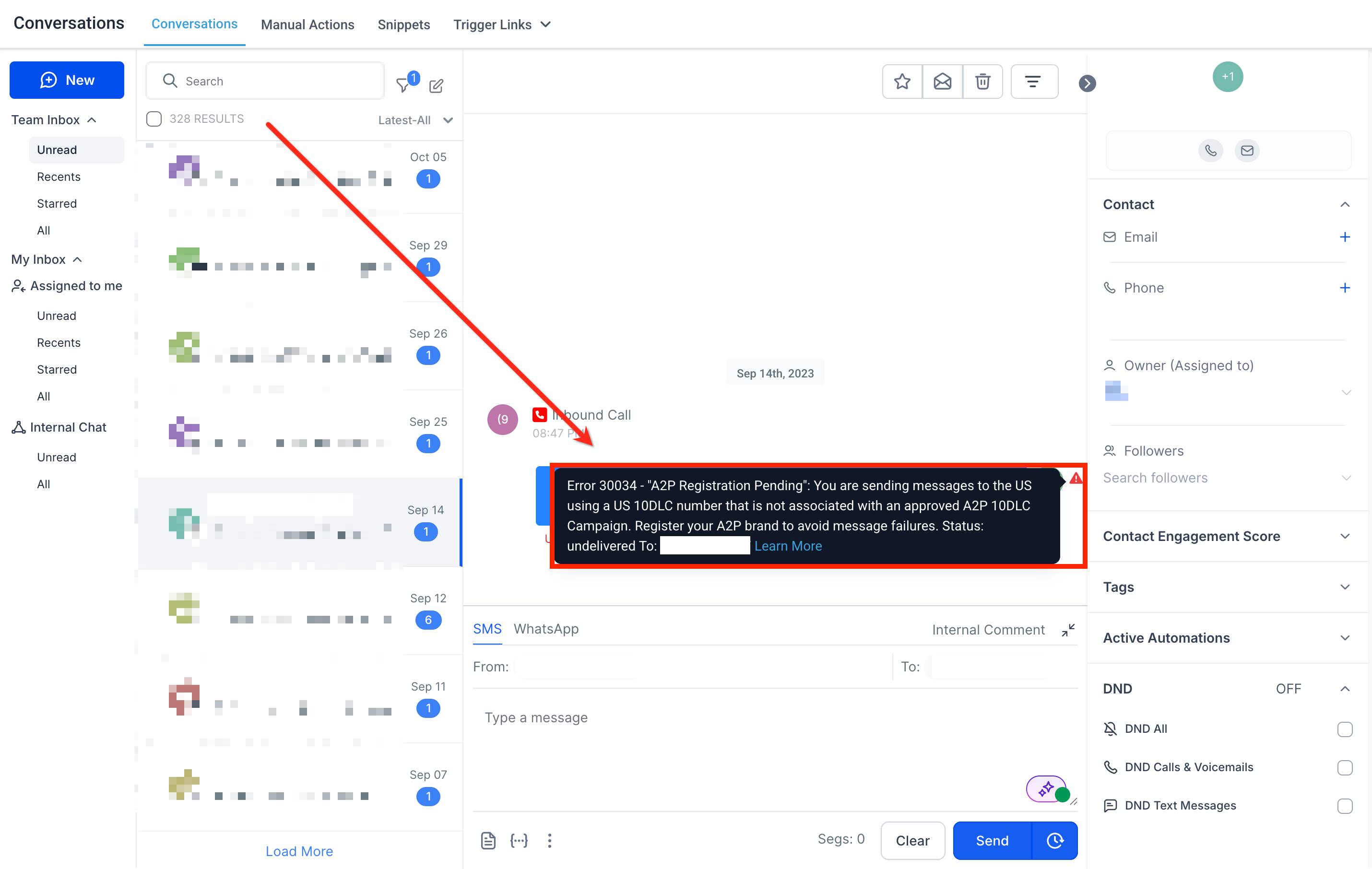
30034: Number not fully registered for A2P messaging. Please wait up to 24 hours after approval.
This message appears when a user tries to send SMS messages using a newly registered A2P 10DLC (Application-to-Person 10-Digit Long Code) number in the U.S., but the registration process has not been fully completed. While the brand and campaign may be approved, the carrier-level provisioning can take additional time, during which SMS sending attempts may fail.
Possible Causes
- Pending Carrier Registration: Even though your A2P campaign has been approved, it can take up to 24 hours for the number to be fully registered and activated with mobile carriers.
- Premature Messaging Attempt: The error may show if you attempt to send messages during this propagation period before the number is fully ready.
- Incomplete A2P Setup: In rare cases, your registration might still be under review or partially submitted.
Possible Solutions
- Wait 24 Hours: After A2P approval, wait up to 24 hours before sending SMS messages to ensure the number is fully registered across all carriers.
- Avoid Sending Messages During Propagation: Do not test or use the number until the waiting period has passed to prevent errors.
- Verify Registration Status: Check your A2P registration and phone number status in the Trust Center or Phone Number Settings.
- Contact Support if Issue Persists: If the error remains after 24 hours, reach out to support with your registration and number details for further assistance.
21606: The 'From' phone number provided is not a valid message-capable phone number for this destination/account
You can only send SMS messages from a phone number, Alphanumeric Sender ID, or short code that has been provisioned or ported into your SourCherry account. The phone number must be SMS-capable. For short codes, the sender's number must be based in the same country as the recipient's number.
To check your available phone numbers and their capabilities, visit the Phone Numbers section in your Account Settings.
Possible Causes
- The phone number you're trying to use may not support SMS messaging.
- The phone number might be formatted incorrectly. SourCherry requires numbers to be in E.164 format (e.g., +12345678900).
- If using a short code, it must be registered for use in the samecountry as the message recipient.
- The phone number may still be in the process of being ported or hosted, and not yet fully active.
- The number may not belong to the account that’s being used to send the SMS.
Possible Solutions
- Make sure the number you’re using is SMS-capable. You can verify this by checking your numbers under Settings > Phone Numbers.
- Confirm the number is formatted in E.164 international standard format.
- When using a short code, ensure that both the sending and receiving numbers are located in the same country.
- If the number is being ported or hosted into SourCherry, please confirm that the transfer process has been completed. You can track this in your Phone Numbers > Porting Requests section.