
Upgrade your Voice AI agent to the new Voice AI Experience for improved call quality, better stability, and more natural conversations. This article explains what the upgrade does, how to prepare, and how to upgrade an existing Voice AI agent safely.
TABLE OF CONTENTS
- What is the Voice AI Agent Upgrade?
- Key Benefits of the Voice AI Agent Upgrade
- How To Upgrade the Voice AI Agent
- Testing and Optimizing Prompts
- Frequently Asked Questions
- Related Articles
What is the Voice AI Agent Upgrade?
The Voice AI Agent upgrade moves an existing Voice AI agent to the new Voice AI Experience. This can improve voice quality, call handling, response behavior, and overall call stability. After upgrading, review and test the agent because prompts, responses, and call behavior may perform differently in the new experience.
Key Benefits of the Voice AI Agent Upgrade
Upgrading can improve the way your Voice AI agent handles live conversations:
- Smarter call handling: The agent can respond more naturally and manage conversations more smoothly.
- Better voice quality: Improved tone and clarity can make calls sound more professional.
- Improved stability: The upgraded experience is designed to provide more reliable call performance.
- Access to newer Voice AI improvements: Upgraded agents can take advantage of newer Voice AI capabilities as they become available.
- Simple transition: Existing agents can be upgraded individually, allowing you to test and adjust each agent before relying on it in production.
How To Upgrade a Voice AI Agent
Before upgrading, review the agent’s configuration and test plan. The upgrade is permanent, so we recommend duplicating or documenting the agent’s current setup before upgrading.
Note: The upgrade is permanent. After upgrading, review the agent’s prompts, settings, and test calls. We recommend duplicating the agent or saving a backup of the current configuration before upgrading.
Step 1: Open Voice AI
- Log in to your sub-account.
- Go to AI Agents > Voice AI.
- Review the list of available Voice AI agents.
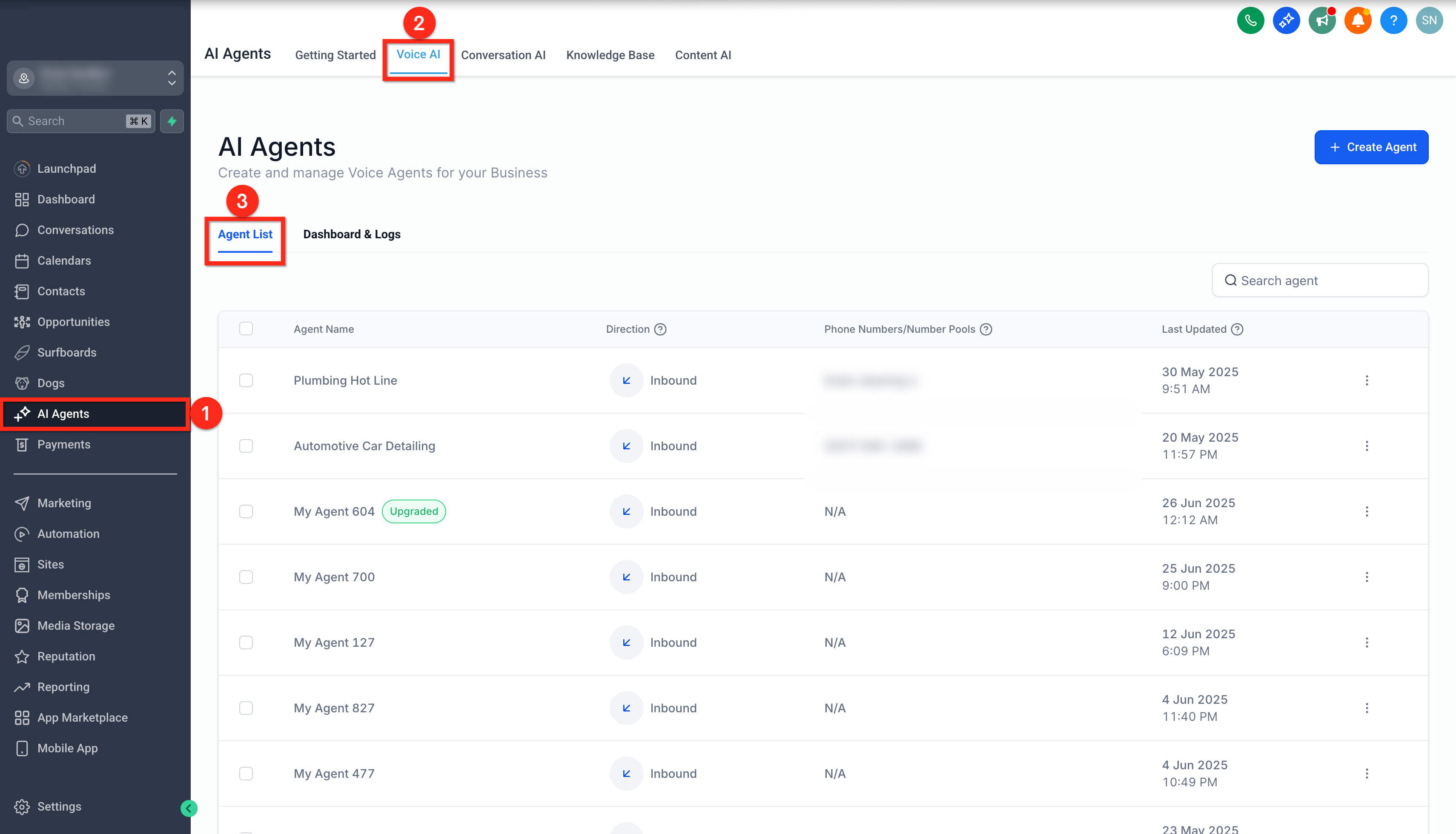
Step 2: Select the Voice AI Agent
- From the Voice AI agent list, click the name of the agent you want to upgrade.
- Alternatively, click the three-dot menu next to the agent name, then select Edit.
Tip: Confirm that you selected the correct agent before upgrading. The upgrade is permanent.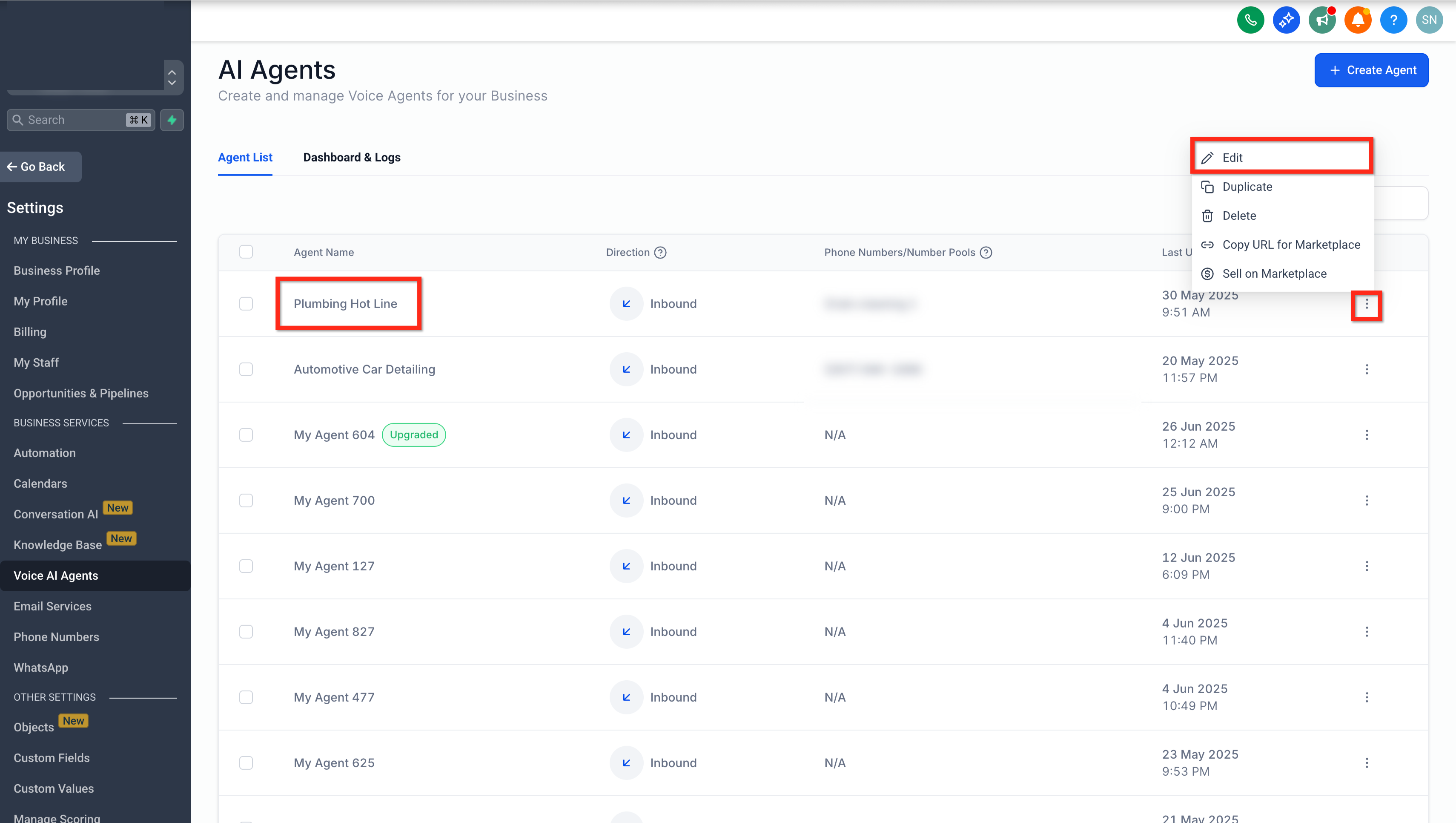
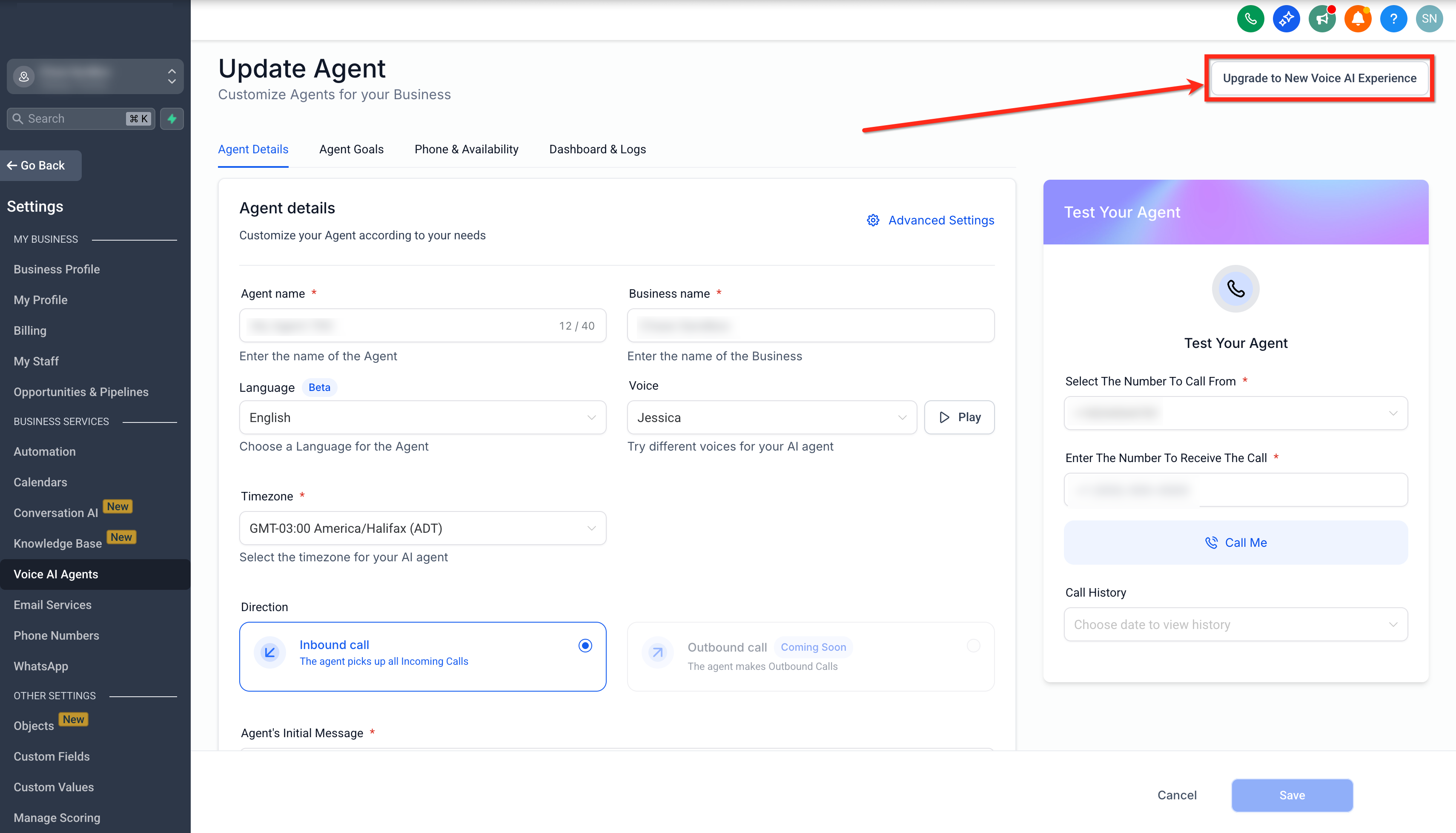
Step 3: Review and Confirm the Upgrade
On the agent edit page, click Upgrade to New Voice AI Experience.
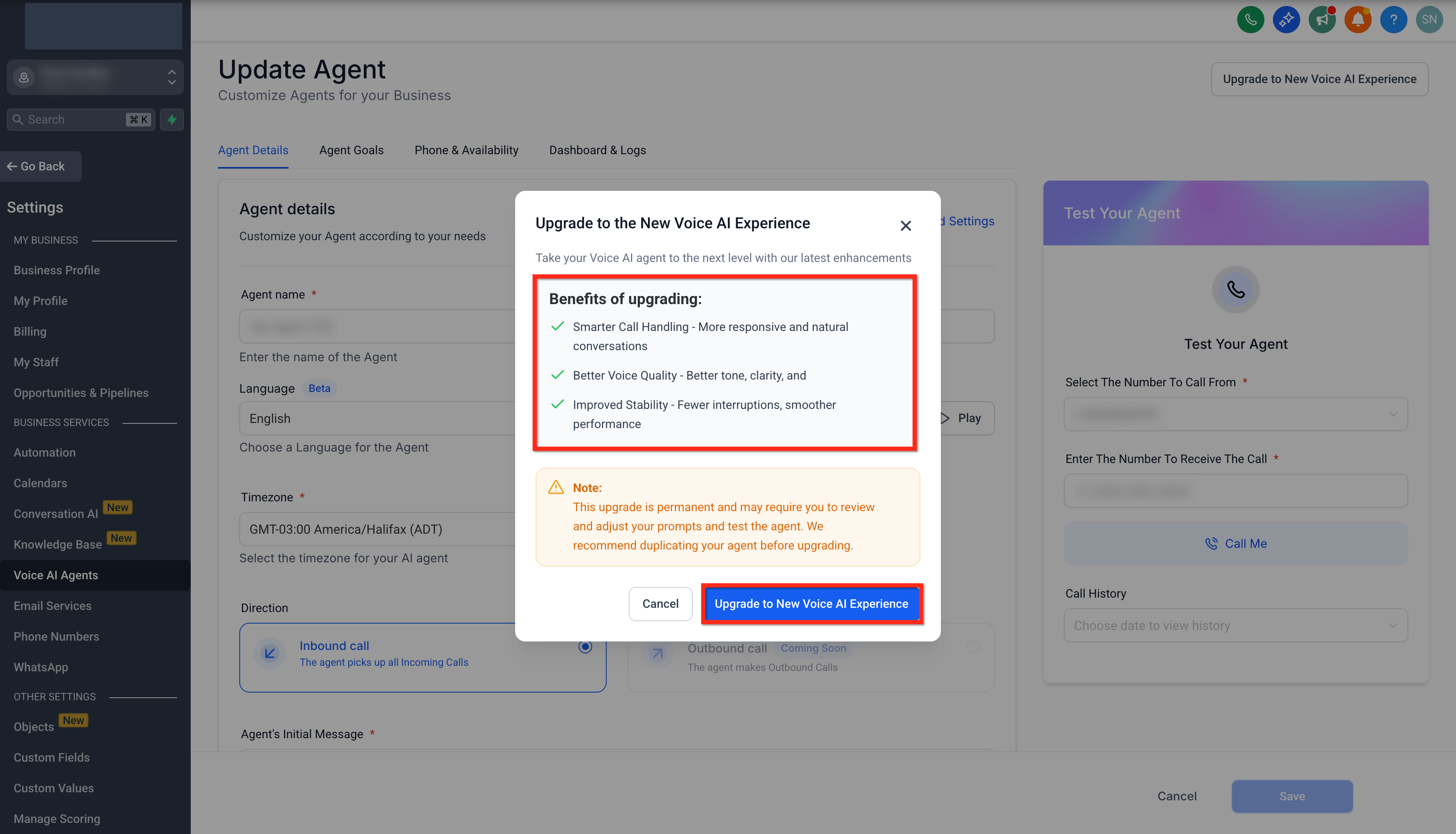
Review the upgrade details shown in the confirmation modal.
Click Upgrade to New Voice AI Experience to confirm and complete the upgrade.
Testing and Optimizing Prompts
After upgrading, test the agent before using it for live calls. This helps confirm that prompts, tone, call handling, and actions still work as expected.
- Run sample calls to check tone, clarity, response accuracy, and conversation flow.
- Test important scenarios, such as appointment booking, call transfers, workflow triggers, or custom actions if the agent uses them.
- Review transcripts and recordings to identify prompt updates.
- Adjust prompts as needed to improve naturalness, accuracy, and task completion.
- For prompt-writing guidance, see AI Prompting 101.
Frequently Asked Questions
Q: Will upgrading affect my existing call flows or prompts?
The upgrade may affect how prompts, responses, and call behavior are handled. Test the agent after upgrading and adjust prompts or settings if needed.
Q: Can I revert to the previous Voice AI version if needed?
No. The upgrade is permanent. If you want to preserve the previous setup, duplicate the agent or document the configuration before upgrading.
Q: Is there any downtime during the upgrade process?
Upgrading is typically seamless, but you should test the agent before using it for live calls.
Q: Are there additional costs for upgrading to the new Voice AI Experience?
The upgrade is included with your existing Voice AI access. Standard Voice AI usage or subscription charges may still apply.
Q: How do I know if my agent is already upgraded?
Upgraded agents display an UPGRADED badge next to the agent name in the Voice AI agent list.
Q: Can I upgrade multiple Voice AI agents at once?
No. Each Voice AI agent must be upgraded individually so you can review, test, and adjust each agent separately.
Q: What should I check after upgrading?
After upgrading, test the agent’s greeting, prompt behavior, call transfers, appointment booking, workflow triggers, custom actions, and any phone or availability settings used by the agent.
Q: Should I duplicate the agent before upgrading?
Yes. Because the upgrade is permanent, duplicating the agent or saving a copy of the current configuration is recommended before upgrading.