
This article introduces new updates to review widgets, including the Floating Badge Widget, Slider Widget, advanced style customization, and fully configurable AI summaries — giving you more flexibility and control to showcase customer feedback in the most impactful way possible.
TABLE OF CONTENTS
- What’s New in Review Widgets?
- Key Benefits of the New Review Widgets
- Floating Badge Widget
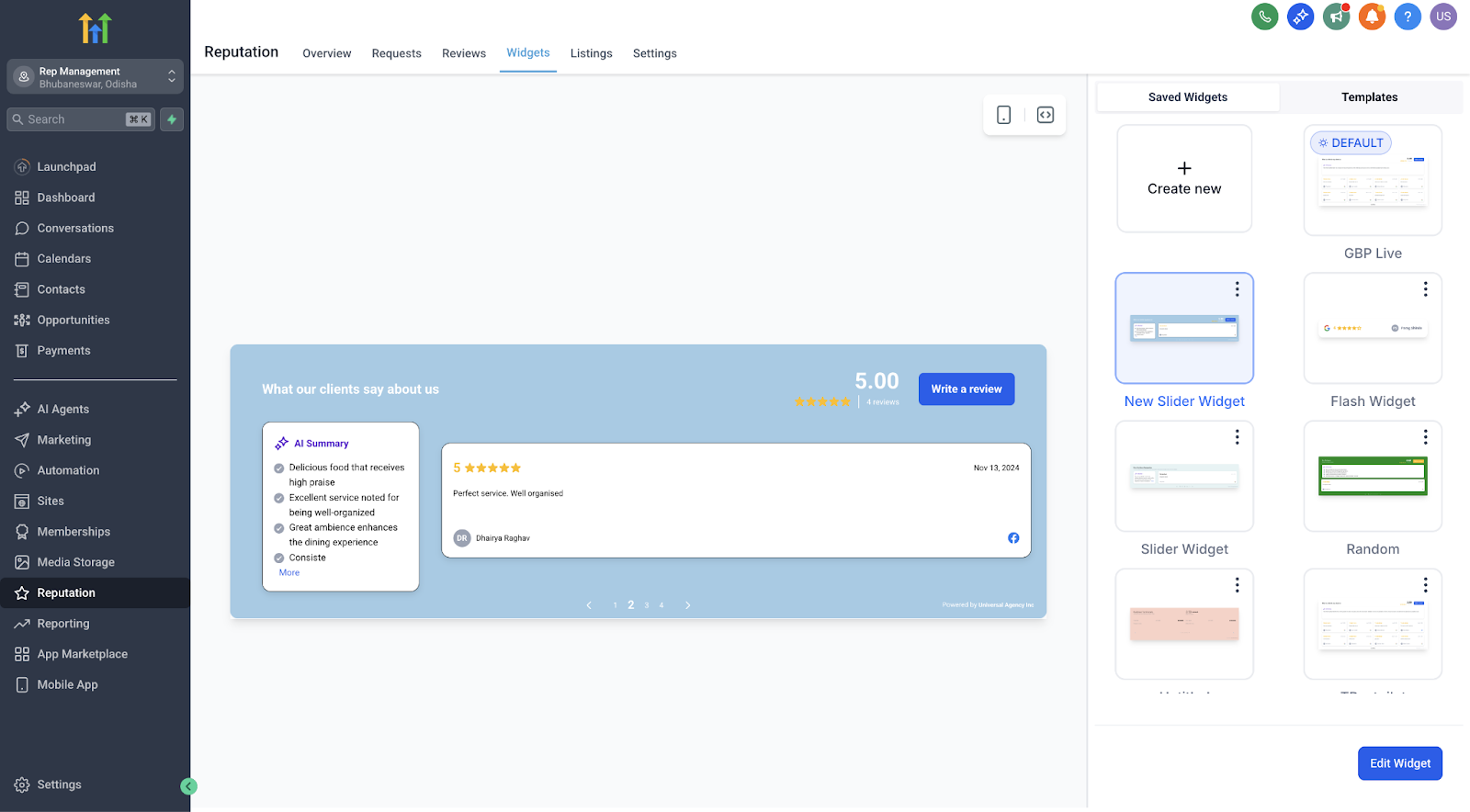
- Slider Widget
- AI Review Summaries — Now Fully Configurable
- Using the Template Library and Style Customization
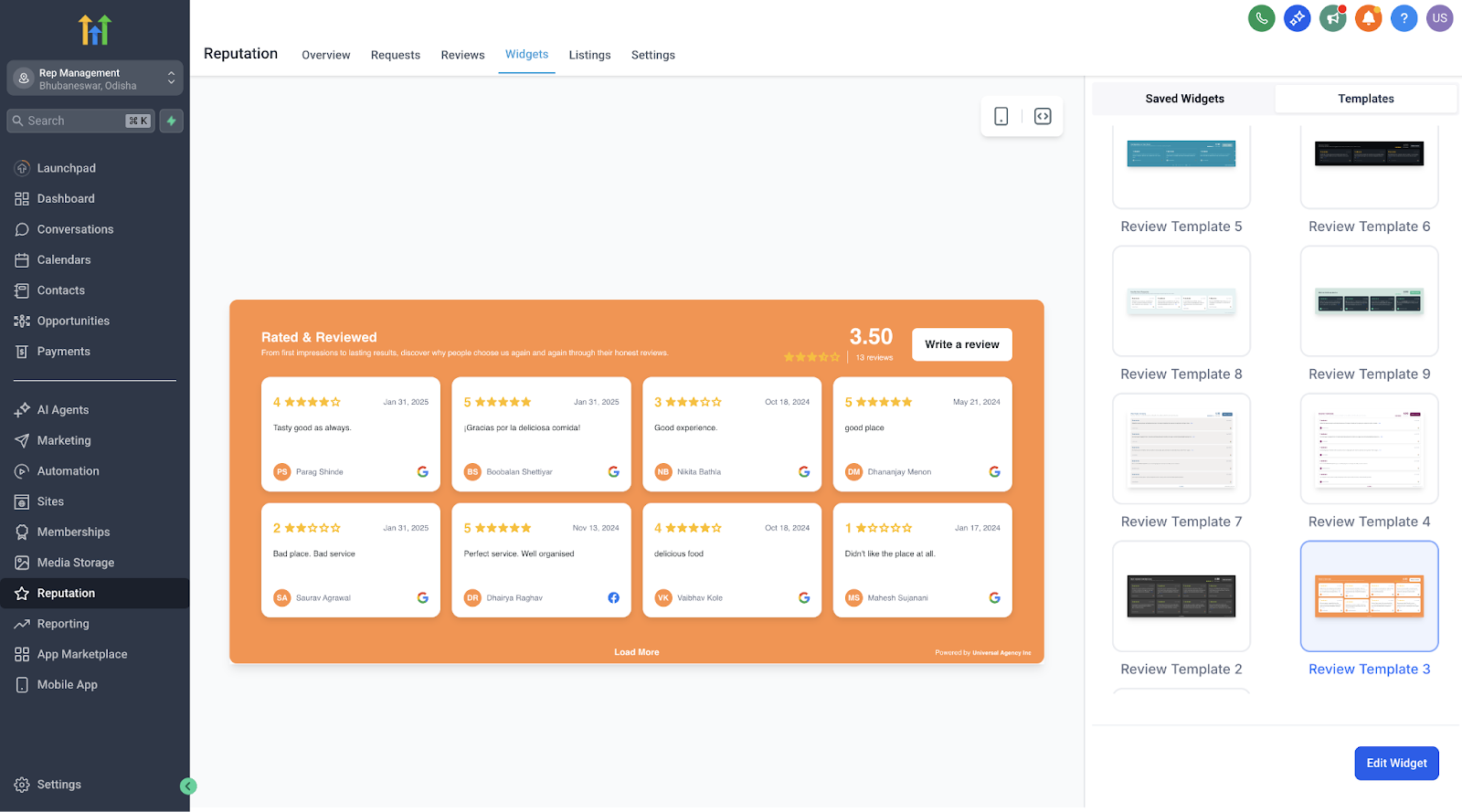
- How to Create and Customize a New Widget
- Important Notes
- Frequently Asked Questions
- Next Steps
What’s New in Review Widgets?
Review widgets have received a major upgrade, making it easier than ever to display testimonials that build trust and drive conversions. With new widget types, flexible AI summary options, and a full visual style editor, you can now create beautifully branded, engaging displays without writing a single line of code.
Key Benefits of the New Review Widgets
These enhancements empower you to highlight customer feedback in more dynamic, on-brand ways — no design or technical skills needed.
Highlight reviews anywhere on your site with flexible display options.
Visually match your brand using deep style customization tools.
Drive more conversions through sleek, engaging testimonial presentations.
Save time with real-time previews and easy plug-and-play templates.
Improve site performance thanks to optimized loading and smoother widget creation.
Floating Badge Widget
The Floating Badge Widget is a minimal, always-visible badge that continuously rotates through your best reviews. This is perfect for discreet yet powerful social proof on any corner of your website.
Choose placement: top or bottom, left or right.
Set the interval for how often reviews rotate.
Keep your brand front and center without taking up page space.
Slider Widget
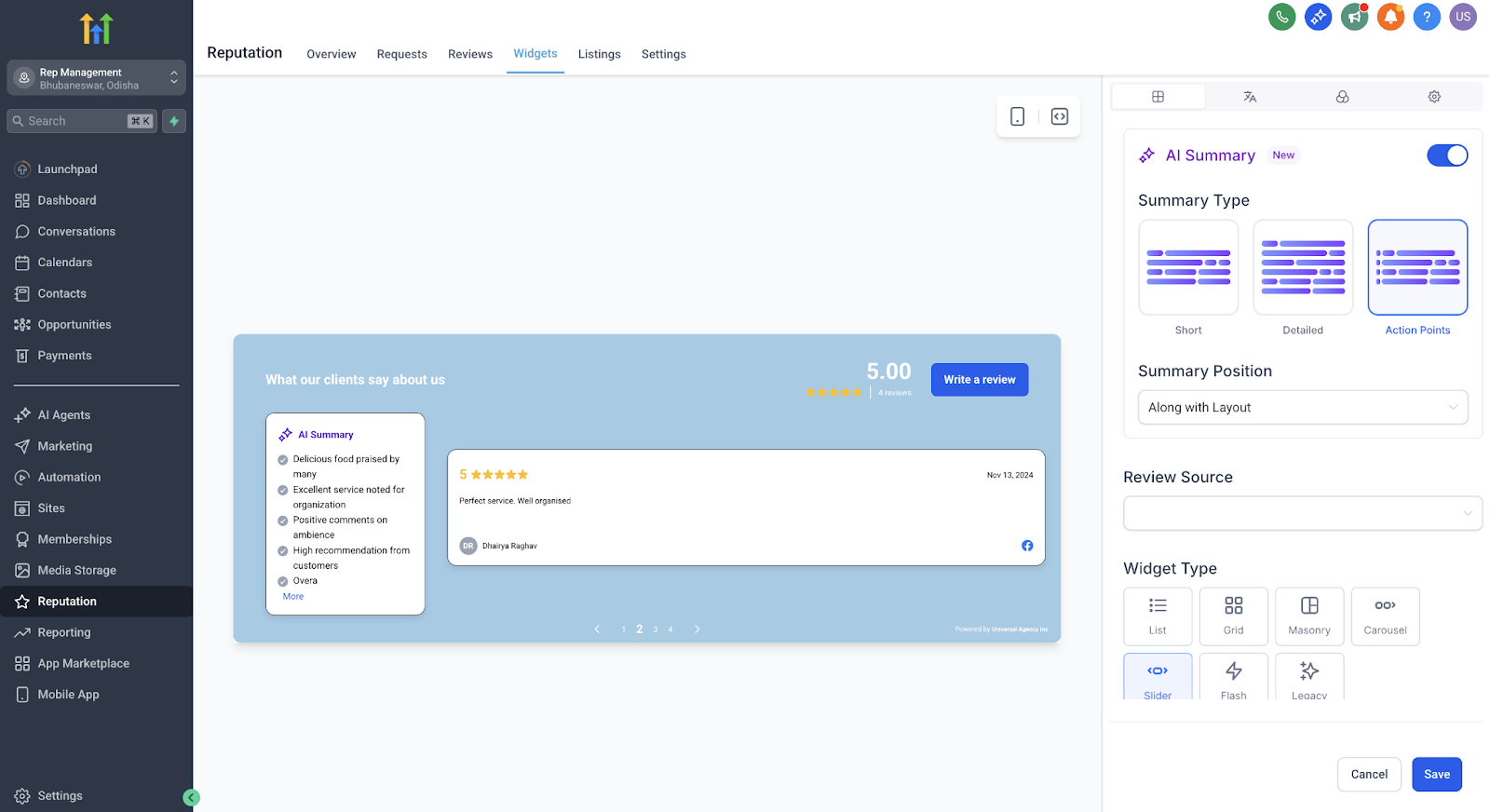
The Slider Widget allows you to display one review at a time in a smooth carousel format. It’s ideal for narrower spaces or pages where you want to focus on individual stories.
Highlight one testimonial at a time for greater impact.
Control the slide interval to match your page’s viewing flow.
Great for hero sections, sidebars, or focused testimonial sections.
AI Review Summaries Now Fully Configurable
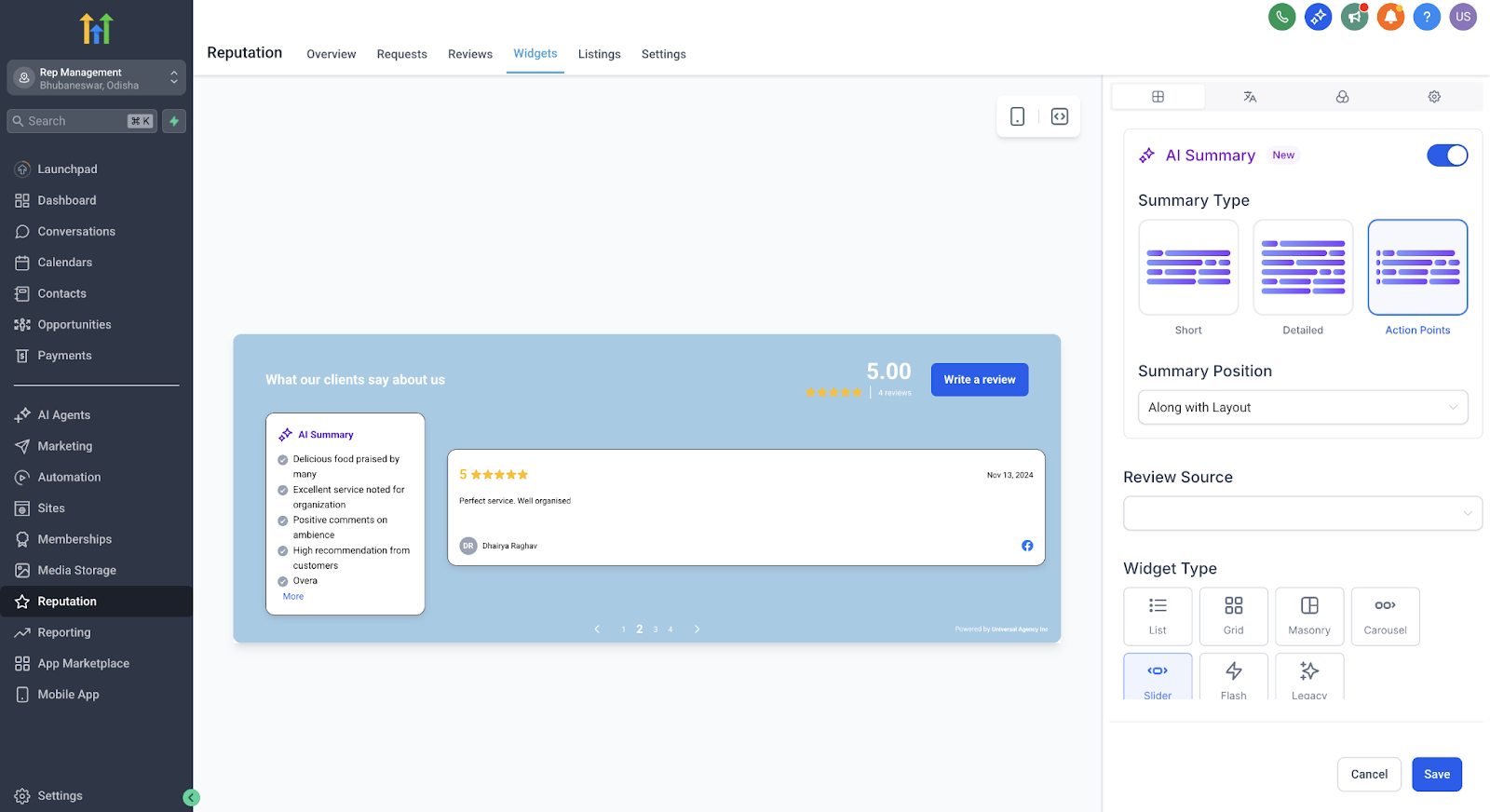
You now have full control over AI-generated review summaries to help visitors quickly understand key points from longer testimonials.
Choose summary type:
Short (1–2 sentences)
Detailed (3–4 sentences)
Action Points (bullet format)
Decide placement:
Top of the review
Integrated within the review layout
Helps highlight the most important takeaways and increases readability.
Default behavior:

AI Summary aligns within your selected widget layout by default. You can still choose Top placement if you prefer the summary above the reviews.
Using the Template Library and Style Customization
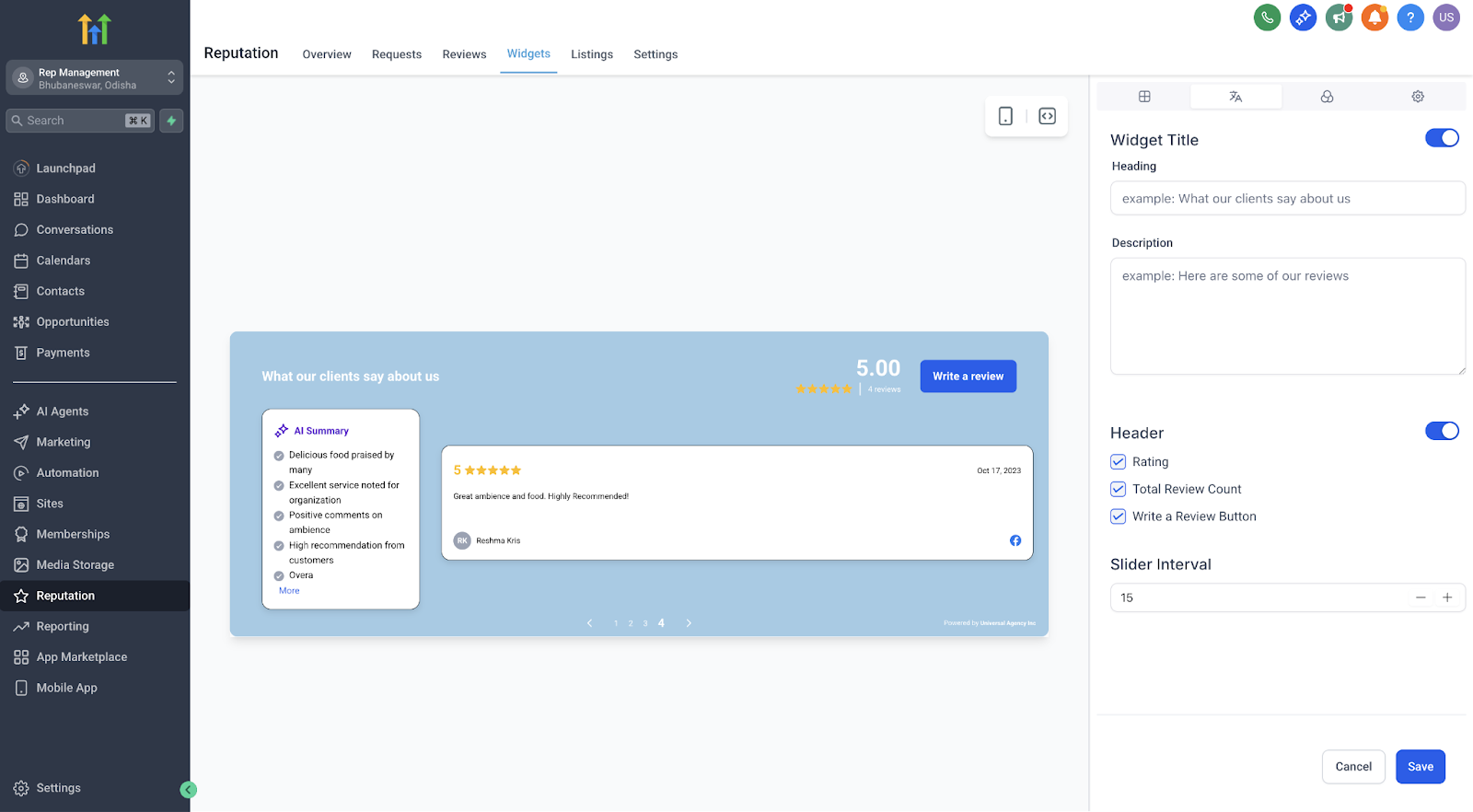
Choose from a growing library of beautifully designed templates or create your own custom design using the new visual style editor.
Quickly swap between plug-and-play templates without coding.
Customize colors for buttons, avatars, backgrounds, and summary text to perfectly match your brand.
See changes instantly with the built-in real-time preview.
No CSS or developer help needed.
How to Create and Customize a New Widget
Setting up and customizing your new review widget is quick and straightforward.
Go to Reputation → Widgets in your SourCherry account.
Select an existing template or start from scratch.
Choose your widget type: Floating Badge or Slider.
Set review rotation or slide intervals to match your site experience.
Choose your AI summary type and placement preferences.
Use the style editor to visually customize elements to fit your brand.
Preview your changes in real time.
Click Publish to activate your new widget on your site.
Important Notes
These new widget options are fully optimized for faster loading and smoother performance across devices.
Design bugs and inconsistencies from previous versions have been fixed to ensure a more reliable display.
Once published, you can edit or update widgets anytime — no need to start from scratch.
Frequently Asked Questions
Q: Can I use more than one widget on the same page?
Yes! You can add multiple widgets (e.g., a Floating Badge and a Slider) to the same page to highlight reviews in different ways.
Q: Do I need any coding knowledge to customize?
No coding skills are required. All styling and customization are fully visual.
Q: Can I change the widget type after publishing?
Yes. You can switch between widget types and update designs at any time.
Q: Will AI summaries update automatically if a review is changed?
Yes. The summaries will dynamically adjust to reflect any edits to the original review.
Next Steps
Create your first Floating Badge or Slider Widget and embed it on your website.
Test different AI summary configurations to see which format best engages your visitors.
Customize your widget styling to match your brand identity and improve overall site cohesion.