
This article explains GoKollab's smart categorization feature that uses AI to automatically assign the most relevant category to your courses and communities. By ensuring your content is clearly described, you can improve your product’s discoverability and engagement without manual setup.
TABLE OF CONTENTS
- What is Smart Categorization?
- Key Benefits of Smart Categorization
- How Does Smart Categorization Work?
- How to Optimize Your Content for Better Categorization
- Important Notes
- Frequently Asked Questions
- Next Steps
What is Smart Categorization?
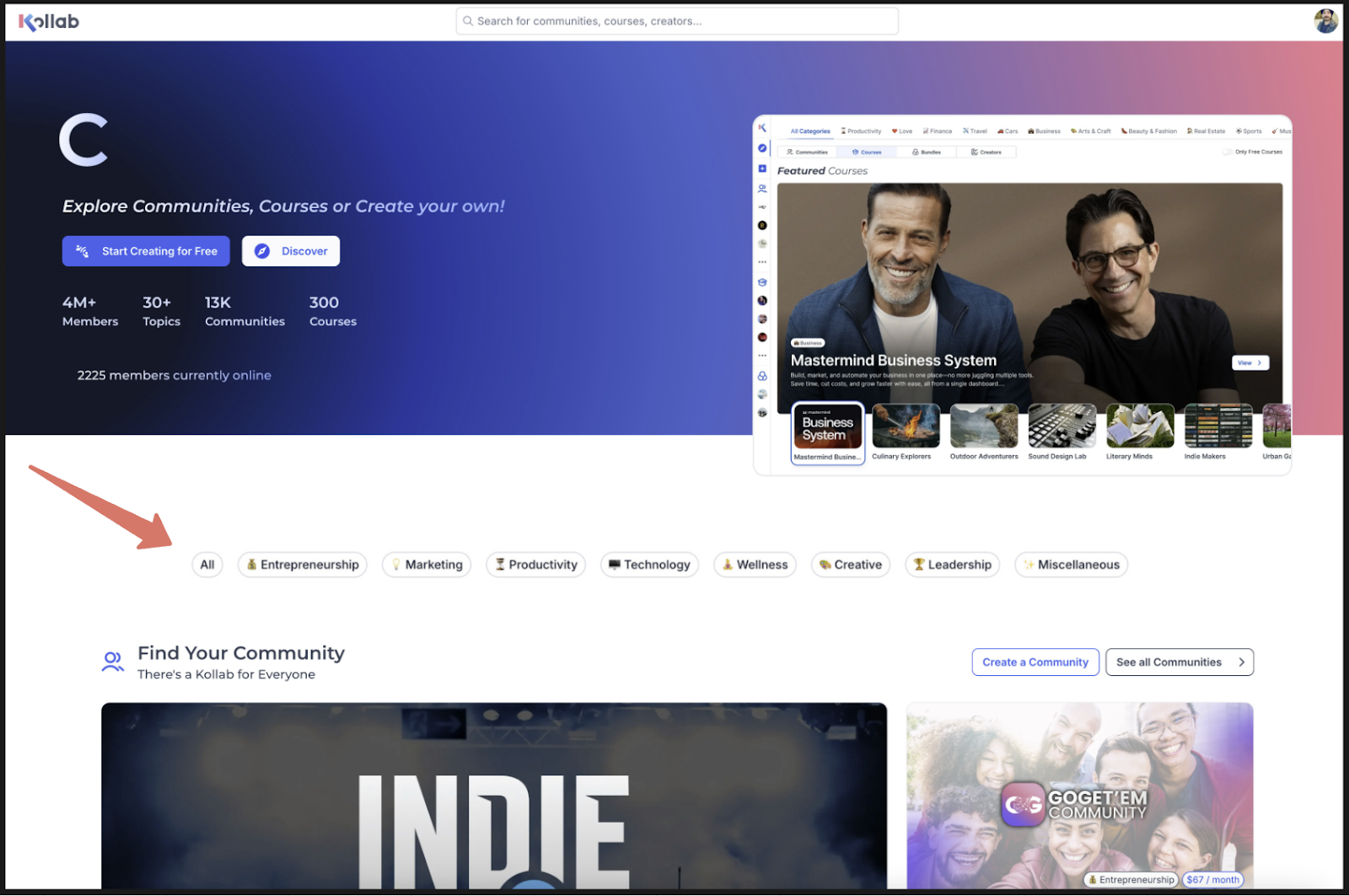
Smart Categorization uses AI to automatically tag your courses and communities with the most relevant category. This helps ensure your content is easily found by learners and community members looking for specific topics.
Key Benefits of Smart Categorization
Smart Categorization simplifies content organization and maximizes your reach without extra effort.
Boosts discoverability in search results and category filters.
Eliminates manual setup—no need to select categories yourself.
Auto-updates as your content evolves, keeping categorization accurate over time.
Improves visibility, making your offerings easier to find and more engaging.
Reduces human error, ensuring consistency across all products.
Saves time, so you can focus on creating great content.
How Does Smart Categorization Work?
Smart Categorization uses advanced AI models to analyze your course or community’s:
Title
Description
About section
Based on this information, the system suggests and applies the most fitting category. As your content changes, the categorization automatically updates to reflect those changes—no manual re-tagging needed.
How to Optimize Your Content for Better Categorization
Writing clear, focused content helps the AI assign the most relevant category to your product. Here’s how to make the most of it:
Use specific and descriptive titles that reflect your topic clearly (e.g., "Digital Marketing for Coaches" vs. "Marketing 101").
Add keyword-rich descriptions that explain the purpose, audience, and scope of your content.
Update your 'About' section with relevant information to support accurate classification.
Avoid vague language like “a bit of everything” or “general info,” which can confuse the AI.
Important Notes
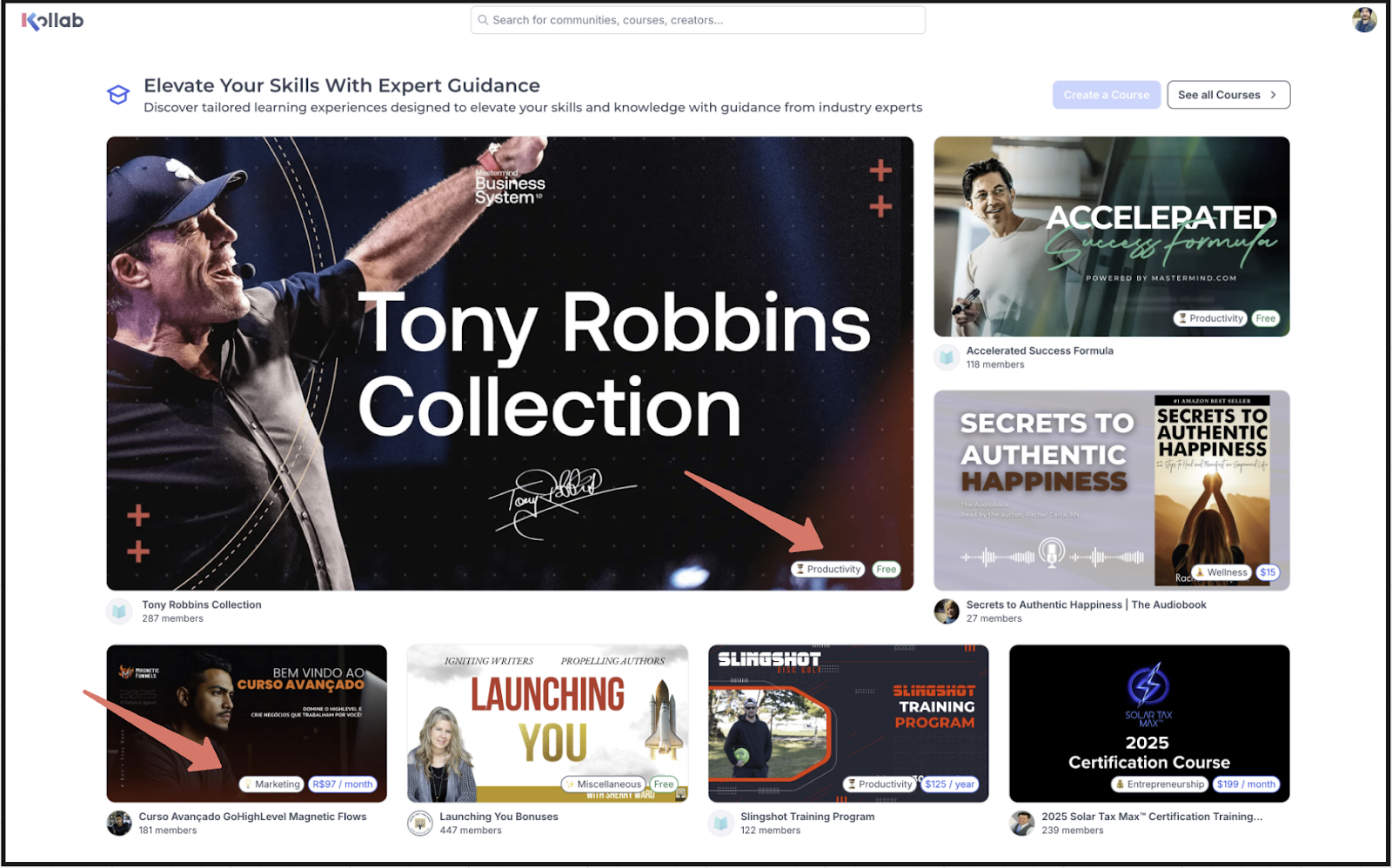
Categories appear visually on every course and community thumbnail. This visibility makes it especially important to maintain accurate, descriptive content.
AI categorization ensures that users find what they’re looking for faster, so always check that your product content communicates clearly and matches your intended topic.
Frequently Asked Questions
Q: Can I manually change the category?
Not at this time. Smart Categorization is designed to be automatic, minimizing the need for manual input and ensuring consistency across the platform.
Q: How often is the category updated?
Anytime you update the title, description, or about section of a course or community, the category will automatically refresh to match.
Q: What if my product shows the wrong category?
Review your title and description to ensure they clearly communicate your topic. If the issue continues, you can contact support for review.
Q: Will smart categorization affect how often my product is seen?
Yes. Better categorization means better placement in search results and filters—making it more likely that users will find and engage with your content.
Next Steps
Review your existing course and community titles and descriptions for clarity.
Check your product thumbnails to see the assigned categories.
Keep your product descriptions current to ensure your category stays relevant.
Explore how your products are appearing in search and filters to measure impact.