
A sleek, mobile-only progress bar now lets your respondents see exactly where they are in multi-step Surveys and Quizzes. By adding a visual indicator, you reduce abandonment and keep users moving toward the finish line, all while matching your brand’s colors
TABLE OF CONTENTS
What Is the Mobile Progress Bar for Surveys & Quizzes?
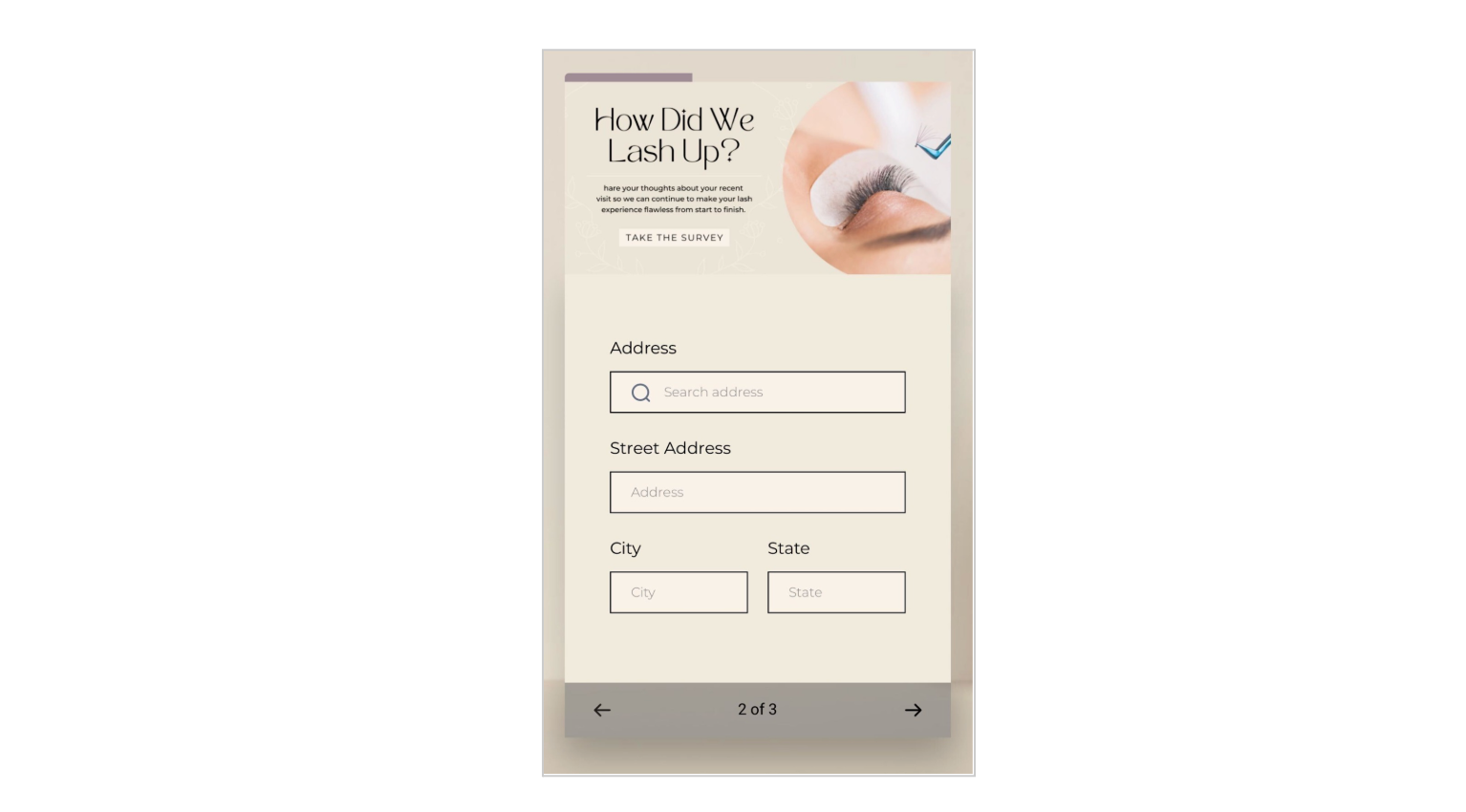
The mobile progress bar adds a dynamic fill line to multi-step surveys and quizzes when viewed on mobile devices. It stays hidden on desktop and single-step forms, keeping the interface clean while delivering clarity where it matters most. This helps increase form completion rates by giving users visibility into where they are and how much is left to go.
Key Benefits of the Mobile Progress Bar
Visual Guidance: Shows respondents how many steps remain, lowering drop-off
Brand Consistency: Pick custom colors for step text, progress fill, and inactive segments to match your branding
Seamless Integration: Fully compatible with both Stick to card and Stick to page footers
Higher Completion Rates: Clear progress feedback encourages users to finish your form
How to Set Up the Mobile Progress Bar
Follow these steps to quickly activate the mobile progress bar and start improving form completions. The steps are the same for both quizzes and surveys.
Step 1: Navigate to Surveys or Quizzes
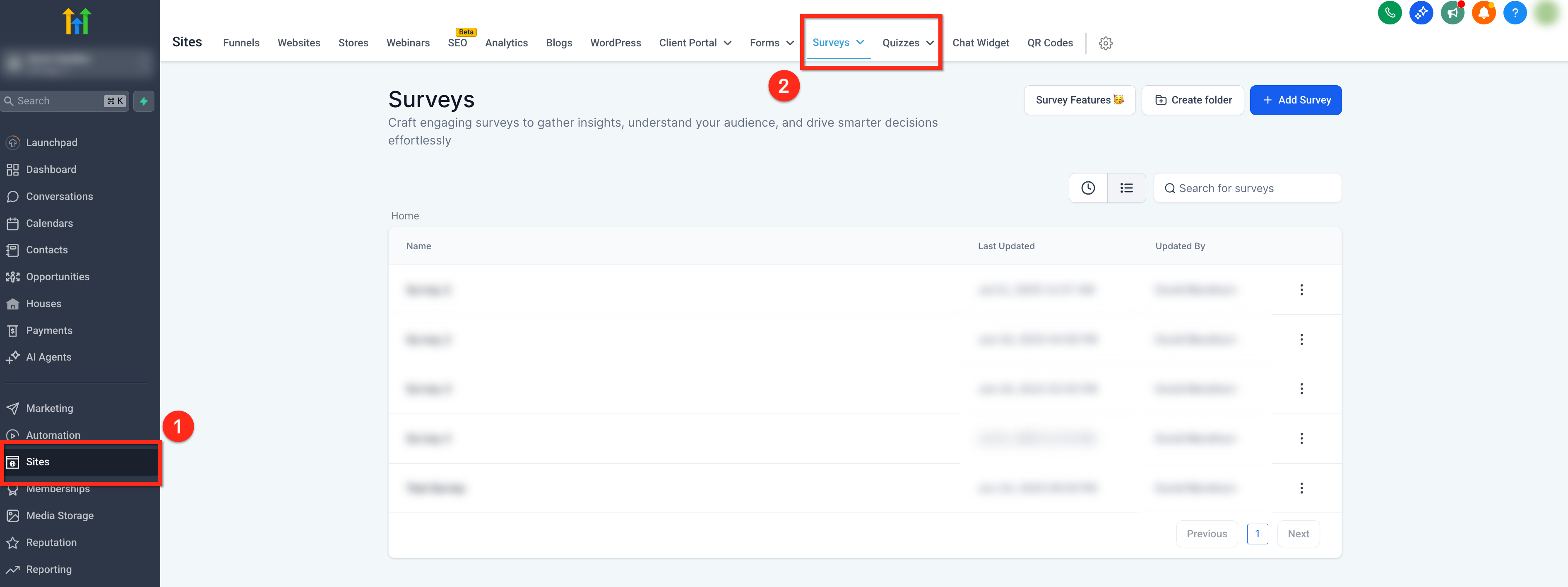
In your sub‑account side navigation bar, click Sites
In the top navigation ribbon, select Surveys or Quizzes
Step 2: Open the Quiz or Survey
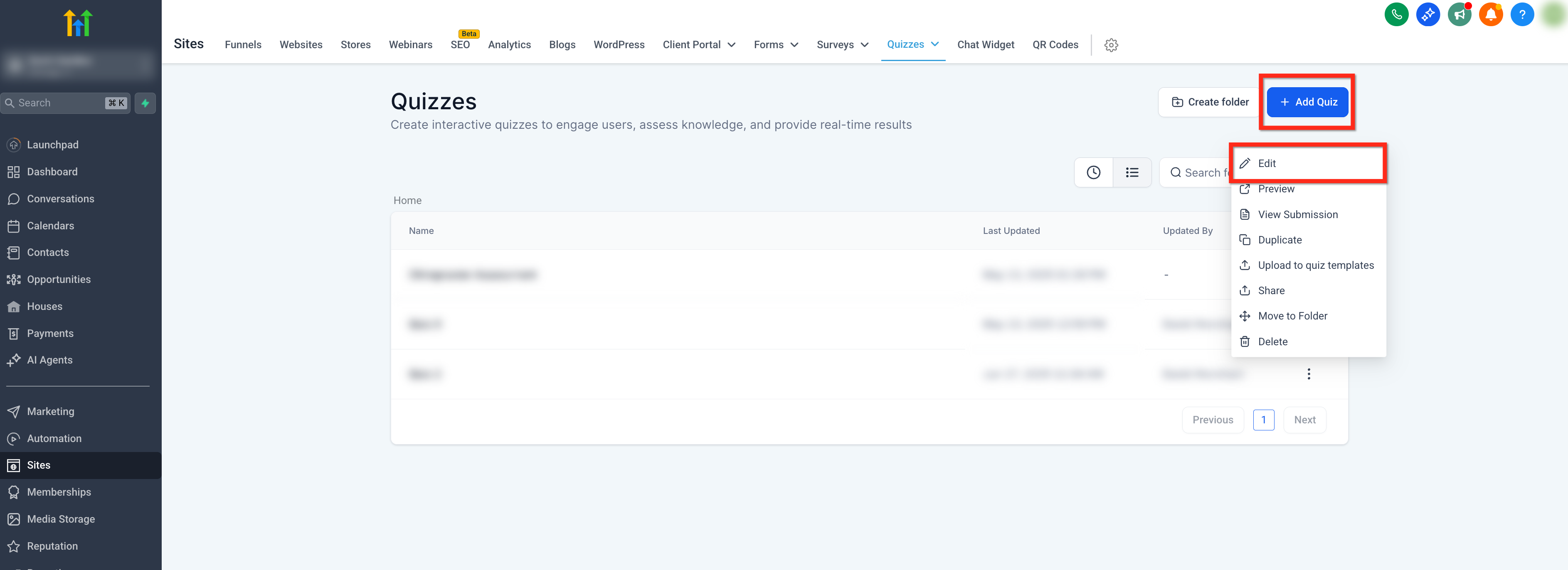
If editing a current quiz or survey, click the 3 Dots icon next to the form/survey and click Edit
To create a new quiz/survey, click the blue + Add Survey or + Add Quiz button in the upper right corner
Step 3: Open Styles & Options
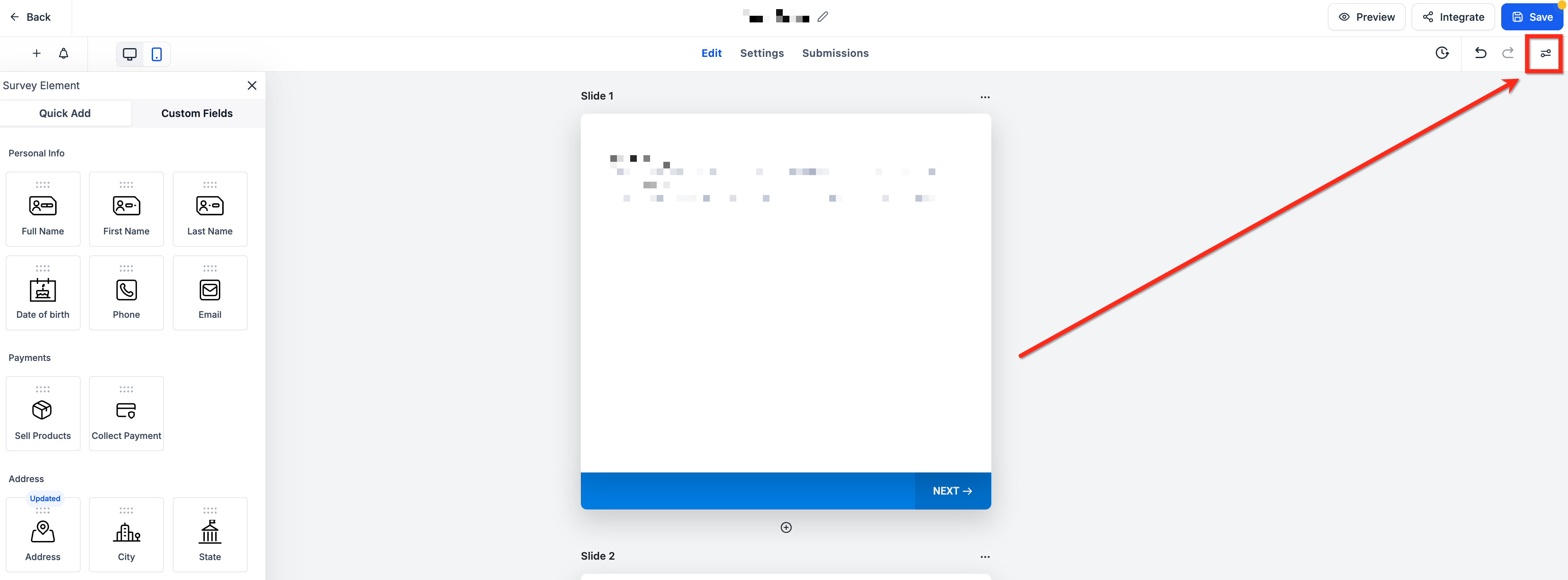
Click Styles & Options at the top‑right of the builder
Step 4: Toggle On Progress Bar
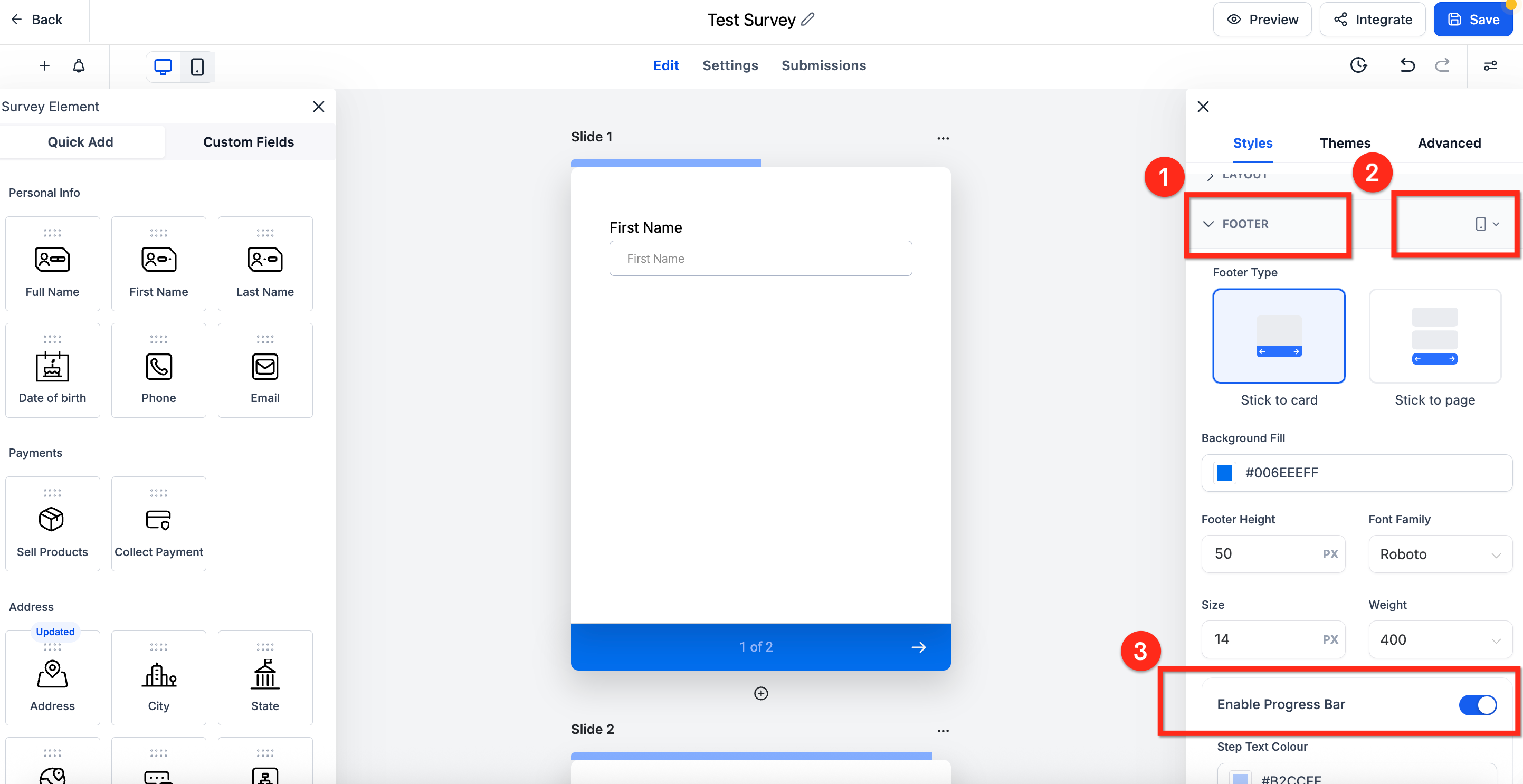
Scroll down to and expand the Footer Section
Use the device selector drop-down next to Footer to choose Phone. You will not be able to enable Progress bar when in desktop mode
Toggle Enable Progress Bar on
Step 6: Customise Colors
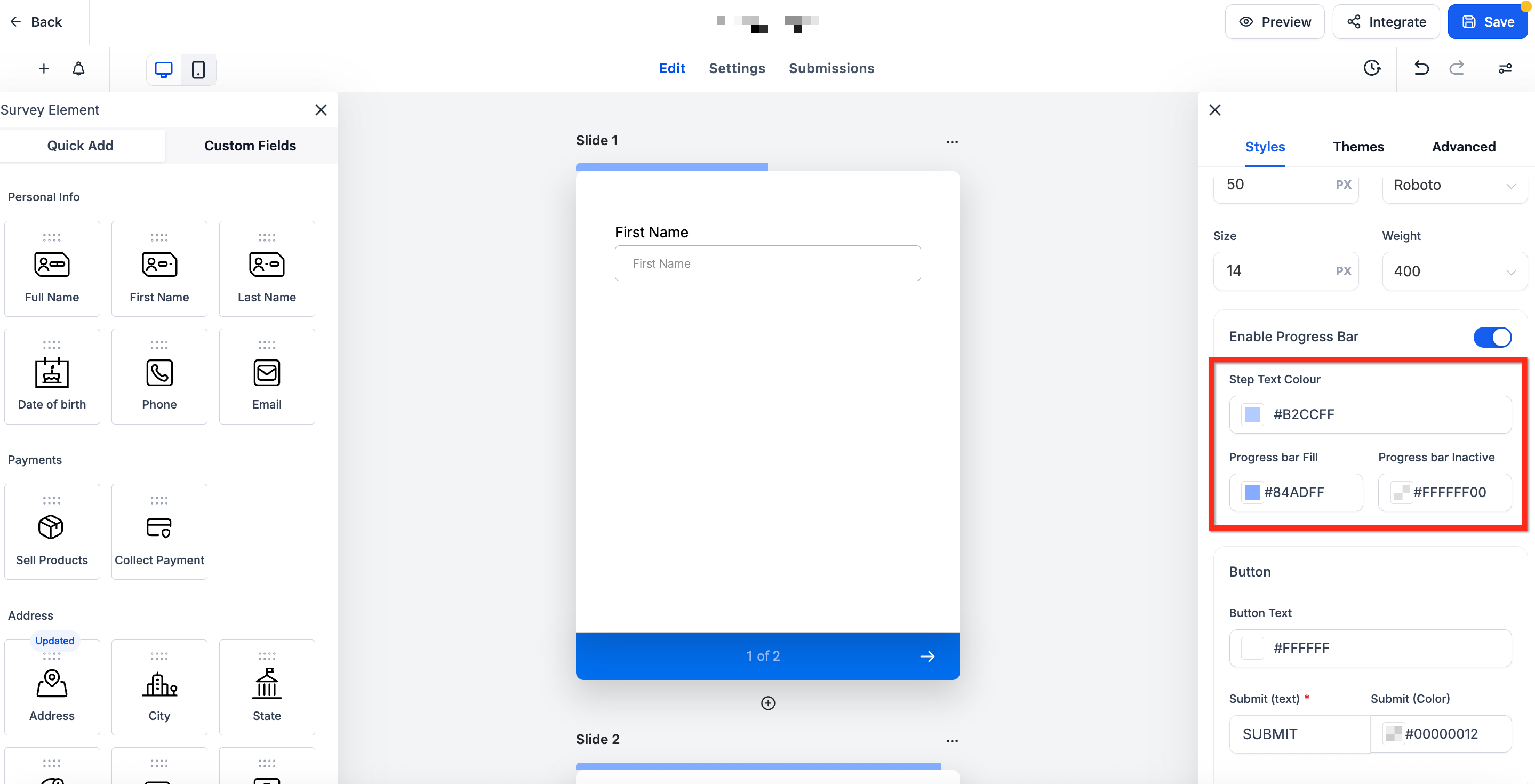
Set Step Text Color, Progress Bar Fill, and Progress Bar Inactive colors to match your brand
Once branding is fully set, click the blue Save button to save your changes
Customize Progress Bar Colors
Match the progress bar to your brand using three flexible color pickers. Each color picker accepts HEX values for precise branding.
Step Text Color: controls the step number label (ex. “1 of 3”)
Progress Bar Fill: sets the filled portion of the bar
Progress Bar Inactive: defines the unfilled segment.
Frequently Asked Questions
Q: Does the progress bar appear on desktop?
No. It is mobile‑only; desktop users will see the standard indicators.
Q: Why is the Enable Progress Bar toggle in grayed-out in Footer settings?
Switch the builder’s device selector to Phone first. While in desktop mode, the toggle is not selectable.
Q: What if my survey or quiz has only one step?
The progress bar is automatically hidden on single step surveys and quizzes because there is no progress to show.
Q: Does the progress bar work with both "Stick to Card" and "Stick to Page" footer types?
Yes. It aligns seamlessly with both Stick to card and Stick to page footers.
Q: Will my existing multi‑step surveys and quizzes automatically show the progress bar?
No. The feature is off by default and must be activated individually in each survey and quiz.