
Deliver a complete document package in one email by adding images, PDFs, or other files as true email attachments within SourCherry’s Document & Template Builders. This article shows where to upload, manage, and send attachments so clients receive everything they need without extra follow‑up.
TABLE OF CONTENTS
- Overview of Attaching Files to Documents & Templates
- Key Benefits of Adding Attachments
- How to Upload Attachments
- Supported File Types & Limits
- Frequently Asked Questions
- Related Articles
Overview of Attaching Files to Documents & Templates
You are able to upload multiple files (SVG, PNG, JPG, or PDF files, up to 15 MB each) directly inside any document or template. When the document is sent, manually or through a Workflow, those files arrive in your recipient’s inbox as standard, downloadable email attachments. This enables you to send a single email that contains both the contract and all supporting documents.
Key Benefits of Adding Attachments
Single‑Email Delivery: Clients receive the contract plus supporting materials in one message, reducing confusion and speeding sign‑off
No Extra Tools Required: Eliminate third‑party file‑sharing links for a seamless sender and recipient experience
Workflow‑Ready: Attachments ride along automatically when documents are triggered by Workflows—no extra configuration needed
Easy File Management: Upload, preview progress, or delete files directly from the Document Settings panel before sending
No External Download Links: Recipients can open attachments directly from the email, reducing extra clicks, boosting trust, and minimizing phishing concerns
How to Upload Attachments
Follow the numbered steps below to locate the Add Attachments panel and upload files without leaving the builder.
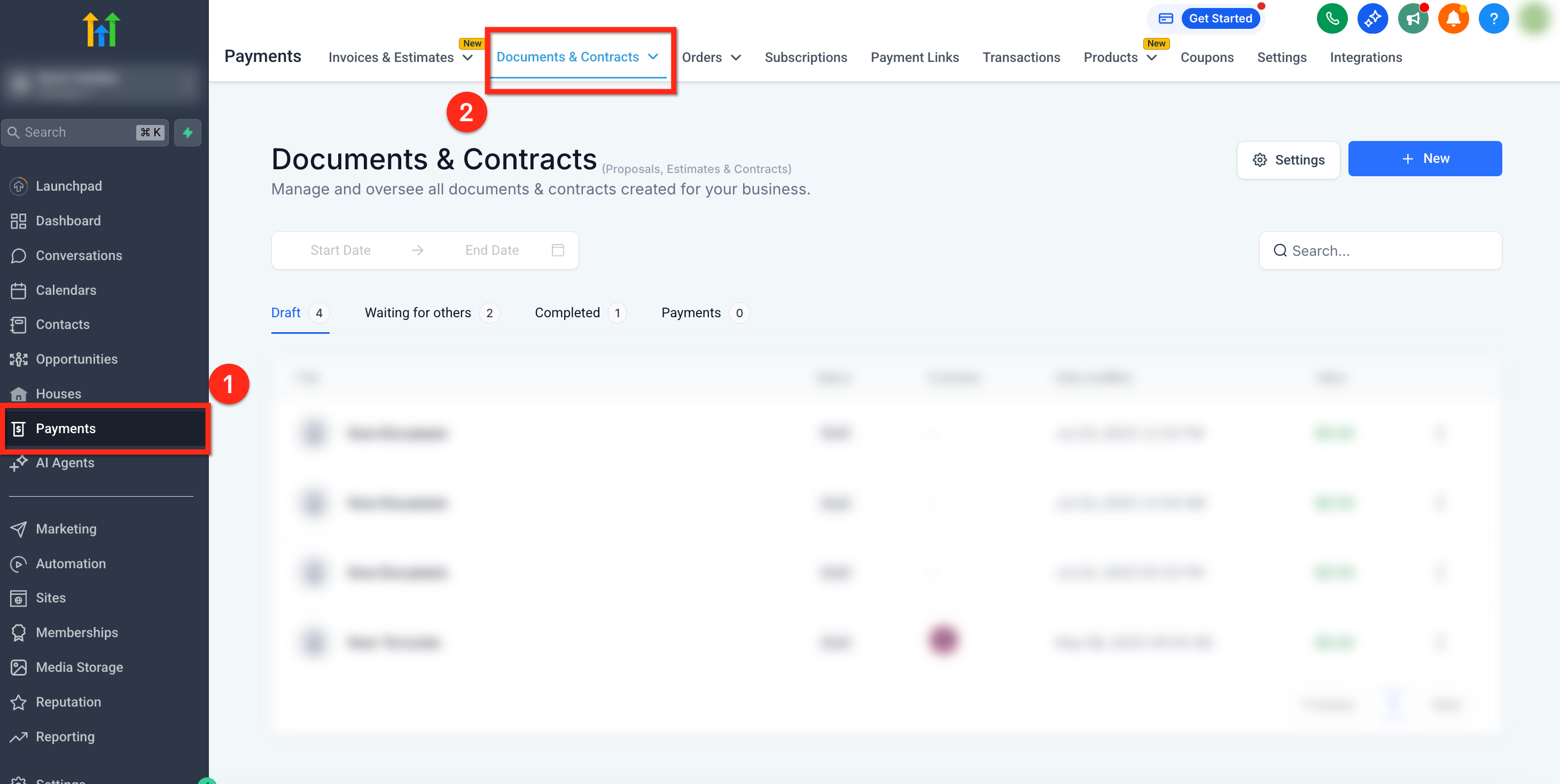
Step 1: Navigate to Documents & Contracts
In the left‑side navigation bar, click Payments
In the top navigation ribbon, click the Documents & Contracts tab
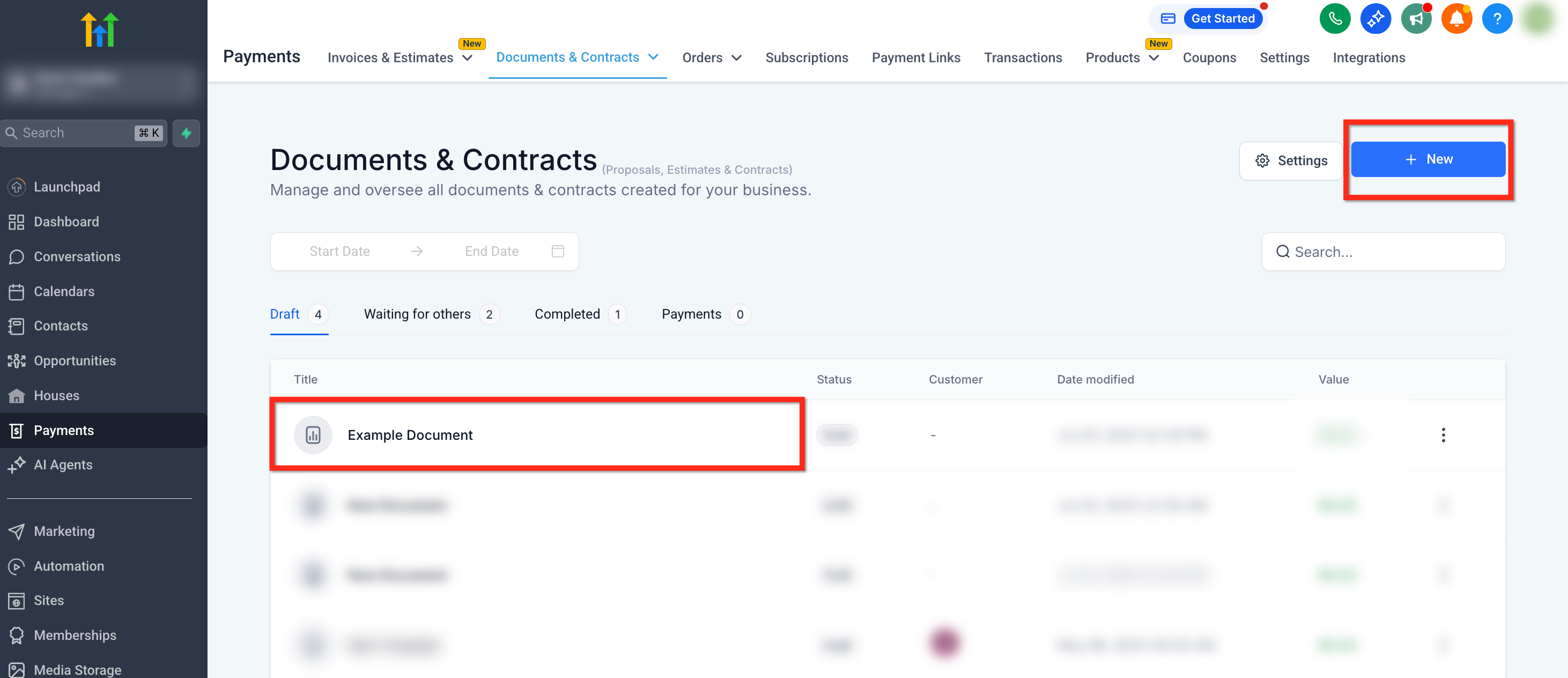
Step 2: Create New or Open Existing Document/Template
- To edit an existing document/template, click its name in the list
- To create a new one, click the blue + New button in the top‑right corner
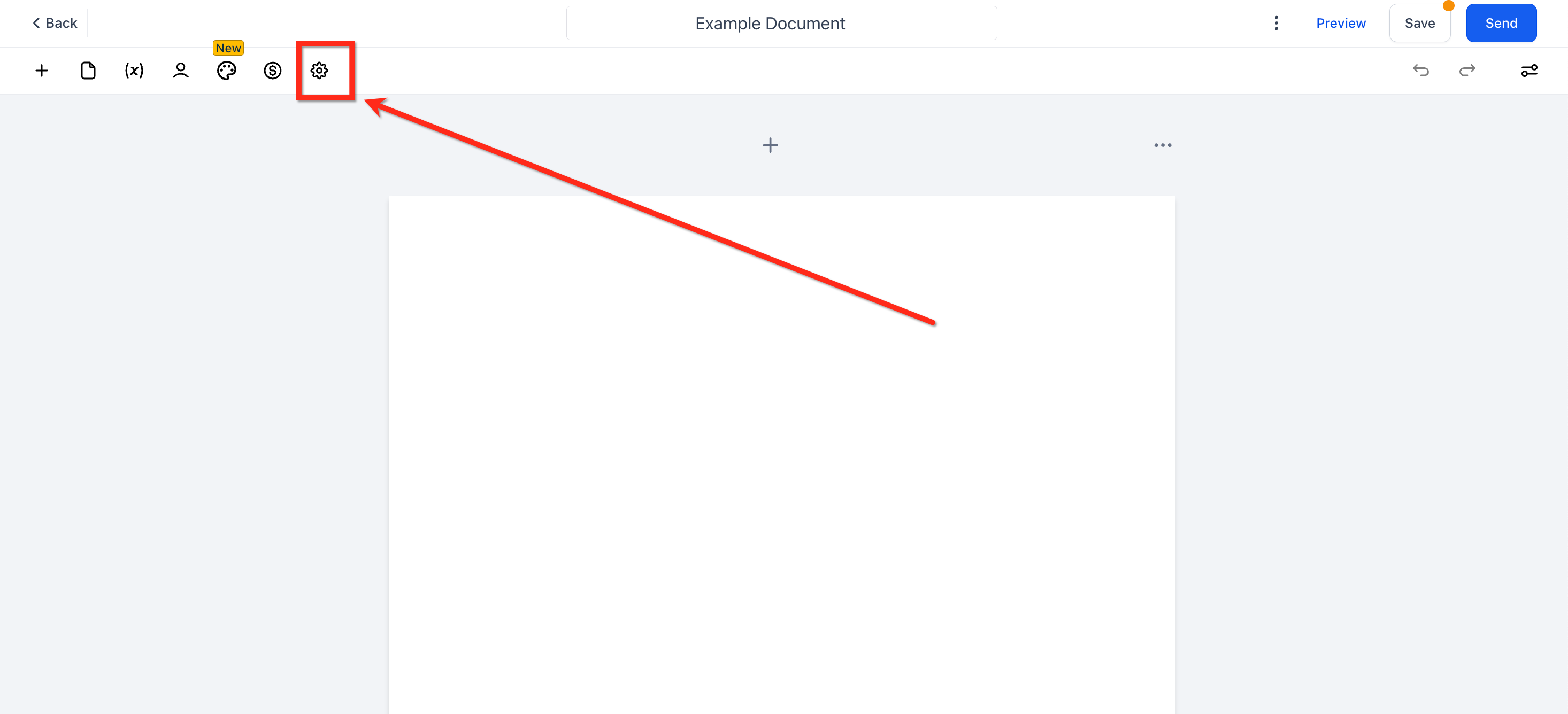
Step 3: Open Settings
Click the Gear icon (Settings) in the upper‑left corner of the Builder
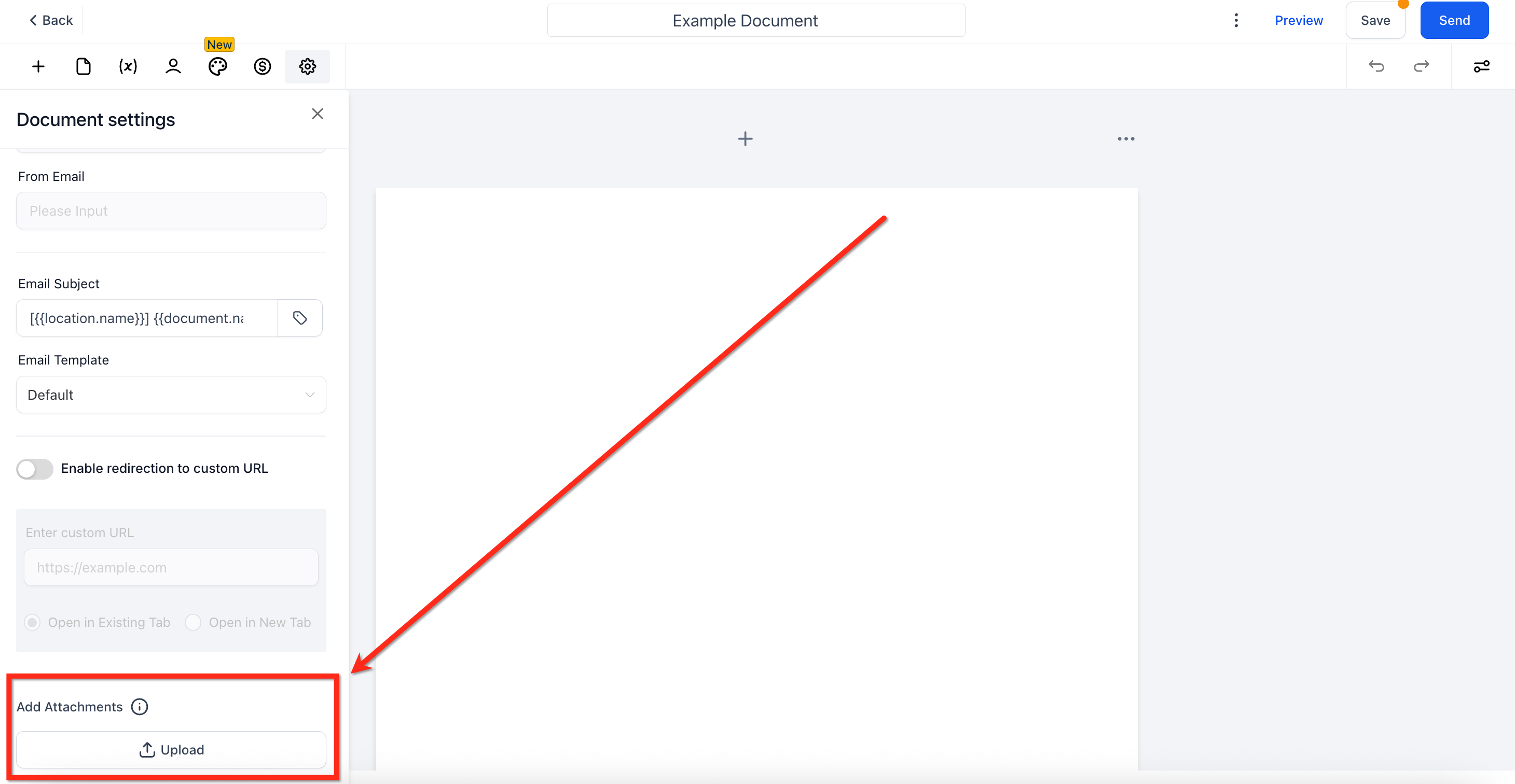
Step 4: Select and Upload Files
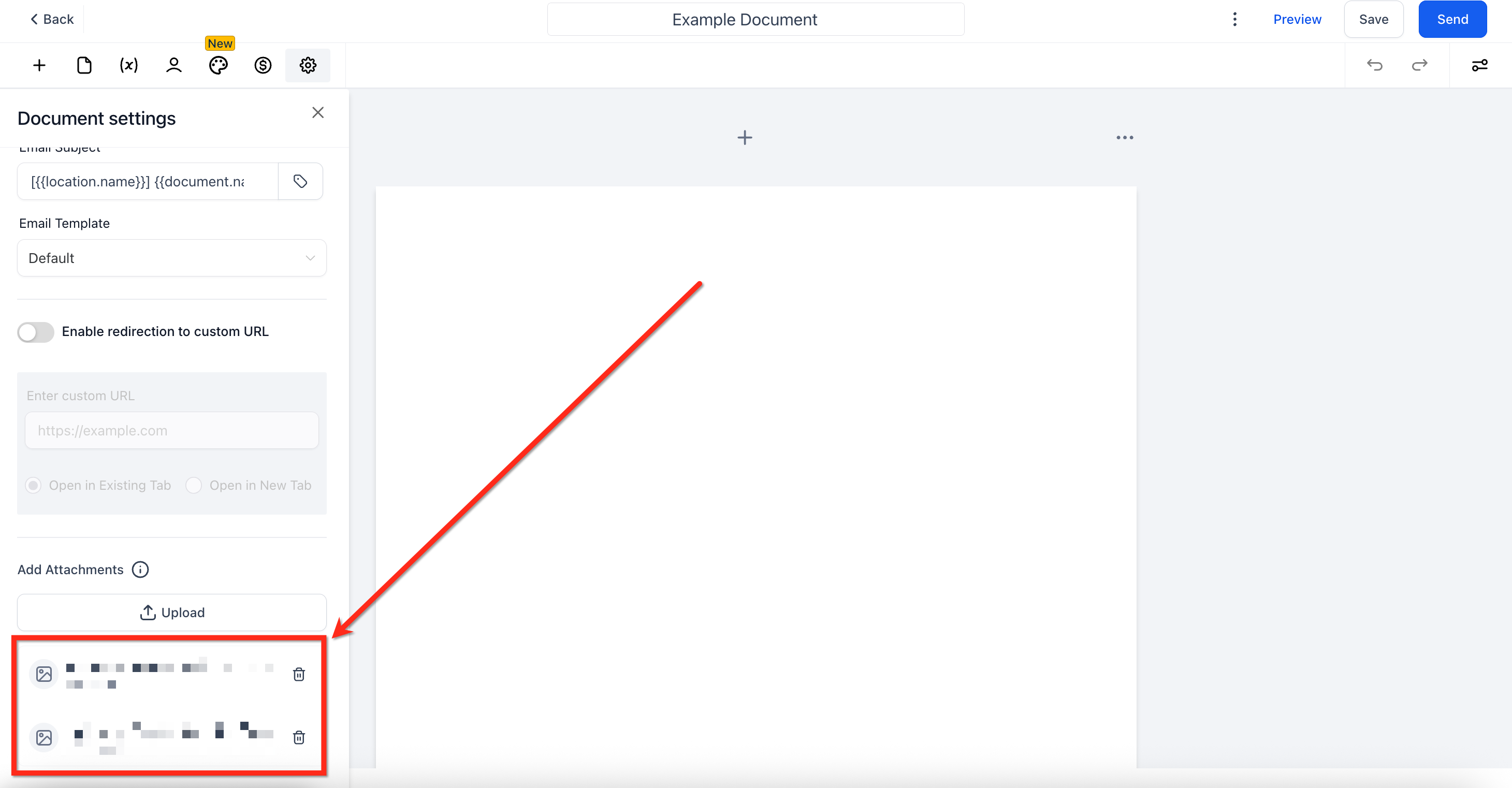
Scroll to Add Attachments and click Upload
Drag‑and‑drop or browse to select SVG, PNG, JPG, or PDF files (≤ 15 MB each)
Click Upload to confirm
Step 5: Review Progress & Save
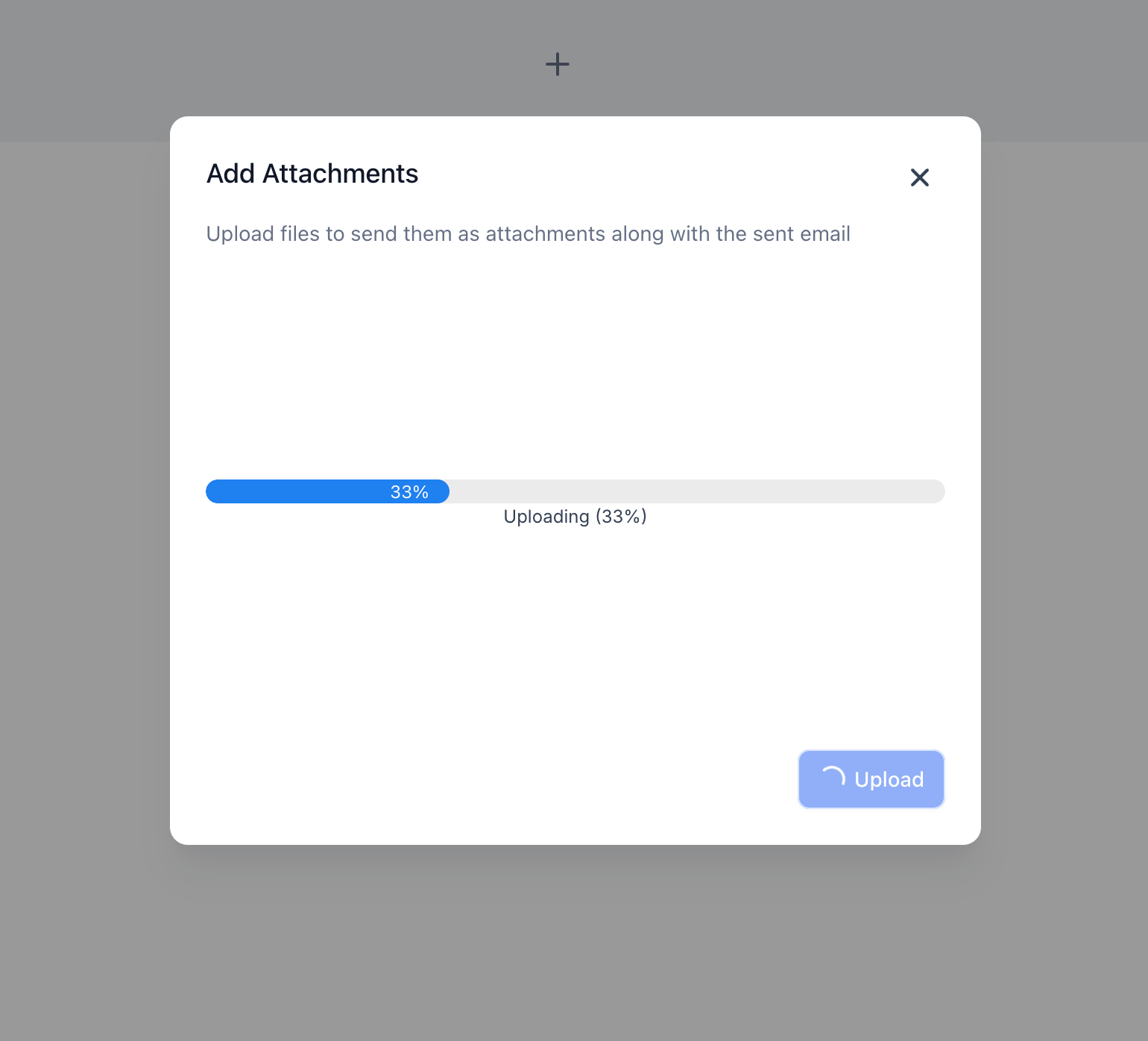
Watch the real‑time upload progress bar until it reaches 100 %
Remove any file at any time by clicking the Trash Can icon next to it
Click Save to commit your changes
Supported File Types & Limits
Understand the boundaries so your emails deliver successfully.
Accepted formats: SVG, PNG, JPG, PDF
Supports up to 15 MB per file
Supports up to 5 attachments
Frequently Asked Questions
Q: What happens if my file is larger than 15 MB?
The upload will fail. Compress or split the file and try the to upload again.
Q: Can I attach multiple files?
Yes, upload up to 5 attachments. Keep total email size under 20 MB for best deliverability. For more info, see File Size Limits for Attachments in SMS and Email
Q: Do attachments send when a document is triggered by a workflow?
Yes, any attachments added to the template automatically are with the email sent through a Workflow.
Q: Will attachments copy over if I duplicate a document or template?
Yes. When you duplicate a document or template, any existing attachments are duplicated as well. You can remove or replace them in the new copy.