
Skip the copy-paste and dial leads straight from SourCherry or SourCherry using the mobile number already on your phone plan. SIM-based calling launches your device’s native dialer with the contact’s digits pre-filled, so you can act on opportunities the moment you see them—no business number or extra setup required.
TABLE OF CONTENTS
- What Is SIM-Based Calling?
- Key Benefits of SIM-Based Calling
- Prerequisites & Limitations
- Where You Can Place SIM‑based Calls
- Manuel Call Logging
- How to Place a SIM-Based Call
- Frequently Asked Questions
- Related Articles
What Is SIM-Based Calling?
SIM-based calling is a one-tap shortcut that hands a lead’s phone number from the SourCherry mobile app to your phone’s built-in dialer. Because the call routes through your personal or carrier-issued SIM, you can start conversations even if your workspace hasn’t purchased a dedicated business line.
Important: This will work only when an LC phone is not purchased and active at the sub-account level. Once LC Phone is setup, SIM-based calling is no longer available.
Key Benefits of SIM-Based Calling
Empower your team with friction-free outreach while you work toward a full Voice setup.
Zero Setup: Works automatically before enabling LC Phone
Faster Outreach: One tap launches the dialer with the number pre‑filled, no copy & paste
Carrier Billing: Uses your existing SIM phone billing plan
Mobile First Experience: Perfect for users who live inside the app
Bridges the Gap: Teams can start calling today and upgrade to built-in business numbers later
Prerequisites & Limitations
No LC Phone number must exist at the sub‑account level. Once a number is purchased, SIM calling is no longer available
Standard carrier minutes/charges apply. Calls are not billed through LC Phone or SourCherry
No call recording, transfer, or analytics are available (these rely on LC Phone)
Manual logging is required to track SIM-based calls in SourCherry
Where You Can Place SIM‑based Calls
Find the Call icon wherever phone numbers surface in the mobile app. This includes:
- Contacts: Top-right of the profile header
- Opportunities: Inside the Kanban card and detail view
- Conversations: Quick-action toolbar above each thread
Manuel Call Logging
SIM calls are not auto-logged inside SourCherry. Track outcomes manually so your pipeline stays accurate. Here are three easy ways to capture every outcome:
- Tap Notes on the contact profile to record outcomes
- Workflow Action - Log External Call: Log External Call to attribute manual notes to reporting fields. To learn more, see: Workflow Action - Log External Call
- Workflow Action - Manual Call: Manual Call to schedule follow‑ups. To learn more, see: Workflow Action - Manual Call
How to Place a SIM-Based Call
Follow these three moves—no settings to toggle.
- Open Contacts, Opportunities, or Conversations
- Tap the phone icon next to the lead’s number
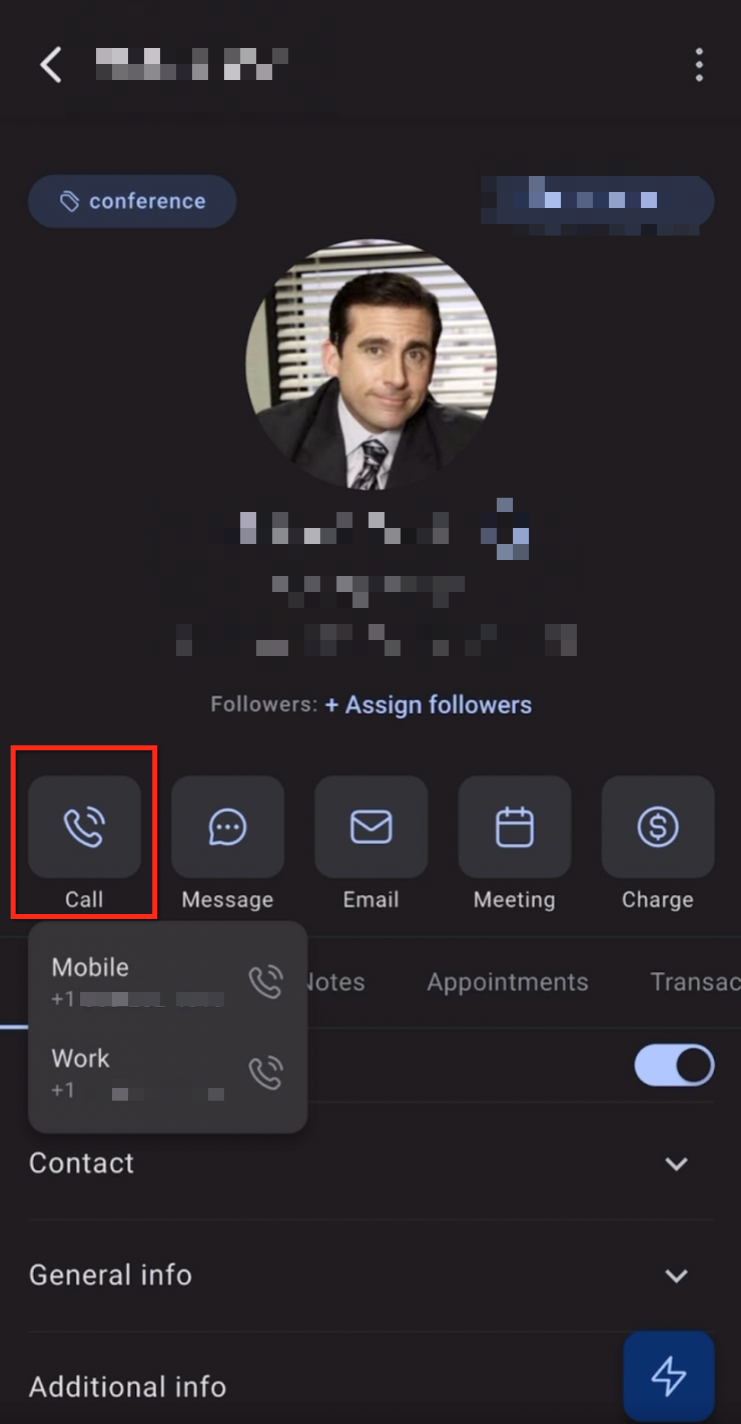
- Your device’s dialer pops up with the number pre-filled. Just press the Number to place the call
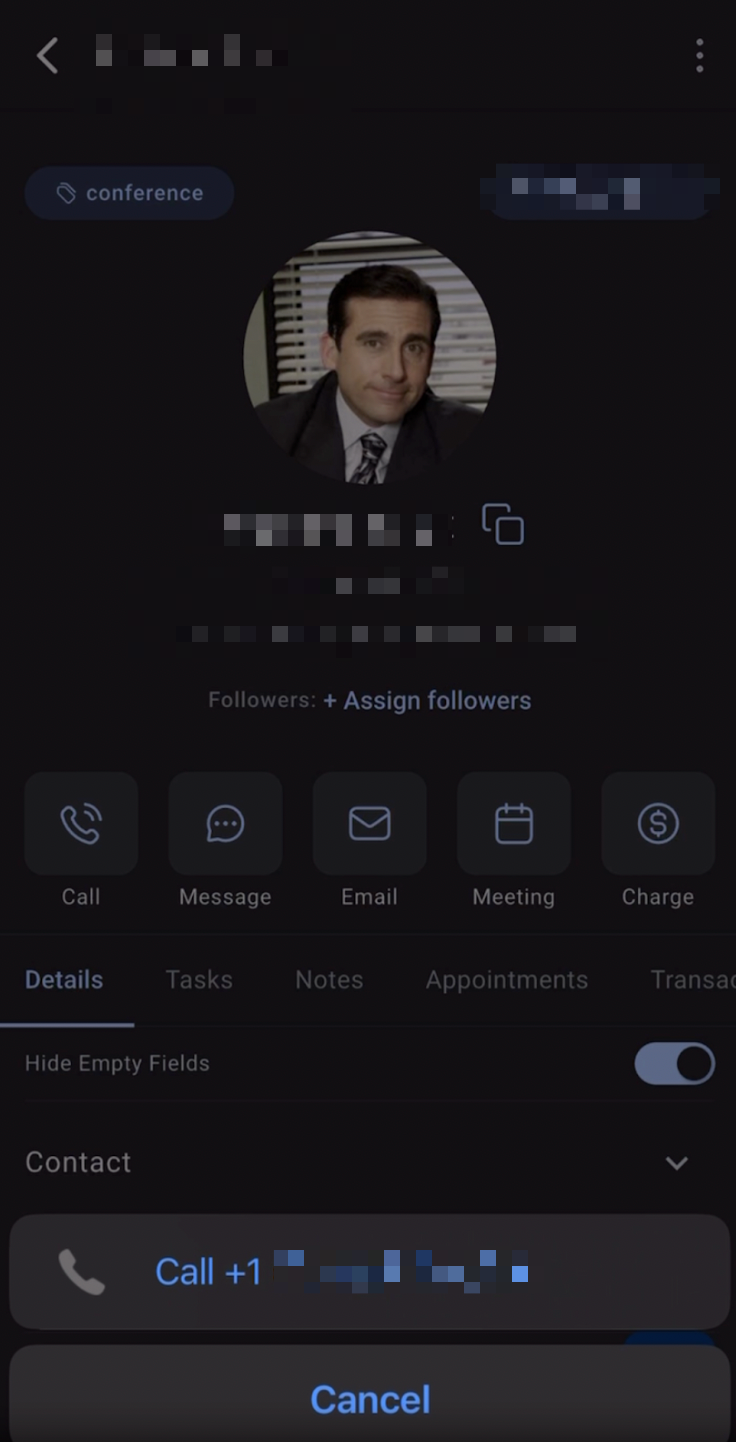
That’s it! The call uses your carrier minutes or unlimited plan just like any personal call.
Frequently Asked Questions
Q: Does this feature cost anything extra?
No. Calls use your existing mobile plan minutes or VoLTE data. Nothing is billed through SourCherry.
Q: Will contacts see my personal caller ID?
Yes. Because the call originates from your SIM, recipients will see the name or number attached to your carrier line.
Q: Will SourCherry log my SIM‑based calls?
A: Automatic logging is only available for LC Phone (VoIP) calls. SIM calls use your carrier network and calls are not logged automatically through SourCherry. This must be done manually.
Q: The option to place a SIM-based call disappeared after I bought a LC phone number—why?
When an LC Phone number is active in a sub‑account, the mobile app defaults to VoIP calling and SIM-based calling is no longer available. SIM-based calling is only meant to be a bridge to use while setting up LC Phone.